
What Is a CRM System and How Do You Use It to Manage Customer Relationships?
Learn what a CRM system is, how it works from first inquiry to outcome, and which features matter day to day. Compare CRM with spreadsheets, task managers, and ERP, and see how to choose a CRM and manage clients in if.team.
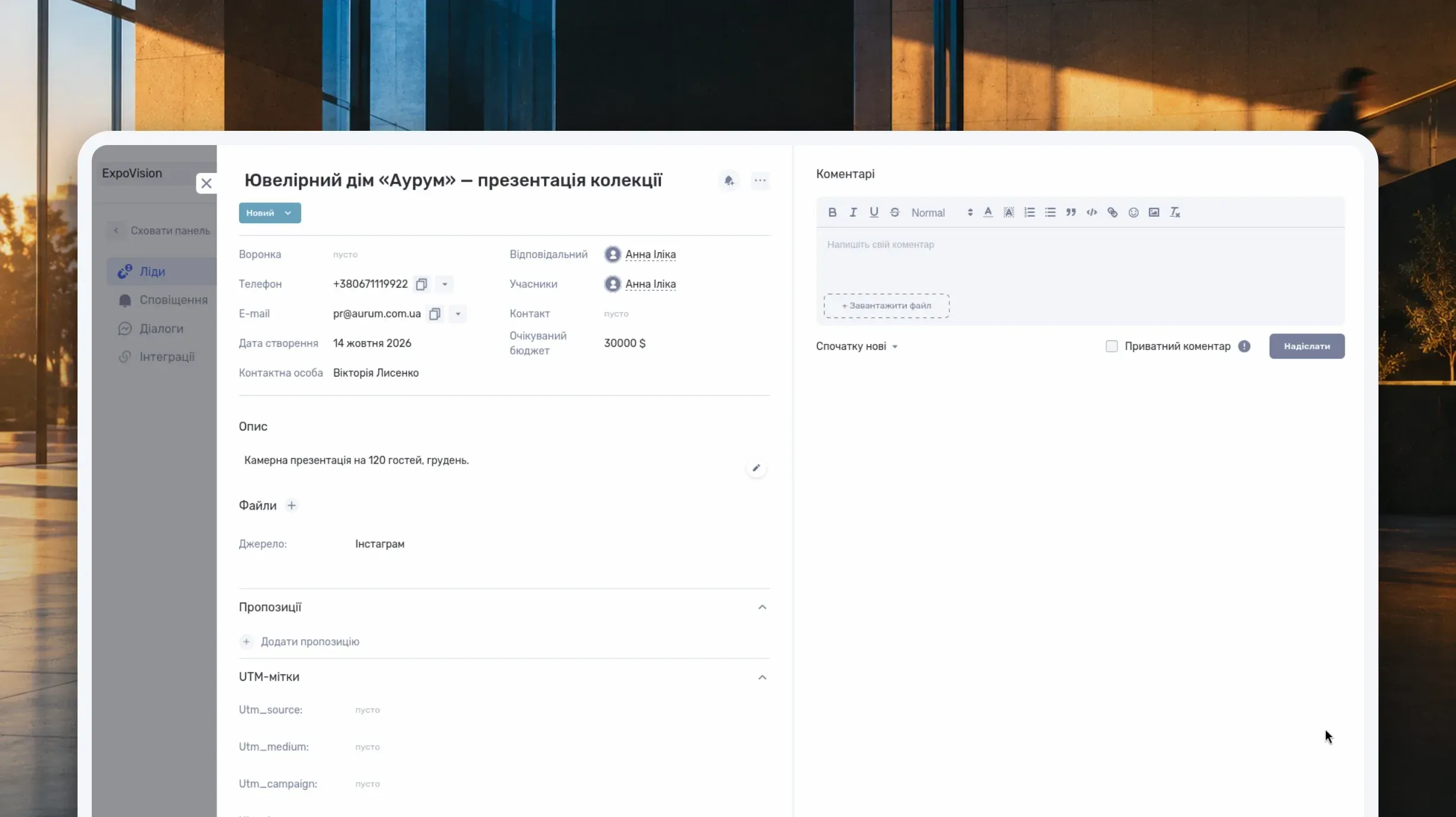
A CRM system is software for managing customer relationships. It gives a team a place to store contacts, track inquiries and deals, record agreements, and plan follow-ups. It helps answer four everyday questions: who contacted the company, what they need, who is responsible, and where the conversation stands.
Suppose a client asks for an estimate. A sales manager clarifies the details in a messaging app, records the budget in a spreadsheet, and agrees to call on Thursday. On Thursday, the manager is off sick. A colleague can find the phone number but doesn't know which price has been discussed, what was promised, or what the call is meant to achieve. They have to search through messages or ask the client to repeat everything.
A CRM can keep that information alongside the inquiry. The colleague can open the record, read the conversation summary, find the current estimate, and continue the work. For this to happen, the team needs to agree on what to record and when to update it.
This guide explains how CRM works, which features matter to service businesses and teams delivering client projects, and how to evaluate a system before adopting it. Then we'll follow an inquiry through to a project in if.team. We'll use a fictional design studio; the names, amounts, and circumstances are illustrative.
What is a CRM system, and what information does it hold?
CRM stands for Customer Relationship Management. The term describes both the approach to managing customer relationships and the software used to organize that work. When a business looks for a CRM system, it usually means the software.
Imagine a design studio receiving an inquiry from Obrii, a company that needs a new office designed. The studio knows the company name and the coordinator's contact details but has not yet agreed on a scope or price. The CRM should distinguish the customer from the current request.
Contacts hold information about the customer
The customer database stores the companies and people the team works with: names, phone numbers, email addresses, contact people, and other relevant details. The available fields depend on the system and the company's process.
The studio needs to know who coordinates the project at Obrii and who approves the budget. Those may be different people. If the record contains only the company's general phone number, the manager will have to find the right person for each question.
A company may place several orders: an office design in spring and a meeting-room redesign in autumn. Its contact information remains shared, while each job has its own requirements, timing, and budget. That keeps the relationship history together without mixing the terms of separate orders.
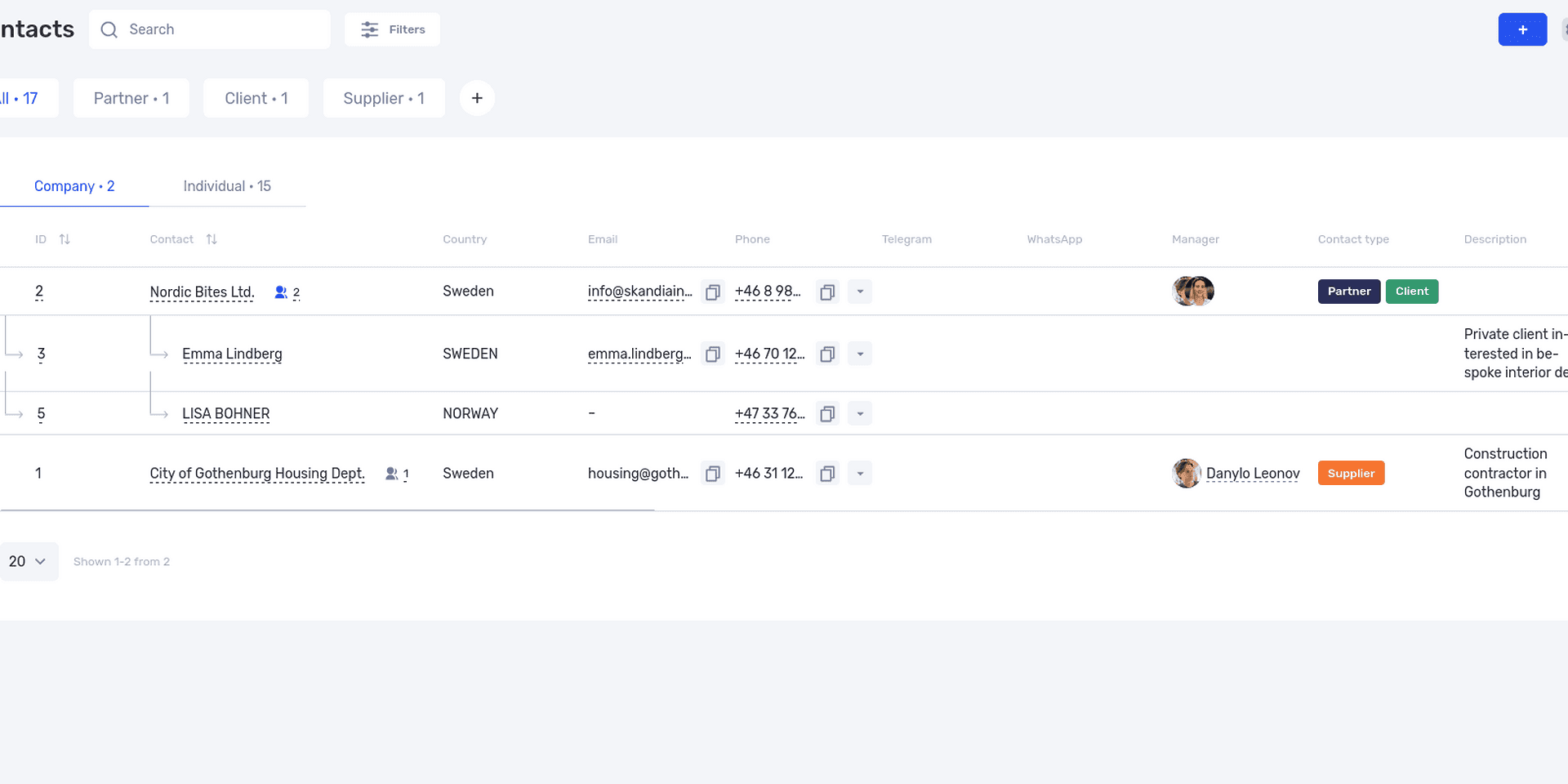
The contact database brings together the companies and people the team works with.
Leads and deals represent sales opportunities
A lead is a potential sales opportunity, though CRM products use the term differently. In one system, it may mean an unqualified contact; in another, a specific inquiry. In if.team, a lead is a potential deal that has not yet become a project. The Leads overview explains this model.
In our example, Obrii is the customer and “New office design for Obrii” is a separate inquiry. That inquiry has an expected budget, a request for layout design, proposed dates, and a current negotiation status.
The distinction matters for repeat business too. A new request should be assessed separately. The status of the previous job does not explain what is happening with the new one.
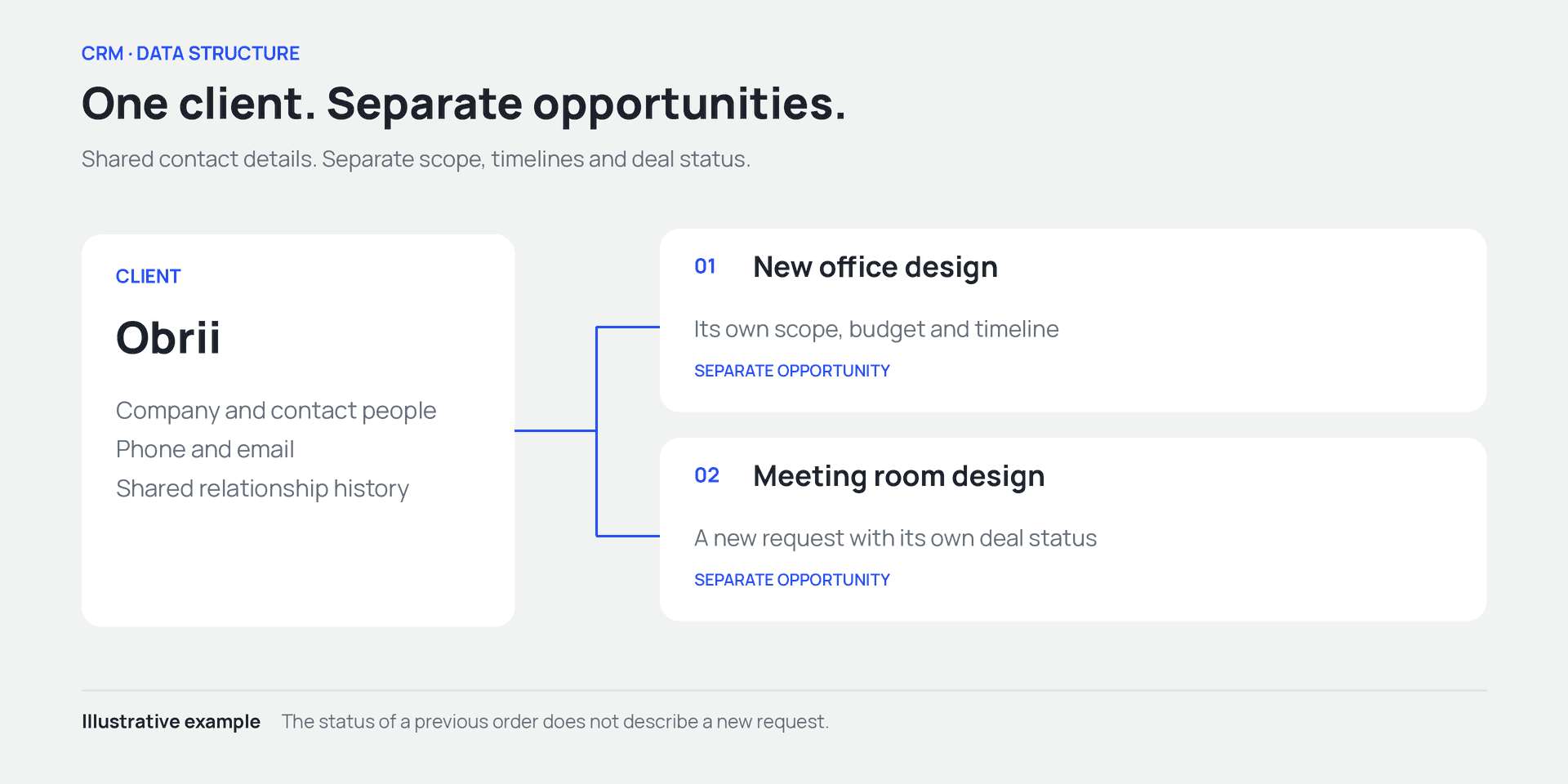
One client can have several opportunities, each with its own terms and status.
Status and next action answer different questions
A status describes the stage: new inquiry, requirements discussion, proposal preparation, or approval. The next action explains what the manager will do and when. “Proposal sent,” for instance, can be paired with “Discuss the scope with the coordinator on Thursday.”
Without a next action, an inquiry may sit in the same status for weeks. It looks active in the list even though nobody plans to return to it. An open opportunity needs an owner, a current status, and a clear next step.
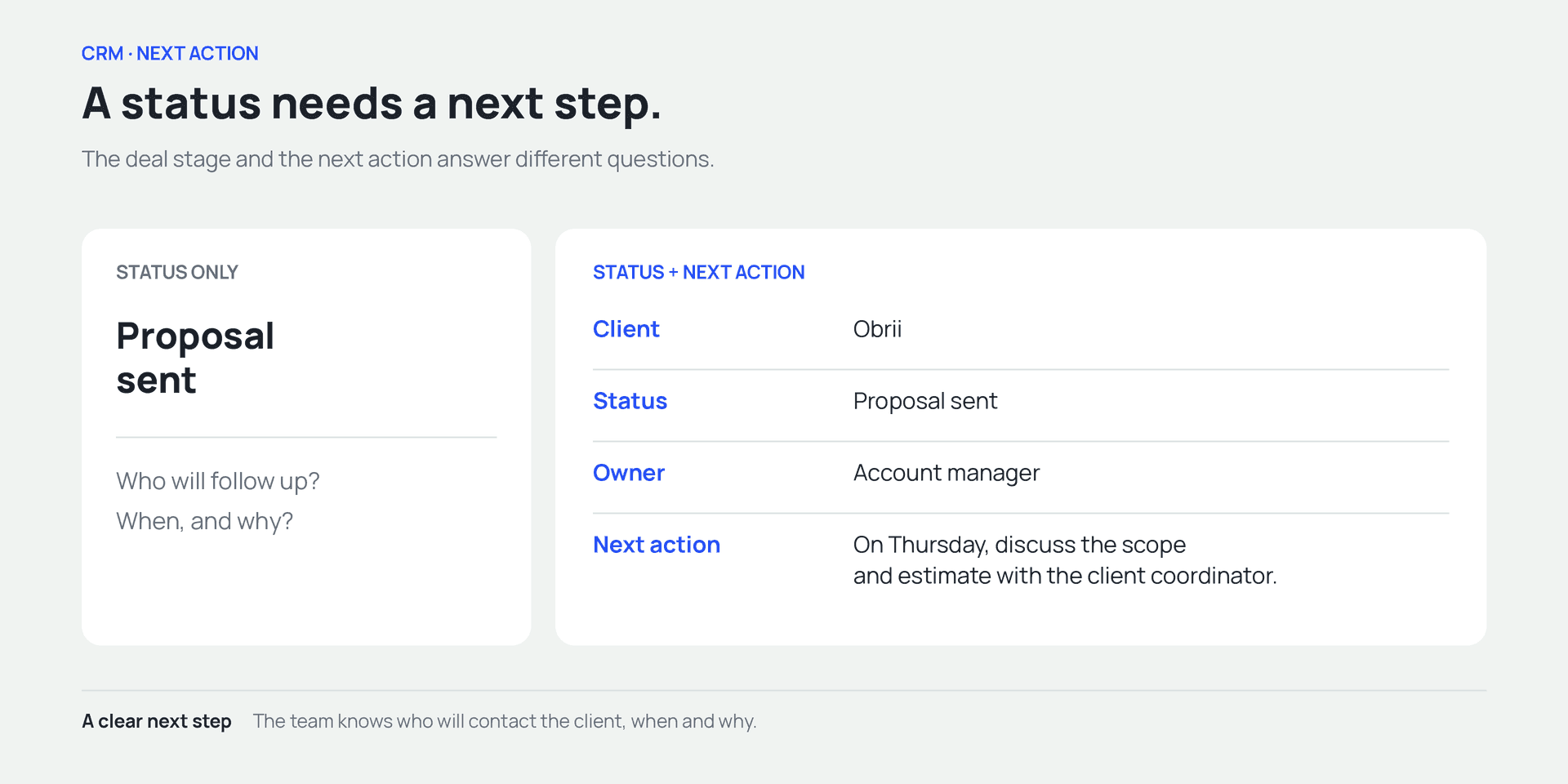
Add an owner and a specific next action to the opportunity status.
How a CRM works, from inquiry to outcome
CRM work follows the customer's progress: receive the inquiry, clarify the need, prepare a solution, discuss terms, and record the outcome. The software stores information from that process so people can return to it when needed.
For the studio, the aim is to bring the discussion to a clear outcome and hand the agreed work over to the delivery team. If the client declines, the record should explain where the conversation ended.
Record the inquiry and assign an owner
Obrii's coordinator sends an office-design inquiry. The manager creates a record, links it to the customer, and notes the source. If the channel is connected to the CRM, some information may arrive automatically. What is possible depends on the integration.
You don't need the final price or exact scope at this stage. Record enough to start the conversation: who contacted you, roughly what they need, and how to reach them. Make clear who will respond. An unassigned record is easy to overlook.
Clarify the task and summarize the conversation
During the first meeting, the manager learns that Obrii needs a layout and working drawings. Visualizations are still undecided. The client wants to move before the end of the quarter but has no up-to-date measurements of the premises.
Record those details alongside the inquiry, separating confirmed terms from assumptions. For example: “Moving by the end of the quarter is the client's preference. We'll confirm the design schedule once we receive the measurements.” A colleague is then less likely to mistake a preliminary target for a commitment by the studio.
A summary makes the communication history usable. Dozens of messages may contain all the details, but a few sentences describing the current agreement are easier to read before a call.
Prepare a proposal and arrange to discuss it
The studio estimates an illustrative UAH 180,000 for the layout and working drawings. It offers visualizations as an optional extra, excluded from that amount. The manager attaches the current proposal, records when it was sent, and arranges a conversation after the client has reviewed it.
If the client adds visualizations or changes the stages, update the scope and price and identify the current version. A file called “Final proposal 3” does not explain the change. The discussion summary should say what changed and what still needs deciding. To describe scope, price, and terms so they are easy to approve, see our guide to writing a business proposal.
The expected budget helps estimate potential sales. Until the deal is agreed, it remains an assumption. It should not be treated as cash received or revenue already earned.
Record the outcome and hand over the work
Once the client approves the proposal, check its start conditions: for example, whether the scope is confirmed and who will supply the source materials. The work can then move from sales into project delivery.
The project manager needs the current scope, dates, constraints, contact person, and unresolved questions. “The client agreed; we can start” does not say what was agreed. Once work starts, a project dashboard helps track deadlines, workload, and budget.
If the deal falls through, record why. “Chose another supplier” and “Postponed the move until next year” are different situations. The latter may justify an agreed follow-up. In the former, it may help to understand why another offer was a better fit, if the client is willing to explain.
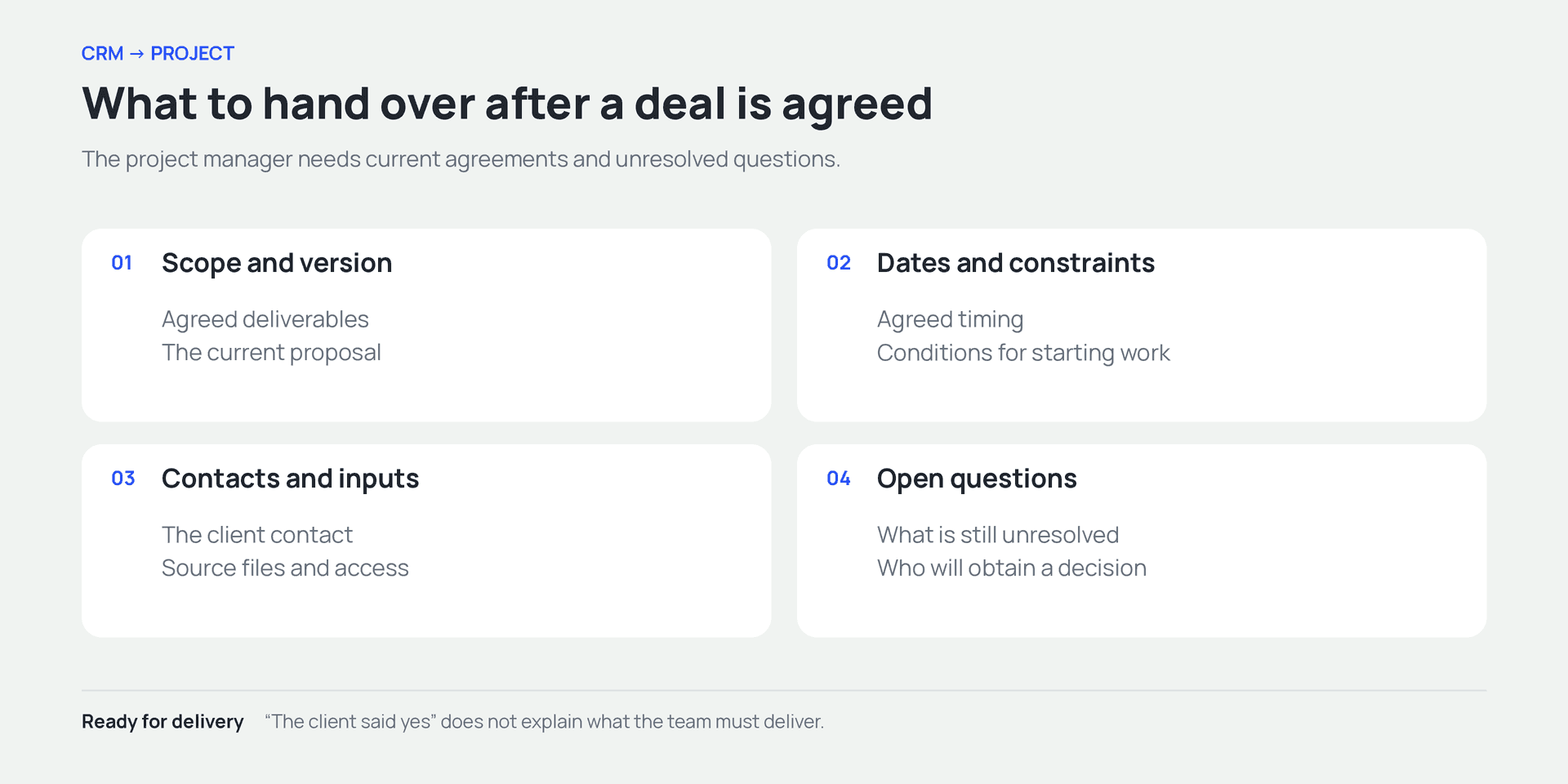
After agreement, hand over the scope, timing, inputs, and unresolved questions.
Which CRM features matter in everyday work?
Evaluate features through everyday actions: can the manager find an agreement, can a colleague take over an inquiry, and can the team leader spot overdue commitments? Those workflows typically require a customer database, a sales pipeline, reminders, communication history, and reports.
A searchable customer database with a relationship history
The database should help you find a company and understand the previous relationship. Check how the system links companies, contact people, and orders. This is especially important in B2B: the person who first writes may not be the person who approves the budget.
Agree on data-entry rules. If one manager enters “Obrii,” another enters “Obrii LLC,” and a third creates the customer under the coordinator's name, the history may end up scattered across records. Search before adding a new contact. Check automatic duplicate detection or merging separately in the CRM you are evaluating.
Use custom fields for information the team actually works with. A studio might need property type; an agency might need service category. A catch-all “Additional information” field is convenient at first but becomes difficult to search or compare.
A sales pipeline with clearly defined stages
A sales pipeline shows how inquiries move from first contact to the end of negotiations. CRMs often present it as a Kanban board, with stages as columns and inquiries as cards.
The pipeline is only useful if transitions mean the same thing to everyone. One manager might move an inquiry to “Approval” after sending a price, another after verbal agreement, and a third when only signatures remain. The team leader then cannot interpret the stage consistently.
Our fictional studio might use these rules:
| Stage | Entry condition | Next task |
|---|---|---|
| New inquiry | A request and contact details have been received | Contact the client and clarify the task |
| Requirements discussion | Scope and source materials are being discussed | Gather enough information for an estimate |
| Proposal preparation | There is enough information to calculate a price | Review the estimate internally |
| Proposal sent | The client has received a specific offer | Discuss it and record questions |
| Terms agreed | Scope, price, and start conditions are confirmed | Hand over the agreed work to the project manager |
| Declined | The client has said they will not proceed | Record the reason and close the inquiry |
These are example rules for one company. A studio that estimates small jobs in a single conversation may not need every stage. If a site visit is mandatory before a proposal, it may need its own stage.
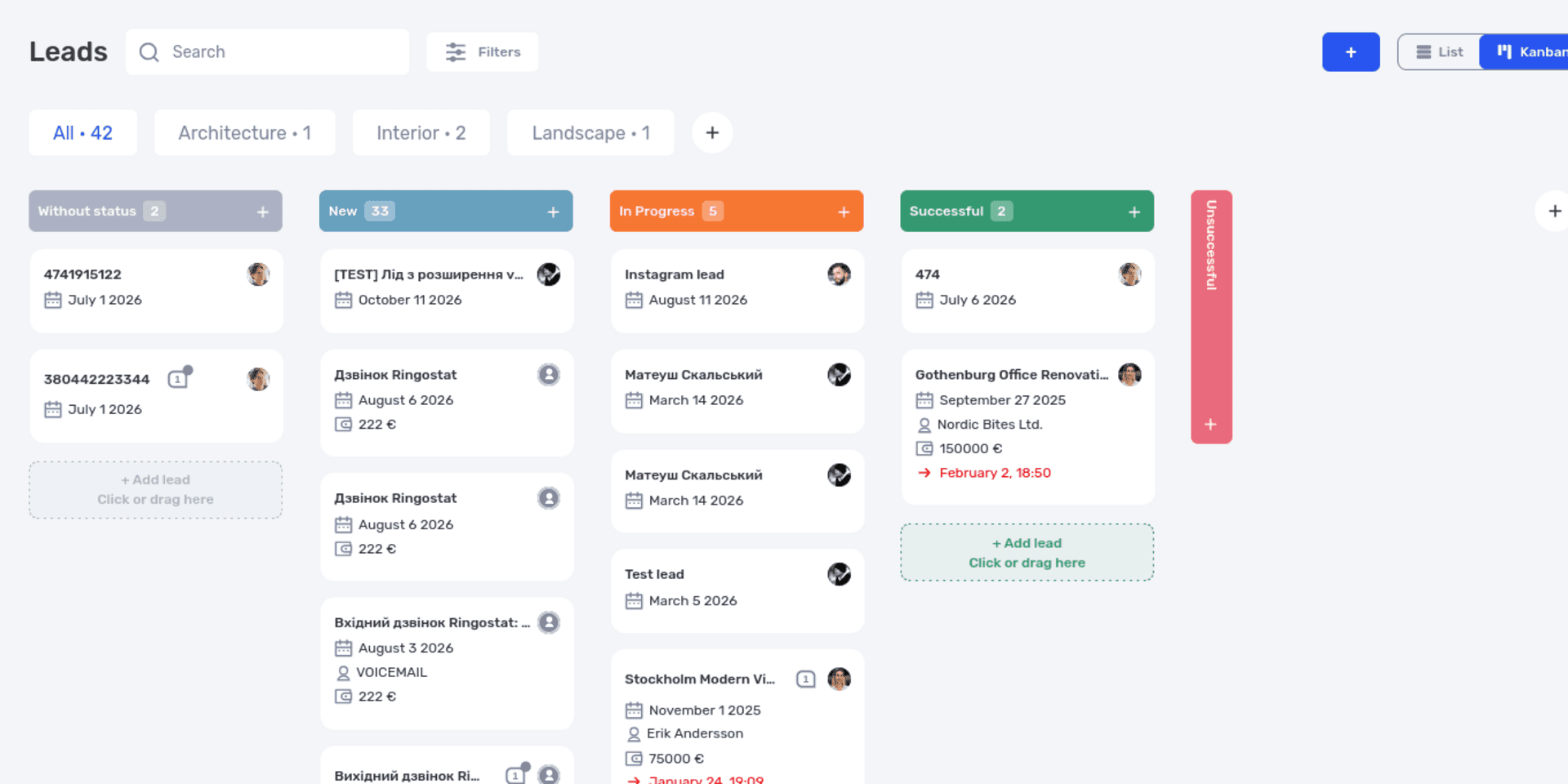
A Kanban board shows where customer inquiries stand in the sales process.
Start with stages that change what the manager needs to do. “Thinking,” “Still thinking,” and “Almost agreed” add columns without explaining what happened or what comes next.
Reminders for next actions
Managers need a daily list of commitments: whom to call, what to send, and which meetings to attend. Each reminder should lead to the inquiry containing the context, so there is no need to search elsewhere before the call.
Write an action that will still make sense later. “Obrii, Thursday” quickly loses its meaning. “Discuss the estimate with the coordinator and confirm whether to include visualizations” explains the purpose. If the client doesn't answer, record the attempt and decide whether and when to follow up.
Communication and documents alongside the inquiry
Message history helps verify exact wording; files help locate the brief, estimate, or approved proposal. When evaluating a CRM, establish which channels it supports and how information reaches the correct record.
An integration's existence does not explain the entire workflow. One service creates inquiries from forms, another displays correspondence, and a third requires the manager to link a conversation to a customer. Ask to see your actual sequence: a message arrives, an employee replies, and a colleague finds the history.
With external messengers connected, if.team lets users work with messages in one interface and create a lead or contact from a conversation. The external messengers update describes the feature. Verify the specific connection for the channels your team uses.
Oversight of open inquiries and results
A team leader needs to see unassigned inquiries, negotiations with no next step, and overdue commitments. That makes it possible to help with the work before the client has to chase a promise.
Sales analysis requires consistent definitions. For example, conversion can be calculated as won deals divided by inquiries in a defined group. But dividing completed older deals by all new inquiries this month mixes different stages of the process. Before comparing figures, define which inquiries are included and whether they have had time to complete the sales cycle.
Available reports and formulas vary by CRM. During a demo, ask to see the metric you need using understandable data. You should know which records contribute to it and how to investigate a variance.
When does a business need a CRM?
The need depends on how many commitments run in parallel, how long negotiations take, and how many people participate. Even a small team can handle complex B2B sales with weeks between the first call and agreement.
Look at the time spent recovering context. Clients repeat requirements to a new manager, team leaders collect status updates verbally, and employees returning from leave search old messages to remember their promises. If this happens regularly, test whether a CRM can keep the relevant information together.
CRM for small businesses
In a small company, the owner may sell, organize delivery, and answer customer questions. With only a few inquiries, a spreadsheet and calendar may be enough, provided contacts, agreements, and follow-up dates remain current.
A CRM becomes useful when that arrangement grows hard to maintain: a second manager joins, discussions span several channels, or clients return with new orders. Assess how easy everyday actions are and how much time maintaining records takes. If a normal inquiry requires dozens of irrelevant fields, people will find workarounds.
CRM for service businesses and agencies
Service sales often require a brief and input from specialists before the price can be agreed. A CRM for a marketing, digital, or event agency should preserve the substance of the request as it passes between people.
An advertising agency needs to retain the campaign scope and client expectations. An event agency needs the date, format, and discussed estimate. A design studio needs the required deliverables and source materials. Connecting sales to delivery reduces repeated questions at project kickoff.
The KiwiParty case study describes how the agency uses if.team to handle inquiries and prepare proposals. Its client estimate is stored in the system and linked to the lead.
CRM for B2B sales
Several people on the buyer's side may approve a B2B deal. A coordinator gathers information, a specialist checks technical requirements, and a director approves spending. The manager needs to know whom to approach about each issue and how the overall decision is progressing.
The LedLab case study illustrates this connection in an electrical company: the team manages inquiries as leads, prepares proposals, and then moves into project delivery and financial tracking.
A B2B CRM is useful when it preserves context throughout a long sales cycle. If the client returns a month later with revised requirements, the team should be able to find the earlier estimate and identify what needs recalculating before repeating the old price.
CRM vs. spreadsheets, task managers, and ERP
These tools overlap, but compare them by the work they help organize. A spreadsheet gives you a flexible data structure. A task manager focuses on execution. CRM focuses on customers and sales conversations. ERP covers a broader set of business processes, with the exact scope depending on the product.
| Tool | Main purpose | What to check for customer management |
|---|---|---|
| Spreadsheet | Store and process data in a custom structure | How contacts, inquiries, and agreements stay connected |
| Task manager | Plan and track work | Whether it supports customer history and multiple deals well enough |
| CRM | Manage customers, inquiries, and sales | How follow-ups, communication, and handover work |
| ERP or integrated platform | Connect several business processes | Which modules exist and how data moves between them |
For the studio, closing the sale completes only the first part of the job. The team still needs to plan stages, assign people, control costs, and collect payment. If each step uses a separate application, establish who will transfer the approved information and how.
if.team combines customer management with projects, tasks, documents, and finances. A lead, for example, can be converted into a project. Each stage still needs its own rules: an expected sales budget does not describe actual costs, and an approved proposal does not show the result of delivery. Our P&L guide covers profit analysis separately.
How to choose a CRM for your company's process
Before choosing a system, describe one typical sale from the first inquiry to handover. Note who participates, what information each stage needs, and where problems occur today. That description makes it easier to evaluate a product and ask specific questions in a demo.
For the studio, the sequence is: receive a design inquiry, clarify the inputs, involve a designer in estimating, prepare a proposal, discuss terms, and hand over the project. Also test what happens if negotiations stall or the manager needs to be replaced.
Test the system with your own example
Take an anonymized inquiry similar to the ones you receive daily and work through it in a test environment. Hands-on use reveals how long ordinary operations take and where support is needed.
For an initial test:
- Find an existing customer or add a new one, then create a separate inquiry.
- Assign an owner and record the request.
- Attach a document needed for the estimate.
- Record an agreement and schedule the next action.
- Hand the inquiry to a colleague and check whether they understand its current position.
- Change the stage after a conversation with the client.
- Record the outcome and check what happens to the job next.
Step five is particularly revealing. Ask the colleague to answer three questions: What does the client need? What has been agreed? What should happen next? If you have to explain the entire history verbally, review what is recorded or how it is organized.
Check integrations, permissions, and data transfer
List the channels your inquiries come from: forms, phone systems, email, and messaging apps. For each, ask what the CRM supports, what configuration is required, and whether there is a separate charge. Test specific actions, such as creating a lead automatically, saving a message, or replying to the client.
Check access permissions separately. An employee may need only their own inquiries, while a manager needs visibility across the department. Roles and restrictions vary between products. Sign in as an ordinary sales user during the test and confirm they can see what they need and perform their tasks.
For migration, check import formats, field mapping, and duplicate handling. For future exports, establish which data can be retrieved and in what form. Being able to export contacts does not necessarily mean correspondence, files, and relationships between records can be exported as well.
Account for setup and everyday operating costs
Look beyond the subscription. Data migration, integrations, training, and support during rollout may all add cost. Compare the same workflow for the same number of users.
Also account for staff time. If managers must duplicate each conversation in both the CRM and an old spreadsheet, the workload will increase. Before launch, decide what belongs in the new system and which previous records will no longer be maintained for day-to-day work.
The seventh edition of Salesforce's State of Sales illustrates the amount of work surrounding sales: respondents estimated that 60% of their working time went to activities the report classifies as non-selling, including data entry and prospecting. The study covered 4,050 sales professionals in 22 countries, surveyed in August and September 2025. Those figures describe time allocation; they do not establish how many hours a CRM will save in a particular company.
If a Ukrainian CRM is important to your business, check the Ukrainian interface, documentation, support language, and required integrations. Verify the product's origin, contractual terms, and data storage with the supplier. The language of its homepage is not enough to answer those questions.
Understand the different types of CRM
Deployment is one distinction. A cloud service is accessed over the internet, with the provider maintaining its infrastructure. A self-hosted system must be deployed and maintained by the company or its contractor. Whether that option exists depends on the product.
Products also differ in purpose. Some focus on sales; others add marketing, customer support, or project management. The CRM label does not guarantee the same feature set. A service studio may care most about moving from estimates to delivery, while an appointment-based business needs scheduling and repeat visits.
Turn the feature list into a short set of essential workflows. Mark each test result: works out of the box, needs configuration, or does not fit. Use those results to compare systems.
How to work with CRM in if.team
Now let's take the studio's fictional inquiry through if.team CRM. We'll create a lead called “New office design for Obrii,” preserve the context, schedule a proposal discussion, and prepare to turn it into a project. Replace the example data and statuses with your own.
You need access to your company in if.team and permission to use the relevant sections. Prepare statuses and other shared settings with an administrator. Custom field names and statuses depend on your company's configuration.
Set up stages that reflect your process
In CRM settings, an administrator defines lead statuses, including a name, color, and whether the status is final. For this example, use the stages in the earlier table, from new inquiry to agreement or rejection.
Agree on their meaning first. “Proposal sent” should mean that the client has received a specific document with a calculation. A draft still under internal review belongs in the preceding stage.
Don't configure every possible exception immediately. Start with the main process, test a few inquiries, and add a stage when the team identifies a distinct task for it.
Create a lead with enough information for the first conversation
Open Leads and select +. Name the inquiry “New office design for Obrii.” The name should distinguish it from other requests by the same customer.
The lead form includes a responsible person, participants, contact, expected budget, and contact person. Enter what is already known and check your company's required fields. In our example, the studio's manager owns the lead and the client's coordinator is the contact person.
You can switch between List and Kanban. The list is useful for searching and reviewing records; Kanban gives an overview of sales stages. Both show the same leads.
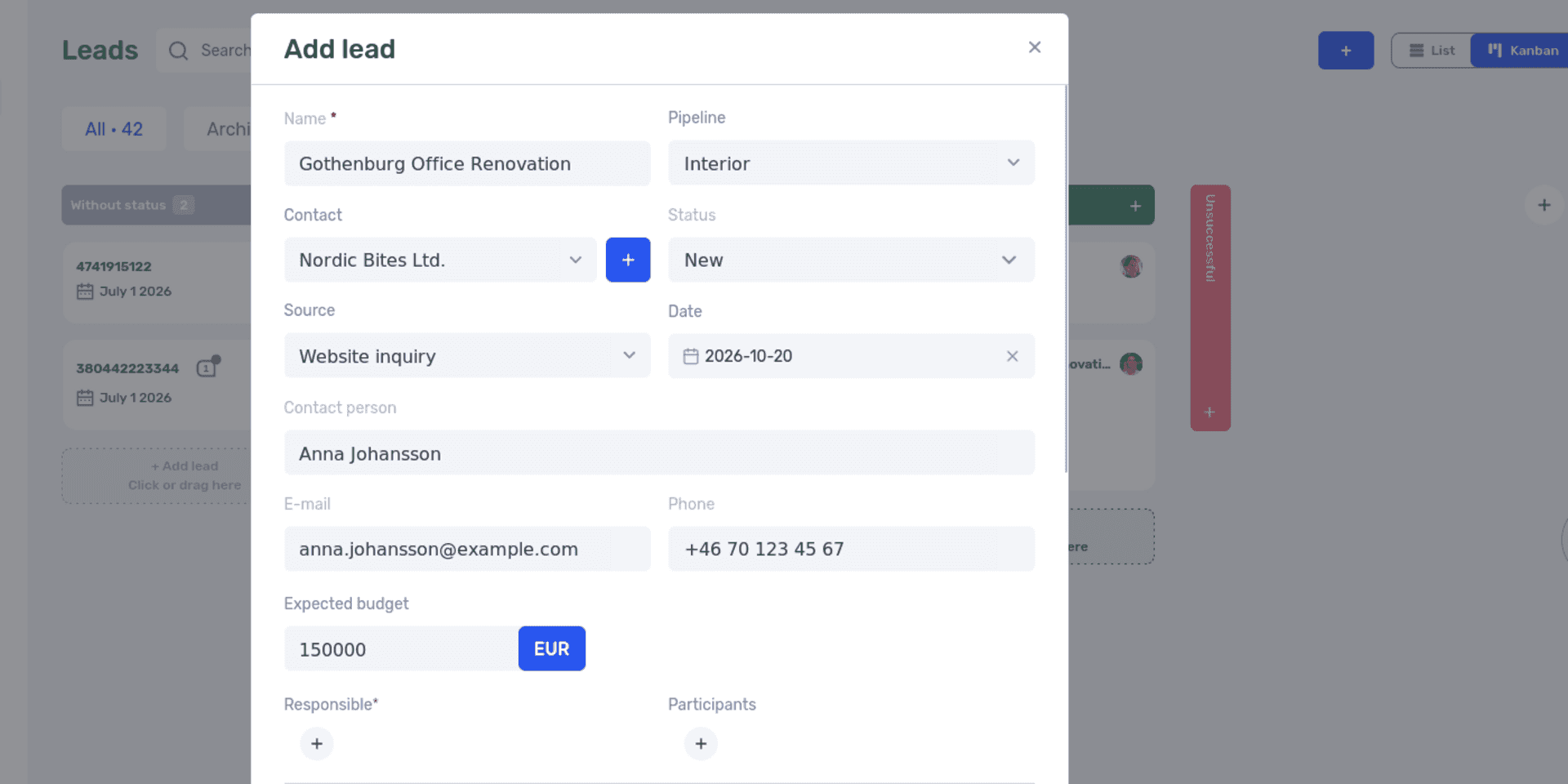
The Add lead form captures the inquiry and contact details. Assign the responsible manager before creating the record.
After creating the lead, open its card and check the linked contact and owner. Then add the request details.
Keep the current agreement and relevant files together
Use the description for the client's task and attach the materials needed for the estimate. For the fictional studio, those are the floor plan and brief. After a conversation, update the summary so it reflects the current agreement.
A useful working note might read:
The client needs an office layout and working drawings. Visualizations will be estimated separately. The coordinator will provide current measurements by Wednesday. The studio will confirm the schedule once the materials arrive. On Thursday, we'll discuss the proposal scope and preliminary budget.
The lead card also has comments and an activity history. Comments are useful for recording progress; the description can hold a short, current summary. Agree on where that summary lives so everyone knows where to look.
If a detail needs to be recorded for every inquiry, add a custom lead field. A studio might use “Property type,” for example. Structured information is easier to organize than details scattered across free-text descriptions.
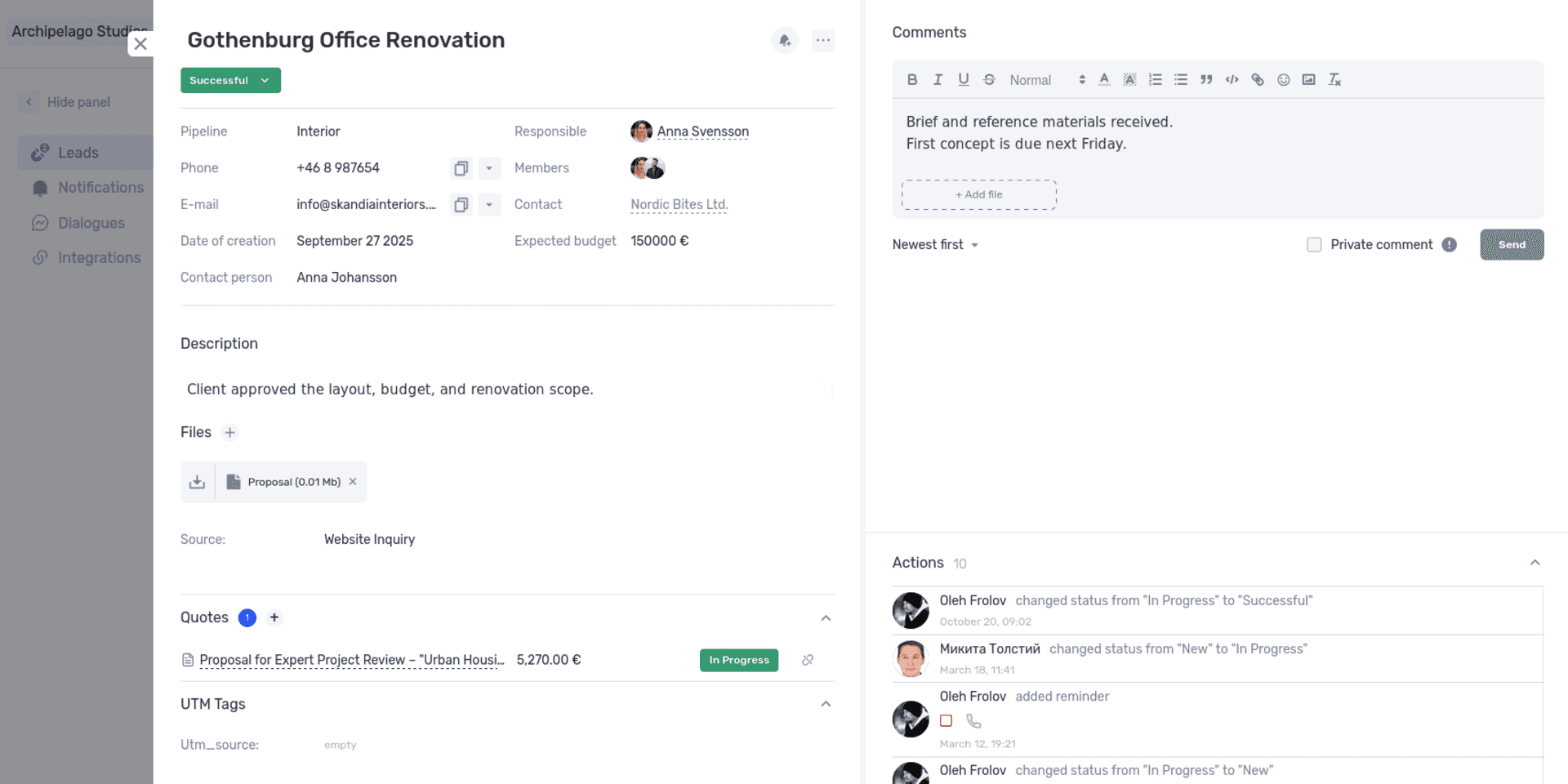
The lead card keeps the current description, files, comments, and activity history together.
Be careful with required custom fields. The if.team documentation warns that adding them may require existing integrations to be reconfigured. An external form must supply the information now required to save a lead. Submit a test inquiry after changing fields.
Schedule the next action and review notifications
To schedule the discussion, select the bell icon for a new action in the lead card. Enter the date, action type, title, description, and reminder recipients. A useful title for the example is “Discuss proposal scope with the coordinator.”
Scheduled actions appear in Notifications. You can review commitments by date and responsible person, open the linked leads, and mark work complete. This can be a useful starting point for the manager's day.
After the call, record the outcome. If the client needs the director to approve the budget, agree on a follow-up date and create the next action. Marking a call complete records past work but does not define how the negotiation will continue.
Review overdue actions at the end of the day. Some need rescheduling; others can be closed after the outcome is recorded. That keeps the list usable instead of filling it with reminders that no longer mean anything.
Link the proposal to the inquiry
Use Quotes in the lead card to keep the calculation and terms being discussed with the client. For the studio, that is an office-design proposal with visualizations as a separate option.
The Quotes module supports products and services and can generate a DOCX or PDF using quote data and a company template. The document generation update explains the process.
Before speaking with the client, make sure you are discussing the current version. If visualizations have been added, record the revised amount and scope in the summary. The project manager needs to know whether that option is part of the order.
Once the client approves that version, its scope and amount become the basis for project planning.
Convert the agreed lead into a project
After the work is agreed, use the lead card's Convert to project action. The project-creation form opens with the name, contact, and budget filled in. Check those values and complete the required project fields: status, profit calculation method, and project manager.
Compare the budget with the current proposal before creating the project. An early estimate entered at the start of the conversation may no longer be correct. Use the agreed amount.
Separately check that the project manager can access the current proposal, source materials, and agreement summary. Don't assume every file and detail has transferred simply because the project exists. You can then plan delivery. Our guide to setting tasks for a team explains how to describe work and acceptance criteria.
Connect inquiry sources after testing the workflow
Once the manual process works, configure leads from external sources. The lead integrations documentation covers Google Forms, Facebook, Ringostat, and UniTalk. Discuss other sources with support.
Integration settings include the source and status assigned to new leads. Submit a test inquiry and review it with the manager: have the contact details arrived, is the source clear, and who should continue the work?
For email inquiries, if.team provides an email integration with CRM. It creates leads according to configured rules and keeps subsequent correspondence with the inquiry. Setup includes forwarding messages to a system address.
The if.team YouTube tutorial demonstrates the connection and forwarding setup in Ukrainian. You can follow it alongside the settings in your account.
Assign someone to check new inquiries from each connected source. After testing, they should know where the lead appears and what happens next.
How to roll out a CRM and avoid common mistakes
Implementation involves both software configuration and working agreements. The team needs to know what to record, who maintains it, and how colleagues will use it. Test those rules on the inquiries managers handle every day.
Start with active inquiries and useful data
Choose one process you can complete from beginning to end, such as new office-design inquiries. Move active contacts and current negotiations first. Review the older database separately once the rules are defined.
Before migration, check duplicates, contacts, owners, and status meanings. Two old spreadsheets may use different labels for the same stage. Importing them without reconciliation moves the same inconsistencies into a new interface.
The minimum dataset should fit the job. For the studio, that means the customer, request, owner, current stage, and next action. Add a budget when there is a basis for estimating it. Don't invent an unknown amount just to fill the card.
Agree who updates what and when
The rules may fit on one page: summarize meaningful conversations, change status after a defined event, and verify the proposal before handover. The manager should use the same data in sales reviews.
If leadership still demands a separate spreadsheet with identical statuses, employees won't know which record is authoritative. Parallel tracking may be necessary during a transition, but it needs a purpose and an end point.
Train with work people recognize. A manager creates an inquiry, adds a summary, and schedules a call. A colleague tries to continue the conversation from those notes. The questions that arise show what needs clarification or simplification.
Don't turn every record into an exhaustive questionnaire
Unnecessary required fields delay entry. If a manager doesn't yet know the budget, floor area, or start date, they may enter a random value just to save the record. The card looks complete, but the data is unreliable.
Before adding a field, ask which decision it supports and when the information becomes available. If it is needed for estimating, collect it at that stage. If nobody uses the value, question whether the field is necessary.
Review the fields after the first few weeks. Which ones help people decide, and which are filled in only out of habit?
Check the quality of the process and its results
After launch, see whether colleagues can find agreements without extra explanations, whether follow-ups happen on time, and whether every active inquiry has an understandable status. That shows whether CRM has become part of daily work.
Choose a few quantitative measures if useful, such as the share of active inquiries without a next action or the number of overdue commitments. Use consistent counting rules and review periods. Don't compare figures uncritically if status definitions or the inquiry population changed between measurements.
Sales outcomes matter too, but they also depend on lead sources, prices, demand, and the managers' work. If deals increase after adopting the CRM, investigate what changed. That helps assess the rollout without attributing every improvement to the software.
What to check before your first working week in a CRM
Run a short scenario with a manager and team leader before rollout. It should produce an inquiry that someone else can continue using the information in the system.
- A new inquiry can be found by customer or a clear name.
- It has an owner who knows they are responsible.
- Its status reflects an event that has actually happened.
- The summary explains the client's task and current agreement.
- The next action has a purpose and date.
- Required files are accessible to colleagues with the appropriate permissions.
- It is clear who takes responsibility for delivery after approval.
- A test inquiry from a connected source arrives with the required information.
In if.team, start with one test lead and follow it through to project creation. Try the system with your company's workflow: record an inquiry, save an agreement, schedule an action, and hand it to a colleague. That will show which settings your team needs.
Frequently asked questions about CRM systems
What is a CRM system in simple terms?
It is software a company uses to manage customers and their inquiries. It combines contact information, negotiation status, agreements, and next actions. A manager can see what to do, and a colleague can continue the work from the saved information.
What does CRM stand for?
CRM stands for Customer Relationship Management. It can refer to the approach to managing customer relationships or to the software that supports it. “CRM system” usually means the software.
What does a CRM look like?
A CRM typically has customer lists, inquiry or deal cards, and views organized by sales stage. Each card contains the details, owner, and history. Interfaces vary: in if.team, for example, the same leads can be viewed as a list or on a Kanban board.
Does a small team need a CRM?
It depends on the complexity of the work. If several people handle parallel negotiations or regularly hand clients over, shared history and follow-ups can be useful even in a small team. A well-maintained spreadsheet and calendar may be enough initially for a few straightforward inquiries.
Is a CRM suitable for a service business?
Yes, if it supports the required process: gathering the request, estimating, preparing a proposal, and handing over the work. Service businesses particularly need to preserve the agreed scope, limitations, and source materials. The delivery team needs them after the sale closes.
Can you use a CRM without a dedicated sales department?
Yes. The owner, an administrator, or a project manager can handle inquiries. Assign responsibility for each request and agree on recordkeeping. The job title does not change the need to capture commitments and next steps.
Does every message need to be copied manually?
That depends on the CRM's integrations and configuration. Some systems receive inquiries or conversations from connected channels. Important decisions still benefit from a short summary: a saved conversation does not always make the current terms immediately clear.
Can if.team be used for both CRM and projects?
Yes. if.team includes contacts and leads alongside projects, tasks, quotes, and finances. An agreed lead can be converted into a project. Before delivery begins, check the transferred data, assign a project manager, and hand over the current agreement.
Does a CRM guarantee higher sales?
No. It helps organize inquiry handling and preserve information. Sales also depend on the company's offer, lead quality, prices, and negotiations. Assess the implementation using consistent rules for both the inquiry process and sales outcomes.
Author
Vladyslav ChesnokovPublished
Oct 20, 2026
More articles to read

What Is a Project Dashboard? Metrics, Example and Setup
Learn what a project dashboard is and how it differs from a report, a spreadsheet, or a Kanban board. See how to choose project metrics, structure the dashboard, and use it in meetings, with a website launch example and setup steps in if.team.
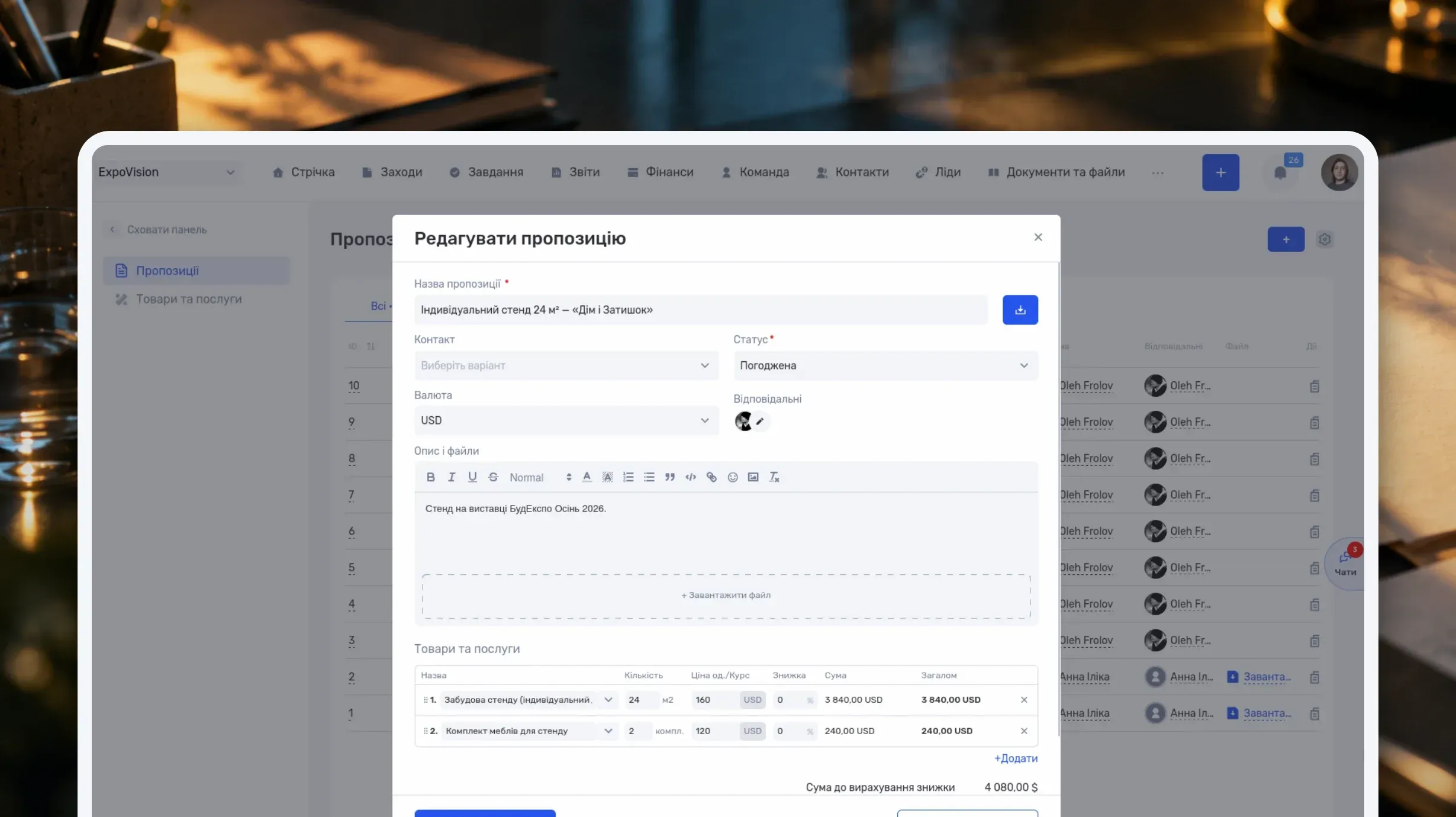
How to Write a Business Proposal: Examples and a Template
Learn how to write a business proposal: what to clarify first, which sections to include, and how to present price, timeline, and terms. Includes two examples — for services and installation work — a reusable template, sample emails, and steps in if.team.
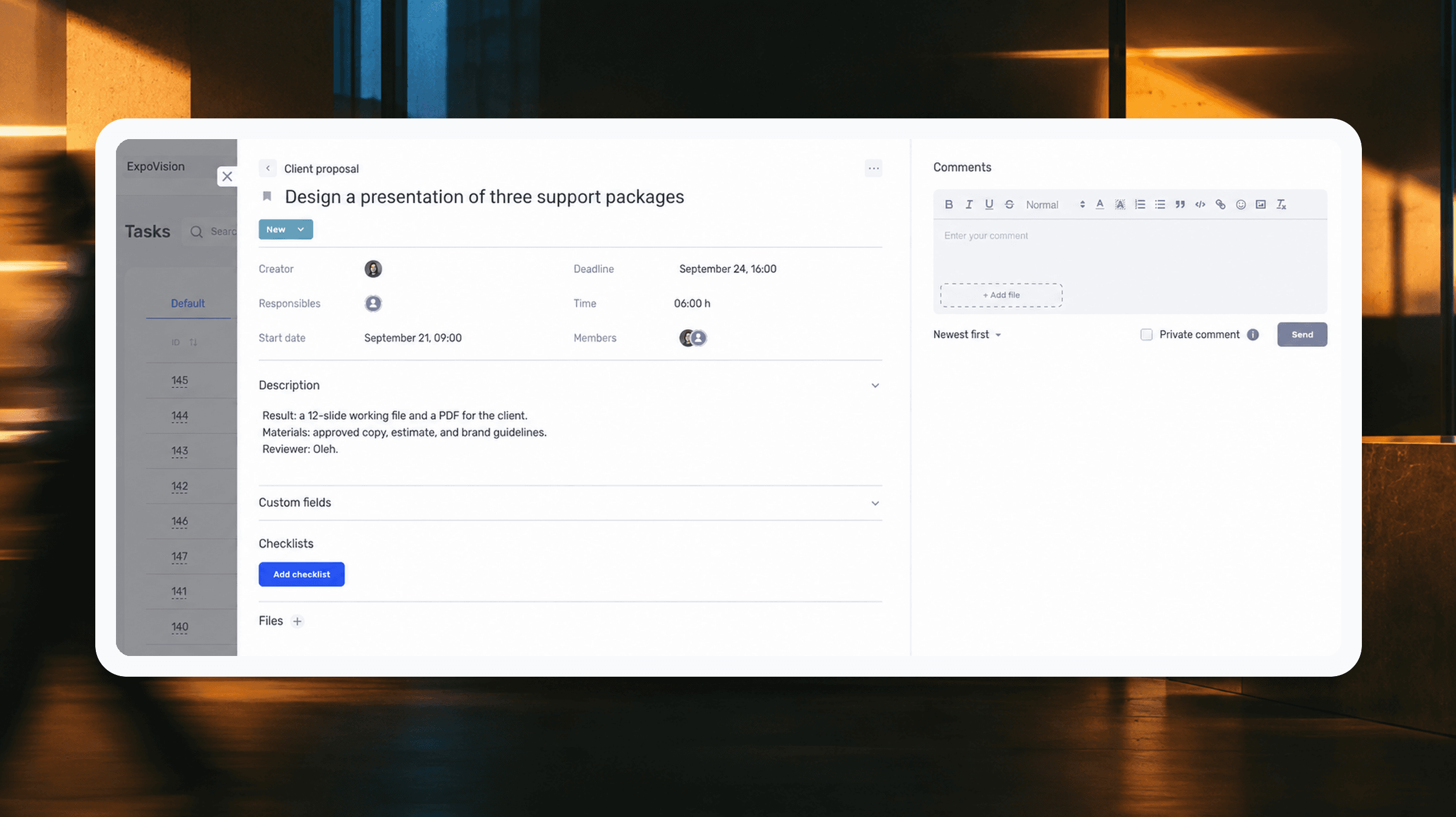
How to assign tasks to your team: from briefing to tracking completion
We break down how to assign tasks so they actually get done: what a brief must contain, how to word the result and the deadline, who takes ownership and how to check completion. With an example, an acceptance checklist and a template for running the task in if.team from start to finish.
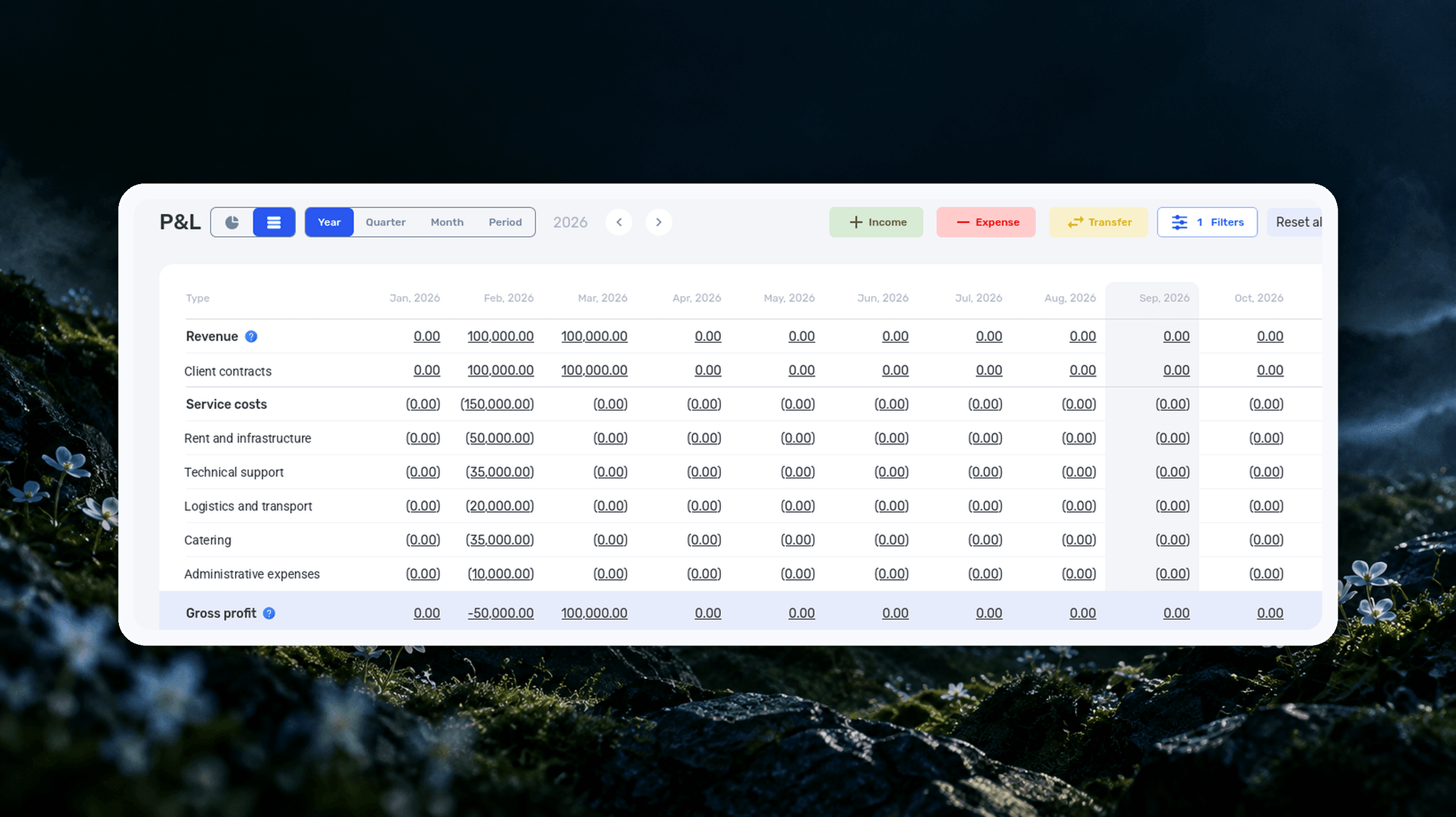
Profit and Loss Statement (P&L): What It Is, How to Prepare and Analyze It
We explain what a profit and loss statement is, how it differs from Cash Flow, and why profit is not the same as the cash left in your account. We break down the P&L structure from revenue to net profit, walk through a calculation for a service company and show how to build your first report.

What Is a KPI in Simple Terms: Examples, Formulas and How to Measure It
A KPI is a number that shows whether you are moving toward a goal and tells you what to do next. Ten KPIs for project-based teams with formulas, a filled-in KPI passport and a worked example of a design studio.

What a Bottleneck Is in Business and How to Identify It
A bottleneck in business is the point where a process actually slows down. Not formally, but in reality. This is where tasks pile up, waiting time increases, and the entire system starts working more slowly than it could. It can be a specific person who physically cannot handle the workload. It…
See if.team in action for your company
We’ll show how projects, team time and finances connect in one system, using your processes as an example.