
External messengers and lead document generation in if.team
External messengers can now be connected to the if.team CRM, allowing teams to manage customer conversations in a single window. We have also added document generation from the lead profile and expanded custom field capabilities for working with contacts.
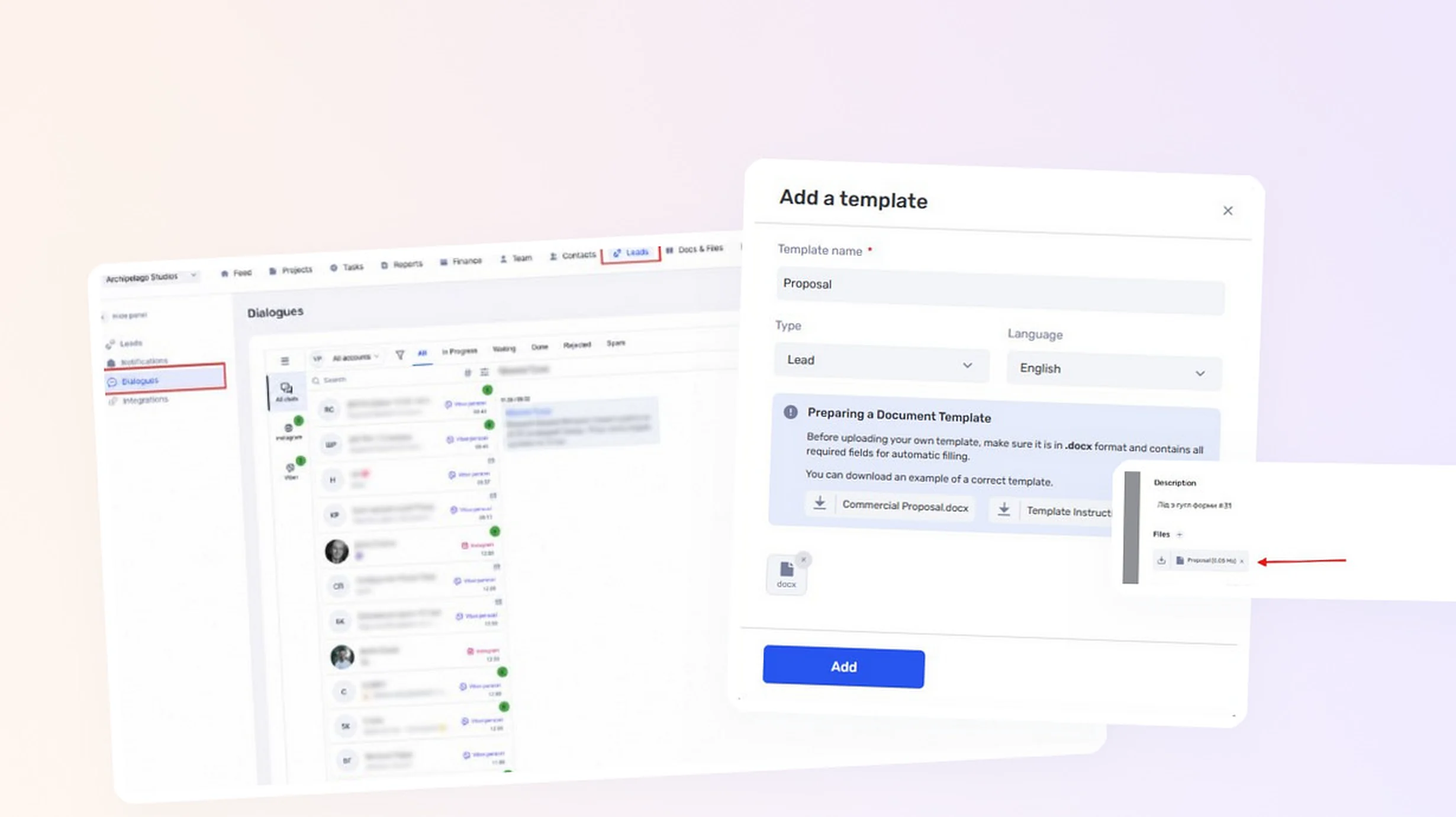
All customer channels in one place
You can connect the following channels to the CRM:
- Instagram Direct;
- Telegram — a personal account or bot;
- Viber — a personal account or bot;
- WhatsApp — a personal or business account;
- website chat;
- Facebook Messenger.
After connection, messages from different channels appear in a single if.team interface. The team no longer needs to switch between several apps to continue a conversation or find the communication history with a customer.
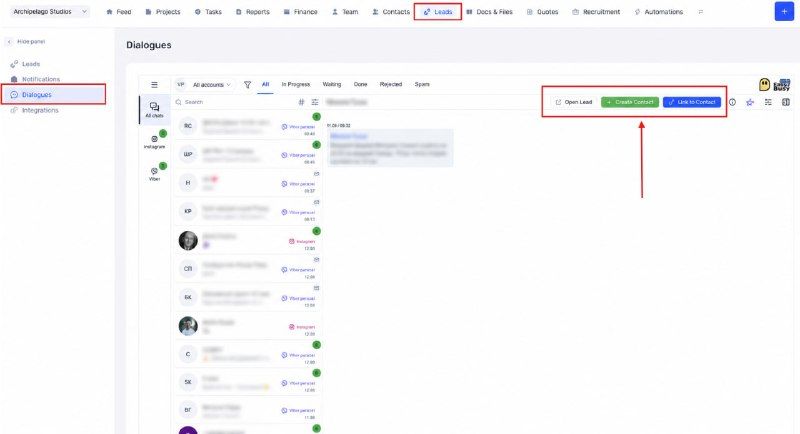
Conversations from external messengers in the if.team CRM
Assigning conversations to managers
Conversations can be assigned to managers and operators. This helps distribute new requests, establish clear responsibility, and avoid situations where a customer message is left unanswered.
A new lead or contact can be created from a conversation. If the customer already exists in the CRM, the conversation can be linked to the existing record. The relevant conversation can be opened directly from a lead or contact profile.
The integration also supports auto-replies, AI-powered automations, and other request-processing scenarios. The connection works through the external EasyBusy connector.
Generating documents from a lead profile
Documents can now be generated from company templates directly in a lead profile. This feature can be used to create proposals, contracts, invoices, statements of work, and other customer documents.
To get started, upload a custom DOCX template and define which data the system should insert.
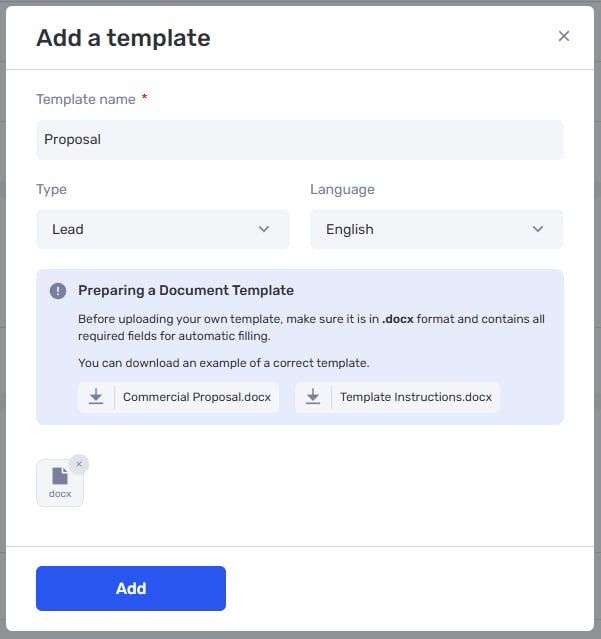
Adding a document template for leads
A document can be populated automatically with:
- company name and contact information;
- responsible employees;
- expected budget and dates;
- custom field values;
- data from the related estimate;
- a list of services or work items, quantities, prices, and totals.
The finished document can be generated in DOCX or PDF format and saved directly in the lead’s files.
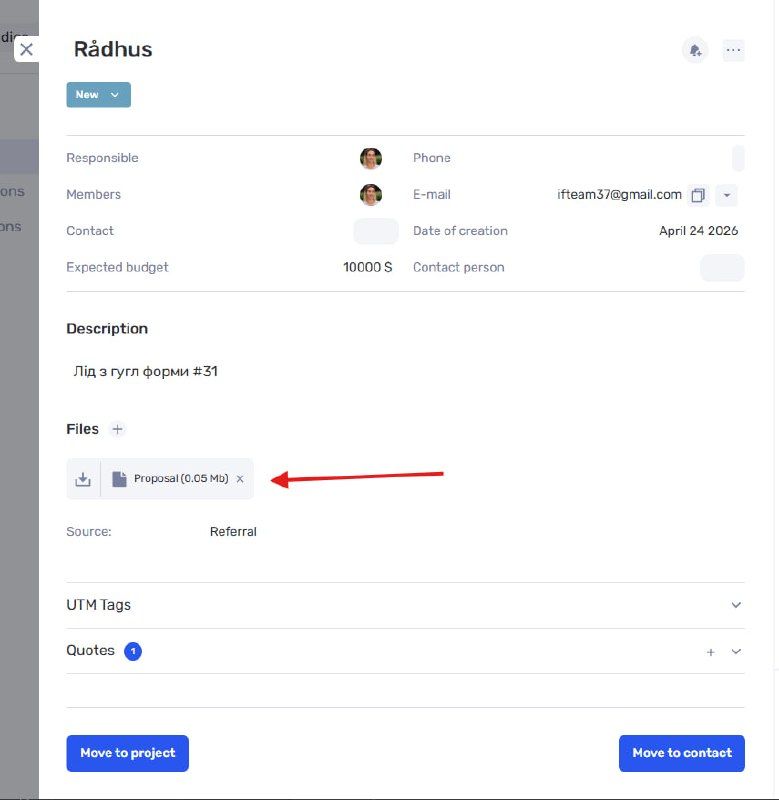
Generated documents are stored in the lead profile
This reduces manual copying, lowers the risk of errors, and speeds up the preparation of customer documents.
New custom field types
Two new custom field types are now available for projects, tasks, leads, contacts, employees, and transactions: Team Member and Contact.
The Team Member field links a specific employee, while the Contact field links a CRM record. These relationships can then be used in filters, reports, automations, and document templates.
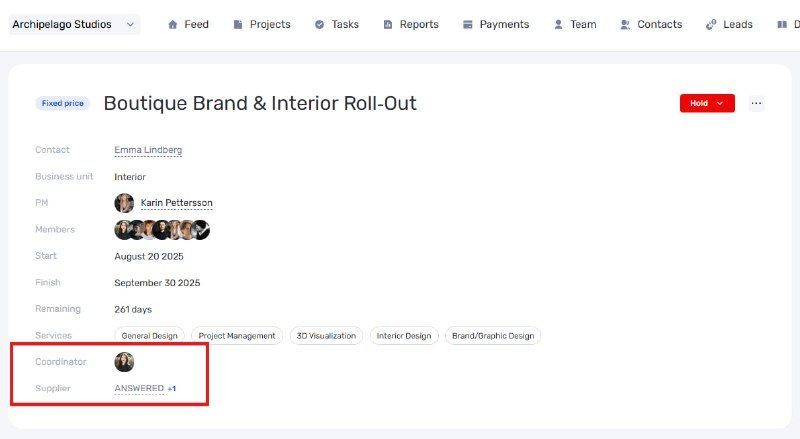
Custom field linked to a contact
Complete customer context
External messengers, documents, and linked fields expand the CRM data and preserve the context of every customer interaction in one place. A manager can see the conversation history, lead data, related contacts, and finished documents without switching between different services.
Author
Vladyslav ChesnokovPublished
Aug 13, 2026
Was this update helpful?
Your feedback helps us prioritise what to ship next.
Start your free 7-day trial
No credit card required. Get full access to all features and see how if.team can transform your team's workflow.