
How Creatura manages event projects, budgets, and finances in if.team ERP for event companies
How if.team ERP for an event company helps Creatura manage event projects and budgets, receive transactions from PUMB, and automatically create folders in Google Drive.
Clients turn to Creatura when an event needs technical support or help with organization. One client may only need a single service, while another may need a team that takes responsibility for several areas of preparation. The scope of work and expenses therefore depend on the specific event.
Creatura manages events as projects in if.team ERP for event companies and works with their economics. During preparation, the team also collects materials: client requirements, working documents, and other files. Each order requires both these documents and information about payments for services.
To automate part of this work, Creatura asked us to connect PUMB and Google Drive. Bank transactions needed to flow into the system, while folders had to be created for new projects with links added to their cards.
We implemented both requests. Below, we explain how these integrations complemented project accounting and show another process the company manages in the system — hiring employees.
About the client
Creatura is an event company that provides organizational support and technical production for events. Its clients include event agencies, corporate customers, and international organizations. The company handles both individual tasks and full-cycle event organization.
Creatura's services cover several areas. In addition to organization and technical support, the team offers event photo and video coverage, on-site printing, and catering. These services can be part of a single order or provided separately, depending on the client's needs.
For example, a client may need only technical support for an event or a broader set of services that includes photo and video production. In the second case, specialists from different areas are involved, while the agreed scope of the order determines how much preparation is required.
Another area of Creatura's work is business travel and trip support. The company's work therefore covers both events themselves and organizational services for business travel. In this case study, we focus on how the team manages projects and works with their finances and materials.
Tracking income and expenses in an event budget
Creatura works with project finances in if.team. Within an event, the team can review incoming client payments and the expenses required to deliver the services, and open the underlying transactions when needed.
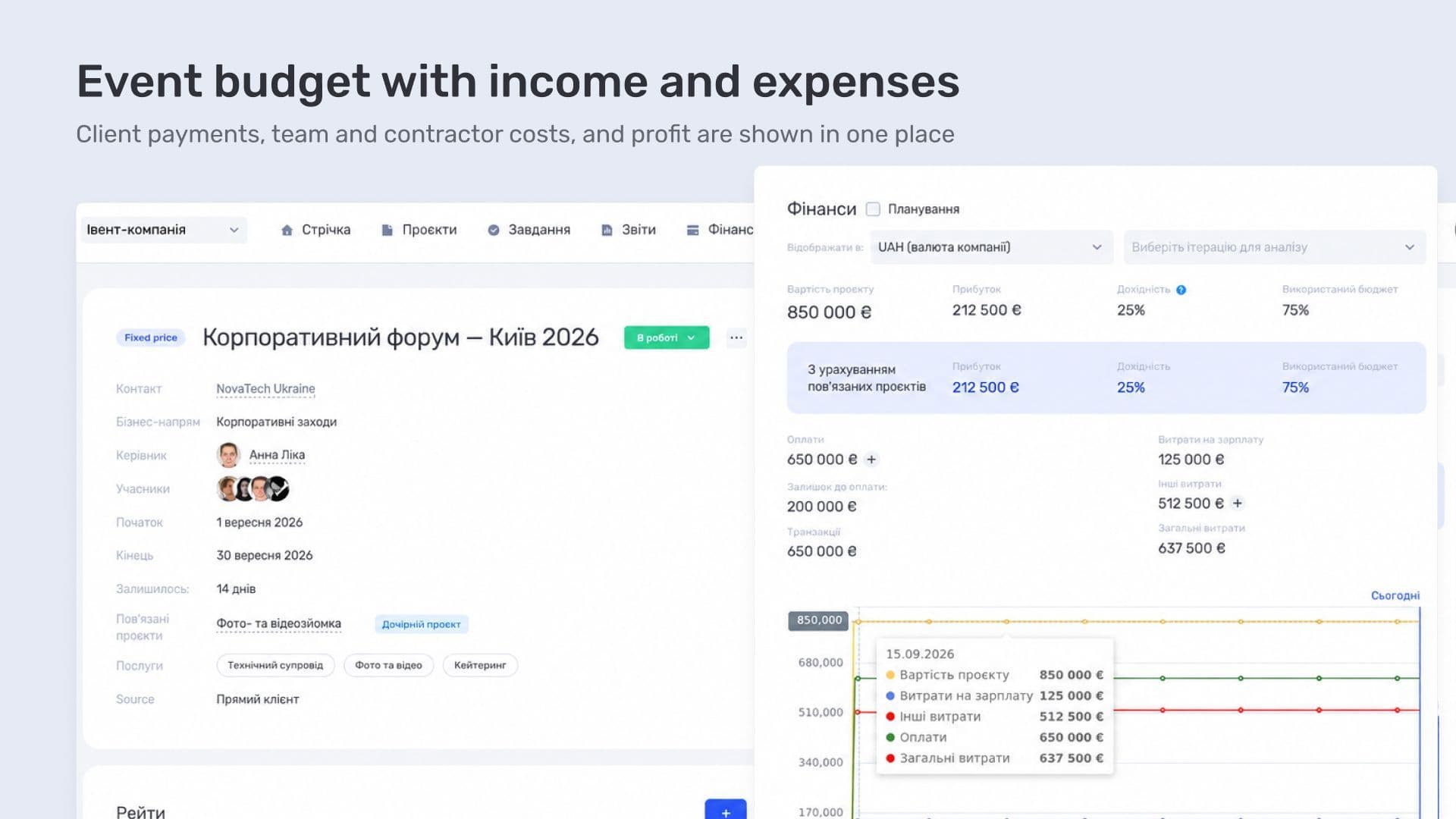
For example, a client pays for technical support that requires the company to bring in an external specialist. The incoming payment and the payment to the specialist can both be assigned to the same project. This means the order evaluation takes into account both the money received from the client and the expense associated with the work.
Budget calculation in if.team depends on the project's billing model. For an agreed fixed service price, there is Fixed Price: the budget is set as a separate amount, while delivery expenses are tracked separately. For hourly work, there is a Time & Material model, where the amount charged to the client depends on time spent and rates. The model is selected based on the terms of the order.
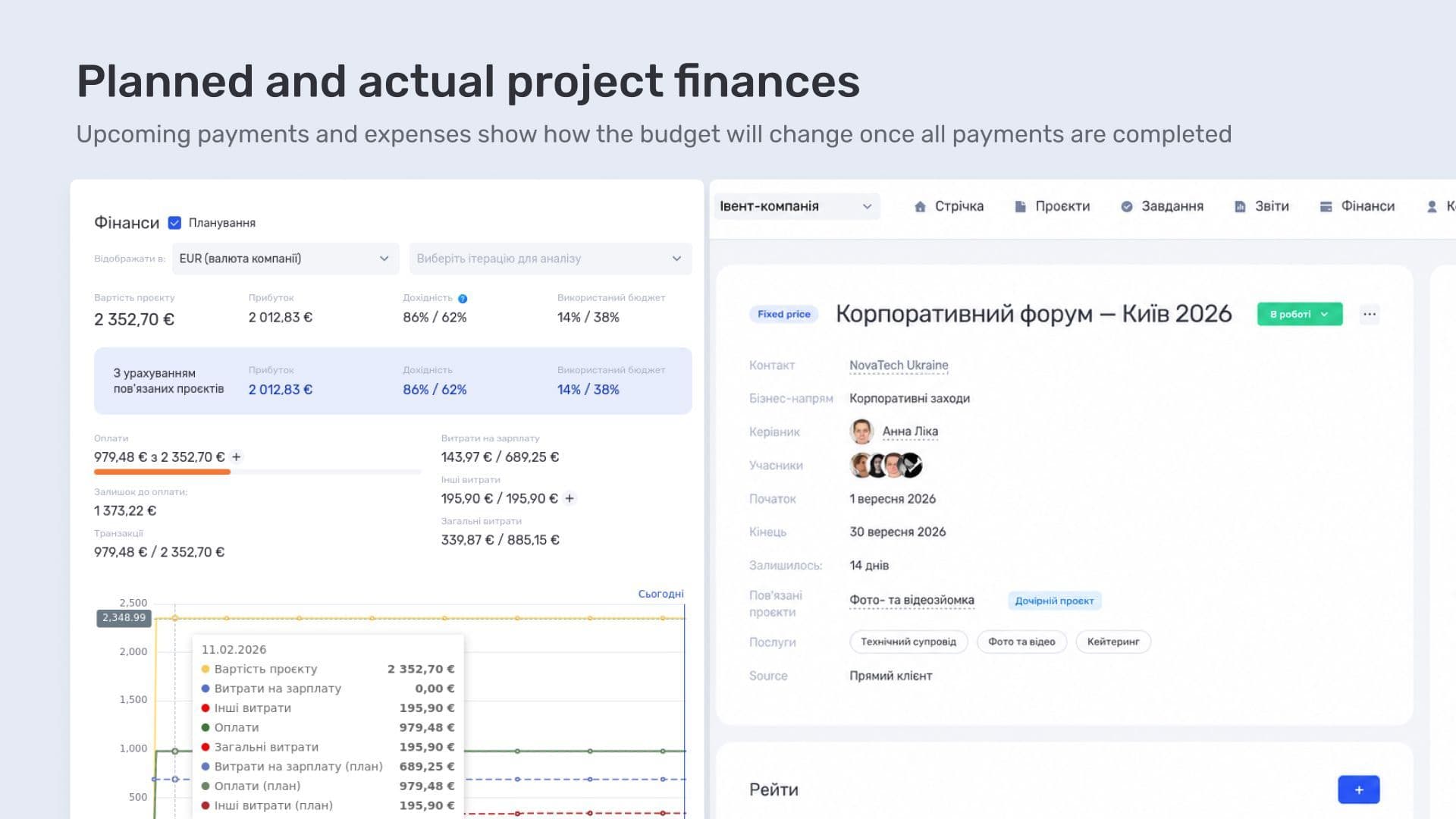
Project accounting in the system can also include a forecast. For example, a service for an event has already been ordered, but the contractor has not yet been paid. That expense does not yet appear in completed payments, although it should already be taken into account when assessing the budget.
For these situations, the system includes a planning mode. Expected client payments and future expenses are entered there. If the cost of the team's work needs to be calculated, planned hours and team rates are also required.
In the financial block chart, actual and planned indicators are shown as separate lines. Based on the entered data, the team can estimate which payments are still ahead and how they will affect the budget. The forecast depends on the completeness of the plan: a future expense must first be recorded.
For example, before an event, the team can check which client payments are expected and which expenses still need to be covered. Actual indicators show operations that have already been completed, while planned figures help assess the budget with future payments taken into account. This is an additional system capability for orders that are still in progress.
To receive completed bank transactions automatically, Creatura needed an integration with PUMB.
Bank transactions and PUMB integration
Creatura uses PUMB. When the company asked us to connect the bank, this integration was not yet available in the if.team financial module. We added it, and transactions now flow automatically into the financial module.
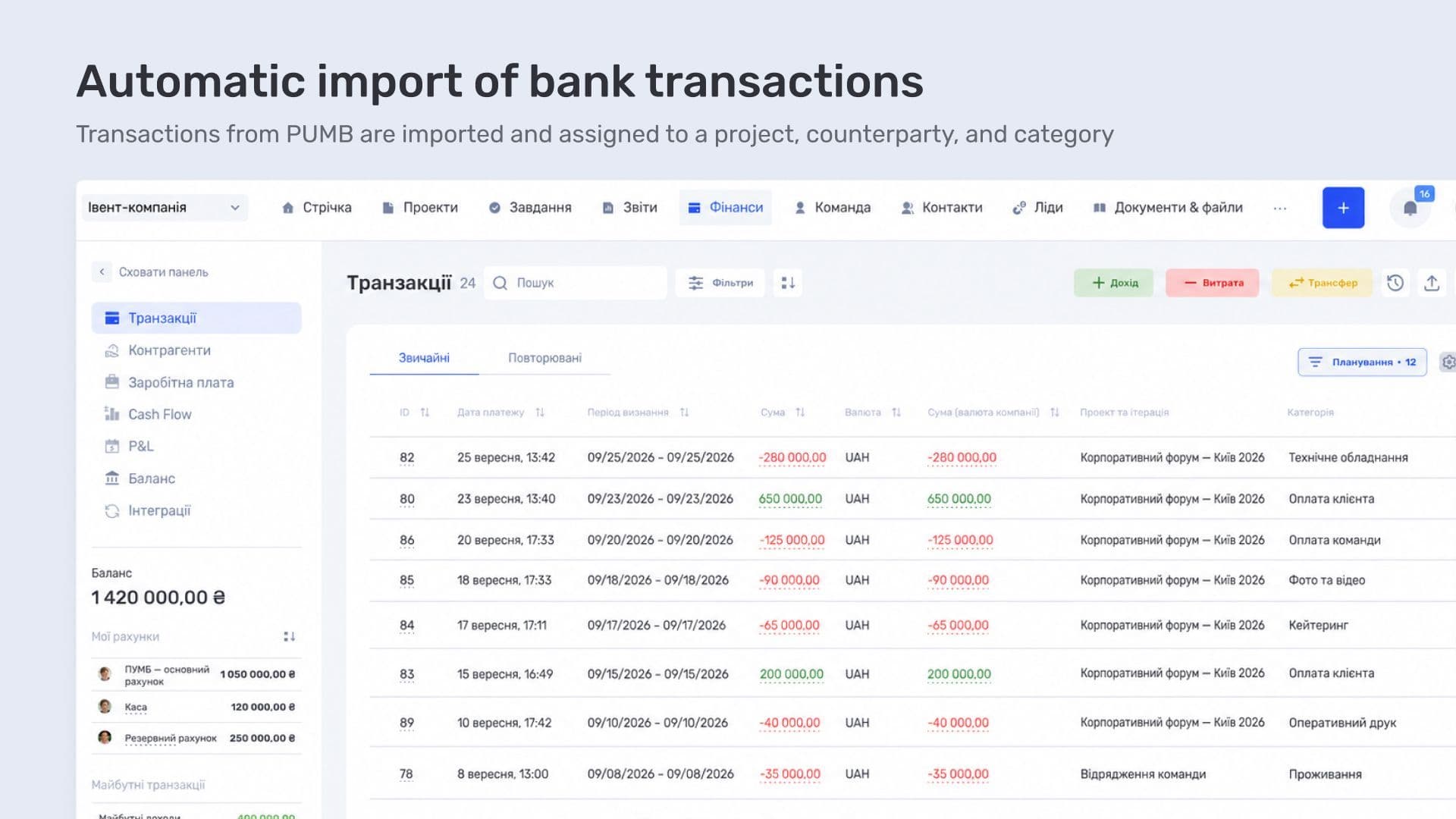
The team does not need to transfer these bank operations manually. They appear in the system where the company already manages its management accounting.
After import, a transaction can be supplemented with a project, counterparty, and category. These fields show which order the payment relates to, who it is with, and what it is for. The bank provides the operation, while accounting details are added in the system.
The register can show the required columns side by side: amount, account, project, counterparty, and description. A source marker shows where the record came from. To review payments for a specific event, there is a project filter; to find payments to a particular contractor, there is a counterparty filter.
A transaction can be opened from the register to review and refine its details. This also matters for reporting: Cash Flow uses the date when money moves, while P&L uses the recognition period for income or expenses. For example, the date money leaves the account does not always match the month to which the expense belongs. The recognition period needs to be set according to the company's accounting. How these records add up to company profit is shown in a P&L example.
Project folders in Google Drive
Creatura's second request concerned event materials. We configured a Google Drive integration: when an employee creates a project in if.team, a folder appears in Drive and its address is immediately added to the project card.
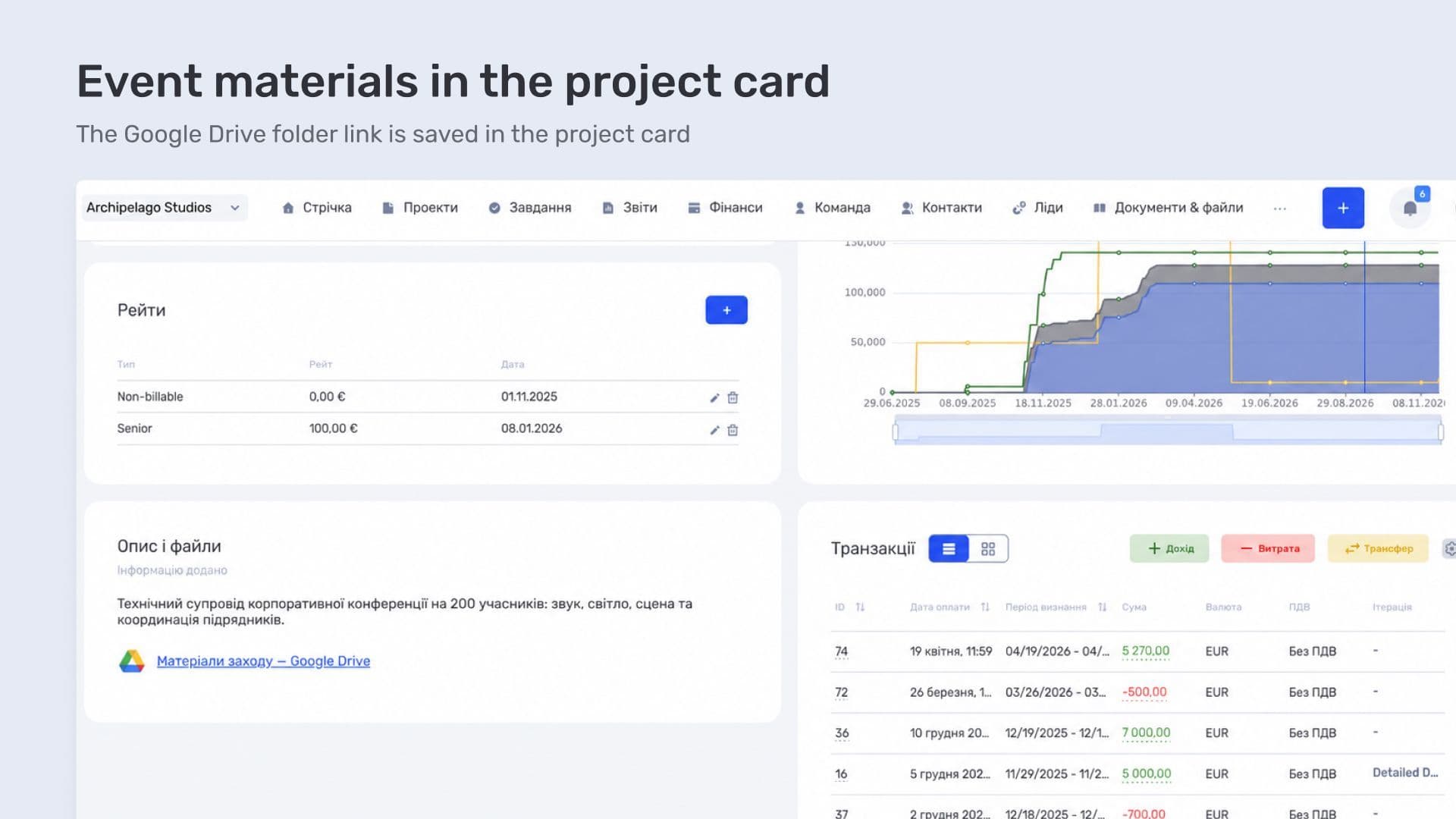
There is no need to create the folder separately and copy the link manually. The team can immediately collect order documents there — for example, client requirements and preparation materials.
The link remains in the project. When the team needs to check documents during the work or return to materials from a previous event, they can open them directly from the project card.
Recruiting and hiring employees
Creatura's work in if.team also includes hiring employees. The company uses the recruiting module for this: it manages vacancies, stores candidate information, and tracks applications through the selection process.
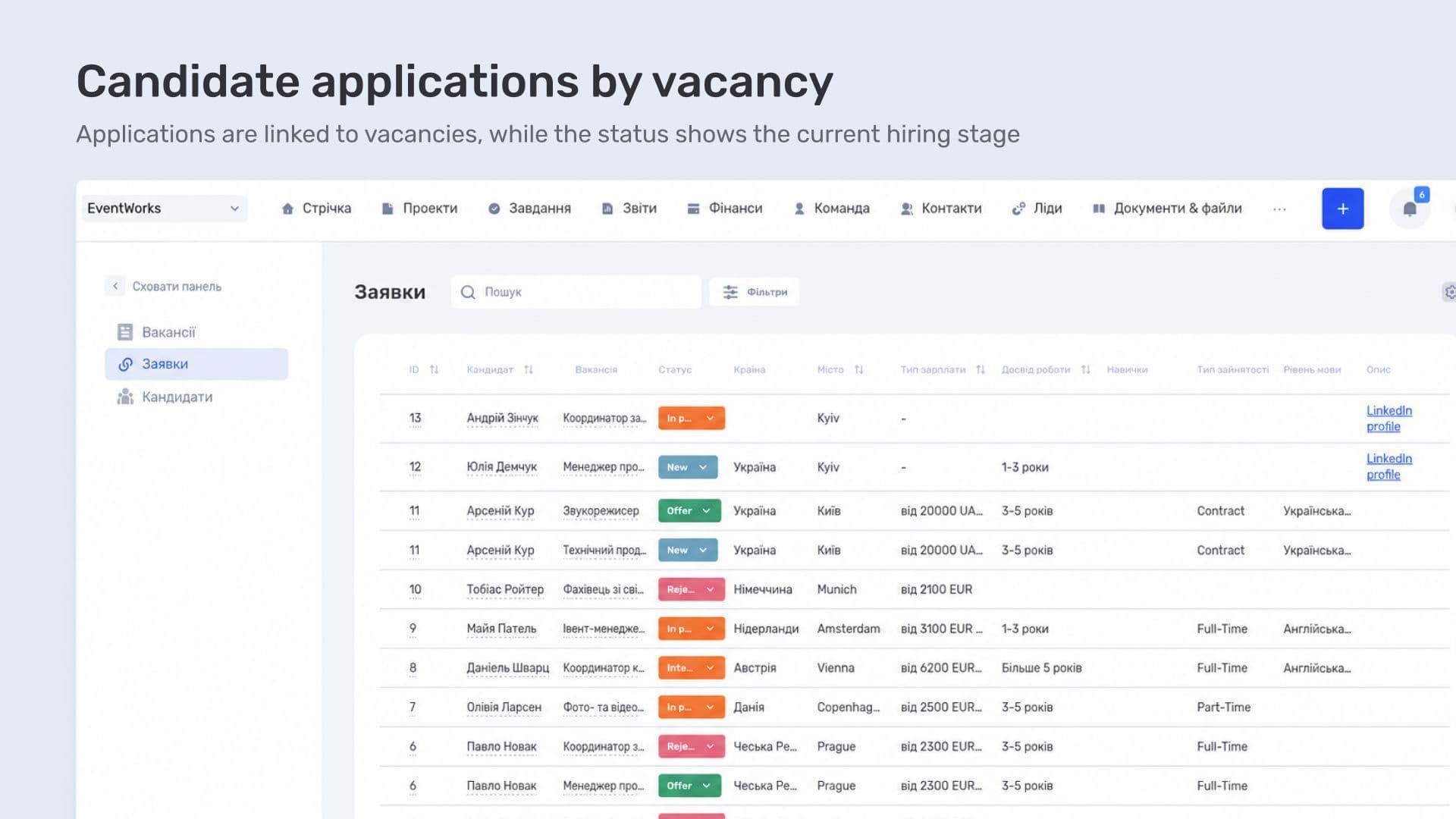
An application is linked to a specific vacancy and candidate. It shows which position the person is being considered for and which stage of the process they are currently in.
if.team ERP for event company Creatura
For an event company, it is important to connect not only the project and its budget in a single process, but also the operational work around it. At Creatura, this is supported by two automated integrations: PUMB sends bank transactions into the system, while Google Drive creates a folder for a new project and returns the link to its card.
As a result, the project becomes the point where finances, documents, and related processes come together. This approach is useful for event companies with different types of orders, where the mix of services, expenses, and materials changes from one event to another.
Creatura manages events and their economics in if.team. Income and expenses can be reviewed within a specific order, while event materials can be opened from its card. For a company that combines technical support with organizational services, this means working with different types of data within the same project.
During our work together, we added two integrations based on the team's requests. PUMB automatically sends bank transactions, while Google Drive creates a folder when a project is added and returns the link to the card. Employees can move straight to processing payments and preparing materials.
Creatura also uses recruiting to work with vacancies and candidates. As a result, the company manages both client orders and hiring in the system, while the integrations handle repetitive actions involving bank records and folders. These specific additions adapted the ERP to the team's day-to-day work.
A similar project-work scenario appears in the case study of an event agency that prepared a conference in seven days with a UAH 1 million budget. It shows separately how the team controlled tasks, contractors, and finances while preparing a large event.
Frequently asked questions
How can an event budget be controlled?
Income and expenses are linked to the event project, so at any point the team can see how much has already been spent and what remains within the budget. Overspending in a specific category can be spotted before the project is closed.
Can bank transactions be imported automatically?
Yes. Through the bank integration, operations are pulled into the system and then assigned to projects and categories. Each payment does not need to be entered manually.
How can files for each event be organized?
Project folders are created automatically in cloud storage, so contracts, estimates, and event materials follow a predictable structure instead of being scattered across messages.
Can hiring be managed in the same system as projects?
Yes. Vacancies, applications, and candidates are managed in the recruiting module, so team hiring does not require a separate service and remains visible alongside current events.
Author
Vladyslav ChesnokovPublished
Sep 16, 2026
More articles to read

How KiwiParty manages inquiries, prepares estimates, and organizes events in if.team CRM for event agencies
How if.team CRM for event agencies helps KiwiParty manage inquiries from Instagram, Telegram, and WhatsApp, prepare estimates, and plan turnkey events.

How BigShow manages concert projects and finances in if.team ERP for event agencies
How if.team ERP for a concert agency helps BigShow manage concert projects, preparation stages, contractor agreements, and the finances of concerts and the orchestra.
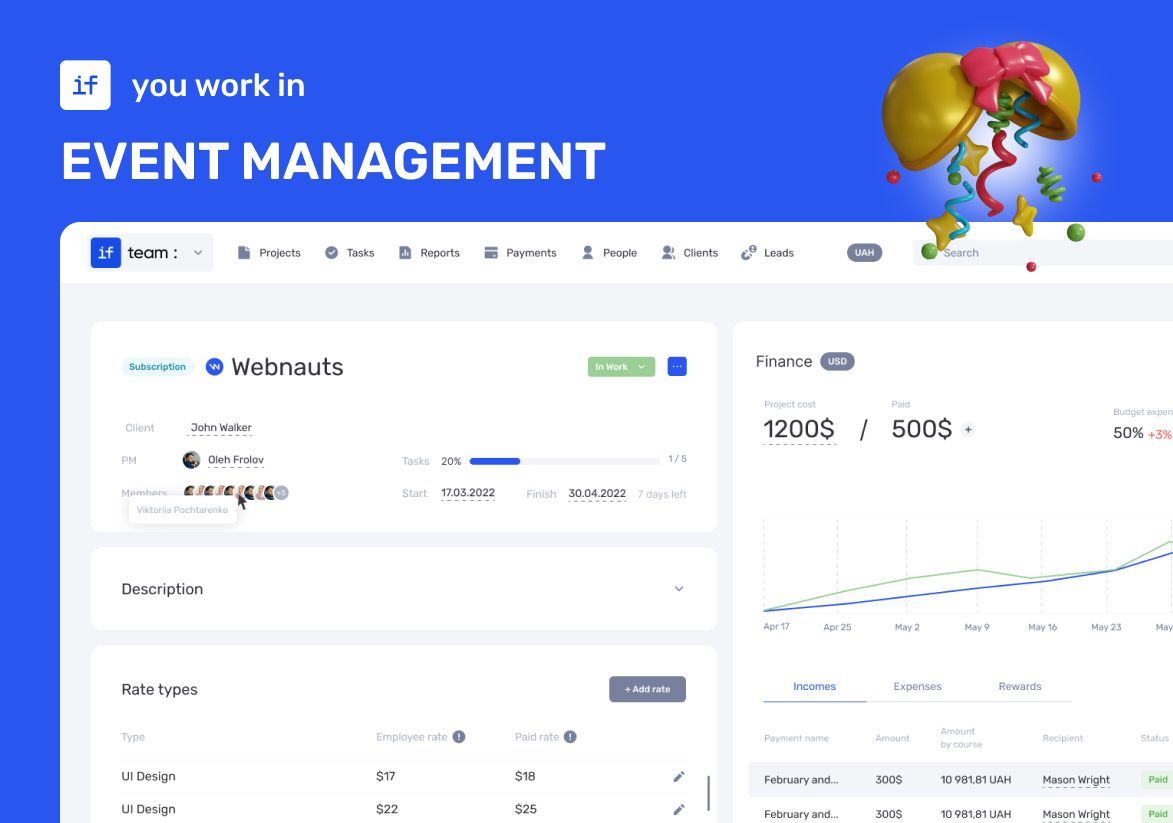
How an Event Agency Organized an Event in 7 Days with a 1 Million UAH Budget Using if.team
Our client was organizing a conference for 150 participants at the Parkovy Conference Center. To coordinate all this quickly and without mistakes, the team chose if.team.
if.team is the New Task Manager for the Atlas Weekend Team
Atlas Weekend was looking for a task manager to organize the team’s internal workflow. They needed a tool where projects could be managed, tasks assigned across departments, work planned, and the real status of operations visible at any moment.

How Ukrainian Business Brotherhood automated meetings and tasks with Claude and if.team
Ukrainian Business Brotherhood connected Claude to if.team: Google Meet calls are recorded with Fathom, agreements become tasks automatically, and each team member has personal AI skills.

How LEVIN group tracks finances in if.team by voice with ChatGPT
LEVIN group logs income and expenses in if.team with voice messages, receipt screenshots, and files sent to ChatGPT, and uses AI for tasks, projects, and CRM.
See if.team in action for your company
We’ll show how projects, team time and finances connect in one system, using your processes as an example.