
How BigShow manages concert projects and finances in if.team ERP for event agencies
How if.team ERP for a concert agency helps BigShow manage concert projects, preparation stages, contractor agreements, and the finances of concerts and the orchestra.

A concert listing only needs the program name, date, and venue. The working record for the same concert contains far more detail: who coordinates preparation, who the agency has agreed to work with, what terms were agreed, and how much the event will cost. Organizers return to this information throughout the entire preparation process.
At Lviv-based concert agency BigShow, this record is called a project passport and is kept in if.team ERP for event agencies. The team configured project cards and preparation stages around its concert workflow so that every project contains the information needed for day-to-day work.
A separate request concerned finances: the agency needed to connect the economics of the orchestra with the overall result of the event. We added this capability while working with BigShow.
In this case study, we explain how the agency prepares concerts in the system, keeps agreements with contractors, and manages financial accounting. We begin with the events the team works on.
About the client
BigShow is a concert agency based in Lviv that organizes music and theater events. Its program combines performances by Ukrainian artists, orchestral programs, theater productions, and open-air concerts. Its projects include Hans Zimmer Symphony, Marusia Churai, and candlelight concerts.
The agency works across different venues. In Lviv, these include music evenings in the Metropolitan Gardens, as well as performances in theaters and concert halls. The program determines both the participants involved and the requirements for the space: an orchestral concert and an open-air evening require different preparation.
In addition to individual events, BigShow organizes tours. For example, the Hans Zimmer Symphony program is performed in different cities. The same musical program carries across the series, but every concert has its own date, venue, and organizational arrangements.
The agency's work covers both preparing these events and handling the related payments. Coordinators and contractors are involved in concerts, while for orchestral projects BigShow also looks separately at the economics of the orchestra. Below, we show how these specifics are reflected in the system.
Concert project card with venue and contractor details
In the project passport, BigShow stores the venue, coordinator, contractors involved, and other concert details. For this, the agency uses custom fields — additional fields created around its own needs.
The project card in if.team already includes the core data: client, project manager, dates, status, and budget. Custom fields supplement this with concert-specific details. For example, the project manager remains in a standard field, while information about the coordinator at the venue can be stored separately.
Each type of data can use the appropriate format. For example, the concert start can be stored as a date and time, while the venue can be selected from a list. This keeps the venue name consistent across projects and makes it possible to filter all concerts at the same location by that field.
Fields can also be added automatically to new projects, and required fields can be marked as mandatory. This lets the agency define which information must be filled in when a project card is created.
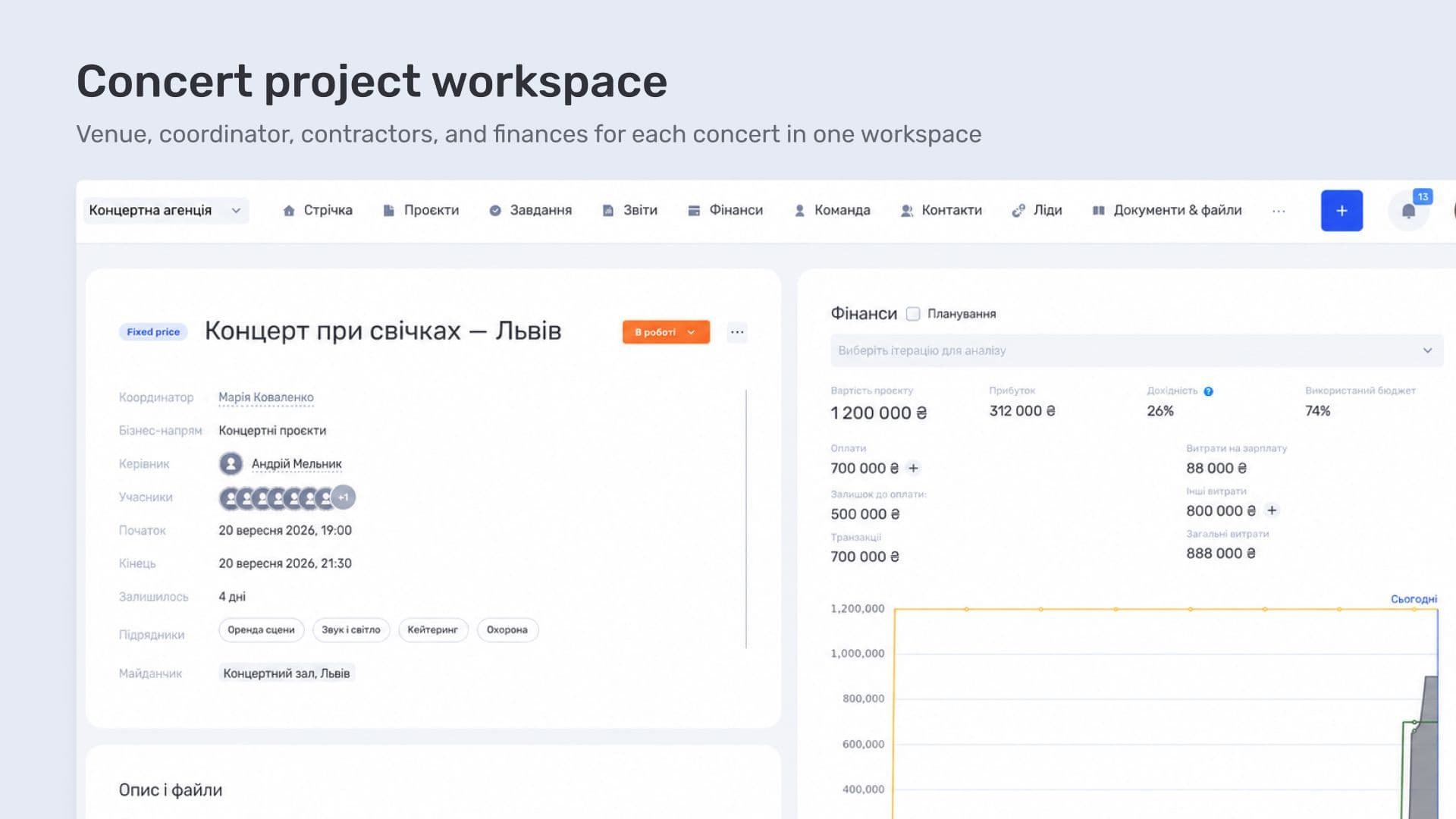
Agreements evolve during preparation, so BigShow actively uses comments and project history. The card contains current information, comments keep the discussion, and the history makes it possible to trace changes.
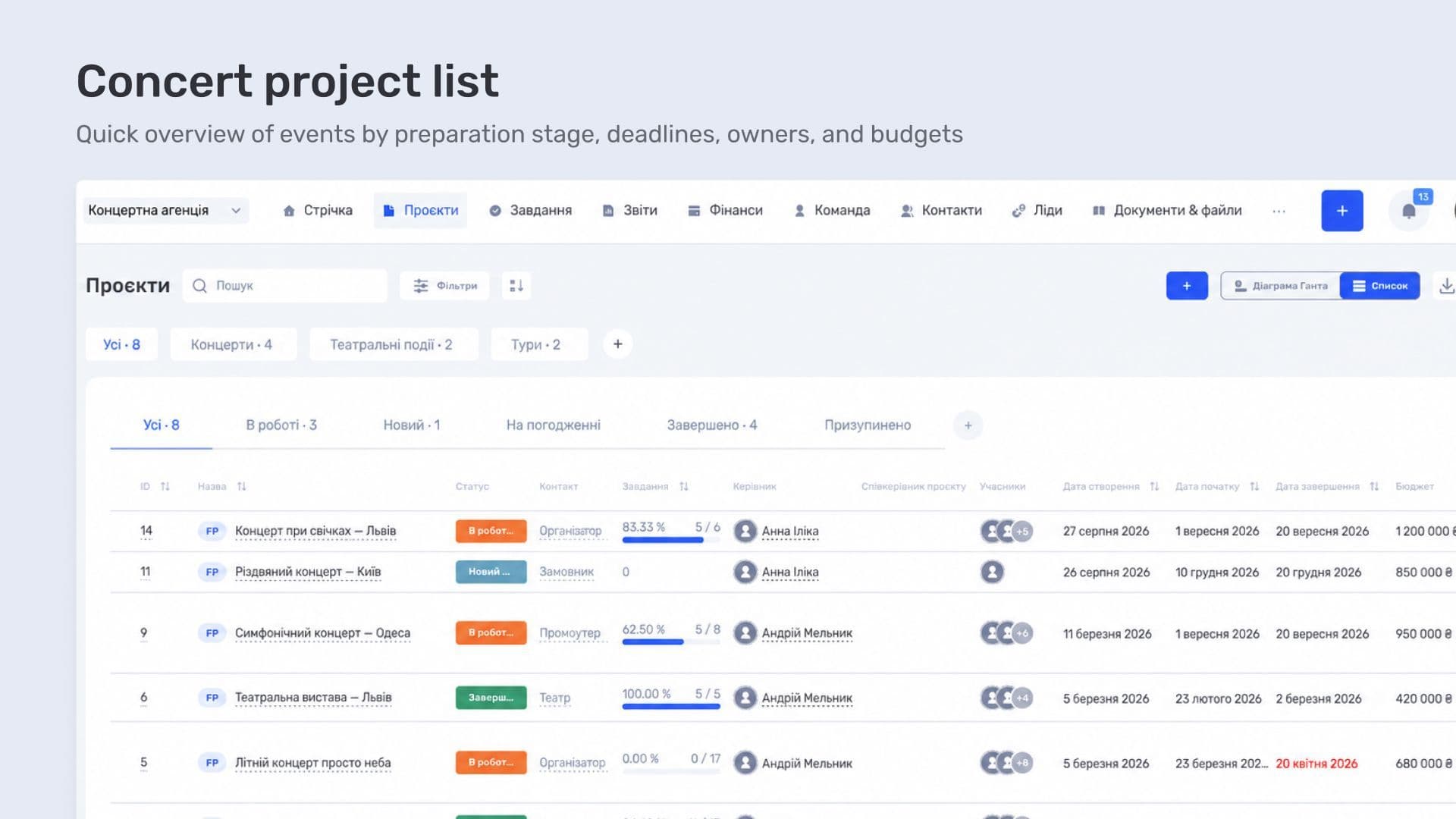
For an overview, custom fields can be shown as columns in the project list, so key information is visible without opening every card.
Concert preparation stages and project dashboards
Alongside the concert details, the team tracks how preparation is progressing. Together with BigShow, we configured several pipelines with different sets of statuses to match the agency's processes. The team uses these statuses to follow the preparation of each concert.
The type of project also determines which information is most useful to see inside its card. Together with the pipelines, we therefore helped configure dashboards for different concerts and projects. A dashboard is the layout of blocks on the project page: information, transactions, files, comments, and other data.
Blocks can be moved, resized, and removed when they are not needed. For example, financial indicators can be placed next to transactions so the team can immediately see both overall totals and individual payments. The description and files can be placed next to organizational details.
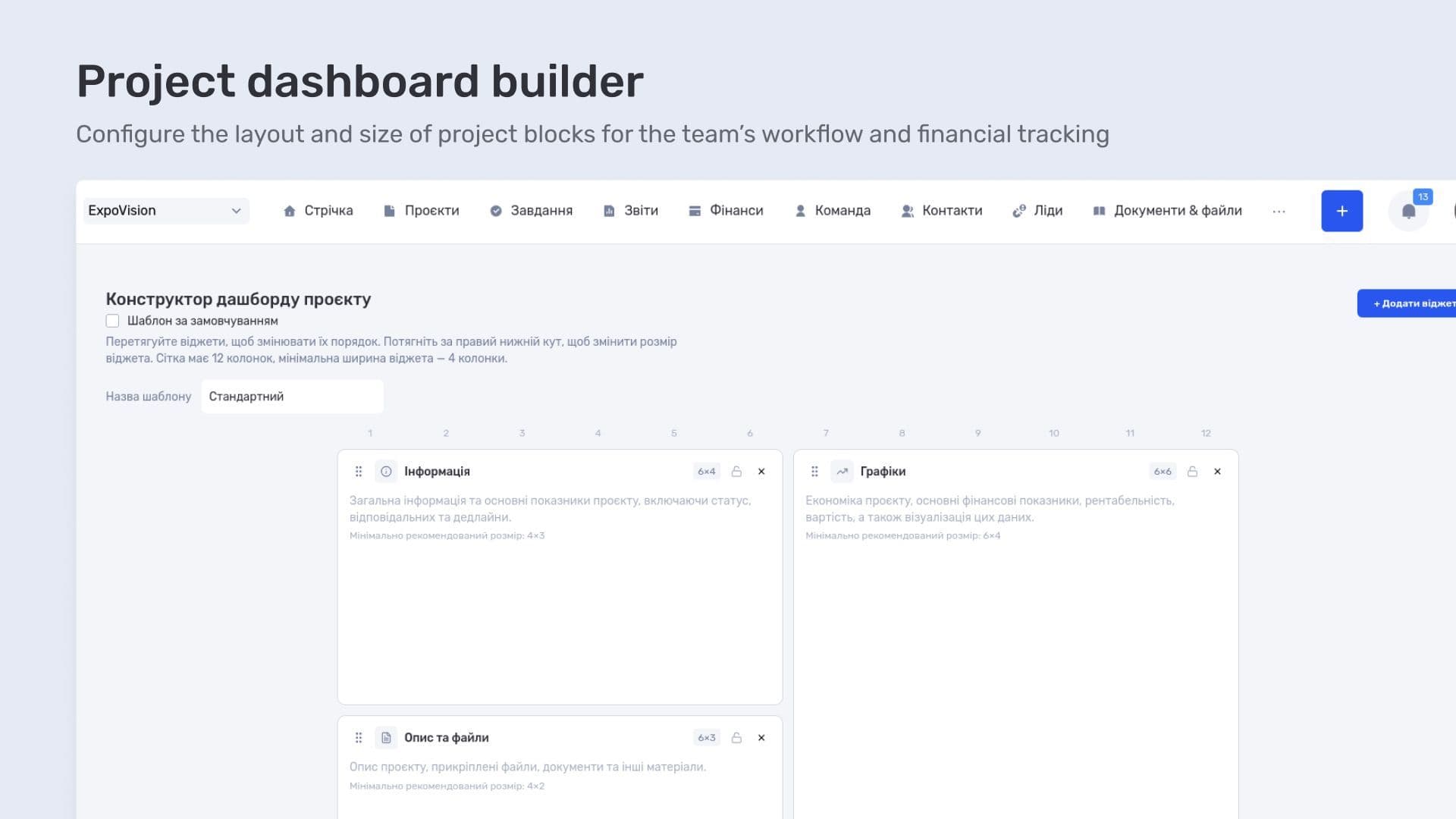
A configured layout is saved as a template. It can be applied to an individual project or set as the default for a business line, so new projects receive the same block layout.
The pipeline and dashboard serve different purposes. Statuses describe how preparation is progressing, while the dashboard determines what an employee sees when opening a concert. This means the workflow stages and the layout of the card used at those stages can be configured separately.
Tracking orchestra and concert economics
In addition to configuring project cards, BigShow needed a connection between the finances of different projects: the agency tracks the economics of the orchestra separately while also evaluating the result of the concert as a whole. It needs both levels — the ability to examine orchestra finances and include them in the larger event.
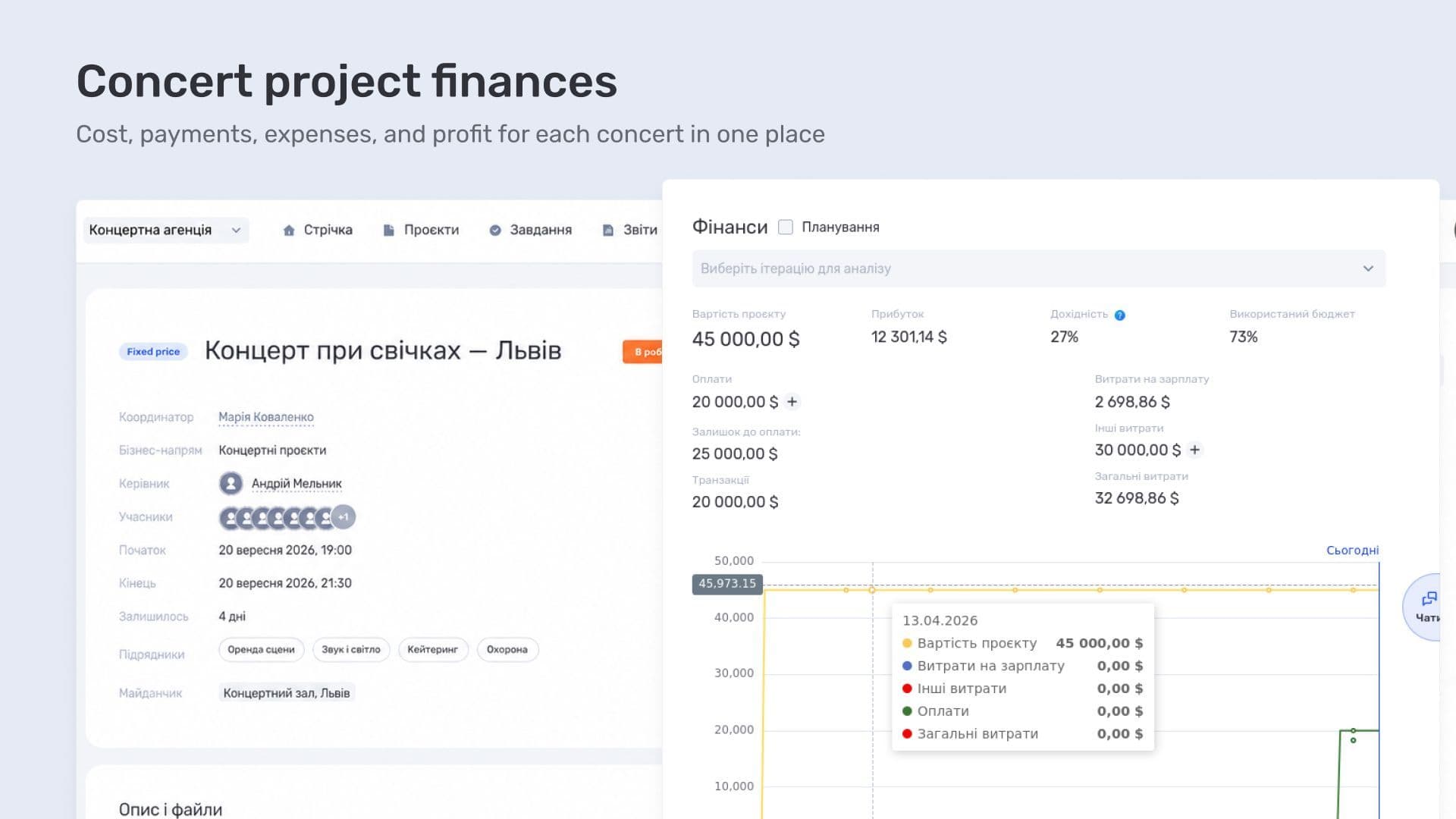
For this request, we added parent-child project relationships to the if.team projects module. The financial indicators of the child project are included in the parent project while separate accounting is preserved.
Financial accounting for a concert agency in Cash Flow and P&L
From the economics of an individual concert, the team can move on to the finances of the entire agency. BigShow also manages company finances in if.team and uses Cash Flow and P&L. These reports answer different questions: how much money came in and was paid out, and what financial result the agency achieved over a given period.
Cash Flow — inflows, outflows, and balances
Cash Flow shows the movement of money across accounts. The report lets the team review inflows and outflows for a selected period and see how the cash balance changed.
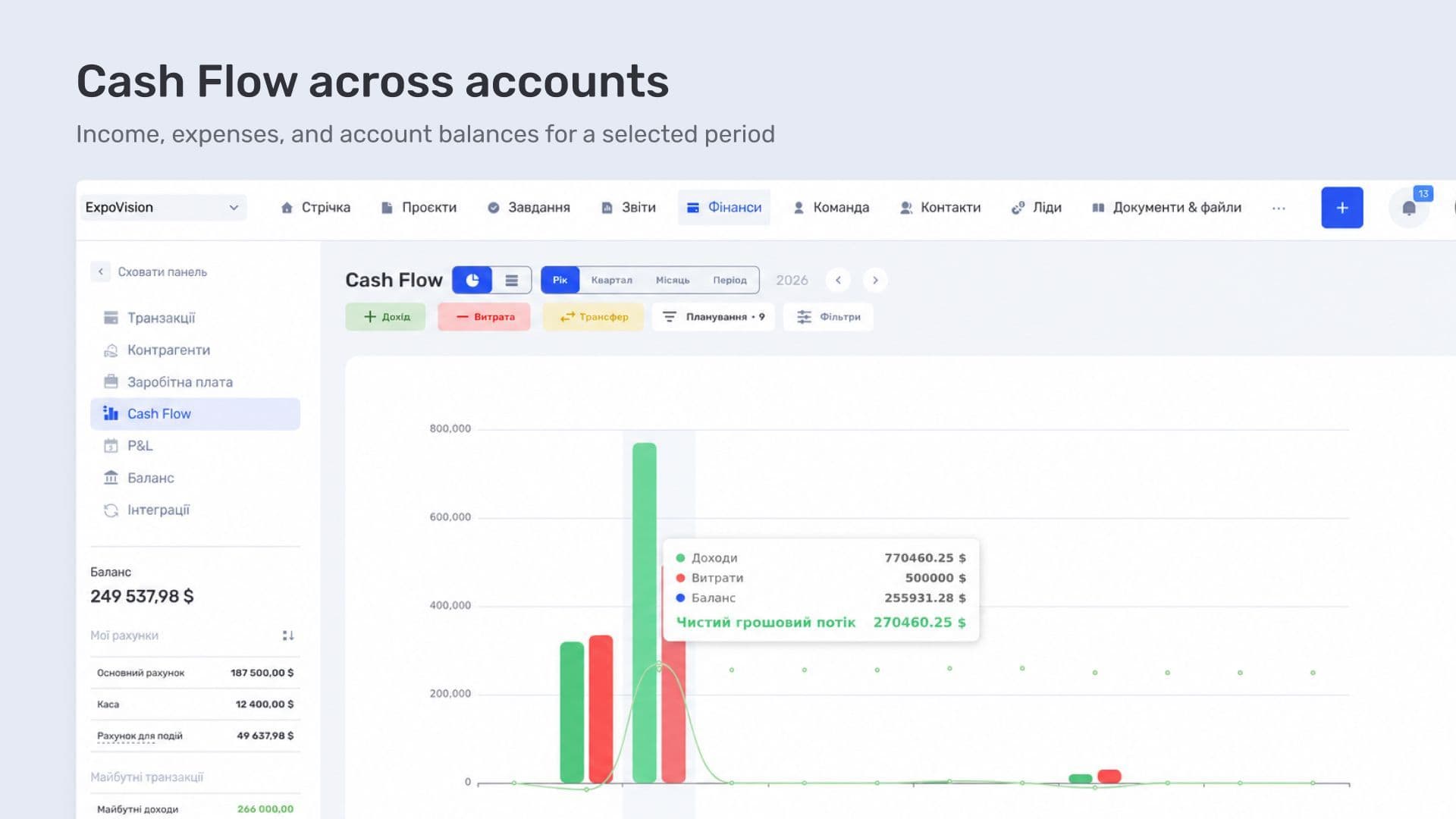
The data is available both as a chart and as a table with categories. From an amount in the report, the team can open the underlying transactions and check which payments make up the total. This is useful when a particular inflow or outflow category needs to be examined in detail.
P&L — financial result for a period
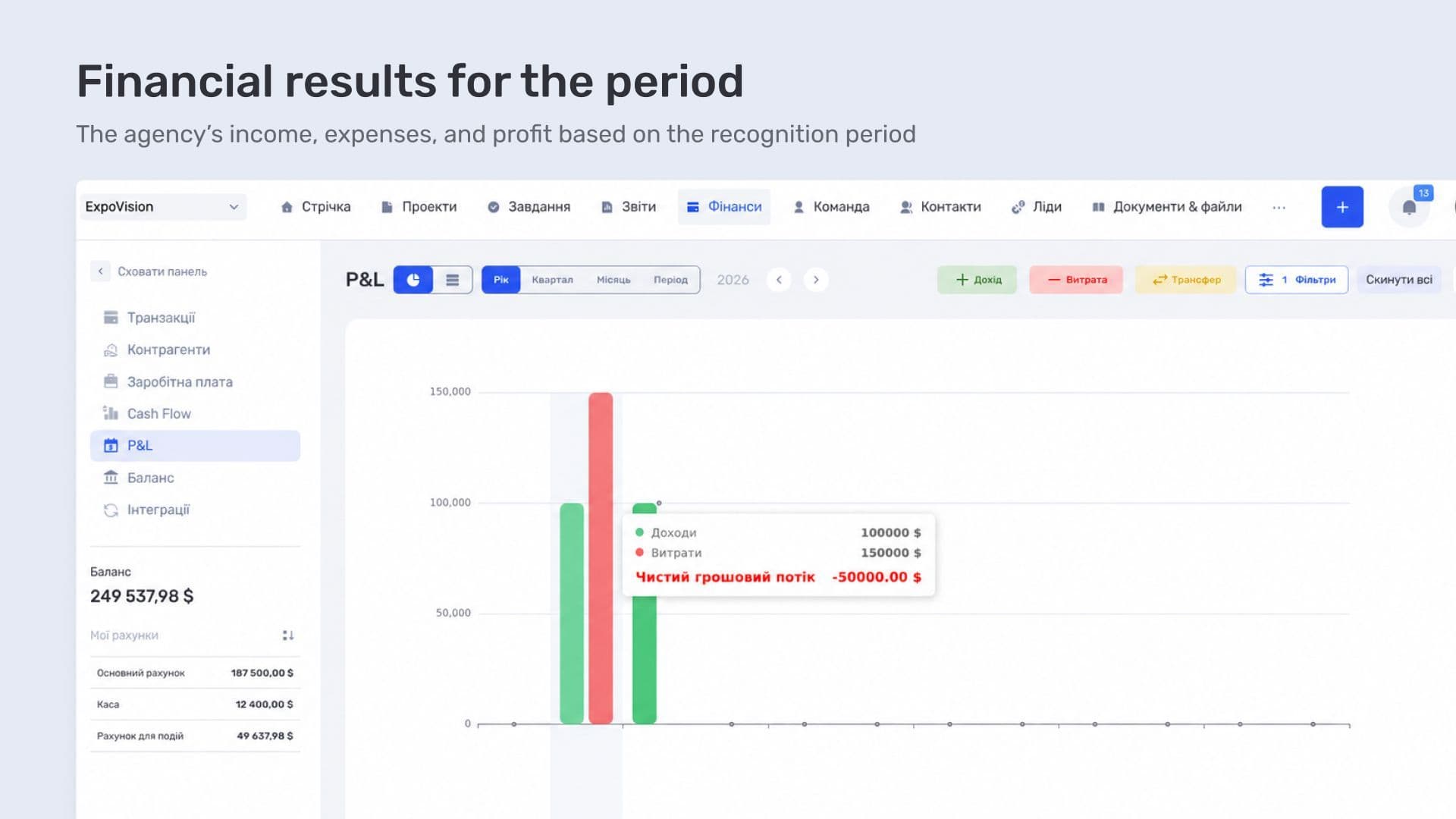
P&L shows income, expenses, and profit. For this report, the recognition period matters — the month to which an income or expense belongs.
Consider a simple example: a concert took place in September, but a contractor was paid in October. If the expense is assigned to the September recognition period, it will appear in September P&L. In Cash Flow, the payment will appear in October, when the money actually left the account. The report structure and how each metric is calculated are covered in the article on the profit and loss statement.
To review financial data, the transaction register can show the payment date and recognition period side by side. This makes it clear when the payment occurred and which month the transaction belongs to. Separate columns show the project, counterparty, and category — the data needed to understand the amount that appears in the report.
Contractors and collaboration history
A counterparty in a financial transaction links the payment to a person or company. Client management in if.team makes it possible to keep related projects and collaboration history. In BigShow's database, the team can also review a counterparty's project history — for example, find concerts where the agency has already worked with a particular contractor.
By opening a counterparty, the team can find related concerts and go directly to their cards. This is useful, for example, when a question about a previous concert comes up during preparation for a new one: the team can first find the participant and then use that record to locate the relevant event with its details and discussions.
This search complements the project passport. Collaboration information can be reached from both directions — from the concert to the people involved, or from the counterparty to the events they participated in.
if.team ERP for BigShow concert agency
In the concert business, a single project brings together organizational data, contractors, and finances. At BigShow, the system works on two levels at once: the economics of the orchestra are tracked separately, while their indicators are included in the overall financial result of the concert.
This approach is useful for concert and event agencies that need more than task management. The project card, preparation stages, financial indicators, and reports remain connected, so the team does not have to assemble a full picture of the event from several separate tools.
At BigShow, every concert has its own card with a project passport, discussions, and change history. The team can confirm the venue, find the contractors involved, and return to previous agreements. Pipelines show preparation stages, while dashboards are configured for different types of agency projects.
The financial side covers both parts of the event and the result of the concert as a whole. At BigShow's request, we added relationships between projects so that separate orchestra accounting can be included in the economics of a larger event. The agency reviews company-wide cash movement and financial results in Cash Flow and P&L.
This combination supports work at different levels: during preparation, the team can check the details of a specific concert; during analysis, it can review that concert's finances and the agency's reports. The configured cards and project relationships reflect the way BigShow organizes its events.
For another scale of event operations, see the Atlas Weekend case study. There, if.team is used as a shared tool for coordinating tasks between departments, planning work, and controlling processes across a large event team.
Frequently asked questions
How can a concert project be managed from agreements to reporting?
A concert is managed as a project: venue, contractors, preparation stages, and finances are collected in one card. Stage statuses show where each event stands when the agency is running several concerts at the same time.
How can you see the economics of an individual concert?
Income and expenses are linked to a specific project, so for every concert the team can see total inflows, expenses, and the result without compiling a separate spreadsheet.
What is the difference between Cash Flow and P&L in agency reporting?
Cash Flow shows the movement of money over a period: when funds came in and when they went out. P&L shows income, expenses, and profit. The first is used for planning payments, while the second is used to evaluate the financial result.
Where should agreements with venues and contractors be stored?
Counterparties are kept as contacts with collaboration history: related projects, transactions, and files remain in the card, so the team can return to previous terms before a new concert.
Author
Vladyslav ChesnokovPublished
Sep 16, 2026
More articles to read

How Creatura manages event projects, budgets, and finances in if.team ERP for event companies
How if.team ERP for an event company helps Creatura manage event projects and budgets, receive transactions from PUMB, and automatically create folders in Google Drive.

How KiwiParty manages inquiries, prepares estimates, and organizes events in if.team CRM for event agencies
How if.team CRM for event agencies helps KiwiParty manage inquiries from Instagram, Telegram, and WhatsApp, prepare estimates, and plan turnkey events.
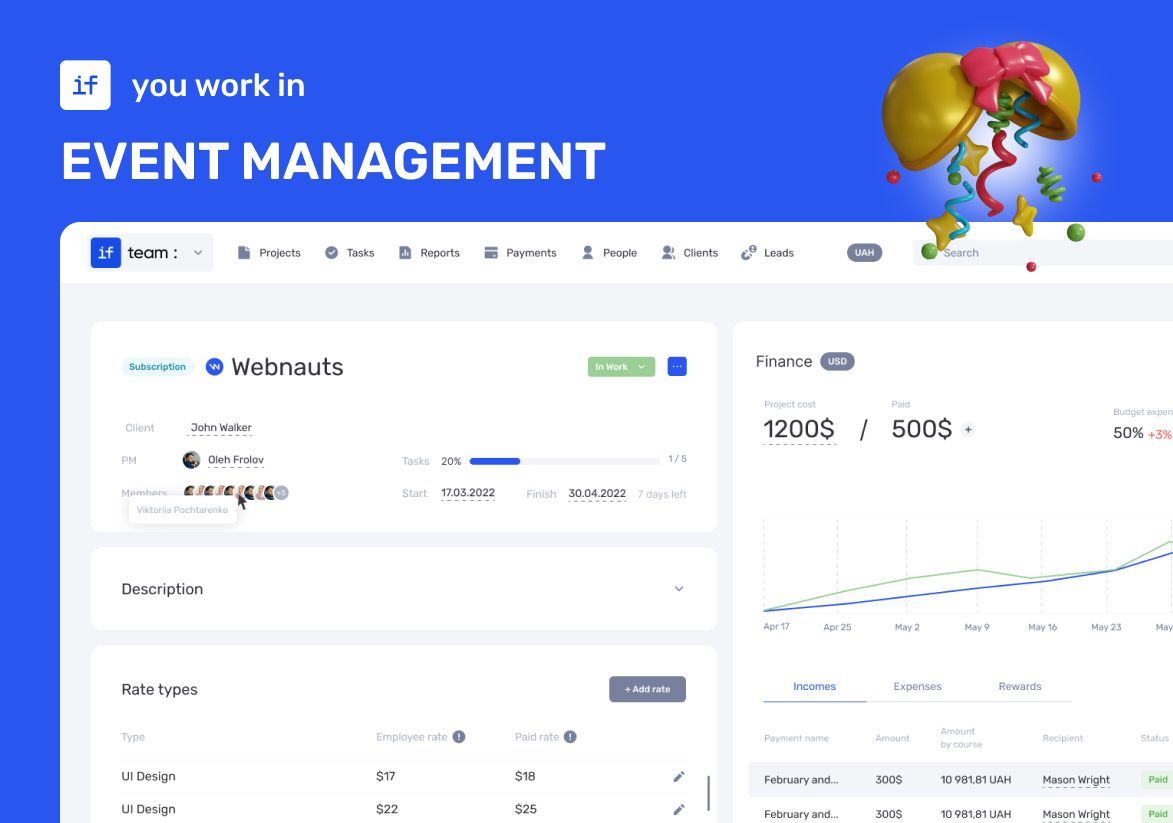
How an Event Agency Organized an Event in 7 Days with a 1 Million UAH Budget Using if.team
Our client was organizing a conference for 150 participants at the Parkovy Conference Center. To coordinate all this quickly and without mistakes, the team chose if.team.
if.team is the New Task Manager for the Atlas Weekend Team
Atlas Weekend was looking for a task manager to organize the team’s internal workflow. They needed a tool where projects could be managed, tasks assigned across departments, work planned, and the real status of operations visible at any moment.

How Ukrainian Business Brotherhood automated meetings and tasks with Claude and if.team
Ukrainian Business Brotherhood connected Claude to if.team: Google Meet calls are recorded with Fathom, agreements become tasks automatically, and each team member has personal AI skills.

How LEVIN group tracks finances in if.team by voice with ChatGPT
LEVIN group logs income and expenses in if.team with voice messages, receipt screenshots, and files sent to ChatGPT, and uses AI for tasks, projects, and CRM.
See if.team in action for your company
We’ll show how projects, team time and finances connect in one system, using your processes as an example.