
How to assign tasks to your team: from briefing to tracking completion
We break down how to assign tasks so they actually get done: what a brief must contain, how to word the result and the deadline, who takes ownership and how to check completion. With an example, an acceptance checklist and a template for running the task in if.team from start to finish.
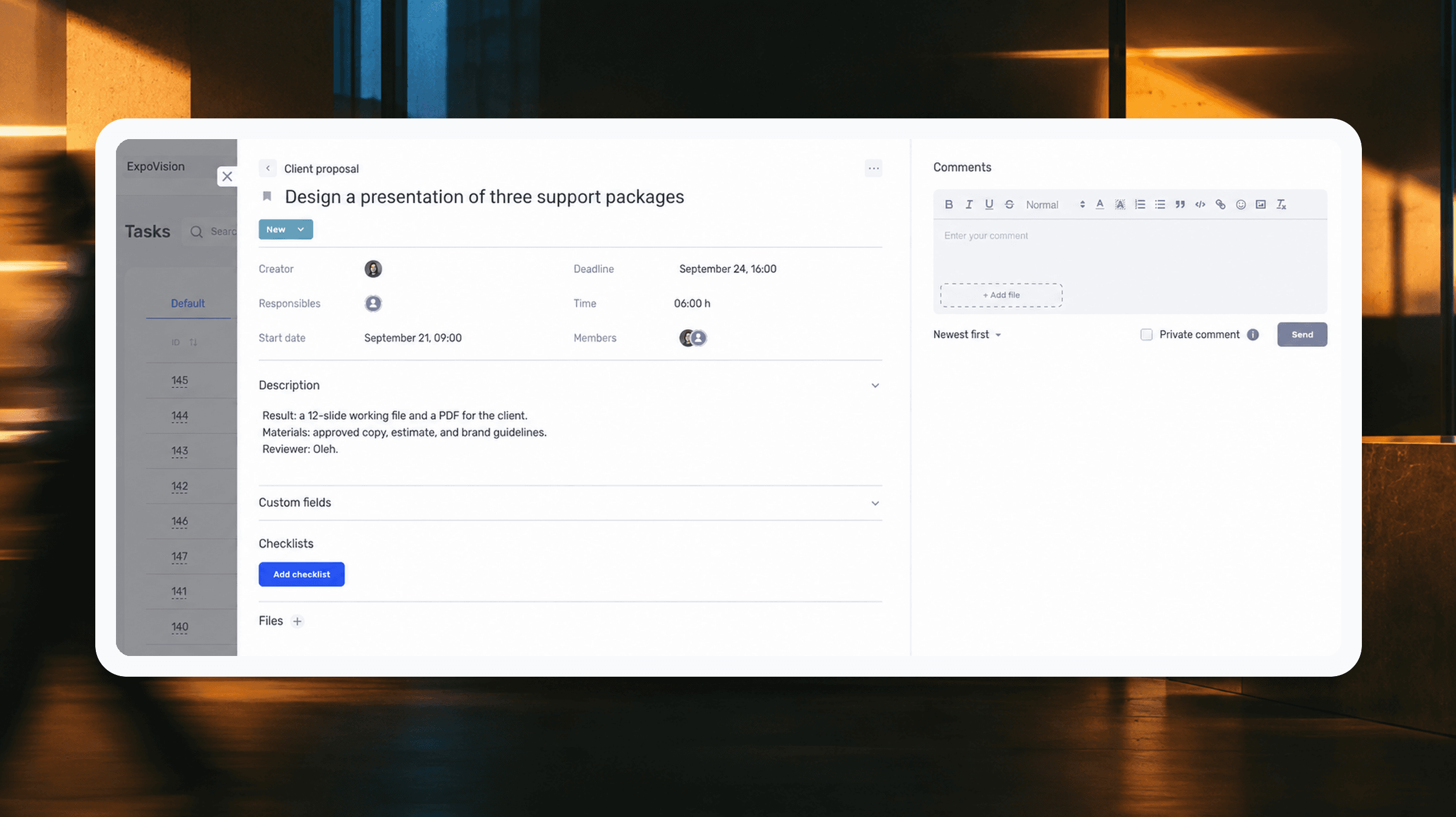
Assigning a task starts with a simple question: what should be ready when the person finishes the work? The answer often seems obvious to the manager. They have spoken to the client, discussed the budget, and already have a picture of what needs to be done. The colleague receiving the task may not have been part of any of those conversations.
A manager asks a designer to prepare a presentation for a meeting. She takes the previous file, updates the design, and sends over the slides. The manager opens them and realizes that he expected a proposal with three new service packages, but has received the old slides in a new design. The meeting is a day away. Now someone needs to put the copy together, check the prices, and redesign part of the presentation.
Both knew about the meeting and wanted to be ready on time. But before work began, they had not discussed exactly what the presentation should contain. The designer spent time on what she understood from the request, while the manager ended up with extra work just before the deadline.
In this article, we will look at how to assign tasks clearly to your team: describe the result, agree on deadlines, and review the work before the client needs it. We will work through these steps using a presentation as an example, then set up the same task in if.team. At the end, you will find a template you can use for your own tasks.
What assigning a task involves and what you need to agree on
Assigning a task means explaining the work and agreeing on how it will be done. The manager describes what they need, while the person doing the work clarifies the details, estimates the time required, and explains what is missing before they can start. After that, both understand what to do, when to deliver it, and who will review the result.
You can check that understanding in a short conversation. Ask your colleague to explain where they will start and what they plan to hand over at the end. For example, the designer says she will update the old file. The manager immediately realizes that he has not explained the changes to the proposal and adds the necessary materials. This takes a few minutes before work begins and lets them resolve the misunderstanding before anything needs to be redone.
Distinguish between a goal, a project, and a specific task
“Increase sales” is a goal that different actions could help achieve. “Update the sales presentation” is work that still needs to be clarified. “Prepare three slides showing the client's options for ongoing support” is a specific task whose scope can be described and whose result can be checked.
A project will contain several such tasks. The manager gathers the client's requirements, specialists estimate the work, the designer lays out the proposal, and the team lead approves the terms. If all of this goes into a single line, “Make a presentation,” it is difficult to see whose part is delayed and who can keep working.
How far you break a project down depends on how the team works. If the designer handles both the layout and the export, those actions can stay in one task. If the manager checks the prices and the file cannot be sent without his response, that review needs its own deadline and assignee. We will return to this distinction in the section on work involving several people.
Why a detailed description does not guarantee understanding
A description can run to two pages and still fail to answer the main question: what should be ready at the end? This happens when someone copies the client correspondence into a task, adds several files, and expects the assignee to piece together what was agreed.
After the discussion, gather the current requirements in one place. Keep the correspondence as context, but use the description to explain the decision. For example: show the client three service packages; take the prices from the approved estimate; use the old proposal only as a design reference.
This description will also be useful later. Suppose the designer is off sick and the presentation is handed to a colleague. They open the task, see the agreed scope, and understand which files to use. The manager only needs to explain the current state of the work instead of recounting all the negotiations from the beginning.
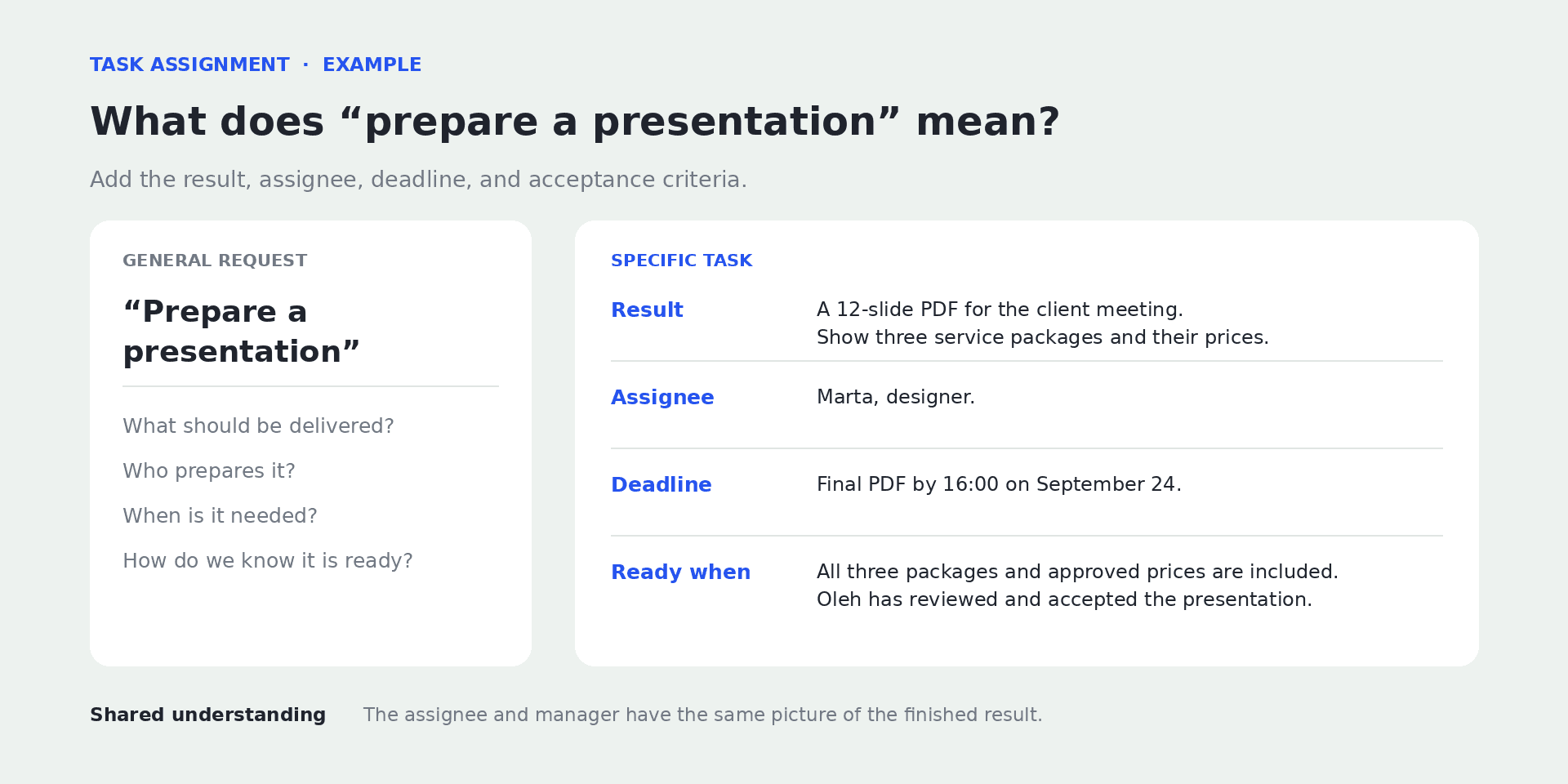
A clear task brief explains what result is needed and how it will be checked.
Task assignment guidelines: what to include in the description
Most work tasks need a title, a description of the result, a deadline, and an assignee. Beyond that, the details depend on the work: some tasks need technical specifications, while others need a budget, client approval, or access to source data.
Imagine that tomorrow a colleague who missed today's meeting opens the task. They need to understand why the material is being prepared, where to get the data, and whom to show the finished work to. Below, we will look at how to record this information so that the description is easy to use.
The title should make the action clear
A title helps people recognize a task in a list. “Presentation” does not explain what needs to happen to it. “Design a presentation for the client meeting” is already distinct from “Approve the prices for the presentation” or “Check the finished PDF.”
Start with a specific action: prepare, check, approve, publish. Name the result or the item alongside it. If the team works on several similar materials, add the client, event, or period.
The title does not need to contain the whole description. Its job is to help people find the right work quickly; the details belong inside the task card.
Context: why the work is needed
Explain how the finished material will be used. In a twenty-minute meeting, the manager will talk through the services himself, so the designer can put the main points and comparisons on the slides. If the client will read the presentation on their own, those same slides will need explanations. The task title might be identical, but the copy and design requirements will differ.
A few sentences are enough: who will use the result, in what situation, and what question it should help answer. For example: “At the meeting, the client will choose a monthly support option. We need to show the differences between three packages so they can compare the scope of work and the cost.”
There is no need to recount the entire negotiation. Include the information that could affect the assignee's decisions.
The result: what the person requesting the work should receive
Describe the result as a finished item or a change that can be checked. For a presentation, this might be a 12-slide working file and a PDF to send to the client. For an analyst, it could be a spreadsheet comparing costs and explaining variances. For support, it could be a checked response and a record that the request has been resolved.
Be careful with words such as “process,” “work on,” and “improve.” For example, a manager asks someone to process customer feedback. The employee reads it and groups it by topic, while the manager is expecting product recommendations. To avoid this, describe the result as follows: gather recurring complaints, add examples of customer requests to each one, and suggest which problems to investigate first. Now it is clear what to bring to the discussion.
Sometimes there is no answer yet: finding it is the work. In that case, the result will be research explaining which options were examined, what was learned, and what next step is proposed. We will return to this kind of task below when we discuss SMART.
Acceptance criteria: how to check the result
Acceptance criteria turn a general expectation of “good quality” into a clear review. For the presentation: all three packages are included, the prices match the approved estimate, the contact details are current, the text stays within the slide boundaries, and the PDF opens with the fonts intact.
Include the things that will actually be checked before delivery. If the presentation will be emailed to the client, it is important to check whether the PDF opens and displays the text correctly. If the file is being prepared for a live presentation, also make sure it can be shown on the intended screen. The criteria depend on how the material will be used.
Subjective expectations also need clarification. Instead of saying “make it modern,” show a reference and explain what works about it: large headings, limited text, restrained colors. Otherwise, the same image can suggest completely different choices to different people.
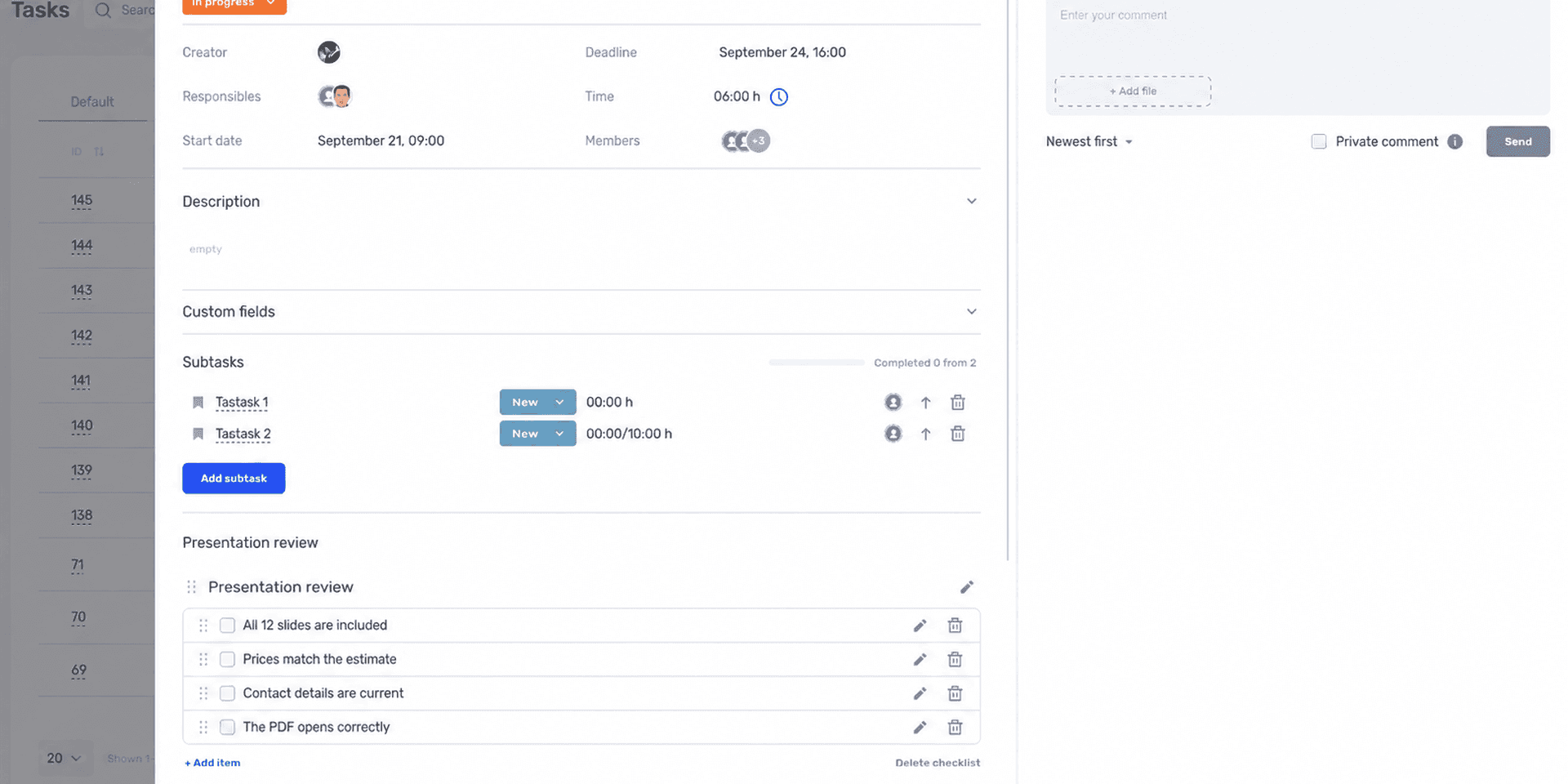
The checklist helps you check the finished material against the requirements agreed before work began.
The assignee and the person who accepts the work
Several people can be involved in a task, but it should be clear who brings the final result together and reports that it is ready. In our example, Marta, the designer, prepares the presentation, while Oleh, the manager, checks the content and hands it over to the client.
If an analyst joins the work, define their part separately. For example, they prepare a comparison of the packages before design begins. Adding everyone to the same card does not, by itself, explain who is responsible for what.
Also agree on whom to ask about overall progress. In this example, Marta can say what has been designed and what is still missing, while Oleh is responsible for content approval. If two more people join the task, this division should remain clear to everyone.
If a project involves many people, you can put these roles in a table: who does the work, who is accountable for the result, who is consulted, and who is informed. We explain this division in our article on the RACI matrix. For a small task, recording the relevant roles in the description is enough.
Deadline, priority, and source materials
The deadline defines when the result is needed. The priority explains where the work sits among other tasks. “Urgent, by Friday” is not helpful if the person already has three urgent assignments due that same Friday.
Our guide to deadlines explains how to agree on a realistic due date that reflects estimates, availability, and approvals.
Along with the deadline, provide the materials needed to start: a brief, approved copy, source files, access permissions, or the contact details of someone who can answer questions. Check access permissions for links. A file that only the task's creator can see will not help the assignee.
If some materials are not ready yet, name the person who will add them and the deadline. For example: “Oleh will add the final prices by 11:00 on September 21. Until then, you can prepare the grid and title slides.” The designer can plan the start of the work and will know whom to contact if the estimate does not appear on time.
Task assignment example: from a brief request to a usable description
Let us bring this information together in one task. In our worked example, a service studio is preparing a proposal for a new client. Oleh, the manager, has arranged a meeting for September 25, and Marta, the designer, needs to design the presentation. The names, dates, and details are fictional and used for illustration.
The original request is: “Marta, make a presentation by Friday, like last time.” There is an assignee and an approximate deadline. But it is unclear whether the copy needs rewriting, which prices to use, how many slides to prepare, or when the manager will have time to review them.
What the clarified task looks like
Title: Design a presentation of three support packages for the client meeting.
Purpose: On September 25, the client will choose how to work with us. The presentation should help them compare the scope of work, launch timelines, and monthly cost.
Result: 12 slides in the working file and a PDF to send. Structure: introduction — 2 slides; client needs — 2; three packages — 3; comparison — 1; launch — 2; work sample — 1; next step — 1.
Materials: approved copy, an estimate with three packages, brand guidelines, and a previous presentation as a reference. The copy and prices are already approved; the old slides are only a design reference.
Responsible for preparation: Marta. Reviews and approves: Oleh.
Deadlines: by 16:00 on September 22 — show three sample slides; by 15:00 on September 23 — hand over the complete draft for review; Oleh returns consolidated feedback by 18:00; by 16:00 on September 24 — prepare the final files.
Priority: the presentation comes before the internal portfolio update. Oleh agrees on postponing the portfolio update with the person who requested it.
Acceptance criteria: all 12 slides are present; the package contents and amounts match the estimate; no previous client's details remain; fonts and elements display correctly in the PDF; Oleh has checked the content.
Scope of independent decisions: Marta chooses the layout within the brand guidelines. She agrees on changes to prices, package contents, and copy with Oleh.
With these details clarified, Marta can estimate the work: look at the amount of copy, check the materials, and plan the design. If the package comparison needs more data, she can say so immediately. Oleh can also see his part: he needs to return feedback on time so that there is a day left for revisions.
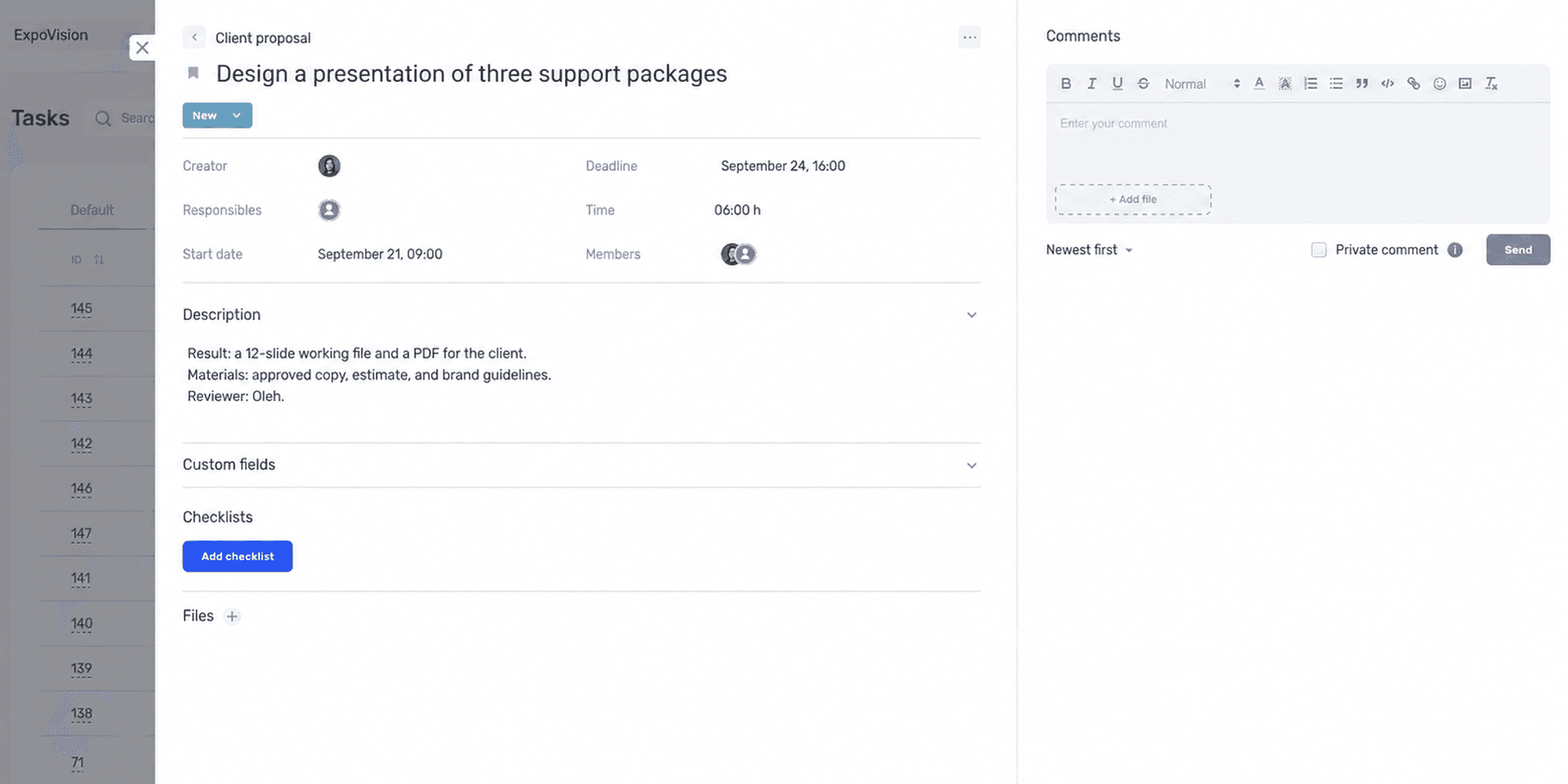
The card brings together the result, assignee, and deadline agreed by the team.
What changed after the clarification
The team separated the meeting date from the preparation deadline. There is now time for review and revisions. The manager also has a commitment: review the draft by a specific time, rather than whenever he finds a spare moment.
It is also clear what happens to the other tasks. The priority is backed by a decision about the portfolio. Without that, the presentation could simply have been added to an already full working day.
The task also records what has already been agreed with the client. If a fourth package is added later, Oleh and Marta can assess the extra work: whether one more slide will be enough, or whether they need to rebuild the comparison and change the copy. This will determine whether the original deadline still holds.
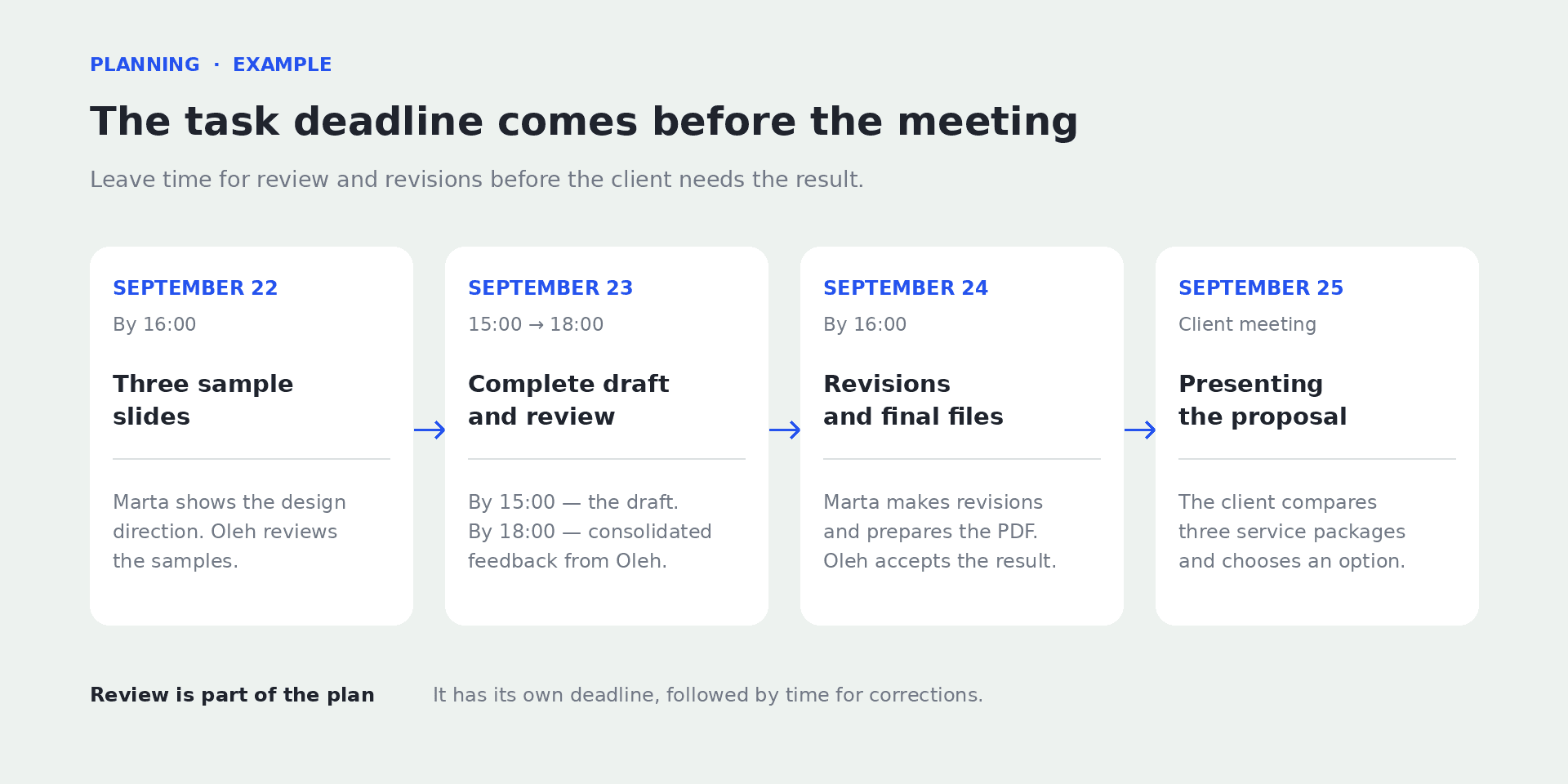
Review and revisions have their own time allocated before the client meeting.
How to agree on a realistic deadline without overloading the team
To agree on a deadline, you need to know both the delivery date and how the team will get there. The manager knows when the client expects the presentation. The designer knows how long the design will take and what is already scheduled for those days. Until they compare that information, the deadline remains an assumption.
Start by explaining why that particular date matters. A client meeting or the start of an event may be fixed. An internal preference to “finish this week” usually leaves room to discuss a different sequence.
Distinguish between effort and elapsed time
Six hours of work does not always mean something can be ready today. The designer may have two meetings, another agreed task, and a wait for the copy. Those six hours need to fit into the working time available.
Ask two separate questions: how much time does the work require, and when can the person make that time available? For unfamiliar work, a preliminary estimate with an explanation of the uncertainty is appropriate. For example: “The design will take about six hours if the package comparison table stays as it is.”
When a new requirement appears, the estimate needs to be revised. An increase in hours does not, on its own, prove that someone is working slowly: the work expected of them may have changed.
Plan backward from delivery to the start
Work backward from the date when the result will be used, allowing time for the final review, revisions, and the main work. In our presentation example, the meeting is on September 25, so the final files are needed on the 24th. The designer hands over the complete draft on the 23rd so the manager has time to review it.
If the design needs an approved estimate, that estimate needs a deadline too. You cannot plan to start the design on Monday while expecting the prices only on Wednesday if the main slides cannot be put together without them.
Agree on deadlines with the people preparing the copy and the estimate. If one of the materials is delayed, identify which slides Marta can design without it.
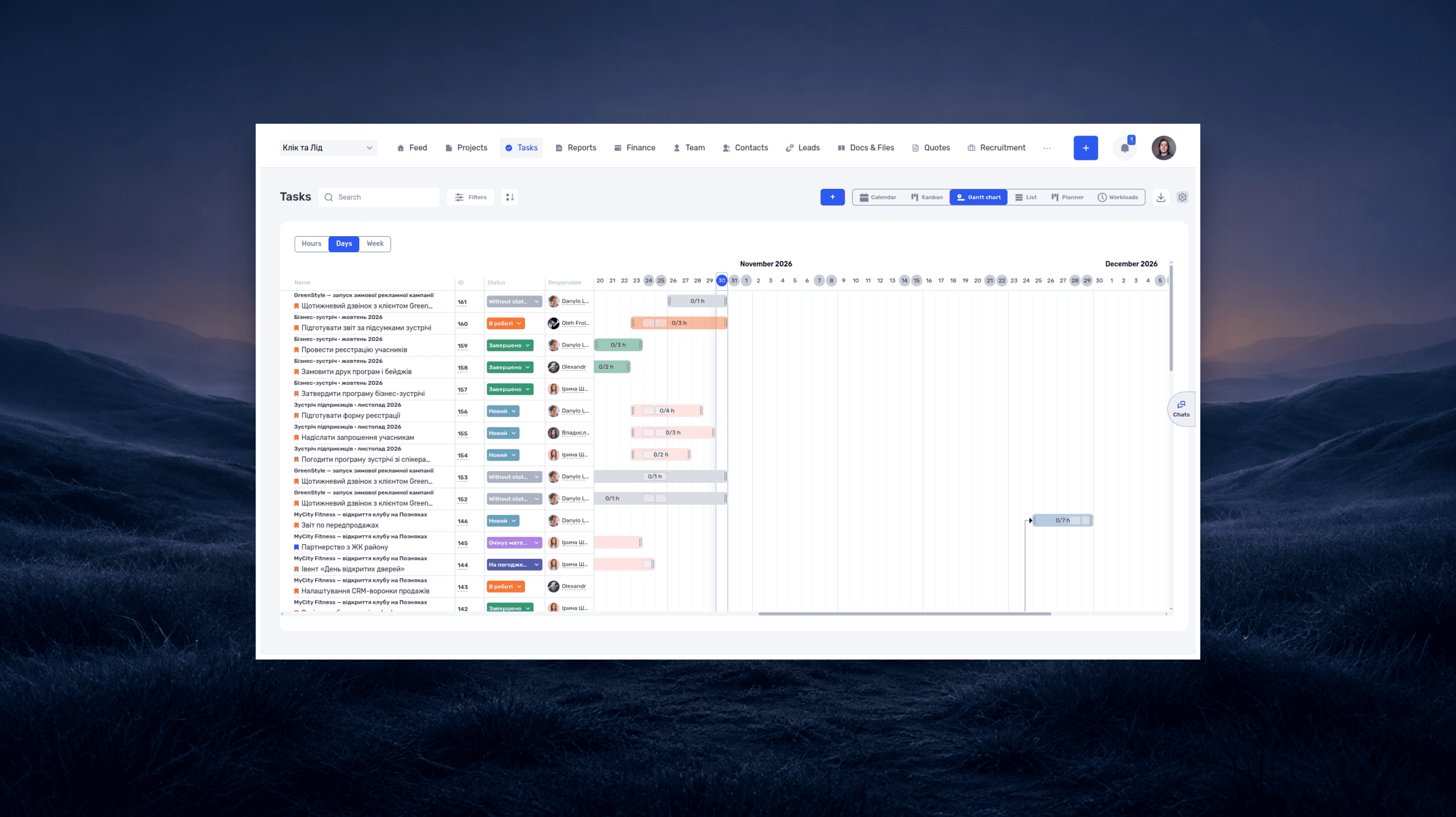
When there are many dependencies like these, it is easier to arrange the deadlines on a shared timeline. This shows what can happen in parallel and which tasks are waiting for earlier ones. We explain how to build this kind of plan in our article on the Gantt chart.
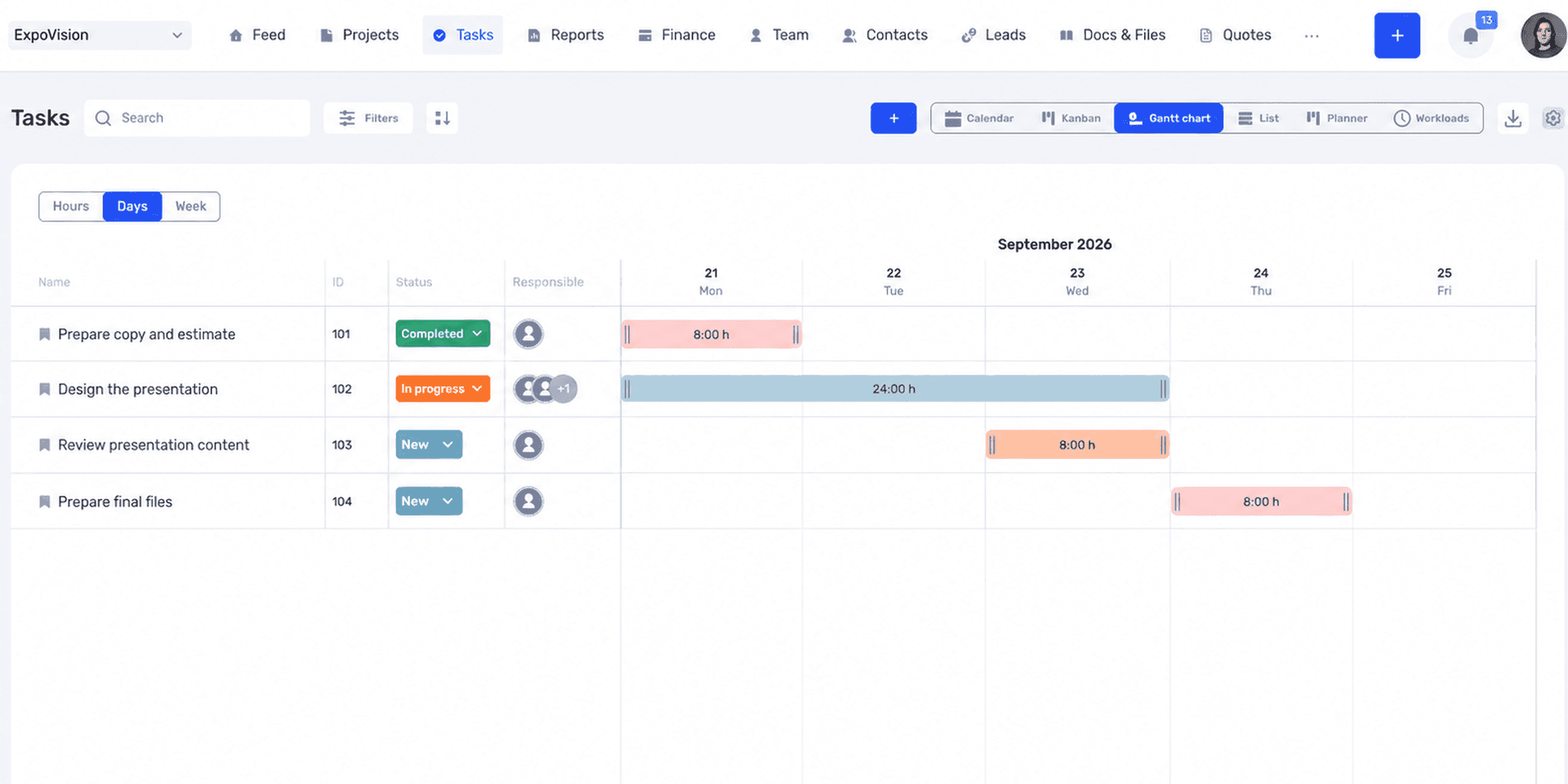
The shared plan shows which tasks can run in parallel and which are waiting for earlier work.
A new priority should change the order of work
A high-priority label only helps when there is an agreement behind it. If the new presentation is more important than the portfolio, a new deadline for the portfolio needs to be agreed. Otherwise, both tasks remain urgent, and the choice is effectively left to the designer.
When tasks come from different managers, decide who resolves conflicts. The assignee can show their workload and the consequences, but may not have the authority to decide which client should wait longer.
If the work does not fit, discuss what can change. A short presentation may be enough for the first meeting, with a detailed description of the services sent to the client later. Or a colleague could help check and design some of the slides. The choice depends on the client's requirements and the time available; the new agreement needs to be recorded both in this task and in the tasks postponed because of it.
Delegating tasks: what the manager defines and what the assignee decides
When delegating, you need to answer a practical question: which decisions can the person make independently? Without that discussion, one employee will seek approval for every detail, while another will change terms that have already been promised to the client.
Consider the person's experience with this particular work. The designer may have been preparing presentations for years but be working with this service for the first time. She can handle the design independently while checking the package contents with the manager. At the start, it helps to say explicitly which questions she should bring to him.
Delegate the authority to make decisions along with the work
“You are responsible for the result” is not enough if the person cannot get the materials they need or agree on changes. Along with the task, explain whom they can contact, what they can change, and when a manager's decision is needed.
In development, this might work as follows: the developer chooses how to implement a form, but agrees on changes to the fields the client sees. If the work needs a paid service, the team decides in advance who approves the expense. The assignee then understands which decisions they can make independently and which require a colleague's response.
You can add a short agreement to the description: “Technical decisions are yours to make. If you need to change the user flow or add a paid service, discuss it with the manager first.” In our presentation example, changes to the content and prices are agreed in the same way, while the slide composition is left to the designer.
Agree on when to show the first result
For a new support employee, you might start by reviewing a few responses to complex requests. The manager can see whether their colleague has understood the situation correctly and whether they have promised the client something the team cannot deliver. Once the person has mastered this work, the frequency of reviews can be reconsidered.
For an unfamiliar format, it helps to look at a small part first. In our example, that means three slides: the title slide, one package, and the comparison. These let the team agree on text density and how to present the information before all 12 slides are designed.
When agreeing on an interim review, reserve time for it in the calendar straight away. Marta shows three slides on September 22, and Oleh reviews them and confirms whether the design works. If he only responds the following evening, the designer will either wait or continue using her own judgment. In either case, the planned review will not help them correct the direction in time.
Psychologists Edwin Locke and Gary Latham explain the role of feedback in their review of goal-setting research, published in American Psychologist. According to their review, goals combined with feedback on progress work better than goals alone. For our presentation, the practical takeaway is this: during the review, explain what already meets the requirements and what needs to change before delivery.
Use SMART to check the wording
SMART can be used as a short set of questions: is the task specific, can the result be checked, is it achievable, is its connection to the goal clear, and is there a deadline? For the presentation, this means checking the required files, acceptance criteria, available time, purpose of the meeting, and delivery date.
After that check, consider whether the task can actually be carried out as written. It may have a specific result and date, but the estimate is still unapproved and access to the brand guidelines is blocked. These issues need to be resolved with colleagues; otherwise, the work will stop even with a well-written description.
For a research task, you can assess how fully the person has answered the question. For example, a manager asks someone to find a way to collect customer feedback. The assignee compares three options, shows their costs and limitations, and explains how each would fit into the support team's work. It may turn out that none is suitable yet. That conclusion is useful too, provided it is clear what was examined and why the options were rejected.
How to divide project tasks among several people
When several people work on a project, they need to agree on what they hand over to each other. An analyst can prepare a calculation on time, yet the designer may still be unable to start: the table contains amounts but no description of the services included in each package.
To build a comparison slide, she will have to return to the analyst and clarify what is included in the proposal. Both are doing their tasks, but extra work appears between them. This can be anticipated during planning by discussing exactly what data the designer needs from the start.
Divide the work into results that can be handed over
In our example, we can separate content preparation and approval, slide design, and the final review. Each part has its own result and a person who passes it on.
If one person checks several small details in a finished file, a checklist is enough. If another participant handles part of the work, it has a separate deadline, or it can be delayed independently of the rest, it is more convenient to create a subtask.
To choose between a checklist and a subtask, consider how you will track the work. If you need to ask separately whether the copy is ready, wait for its approval, and hand it to the designer, it is easier for the copy to have its own task. If Marta is simply checking fonts, margins, and contact details before export, those items can stay in the presentation checklist.
Define what handing over the work means
“The copy is ready” could mean the writer's draft or material already approved by the manager. This difference matters to the designer: designing from a draft may end in a complete rebuild of the slides.
In the preceding task, record exactly what is being handed over: approved copy in a specific document, with no unresolved pricing questions. In the next task, state which materials the assignee should use. This keeps the requirements of the two tasks aligned.
In real work, materials are sometimes handed over in stages. That can be organized too: approve the slides that will not change separately and mark the sections still being clarified. It is important that the team can see this status and allow for possible revisions.
For a large event, these dependencies occur between entire departments. In the Atlas Weekend case study, we show how the team manages shared tasks in if.team, with assignees, deadlines, priorities, and discussions. List, kanban, and Gantt views let them look at the work from different perspectives. This example is closer to a situation where preparation needs to be coordinated between organizers, marketing, and the technical team.
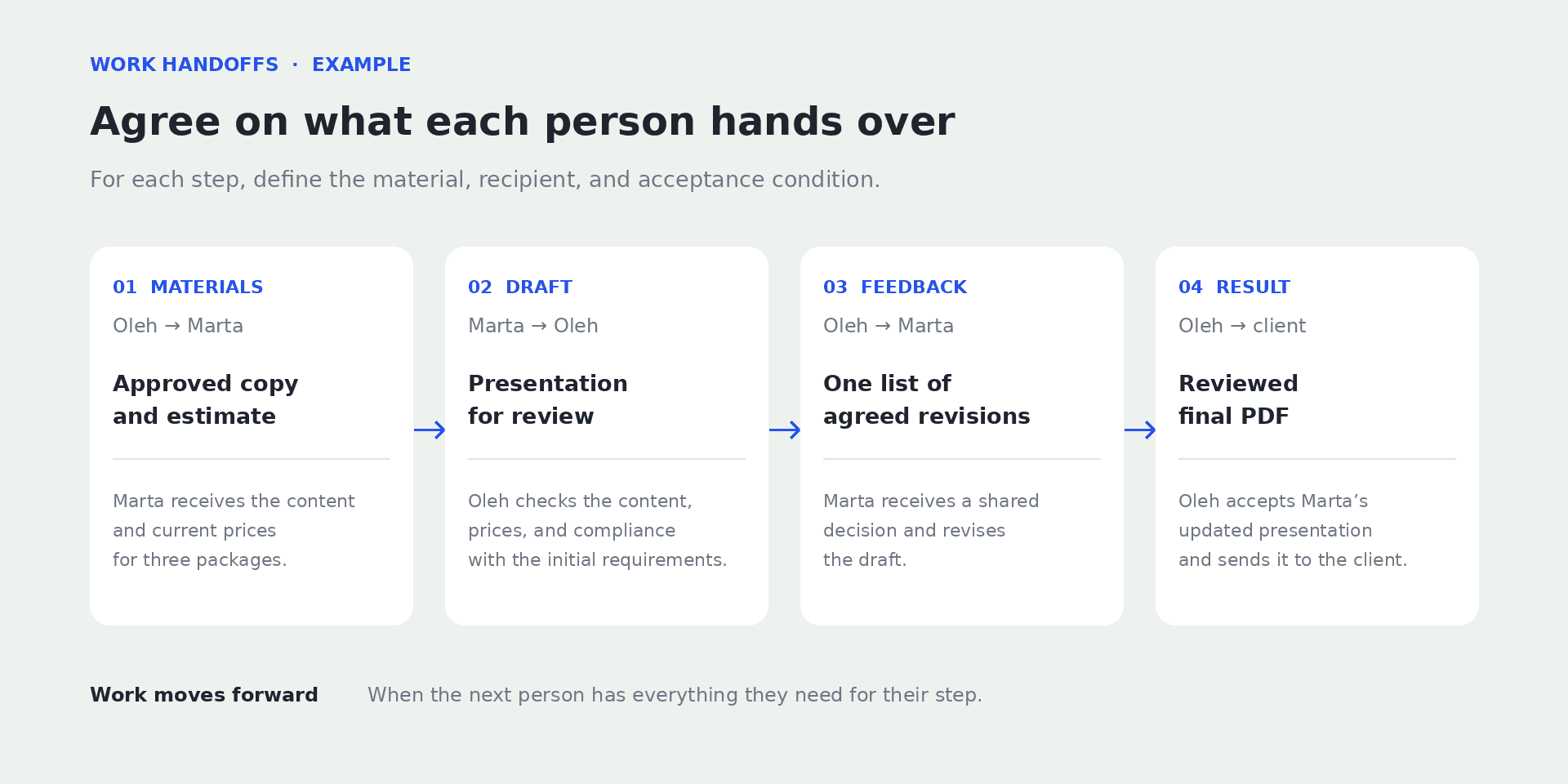
Every handoff needs a clearly defined result and someone to accept it.
How to set up this example task in if.team
The agreements about the presentation can be brought together in an if.team task card. The description, files, assignees, and deadlines will stay there. When Marta hands over the draft or Oleh requests changes, that discussion will sit alongside the requirements the work began with.
We will create a task in a training project called “Client proposal.” Statuses in if.team depend on the project settings. In this example, we need a review stage and a completion stage; your team may use different names for them.
Create a task and select the project
Open “Tasks” and click “+.” You can also add a new task using the global “+” button or from a kanban column. For a one-off presentation, choose the regular task type.
Enter the title “Design a presentation of three support packages” and select the “Client proposal” project. Choose an initial status from those available in this project. The title, project, and status are required to create the task.
A full description of the fields and ways to add tasks is available in the task creation guide. Here, we will fill in the details needed for our presentation.
Linking the task to a project will help you find the presentation among the other work for this client later. The task title itself can contain just the essentials, since the full description and materials will be in the card.
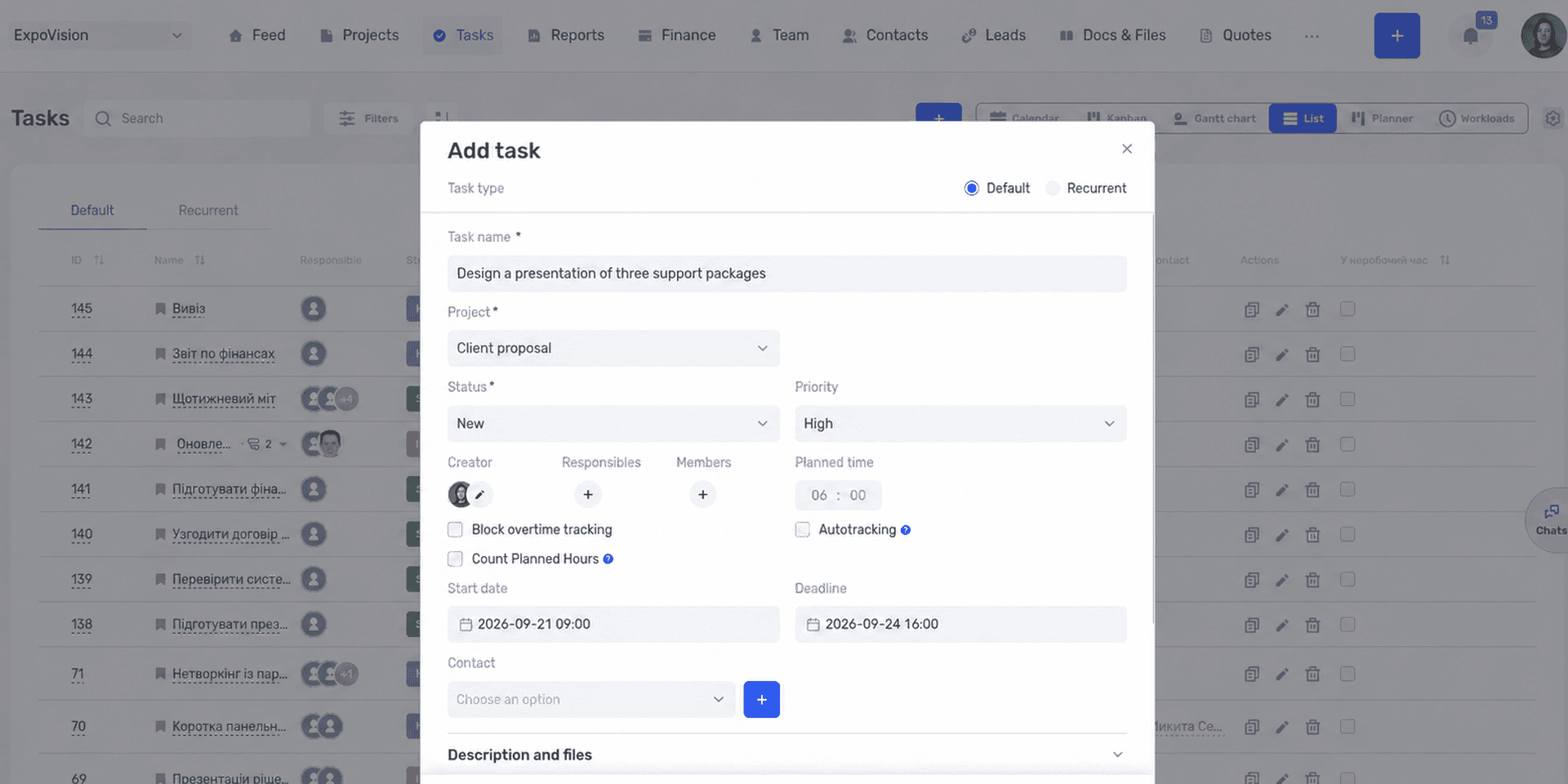
The project connects the task to the rest of the work for the client.
Add the assignee, deadline, and planned time
Add Marta, who is preparing the design, as an assignee. In our example, Oleh assigns the task and checks the content. Record in the description that the finished draft needs to be shown to him, so Marta knows whose response to wait for before the final export. The form has a participants field for other colleagues who will join the discussion.
Set the start date and the deadline for the final files: September 24 at 16:00. Put the interim deadlines in the description. Below, we will set up Oleh's review as a separate subtask.
For planned time, enter the estimate agreed with Marta. For example, if the design needs six hours, enter six hours. The deadline remains September 24: it shows when the final files are needed. The two separate fields let you see both the amount of work and the delivery date.
Choose a priority from the available values. In the description, also record the agreed order: the presentation comes before the portfolio update. This explains what its priority means in practice.
Bring the description and files together in the card
In the description and files section, add the purpose, deliverables, acceptance criteria, and scope of independent decisions. You can use the detailed example above as a starting point. Organize it with short subheadings so the relevant item can be found without rereading everything.
Attach the current estimate, brand guidelines, and approved copy, or add links to them. If there is a previous presentation, explain its role: a design reference, not a source of current prices.
For documents that change during the work, designate one current version. For example, the estimate is kept at a specific link, and the manager reports approved changes in the task comments. This prevents the team from choosing between several files named “final” and “final new.”
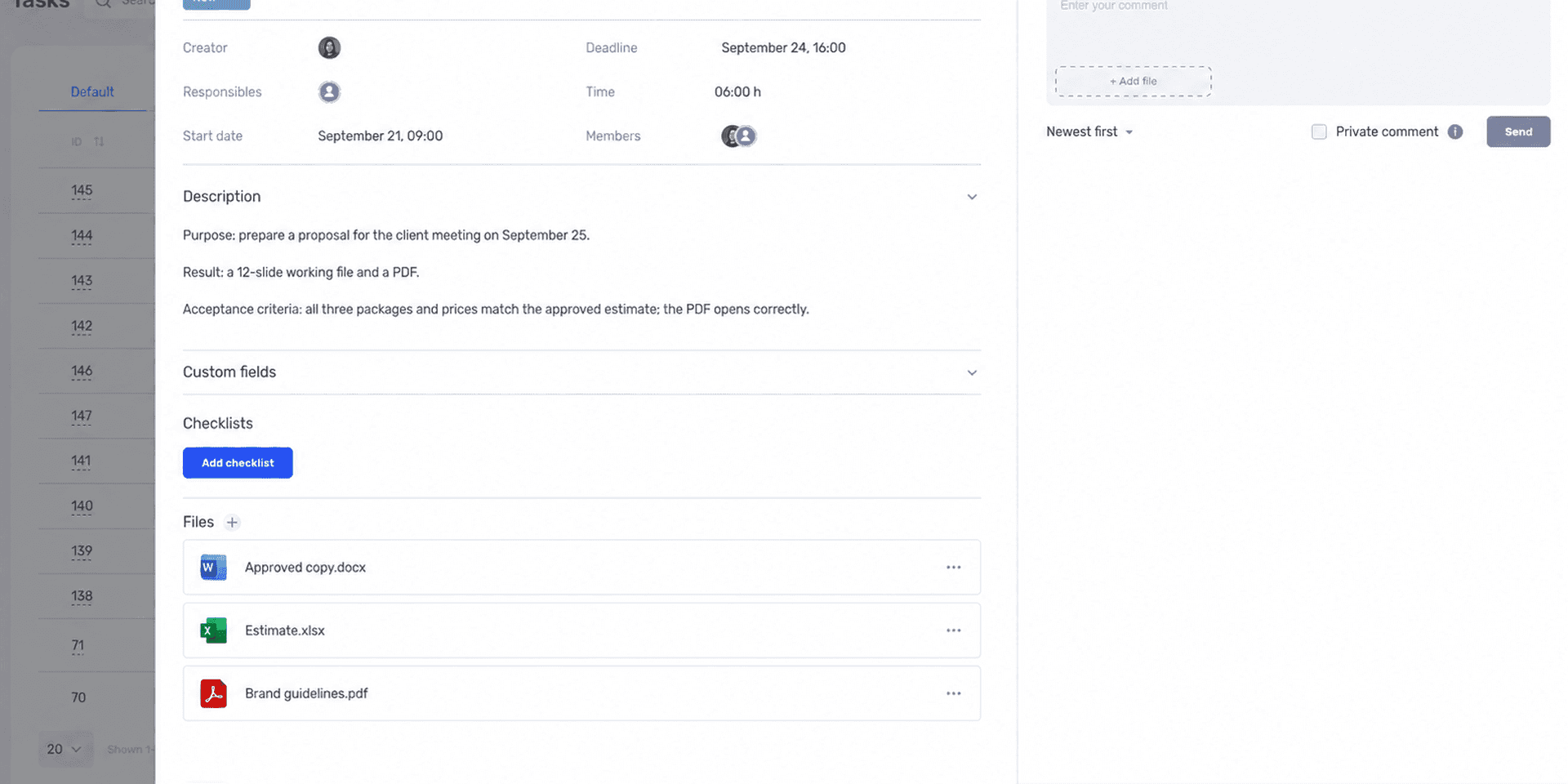
The purpose, requirements, and source materials are collected in the task description.
Add a checklist and the necessary subtasks
Create a checklist for reviewing the presentation. You can include the presence of all 12 slides, prices matching the estimate, current contact details, no previous client's data, and a PDF check. These items help you go through the finished material before handing it over.
Create a subtask for Oleh to review the draft's content, with a deadline of September 23 at 18:00. He will be the assignee for this part of the work. The subtask form also lets you specify the status, planned time, and priority. The review will then have its own deadline, while the overall presentation deadline stays on September 24.
The documentation separately explains how to work with subtasks.
If the design depends on another task for preparing the content, you can add that link in the task dependencies. It is still worth describing the handoff of approved copy in words: the link between cards shows the sequence, while the requirements explain exactly what needs to be received.
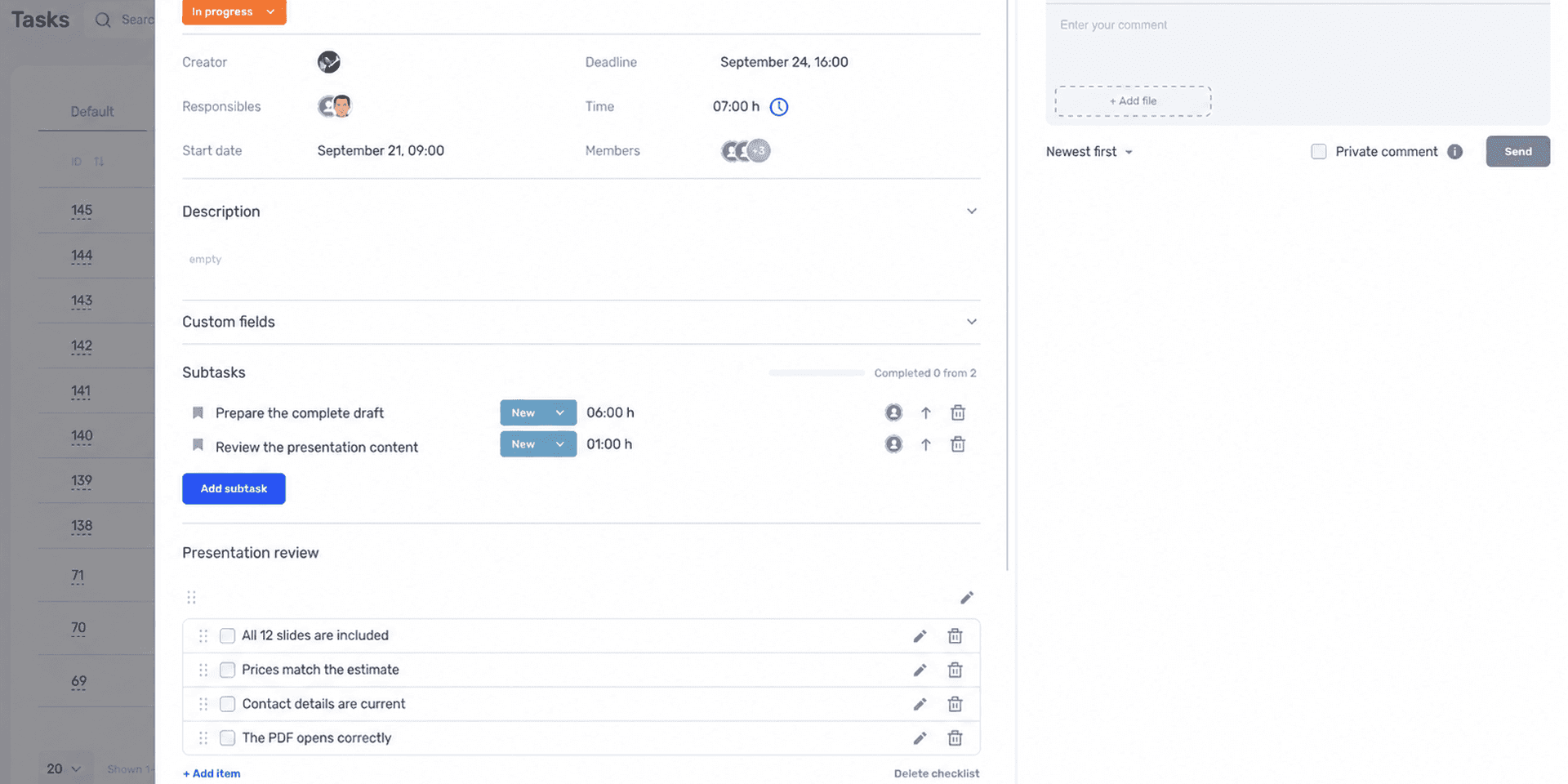
The checklist helps you check details; the subtask separates work with its own assignee and deadline.
Keep clarifications and delivery in the comments
After creating the task, open the card and agree on the task with the assignee. Marta can confirm the deadlines, clarify the format, or report that one of the files will not open. It is better to resolve these questions before design begins.
During the work, record decisions that change the result in the comments: an agreed cut to the copy, a new version of the estimate, or a rescheduled review. After the decision, update the main description if it no longer reflects the agreement.
When the draft is ready, Marta adds a link and writes that it can be reviewed. For example: “All 12 slides are designed, and I have added the PDF. Oleh, please check the package contents and prices.” If the project has a review status, the task can be moved into it. The list will then show that the design is finished and the team is waiting for approval.
The card also has an activity history. You can return to it to find out when data or a status changed. For the current work, the main reference remains the up-to-date description and the latest agreed decision.
Save the recurring structure as a template
If the team prepares presentations regularly, open the card menu and save the task as a template. When creating a new task, you can select that template and adjust the details.
The steps, with screenshots, are available in the “Task templates” guide.
Before using the template, check the client, dates, participants, and attached materials. Pay particular attention to links: a familiar estimate name may still point to a file from the previous order. The description structure and standard checklist will save time, but the details of the new presentation still need to be entered again.
After using it a few times, review which questions came up most often. If the team asks about the export format every time, add it to the template. If half the items are not useful to anyone, shorten the list.
Tracking task completion without constant “How is it going?” messages
Tracking task completion is easier when it is clear what the team should report during the work. The presentation already has two review points: the three slides and the complete draft. Between them, Marta works independently but contacts Oleh if materials are missing or it becomes clear that she is falling behind.
Between scheduled reviews, Oleh needs to hear about changes that require his decision. Agree on which problems Marta should report immediately.
Ask people to report delays while there is still time to save the deadline
The assignee should report an obstacle as soon as they realize it affects the agreement. For example, the prices have not been approved, the scope has changed, or another urgent task has taken up the time planned for the presentation.
The message should include the consequence and the decision needed: “The estimate has not been approved yet. I can finish the other slides, but the package comparison will be delayed. If I get the prices by 11:00 tomorrow, I can hand over the draft by 15:00.”
After that message, Oleh can contact the person preparing the estimate, help with the data, or agree on a different review time. “You still have to finish on time” does not solve the missing-materials problem. It may also make the employee put off reporting a delay next time if they do not expect the conversation to help.
Find the tasks waiting for your review
In if.team, you can filter tasks by project, assignees, status, priority, and deadlines; the available filters depend on the selected view. To check on the presentation, it is enough to find the tasks in the relevant project and review the upcoming deadlines and approval status.
One view might answer “What needs my review?” and another “What is due to finish soon?” The manager can then open the tasks that need their involvement instead of asking each participant to recount their list separately.
The parameters for each view are described in the task filter documentation.
If you see an overdue task, open the discussion before drawing conclusions. The assignee may already have prepared the file and be waiting for the client's response. Or the manager may have added new requirements while the deadline in the card stayed the same. These situations look similar in a list but call for different help.
If a queue regularly builds up at one stage, look at the whole process. For example, all materials may be waiting for one manager's approval even though the people doing the work finish on time. We explain how to examine such constraints in our article on business bottlenecks.
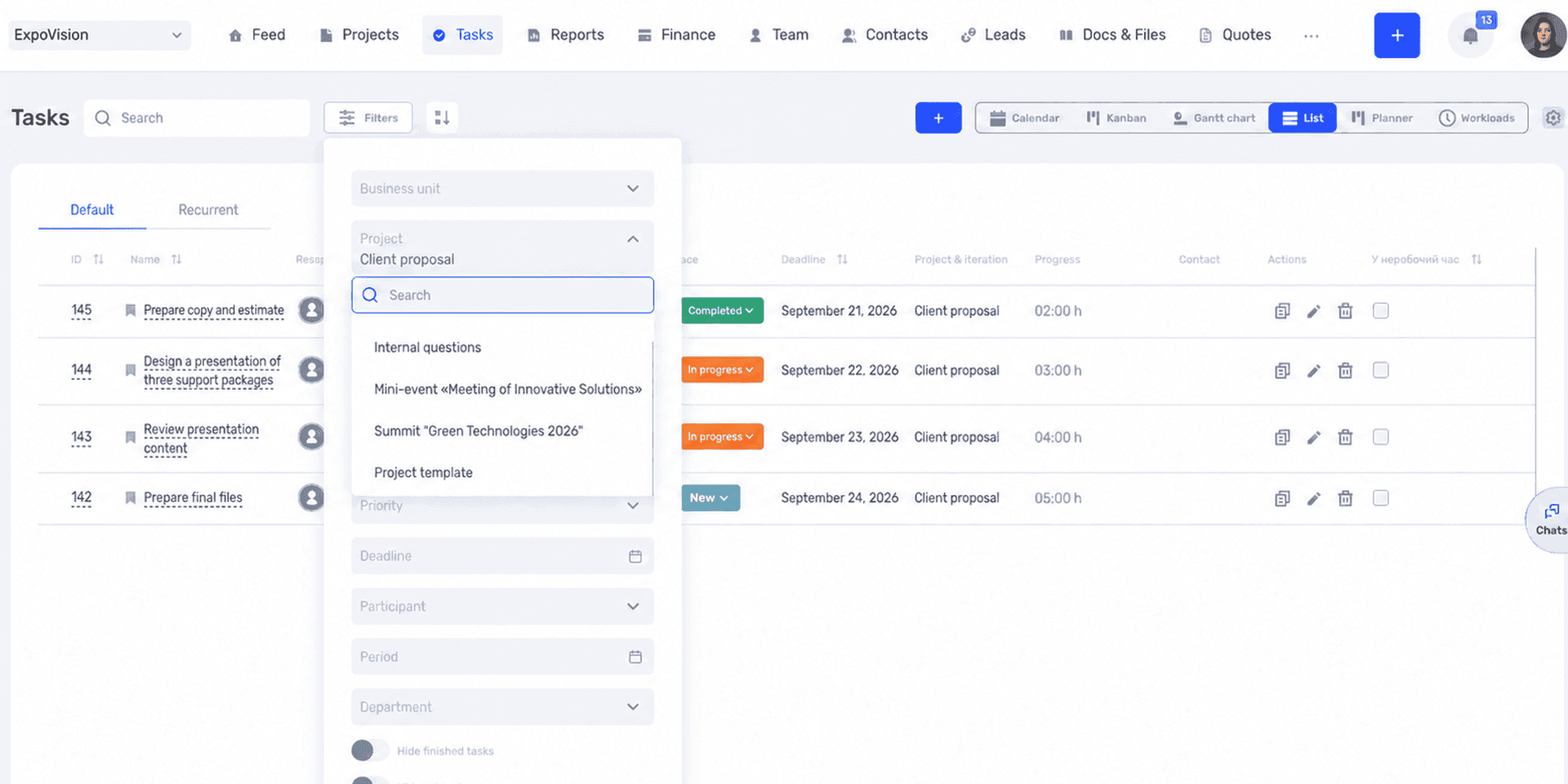
Filters help you find tasks that currently need a manager’s decision.
Accept the result against the agreed criteria
Use the agreed acceptance criteria during the review. Point out a specific mismatch in your feedback: for example, the price of the second package differs from the estimate. The assignee will then understand what to correct.
If a new idea comes up during the review, distinguish it from an error. Adding a company history that was not in the agreed structure is a scope change. Correcting an incorrect amount from the estimate is a revision under the original requirements.
If several people review the presentation, agree on who will collect their feedback. One colleague may ask to shorten a package description while another asks for more detail on the same slide. Oleh needs to reconcile these requests and give Marta a shared decision. Otherwise, she will have to work out for herself whose changes to make.
Mistakes that send even clear tasks back for revision
Even after a careful task brief, the presentation can be delayed. During the work, the client's preferences may change, a team lead may join the review, or one of the files may turn out to be out of date. Below are several situations to check if the work has gone off plan again.
Requirements stayed in a conversation
At a meeting, the team agreed to remove one package, but the description still lists three. The assignee, who was not on the call, works from the written version. Technically, they are doing the task correctly, even though the team now expects something different.
Transfer the meeting decision into the description before your colleague continues working. If the change affects deadlines, revise the plan straight away.
The task was handed over without the necessary access
A link to a file does not mean the person can open it. Check access to documents, source materials, and the necessary systems. If another employee grants access, decide who will contact them and when.
These details are easy to miss when the manager has been working with the materials for a long time. For the assignee, they can block the first hours of the task.
The “completed” status replaced the review
Someone may have finished their part while the client still has not received the result they need. For example, the design is ready, but the manager has not checked the prices. If the overall task is closed at this point, the work will disappear from the active list too early.
Agree on what completion means for this particular task. For design, it may mean handing the draft over for review; for the preparation of the presentation as a whole, it means an approved PDF. Separating these results makes the state of the work clearer.
Changes were added without revisiting the deadline
The client asks for two more slides, and the manager wants to add a section about the team. Each addition requires copy, materials, and design work. If the deadline stays the same, those hours will have to come from other work or reduce the time available for review.
Before adding anything, assess the impact: can something else be removed, is more time needed, or should the new idea wait for the next version? Record the agreed decision in the task so the old plan does not remain the only reference.
A task assignment template for your team
You can copy this structure into the description and shorten it to fit the work. A few lines are enough for a small assignment. For a task involving several people, it is worth keeping the review deadlines, dependencies, and decision boundaries.
Title: what to do and which material or process it concerns.
Purpose and context: who needs the result and how they will use it.
Result: exactly what to hand over, in which format, and where.
Acceptance criteria: what you will check to confirm completion.
Assignee: who brings the result together and reports that it is ready.
Reviewer: who accepts the work and by what time.
Deadlines: when work starts, when an interim result is shown, and when it is delivered.
Priority: which work this comes before and what will be postponed if needed.
Materials and dependencies: required files, access, preceding results, and their deadlines.
Decision boundaries: what can be changed independently and what needs approval.
Risks: the conditions under which a problem should be reported immediately.
Before handing over the task, check whether someone can start work from this description. Open the links, find the requirements for the result, and see whether an approver is named. If you are unsure, discuss the description with the assignee: their first questions will show which details are missing.
Frequently asked questions about assigning tasks
Does every small task need a description?
The description should match the complexity of the work. For a familiar, short assignment, a result, deadline, and link to the material may be enough. New tasks, work involving several people, and situations where a mistake would be costly deserve more detail.
What if the assignee does not agree with the deadline?
Ask how much time the work requires and what is already planned for those days. Explain why the result is needed by the chosen date. You can then discuss specifically what to postpone, who could take on part of the work, or what could be left for the next version. If the date is fixed, the scope or allocation of work needs to change.
Can a task have several assignees?
Yes. if.team, for example, allows you to add several assignees. It is important to explain each person's part and decide who reports that the overall result is ready. If the parts have different deadlines or results, it is easier to separate them into subtasks.
How do you assign a task when the result is not yet known?
Describe the question that needs answering and agree on how much time can be spent investigating it. For example, compare three ways to collect feedback and explain which one suits the team. The conclusion should include the options examined, their limitations, and a proposal for what to do next.
Is assigning a task in chat enough?
Chat may be enough for a short assignment if the agreement is easy to find and the work does not need further tracking. Once there are files, revisions, several participants, and dependent tasks, it is more convenient to have a separate card with an up-to-date description and discussion.
What if you explain the task and still receive a different result?
Compare the work with the original requirements. Find out where understanding diverged: the purpose, format, examples, or criteria. For the next attempt, clarify that particular part and, if necessary, add an early review of a small section. The problem may also lie in skills, resources, or changing requirements; a longer description will not always solve it.
Start with a task the team is doing this week
Choose one real task that usually prompts many questions. Record the required result, acceptance criteria, and materials, agree on the deadline with the assignee, and decide who will review the work. If there are dependencies, agree on the handoffs before work begins.
After delivery, discuss with your colleague what needed clarification. If they did not understand which file was current, leave one link next time and explain its purpose. If they waited a long time for a review, agree on time for it in advance. After a few tasks like this, you will have your own template that reflects the team's usual work.
In if.team, you can keep these agreements alongside the project: describe the task, assign people, add files and a checklist, hold the discussion, and track completion. Try if.team to move one such task into the system and take it with your team all the way from assignment to an accepted result.
Author
Vladyslav ChesnokovPublished
Sep 20, 2026
More articles to read
What is a deadline? How to set and meet realistic deadlines
Why six hours of work can take several days—and how to build a schedule around availability, review, and revisions. With a practical if.team walkthrough.
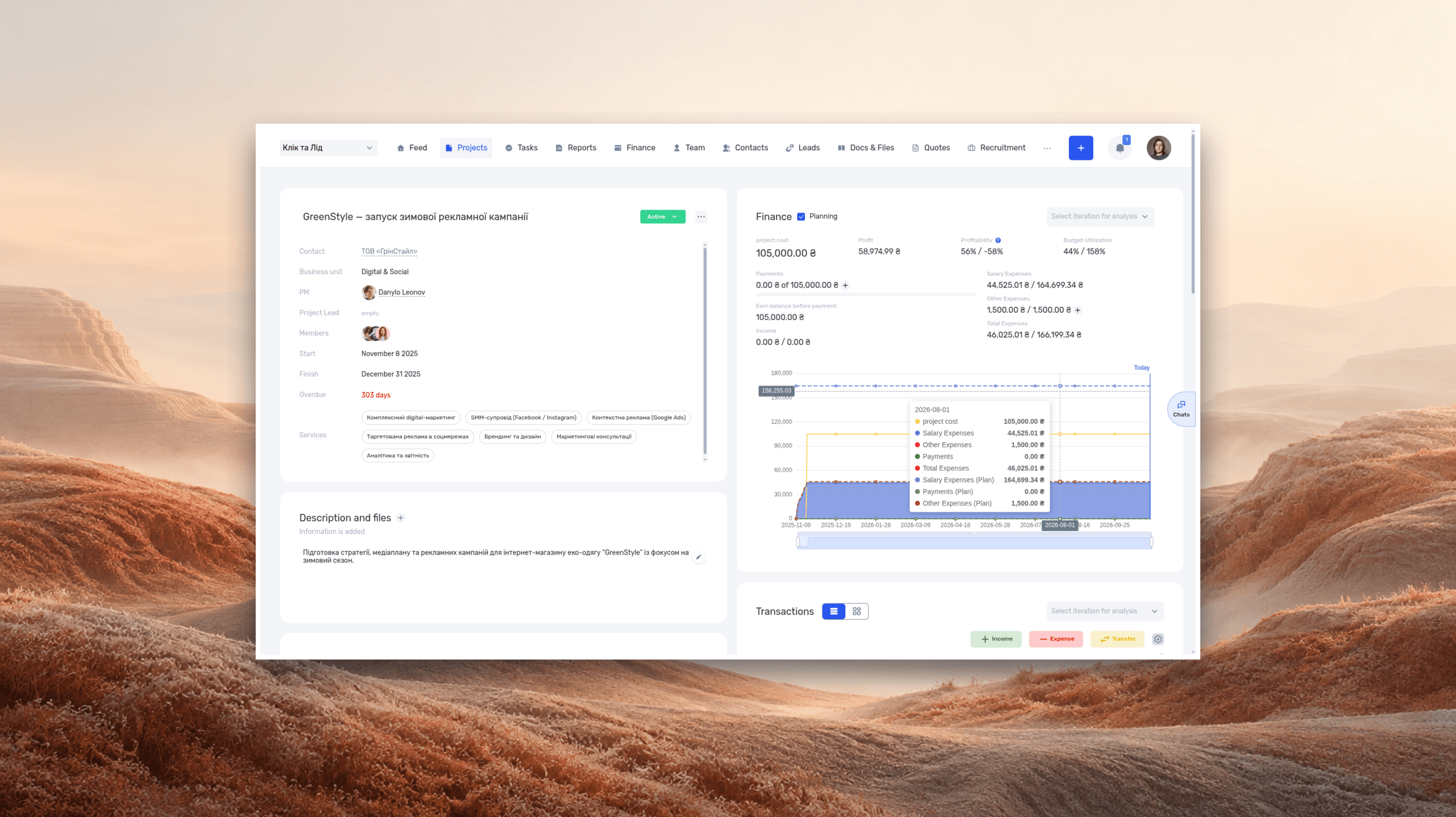
ERP systems explained—what they do and when your business needs one
See how ERP connects sales, delivery, and finances, with a worked example and a practical walkthrough in if.team.
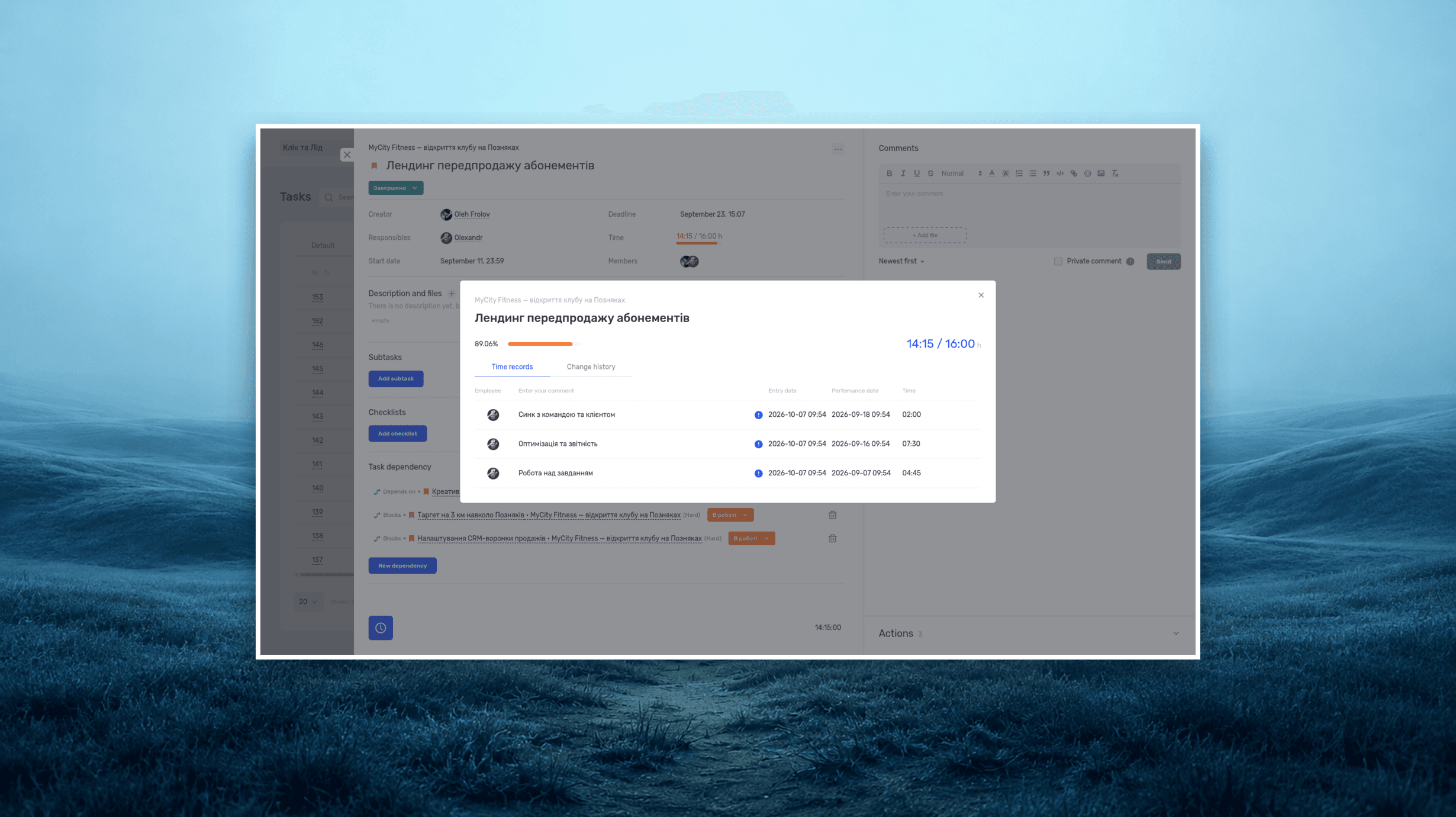
Project time tracking — how to track team hours and costs
A practical guide to recording project hours, understanding overruns, and calculating team costs, with a worked example and a walkthrough in if.team.
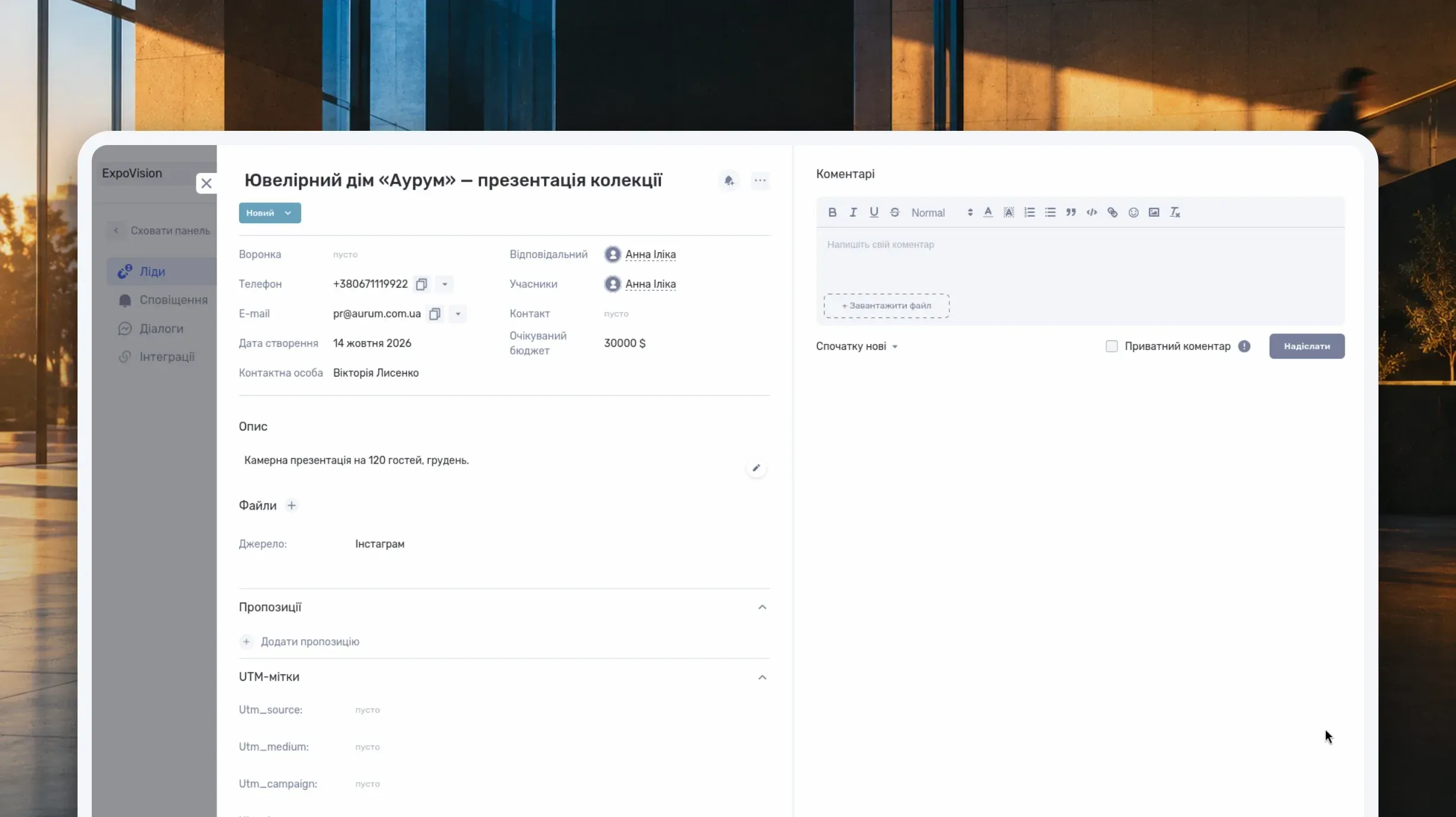
What Is a CRM System and How Do You Use It to Manage Customer Relationships?
Learn what a CRM system is, how it works from first inquiry to outcome, and which features matter day to day. Compare CRM with spreadsheets, task managers, and ERP, and see how to choose a CRM and manage clients in if.team.

What Is a Project Dashboard? Metrics, Example and Setup
Learn what a project dashboard is and how it differs from a report, a spreadsheet, or a Kanban board. See how to choose project metrics, structure the dashboard, and use it in meetings, with a website launch example and setup steps in if.team.
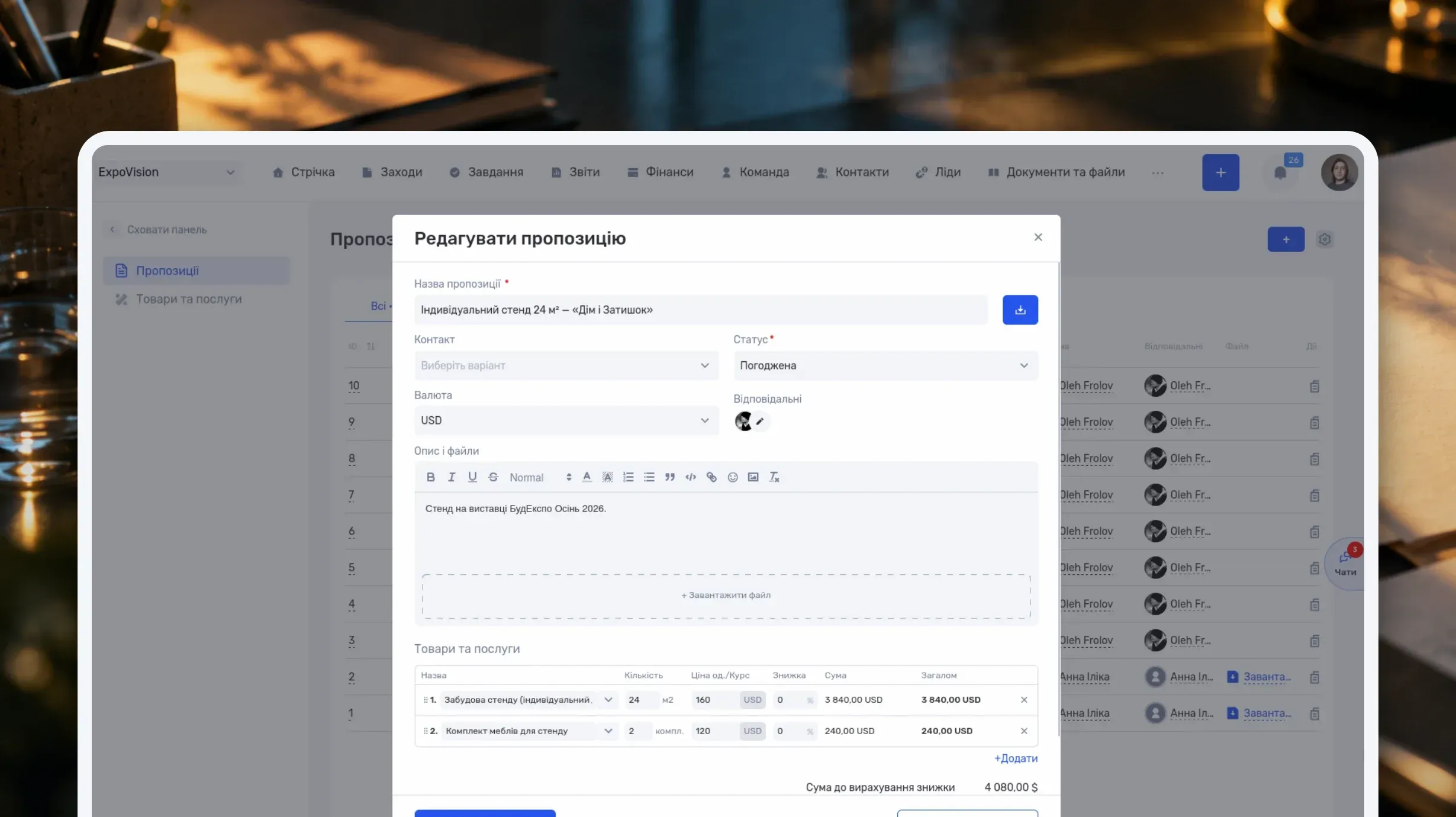
How to Write a Business Proposal: Examples and a Template
Learn how to write a business proposal: what to clarify first, which sections to include, and how to present price, timeline, and terms. Includes two examples — for services and installation work — a reusable template, sample emails, and steps in if.team.
See if.team in action for your company
We’ll show how projects, team time and finances connect in one system, using your processes as an example.