Leads Overview
A lead is a potential deal: a customer inquiry that has not yet become a project. The “Leads” section takes leads from the first contact through to the outcome. It records the source and expected budget, reminds you about the next step, and converts a successful lead into a project in one click.
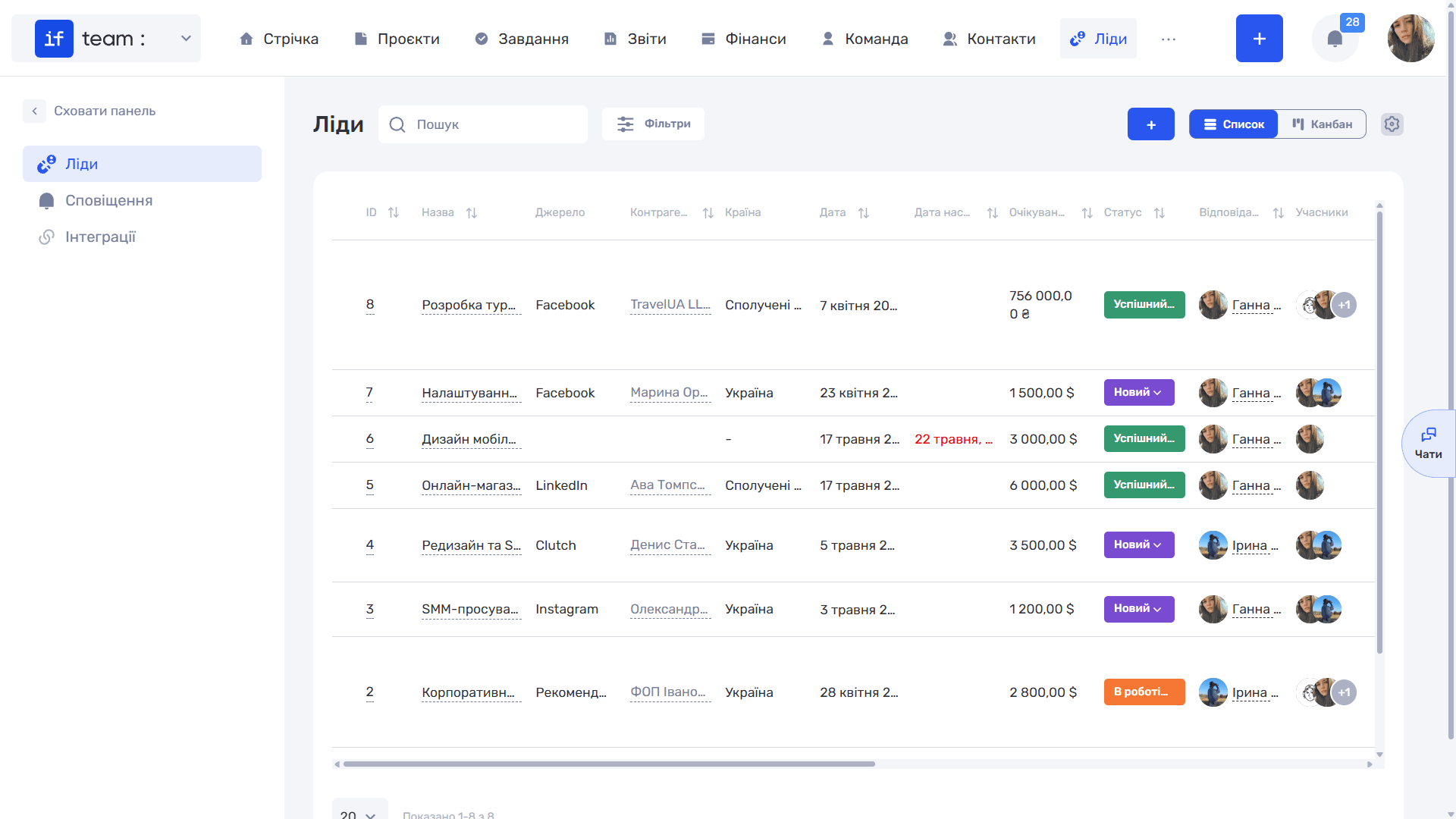
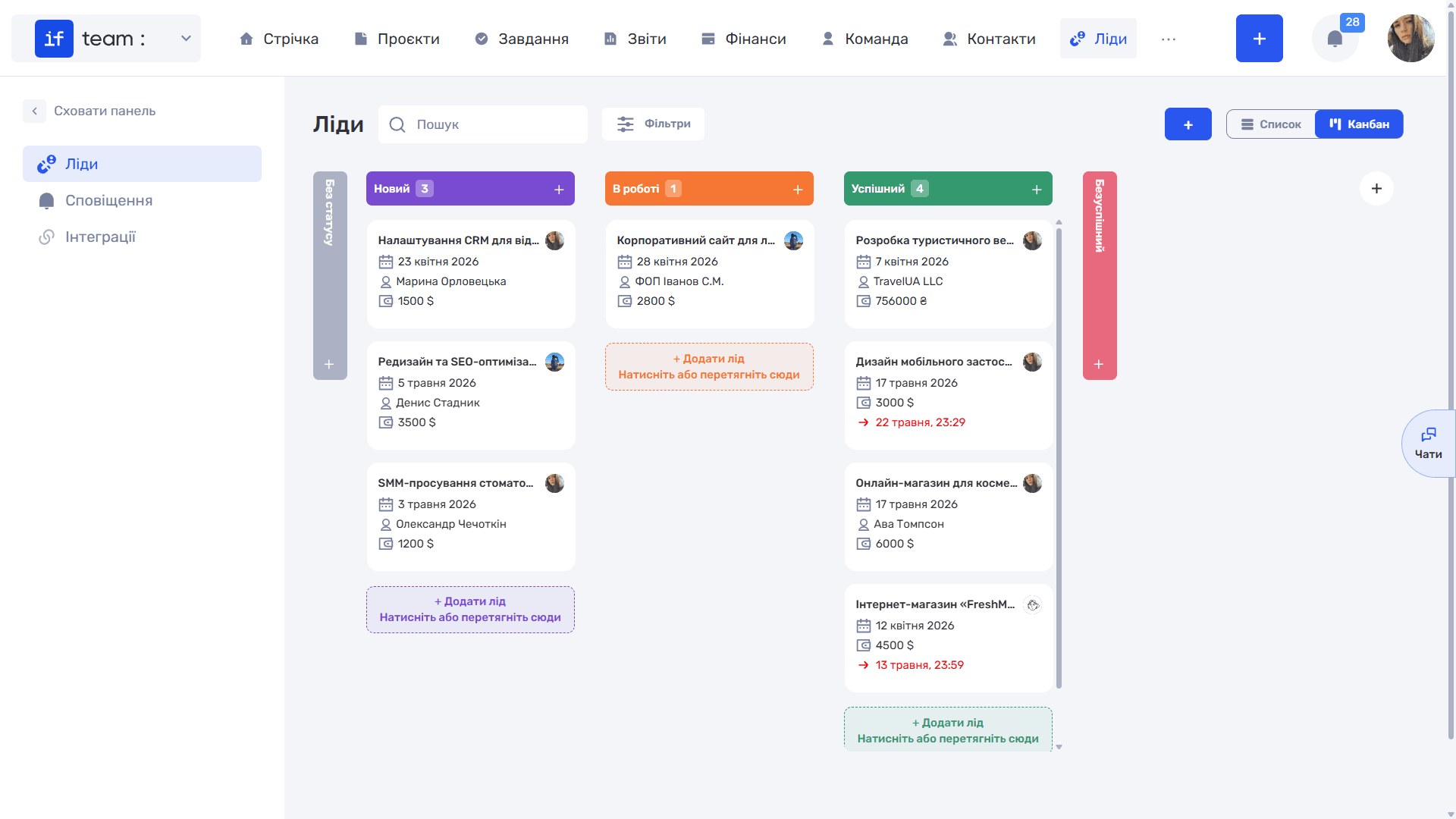
The panel on the left has three items: “Leads” for the list itself, “Notifications” for scheduled calls, meetings, and emails, and “Integrations” for automatically receiving submissions from external sources.
At the top are Search, the “Filters” button, the “+” button for creating a lead, and the “List” / “Kanban” view switcher. The gear icon on the right is used to configure columns.
Both views display the same data but serve different purposes: “List” is convenient for analysis and bulk operations, while “Kanban” is designed for day-to-day pipeline management.
Still have questions?
Maybe we haven't added this information yet. But you can always reach out:
Request a demo
Submit a request and we'll show you how the service works and its capabilities.
Book a demo