
What Is a Kanban Board? Definition, Examples, Setup
A Kanban board is a visual workflow tool that represents work as cards moving through columns. The columns show each stage of the process, while work-in-progress limits control how many items a team handles at once. The board makes blocked work, queues, and delays visible.
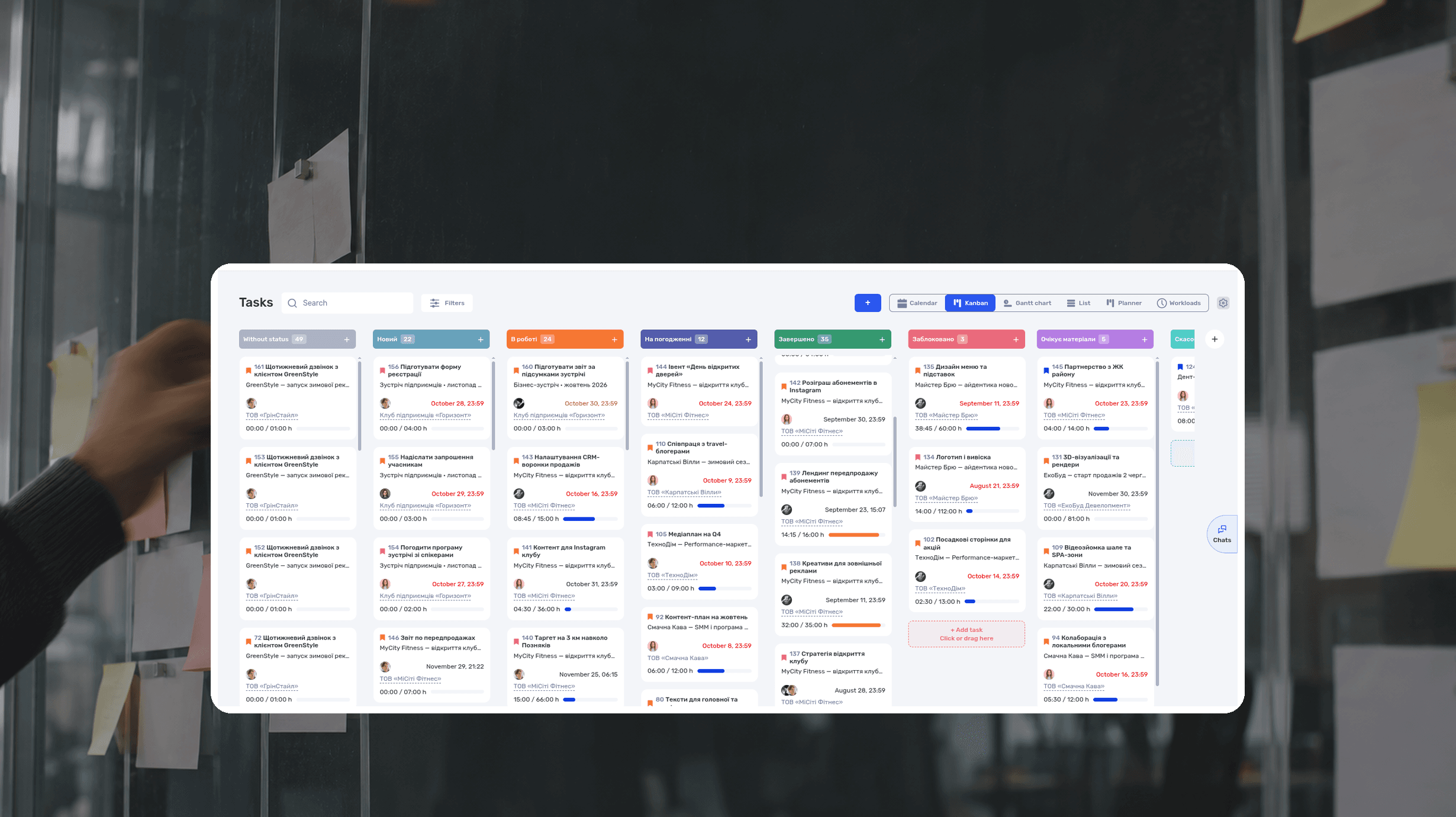
A Kanban board is a visual workflow tool that represents work as cards moving through columns. The columns show each stage of the process, while work-in-progress limits control how many items a team handles at once. The board makes blocked work, queues, and delays visible.
A basic board might use To Do, In Progress, and Done. A digital agency may need a more accurate workflow: Brief, Ready, In Progress, Internal Review, Client Approval, and Done.
Imagine an agency preparing three banners for a client's autumn campaign. The design takes six hours, yet four days pass between the request and delivery: the set waits in a queue, in internal review, and for the client's reply. A chat thread hides this. A Kanban board shows where the work is stuck and who owns the next step.
This guide has the Kanban board explained step by step: its definition and parts, the principles of the Kanban method, a setup for that agency, lead time and cycle time calculated on one card, and the same workflow in if.team. The agency, names, and numbers are fictional.
What is a Kanban board?
Kanban board definition: a board that shows the current state of work. Each card represents a task or deliverable, columns represent workflow stages, and movement from left to right shows progress. A card usually includes an owner, due date, priority, project, and links to the work.
Columns and cards form the board. WIP limits help manage flow, and optional swimlanes separate groups of work:
- Columns represent workflow stages.
- Cards represent tasks or deliverables.
- WIP limits cap the number of items in a stage.
- Swimlanes divide the board horizontally by project, work type, service class, or priority.
The diagram below shows a WIP limit in action: when a column is full, no new card enters until an existing one moves on.
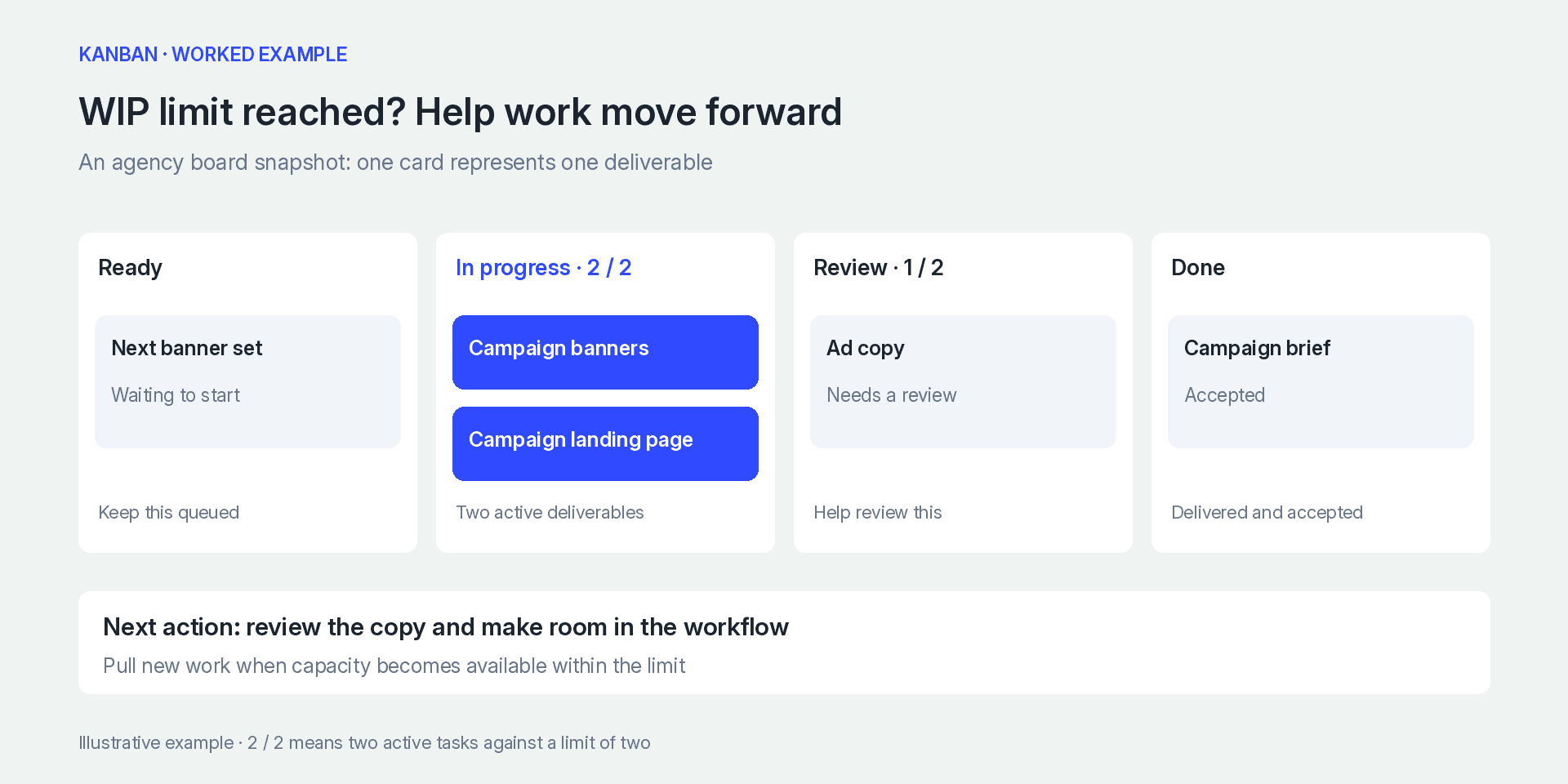
Columns show workflow stages. When a WIP limit is reached, help existing work move toward completion
A Kanban board and a Kanban system are related, but not identical. A task board visualizes status. A Kanban system also establishes how work enters the system, how much work can be active, how cards move, and how the team improves flow.
Where the Kanban system comes from
The word kanban is Japanese for “card” or “signboard.” Toyota introduced the Kanban system in its factories in the mid-20th century as part of production logistics. A card next to a machine or in a warehouse signaled that parts were running low and the next batch should be made. The goal was to produce only what the next stage needed, without excess stock.
Knowledge-work teams apply the same pull logic: they start new work when capacity frees up, rather than pushing more tasks into an overloaded stage. That is why a Kanban system works for warehouses, software teams, design studios, and marketing agencies alike.
Kanban principles and practices
Kanban does not require a new process from scratch. The method is applied to the way a team already works and removes delays one change at a time. The Official Guide to the Kanban Method describes six general practices.
Visualize the workflow
The board should show the full path from request to delivery. If client approval takes time, make it a visible stage. Otherwise, a card may remain “In Progress” even though the team is waiting for feedback.
Limit work in progress
Work in progress, or WIP, means work that has started but is not finished. A WIP limit sets the maximum number of cards allowed in a column.
Suppose two designers set a limit of three cards for In Progress. When the column reaches three, they do not pull in a fourth task. They help finish a review, resolve missing input, or move an existing card forward first.
Manage flow
Observe where work accumulates and how long delivery takes. The metrics section below explains each measure using a banner task.
Make process policies explicit
Everyone should understand when a card can move to the next column. For example, a design enters Client Approval only when its copy has been checked, the file link is attached, and the project manager has added context for the client.
Create feedback loops
Short, regular workflow reviews help the team discuss blocked cards, breached WIP limits, and aging work. The board changes the conversation from “Who is busy?” to “What is preventing this item from moving?”
Improve collaboratively
Kanban does not require a team to replace its process overnight. Start with the current workflow, make it visible, and change one condition at a time: add an approval stage, lower a WIP limit, or clarify the definition of done.
Define the work item and the board boundaries
Start with something the customer can receive and evaluate: an approved article, a set of campaign assets, or a resolved support request. A card called “Client marketing” is too broad to have a clear finish. A card called “Open the design file” adds administration without describing a useful result.
Our agency might use “Prepare three banners for the campaign launch” as one card. Its brief contains dimensions, approved copy, source assets, and acceptance conditions. Split the banners if they can be reviewed and delivered independently. Keep them together with a checklist if the client accepts the complete set. The rule is simple: one card, one result that is handed over and accepted on its own.
Define where the team's commitment begins. An idea in a chat, a clarified request, and work selected for delivery are different states. A long list of suggestions does not mean the team has promised to deliver every one. Agree on the point at which a request becomes a commitment, then make that boundary visible.
One shared board or separate boards?
A shared board works when requests follow similar stages and compete for the same people's time. It lets a project manager see that one designer has commitments to three clients. Separate client boards can still work, but they need a combined capacity view: every project may look manageable on its own while the total demand exceeds availability.
Separate workflows are useful when their rules differ substantially. Support requests and video production have different stages, turnaround expectations, and completion conditions. Combining them can produce empty columns and constant exceptions. For a view across all clients, use the project list or a workload view.
When Kanban swimlanes help
Swimlanes divide a board into horizontal groups such as clients, services, or classes of service. Use them when the distinction informs an actual decision. A manager may need to see whether urgent requests are displacing ordinary work or whether one client has a growing approval queue.
A lane for every employee can obscure handoffs when several people contribute to the same deliverable. An owner filter may be more useful. Likewise, dozens of client lanes can make the board difficult to scan. Start with the question the grouping should answer, then choose the simplest view. If your tool has no separate lanes, filters by project, client, or owner solve the same problem.
How to set up a Kanban board
Consider a fictional 12-person digital agency. The team runs several client projects involving landing pages, advertising, and content. The example is fictional and illustrates the setup process.
1. Map the actual workflow
Choose a typical deliverable and list the states it passes through. An advertising creative might follow this path:
Brief → Ready → In Progress → Internal Review → Client Approval → Done.
2. Turn meaningful states into columns: an agency template
A column should represent a state that the team needs to see or measure. Small actions do not need their own columns. If design and copy happen in parallel, show them with labels or subtasks.
Below is a Kanban board template for an agency. Copy it and rename the columns to match your own stages. The third column shows when a card can move on.
| Column | What belongs here | Exit condition |
|---|---|---|
| Brief | New requests that need clarification | Goal, format, and source material are clear |
| Ready | Work that can start | Priority and owner are assigned |
| In Progress | Work being produced now | A reviewable result exists |
| Internal Review | Work checked by a PM or creative lead | Internal changes are complete |
| Client Approval | Work sent to the client | Approved or returned with clear changes |
| Done | Accepted work | Files delivered or changes published |
3. Create clear cards
A card should make sense without a separate chat message. Include a deliverable-focused title, owner, due date, project, priority, and links to source files or requirements.
4. Set initial WIP limits
An initial limit is an experiment, not a permanent promise. Pick a number that reflects the team's current capacity and review it after a few weeks. If the limit is constantly ignored, decide whether the number is unrealistic or the team is starting too much work.
5. Mark blocked work
A blocked card should stand out. Add a visible marker and state what is missing: access, content, a client decision, or another task.
6. Review flow and adjust
Once a week, review the oldest cards, repeated rework, and breached limits. The launch section below explains how to run this review.
Kanban board example for an agency
Follow one deliverable through our fictional agency: three banners for an autumn campaign. Approved copy and dimensions make the request ready to start. The designer takes it when capacity is available, produces the set, and sends it through internal review to client approval.
The client requests a headline correction. The account manager records the change, the designer updates the same set, and the reviewer checks the new version. Completion means that the client accepts the files and the launch specialist receives them.
If approval stalls, the account manager identifies the missing decision and agrees on a response time. The project manager checks its effect on launch. Starting another set will not resolve the missing approval. The practical section below shows how to keep this brief, handoff, and next action in if.team.
Set queue policies and workable WIP limits
Ready should mean that someone can actually start. A campaign asset needs copy, dimensions, source material, and an identified reviewer. Requests missing these inputs remain in clarification. Otherwise, a designer starts a card, discovers a gap, and starts another. Work in progress rises while completed output barely changes.
Who chooses the next item?
Assign responsibility for ordering the ready queue. In an agency, a project manager or service lead can balance customer commitments, dependencies, and available skills. The next person with capacity pulls a suitable item from that ordered queue.
Exceptions should have a visible reason. A specialist may need to take a lower card because it matches their skills, or a dependency may prevent the first item from starting. Record the reason when it affects delivery expectations. Quietly choosing the most appealing task makes the queue unreliable.
Review incoming work at an agreed cadence and after material changes. This replenishment conversation checks readiness, priority, and capacity. The team does not need to fully specify every idea months before it becomes relevant.
How to choose an initial WIP limit
There is no universal rule that a limit must equal headcount plus one. Observe how many items the team can move forward, where they wait, and who performs reviews. Three active design cards for two designers can be a starting hypothesis. Test it against actual delivery.
A limit on production alone does not prevent an approval backlog. Three cards in design, five in review, and six waiting for the client mean fourteen unfinished items across those stages. Consider both local queues and the complete workflow. Waiting work still consumes attention and can return for changes.
When a limit is reached, look for a way to finish existing work: help with a review, obtain missing information, or resolve a dependency. If an exception is necessary, record why it was made and revisit it during the process review. Repeatedly raising the limit can conceal the constraint.
Different requests need different service rules
| Type of work | Agency example | Queue policy |
|---|---|---|
| Standard | A new set of campaign banners | Follow the agreed order |
| Fixed date | Assets for a conference | Work backward from the event, including review time |
| Expedite | A broken payment page | A named decision-maker approves the interruption and its consequences |
| Process improvement | A better briefing template | Reserve capacity so useful maintenance is not postponed indefinitely |
These are example policies; rename them as you need. The important part is the reason behind priority. “High priority” does little to distinguish two competing requests. Explain the consequence of delay, who can authorize an exception, and which existing commitment will be affected.
Handle blockers, revisions, and dependencies
A useful blocker note contains the missing condition, next action, contact person, and next review date. “Waiting for client” offers little direction. “Marketing director must approve the headline; the account manager will follow up tomorrow” tells the team what to do next.
Do not move blocked cards into a separate Blocked column. Leave the card in the stage where it stopped and add a marker. That way you can see where the process loses time: in design or in approval.
Agree on how to handle revisions. Correcting an error within the accepted brief usually belongs to the existing deliverable. An additional format, audience, or landing page may be a new request. Clarify the boundary, record the decision, and agree on the effect on cost and timing.
Do not close a card merely to make its cycle time look better and open an identical one for unfinished acceptance work. That hides the customer's actual wait. Equally, do not keep a completed card open indefinitely because the customer later orders a separate deliverable. Consistent completion rules make the data useful.
Dependencies should be checked before a card is declared ready. A campaign cannot launch successfully if its destination page cannot accept enquiries. Record the required upstream result and how it will be checked. For longer chains, use a timeline alongside the board so that dependencies and dates remain visible.
Calculate Kanban metrics using one work item
| Metric | How to calculate it | Decision it supports |
|---|---|---|
| Lead time | Agreed request entry point to delivery | Discussing how long a customer may wait |
| Cycle time | Work start to completion, including waiting within that boundary | Understanding delivery speed |
| Throughput | Completed work items per period | Reviewing the flow of finished outcomes |
| Work item age | Elapsed time since an unfinished item started | Finding work that needs attention now |
Suppose a request arrives on Monday at 10 a.m. A designer starts it on Tuesday at 10 a.m., and the accepted asset set is delivered on Friday at 10 a.m. Using elapsed calendar time between those events, lead time is four days and cycle time is three days. Logged effort might be only six hours. You see the gap between working time and waiting time only when the team keeps project time tracking.
At 10 a.m. on Thursday, the unfinished card has an age of two days from its start. Age helps the team intervene before delivery fails. If comparable work usually finishes sooner, the project manager checks the cause. The person may not be at fault: cards often stall while waiting for the client.
For forecasting, collect completion times for comparable work. Examine the spread rather than relying on one average. A few lengthy approvals can change customer expectations even when most production is quick. Keep the starting and finishing boundaries consistent, including the treatment of weekends.
If seventeen of twenty comparable items finished within five days, report that observation accurately. It is not a guarantee for the next customer. The sample is small, and demand, staffing, dependencies, or approval behavior may change. Build confidence from a growing history and explain the conditions behind a forecast.
Read metrics together. Higher throughput may reflect smaller cards. Shorter cycle time may coexist with a longer queue before work starts. Check whether customers receive useful results sooner and whether unfinished work has accumulated outside the measured boundary. Which figures to put on a manager's screen and how to read them: see what a project dashboard is.
Avoid using card counts to rank individuals. One person may resolve complex requests while another delivers many small variations. The workflow metrics describe the system. Individual development needs a different conversation that includes the nature of the work and its context.
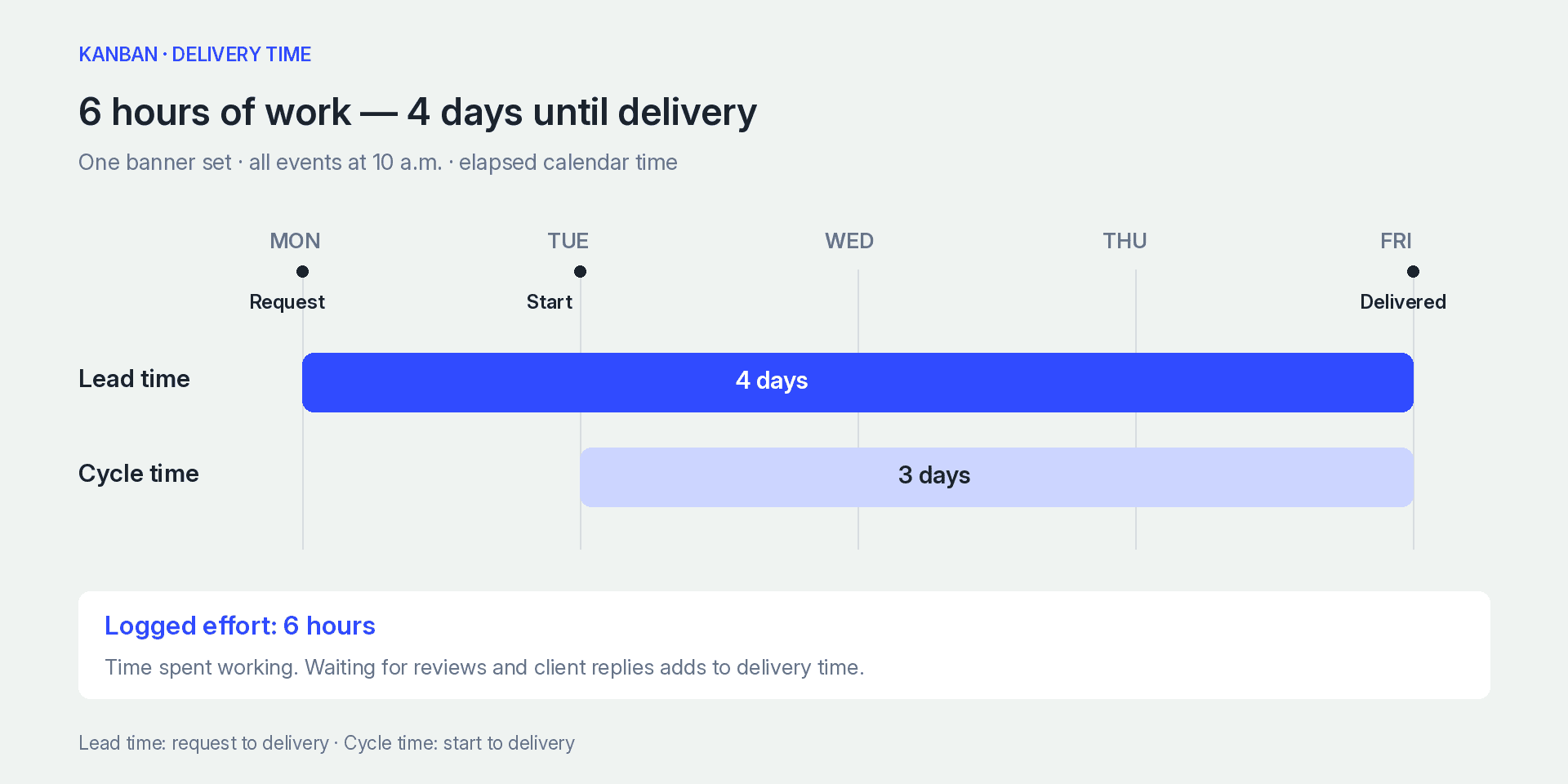
Lead time is four days and cycle time is three days. Logged effort is six hours
Introduce Kanban and review the outcome
Choose one recurring workflow and identify the problem you want to improve. Our agency might start with creative approvals because finished designs repeatedly wait for a client decision. Gather current requests, clarify their actual states, and bring active work out of private chats.
During the first days, prioritize accuracy. Is every active commitment visible? Does each card identify the next action? Are cards being closed before acceptance? A polished report built from incomplete statuses gives the team false confidence.
A short daily review can begin at the right side of the board: ready deliveries, items awaiting review, and blocked work. Decide what can be finished or unblocked before discussing new starts. End with actions and owners rather than a list of personal activity reports.
After several weeks, compare delays and completed work with the starting position. Pick one adjustment: improve the brief, limit the review queue, or agree on a client response window. Record what improvement you expect and when you will revisit it. Changing every policy at once makes the result difficult to interpret.
How to move from a basic task board to a mature Kanban system
A board with To Do, In Progress, and Done is still a task list in visual form. It becomes a Kanban system when the team gradually adds rules for managing flow. The usual order looks like this:
| Level | What the team adds | What it gives |
|---|---|---|
| 1. Visible work | All active work on the board; columns match real stages | Everyone sees where work is now |
| 2. Explicit policies | Exit conditions for each column and a blocker marker | Cards no longer stall without explanation |
| 3. WIP limits | Limits for individual stages and the whole flow | Less parallel work; items finish sooner |
| 4. Flow metrics | Lead time, cycle time, work item age | Forecasts based on actual delivery data |
| 5. Regular reviews | A weekly flow review | Process changes rest on data |
You do not need every level. Small teams often get most of the benefit from the first three; metrics become useful once the board has a history of completed work.
Common Kanban board mistakes
A board can look tidy and still fail the team. The symptoms are usually visible: cards sit for days, every request is urgent, clients keep waiting. Use the table below to trace a symptom back to its cause.
| What you see | What to investigate | A practical first change |
|---|---|---|
| Many cards sit in progress | Missing inputs or too many simultaneous starts | Check readiness and lower starting demand |
| Review grows while production stays busy | Reviewer capacity and unclear acceptance conditions | Reserve review time and clarify the checklist |
| Every request is urgent | Who can override priorities and why | Introduce an explicit exception decision |
| Cards move only before meetings | Updating the board requires too much effort | Reduce required fields and update at handoffs |
| Done increases but clients still wait | The definition of completion | Include the actual delivery or acceptance event |
| One client consumes the queue | Allocation rules across commitments | Review capacity across projects together |
The table tells you what to check. The people doing the work identify the cause: a review queue may grow simply because the reviewer is on vacation. To find the stage that holds back the whole flow, see what a bottleneck is and how to identify it.
Checklist before launching a Kanban board
- Columns match the real stages of your process.
- Each column has a written exit condition.
- All active work is on the board, including tasks that lived in chats.
- Every card has a result in the title, an owner and a due date.
- The team agreed on initial WIP limits and a date to review them.
- It is clear how to mark blockers and who decides on urgent requests.
- A weekly flow review is scheduled.
Kanban vs Scrum
Kanban and Scrum both organize work, but they establish different operating rules. Kanban manages a continuous flow, while Scrum divides work into sprints with defined roles and events. The rules of Scrum are set out in the Scrum Guide; for a detailed introduction to its roles and events, see What is Scrum?.
| Criteria | Kanban | Scrum |
|---|---|---|
| Cadence | Continuous flow | Fixed-length sprints |
| Roles | No required roles | Product Owner, Scrum Master, Developers |
| Priority changes | Allowed when capacity permits | Scope can be clarified during the sprint while preserving its goal |
| Main constraint | Amount of work in progress | Fixed sprint duration |
| Reviewing progress | Lead time, cycle time, throughput | Progress toward the Sprint Goal; velocity and burndown are optional |
| Best fit | Ongoing and variable requests | Product work delivered in iterations |
Kanban can support an Agile way of working, but the method does not require sprints or Scrum roles.
Benefits and limitations
Benefits
- The team shares one current view of the work.
- Unfinished work cannot hide behind new tasks.
- WIP limits reduce excessive parallel work.
- Teams can improve the process gradually.
- Continuous flow works well for client requests and operations.
Limitations
- A board cannot fix unclear tasks or missing priorities.
- Without WIP limits, it may become a large collection of cards.
- Too many columns make the workflow difficult to scan.
- Kanban does not replace budgeting, capacity planning, or dependency management.
- Metrics are unreliable when statuses are updated late.
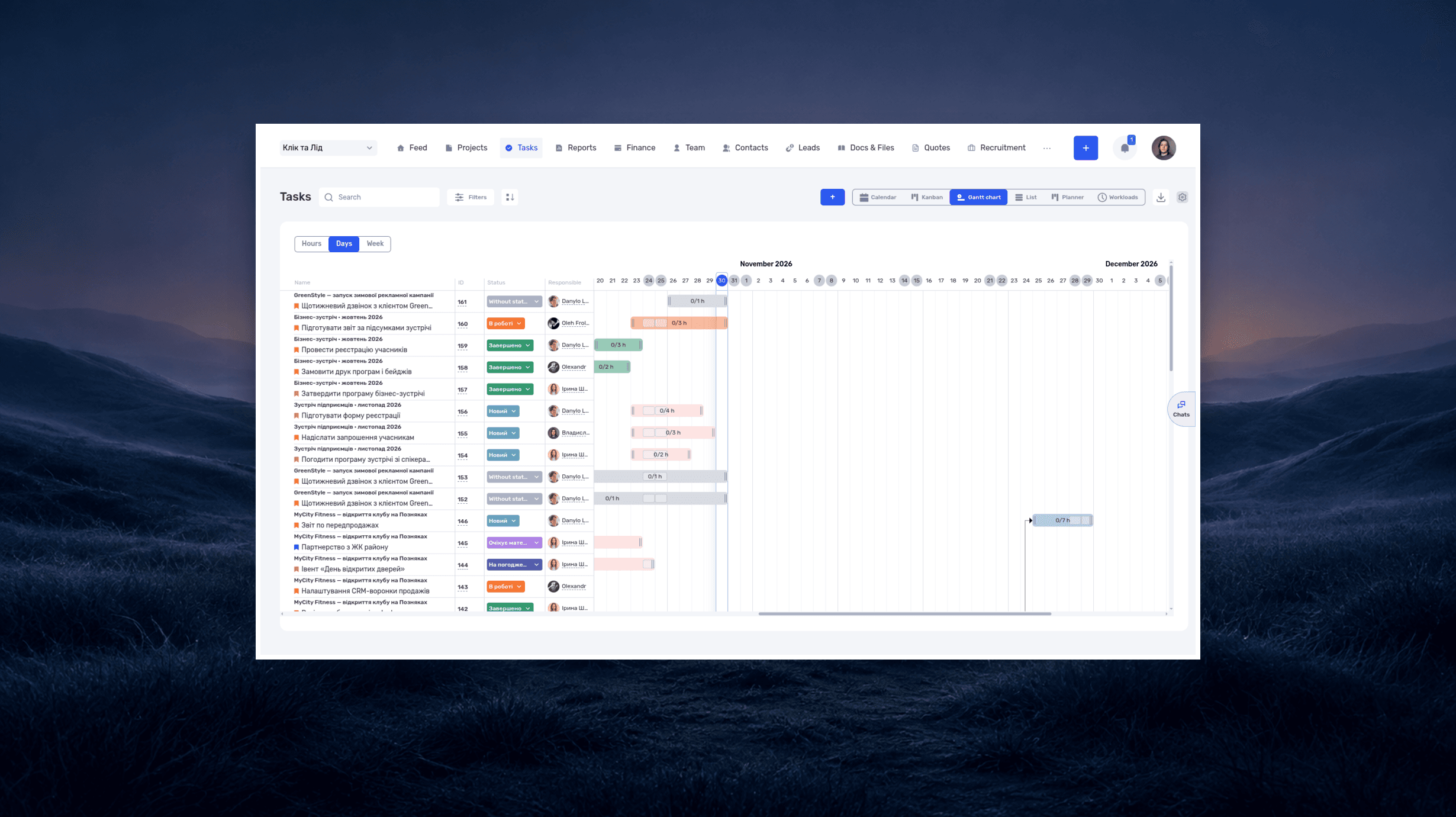
For work with strict dependencies, a board can be complemented by a Gantt chart. A RACI matrix can separately clarify who does, approves, advises on, and receives updates about the work.
If your team runs Kanban in Trello and has outgrown a single board, compare Trello alternatives that add time tracking, workload and budgets.
Online Kanban board in if.team
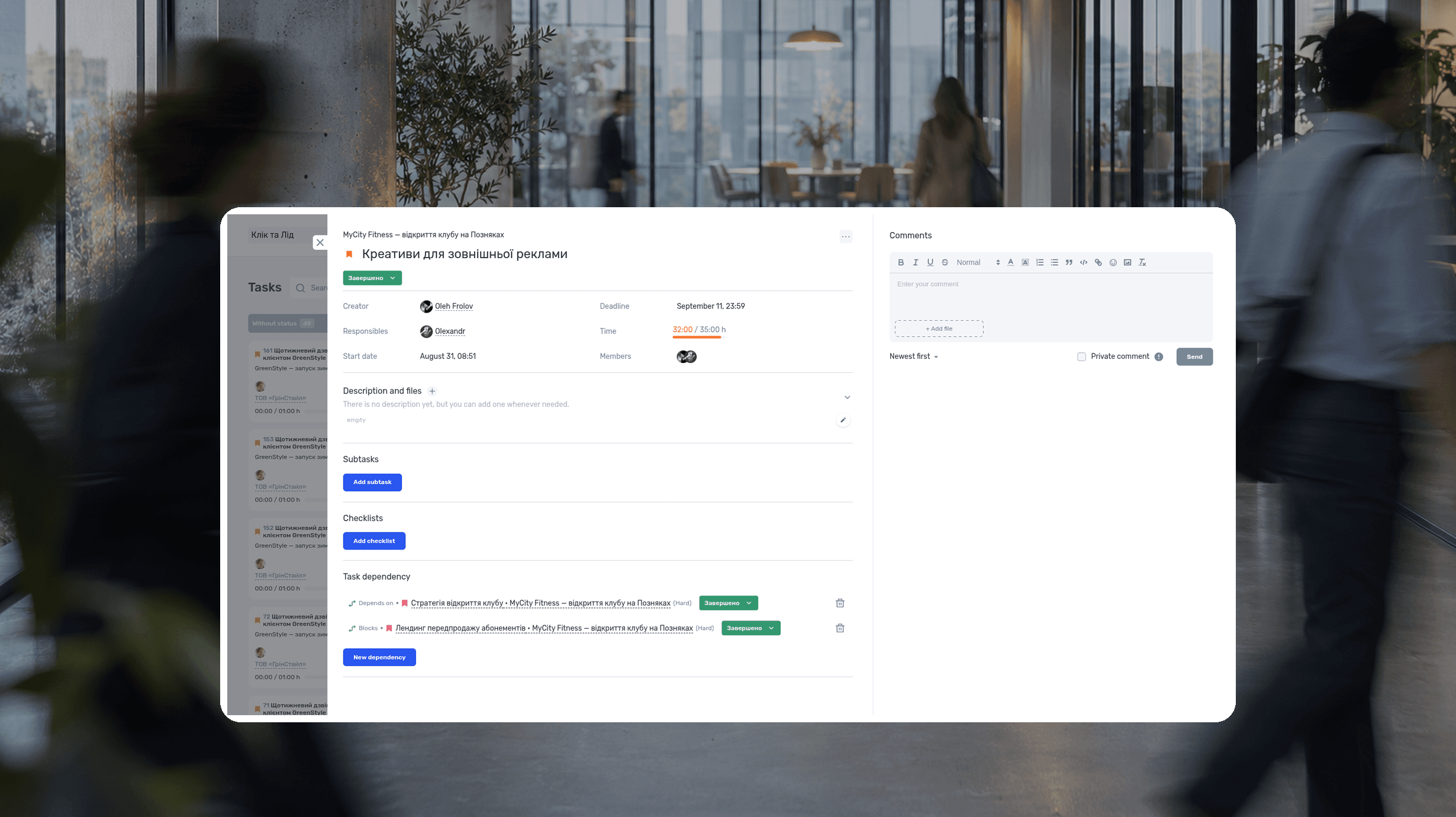
An online Kanban board works best where projects, deadlines, and time records already live. In if.team, the same tasks can be viewed as a Kanban board, list, calendar, planner, Gantt chart, or workload view. Kanban cards remain connected to projects, owners, deadlines, statuses, and time records. Other online boards are compared in our review of ClickUp alternatives.
Different projects can use their own status sets. Subtasks can appear as individual cards or be hidden through filters. See the Kanban board update for a closer look. Below, we follow the banner card from board setup to the review of the finished task.
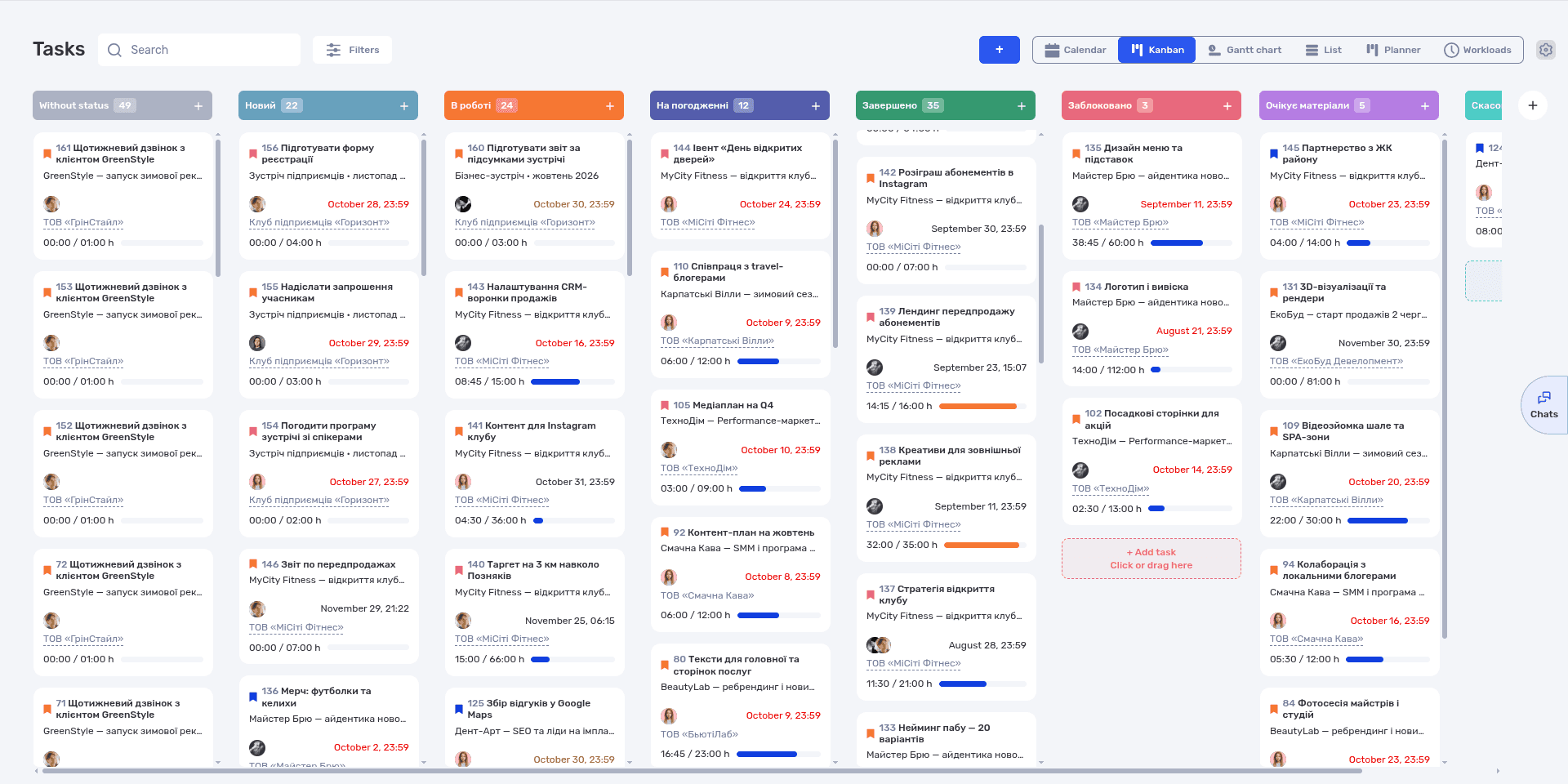
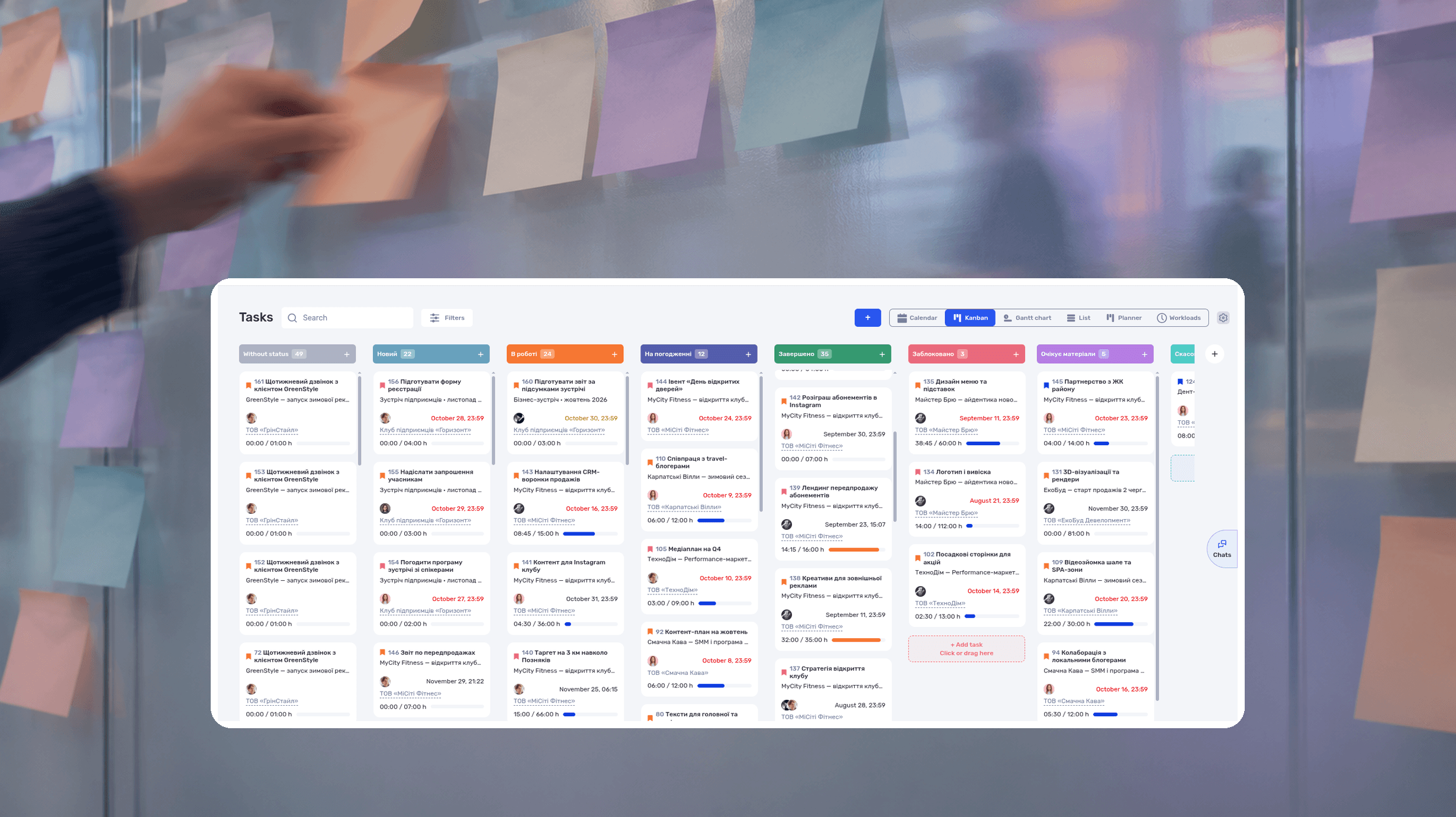
Kanban in if.team: cards grouped by status with owners, deadlines, and progress, shown on demo data
Turn the column template into statuses
Kanban columns in if.team are task statuses. You set them up in the admin panel under Tasks and Projects. Create statuses from the template above: Brief, Ready, In Progress, Internal Review, Client Approval, and Done. Different projects can use different status sets, so client launches and support can each have their own board.
Two status settings affect tracking. Mark Done as a final status: time can no longer be logged on a finished task, and filters can hide it from the list. If you want to count returns for revisions, add a Revisions status with the Revision flag. Tasks that pass through it appear in the quality statistics in Reports, so you can see which projects send banners back most often. All status options are described in the Tasks and Projects documentation.
Choose the view that answers your question
Open Tasks → Kanban. Filter by project to review one launch, then by assignee to check the designer's commitments elsewhere. Review both before adding urgent work: a single client view can hide competing obligations. See the filter documentation.
Use the gear icon to choose card fields, including assignees, deadline, progress, ID, and contact. Start with the owner and date for daily reviews. To add a new request, use the + button in the relevant column: the task gets that column's status, such as Brief, right away. The Kanban board guide explains the controls.
Prepare a task someone else can pick up
For the teaching example, create “Autumn campaign banners — three formats.” Assign the owner and deadline. Include approved copy, dimensions, source images, and acceptance conditions in the description. A clear completion condition is: “The client accepts the set and the launch specialist receives the final files.”
Use a checklist for dimensions, copy checks, and export formats. Create a subtask when part of the work needs its own owner and date. On the Kanban board, a subtask can appear as a separate card with its own status and move independently of its parent task.
If the campaign launch depends on the finished banners, add a dependency between the tasks. A hard dependency moves the next task's dates automatically when the previous one slips. A soft dependency only shows the sequence and leaves the decision to the project manager. The task documentation describes the available fields.
Move the deliverable through review
Once the designer prepares the set, move the card to internal review. After checking the requirements and sending the files to the client, the account manager changes its status to client approval. Dragging a card between columns changes its status; you can also click the status field inside the task. If the client returns the set with changes, move the card to Revisions so the return shows up in reports. Keep small checks inside a checklist instead of adding a column for each action. The card reaches Done when its agreed acceptance conditions are met.
Record the next action when progress stops
If the client has not replied, write: “Set sent for review. The marketing director needs to approve the headline. The account manager will follow up tomorrow; launch depends on that decision.”
A colleague can continue from this note without searching private conversations. When a reply arrives in a messenger, record the decision and accepted version in the task. A general “looks good” is ambiguous when several versions exist.
Use the completed task to improve the next launch
Compare effort with elapsed waiting. If design takes six hours and approval takes three days, agree on reviewer availability before the next launch. This requires time records and consistent notes of handoff and response dates.
Finish the review with a decision: who approves the next set, when they receive it, and who follows up.
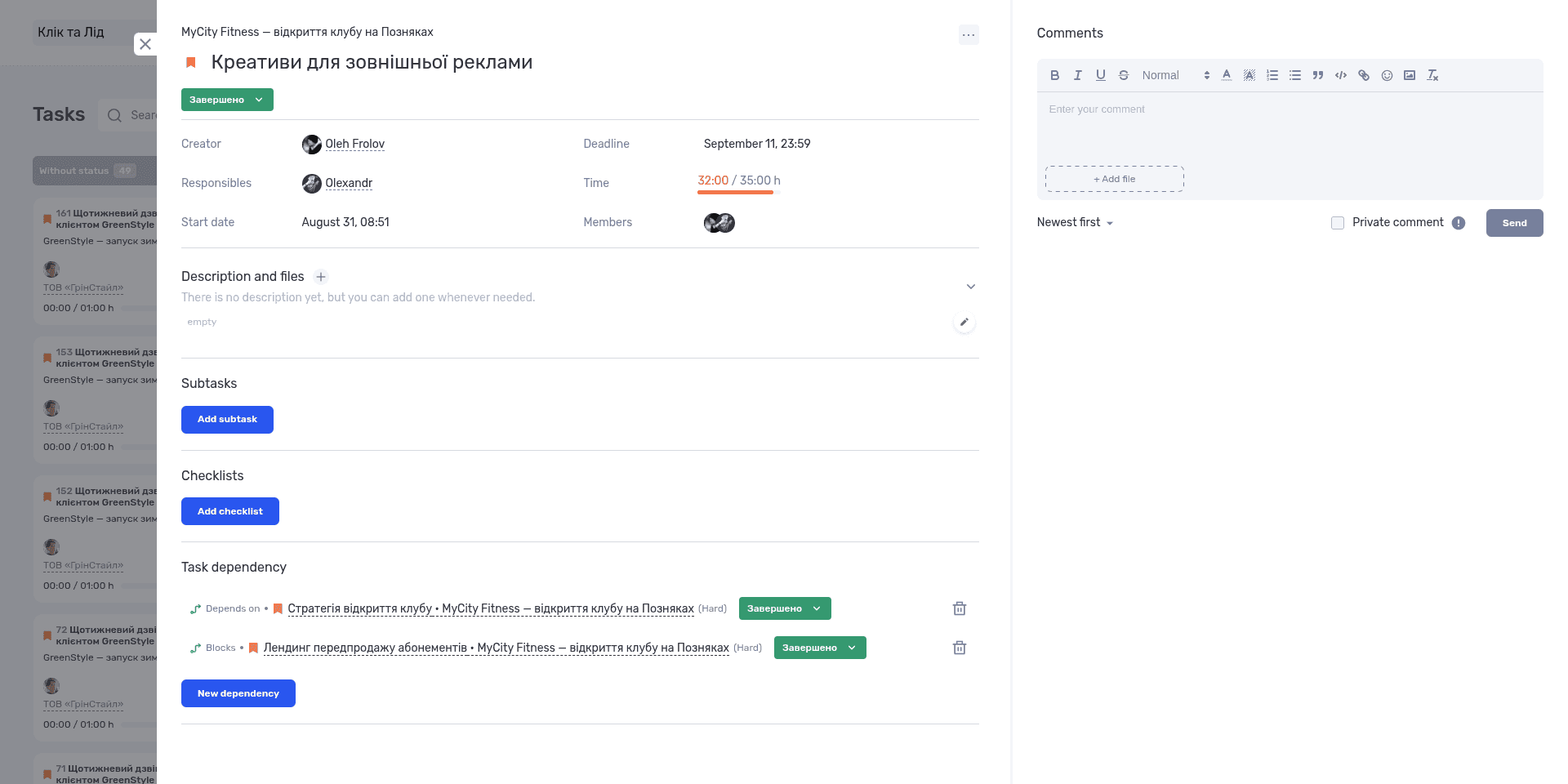
The banner task card keeps owners, the deadline, time tracking, and dependencies in one place
To test the workflow with your own projects, start a free seven-day trial. If you want to discuss how if.team fits your process, book a product demo.
For a larger team, see the Pixready case study. The 3D production studio has about 50 people: artists, modelers, animators, technical specialists, and management. For Pixready, the Kanban view got a department filter, so a manager can follow one department's flow and spot where tasks pile up without switching between projects.
The law firm Zakhyst Vlasnosti combines several views: a list for daily work across many cases, Kanban to track how tasks move between stages, and a Gantt chart to plan complex cases over time. Tasks often pass between lawyers, so the board shows where each case stands right now.
Frequently asked questions
What is a Kanban board in simple terms?
A Kanban board is a visual representation of work. Tasks appear as cards and move through columns from request to completion. The board helps a team see current work and limit how much it handles at once.
What does a Kanban board demonstrate?
It shows where each piece of work is, how much work is active, and which stage slows delivery down. Owners, deadlines, and blocked items are visible on the cards.
What is a Kanban system?
A Kanban system manages work with visual signals and limits on work in progress. It originated in Toyota's production logistics and was later adapted for knowledge work. The Kanban board is its main tool.
What is the difference between Kanban and Scrum?
Kanban runs as a continuous flow and limits work in progress. Scrum organizes work into fixed-length sprints with defined roles and events. Teams can combine practices from both.
What are the main statuses used on a Kanban board?
A basic board uses To Do, In Progress, and Done. A team can add meaningful states such as Ready, Review, Blocked, or Client Approval. The columns should reflect the real workflow rather than a universal template.
What is a WIP limit?
A WIP limit is the maximum number of work items allowed in a stage. When a column reaches its limit, the team finishes or unblocks current work before starting more.
How many columns should a Kanban board have?
Use enough columns to represent important workflow states without turning every action into a status. Three to six columns often work as a starting point, but the right number depends on the process.
Is Kanban good for small teams?
Yes. A small team can begin with one board and a few explicit rules. Keep the setup simple, then add WIP limits or metrics only when they help solve a visible delivery problem.
Why use Kanban instead of a simple to-do list?
A to-do list shows what needs doing. A Kanban board also shows the stage of each item, where work piles up, and how much the team handles at once. Without WIP limits and exit conditions, though, a board is little more than a list in columns.
Author
Vladyslav ChesnokovPublished
Nov 10, 2026
More articles to read
RACI Matrix: Definition, Free Template and Example
A RACI matrix is a table that shows who does the work on a project, who accepts the result, who gives input, and who gets updates. The name comes from the four roles: Responsible, Accountable, Consulted, Informed. Rows are deliverables or decisions, columns are people or roles.
Agile Methodology: What It Is, Principles, Example
Agile methodology is an approach to project management in which a team delivers results in short cycles, shows them to the client and adjusts the plan based on feedback. Instead of one big six-month plan, agile project management works in a series of small, tested steps.
What is a deadline? How to set and meet realistic deadlines
Why six hours of work can take several days—and how to build a schedule around availability, review, and revisions. With a practical if.team walkthrough.
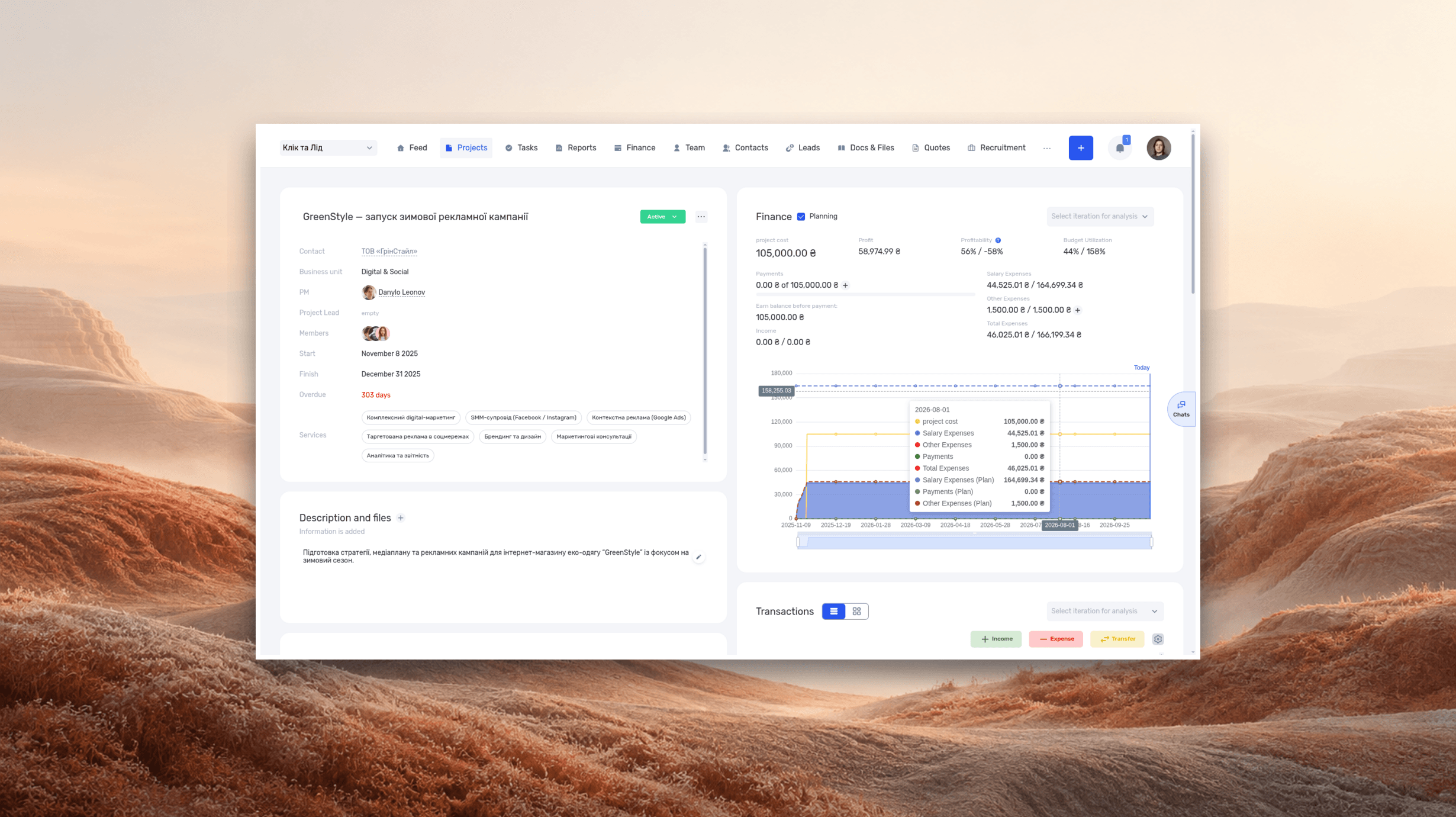
ERP systems explained—what they do and when your business needs one
See how ERP connects sales, delivery, and finances, with a worked example and a practical walkthrough in if.team.
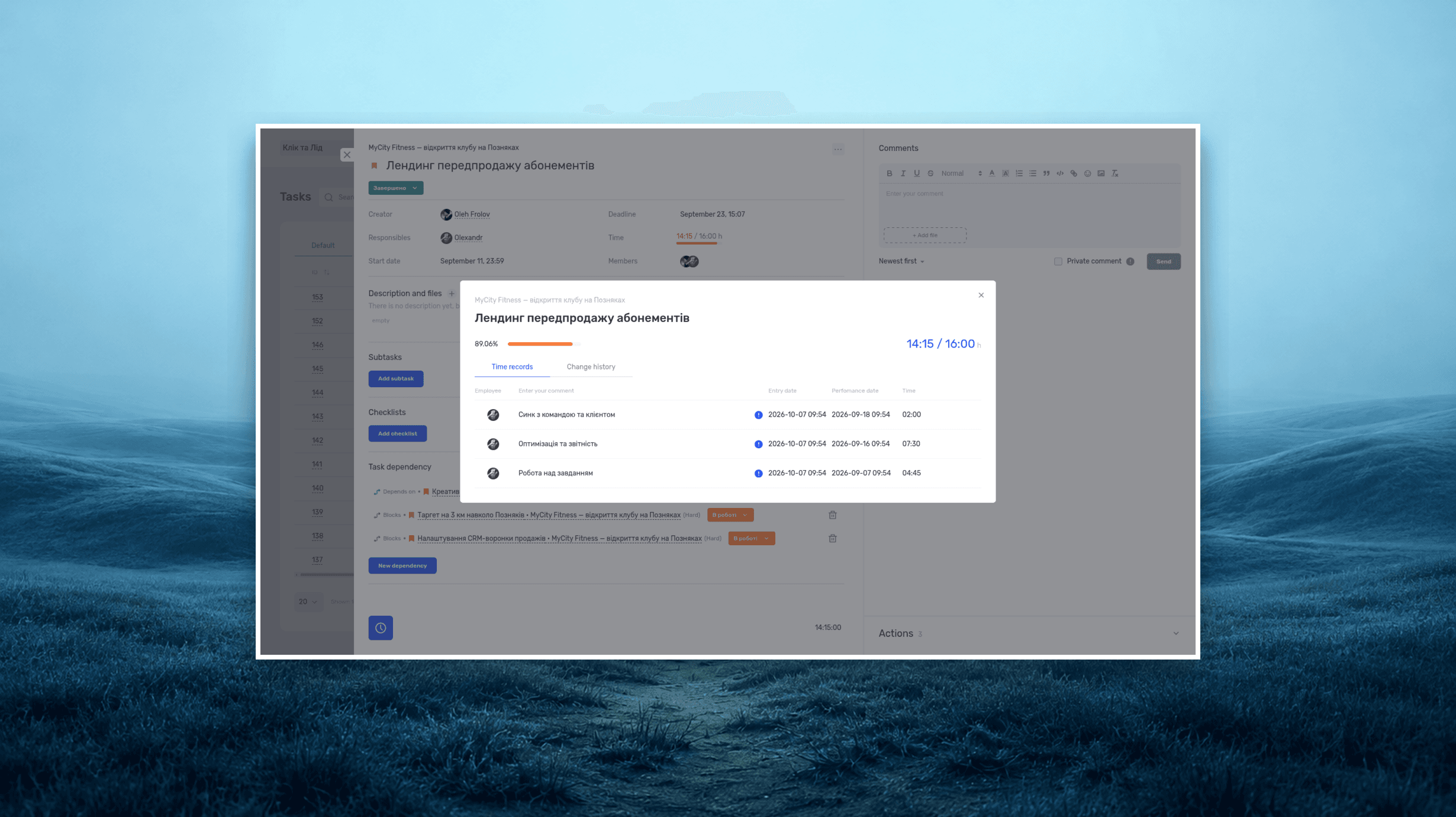
Project time tracking — how to track team hours and costs
A practical guide to recording project hours, understanding overruns, and calculating team costs, with a worked example and a walkthrough in if.team.
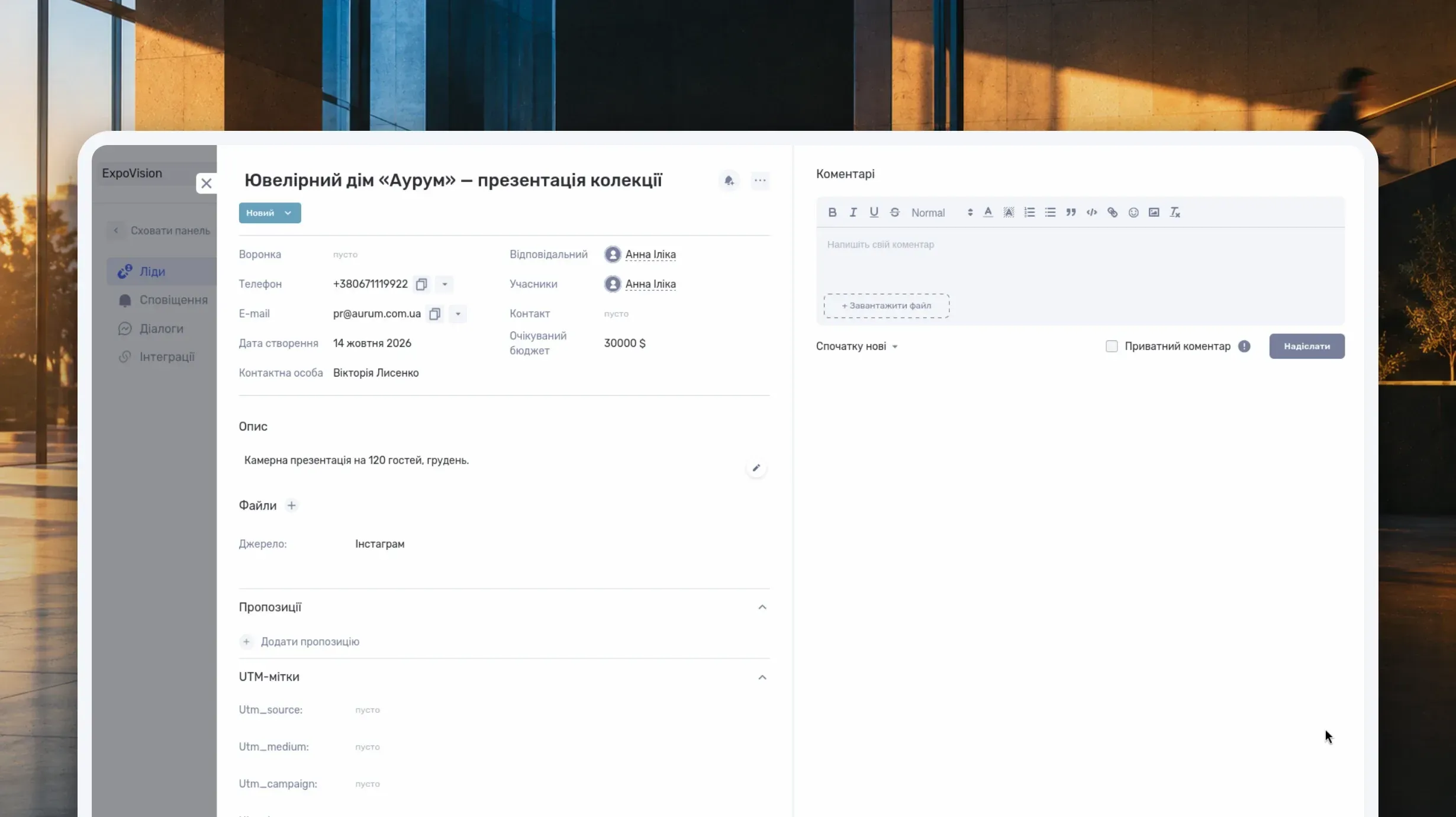
What Is a CRM System and How Do You Use It to Manage Customer Relationships?
Learn what a CRM system is, how it works from first inquiry to outcome, and which features matter day to day. Compare CRM with spreadsheets, task managers, and ERP, and see how to choose a CRM and manage clients in if.team.
See if.team in action for your company
We’ll show how projects, team time and finances connect in one system, using your processes as an example.