
Email integration and improved contact management in CRM
Email can now be connected to the if.team CRM. Incoming and outgoing messages create leads according to the selected rules, while the rest of the conversation stays in the lead profile. We have also redesigned contact selection and removed the separate editing mode for lead fields.
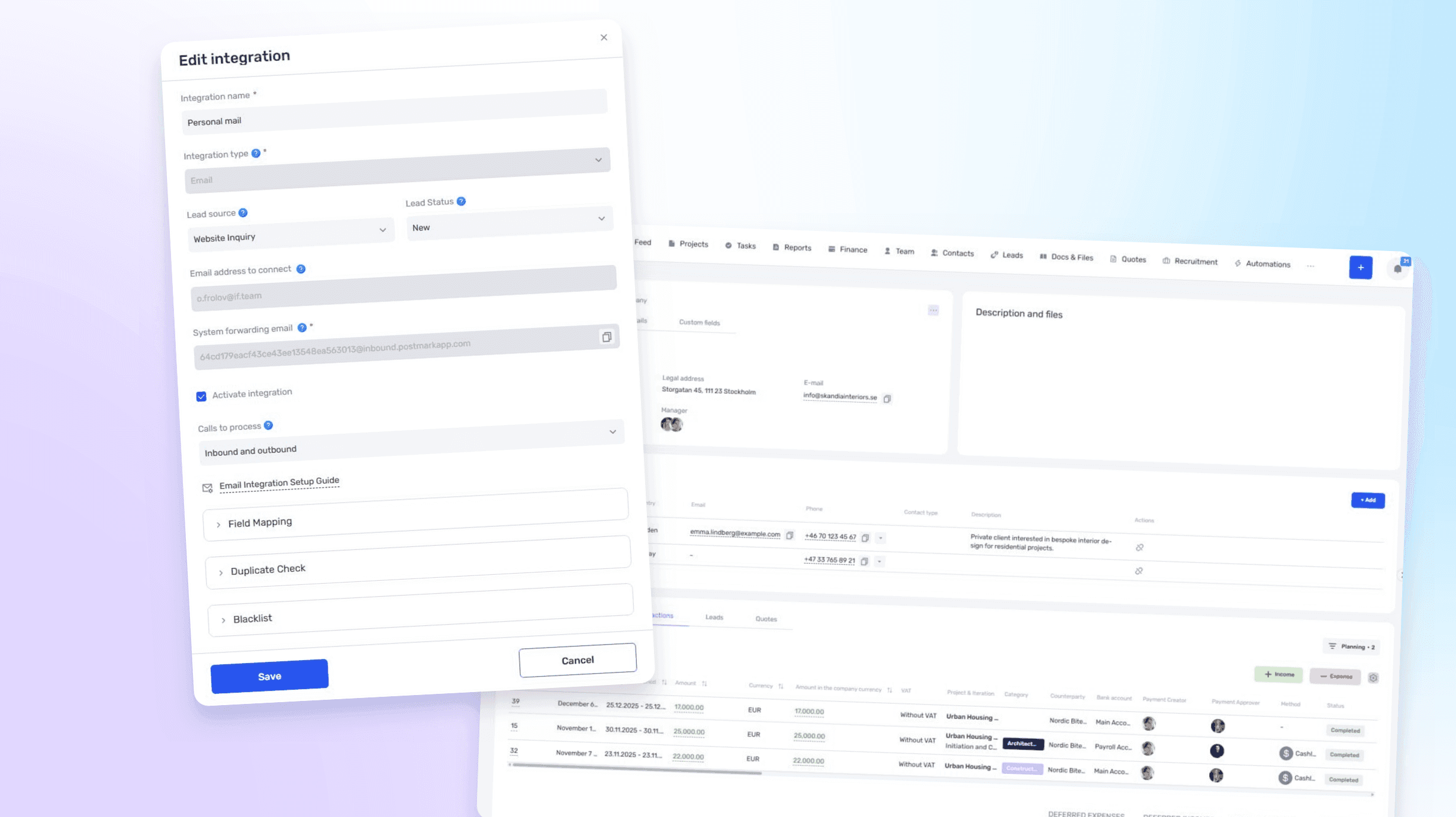
Create leads from email
A company can connect one or more inboxes and choose which messages the system should process: incoming, outgoing, or both.
When a relevant email is received or sent, if.team creates a lead with the selected source and initial status. Further correspondence is stored with the lead, so the manager can review the context without searching in a separate email application.
The integration is not tied to a particular email service. After it is created, if.team provides a system address to which messages from the company inbox should be forwarded. The settings also define the source and initial status of new leads, field mapping, and which parts of an email should be saved in the comment.
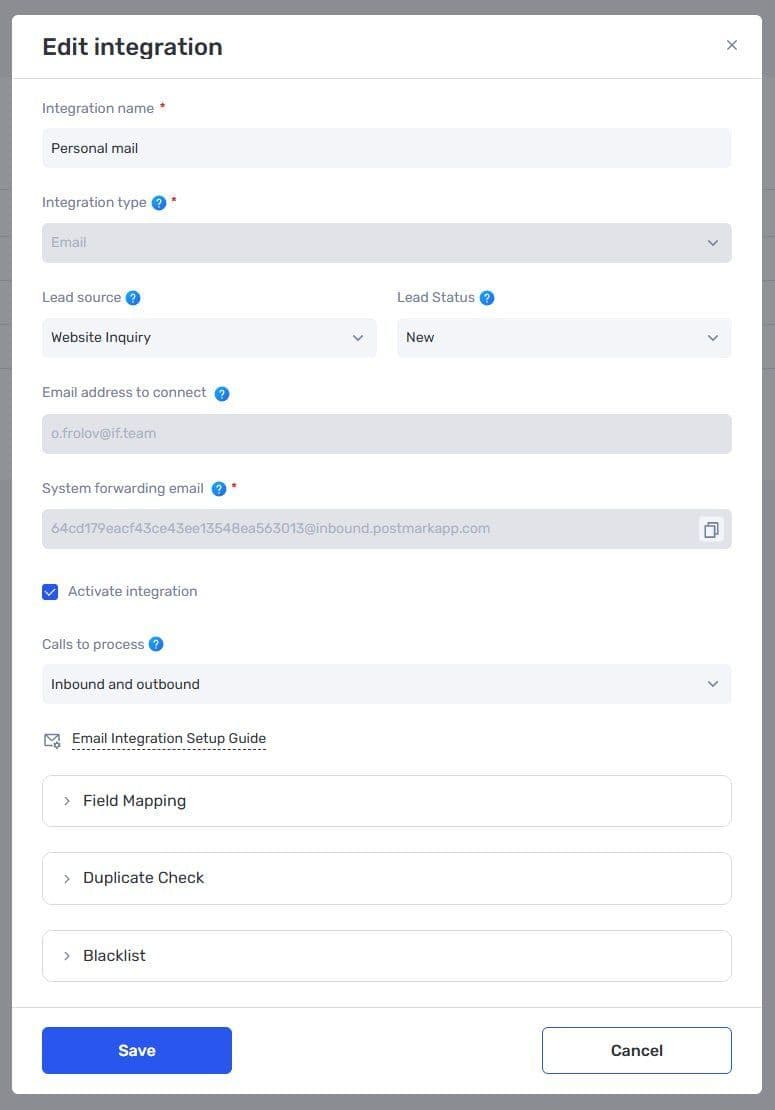
Email integration settings in CRM
Prevent irrelevant leads
The integration includes a spam filter to avoid creating leads from service messages, mailing lists, or internal correspondence. Companies can extend it with their own blacklist of addresses and domains.
Only customer enquiries reach the pipeline, while automated notifications and messages from colleagues do not turn into unnecessary leads.
A step-by-step connection and forwarding setup is available in our YouTube video.
Faster lead profile editing
Fields in a lead profile can now be changed without opening a separate editing mode. The user clicks the required field, selects or enters a new value, and continues working with the profile.
It saves the most time during initial lead processing, when a manager fills in the contact, budget, assignee, and other details one after another.
Company and contact-person hierarchy
The Contact field in a lead now shows a structured list of companies and the people who work for them. It is easier to find the correct contact person even when the CRM contains several employees from the same client company.
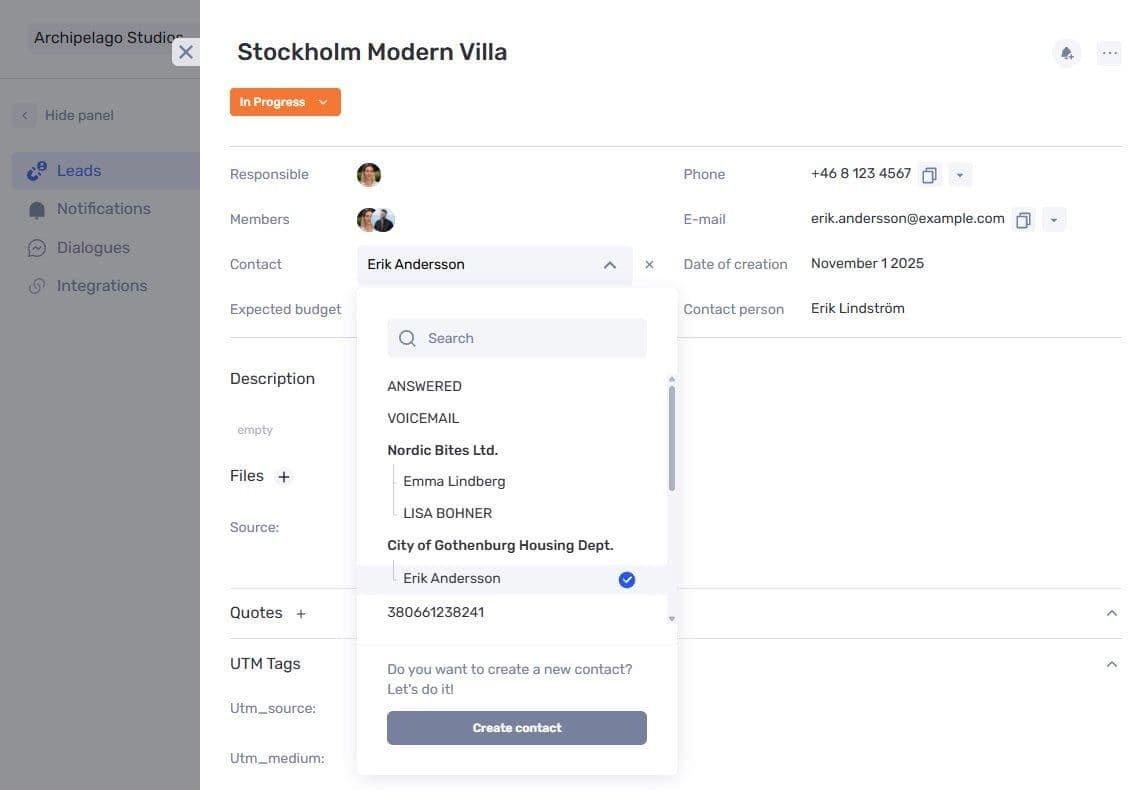
Selecting a company and contact person in a lead profile
After a contact is selected, the system copies their details into the corresponding lead fields if those fields are still empty. Existing information is preserved, so automatic completion does not overwrite data collected during the enquiry.
Updated contact profile
Additional contact fields have been moved to a dedicated tab, while related projects, tasks, transactions, leads, and quotes are collected in the lower part of the profile. The page remains compact while retaining the full history of the relationship.
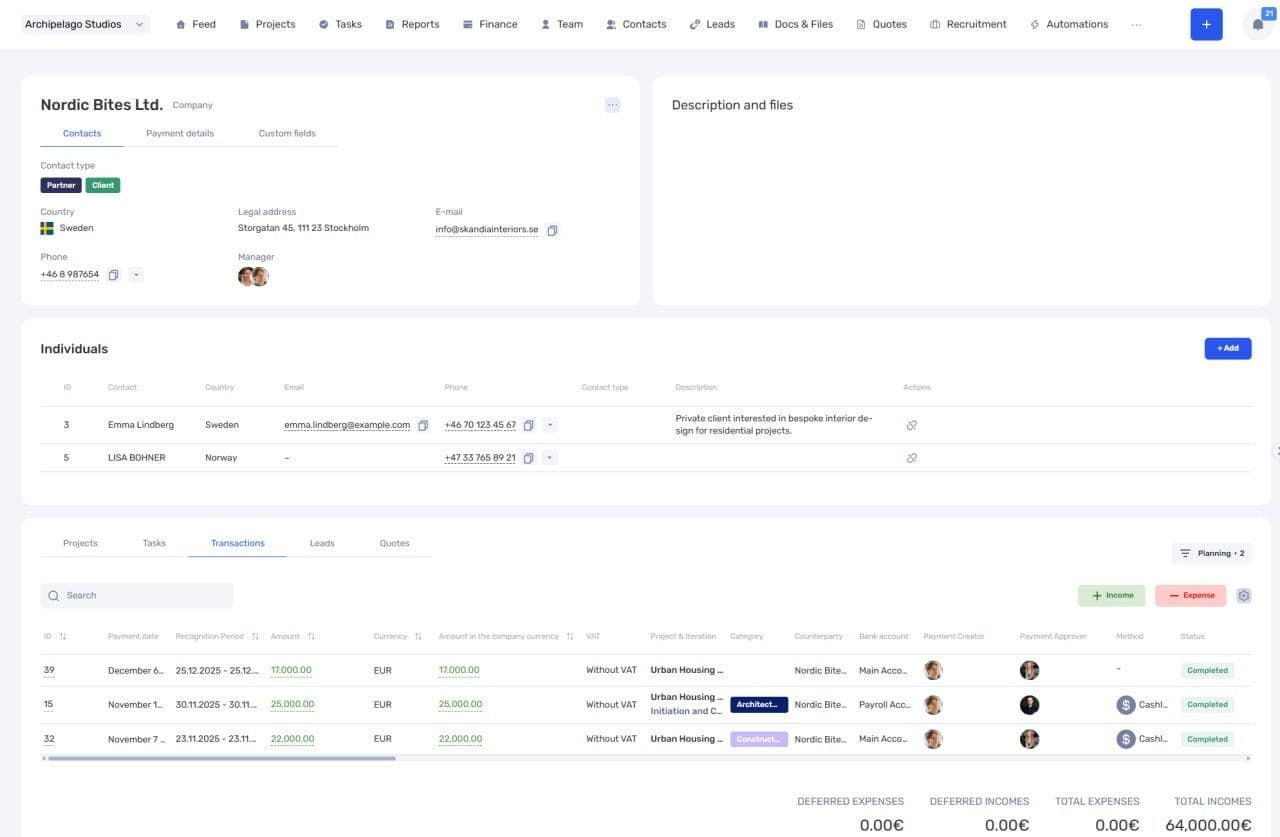
Updated company profile with contact people and related operations
A new contact is automatically assigned to the manager who added it. The assignee does not have to be selected manually, and the team can immediately see who is responsible for the relationship.
The entire flow now works without switching between email and CRM: a message creates the lead, the selected contact fills the empty fields, and the conversation history remains in the profile.
Author
Vladyslav ChesnokovPublished
Sep 1, 2026
Was this update helpful?
Your feedback helps us prioritise what to ship next.
See if.team in action for your company
We’ll show how projects, team time and finances connect in one system, using your processes as an example.