


Recruiting
Vacancies, candidate base and a hiring kanban in one place
$49 / month
Projects, time tracking, outstaff teams and margins in one system for IT service and outsourcing companies
Trusted by IT and software teams










What goes wrong in an IT service company between the signed SOW and the month-end invoice — and what if.team does about it
In if.team every project and stage has a budget and the hours logged against it at the developers’ rates. The PM sees the burn in the second week, not in the retrospective.

Developers log hours per project and task in if.team; invoices are issued from the same record. The month closes from one report, not from a merge of spreadsheets.

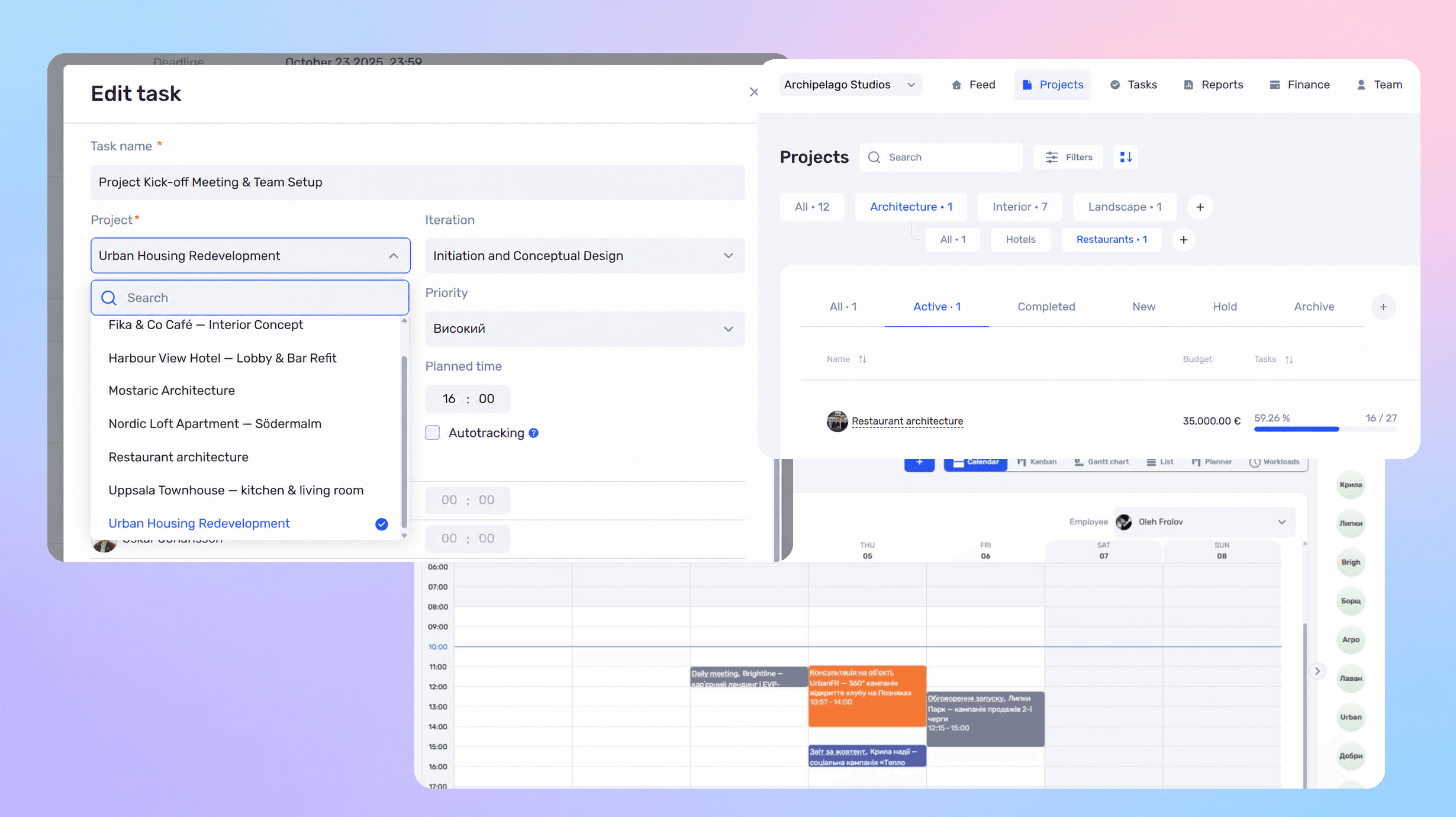
Workload shows planned hours against available hours per developer and per project, outstaff included. People are moved between projects on the same screen.

Contracts, change requests, acceptance acts and client comments attach to the project and its stage. The client approves in one place; the history stays with the company, not in a PM’s inbox.

Each client and project shows revenue, hours at the team’s rates, contractor costs and the margin. The owner sees which accounts earn and which only keep developers busy.

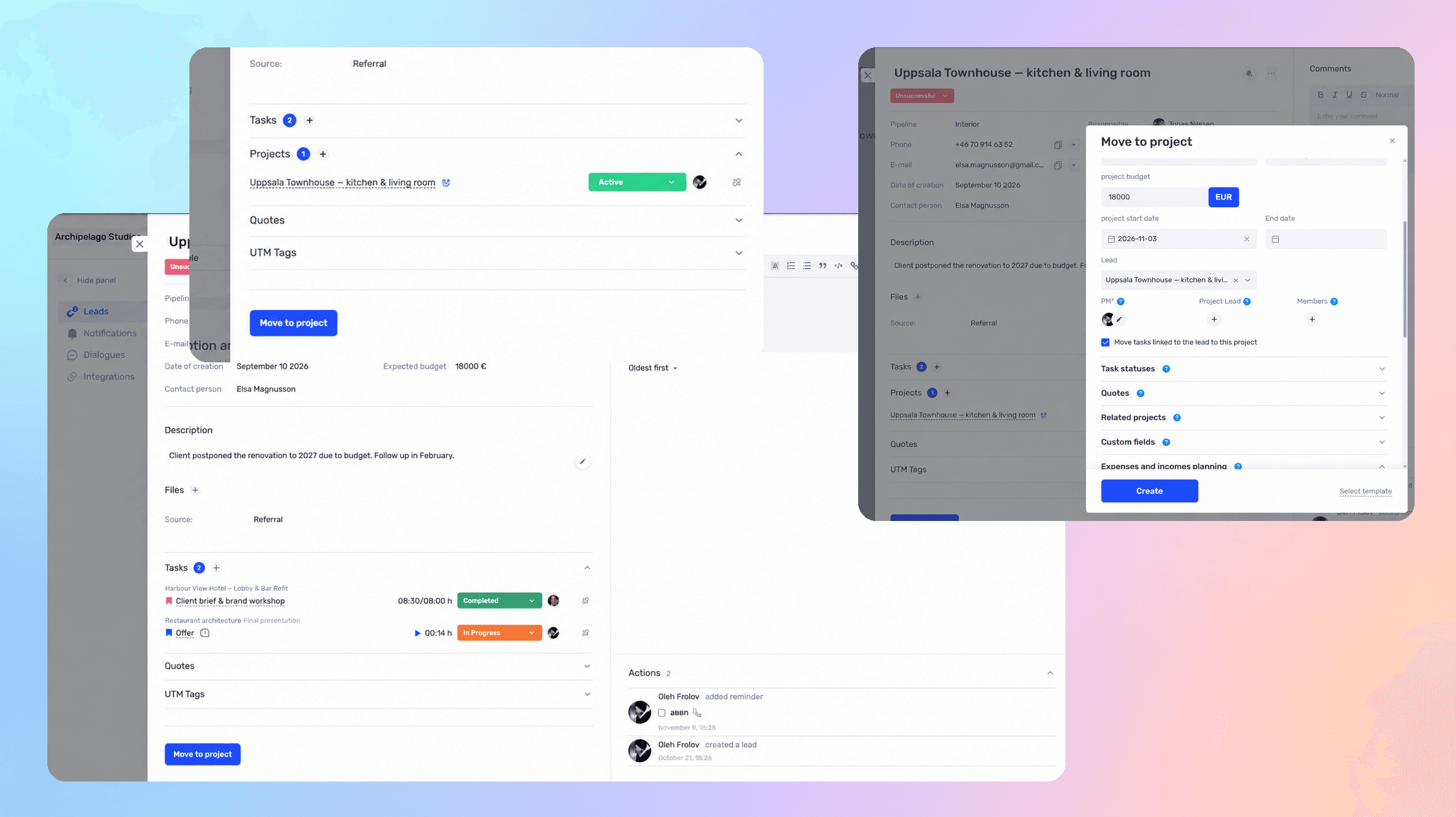
Leads and deals live in the if.team CRM; a won deal becomes the project with its budget. Jira, GitHub and Slack connect to it, so the task flow stays where the team works and the money stays visible.

Ask which projects lost money and why, who is overloaded next week, how much you earned this quarter. The assistant takes data from your if.team — projects, hours, finances — and answers in a normal chat
Learn more
if.team integrates with the tools your team already uses every day
Discuss integrations Telegram
 Google Calendar
 PrivatBank
 Monobank
 Ringostat
 Binance
 Viber
 WhatsApp
 Instagram
 Monday
 Asana
 ClickUp
 Slack
 TrelloTelegramGoogle CalendarPrivatBankMonobankRingostatBinanceViberWhatsAppInstagramMondayAsanaClickUpSlackTrello
 Jira
 GitHub
 Notion
 Zoom
 Stripe
 HubSpot
 Salesforce
 Dropbox
 OneDrive
 LinkedIn
 Gmail
 Figma
 MiroJiraGitHubNotionZoomStripeHubSpotSalesforceDropboxOneDriveLinkedInGmailFigmaMiro
Video reviews from teams using if.team every day

Financial planning used to be a real pain — endless Excel sheets and nothing automated. With if.team it's simple: automation, bank integration, and reports in just a few clicks.
Andrii Zaikin
Founder & CEO, YEP Accelerator

Oleksandr Pavlishyn
Development Director, event agency

Iryna Siharova
Founder, Content Bar studio

Yevhen Nozhenko
CEO, HiStory DM
Latest product updates and new features.
Choose the plan that fits your team. Prices are per company, and every plan starts with a 7-day free trial.
For small teams
For growing teams
For mid-size teams
For large teams
For scaling companies
For large companies
Full white-glove service
Some capabilities are connected separately, as paid add-ons
Vacancies, candidate base and a hiring kanban in one place
$49 / month
Quotes built from your services catalog with discounts and DOCX or PDF export
$19 / month
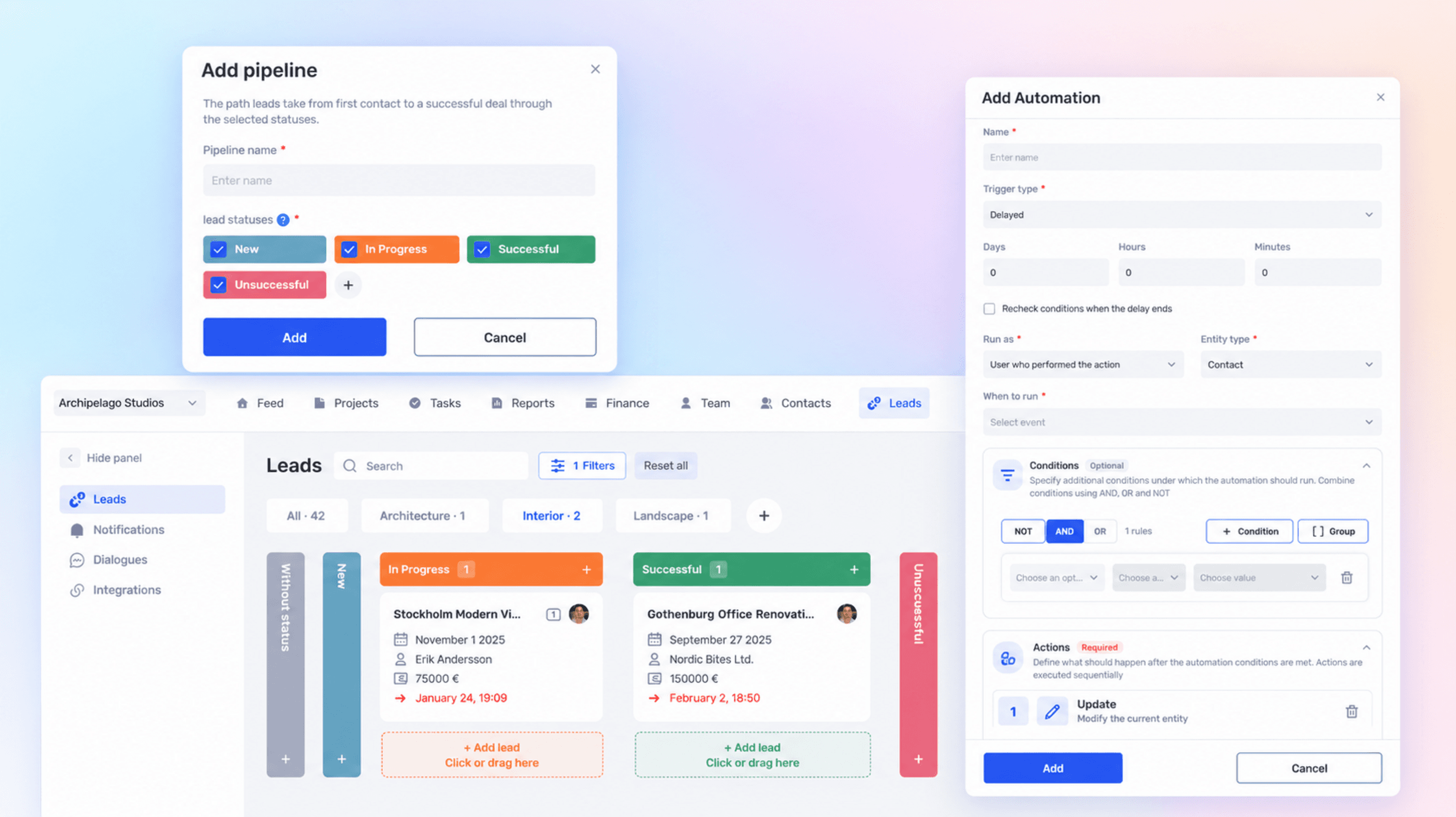
Rules that run the routine for you: trigger, condition and action in tasks and projects
$19 / month
Chats from messengers and social networks in one inbox and in the client card
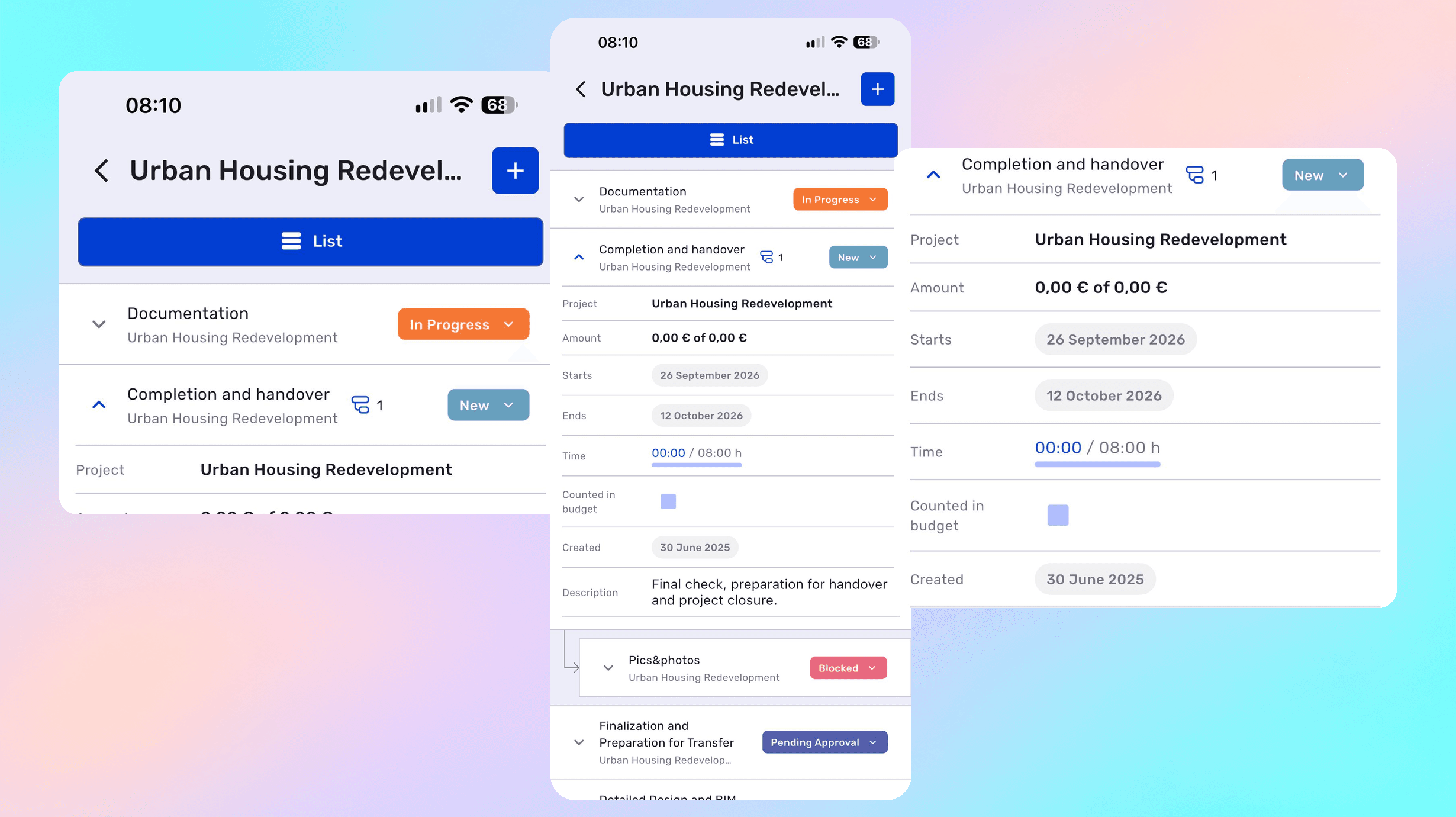
Yes. A sprint runs as an iteration inside a project, tasks and subtasks move across a Kanban board with their own statuses, and subtasks can be shown as separate cards or hidden in the filters.
The workload calendar shows how many hours are planned for each specialist across all projects, so overload is visible before a sprint starts rather than halfway through it.
Yes. Dependencies work between tasks and between iterations: development can wait for design approval, for example. A hard dependency shifts dates automatically, a soft one only records the sequence.
Yes. A project can run under either model, with separate rates for different roles — developer, QA, manager — within the same project.
Yes. Each client or product is a separate project with its own budget, team, and reporting, while the main Gantt chart shows all active work together.
Time is logged on tasks, and worklog history shows who added or edited an entry and when. Those records feed both the billable amount and the internal cost of the sprint.
Yes. Income, expenses, and the cost of logged hours come together in the finance module, so the margin on a specific project is visible, not just overall company turnover.
Yes. Custom fields can be added to tasks, projects, leads, and other entities, and their order in the profile is configured in the admin panel.
Yes. The automations module runs repeatable scenarios under defined conditions — changing a status or creating tasks, for example — without manual reminders.
A deal in the CRM becomes a project with a budget and stages; developers log hours against tasks at their rates; invoices are issued from the same record. Revenue, hours and margin per client are visible while the project runs, and Jira, GitHub and Slack connect to it.
Jira runs the engineering backlog and doesn’t know what a rate, an invoice or a client margin is. if.team sits above it: the deal, the budget, the hours at rates, the invoices and the profit per client — with Jira connected so developers keep their workflow.
Each project in if.team has a budget and stages with their own hours and deadlines. Hours logged at the developers’ rates show the burn as it happens; the PM sees a fixed-price project going over in the second week.
Developers log hours per task; for time & material clients the invoice is issued from those records. Outstaff teams are planned and billed the same way.
Leads and deals live in the CRM; a won deal becomes the project with its budget and tasks. Nothing is retyped between a sales tool and a delivery tool.
Each client shows revenue, hours at rates, contractor costs and the margin. Jira, GitHub and Slack integrations keep the engineering flow where the team works, while the money stays visible to the owner.
See how if.team helps IT companies manage projects, teams, documents, and finances in one place.