Task Filters
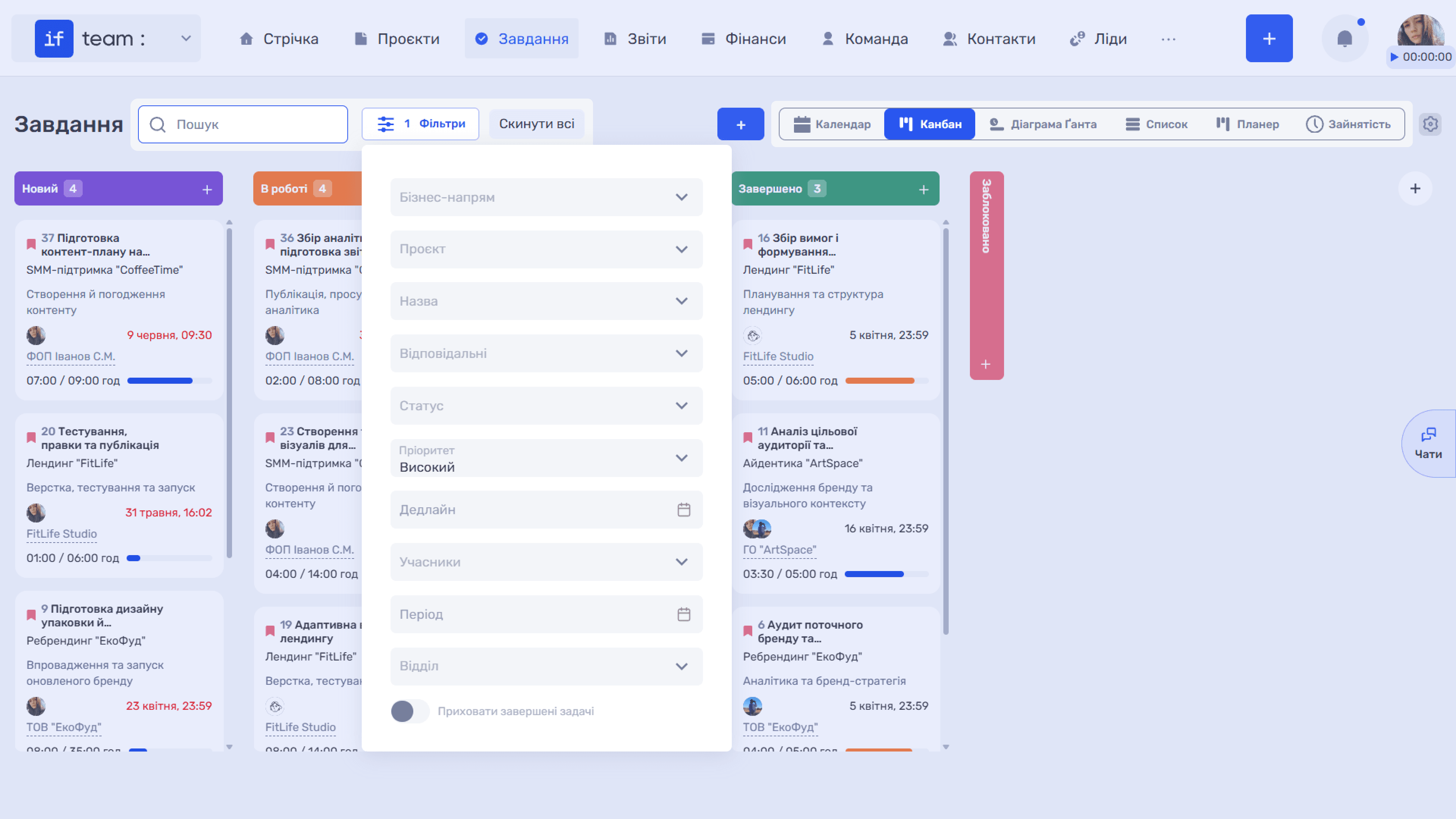
Use the “Search” field at the top of the page to find tasks. For a more precise selection, click “Filters” to open the parameters panel. The number of active filters appears next to the button, and “Reset All” quickly clears every applied filter.
Please note
Please note: the available filters and viewing tools depend on the selected view.
In “List,” “Kanban,” and “Gantt Chart” views, the complete set of filters is available: business line, project, name, assignees, status, priority, deadline, members, period, and department. You can also enable “Hide Completed Tasks” to focus only on active tasks. The “Business Line” filter selects tasks from projects in a particular area of the company’s operations.
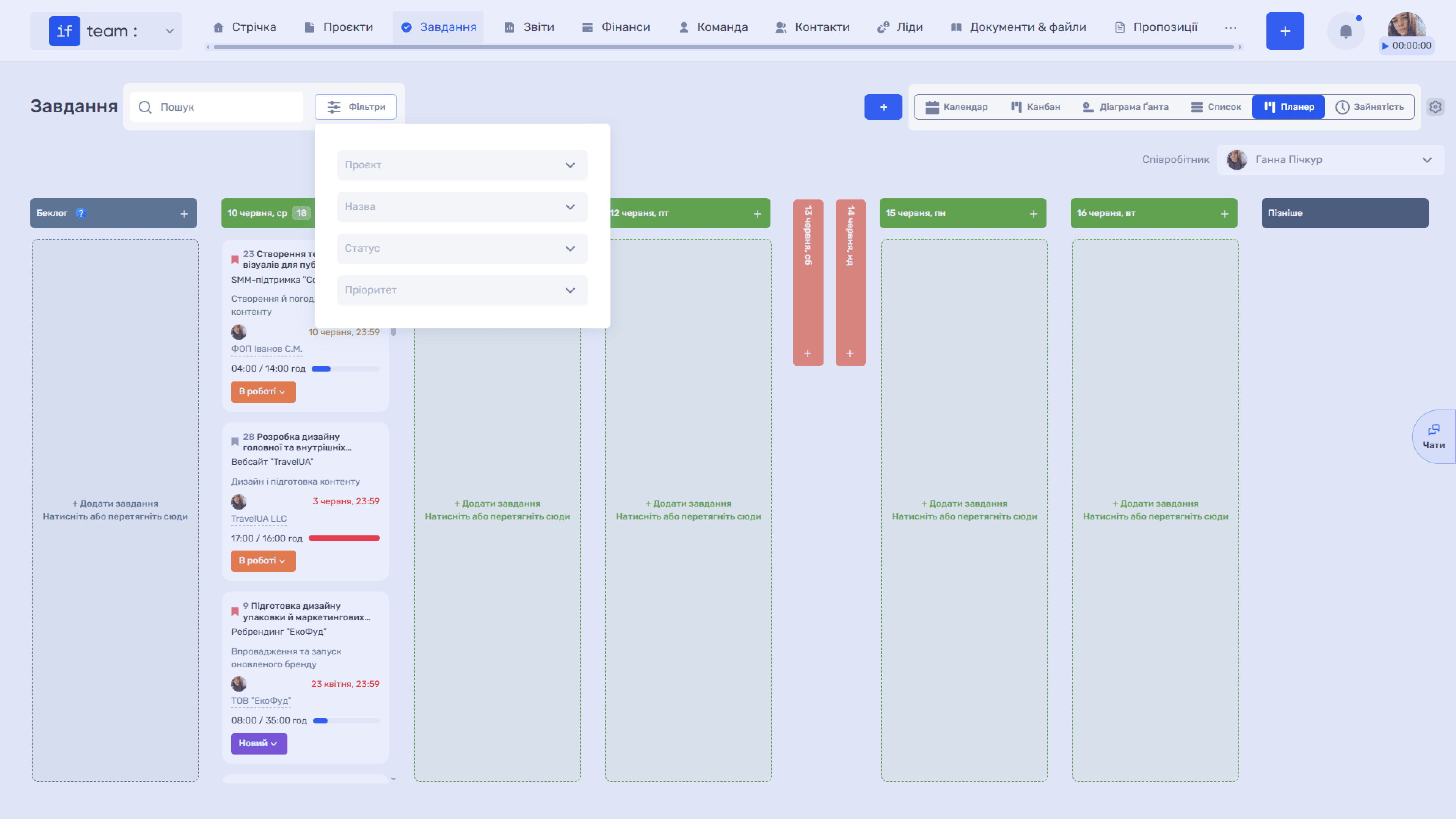
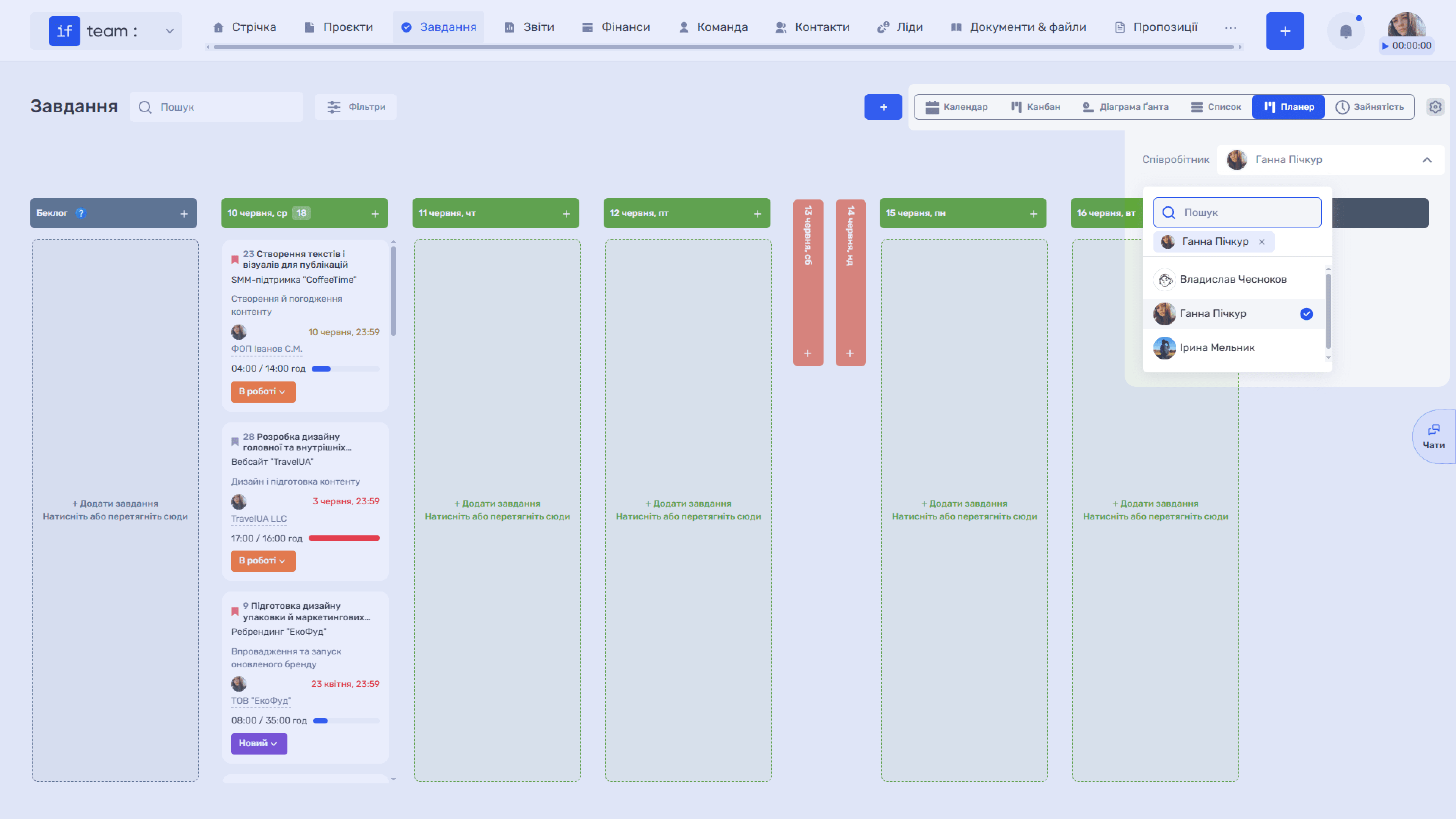
In “Planner” and “Calendar” views, the filter panel is shorter:
- Planner provides project, name, status, and priority.
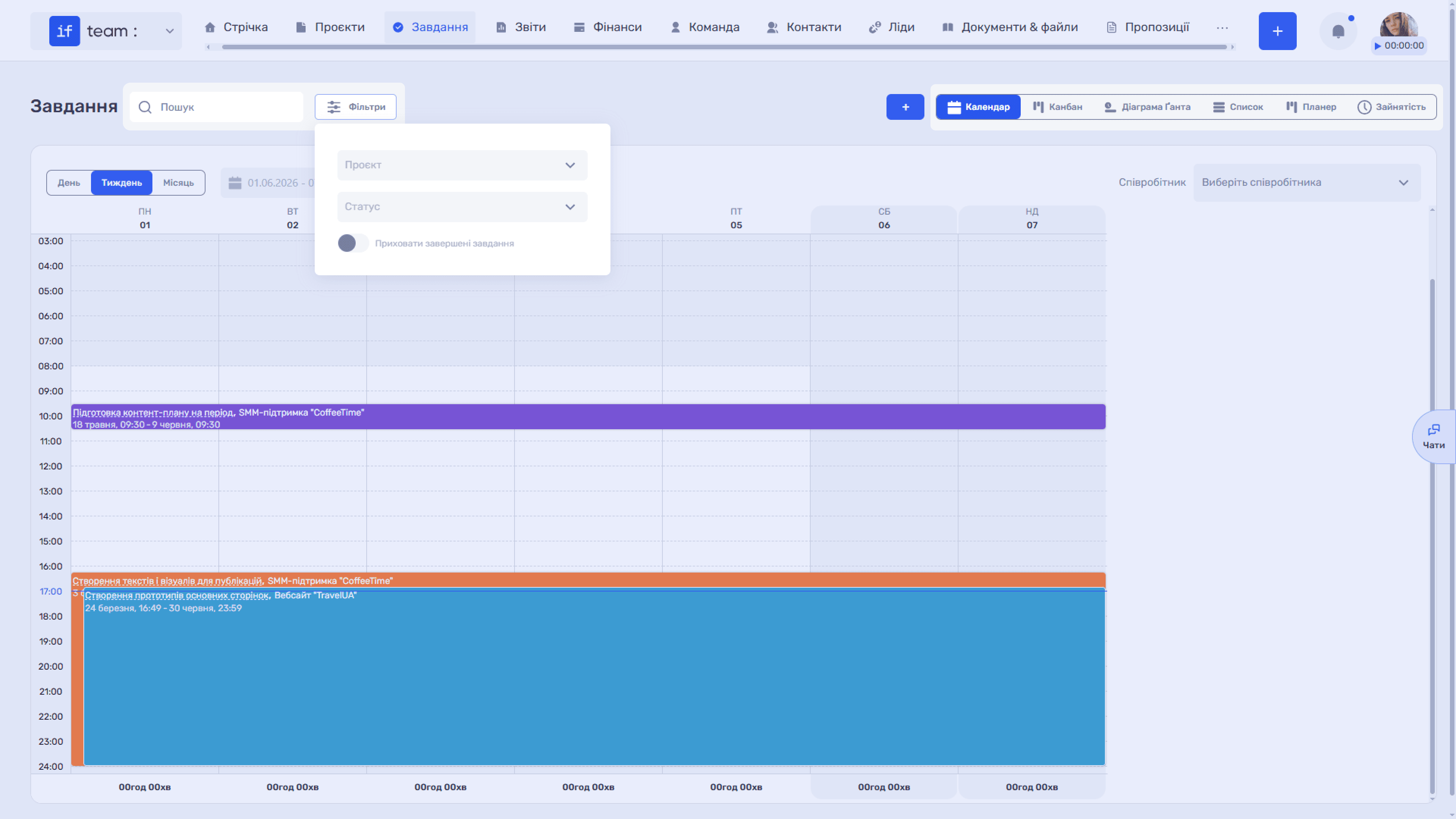
- Calendar provides project and status.
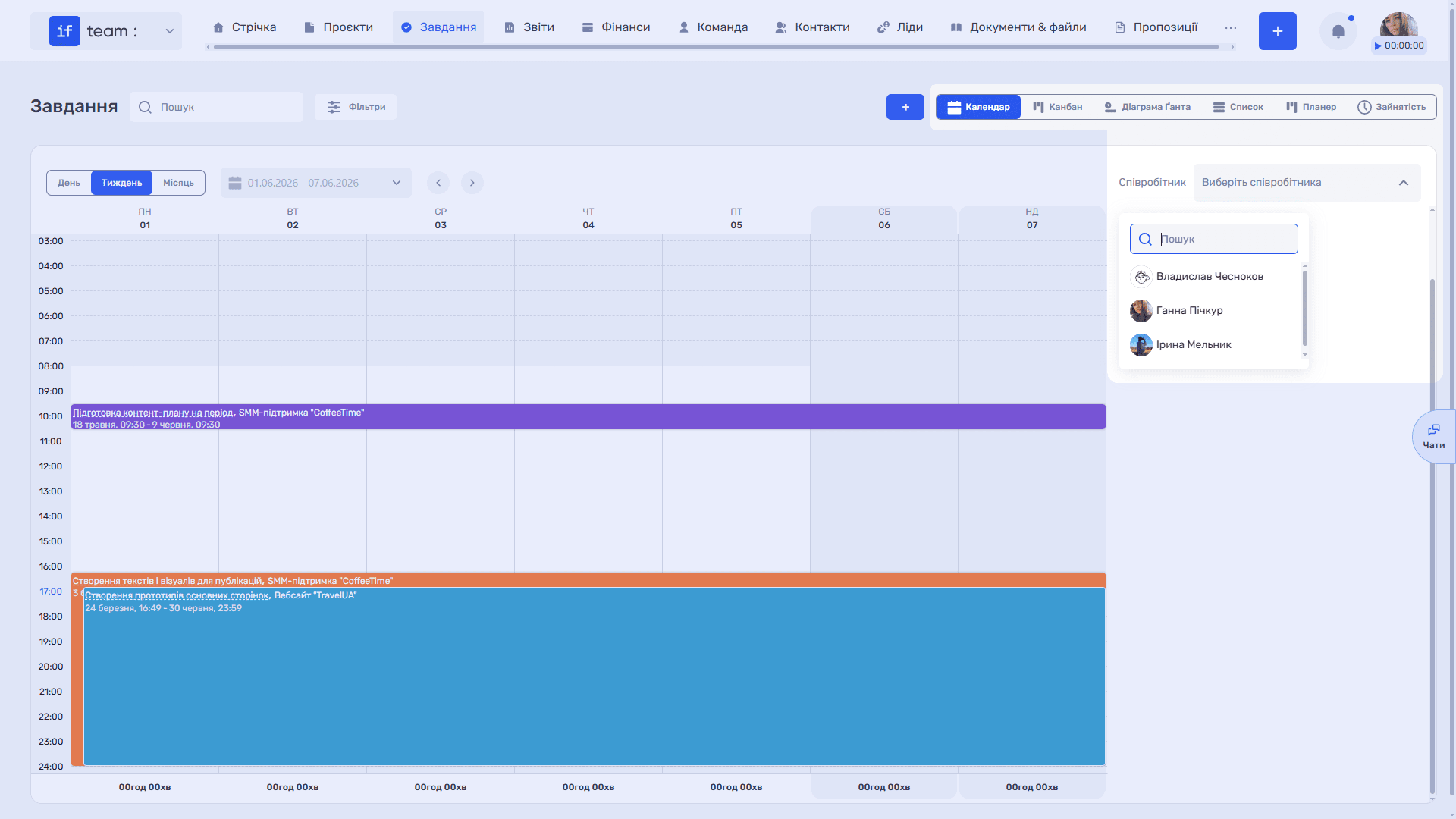
Instead, these views have a separate “Employee” selector in the upper-right corner. Each employee sees their own tasks. You can view another employee’s tasks only if you have the appropriate permissions.
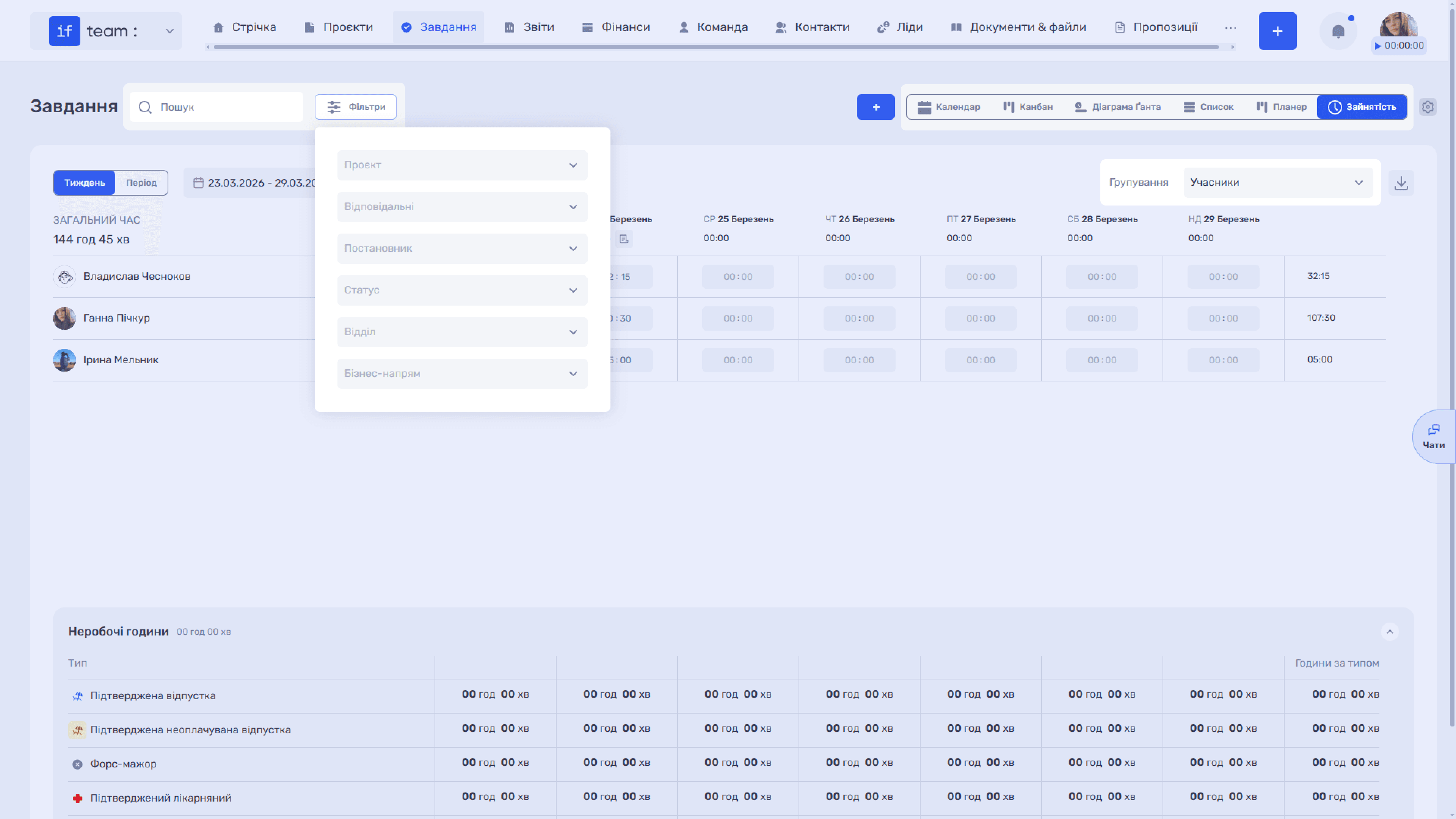
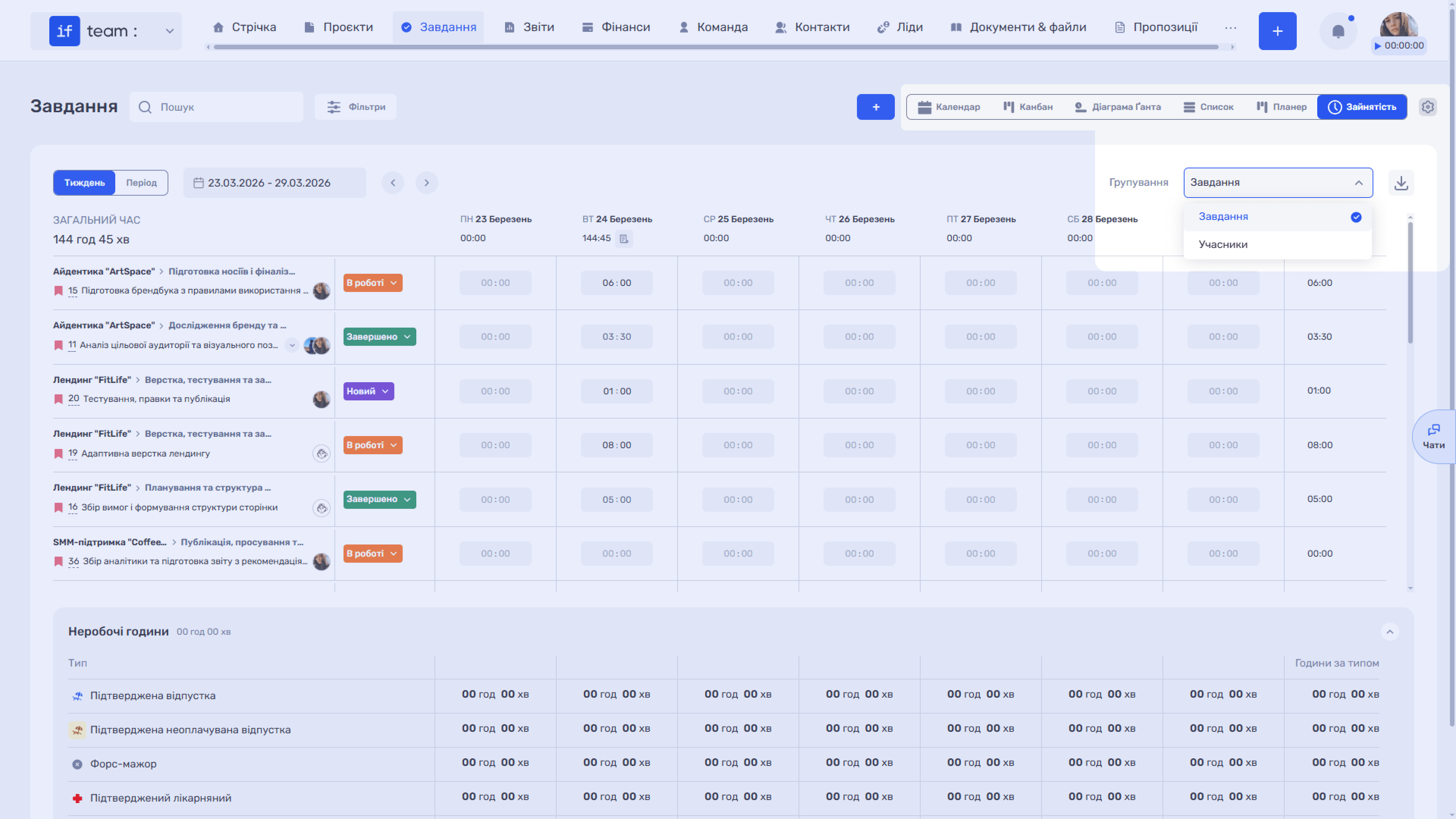
In “Workload” view, filters focus on time tracking: project, assignees, assigner, status, department, and business line. This view also has a “Grouping” display switcher. You can group data by members, where each row is an employee with their total time, or by tasks, where each row is a separate task.
Still have questions?
Maybe we haven't added this information yet. But you can always reach out:
Request a demo
Submit a request and we'll show you how the service works and its capabilities.
Book a demo