
Agile Methodology: What It Is, Principles, Example
Agile methodology is an approach to project management in which a team delivers results in short cycles, shows them to the client and adjusts the plan based on feedback. Instead of one big six-month plan, agile project management works in a series of small, tested steps.
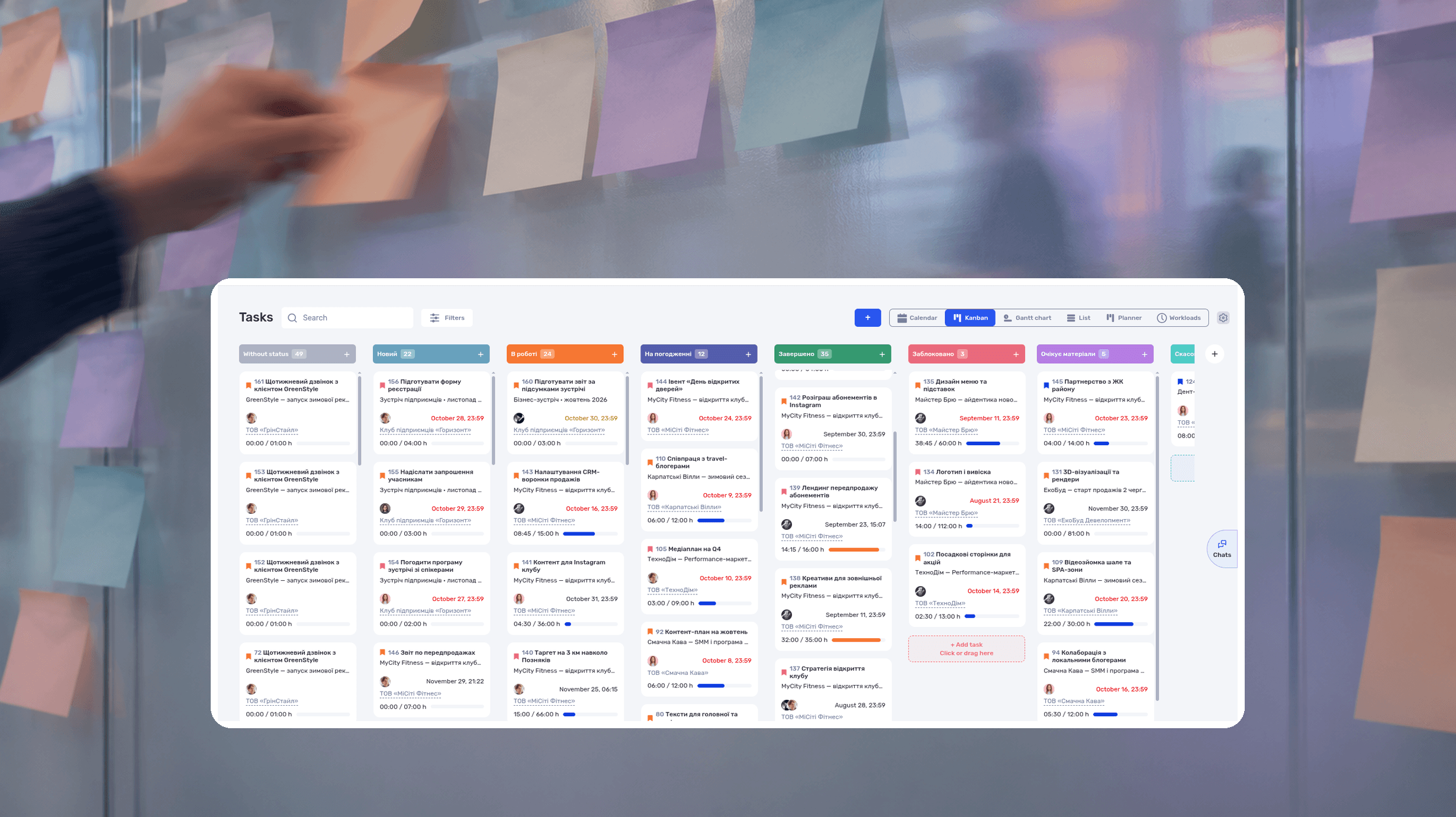
Agile methodology is an approach to project management in which a team delivers results in short cycles, shows them to the client and adjusts the plan based on feedback. Instead of one big six-month plan, agile project management works in a series of small, tested steps. Agile rests on the 4 values and 12 principles of the Agile Manifesto; frameworks such as Scrum and Kanban turn them into concrete working rules.
An agency spends two months building a client website and presents it fully finished. The client looks at it and says: “We’ve changed our offer since then, half of these sections need redoing.” Two months of work went into something the client no longer needs. With Agile, the client would have seen a prototype of the home page in week two, and the change would have cost a few days, not a month.
Below are Agile values and principles, how an iteration works, an agency example, Agile vs Waterfall, common mistakes and how to run an Agile process in if.team. The agency example is fictional: names and figures are made up for illustration.
To try it on your own project right away, copy the iteration plan and retrospective template to Google Sheets. It comes with instructions, an agency example and automatic workload calculation.
What is Agile methodology?
Agile is a way of working when not everything is known in advance. The team sets the nearest goal, does part of the work, shows the result and decides what to do next: continue, change priorities or fix an assumption.
| Traditional plan | Agile | |
|---|---|---|
| Plan | Detailed for the whole project | Detailed for the next cycle, high-level for the rest |
| Result | At the end of the project | In parts after every cycle |
| Changing requirements | Expensive, the plan is already approved | Expected, handled in the next cycle |
| Risk | Visible at the end | Visible after the first cycle |
| Client’s role | Approves at the start, accepts at the end | Reviews results regularly and gives feedback |
Agile does not mean working without a plan, documentation or deadlines. Planning happens in stages, documentation covers what the work needs, and dates allow for reviews and changes. For the scheduling side, see how to set realistic deadlines.
Is Agile a methodology or a mindset?
Agile is often called a methodology, but strictly it is a set of values and principles. It does not say how long a cycle lasts, which roles you need or what a board looks like. Frameworks define that: Scrum, Kanban, Extreme Programming, Lean. So “we work Agile” explains nothing until the team says which rules it follows.
The Agile Manifesto: 4 values
In February 2001, 17 software developers wrote the Manifesto for Agile Software Development. It compares pairs of valuable things and says which one to weigh more.
| We value more | Still valuable, but should not dominate |
|---|---|
| Individuals and interactions | Processes and tools |
| Working software | Comprehensive documentation |
| Customer collaboration | Contract negotiation |
| Responding to change | Following a plan |
The manifesto does not reject processes, documents, contracts or planning. A contract sets the boundaries of the work but does not replace regular conversation about the result. A tool helps manage tasks but does not decide what the team creates.
The 12 Agile principles
The principles behind the Agile Manifesto explain how the values work in practice. Here they are in short, with examples for a service team:
- Deliver useful results to the client regularly: a page, a layout, a campaign, not a progress report.
- Welcome changing requirements, even late, if they make the result more useful.
- Show working results often: every few weeks, not once a quarter.
- Work with the business or client every day.
- Give motivated people the conditions they need and trust them with the work.
- Discuss complex issues in person or by voice, not in long email threads.
- Measure progress by working results, not by the percentage of tasks closed.
- Keep a pace the team can sustain for months without overtime.
- Care about quality: unfinished work piles up and slows every next cycle.
- Don’t do extra work: simplicity is the art of not doing what isn’t needed.
- Let the team decide how to do the work.
- Review the way you work regularly and improve it.
The original principles were written for software development. Agencies, studios and consultancies apply them the same way: instead of “working software”, a result the client can use.
How Agile project management works: backlog, iteration, review, retrospective
The Agile model is a repeating loop: plan a small piece of work, do it, show it, get feedback and adjust the next step.
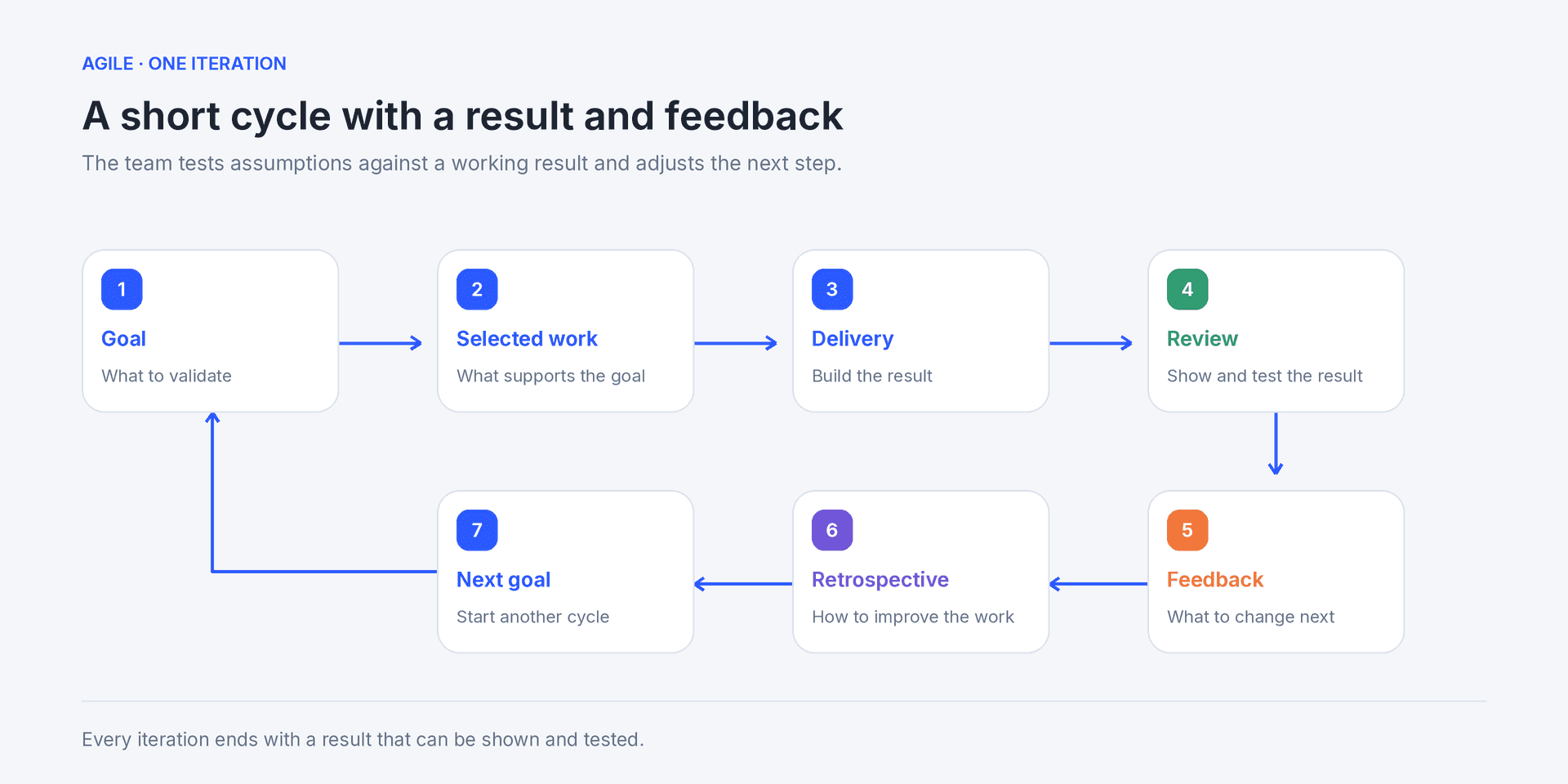
After reviewing the result, the team refines the next goal and the way it works
The diagram above shows one cycle. Its parts are below.
Backlog
A backlog is an ordered list of future work: features, changes, problems. The most important items sit at the top. Top items must be clear enough to start; lower ones can stay rough and get refined when their turn comes.
Iteration
An iteration is a fixed period in which the team produces a result that can be checked. Usually 1–4 weeks. Scrum calls it a sprint. Kanban may have no fixed iterations at all: work moves as a continuous flow.
Review
At the end of the iteration, the team shows the result: a prototype, a page, a configured campaign. The client and the team check whether it solves the problem. A review checks the result; it is not a report on how busy everyone was.
Retrospective
A separate short meeting about the process, not the product: what helped, what slowed the work down and which one change to try in the next cycle. Without retrospectives the team repeats the same mistakes every iteration.
Agile methodology example for an agency
A fictional 12-person digital agency is building a client website. Instead of two months of work behind closed doors, the team splits the project into two-week iterations. The goal of the first one is a test page where a visitor can read the offer and submit a request.
- The project manager and the client agree on the iteration goal and acceptance criteria.
- The team takes backlog tasks that lead to this goal: copy, design, form, testing.
- The designer, copywriter and developer do the work and agree on dependencies.
- At the end, the team opens the page with the client and sends a test request.
- The client clarifies priorities: the price calculator matters more than the blog.
- At the retrospective, the team decides to start layouts only after the copy is reviewed.
- The next iteration starts with the feedback and the new priority.
Two weeks is this team’s choice, not an Agile requirement.
You can see this iteration with estimates, actual hours and totals on the Agency example tab of the iteration plan template.
How to plan the first iteration without overloading the team
First check that the client’s materials are ready and that the person who will accept the result is available. Then estimate the tasks in hours and compare them with real availability. Count meetings, support for other clients and time off. Twelve people on staff do not mean twelve people working on this site all cycle.
In the iteration plan template each person’s load is calculated automatically: if the tasks add up to more hours than they have, the cell turns red.
Agree on a definition of done
Agree in advance what counts as a finished result. Otherwise the end of the iteration turns into a “done or not” argument.
| Check | Example for the test page |
|---|---|
| User outcome | A visitor understands the offer and can submit a request |
| Functionality | The form sends data to the right recipient |
| Quality | Mobile view, links and form states are checked |
| Handoff | The client has the link and a list of known limitations |
If the form does not work at the end of the cycle, that work is unfinished. Put it back into the plan with a reason and a next step instead of marking the iteration as done.
How to handle a new requirement mid-iteration
The client asks for a price calculator. The project manager finds out what problem it should solve, and the team estimates the effort. Then there are three options: move the calculator to the next iteration, swap it for other work, or revise the budget and date.
On a fixed-price project, record the agreement in writing: what was added, what was removed, what price and date were agreed. Frequent feedback helps only when the team turns it into controlled decisions.
What to discuss at the retrospective
Pick one specific delay. For example, design started before the copy was ready and a section was redone twice. The team agrees to start layouts after the copy is reviewed, names who checks readiness and returns to it at the next retrospective.
Judge changes by results: fewer returns for revision, a usable page delivered sooner. The number of meetings and moved cards does not show that.
The template has a Retrospective tab for this: completion rate, returns for revision and variance from the estimate are pulled from the plan, and you add the conclusions and one change.
Where Agile is used beyond software
Agile came from software development, but it works wherever results can be shown in parts:
- marketing: a campaign is launched for part of the audience, the team looks at the numbers and adjusts the creatives;
- agencies and studios: the client sees a prototype, a concept or a first video before the team builds everything;
- architecture and design firms: the concept is approved in stages, and changes are made before working drawings;
- internal projects: a new system is rolled out in one department first, then to the rest.
Teams name their cycles differently: an architecture firm talks about stages and phases, an IT team about sprints. The idea is the same: a short cycle, a result, feedback.
Agile model in software engineering
In software engineering, the Agile model builds a product through repeated planning, development, testing and review instead of one long sequence with feedback only at the end. Each iteration produces an increment that can be checked, even if it is not released publicly.
This reduces work built on untested assumptions, but it does not remove architecture, testing, security or documentation. They become part of every cycle instead of being postponed to the end.
Agile frameworks: Scrum, Kanban, XP, Lean
| Approach | How work is organized | Best fit |
|---|---|---|
| Scrum | Sprints, roles (Product Owner, Scrum Master, team) and regular events | Teams building a product in short iterations |
| Kanban | Continuous flow, a visual board, WIP limits | Support, marketing, service and operations teams |
| Extreme Programming (XP) | Short cycles and engineering practices: tests, pair programming | Software development teams |
| Lean | Removing extra work and waiting | Teams optimizing flow and process |
| Scrumban | Scrum iterations + Kanban flow and limits | Teams changing their process gradually |
Agile is broader than Scrum. Scrum is one way to work Agile. Kanban also suits an Agile team but does not require sprints. Tools for Scrum and Kanban teams are compared in our review of Jira alternatives.
Agile vs Waterfall
Waterfall plans sequential phases: requirements → design → build → testing → delivery. Each phase starts when the previous one ends. Agile checks the result in short cycles and lets the next steps change.
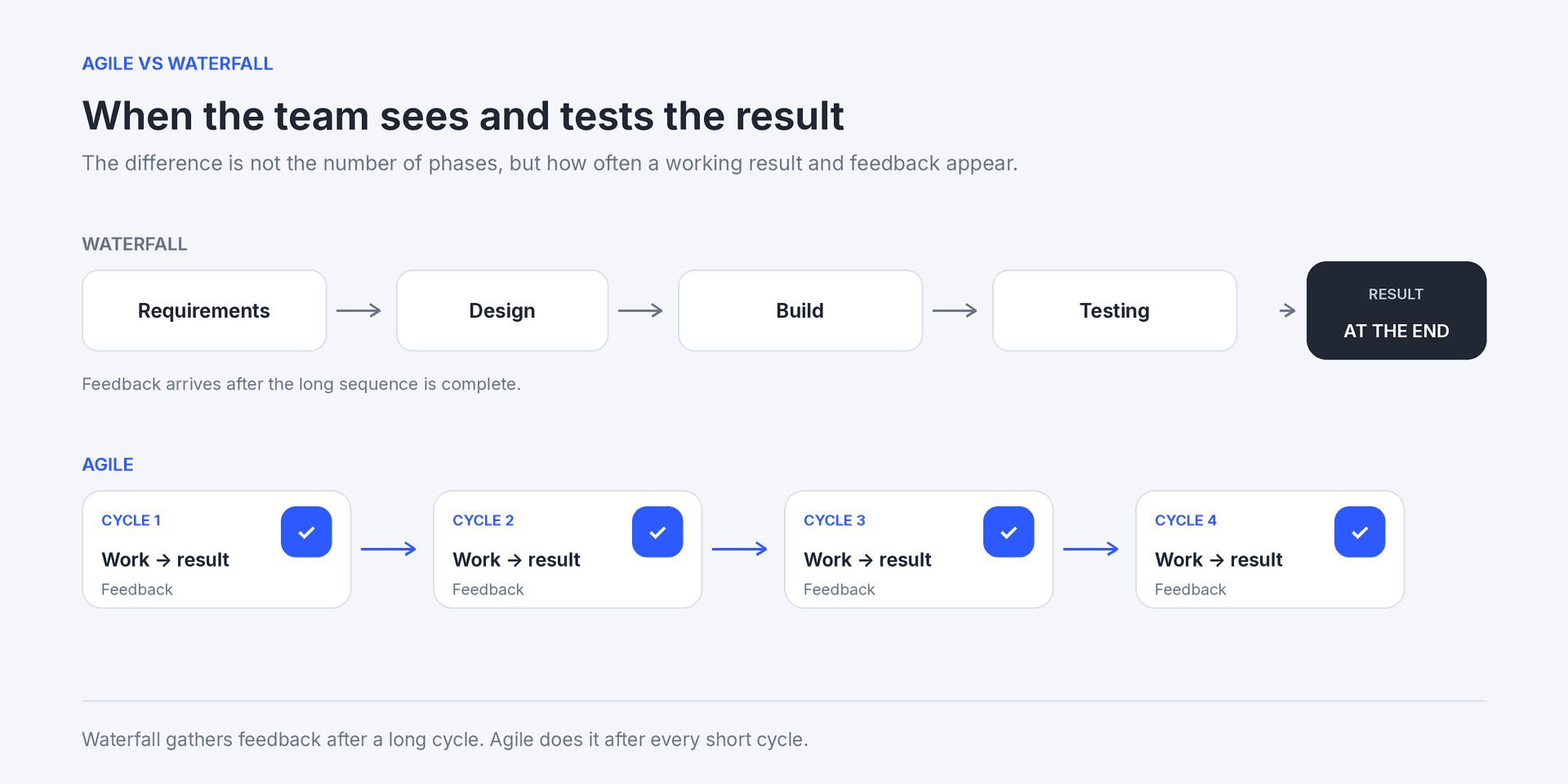
Waterfall gathers feedback after a long cycle, Agile after every short one
| Situation | What to choose |
|---|---|
| Requirements may change, the result can be shown in parts | Agile |
| The client is ready to review results regularly | Agile |
| The sequence is fixed by law, technology or contract | Waterfall |
| Changes are very expensive, the result cannot be delivered in parts | Waterfall |
| Part of the project is stable, part is uncertain | A mix of both |
You can combine both on one project. Construction phases are planned sequentially on a Gantt chart, while the website or ads for the same building are built in iterations. For a detailed comparison, see Agile vs Waterfall.
When Agile is not a good fit
Don’t choose Agile just because the team wants to plan less. It will be hard to apply if:
- the client cannot review results and give feedback regularly;
- the result cannot be shown or checked in parts;
- law, contract or technology requires a strict sequence;
- budget and scope are fixed with no rules for swapping work;
- the team has no right to change priorities;
- urgent requests interrupt every iteration with no rules.
A fixed price does not rule out Agile by itself. Set the boundaries: budget, duration, acceptance criteria and how priorities are swapped. Who makes decisions about changes is easy to set out in a RACI matrix.
Common Agile mistakes
| Mistake | What goes wrong | How to fix it |
|---|---|---|
| Agile as an excuse not to plan | The team doesn’t know what’s next, deadlines slip | Plan the next iteration in detail, the rest at a high level |
| An iteration without a goal | A random set of tasks, nothing to show | Set one goal that can be checked |
| No definition of done | “Done or not” arguments at the review | Agree on criteria before the start |
| The client doesn’t see results | Feedback arrives at the end, as in Waterfall | Plan a review in every iteration |
| New tasks dropped in mid-cycle | The plan falls apart, the team is overloaded | New work goes to the backlog or replaces estimated work |
| No retrospective, or a formal one | The same delays every iteration | One concrete problem, one change, one owner |
| Planning without checking availability | The iteration slips, overtime | Compare estimates with people’s real availability |
Checklist before the first iteration
- The iteration has one goal you can show the client.
- Backlog items are ordered, and the top ones are clear enough to start.
- Tasks are estimated and compared with the team’s real availability.
- The definition of done is agreed with the client.
- The review date is in the client’s calendar.
- There is a rule for new requirements mid-cycle.
- The retrospective is scheduled.
How to run an Agile process in if.team
Agile agreements work when everyone sees what is in progress, what is done and how much time it took. In if.team a project is split into iterations, work into tasks, and reports show plan vs actual for each cycle.
1. Split the project into iterations
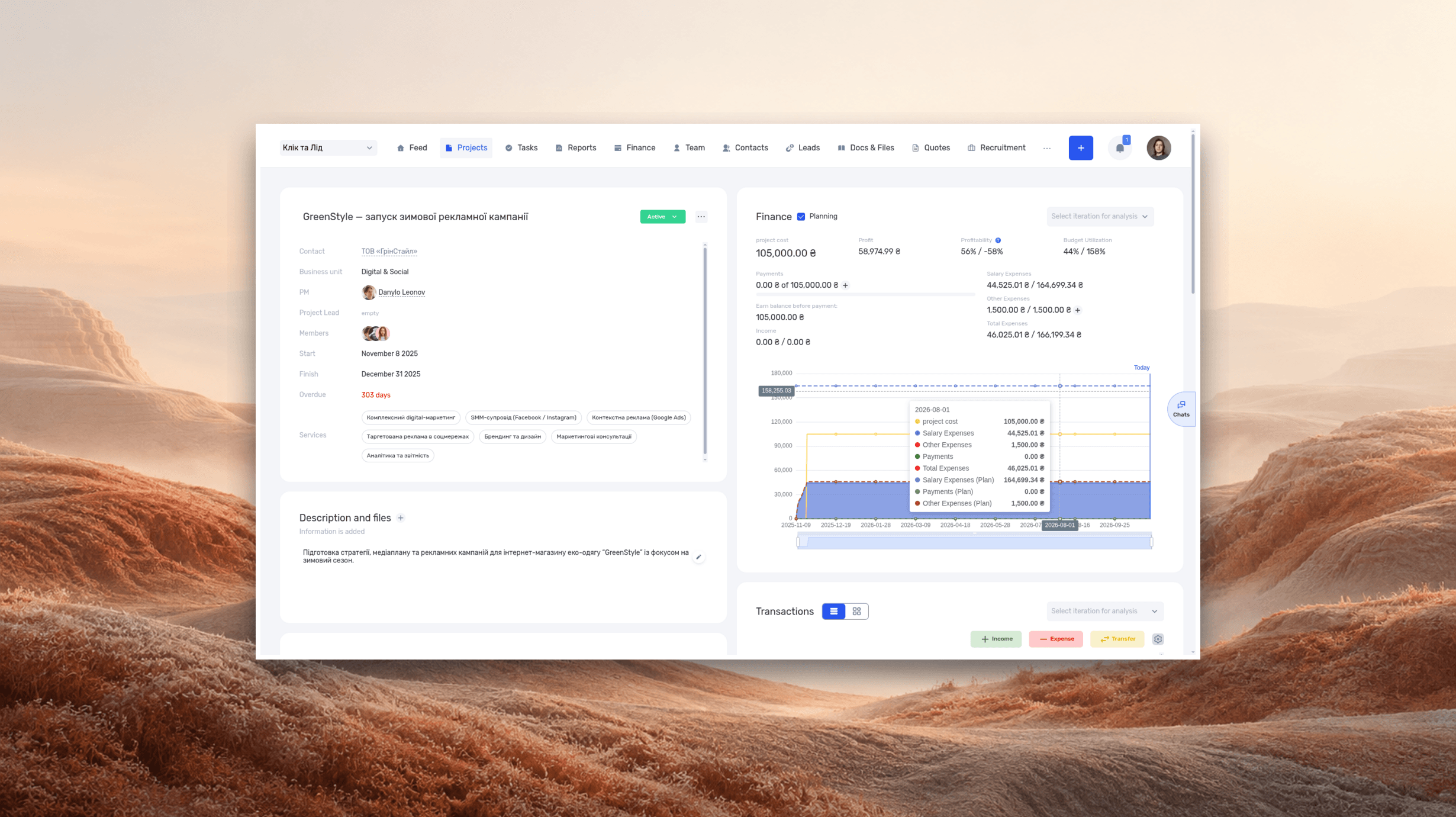
An iteration in if.team is a project stage with its own dates and set of tasks. Time and money in reports are also broken down by iteration, so you see what each cycle cost. How projects and iterations work: see the project documentation.
If your team is used to the word “sprint”, rename iterations in the Terminology block of the company settings. The new name appears in the project, on the Gantt chart and in the mobile app.
2. Collect the backlog
The if.team Planner has a backlog for tasks not yet scheduled. At the project level you can keep the backlog as a separate iteration with a “Backlog” status: iterations and their statuses can be created and named however you like. Mark the most important tasks with a priority. At planning, move the selected tasks into the cycle’s iteration: you pick the iteration from a list when creating or editing a task. Task fields are described in creating a task.
3. Plan the iteration against real availability
Enter the planned time in tasks. Then check people’s load in the Planner: a manager sees each employee’s plan for the day and a week ahead. This is how the law firm Zakhyst Vlasnosti keeps track of its lawyers’ workload. If the designer has no free hours this week, part of the tasks moves to the next iteration before it starts, not on the last day.
4. Run daily work on a Kanban board
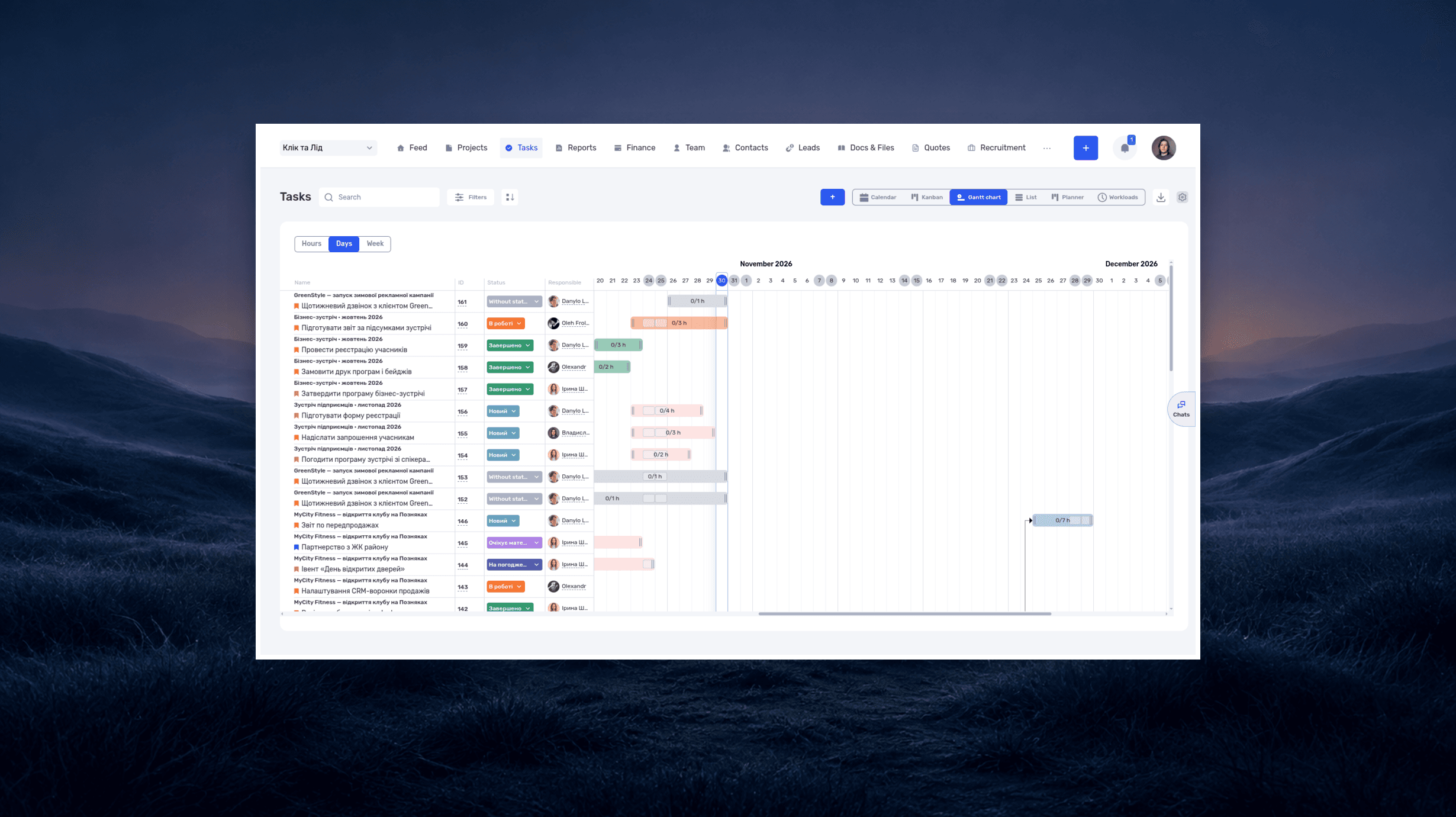
Kanban columns are task statuses, so the team sees what is in progress, in review and done. The 3D studio Pixready, with about 50 people, filters its Kanban board by department: each manager sees their part of the flow. How to set up the board: see the Kanban documentation.
5. Record reviews and returns
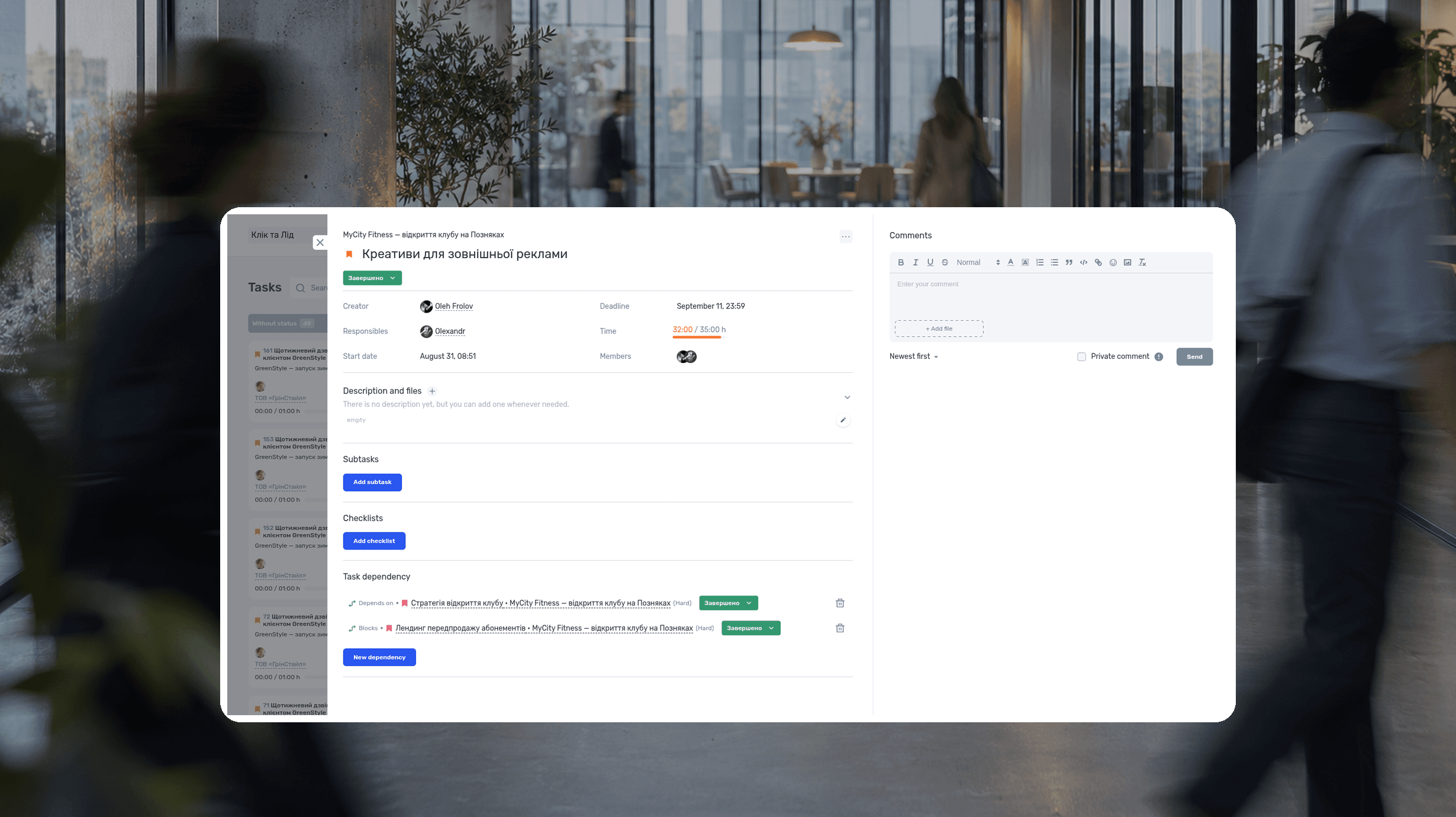
Write the definition of done in the task description or a checklist. Leave the client’s feedback after the review in task comments. If work is sent back for changes, move it to a status with the Revision flag in task and project settings. Such returns count toward quality statistics.
6. Run the retrospective on data
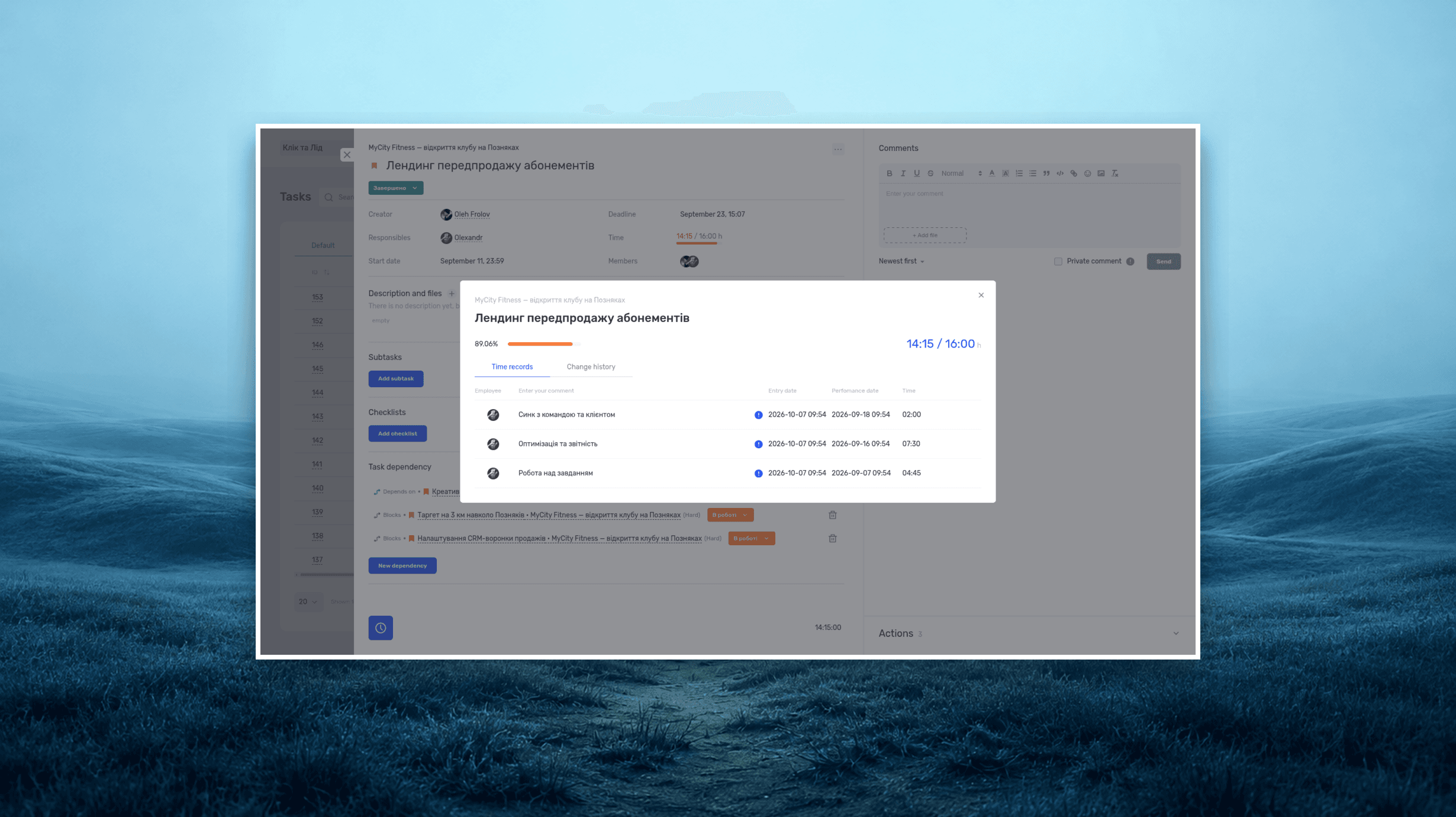
Open the task report: it shows each task’s iteration, status, planned and actual time. The project report shows the share of returns for revision. If design tasks regularly take twice the estimate, that is a topic for the retrospective and a reason to estimate them differently. More on reading tracked time: see project time tracking.
Turn retrospective decisions into tasks with an owner and a due date, or they will be forgotten by the next meeting. The Ukrainian Business Brotherhood automated this step: Claude processes the meeting recording and creates tasks in if.team from the agreements.
Move a finished iteration to a final status: no new tasks can be added to it, so the cycle’s scope stays as it was.
Agile sets the rhythm: plan, work, review, conclusions. if.team shows how that rhythm works in practice: what got done in a cycle, what it cost and where the team loses time.
Book an if.team demo or start a free trial.
Frequently asked questions
What is Agile methodology in simple terms?
An approach in which the team delivers results in short cycles, shows them to the client and adjusts the plan based on feedback. Instead of one big plan, a series of small, tested steps.
What is the Agile model?
A cyclical model of work: plan a small piece, do it, show it, get feedback and adjust the next step. Unlike the linear Waterfall model, the cycle repeats until the result is good enough.
What is the difference between Agile and Scrum?
Agile describes the general values and principles of flexible work. Scrum is a specific framework within Agile: sprints, the Product Owner and Scrum Master roles, regular events.
What is an iteration in Agile?
A short work cycle, usually 1–4 weeks, after which the team has a result to check. The length is set by the team or the chosen framework.
What is a backlog?
An ordered list of future work, most important first. The team takes tasks from the backlog for each iteration and reorders it after feedback.
Agile or Waterfall: which should I choose?
Agile when requirements may change and the result can be shown in parts. Waterfall when the sequence is fixed and changes are very expensive. You can combine both on one project.
Can Agile work with fixed-price projects?
Yes, if you define the budget, duration, acceptance criteria and rules for swapping work in advance. Without these boundaries, Agile turns into endlessly adding tasks.
What tools do Agile teams need?
A backlog, tasks with statuses, time tracking and reports that show plan vs actual for each cycle. The exact set depends on the process: a tool supports the agreements but does not create an Agile culture on its own. To get started, use our free iteration plan and retrospective template.
Author
Vladyslav ChesnokovPublished
Nov 5, 2026
More articles to read
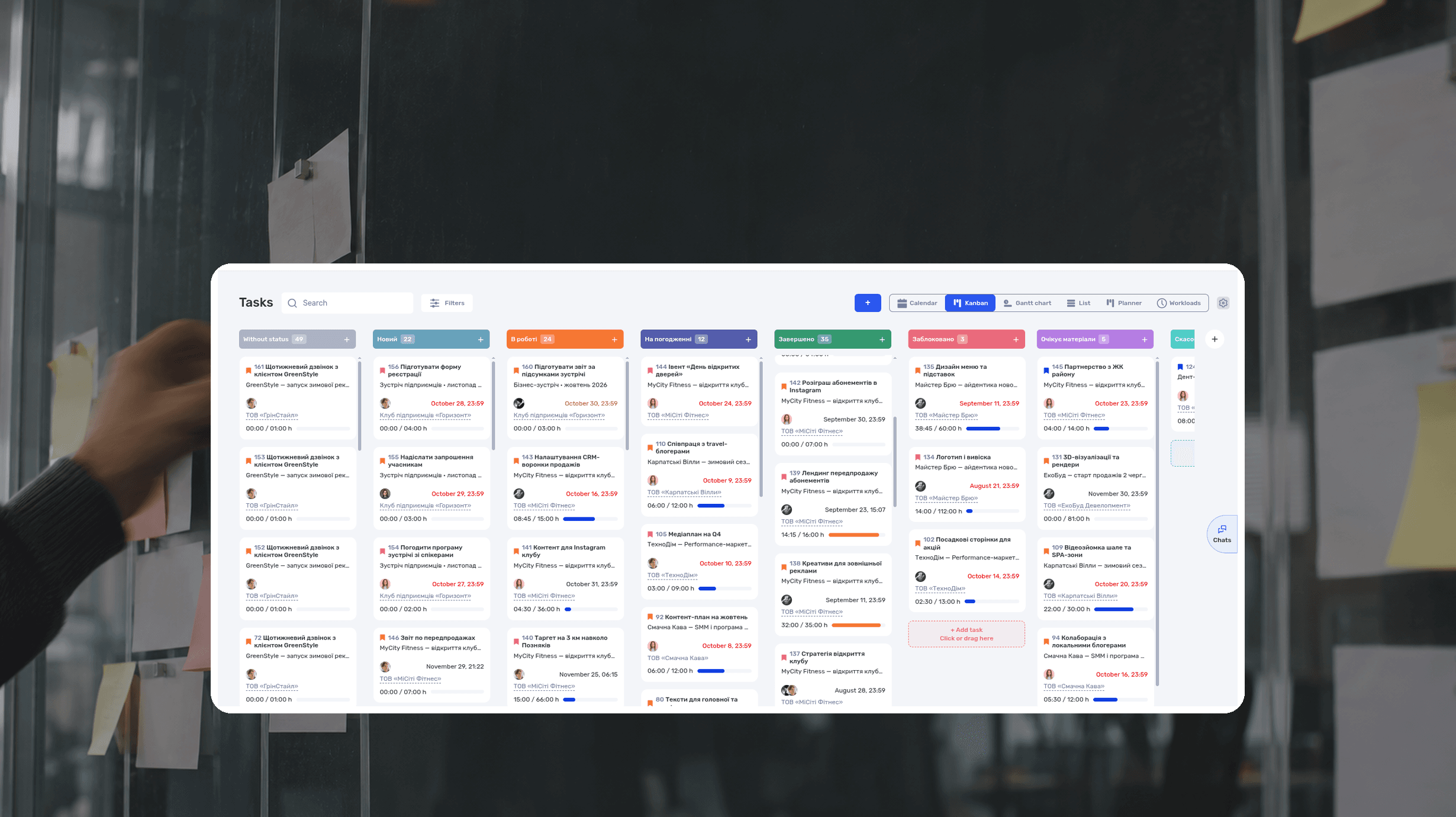
What Is a Kanban Board? Definition, Examples, Setup
A Kanban board is a visual workflow tool that represents work as cards moving through columns. The columns show each stage of the process, while work-in-progress limits control how many items a team handles at once. The board makes blocked work, queues, and delays visible.
RACI Matrix: Definition, Free Template and Example
A RACI matrix is a table that shows who does the work on a project, who accepts the result, who gives input, and who gets updates. The name comes from the four roles: Responsible, Accountable, Consulted, Informed. Rows are deliverables or decisions, columns are people or roles.
What is a deadline? How to set and meet realistic deadlines
Why six hours of work can take several days—and how to build a schedule around availability, review, and revisions. With a practical if.team walkthrough.
ERP systems explained—what they do and when your business needs one
See how ERP connects sales, delivery, and finances, with a worked example and a practical walkthrough in if.team.
Project time tracking — how to track team hours and costs
A practical guide to recording project hours, understanding overruns, and calculating team costs, with a worked example and a walkthrough in if.team.
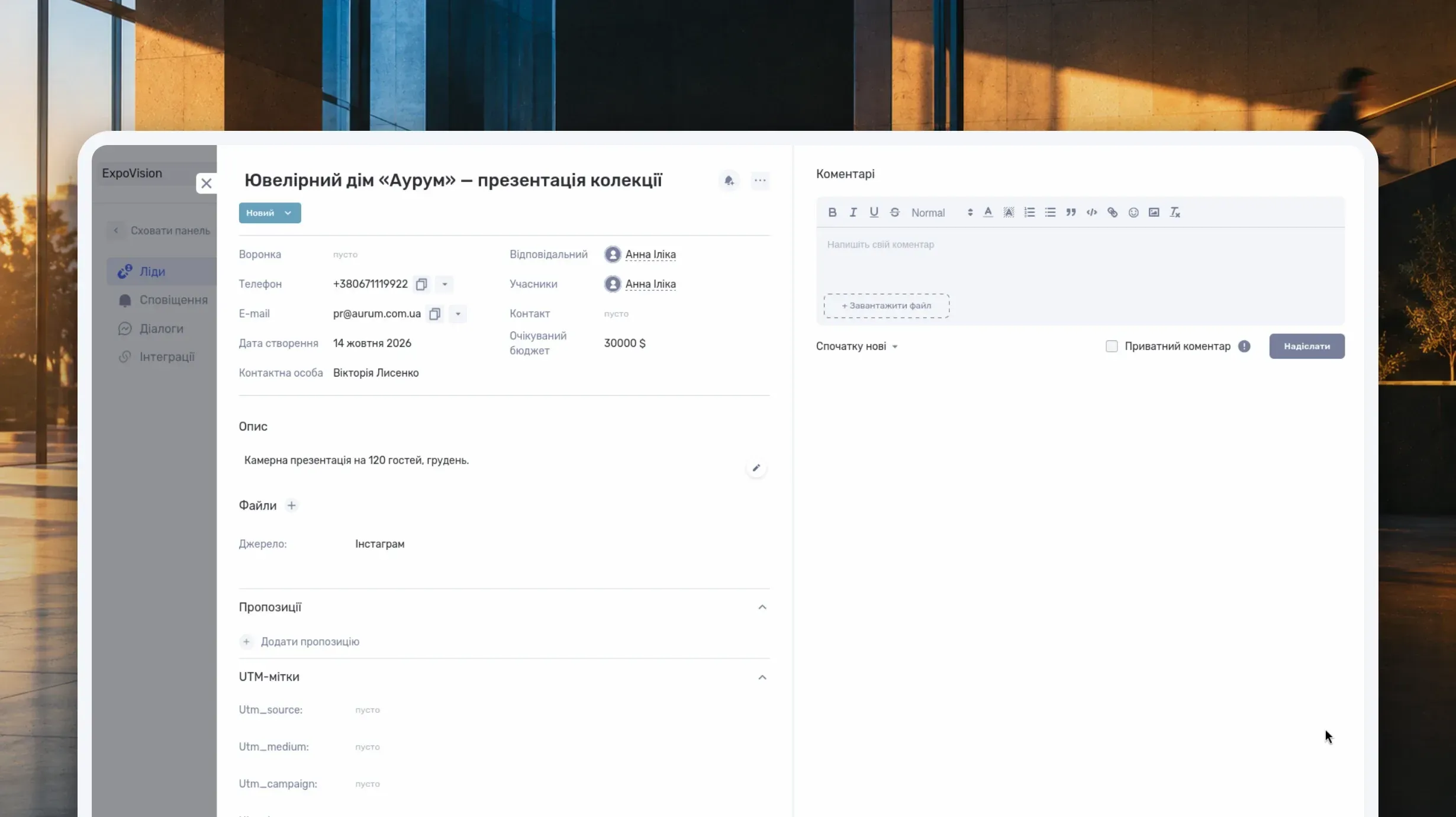
What Is a CRM System and How Do You Use It to Manage Customer Relationships?
Learn what a CRM system is, how it works from first inquiry to outcome, and which features matter day to day. Compare CRM with spreadsheets, task managers, and ERP, and see how to choose a CRM and manage clients in if.team.
See if.team in action for your company
We’ll show how projects, team time and finances connect in one system, using your processes as an example.