
What is a deadline? How to set and meet realistic deadlines
Why six hours of work can take several days—and how to build a schedule around availability, review, and revisions. With a practical if.team walkthrough.
A deadline is the date and time by which a task must be finished or an agreed result delivered. For example: “Send the client the presentation by 4 p.m. on November 6.” Agree on what must be ready by then and who will check it.
A designer estimates a presentation at six hours. The account manager promises it for tomorrow. The next day, it turns out the designer has two other projects, the copy is still being edited, and the person approving the slides is unavailable until Thursday. Six hours of work becomes several days on the calendar.
This guide explains how to set deadlines your team can actually meet: around the work itself, waiting time, and people’s availability. We’ll show how to spot a likely delay, agree on changes, and manage deadlines in project work with if.team. One example runs throughout: preparing a presentation for a client webinar.
The example is fictional, including the companies, people, and estimates.
What is a deadline?
A deadline answers a practical question: when does the result need to be ready? Cambridge Dictionary defines it as the point by which something has to be done. In a working agreement, add the time, time zone, and specific action: sending a file, obtaining approval, or publishing a page.
“Presentation due Friday” leaves room for interpretation. The designer may expect to finish the layout that evening, the manager may plan to show it to the client that morning, and the client may expect to rehearse with the finished PDF. “Deliver the approved PDF and editable file by 4 p.m. on November 6” tells the client which files to expect and when.
How to make a due date unambiguous
Use a full date and time when the handoff matters. In an international team, include the time zone. A task field can hold the due date; the brief should explain what that date represents.
Deadline, effort estimate, and forecast finish
These measures serve different purposes. Keep them separate, particularly when scope changes during the job.
| Measure | What it tells you | Example |
|---|---|---|
| Effort estimate | How much working time the task needs | Six hours to design ten slides |
| Forecast finish | When work is likely to finish under current conditions | The draft should be ready by noon on Wednesday |
| Agreed deadline | When the team has committed to delivering the result | Final files by 4 p.m. Friday |
| Checkpoint | When to review an intermediate result or prerequisite | Four slides ready by noon on Tuesday |
If the team expects to finish late, the agreed deadline still stands. Check whether a change in scope or schedule could bring the work back on track, and discuss it with the client. Quietly moving the due date every time the forecast changes removes the record of what was originally promised.
Why six hours of work can take a week
An estimate in hours measures the work involved. The finish date also depends on the person’s schedule, other tasks, materials, and approvals. Microsoft’s explanation of effort and duration makes the same distinction between hours worked and the span over which a task takes place. The calculation rules vary by tool.
In our example, Marta, the designer, can spend two hours a day on the presentation. Six hours of design therefore takes three working days. The manager then reviews it, the client responds, and Marta makes the agreed revisions. The external deadline needs to allow for that whole sequence.
To record actual hours and compare them with the estimate, see our guide to project time tracking.
Before committing to a date, check three conditions:
- Availability. Which time slots can the person set aside around existing commitments and meetings?
- Materials. What is needed to start, who will provide it, and by when?
- Approval. Who accepts the work, and when will they return one consolidated set of comments?
For example, replace “waiting for the client” with “Iryna sends final copy and logos by 3 p.m. on October 30.” That gives the team a specific prerequisite to check.
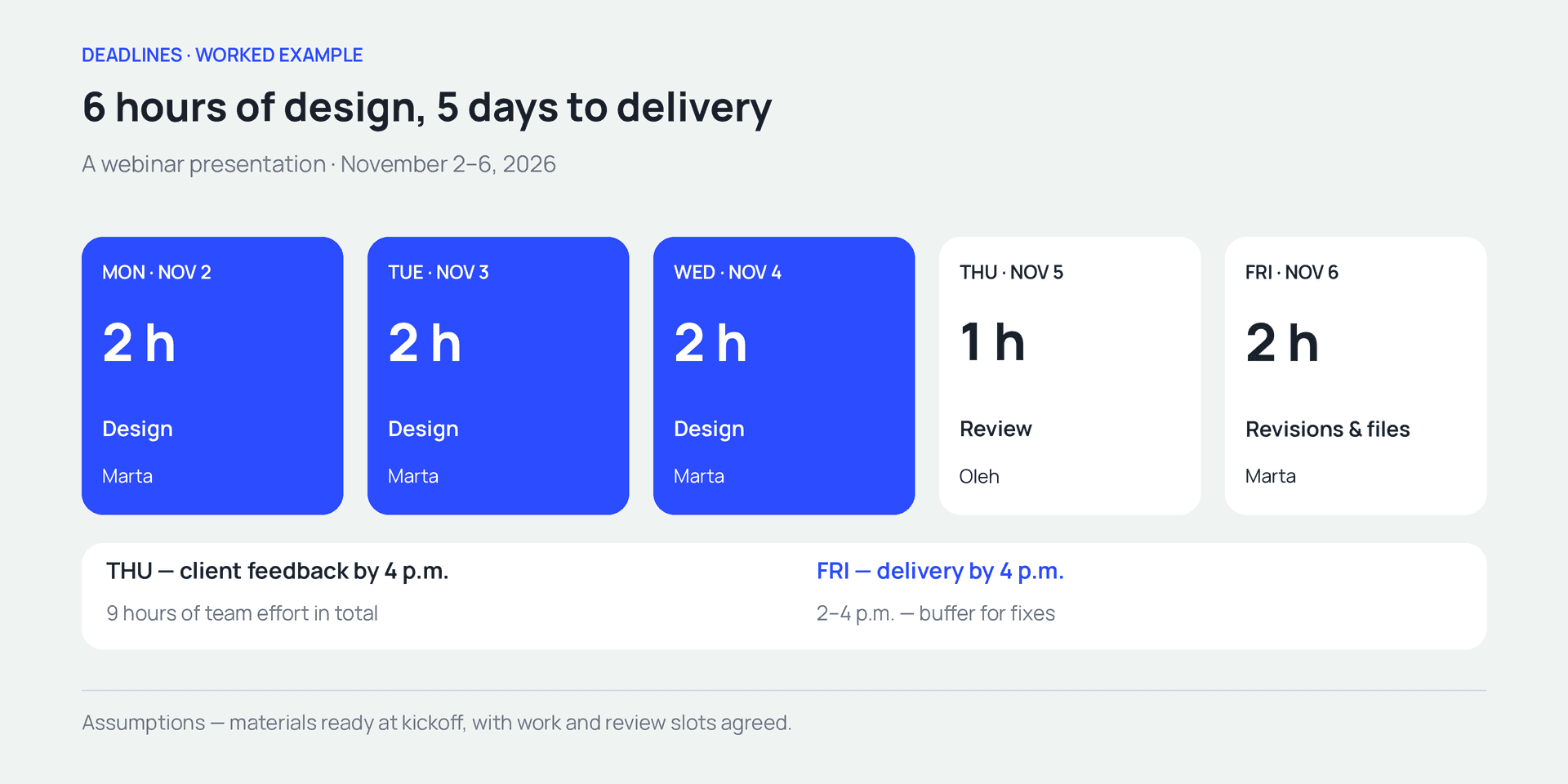
Six design hours span three days. Review, feedback, and revisions complete the delivery schedule.
Which deadlines should a team track?
Record the client deadline, the internal completion target, and the checkpoints separately. The team can then see when to finish the work and how much time remains for checks.
The external deadline
This is when another party needs the result. In our example, it is 4 p.m. on November 6. The client needs time to rehearse before the November 9 webinar.
Some external deadlines can be renegotiated. Others are tied to an event, application window, print run, or campaign launch. Record why the date matters. That helps the team decide what can change if a delay occurs.
Internal readiness
The team plans to finish revisions by noon on Friday. That leaves time before the 4 p.m. handoff to check the export and resolve small issues. The gap has an explicit purpose.
Presenting an internal target as the final deadline while hiding the real handoff can leave people planning around different assumptions. Label the two events clearly: “ready for final checks” and “sent to the client.”
Checkpoints
A checkpoint tests whether the deadline is still achievable. For the presentation, the useful checkpoints are materials ready before kickoff, an early slide draft on Tuesday, and consolidated feedback on Thursday.
The number depends on the work’s length and uncertainty. A short, familiar task may need only a final check. For a new format, getting an early sample approved helps the rest of the work build on an accepted direction.
How to set a realistic deadline
Start with the deliverable and working conditions. The date should follow that discussion. If the client has already specified a date, use the same steps to determine what scope can fit before it.
1. Define what finished means
For Obrii, the deliverable is ten slides in the agreed style, checked links, a PDF for presenting, and an editable file. The client supplies the copy, and the scope includes one consolidated round of revisions. Iryna gives final approval on the client’s behalf.
Use that description to check that the team and client expect the same result. If the presenter expects animation while the team is preparing a static PDF, agreeing on a date will not resolve the mismatch. Our guide to assigning tasks explains how to define the result clearly.
2. Break the work into stages
For this example, design, review, and revisions with final export are enough. Putting everything into one task called “make the presentation” makes it easy to overlook the wait for approval.
Separate work where ownership changes, approval is required, or waiting begins. More detail is useful when it helps someone manage a handoff. Recording every minor action as a task rarely serves that purpose.
3. Get an estimate from the person doing the work
Marta estimates six hours for design, assuming the copy is ready. Oleh, the manager, allows one hour for review. Marta sets aside another two hours for the agreed revision round and file preparation. That is nine hours of team effort split between two people.
Record the assumptions behind the estimate. For unfamiliar work, a range can help: “six to eight hours, depending on the complexity of the diagrams.” Agree on the external deadline after clarifying those conditions, or with an explicit allowance for the uncertainty.
4. Match the estimate to the calendar
Check existing projects, leave, and the availability of reviewers. A person’s free time must coincide with the point when the required materials and earlier work are ready.
Marta has 10 a.m. to noon available on Monday, Tuesday, and Wednesday. Oleh reviews the draft on Thursday, and the client returns comments that day. Revisions are scheduled for Friday from 10 a.m. to noon.
5. Allow for a specific risk
A buffer can cover uncertainty such as a repeat export, a number that needs clarification, or a broken link. Our plan has two hours available on Friday, from 2 to 4 p.m., for minor technical fixes.
We chose that buffer for this presentation. The time you need will depend on the risks in your project. A two-hour buffer cannot absorb a problem that requires several days of work. A larger uncertainty needs earlier clarification or a different plan.
6. Agree on the conditions and record the date
Share the conditions behind the date: when materials must be ready, when review happens, and when feedback is due. Ask the client to confirm the deliverable and these conditions together.
Record the agreement where the team manages the work. If scope, price, and timing are in an approved proposal, link to it. Our business proposal guide shows how to put those commitments in one document.
A deadline planning example—a webinar presentation
Kontur is preparing slides for Obrii’s webinar on November 9, 2026, at 10 a.m. Kyiv time. The final files are due by 4 p.m. on November 6 so the client has time to prepare.
Materials are approved by Friday, October 30. Work starts on Monday, November 2. Marta has three two-hour design slots, and Oleh has one hour for internal review. The client has confirmed that consolidated feedback will arrive on Thursday.
| Date | Activity | Owner | Output |
|---|---|---|---|
| October 30, by 3 p.m | Supply materials | Iryna, client | Final copy, logos, and data |
| November 2, 10 a.m.–noon | Start design | Marta | First slides and visual direction |
| November 3, 10 a.m.–noon | Continue design | Marta | Intermediate draft for the checkpoint |
| November 4, 10 a.m.–noon | Complete design | Marta | Ten-slide draft |
| November 5, 10–11 a.m | Internal review | Oleh | Review notes before client handoff |
| November 5, by 4 p.m | Consolidated client feedback | Iryna | One agreed list of comments |
| November 6, 10 a.m.–noon | Revisions and file preparation | Marta | Final PDF and editable file |
| November 6, 2–4 p.m | Allowance for technical fixes | Marta and Oleh as needed | Checked files ready for delivery |
The six hours across the three design sessions cover only part of the work. Internal review adds one hour, and revisions with export add two. The two-hour buffer is separate and used only if needed. Waiting for client feedback also takes calendar time, although the team can work on other tasks while it waits.
The external deadline depends on materials being ready before kickoff, Marta having two hours each day, and feedback arriving on Thursday. If a condition changes, the manager reviews the sequence and availability, then updates the forecast.
A more complex schedule is easier to inspect on a timeline. Our Gantt chart guide explains how to read one. First agree on the work and handoffs; that gives the bars on the chart their meaning.
How to spot a likely missed deadline early
“In progress” tells you little about the expected finish date. Find out what is ready, how much work remains, and which conditions have changed. A short check of those three things is more useful than repeatedly asking for an update.
Look at something that is ready to review
On Tuesday, the manager opens the draft. They can see whether the early slides are ready, whether the direction is approved, and whether someone has requested complex animation. “Four hours logged” measures effort; it does not prove that half the presentation is complete.
Completion percentages can be misleading when parts vary in complexity. Nine straightforward slides and one difficult diagram make ten items, but the last one may take longer than several of the others. Ask about the specific work still to do.
Re-estimate the remaining work
If four hours have been spent and another four are needed, total forecast effort is eight hours. The original six-hour estimate remains the comparison point. Those extra two hours now need space in the calendar.
They might fit before review, or they might displace another commitment. Check the calendar to see how those extra hours affect the finish date. For regular reviews, bring the agreed deadline, forecast, remaining work, and blocker together. Our project dashboard guide explains how to choose a useful set of measures.
Act when a prerequisite has already slipped
Consider an alternative version of our example. The client sends the materials on Tuesday, November 3, after lunch. Design can now start on Wednesday. At two hours a day, six hours of design ends on Friday. The planned Thursday review is no longer possible.
That risk is visible on Tuesday, as soon as the new material delivery time is known. The manager can propose a scope change or check another scheduling option that day. Waiting until Friday removes those options.
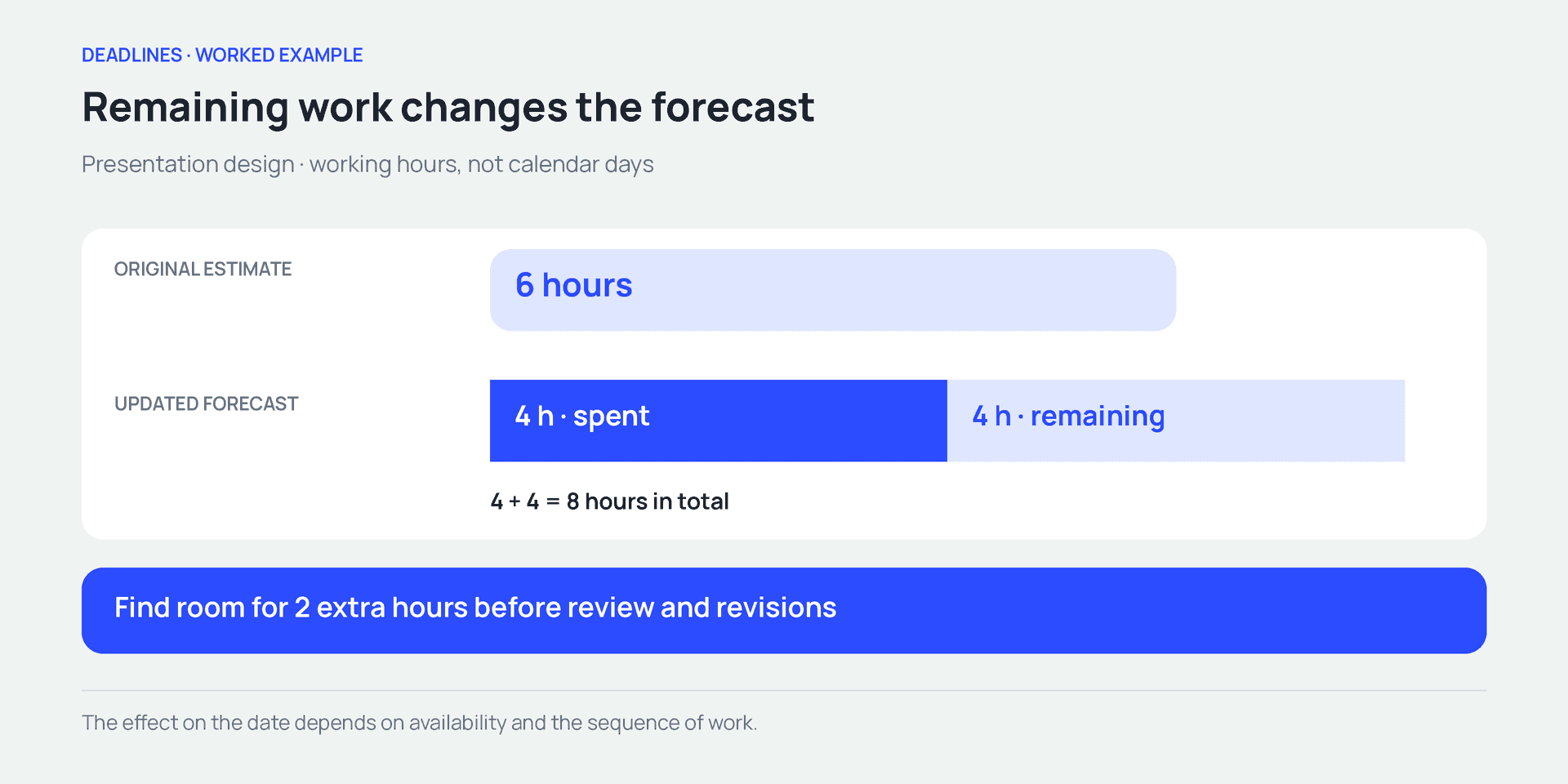
Actual effort plus the new remaining estimate gives the forecast. Check where extra hours fit in the schedule.
What to do when a deadline is at risk
First describe the gap between the plan and the forecast. Then evaluate the available options. In our example, late materials move design to Wednesday through Friday, pushing approval and revisions beyond the original schedule.
Identify the minimum useful deliverable
The client may need six core slides for the webinar, while additional examples can follow later. If that split is acceptable, Marta estimates the smaller version again: suppose it needs four design hours instead of six. That is a new estimate for a specific reduced scope.
The core slides can then be designed on Wednesday and Thursday. Move Oleh’s internal review to noon–1 p.m. Thursday, with client comments due by 4 p.m. and revisions on Friday. Check his availability for that change. The client needs to confirm that the shorter version works for the presentation and that they can review it between 1 and 4 p.m. on Thursday.
Check capacity and the cost of rescheduling
Another designer can help if they understand the materials, style, and assignment. Allow for briefing, file access, and checking that the finished work is consistent.
Moving another task frees time only after agreement with its owner. Record which project moves and by how much. Otherwise, delivering one project on time creates a hidden delay somewhere else.
Renegotiate the date when that is an option
If the full scope must stay and nobody else is available, check the calendar and propose a new date. Sending webinar slides after the event may make them useless. Moving an internal document’s due date may be acceptable. The decision depends on the consequences.
Keep essential checks in the plan, including accurate figures and working links. Dropping a decorative element has different consequences from skipping verification of important data.
You can also change the sequence by running independent tasks in parallel. First check that the necessary inputs and people are available.
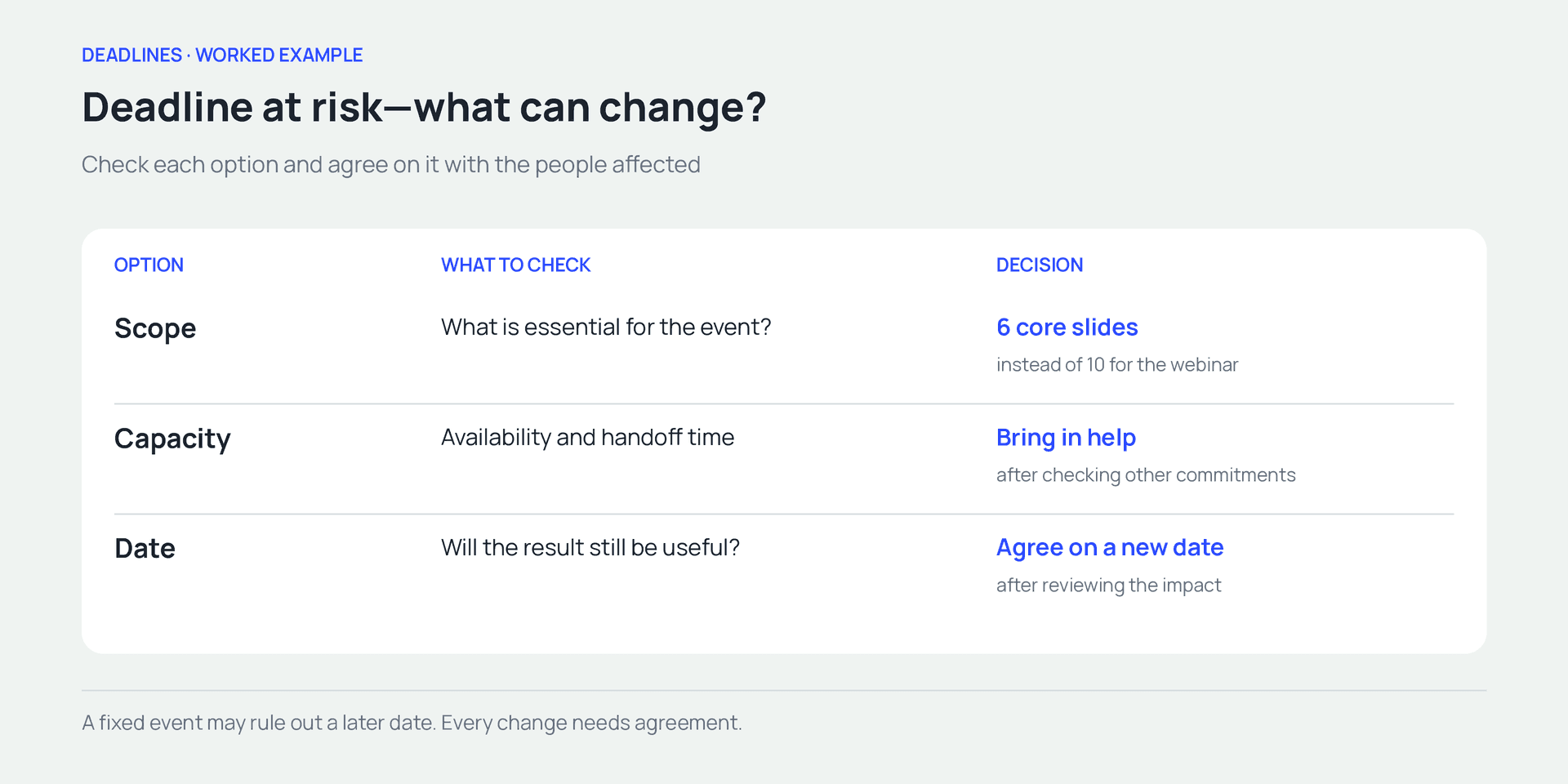
Compare the available options and agree on the change with the people affected
How to tell a client the deadline is at risk
Tell the client what is ready, what changed, how it affects the date, and what you propose. Send the message when you can explain the risk and there is still time to choose an option.
For example, if materials arrived later than agreed:
Hi Iryna,
The message offers a clear choice and response time. It gives the date the materials arrived and explains how that affects the schedule. When the delay originates within the team, be equally direct about your own mistake: “We underestimated the data checks. Our analyst needs another two hours.”
A reusable structure is: what is ready; what changed; which date is affected; what you propose; and when a decision is needed. Once the client responds, record the revised scope, date, and approver. Silence is not acceptance of the new terms.
If the date itself must change, be explicit: “The full version needs another two hours of checks. We’ve checked the team’s schedule and propose delivering the files by noon on Monday instead of 4 p.m. Friday. Would that work for you?” This is a separate example for work without a Monday-morning event; it would be too late for our webinar.
Which deadline metrics are useful?
Start with a few questions about completed work. Was the agreed scope delivered by the date? When was the risk first identified? Why did the plan change? The answers help locate specific problems in the process.
If you measure on-time completion, define the rules. Suppose ten tasks were due during the week and eight were accepted by their original deadlines. Under that definition, the on-time rate is 80%. Report agreed extensions separately so moving a date does not hide the original variance.
Decide how to handle cancellations, scope changes, and external delays. Without shared rules, two teams can produce different figures from the same events. Our KPI guide explains how to connect a measure to a useful decision.
It also helps to track how early someone raised the risk: Tuesday, or an hour before Friday’s handoff? The final delay might be identical, but the opportunity to agree on an alternative is very different. Use that information to improve the process, taking task complexity and circumstances into account.
A checklist before committing to a deadline
Work through these six questions before promising a date. Where an answer is missing, clarify the condition or record it as an assumption in the agreement.
- What exactly are we delivering, and in which format?
- Who will do the work, and when are they available?
- Which materials or earlier tasks must be ready first?
- Who approves the result, and when will they respond?
- Is there time for agreed revisions and specific risks?
- Who approves scope or date changes if conditions change?
How to manage deadlines in if.team
Now let’s put the agreed presentation schedule into if.team: record the external deadline in the project, create tasks for each handoff, and keep change decisions in the comments. At each check-in, the team can compare the due date with the actual state of the work.
We’ll start with the original ten-slide plan. Step six covers the updates needed if the client approves the shorter version. Available actions depend on your role and company settings.
1. Create a project around the deliverable
Create “Obrii webinar presentation.” Add the client, manager, and team members, with a November 2 start and November 6 finish. In the description, record the external commitment: final PDF and editable file by 4 p.m. Kyiv time; webinar on November 9 at 10 a.m.
Link to the approved scope and materials. The project creation guide explains the fields. Project dates provide the overall window; individual tasks will capture the handoffs within it.
2. Separate effort from the task’s due date
Create “Design ten slides,” assign Marta, enter six planned hours, and set a November 2 start with a November 4 deadline at noon. In the description, record her availability: 10 a.m. to noon on Monday, Tuesday, and Wednesday.
Planned time holds the effort estimate; dates define the scheduling window. Entering those values does not establish that the assignee is available. See the task creation documentation for the form fields.
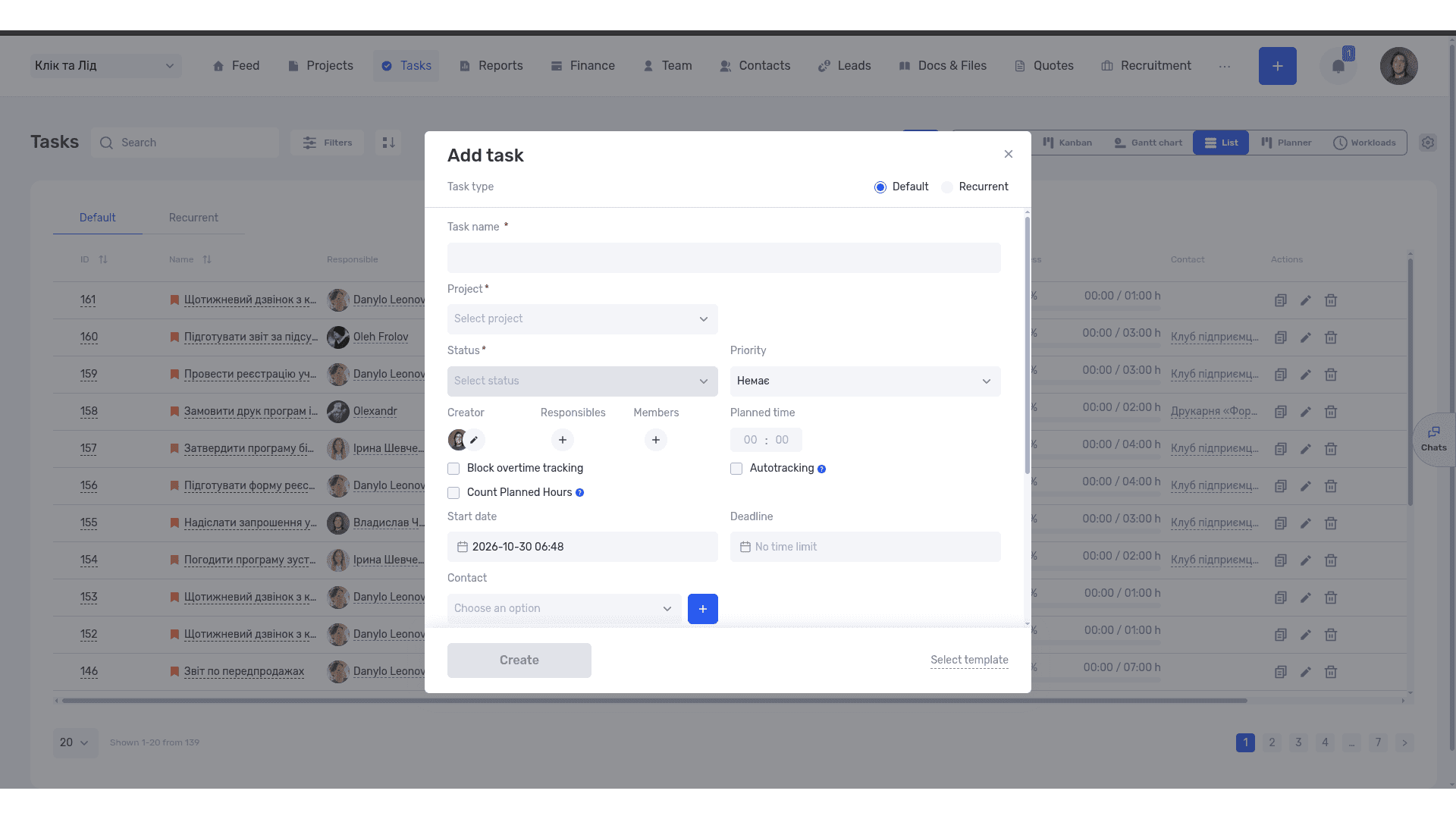
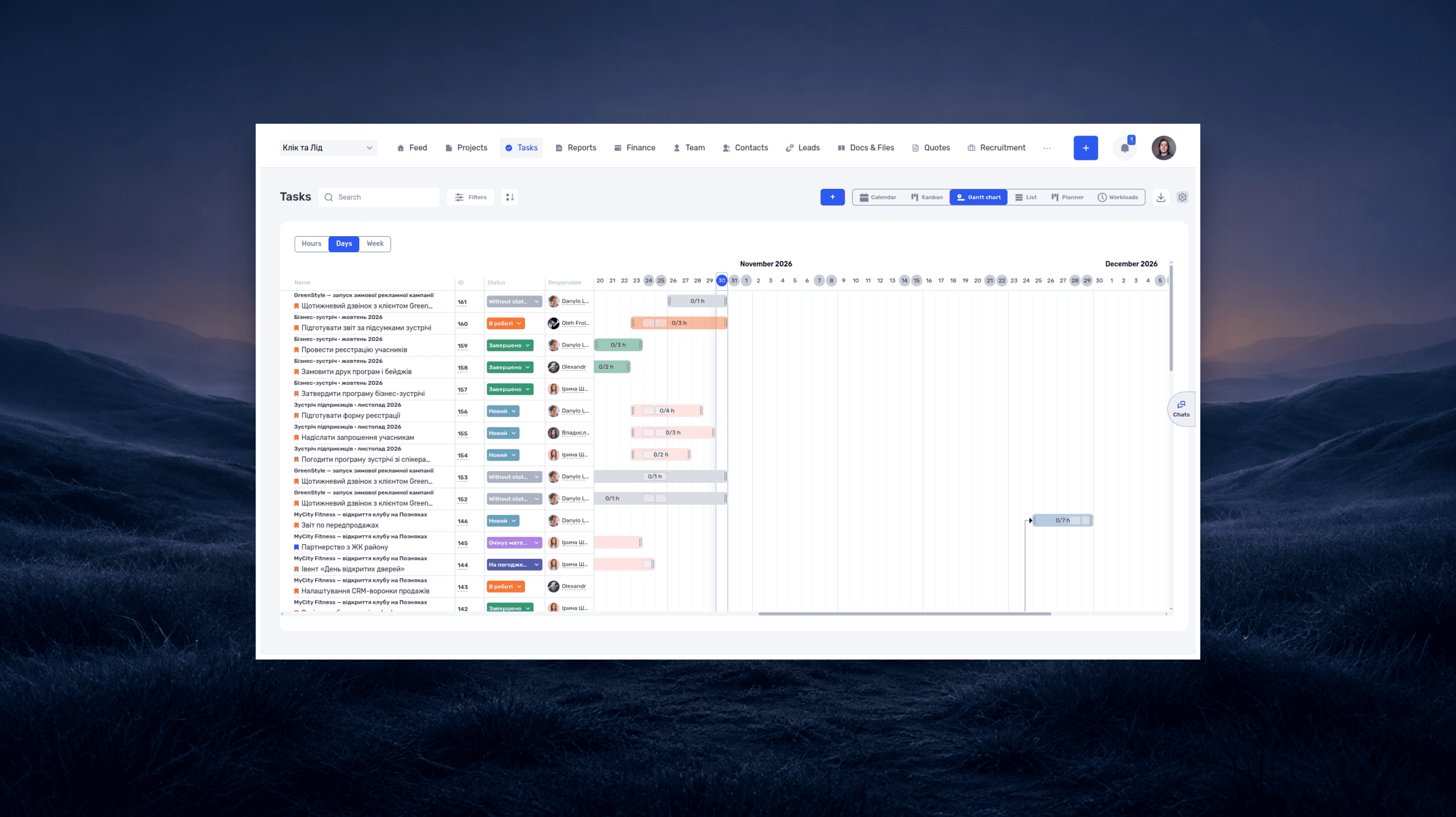
Hours show the effort required; the due date shows when the result is needed
3. Give review and revisions their own tasks
Add tasks for internal review, obtaining client feedback, and revisions with final delivery. Oleh owns review and the request for Iryna’s response, due by 4 p.m. Thursday. Marta handles revisions on Friday.
The task card’s dependency section lets you specify earlier or later tasks. Record the sequence “design → review → client feedback → revisions.” Put acceptance criteria in the description or a checklist. The tasks overview covers these features. After a date changes, check the whole sequence and update the dates of dependent tasks where needed.
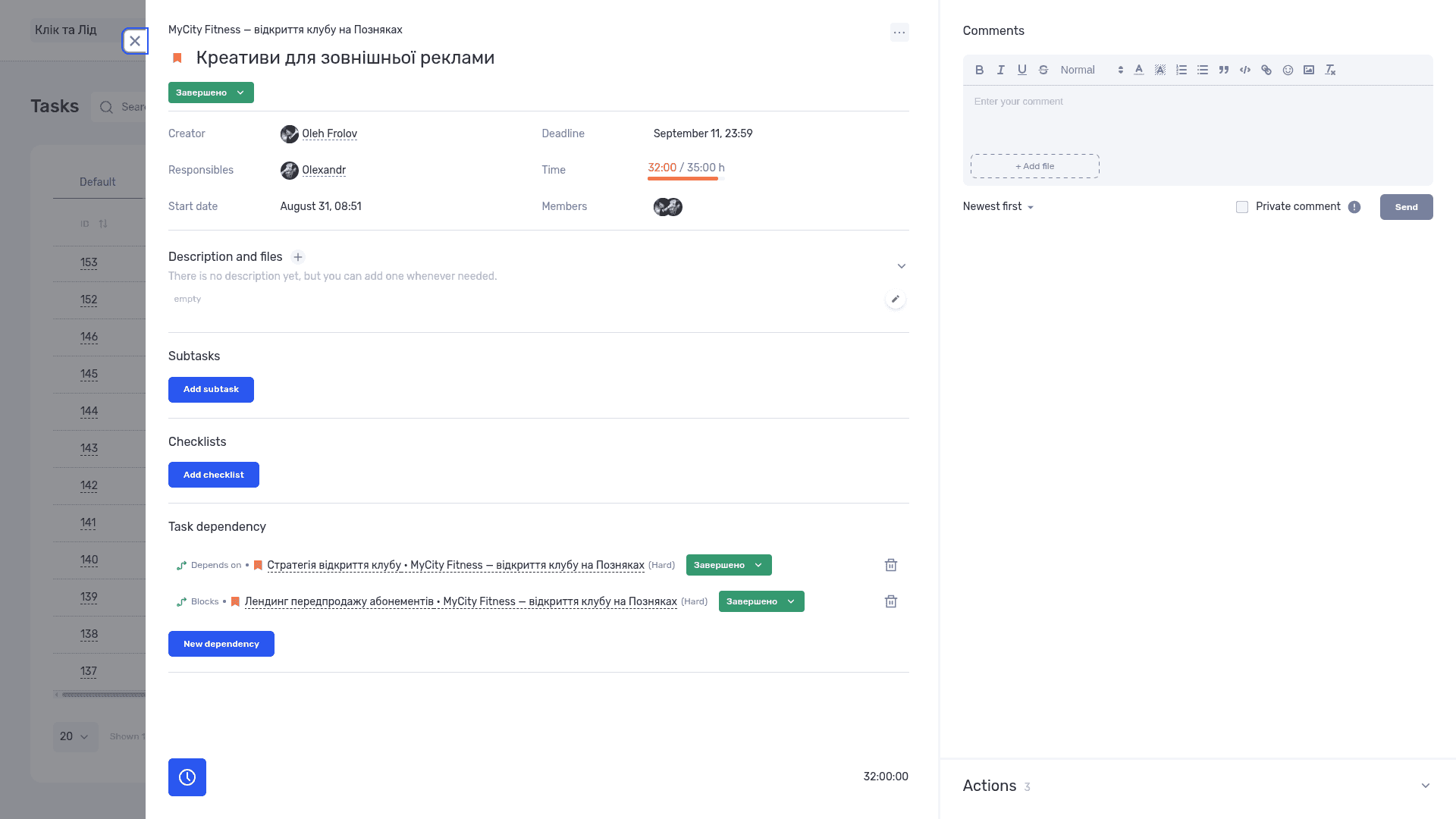
Dependencies show which work must finish first and who owns the next step
4. Check the calendar and availability
In Calendar view, select the team member and the week of November 2–6. Compare the presentation with their other tasks. See the task calendar guide for navigation and editing.
Check working schedules and absences in the work calendar, whose planning view shows planned hours. A task spanning three days does not necessarily occupy all of those days. Consider its estimate and the agreed allocation of working time.
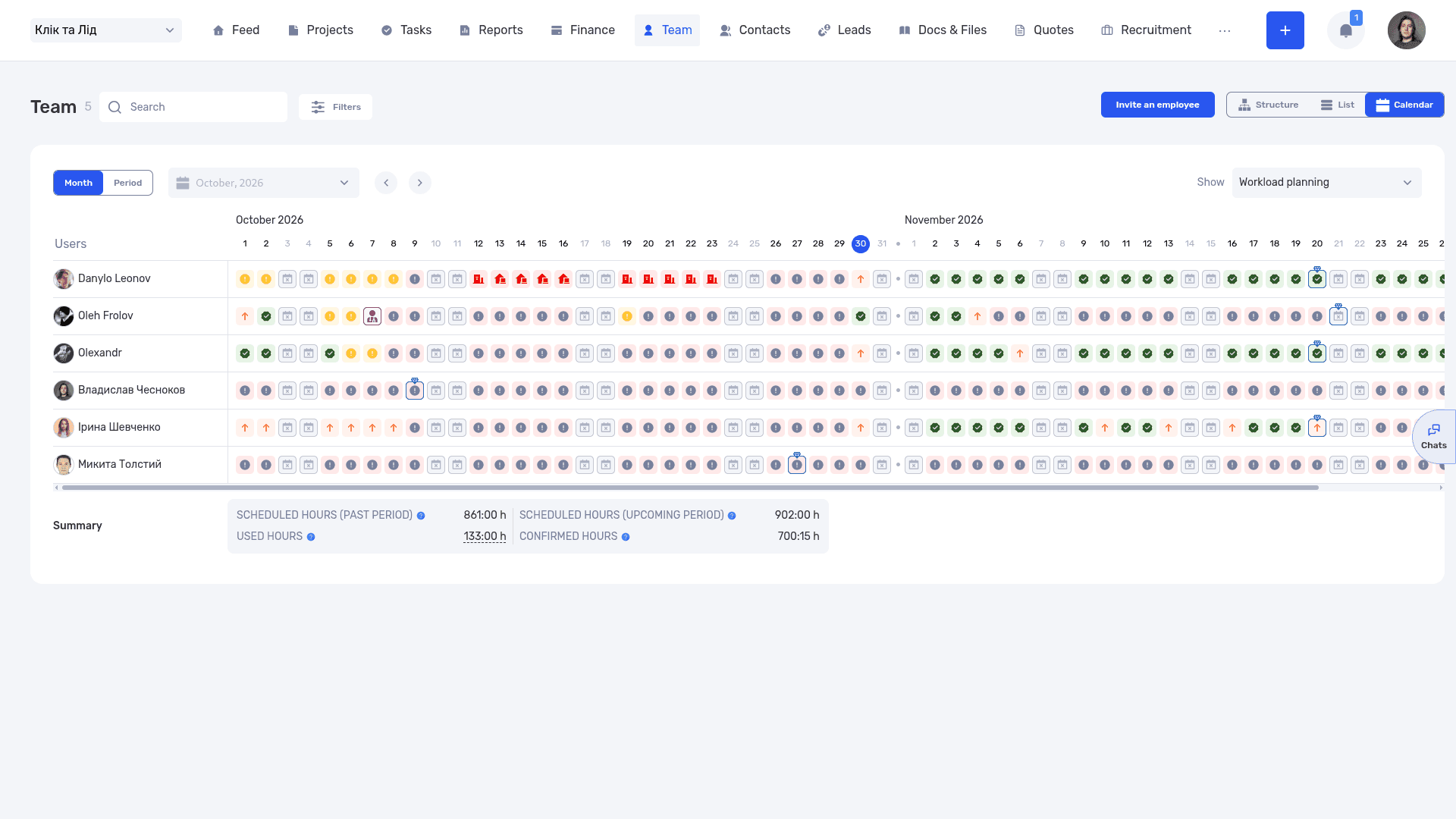
The work calendar helps the team check availability before committing to a date
5. Find the tasks that need attention
In the task list, select the project and relevant deadline period, then hide completed tasks. Check that every active task has an owner, a defined result, and a next action. Filters differ by view; the task filter documentation explains what is available.
For a timeline overview, open the Gantt chart. It shows where tasks sit in time. Assess risk from remaining work and prerequisites, even while the due date is still in the future.
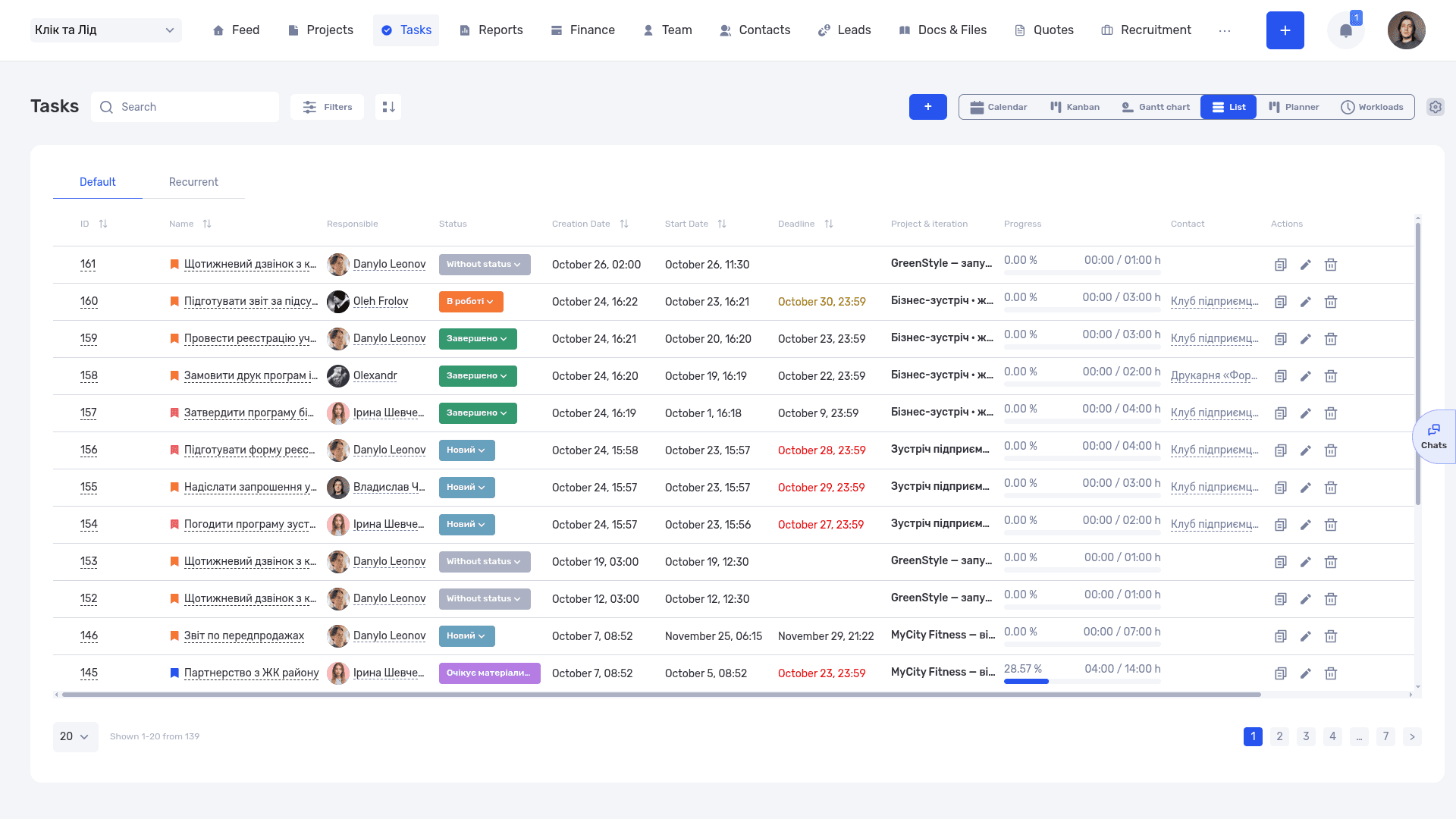
The task list shows owners, statuses, due dates, and progress
6. Record the risk and the agreed change
If materials arrive late, add a task comment explaining the delay, revised forecast, and proposed response. After the reduced scope is approved, update the relevant task names, descriptions, estimates, and dates. Keep the original commitment in a description or comment so the change remains understandable.
Edit dates through the task card or calendar as appropriate. Then check review, feedback, and revision tasks individually. Changes inside the system should reflect what has been agreed with the client.
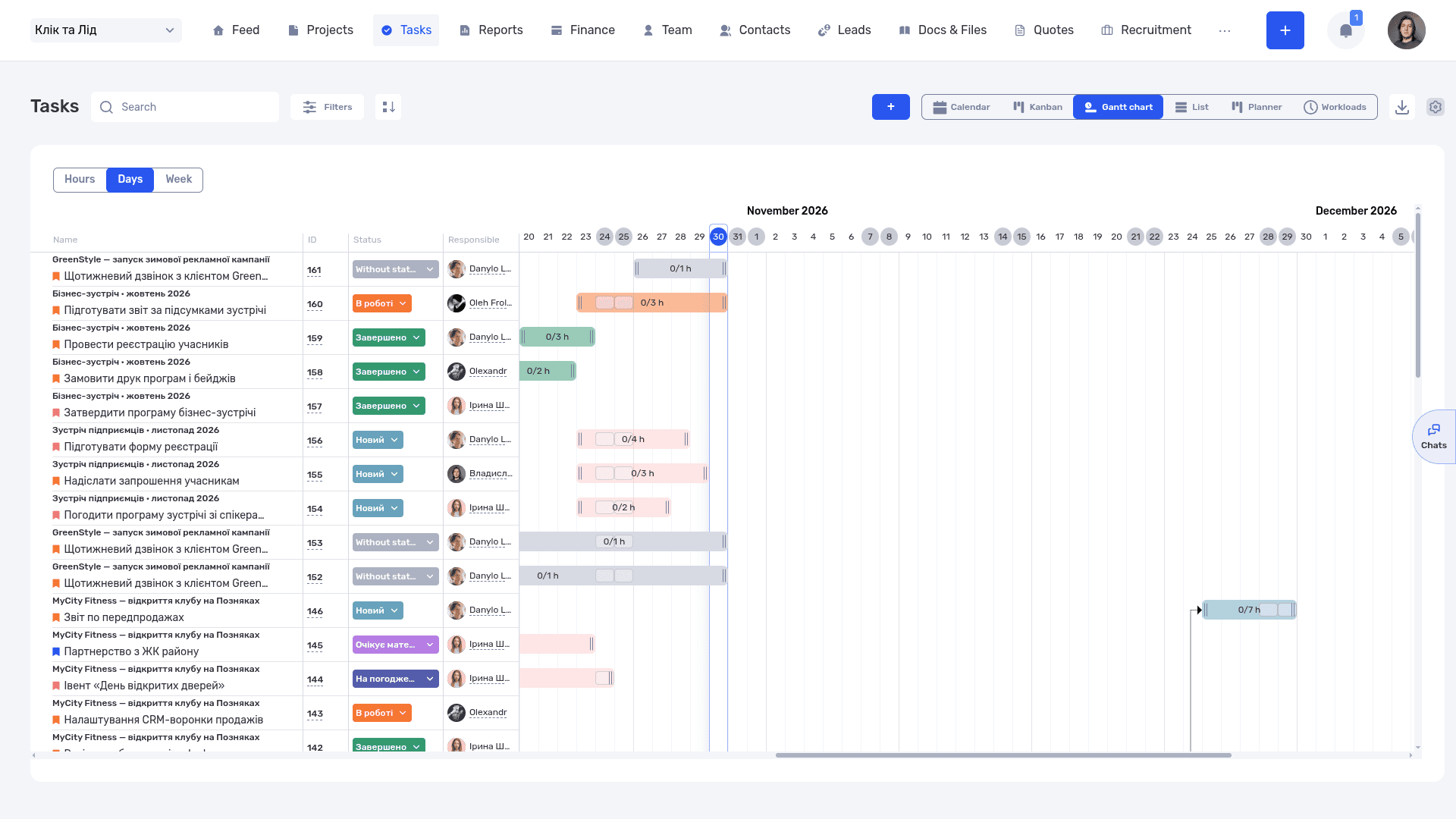
The Gantt chart helps the team spot overlapping dates and review the sequence of work
Project-based companies can apply the same questions to a presentation, a drawing package, or event materials. The ALMIS case study covers the organization of design work and project finances. Our design studio page explores related workflows for creative teams.
Start with one active project. Compare its deadline with people’s availability, approval steps, and remaining work. You can create a demo project in if.team to try the workflow. After that check, you should know what needs to happen for the team to deliver on time and where a delay could occur.
Frequently asked questions about deadlines
What does deadline mean?
A deadline is the final date and time for completing a task or handing over a result. At work, record it alongside a clear description of what must be ready.
What does “by the deadline” mean?
The result needs to be delivered by the agreed cutoff. Clarify phrases such as “by Friday” with a specific date, time, and time zone—for example, “Friday, November 6, by 4 p.m. Kyiv time.”
How is a deadline different from estimated hours?
Estimated hours describe the effort needed. A deadline specifies when the result is due. Six hours of work can take three days when the person doing it has two hours available each day.
How do you set a realistic deadline?
Define the deliverable, get an estimate from the person doing the work, and check availability, materials, review, and revisions. Then agree on the date and the conditions behind it.
Can a deadline be extended?
Yes, with agreement from the people affected. Check the impact on the event, subsequent tasks, and other projects. Record the revised date, reason, and any scope decision.
What should you do after missing a deadline?
Explain the current state, remaining work, and realistic forecast. Agree on the next useful delivery. After completion, review the cause and change a specific planning, handoff, or approval practice.
How can you manage deadlines without constant reminders?
Agree on owners, checkpoints, and how risks will be raised. Keep tasks, dates, and changes in a shared place. At check-ins, discuss what is ready, what remains, and what is blocking progress.
How do you meet deadlines as a team?
Agree on what “finished” means, get an estimate from the person doing the work, and check it against their calendar. Plan review and revisions as separate steps, look at real progress at each checkpoint, and raise a risk as soon as a prerequisite slips.
Author
Vladyslav ChesnokovPublished
Oct 30, 2026
More articles to read
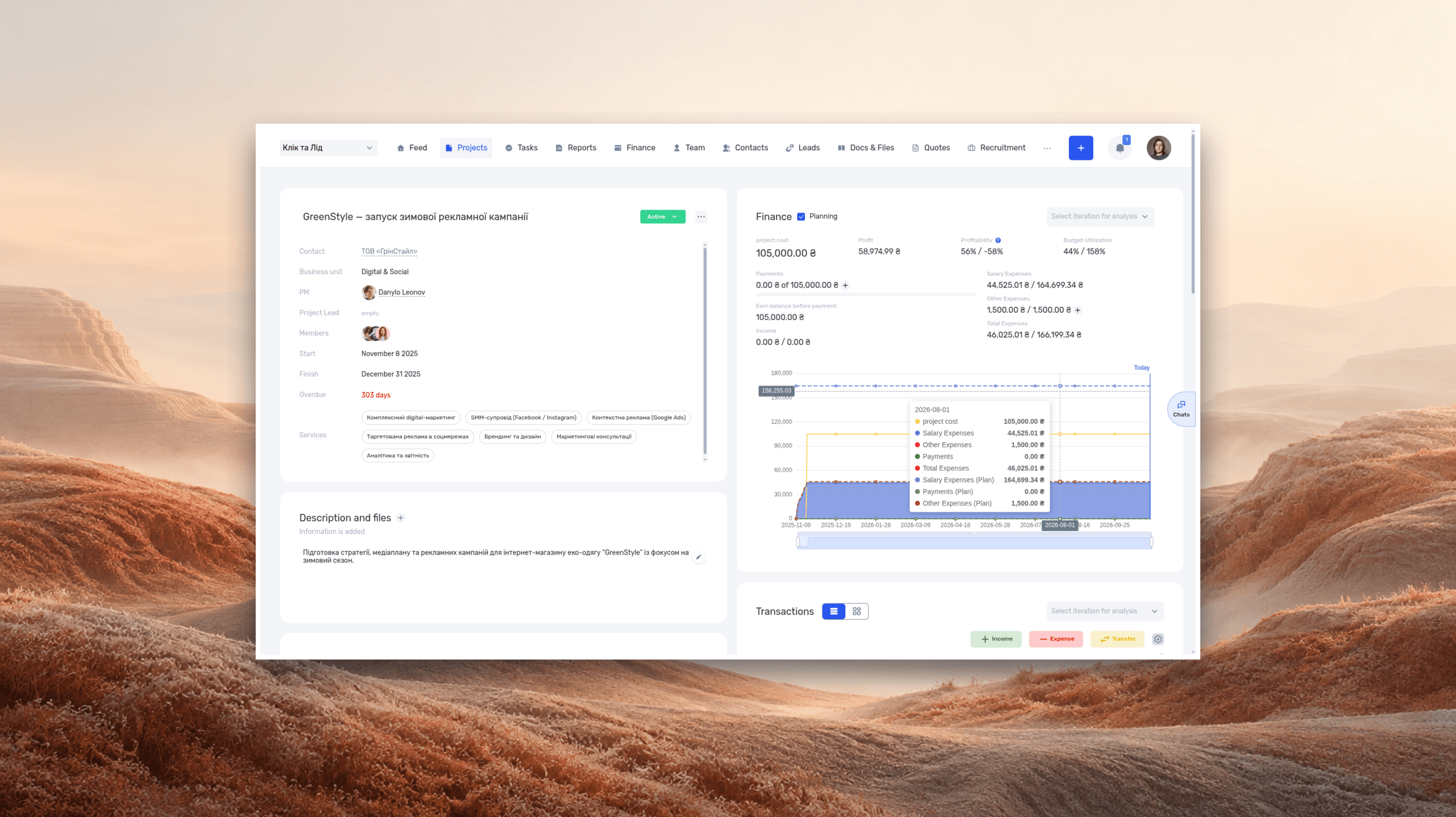
ERP systems explained—what they do and when your business needs one
See how ERP connects sales, delivery, and finances, with a worked example and a practical walkthrough in if.team.
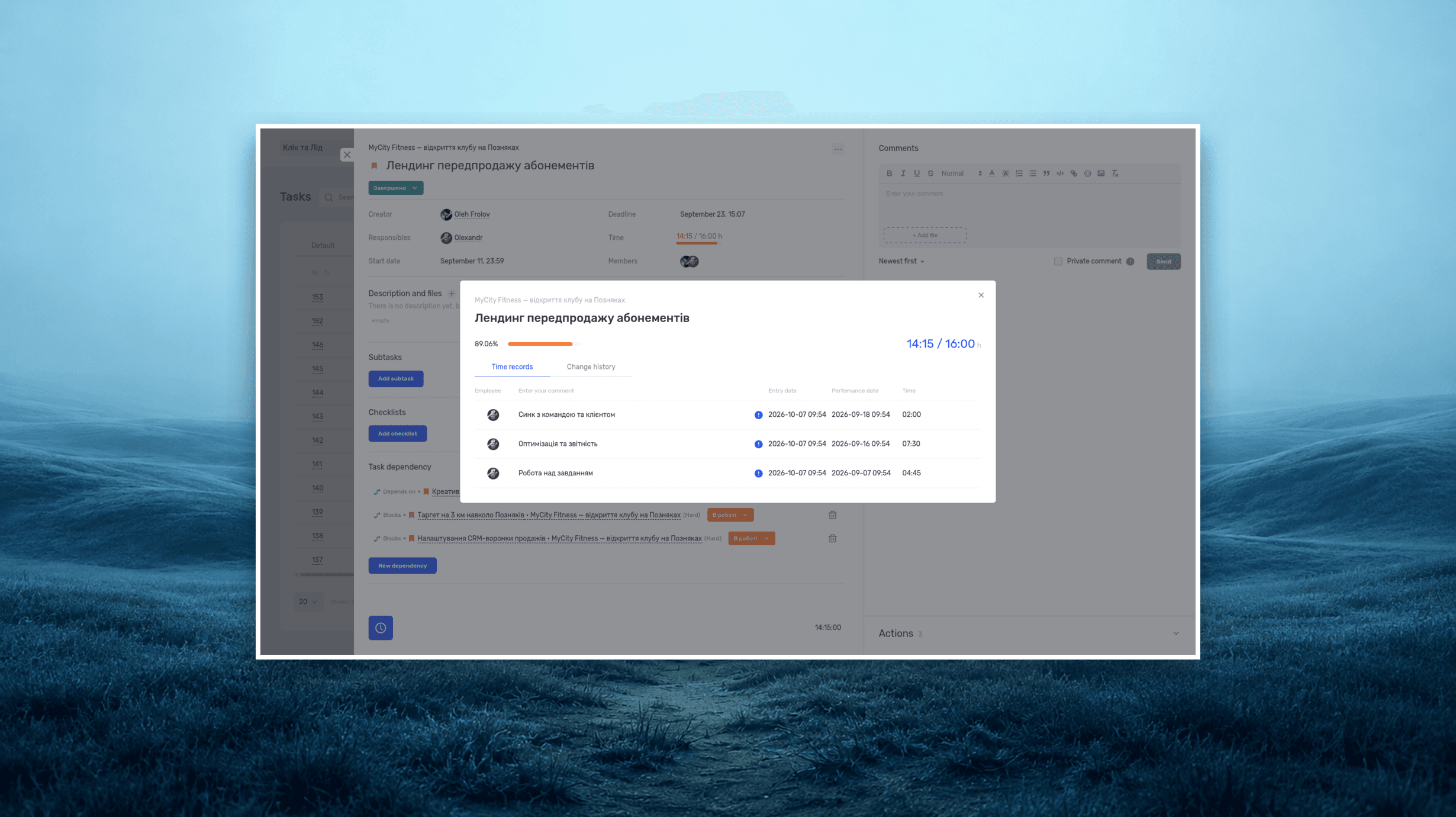
Project time tracking — how to track team hours and costs
A practical guide to recording project hours, understanding overruns, and calculating team costs, with a worked example and a walkthrough in if.team.
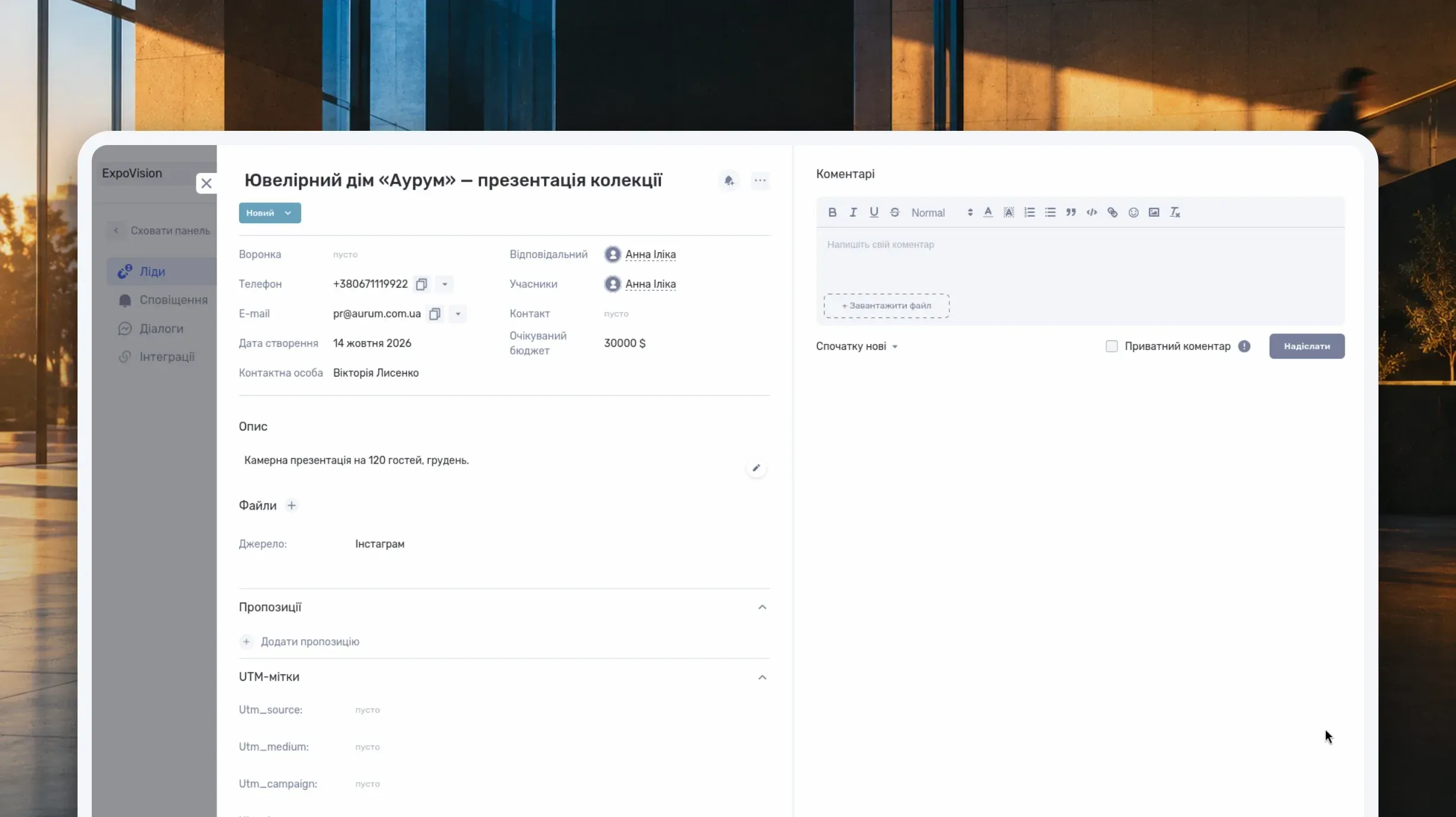
What Is a CRM System and How Do You Use It to Manage Customer Relationships?
Learn what a CRM system is, how it works from first inquiry to outcome, and which features matter day to day. Compare CRM with spreadsheets, task managers, and ERP, and see how to choose a CRM and manage clients in if.team.

What Is a Project Dashboard? Metrics, Example and Setup
Learn what a project dashboard is and how it differs from a report, a spreadsheet, or a Kanban board. See how to choose project metrics, structure the dashboard, and use it in meetings, with a website launch example and setup steps in if.team.
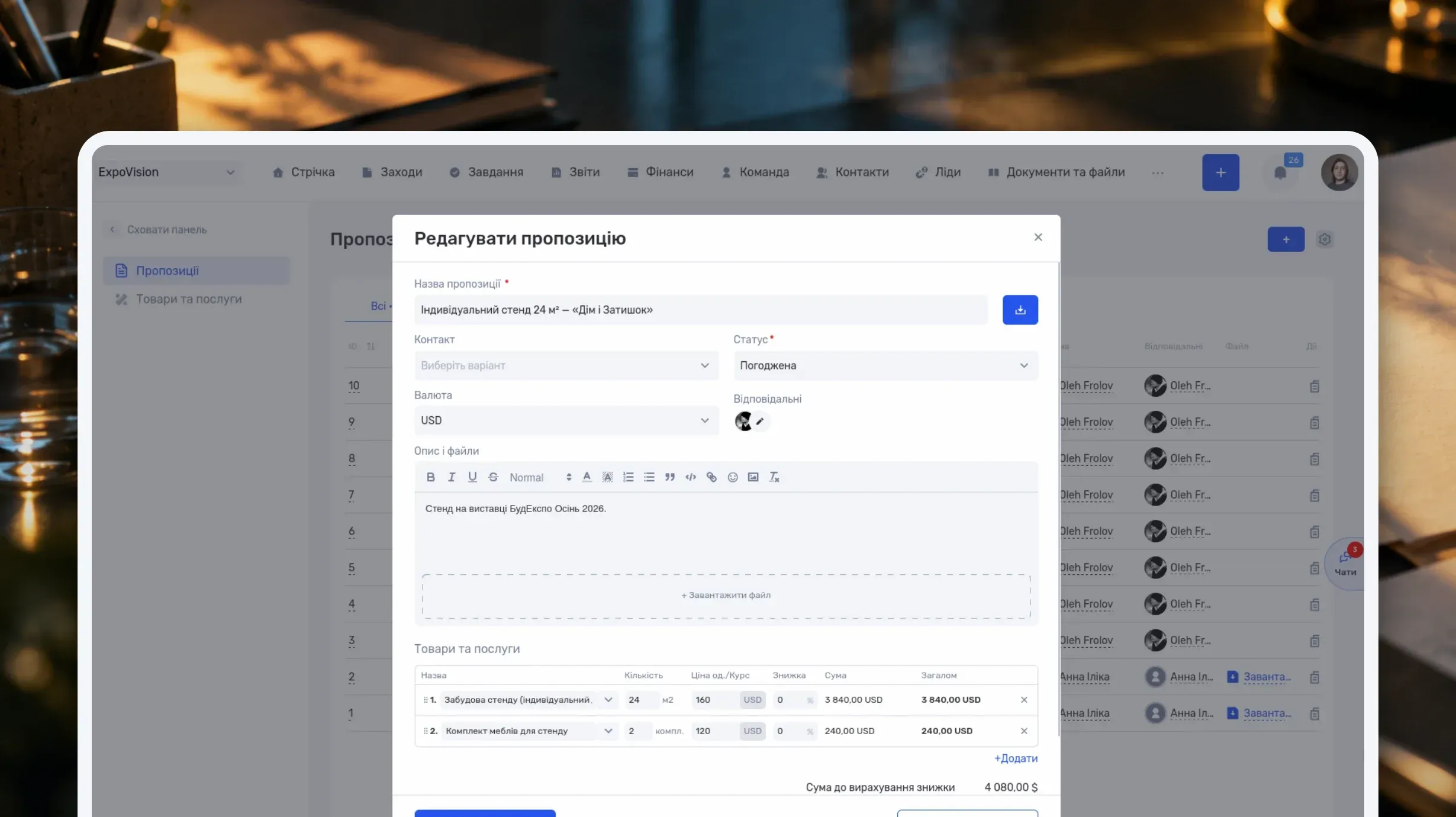
How to Write a Business Proposal: Examples and a Template
Learn how to write a business proposal: what to clarify first, which sections to include, and how to present price, timeline, and terms. Includes two examples — for services and installation work — a reusable template, sample emails, and steps in if.team.
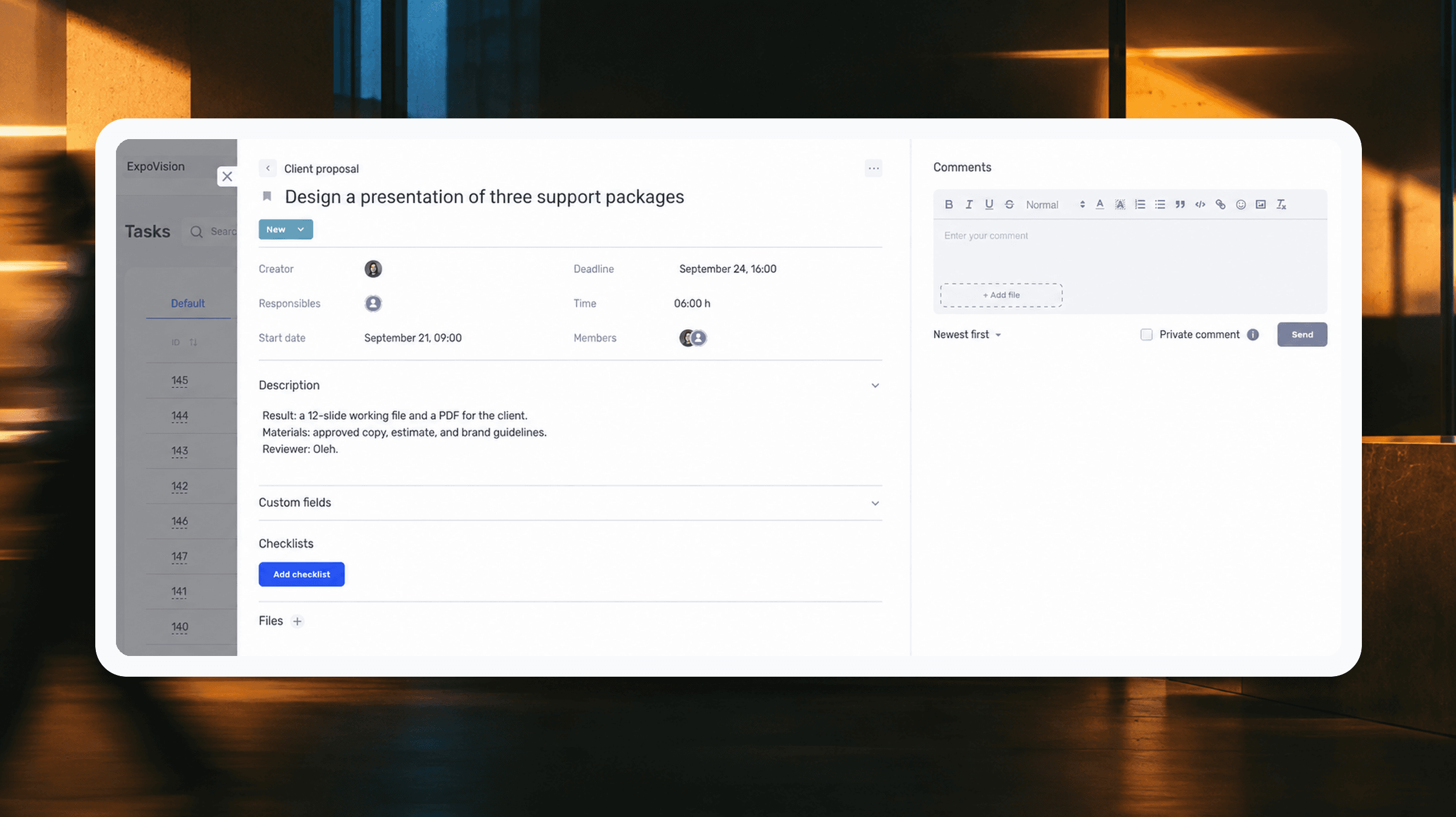
How to assign tasks to your team: from briefing to tracking completion
We break down how to assign tasks so they actually get done: what a brief must contain, how to word the result and the deadline, who takes ownership and how to check completion. With an example, an acceptance checklist and a template for running the task in if.team from start to finish.
See if.team in action for your company
We’ll show how projects, team time and finances connect in one system, using your processes as an example.