
ERP systems explained—what they do and when your business needs one
See how ERP connects sales, delivery, and finances, with a worked example and a practical walkthrough in if.team.
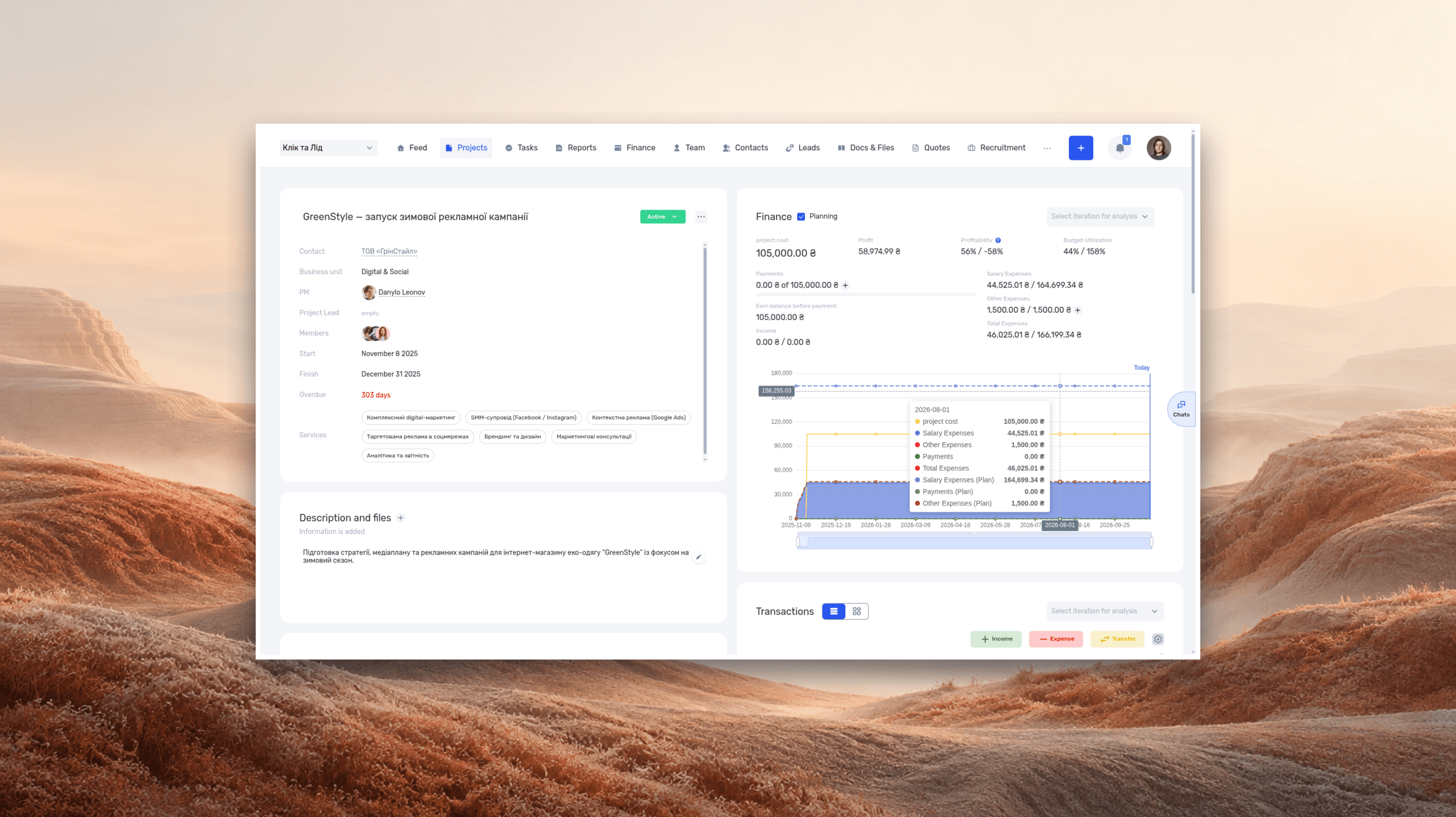
An ERP system is software that connects a company’s core operations and the data behind them. Salespeople, project teams, and finance staff work with shared information about customers, projects, and transactions. The modules you need depend on how your business works.
Picture a web design studio. A sales manager agrees to build extra pages, a designer receives the request in a chat, and the finance team invoices the original amount. Each person has handled their part of the job. Yet the additional work never makes it into the price because the change gets lost between tools.
ERP helps connect what you sold, what your team is delivering, how much the work costs, and when you expect to get paid. This guide explains how ERP works, how it differs from CRM and task management software, and how to evaluate it using one of your own projects. We’ll focus on service businesses such as agencies, studios, and consultancies, then walk through an example in if.team.
Our example follows Kontur, a studio building a website for a client called Mayak. Both companies and all project details are fictional. Amounts are in Ukrainian hryvnia (UAH); the figures illustrate the workflow and calculations.
What is ERP?
ERP stands for enterprise resource planning. It brings related business processes together around shared data. The resources involved can include money, people’s time, materials, equipment, and production capacity.
For a manufacturer, a customer order affects material purchasing, factory capacity, inventory, and payments. For a design studio, it affects team schedules, working hours, contractor costs, and client payments. In both cases, the system connects the work to the resources it requires.
Oracle’s overview of ERP describes software that supports connected business processes, including accounting, procurement, and project management. When you evaluate a product, test how data moves between those processes.
What shared data looks like
Mayak has one customer record. Its website project links to that record, and tasks and financial entries link to the project. A designer works on a task, a project manager reviews the whole job, and a finance specialist checks payments. Each person sees the information their role allows them to access.
That connection helps prevent “Mayak,” “Mayak website,” and “New Mayak project” from being treated as separate jobs in three spreadsheets. Reliable reports depend on records referring to the same project and following consistent rules.
Assign someone to record payments, check categories, log time, and update the estimate of work remaining. Without those updates, even a well-configured system will show incomplete or outdated figures.
What automation actually does
An automation performs a specific action according to a rule. Converting a lead into a project might populate some fields. Logged hours might feed into a cost calculation. An imported bank transaction might appear in the transaction list.
The conditions matter. Which fields transfer? Who checks the result? What happens when the client changes the scope or a payment is assigned to the wrong project? The answers reveal how the software will work in practice.
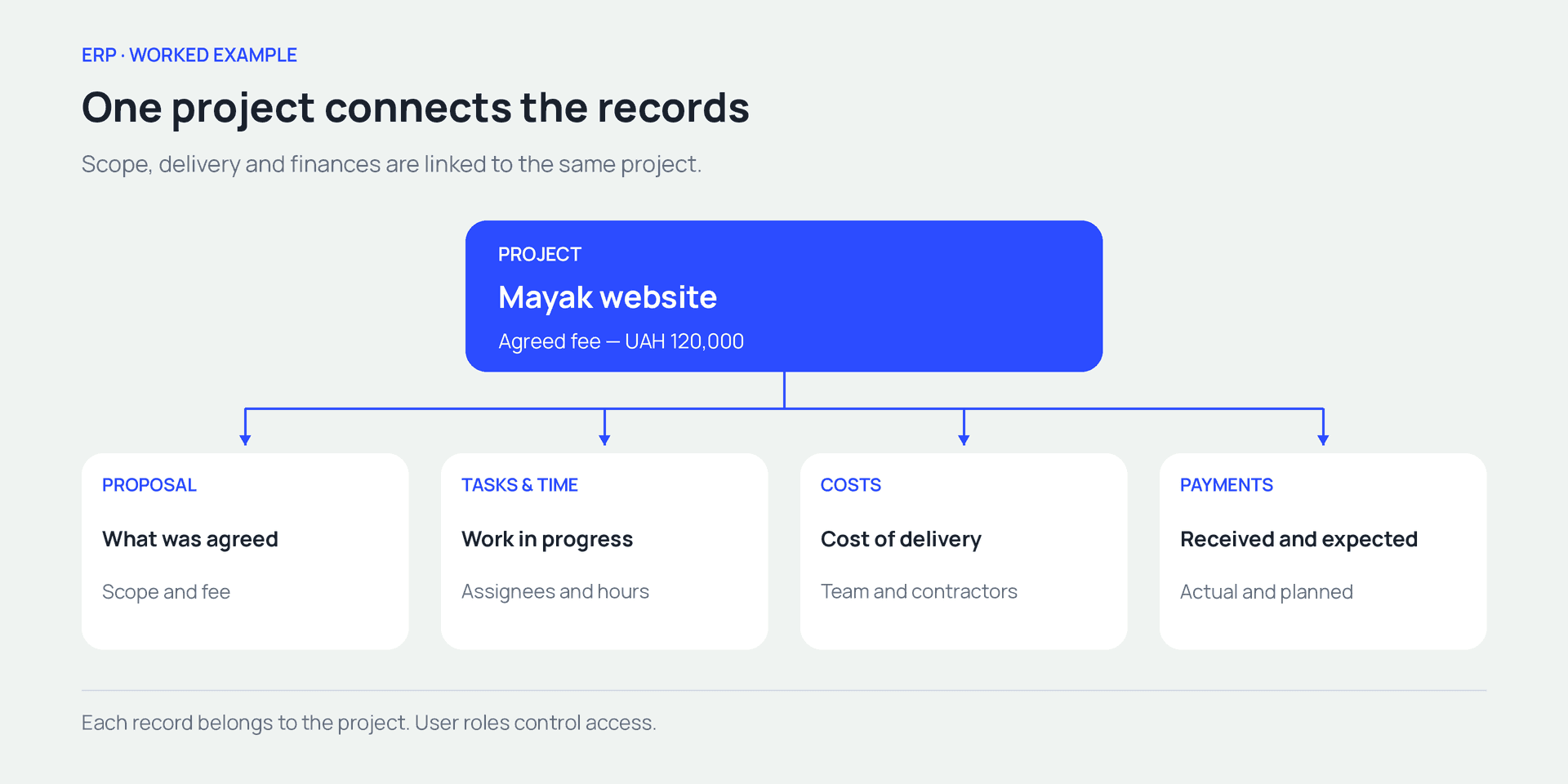
The proposal, tasks, costs, and payments all link to the same project
What does an ERP system do?
ERP software is organized into modules that support different parts of the business. One might handle finances, another projects, and another purchasing or team workload. The ERP label alone tells you little about a product’s specific capabilities.
For a service business, test the features on one client project, from the initial agreement through delivery, costs, and payment.
| Area | Information it needs | Question it helps answer |
|---|---|---|
| Sales and customers | Contacts, inquiries, proposals, agreements | What is the client buying, and on what terms? |
| Projects | Scope, stages, deadlines, project owner, budget | What must we deliver, and when? |
| Tasks and people | Assignees, priorities, dependencies, availability | Who is doing the work, and what is blocking progress? |
| Time tracking | Estimated hours, time entries, notes | How much team time does the project require? |
| Finances | Rates, costs, receipts, future payments | What does delivery cost, and where do payments stand? |
| Documents and reports | Project files, summaries, underlying records | Where did the figures come from, and what should we do next? |
A retailer may also need stock levels, inventory reservations, and shipping. A manufacturer may need bills of materials, material requirements, and production planning. If those activities drive your business, start your evaluation there.
ERP vs. CRM, task management, and accounting software
These categories have different primary purposes, although their features often overlap. A CRM may include tasks and invoices. A task manager may offer time tracking. An ERP may include sales management. Compare how each product handles the full workflow you need.
| Software | Primary purpose | What to check |
|---|---|---|
| CRM | Customer relationships and sales | How a won deal moves into delivery, with its scope and terms intact |
| Task management | Tasks, ownership, and deadlines | How the work connects to budgets, rates, and financial transactions |
| Accounting software | Accounting records and reporting within its supported scope | Which reporting formats, rules, and local requirements it supports |
| ERP | Several business processes working with shared data | Whether your workflow runs through the required modules and integrations |
When a CRM or task manager may be enough
If inquiries go missing, follow-ups get forgotten, and sales stages are unclear, a CRM is a reasonable starting point. Our guide to CRM and customer management explains that workflow in more detail.
If sales are under control but the team keeps losing track of tasks, focus on clear briefs, deadlines, and ownership. One task management tool and a few consistent working practices may solve the problem.
Consider ERP when one change affects several departments. A change in scope, for example, affects the proposal, tasks, deadlines, and costs. Managing it requires those records to stay connected.
How ERP works alongside accounting software
Some ERP products include statutory accounting modules. Others focus on operations and management reporting. Check the accounting functions and reporting formats available for your product and jurisdiction.
A company can manage projects in one system and certain accounting processes in another. In that setup, agree on what data moves between them, who maintains it, and how corrections reach both systems. An API can support data exchange. Find out who will build and maintain the integration.
The ALMIS engineering company case study illustrates this approach. ALMIS manages design work and project finances in if.team and implemented an API integration with 1C. This allowed the company to connect its new project system with its existing accounting software.
ERP for manufacturing vs. professional services
Choose a system around what your company sells and how it delivers the result. Manufacturers depend on material flows and production operations. For a studio or consultancy, specialist time accounts for a substantial share of delivery costs.
SAP’s industry examples highlight client commitments, resource management, and project profitability among ERP use cases for professional services. These businesses need to connect promised work with available time and its cost.
| Area | Manufacturing example | Service business example |
|---|---|---|
| Deliverable | A batch of products made to specification | A website, design documentation, or consulting engagement |
| Main resources | Materials, equipment, production shifts | People’s time and expertise, contractors |
| Planning | Materials, operations, capacity | Stages, tasks, deadlines, specialist availability |
| Delivery tracking | Output, material usage, defects | Deliverables, hours, approvals, revisions |
| Costs | Production and fulfillment costs | Team time and other project delivery costs |
These needs often overlap. Manufacturers also manage people and finances, while project-based businesses may purchase materials. Before a product demo, list your essential operations, those you can support through integrations, and those you expect to keep in another tool.
How to tell whether your business needs ERP
Start with recurring problems. Headcount alone is a poor guide: a small team can handle complex projects, while a larger company may have a simple, stable workflow.
People keep copying the same data
A manager agrees on a price in a proposal, copies it into a project spreadsheet, and sends it to finance in a message. A price change means finding and updating every copy. One missed update leaves the team with different answers to the same question.
Review a recent project. Count how often people manually copied the client’s name, budget, dates, and scope. Then identify which of those handoffs a connected system could remove.
Sales and delivery have different expectations
The client was promised two rounds of revisions, while the team planned for one. Or sales committed to a launch next month when the required specialist was already booked. The mismatch surfaces during delivery as extra hours, delays, and disputes.
A clear handoff should include the agreed scope, source materials, owners, dates, and rules for changes. The system needs to keep those details accessible to the people doing the work.
You only see the financial outcome after completion
Task statuses suggest a project is going well, but hours keep climbing. A contractor has already completed extra work, while their invoice is still sitting in someone’s inbox. Looking only at costs already paid leaves future commitments out of view.
Compare the hours and money already spent with what is still needed to finish. That gives you time to discuss scope or pricing changes with the client while work is underway.
Only one person can explain the numbers
To prepare a report, a manager first collects spreadsheets, asks for updates in chat, and works out what each payment was for. A colleague covering their work struggles to reproduce the result.
Try a simple test: ask another authorized team member to find a project’s agreed budget, remaining work, and next expected payment. If they get stuck, find out which records or permissions are missing.
If these issues are occasional, organizing your current tools may be enough. If they recur across sales, delivery, and finances, it is worth testing ERP on a typical project.
ERP in practice—from proposal to project outcome
Kontur has 15 employees. It agrees to build Mayak’s website for UAH 120,000, paid in two installments: UAH 60,000 upfront and UAH 60,000 after acceptance. Taxes are excluded from this worked example.
The agreed scope covers structure, design, development, and testing. The team estimates 100 hours. To keep the calculation simple, we use a single internal cost rate of UAH 600 per hour. Real businesses may use different rates for different people or types of work.
Record exactly what the client bought
The sales manager saves the proposal and links it to the project. The project manager checks whether the agreement provides enough detail to plan delivery: which pages are included, who writes the copy, when the client will supply materials, and who approves the result.
A “won” status records a successful sale. Delivery also needs the underlying commitments. Our business proposal guide, with examples and a template can help you capture them.
Break the project into work and costs
The project manager creates stages and tasks, assigns people, and adds estimates. Alongside team time, the budget includes UAH 15,000 for a contractor. The agreed fee, estimated hours, and delivery costs measure different things and should be recorded separately.
| Measure | Initial estimate | Updated scope |
|---|---|---|
| Agreed fee | UAH 120,000 | UAH 120,000 |
| Estimated team time | 100 hours | 120 hours |
| Direct team costs at UAH 600/hour | UAH 60,000 | UAH 72,000 |
| Contractor | UAH 15,000 | UAH 15,000 |
| Total direct costs | UAH 75,000 | UAH 87,000 |
| Amount remaining after direct costs | UAH 45,000 | UAH 33,000 |
The remaining amount still needs to cover overhead and any other costs included in the company’s accounting model. It is not net profit.
See the impact of a change before delivery ends
During the project, the client asks for extra pages. The team has already logged 70 hours and now estimates another 50 hours to finish. The forecast for the whole project is therefore 120 hours: 70 + 50.
With the fee and internal rate unchanged, those extra 20 hours add UAH 12,000 to direct costs. The project manager can trace the client’s request through the additional tasks to the cost forecast. The parties can then agree on an extra fee, reduce the scope, or accept the revised financial outcome.
ERP supports that decision when the plan is up to date, time is logged, and rates are configured. A new task still needs an estimate before its impact can be assessed.
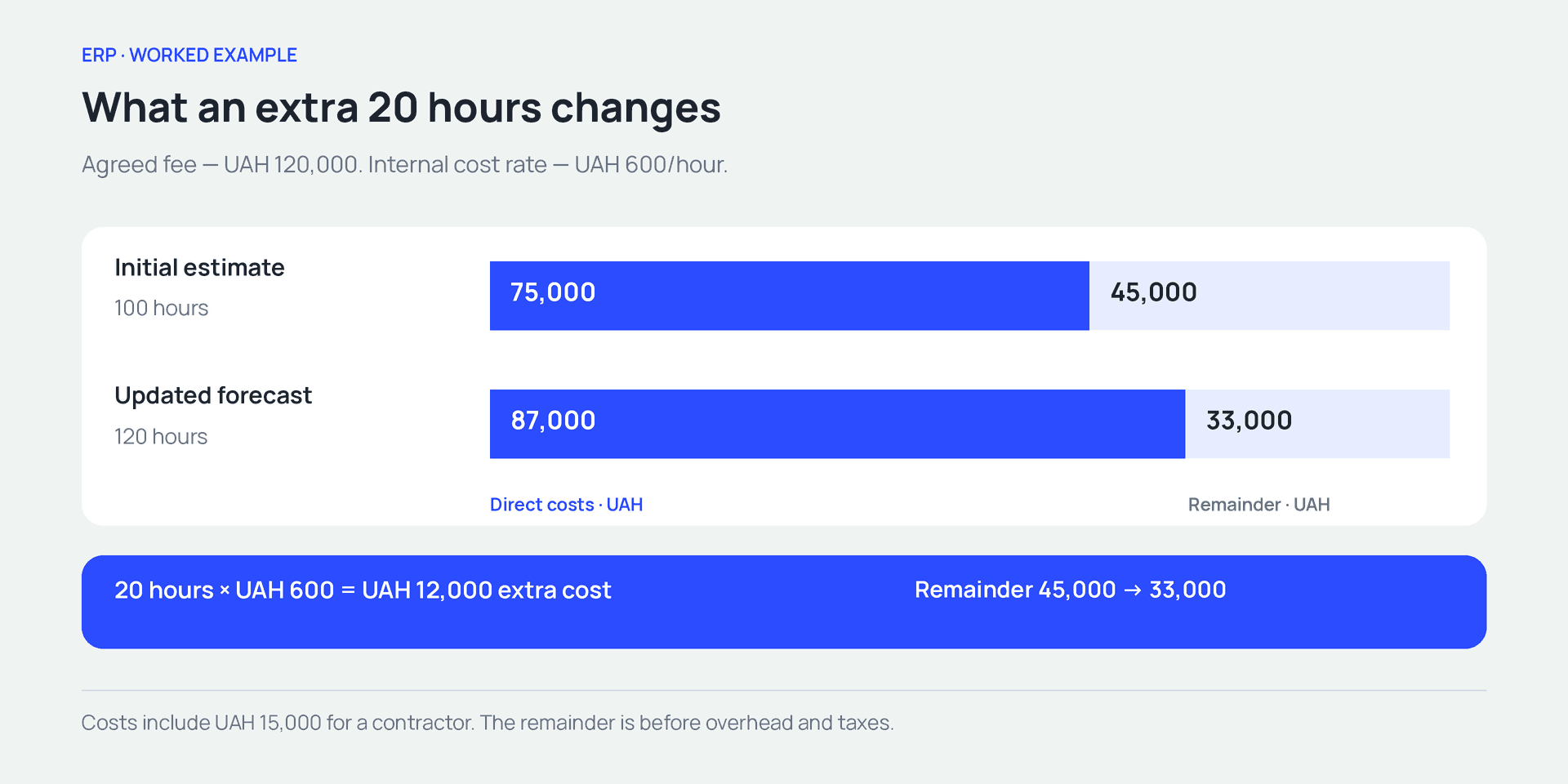
An extra 20 hours adds UAH 12,000 to direct costs. With the fee unchanged, the amount remaining falls by the same sum.
Track client payments separately
The first UAH 60,000 reaches the bank account. That records cash received—half the agreed fee. Project progress is assessed from completed work, while the financial result depends on income and expenses recognized for the relevant period.
The studio expects the second payment after acceptance. Until then, finance needs to account for upcoming payments to the team and contractor. A profitable project may still need funding before the final client payment arrives.
Our guide to profit and loss statements explains how to calculate the financial result from income and expenses. Keep the agreement, work, costs, and payments linked so you can check what each figure represents.
Cloud ERP vs. on-premises ERP
Cloud ERP runs on a provider’s infrastructure and is usually accessed over the internet. An on-premises deployment runs on infrastructure managed by the company or its IT partner. Hybrid arrangements are also possible.
Your choice affects who maintains the environment, installs updates, and restores service after a failure. Compare the terms offered by each provider.
| Question | What to find out |
|---|---|
| Access | Which browsers, apps, and connections your team needs |
| Updates | Who installs them, how changes are communicated, and how compatibility is checked |
| Data recovery | What backups are available, who restores them, and under what terms |
| Permissions | How access to projects, rates, and finances can be restricted |
| Integrations | Who maintains data exchange and handles changes to third-party services |
| Leaving the service | Which data and files you can export, in what formats, and how quickly |
Cloud deployment reduces some infrastructure work for your team. The company still needs to configure its processes, permissions, and working practices. On-premises deployment also requires a maintenance budget and people responsible for keeping it running.
How to choose an ERP system
Give each vendor the same scenario. For example: a client approves a website, the team estimates 100 hours, receives a deposit, adds extra pages, and revises the cost forecast. Ask the vendor to demonstrate that sequence.
Does the system support your workflow?
During the demo, follow the links between the approved proposal and the project, time entries and costs, and payments and the client project. Note where someone has to re-enter data or open a spreadsheet.
Then ask the team to try familiar tasks. A designer should find an assignment and log time. A finance specialist should allocate a payment to a project. A manager should explain a cost forecast from the underlying records. This shows how easily the people using the system every day can work with it.
How do permissions and integrations work?
Test with the roles your team will actually use. An administrator may see a budget that a manager cannot access, or edit records that an assignee can only view.
For each integration, establish which data moves, in which direction, and who handles errors. A bank integration might import the amount and payment date while leaving a team member to select the project and category. Include that step when assessing the day-to-day workload.
What will the first year cost?
Compare the same period and scope of work. Include setup and your team’s time alongside the subscription.
| Cost category | What to include |
|---|---|
| Software access | Users, required modules, subscription term |
| Implementation | Configuration, migration, data checks |
| Internal team time | Implementation owner and pilot participants |
| Integrations | Development, setup, and ongoing maintenance |
| Ongoing work | Support, further training, process changes |
Ask what happens to the price when you add users or features, and when any introductory period ends. Also check support languages, currencies, payment integrations, and the accounting requirements of the countries where you operate.
How to implement ERP without overwhelming the team
Start with one complete workflow. For Kontur, that means taking a new project from agreed scope through delivery and payments.
Define the outcome and appoint an owner
Choose an outcome you can verify: the manager can see agreed scope, costs, and upcoming payments for every active project. Appoint someone to agree on working rules and sign off on the setup. Representatives from sales, delivery, and finance can test their parts of the workflow.
Prepare the data and working rules
Gather the records needed for the pilot: customer, project, team members, cost categories, and opening balances. Resolve duplicates and unexplained amounts before migration. Historical data can be moved in a separate phase.
Agree on who changes budgets, logs time, and checks payments. Decide where the authoritative version of each record will live and set a cutover date. Otherwise, a manager may update the ERP budget while finance continues using the old amount in a spreadsheet.
Run the pilot and check the result
Choose a typical project with familiar work and roles. Set acceptance criteria before you begin: costs are linked to the project, the forecast can be explained, assignees can see their tasks, and finance can find upcoming payments. Test how an incorrect entry is corrected, too.
When a discrepancy appears, identify the cause: missing data, an unclear rule, permissions, or data exchange between systems. Fix it and repeat the workflow. Once the team can complete the process with a clear, verifiable result, expand to another workflow.
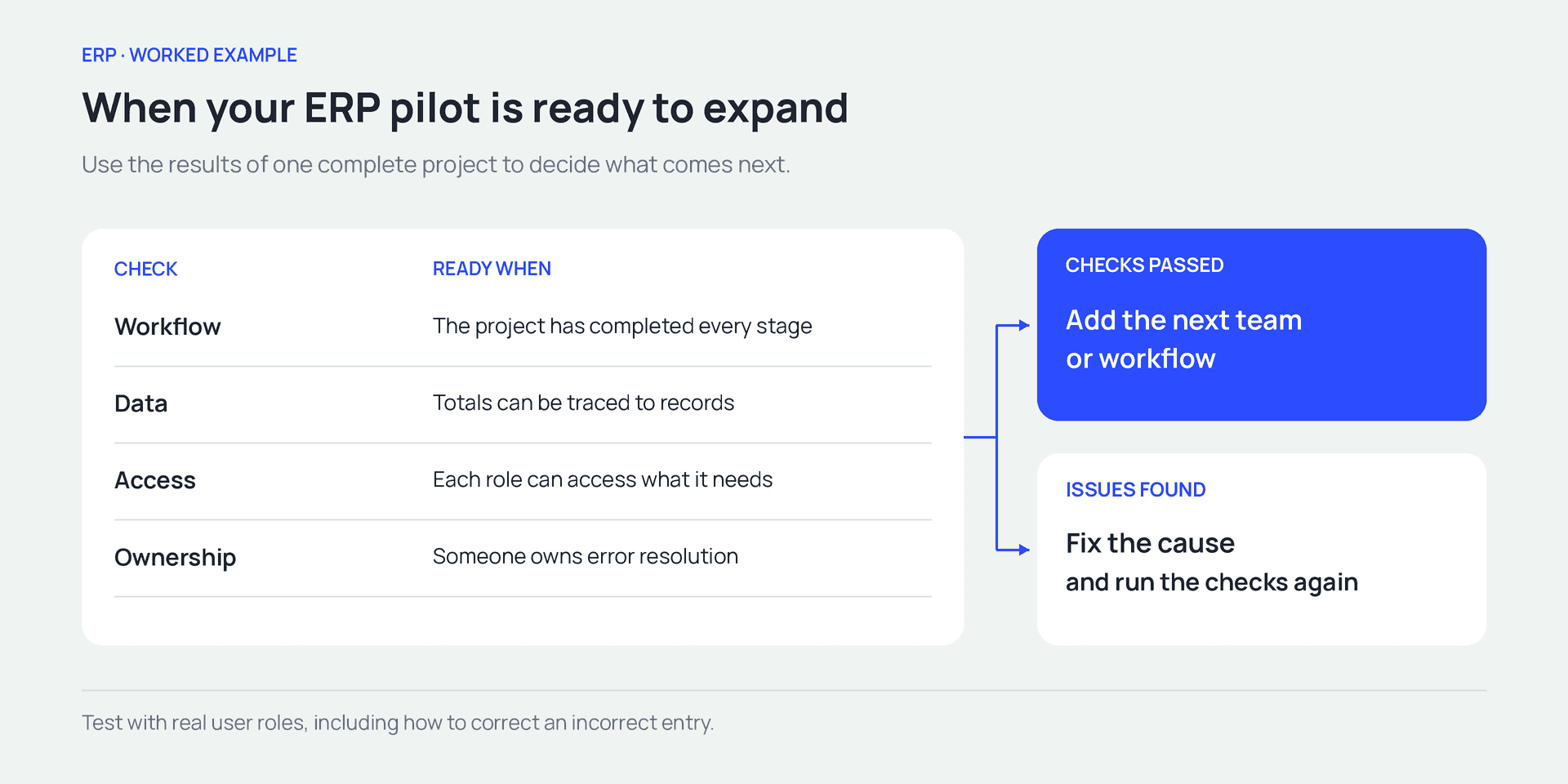
Expand after the checks pass. If issues remain, fix the cause and repeat the test.
Common ERP selection and implementation mistakes
A successful demo can still leave problems undiscovered until daily use. Watch for these three situations.
Too many statuses make work harder
The old spreadsheet had 20 statuses, half of which the team rarely used. After migration, people are still choosing between similar labels. Keep statuses that describe a clear stage or next action. “Awaiting client approval,” for example, explains the delay and identifies who needs to respond.
A polished report hides incorrect data
If time entries are missing or costs are counted twice, the chart will be wrong too. If a result looks wrong, open the records behind it: work entries, rates, and payments. In our example, the additional UAH 12,000 comes from 20 hours at UAH 600. Every other figure should have an equally clear explanation.
The team logs in but still builds reports manually
Login counts show activity. Check whether a manager can find remaining work, explain costs, and see upcoming payments. If that still requires three spreadsheets and messages to colleagues, identify the missing records or connections.
How to connect sales, projects, and finances in if.team
Let’s apply this workflow to the Mayak website. In if.team, customers, proposals, projects, tasks, and financial transactions can be linked. The steps below use the same fictional project. Available actions depend on user permissions and company settings.
1. Set up the team and permissions
Open the administration panel from the profile menu. In the roles section, check who can view and edit projects, time entries, rates, and financial transactions. In settings, prepare the statuses and income and expense categories needed for the project.
Our example needs a project manager, team members doing the work, and someone handling finances. Test the workflow for each role: can an assignee log time, and can finance allocate a payment to the project? See the team management documentation for the setup steps.
2. Record the inquiry and proposal
Use the lead record to store the contact, owner, expected budget, and client request. For Mayak, the request is a website with an agreed list of pages. In the Quote section, attach an existing quote or create a new one. This is where if.team stores the priced proposal for the client.
Add the agreed services, quantities, and prices. The total in our example is UAH 120,000. Include the scope, arrangements for receiving client materials, and approval process in the description. The guide to creating a quote explains the fields and linking options.
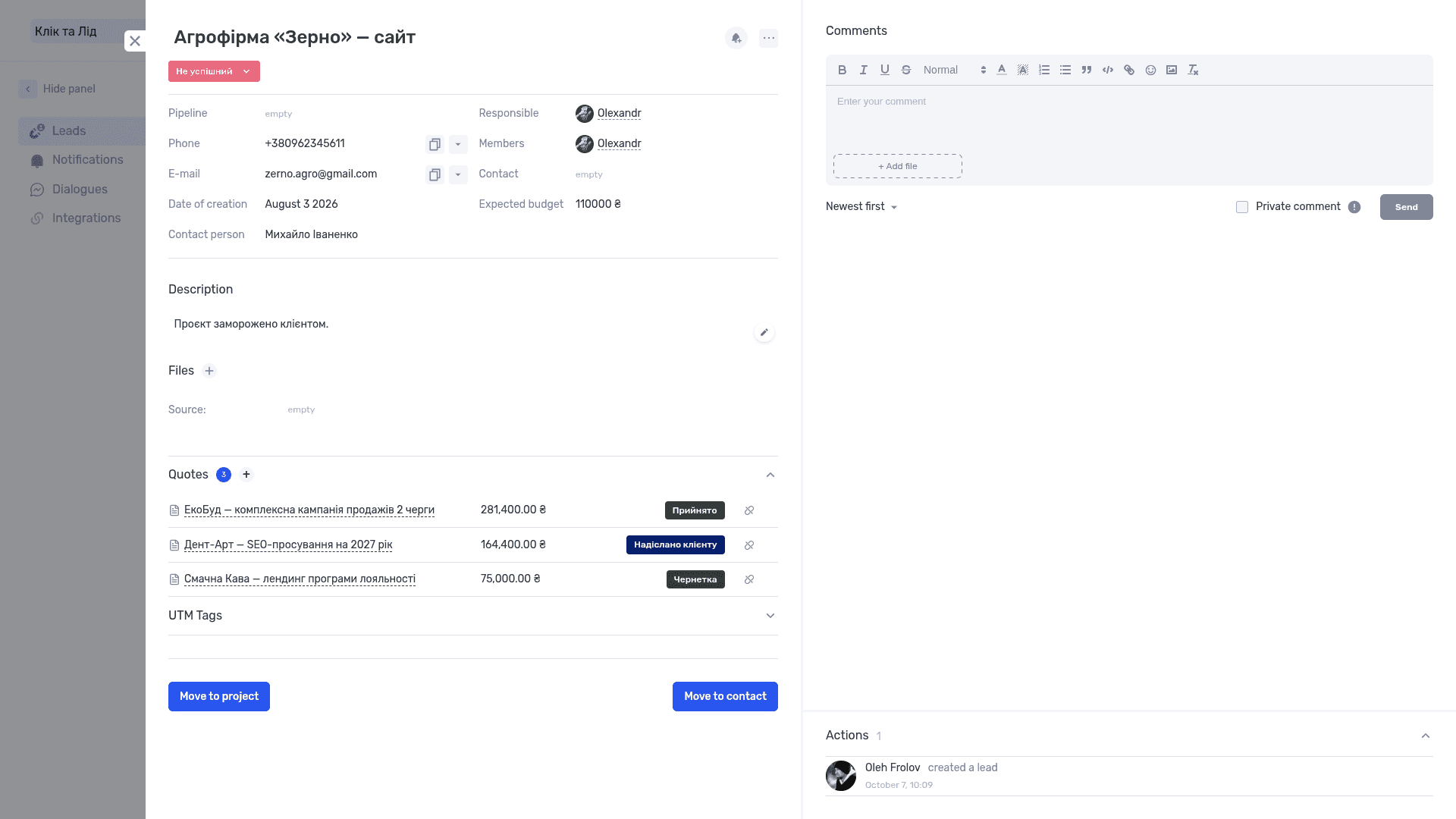
Proposals and their statuses remain linked to the lead
3. Convert the lead into a project and review the details
Use “Convert to Project” at the bottom of the lead record to open the project form with prefilled details. The lead record documentation identifies the name, contact, and budget. Links to proposals are retained during conversion.
Review the amount, select a status and project manager, and complete the remaining fields. For this project with an agreed fee, use the Fixed Price project type. Add team members, dates, and a description of the deliverable. Compare the project budget with the approved proposal total, especially if the proposal changed during negotiations.
You can also create a project using the “+” button in Projects. The form includes income and expense planning, a description, and files. See the project creation guide for the available fields.
UAH 120,000 is what the client agreed to pay. UAH 75,000 is what the studio expects to spend on direct costs. Enter the fee and costs in their respective fields.
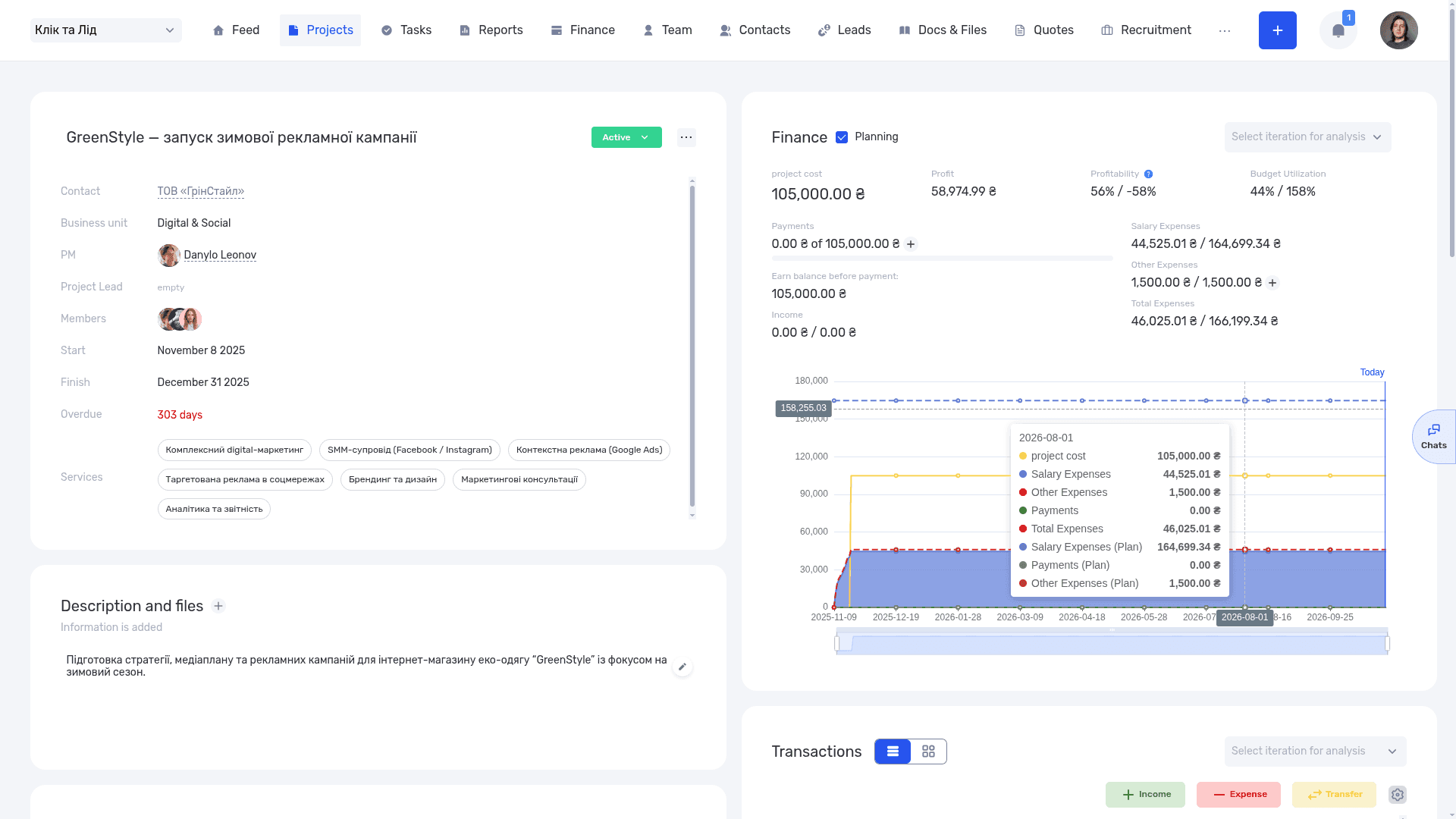
The project record brings the client, dates, team, and financial figures together
4. Create tasks with estimates and cost rates
Break the website into specific deliverables: approve the structure, prepare designs, build the pages, and test the forms. Assign owners, deadlines, and estimated time. In the initial scope, those estimates add up to 100 hours.
Our guide to project time tracking explains how to record actual hours against tasks and compare them with the plan.
In the task form’s Rates section, choose an Internal Rate configured for the project. Our simplified example uses UAH 600 per hour. That rate represents the team’s delivery cost. The client fee follows the commercial agreement.
Start by checking one entry—for example, two hours of work. At the selected rate, its direct cost should be UAH 1,200. Then review the totals. The task creation documentation explains the fields, while our guide to assigning tasks covers writing a clear brief.
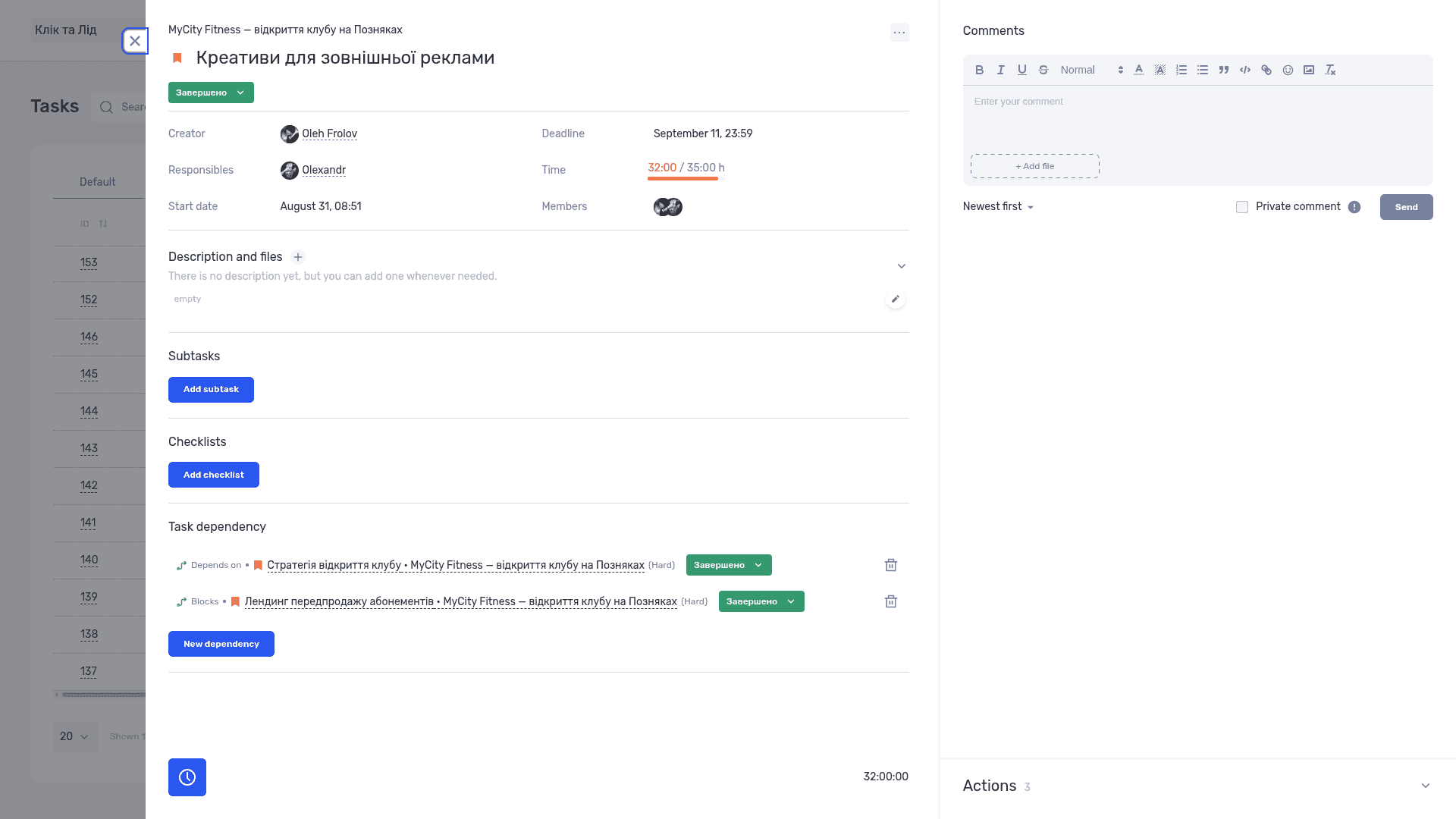
A task connects its owner, due date, recorded time, and dependencies on other work
5. Link payments and costs to the project
In Finance, work with transactions linked to the Mayak website. Our example includes a UAH 60,000 deposit received, a planned final payment of UAH 60,000, and a UAH 15,000 contractor cost. Dates and statuses should reflect what has actually happened and what is still expected.
Filter the transaction list by project. Review the amount, account, counterparty, category, payment date, and recognition period. The recognition period determines when income or an expense is included in management reporting.
A bank import and a manual entry can refer to the same transaction. Check the list before adding a new record. Also establish which costs come from hours and rates and which are entered separately, so each cost is counted once. The transaction documentation explains the fields and filters.
A proposal can also be linked to a transaction. Its line items then become available when generating documents from the relevant template. See quotes and other modules for that connection.
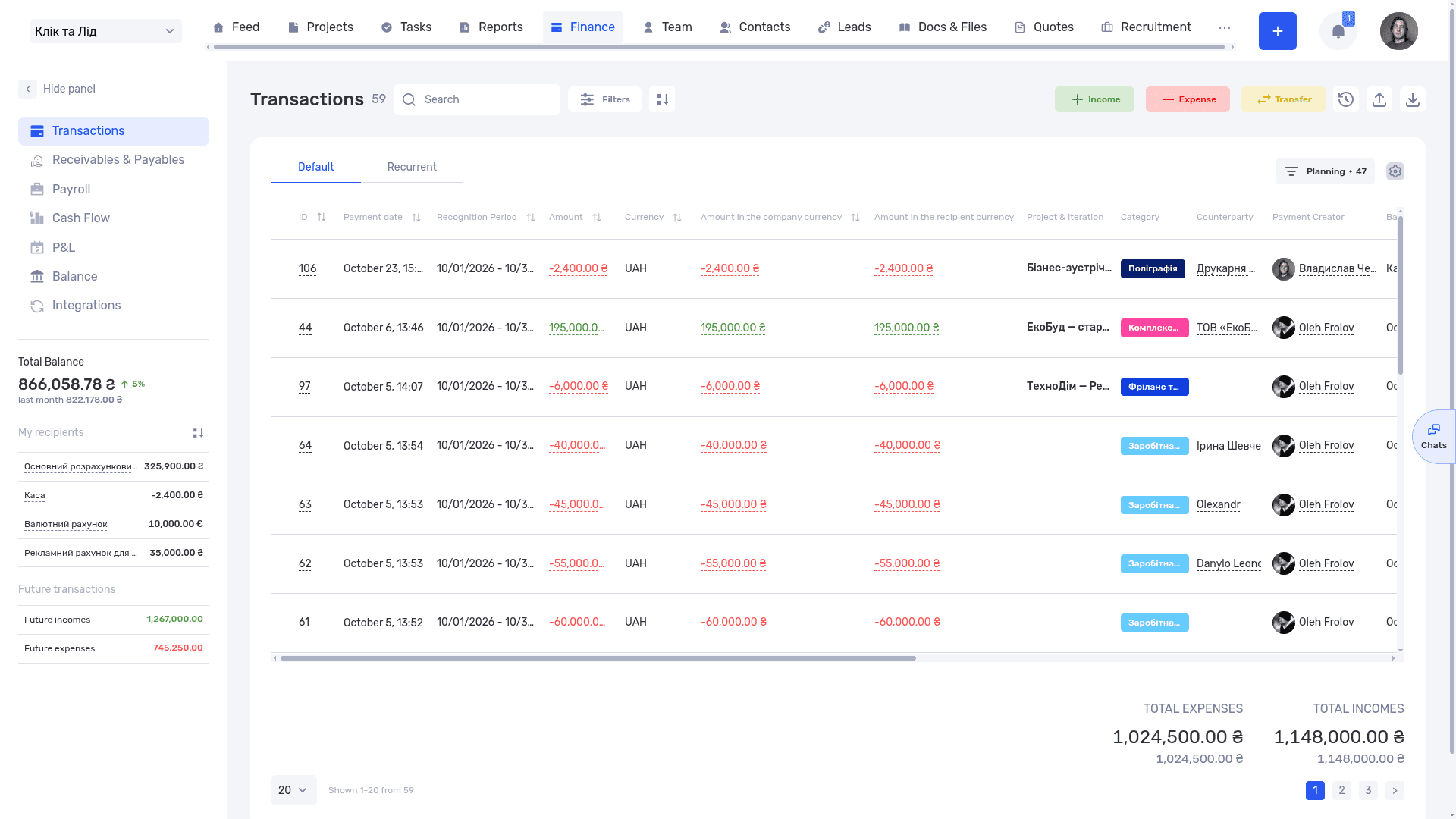
Transactions connect income and expenses with projects, categories, and counterparties
6. Update the plan and review the forecast
When extra pages are added, create or revise the relevant tasks and estimates. In our example, the team has logged 70 hours and needs another 50 to finish. The revised plan should reflect that current scope.
Enable “Planning” in the project’s financial section to view planned figures alongside actuals. The forecast takes into account factors including unused planned hours, rates, and planned payments. The project financial planning guide explains the calculation.
Compare the figures with the worked example: 120 hours × UAH 600 + UAH 15,000 = UAH 87,000 in direct costs. If the total differs, check rates, remaining planned work, and which costs are included. Use the interface explanations to confirm the meaning of each financial measure.
At each project review, check deadlines, completed work, and financial figures together. Our project dashboard guide explains how to choose and interpret that view.
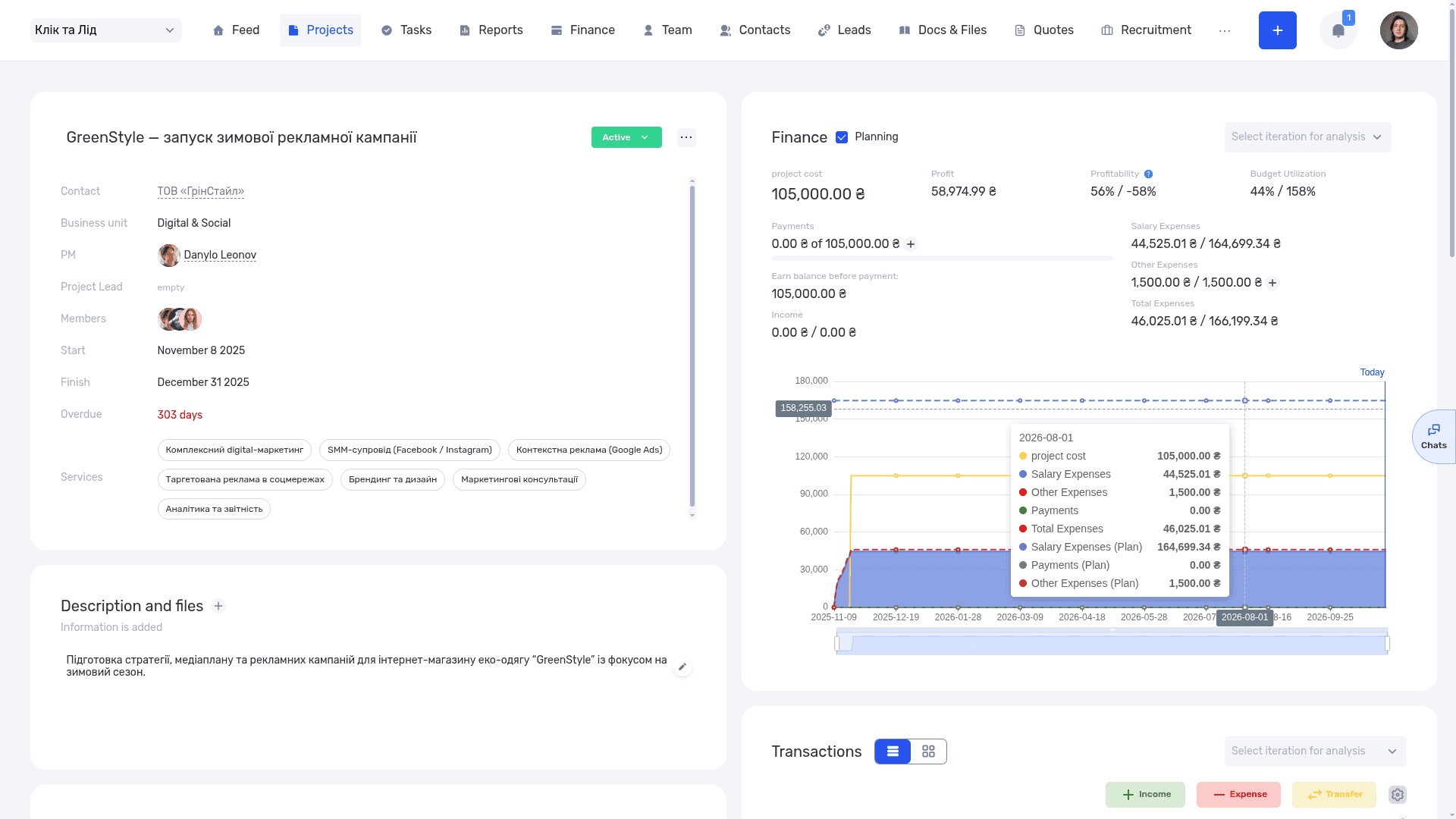
Planned and actual figures help the manager review the expected cost of the whole project
How companies connect their work in practice
The fictional example explains the logic of one project. Real companies combine different processes, so it helps to look at what they have actually connected.
The Creatura event company case study describes how the company connects events, finances, and project materials. Bank transactions arrive through an integration with PUMB. A configured workflow creates a Google Drive folder for a new project and adds its link to the project record. This is a specific client implementation; the integrations required for another company depend on its processes.
Choose a comparable workflow for your own test. For a design studio, that might be a project with client approvals and revisions. For an architecture practice, it might involve several project stages and contributors. Follow the work, data, and money in the sequence your business uses.
Where to start with ERP in your business
Choose an active project where someone regularly assembles work, cost, and payment information by hand. Walk through it in the if.team demo environment, using the practical steps above.
Record which manual steps disappear, what is still missing, and what implementation would cost. Use those results to decide whether you need ERP now and which workflow to start with.
ERP frequently asked questions
What is an ERP system in simple terms?
ERP software connects several business processes and the data they use. For example, a client project can be linked to team tasks, costs, and payments. The exact capabilities depend on the product and modules available.
What does ERP stand for?
ERP stands for enterprise resource planning. Modern ERP systems can also support day-to-day operations, accounting, and reporting through their available modules.
What is the difference between ERP and CRM?
CRM focuses on customers and sales. ERP covers a broader set of connected processes, such as delivery, resources, and finances. A CRM can be a separate product, an ERP module, or an integrated system.
Do small businesses need ERP?
The answer depends on how the work is organized. If a small team regularly copies information between sales, delivery, and finance, a connected workflow may be worth testing. A simple project involving a few people may be manageable with existing tools.
How much does an ERP system cost?
Costs depend on the product, users, modules, deployment model, and integrations. Add implementation, migration, training, and support to the software price. Compare offers over the same period and for the same scope of work.
How long does ERP implementation take?
A useful estimate requires a clear picture of the processes, data, and configuration involved. Piloting one workflow and migrating an entire company are different projects. Plan around verifiable milestones: prepared data, configured roles, a tested workflow, and an approved rollout.
Can ERP replace accounting software?
That depends on the ERP product and your accounting requirements. Check the operations, reporting formats, and integrations you need. You may handle some processes in ERP and retain specialist accounting software for others, with an agreed data exchange between them.
Is if.team suitable for service businesses?
if.team can connect customers and proposals with projects, tasks, time, and finances. To assess the fit, test a typical client engagement from agreed scope through delivery and payments.
Author
Vladyslav ChesnokovPublished
Oct 29, 2026
More articles to read
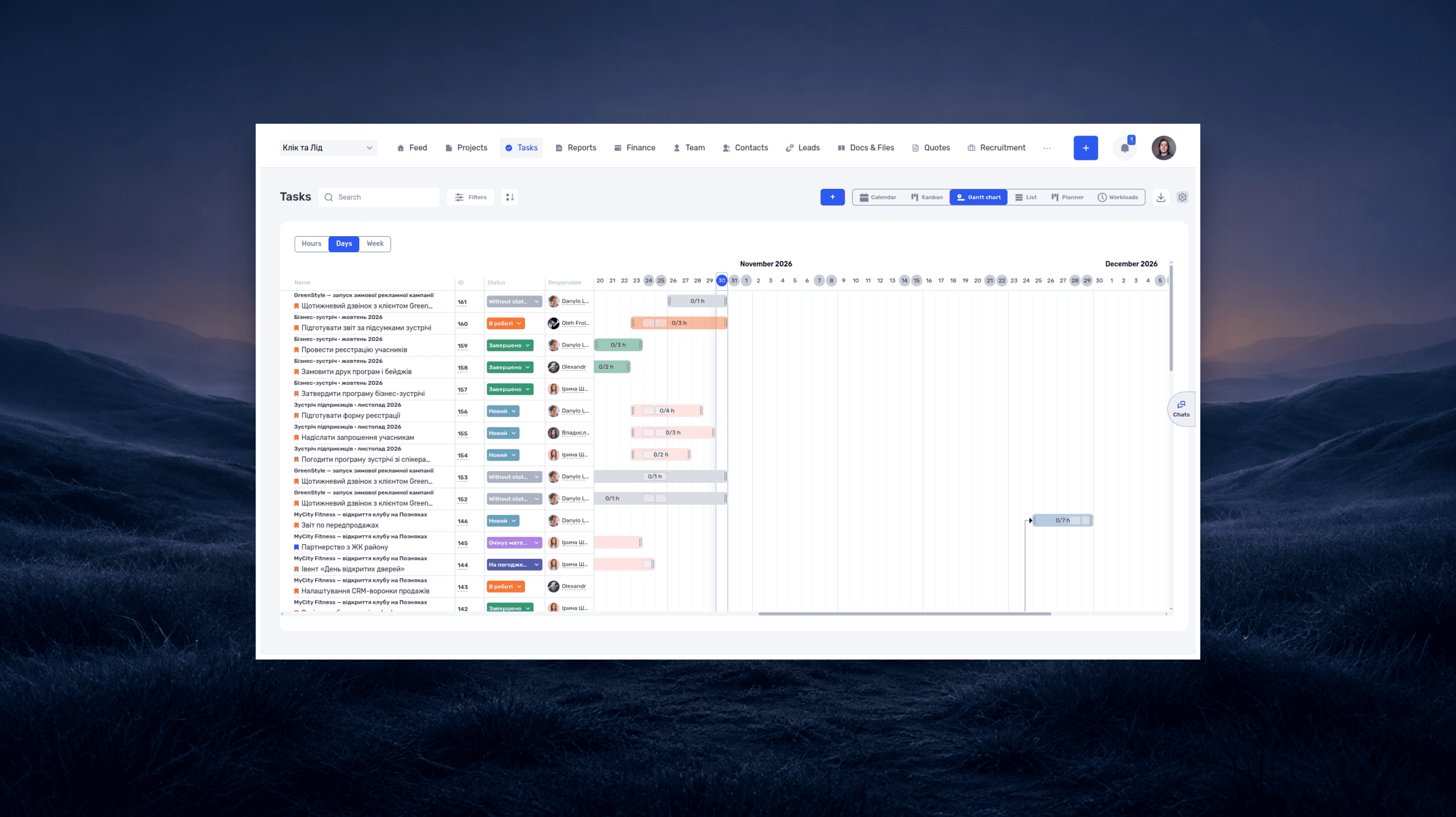
What is a deadline? How to set and meet realistic deadlines
Why six hours of work can take several days—and how to build a schedule around availability, review, and revisions. With a practical if.team walkthrough.
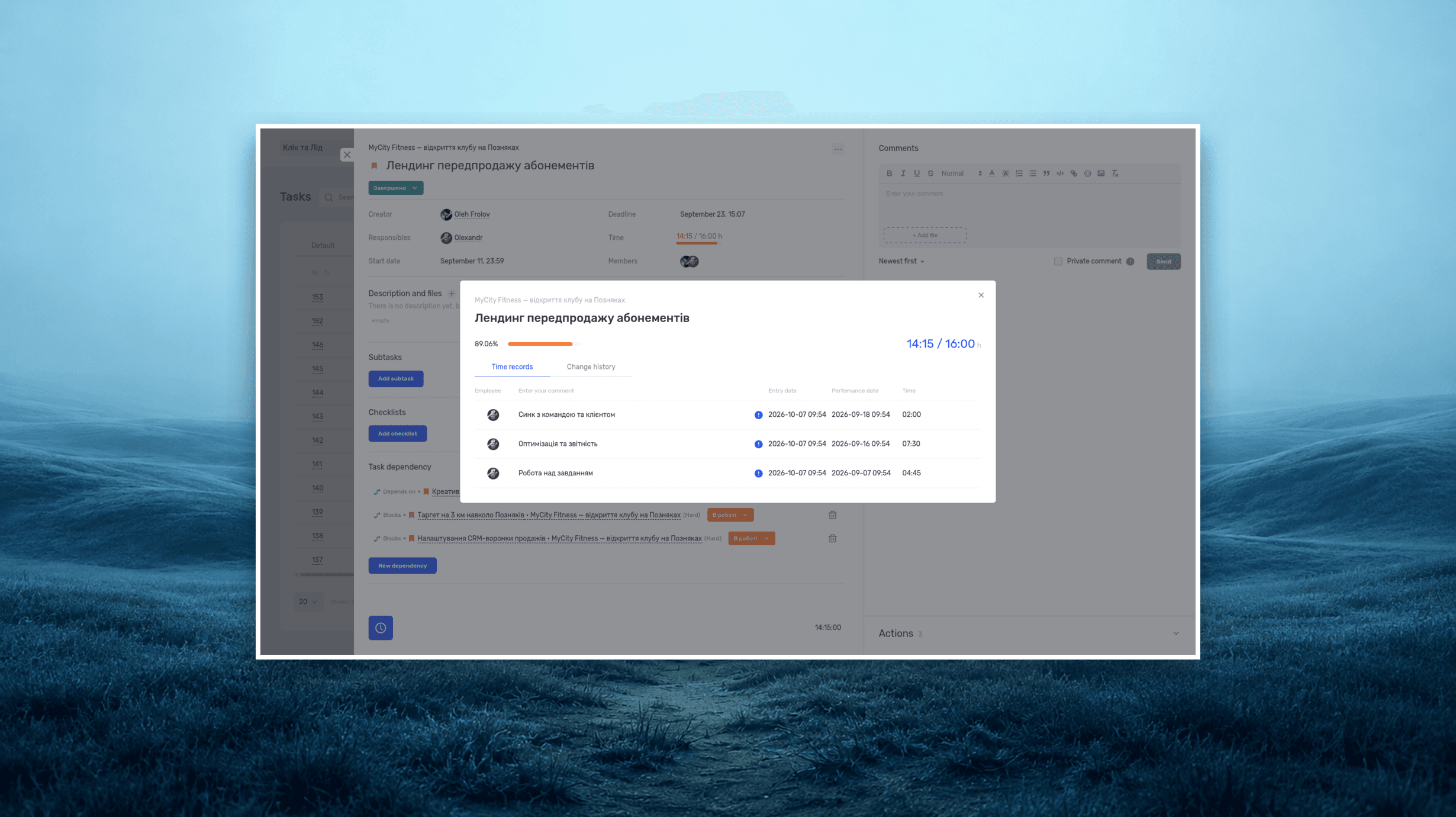
Project time tracking — how to track team hours and costs
A practical guide to recording project hours, understanding overruns, and calculating team costs, with a worked example and a walkthrough in if.team.
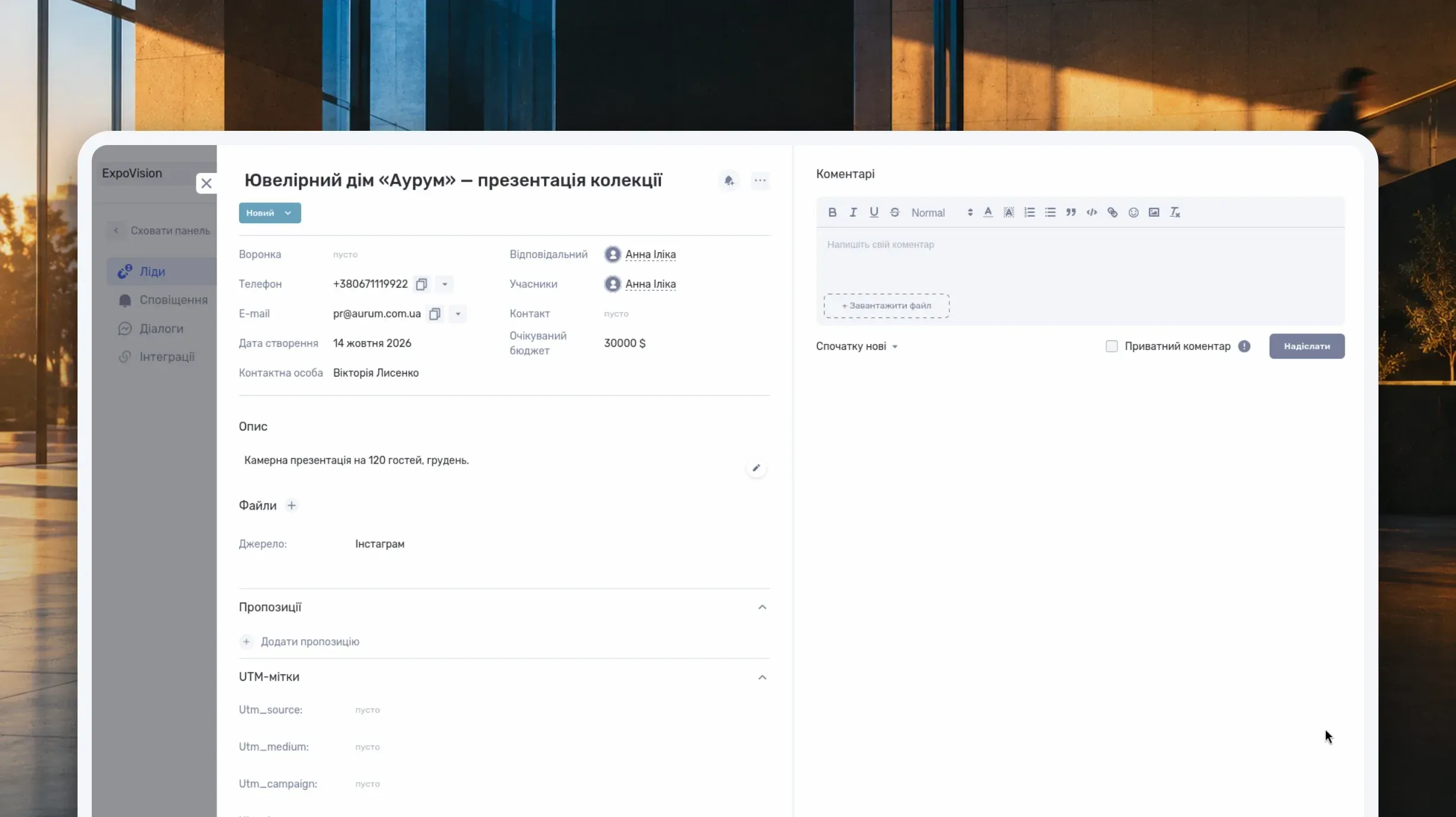
What Is a CRM System and How Do You Use It to Manage Customer Relationships?
Learn what a CRM system is, how it works from first inquiry to outcome, and which features matter day to day. Compare CRM with spreadsheets, task managers, and ERP, and see how to choose a CRM and manage clients in if.team.

What Is a Project Dashboard? Metrics, Example and Setup
Learn what a project dashboard is and how it differs from a report, a spreadsheet, or a Kanban board. See how to choose project metrics, structure the dashboard, and use it in meetings, with a website launch example and setup steps in if.team.
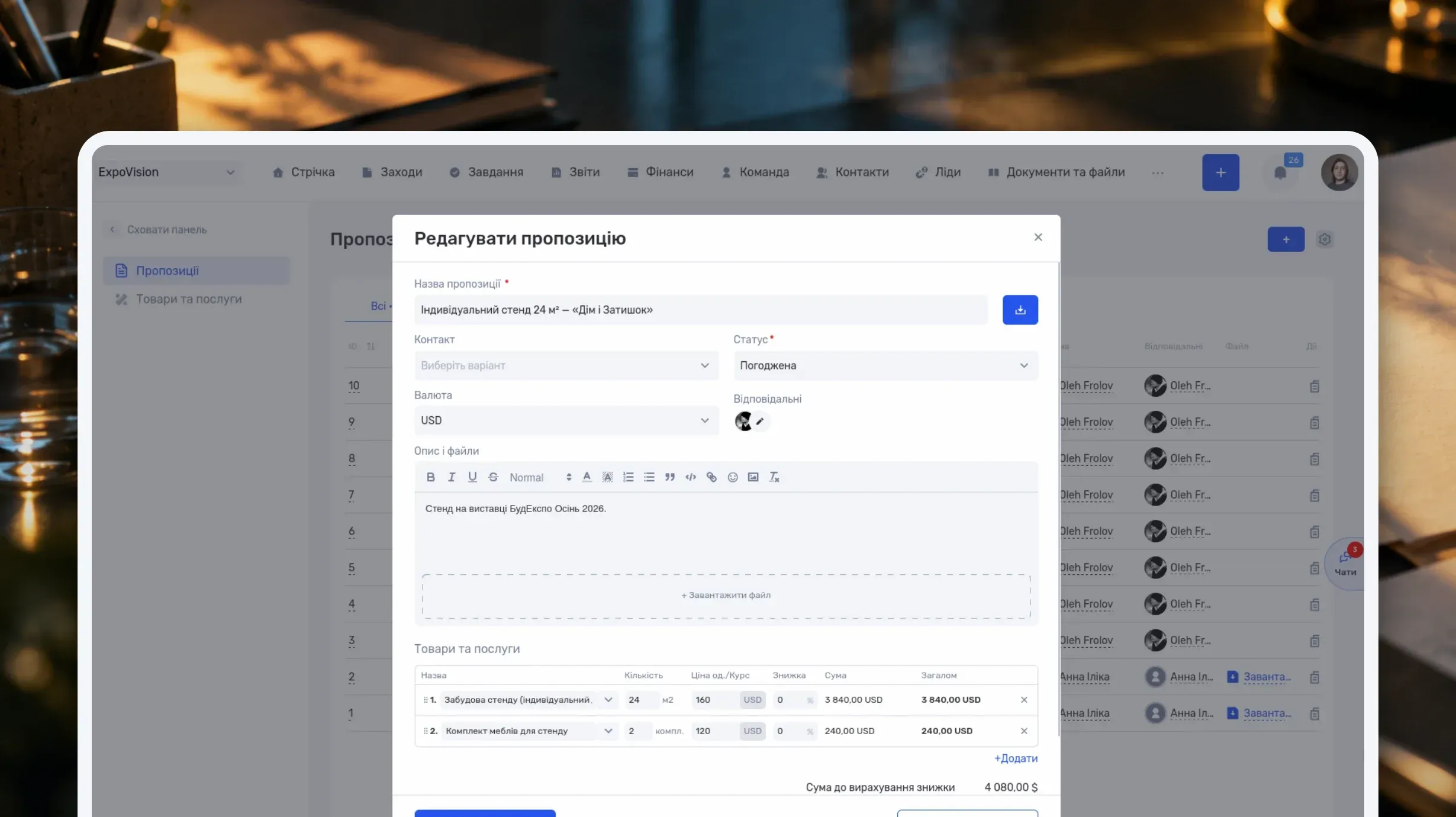
How to Write a Business Proposal: Examples and a Template
Learn how to write a business proposal: what to clarify first, which sections to include, and how to present price, timeline, and terms. Includes two examples — for services and installation work — a reusable template, sample emails, and steps in if.team.
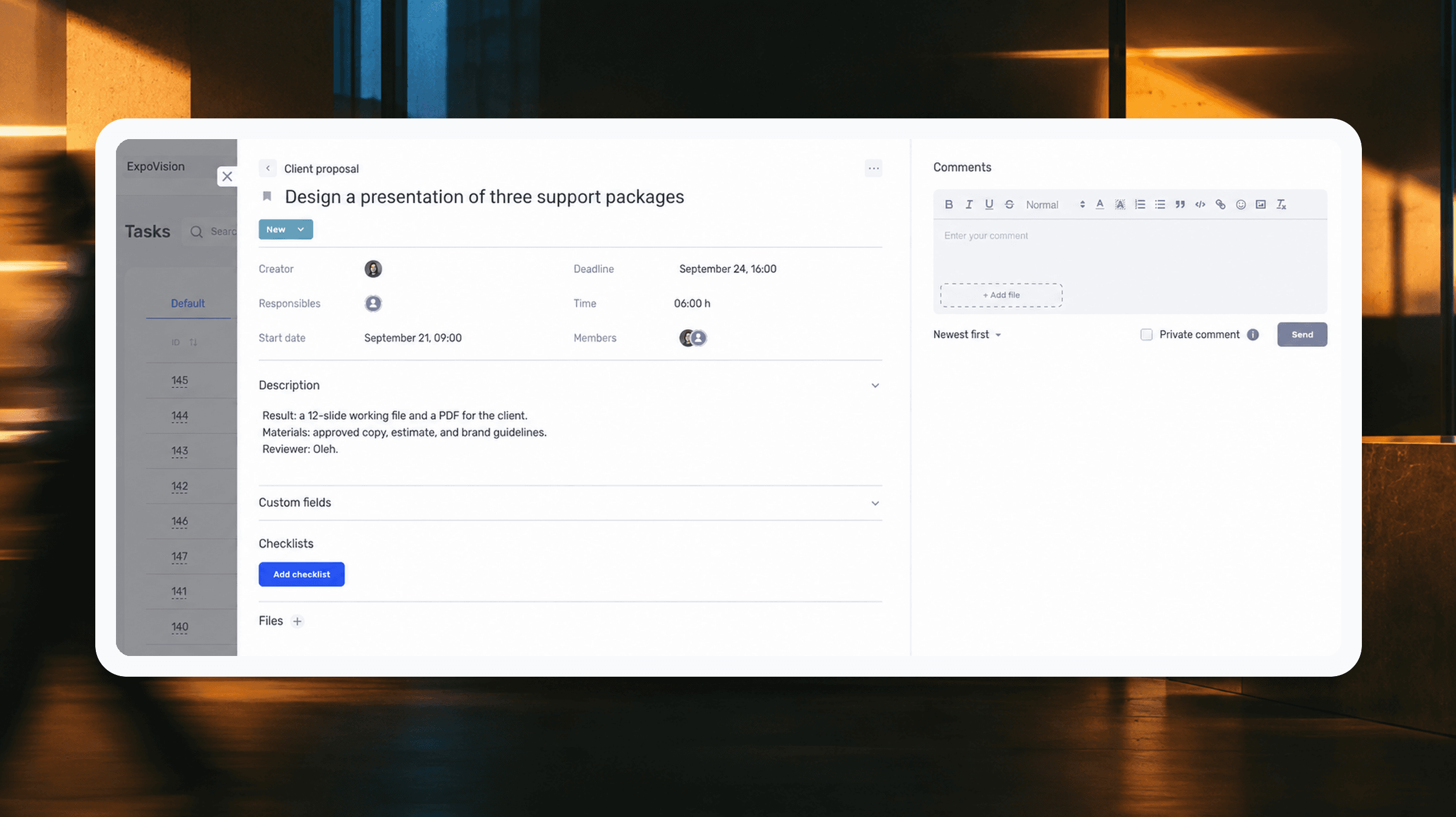
How to assign tasks to your team: from briefing to tracking completion
We break down how to assign tasks so they actually get done: what a brief must contain, how to word the result and the deadline, who takes ownership and how to check completion. With an example, an acceptance checklist and a template for running the task in if.team from start to finish.
See if.team in action for your company
We’ll show how projects, team time and finances connect in one system, using your processes as an example.