Kanban Board
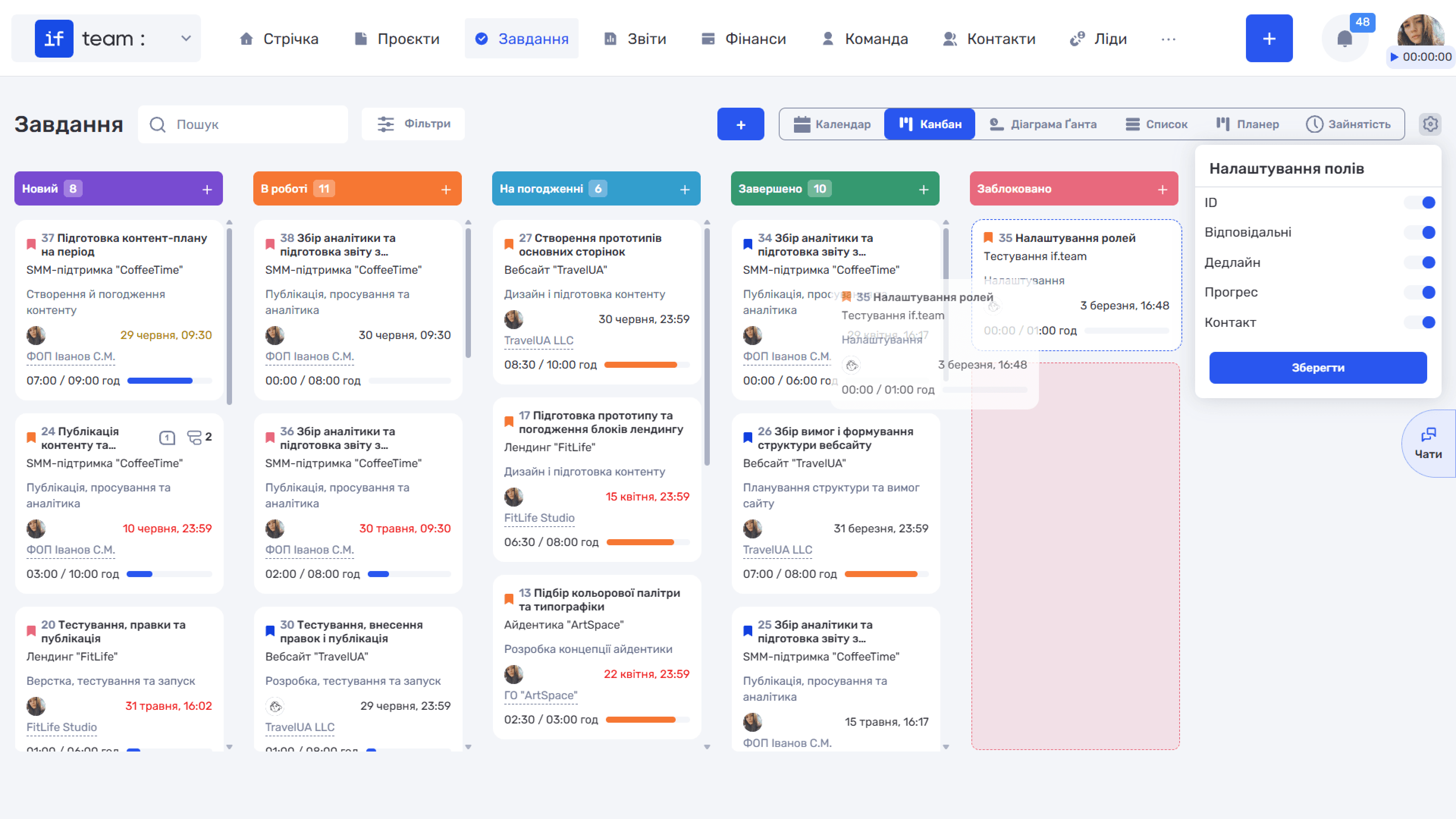
Kanban is a visual board where tasks are displayed as cards organized into status columns. Each column corresponds to a particular status configured under “Tasks & Projects” in the “Admin Panel.”
Generate AI summary
Open this page in your favorite AI assistant
You can use the mouse to drag cards between columns and change their status. Each column has a “+” button for quickly creating a task with the corresponding status. Click the gear icon (⚙) to select which fields appear on cards: ID, assignees, deadline, progress, and/or contact.
Still have questions?
Maybe we haven't added this information yet. But you can always reach out:
Request a demo
Submit a request and we'll show you how the service works and its capabilities.
Book a demo