
Recruiting
Vacancies, candidate base and a hiring kanban in one place
$49 / month
Manage design projects, clients, resources, finances, and team collaboration in one place
Trusted by design and digital teams











What goes wrong in a UX/UI agency between the discovery call and the handoff — and what if.team does about it
In if.team every stage — research, wireframes, UI, handoff — has a budget and the hours logged against it. When discovery runs over, the manager sees it that week and re-quotes the next stage.

Stages, client reviews and deliverables sit on one Gantt chart with owners and dates. A late review moves the dependent stages visibly, and the client sees the new handoff date.

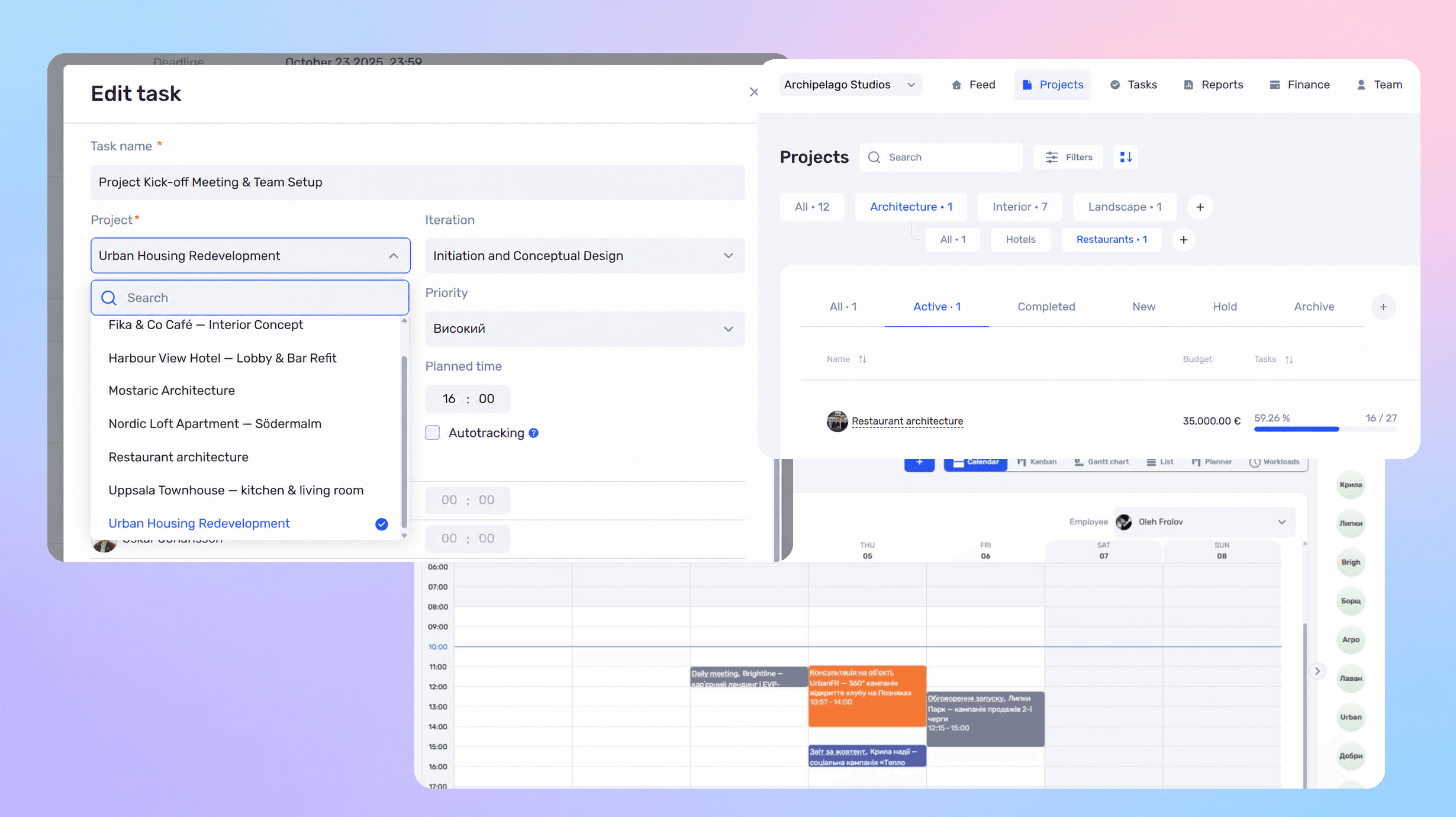
Workload shows planned hours against available hours per designer and per project. Work is rebalanced on the same screen, and logged hours keep the plan honest.

Links and files attach to the project and its stage: research findings, prototypes, contracts, client comments. Figma stays the design tool; if.team keeps the history of who approved what and when.

Each project shows the fee, the designers’ hours at their rates, contractor costs and the margin left. The owner sees which clients earn and which only fill the case studies.

Messages from messengers and email land in one inbox and attach to the client card and the project. Approvals and comments stay with the stage they belong to.

Ask which projects lost money and why, who is overloaded next week, how much you earned this quarter. The assistant takes data from your if.team — projects, hours, finances — and answers in a normal chat
Learn more
if.team integrates with the tools your team already uses every day
Discuss integrations Telegram
 Google Calendar
 PrivatBank
 Monobank
 Ringostat
 Binance
 Viber
 WhatsApp
 Instagram
 Monday
 Asana
 ClickUp
 Slack
 TrelloTelegramGoogle CalendarPrivatBankMonobankRingostatBinanceViberWhatsAppInstagramMondayAsanaClickUpSlackTrello
 Jira
 GitHub
 Notion
 Zoom
 Stripe
 HubSpot
 Salesforce
 Dropbox
 OneDrive
 LinkedIn
 Gmail
 Figma
 MiroJiraGitHubNotionZoomStripeHubSpotSalesforceDropboxOneDriveLinkedInGmailFigmaMiro
Video reviews from teams using if.team every day

Financial planning used to be a real pain — endless Excel sheets and nothing automated. With if.team it's simple: automation, bank integration, and reports in just a few clicks.
Andrii Zaikin
Founder & CEO, YEP Accelerator

Oleksandr Pavlishyn
Development Director, event agency

Iryna Siharova
Founder, Content Bar studio

Yevhen Nozhenko
CEO, HiStory DM
Latest product updates and new features.
Choose the plan that fits your team. Prices are per company, and every plan starts with a 7-day free trial.
For small teams
For growing teams
For mid-size teams
For large teams
For scaling companies
For large companies
Full white-glove service
Some capabilities are connected separately, as paid add-ons
Vacancies, candidate base and a hiring kanban in one place
$49 / month
Quotes built from your services catalog with discounts and DOCX or PDF export
$19 / month
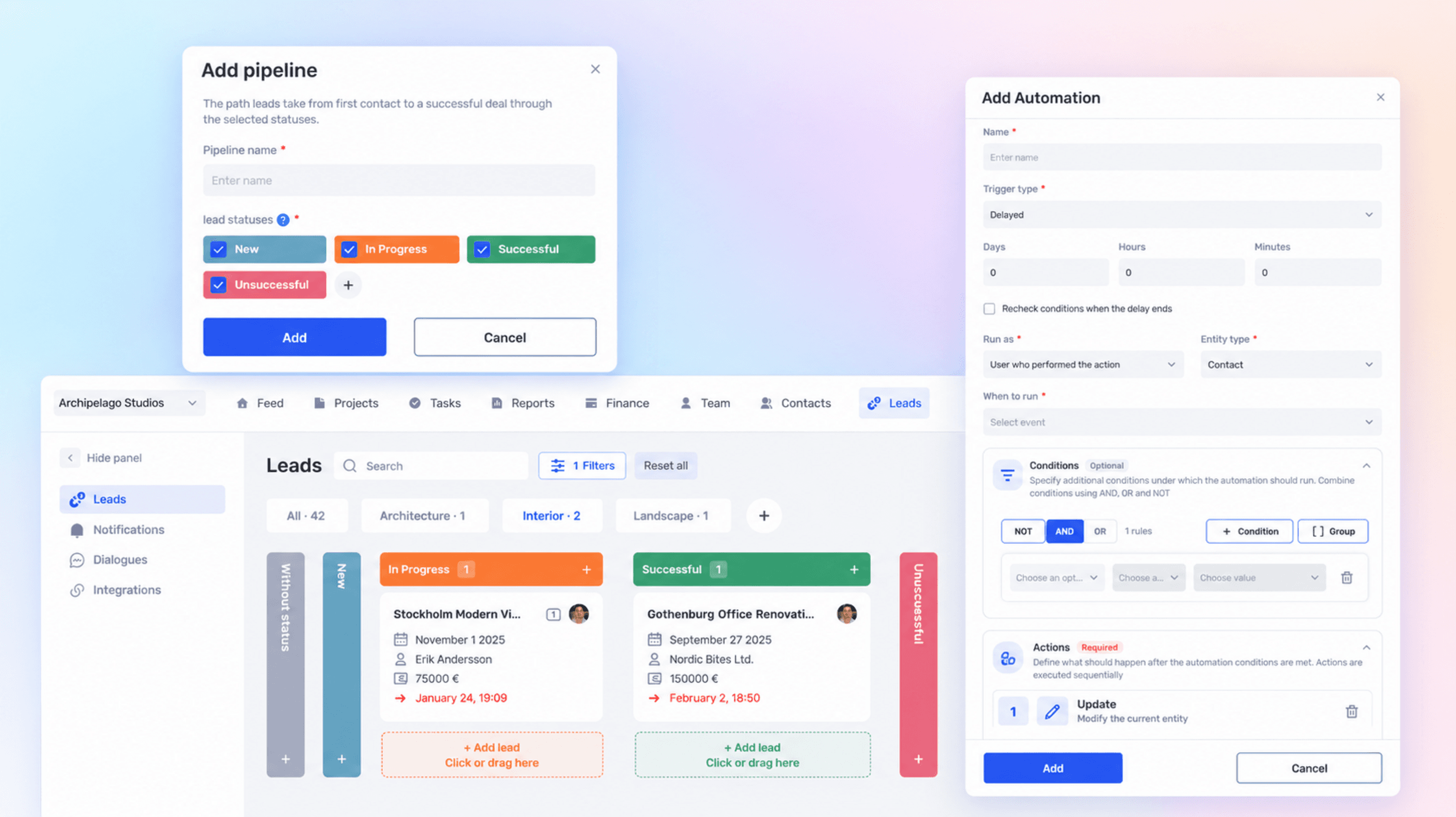
Rules that run the routine for you: trigger, condition and action in tasks and projects
$19 / month
Chats from messengers and social networks in one inbox and in the client card
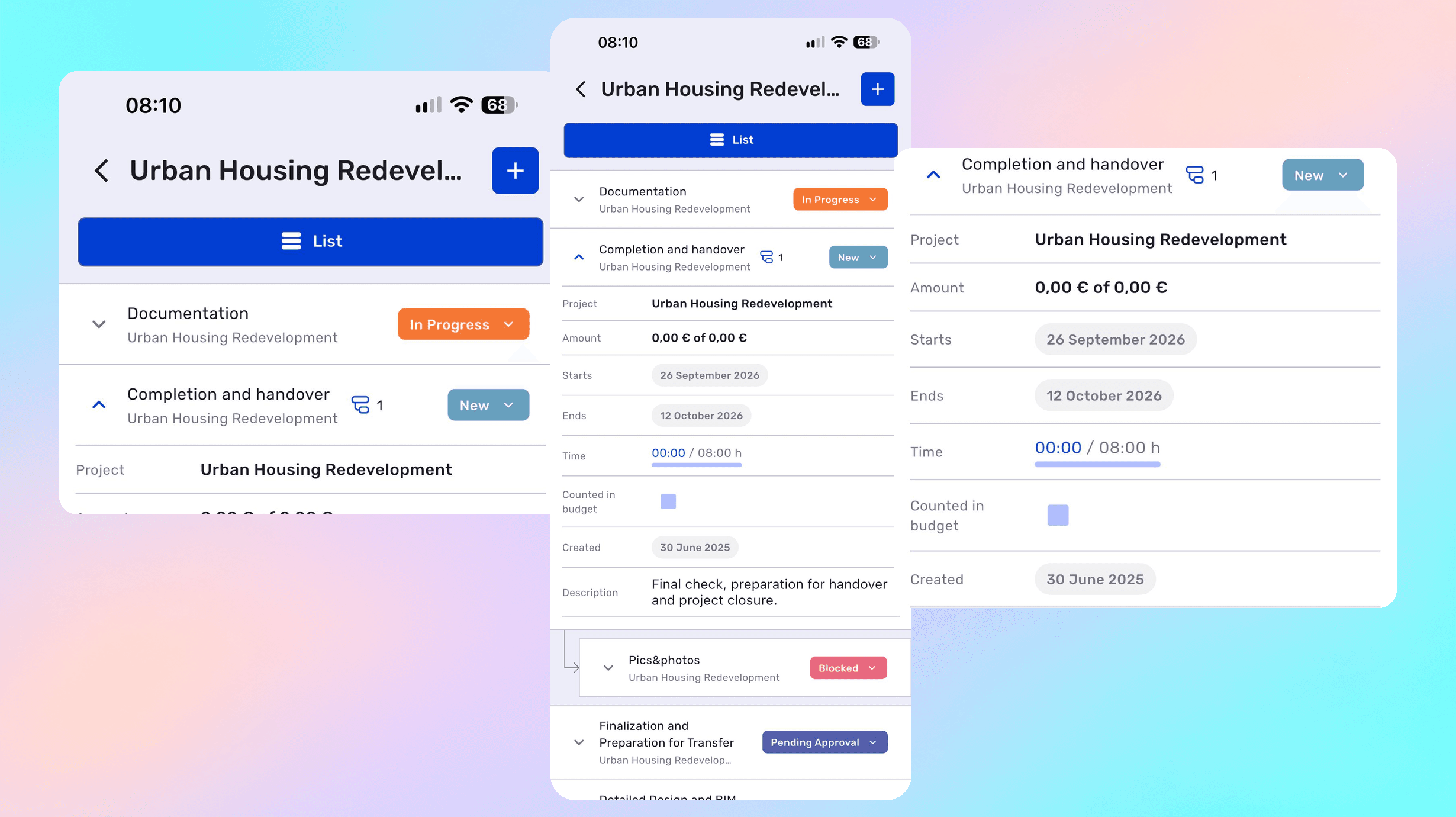
Stages — research, prototype, UI, handover to development — run as iterations inside a project with their own dates and owners. Progress per stage is visible in the project list and on the Gantt chart.
Files are attached to a project or a specific task, and office documents open directly in the system. Links to external design tools can be kept in the task description.
Feedback becomes tasks or subtasks with an owner and a deadline, and the discussion stays in comments on that specific task instead of a separate messenger thread.
The estimate is built inside a quote from items and prices, then exported to DOCX or PDF using the studio’s template. The project itself can run at a fixed price or hourly.
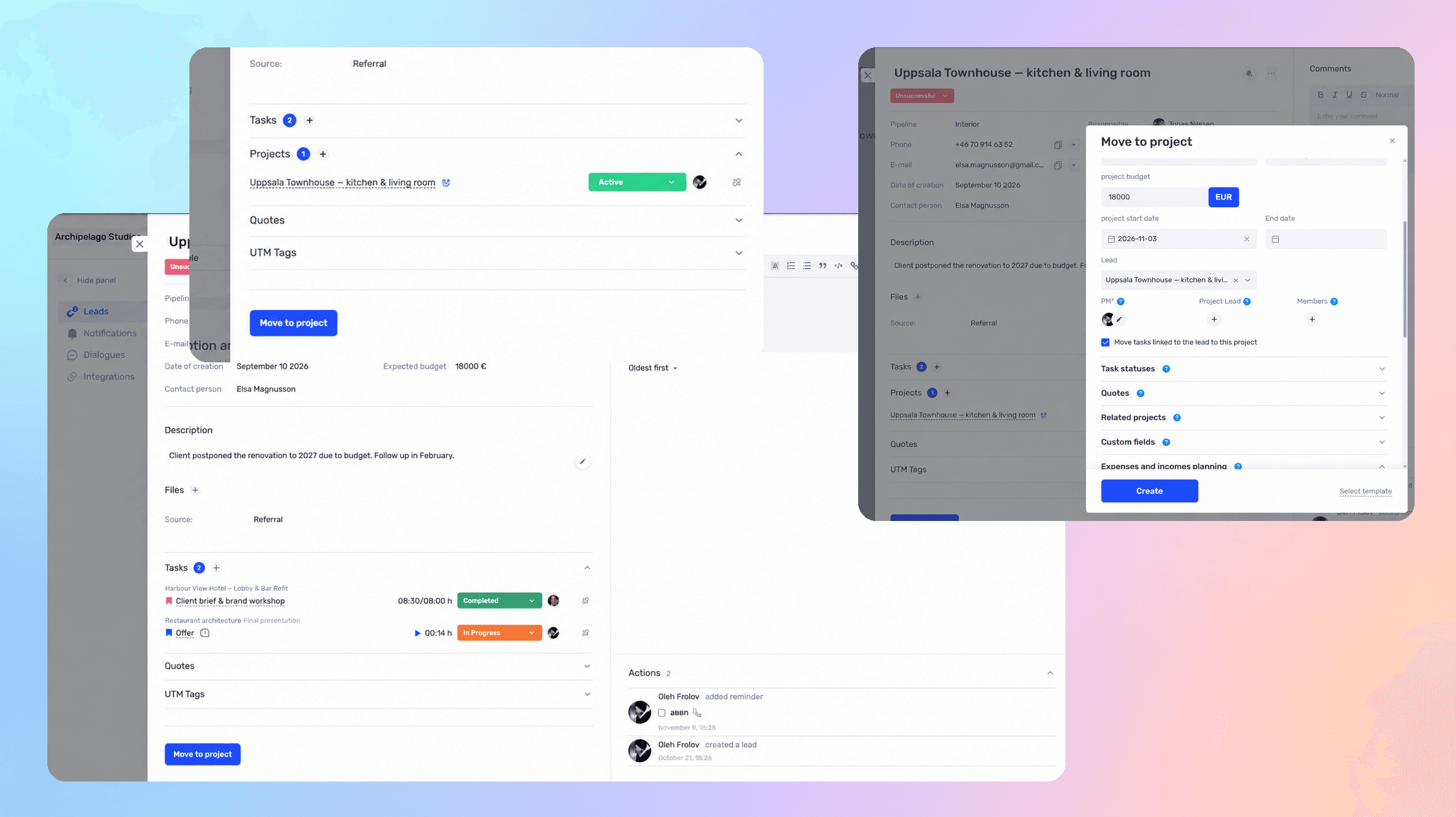
Enquiries enter the CRM as leads — from a form, a mailbox, or messengers. The profile keeps the budget, the source, the correspondence, and the responsible manager.
Yes. Time is logged on tasks, so it is clear how long research, mock-ups, and revisions actually took — and whether the original estimate held.
The workload calendar shows each designer’s availability by date across all projects, so a new client can be taken on with a realistic view of capacity.
Yes. External specialists are kept as contacts or project members with limited permissions: they see their own tasks while financial data stays closed.
Yes. Income, expenses, and the cost of logged hours are linked to the project, so the margin is calculated per client rather than only for the studio overall.
A project in if.team runs as stages — discovery, wireframes, UI, handoff — each with a deadline, an owner, a budget and the hours logged against it. The quote becomes the project, hours become cost, and the margin is visible while the work is in progress.
Jira and Notion keep tickets and notes; they don’t know what a fee, a billable hour or a client margin is. In if.team the project carries its quote, the designers’ hours, files and client approvals — the designer and the owner look at the same numbers.
A UX/UI project in if.team is a chain of stages with deadlines, owners and budgets. The Gantt chart shows which stage is late and what it blocks; the project page shows the fee, the hours spent and the margin left.
Designers log hours against a stage. When discovery or UI runs over the estimate, the manager sees it in the middle of the stage and re-quotes the next one instead of discovering the loss at the end.
Research findings, prototype links, contracts and client comments sit in the project and its stage. Figma remains the design tool; if.team keeps who approved what and when.
A proposal is built from the stages and rates, goes to the client and on approval becomes the project with its budget. Invoices are issued from the same record, so the fee quoted and the money received form one chain.
See how if.team helps UX/UI agencies manage projects, tasks, deadlines, and finances in one place.