
Stage dependencies, an updated Gantt chart, and subtasks on Kanban boards
Iterations in if.team can now be connected by dependencies, while projects on the main Gantt chart can be expanded into individual stages. Tasks now include worklog change history, one-click field editing, and separate subtask management on Kanban boards.
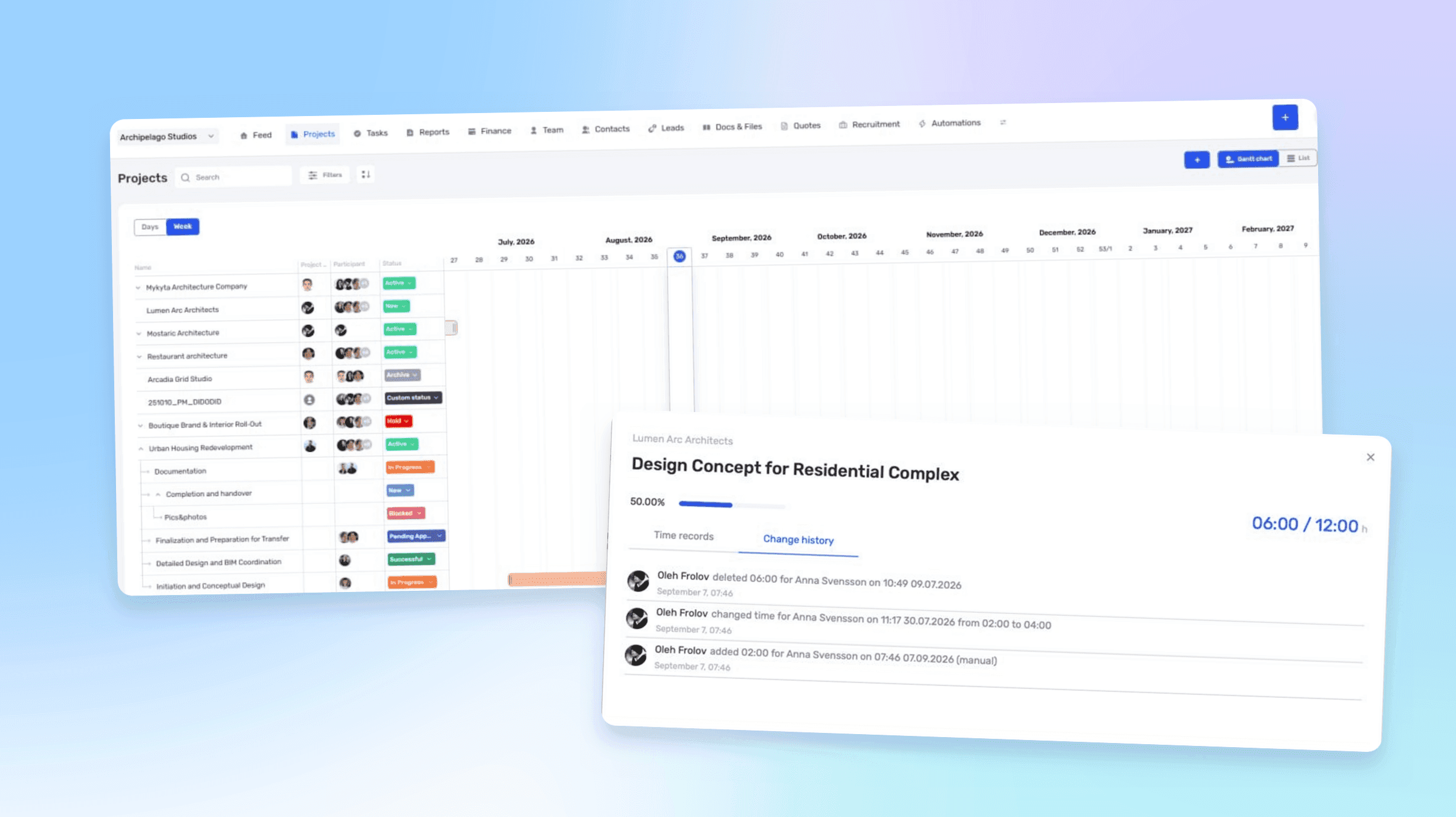
Dependencies between iterations
Dependencies can now be created not only between tasks but also between iterations, including project stages, phases, and other parts of a project. One iteration can block another or wait for it to be completed.
The relationship records the actual sequence of work. Development, for example, may wait for design approval, while construction documentation may depend on the completion of the concept stage.
Hard and soft dependencies
Tasks and iterations support two types of dependencies.
A hard dependency automatically recalculates the dates of connected items. If the preceding stage moves by one week, the work that depends on it moves as well.
A soft dependency preserves the relationship without changing dates automatically. It is useful when the team needs to see the correct sequence, but the project manager should make the final decision about rescheduling.
Iterations on the Gantt chart
Each project can be expanded on the main Gantt chart to show its iterations. The same screen now displays both overall project timelines and the position of individual stages within them.
We have also improved the calendar grid, added clearer week divisions, and highlighted weekends. The timeline is easier to read, and overlaps between work in different projects are more visible.
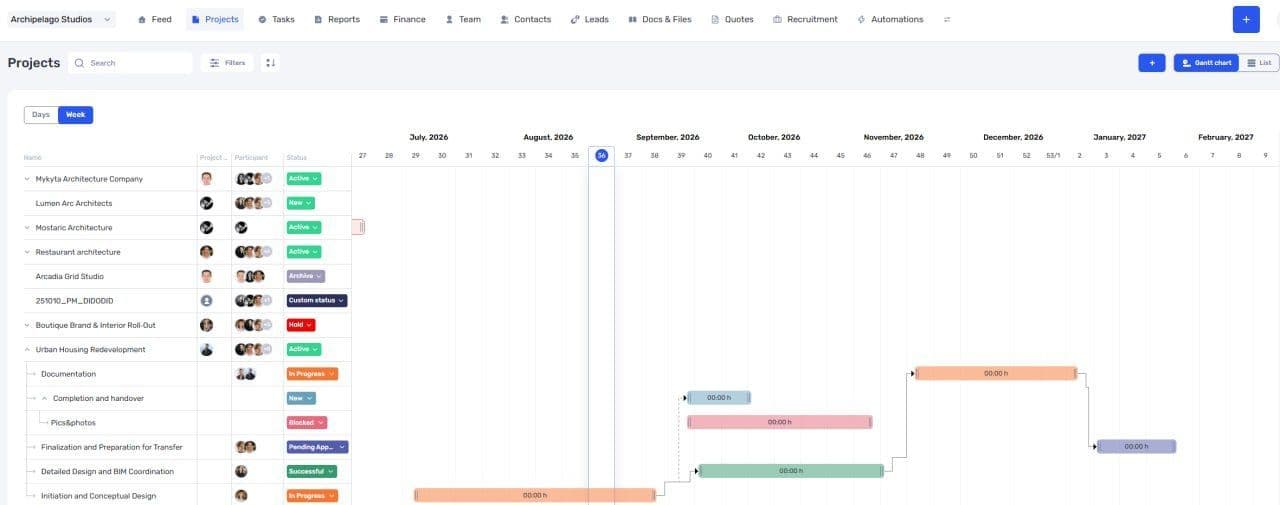
Projects, iterations, and dependencies on the Gantt chart
Iterations now have their own Member field, independent of the overall project team. The chart can be filtered by a specific person to show their involvement in different projects and stages across the calendar.
Worklog change history
Tasks now keep a history of worklog changes. The system shows who added or deleted an entry, changed its duration, edited the description, or updated other details, together with the time of the change.
When tracked time affects project costs, employee pay, or client invoices, a final total is not always enough. A manager can now see how it was calculated and who changed it.
The history contains changes made from 00:00 on September 7, 2026. Earlier operations are not included.
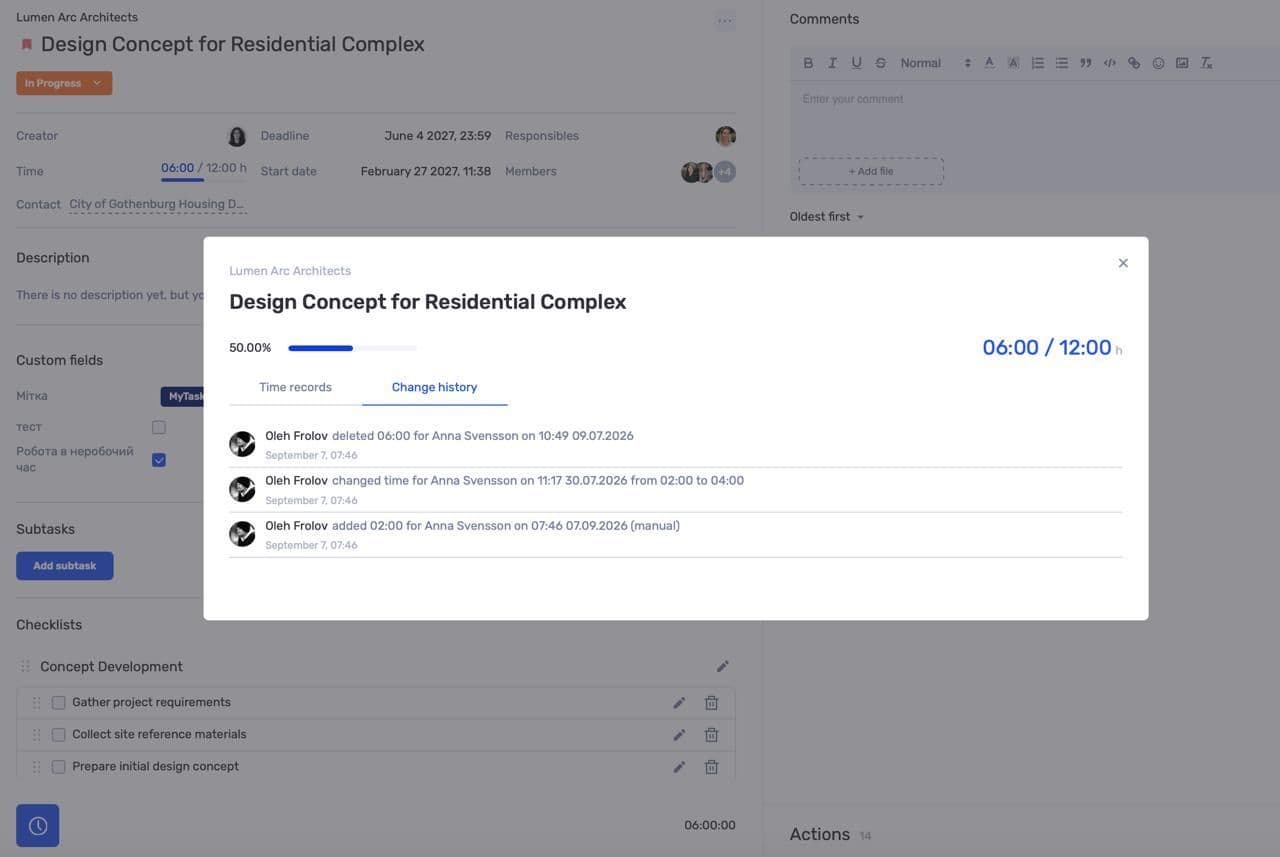
History of added, edited, and deleted worklog entries
Edit task fields with one click
Fields in a task profile can now be changed without switching to a separate editing mode. The user clicks the deadline, assignee, status, or another parameter and selects a new value.
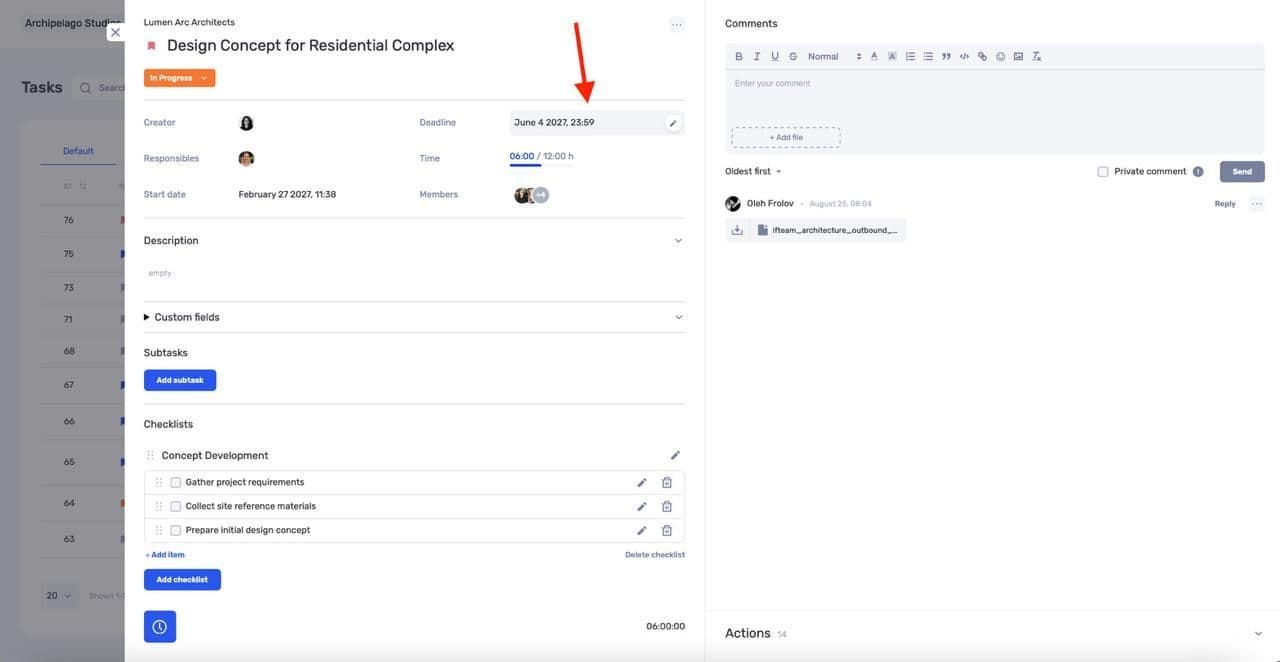
Editing a task field without opening a separate form
Fewer transitions between viewing and editing are especially noticeable when several tasks need to be updated one after another.
Subtasks as separate Kanban cards
Subtasks can now appear on a Kanban board as independent cards. They have their own statuses and can move between columns independently of the parent task.
The parent relationship remains visible on the card, so the team can see both the specific piece of work and its place in the overall task structure.
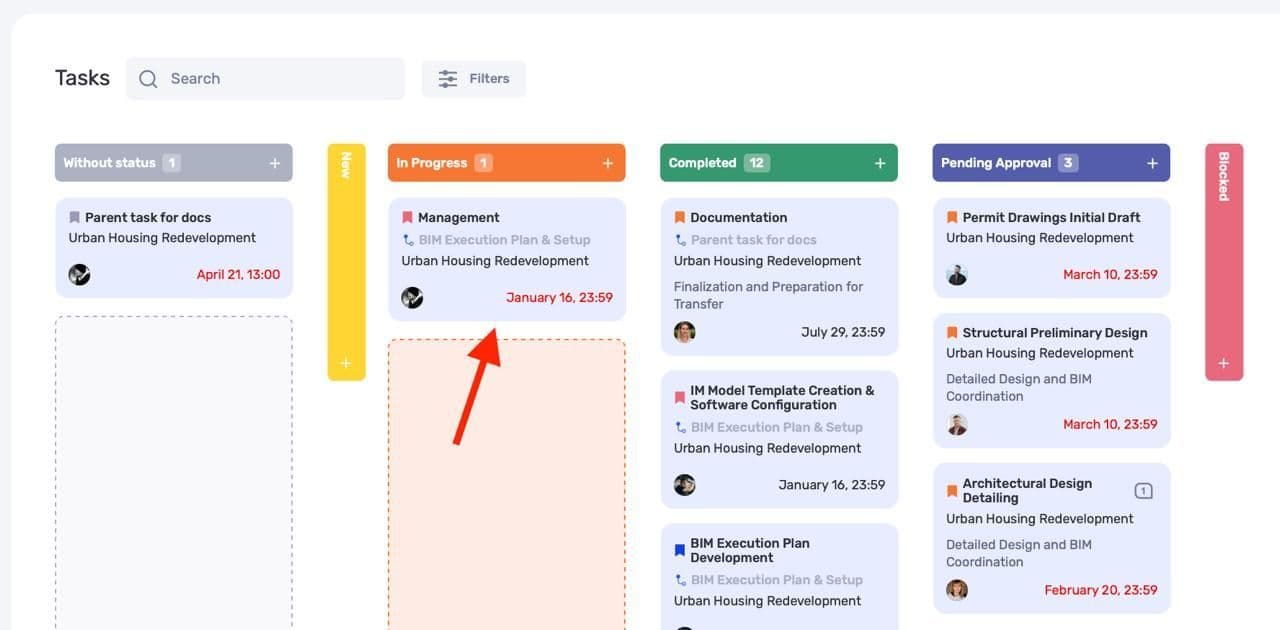
A subtask displayed as a separate card on a Kanban board
If subtasks add too much visual noise, they can be hidden in the filters so that the board shows only top-level tasks.
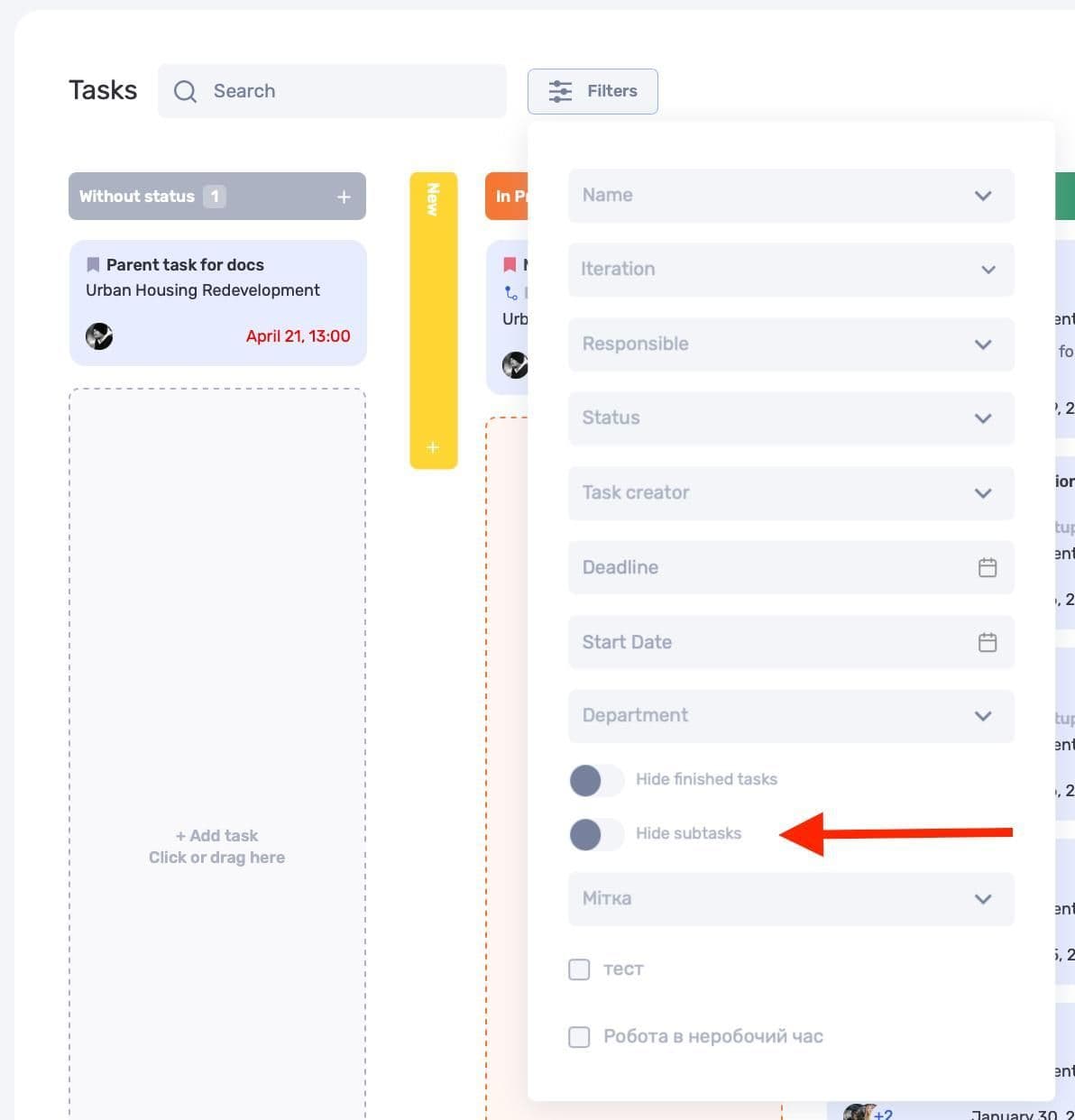
Subtask visibility settings in Kanban filters
We have also separated filtering for tasks and subtasks. Previously, conditions mainly applied to top-level tasks, which could make the result difficult to understand. The system now evaluates both levels separately and returns a more predictable view.
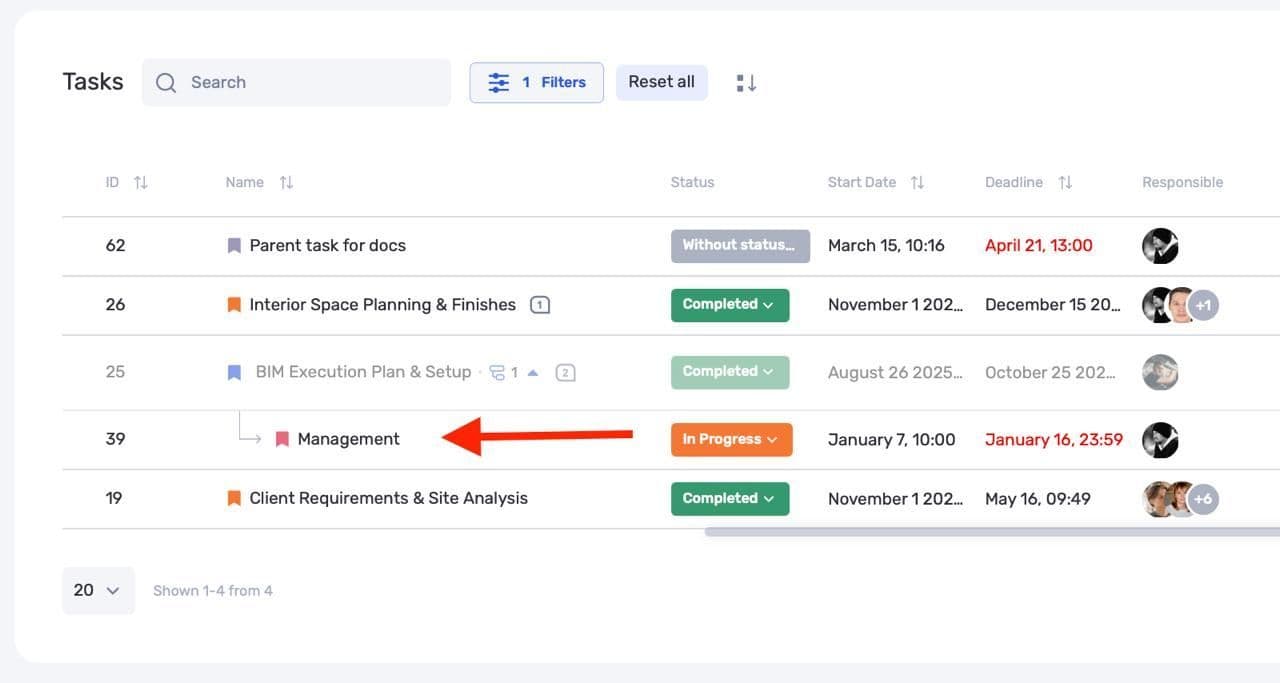
Separate filtering for tasks and subtasks
Dependencies and the Gantt chart cover planning, while worklog history and the updated Kanban board cover day-to-day execution. Both levels now stay in one system without separate tables for stages and subtasks.
Author
Vladyslav ChesnokovPublished
Sep 9, 2026
Was this update helpful?
Your feedback helps us prioritise what to ship next.
See if.team in action for your company
We’ll show how projects, team time and finances connect in one system, using your processes as an example.