
How Ukrainian Business Brotherhood automated meetings and tasks with Claude and if.team
Ukrainian Business Brotherhood connected Claude to if.team: Google Meet calls are recorded with Fathom, agreements become tasks automatically, and each team member has personal AI skills.
After team meetings, agreements easily stay in notes or in people's heads. To turn them into work, someone has to rewatch the recording, write up the tasks, assign owners, and move everything into the system.
The Ukrainian Business Brotherhood team built a different process: Google Meet is recorded automatically, Claude processes the conversation, and agreements appear as tasks in if.team. For repetitive work, each of the five team members got their own AI skills.
About Ukrainian Business Brotherhood
Ukrainian Business Brotherhood brings entrepreneurs together and grows a business community. The team organizes meetings, educational events, trips, and other formats for members.
We've already shared how the Brotherhood manages members, subscriptions, and business club operations in if.team CRM. Another case covers how to connect projects and finances in a charity foundation. This one is about the next stage: the team's work with Claude.
First, they broke down each member's work
Ruta, a technical producer and if.team partner for AI integrations, held a one-hour consultation with the whole team. Five people took part. Each described their regular tasks, the sequence of steps, and where they had to repeat the same operations by hand.
Based on these examples, they defined what information Claude would receive, how it would process it, and what results it would pass to if.team.
Personal AI skills for each role
After the consultation, Ruta created two or three personal skills for each member. A skill stores the instructions for a recurring task: the sequence of steps, the output format, and the rules for working with data.
Members don't need to explain the workflow every time: Claude uses the saved instructions. The rules differ by role, based on the tasks the team went through during the consultation.
Claude was connected to if.team via MCP
So that AI could not only draft text but also take action in the system, Ruta set up an MCP integration with if.team. It gives Claude access to approved tools and lets it pass on results without manual copying.
In this scenario, Claude works with the team's projects and tasks: it creates tasks with descriptions and adds them to the right project.
Meeting agreements become tasks automatically
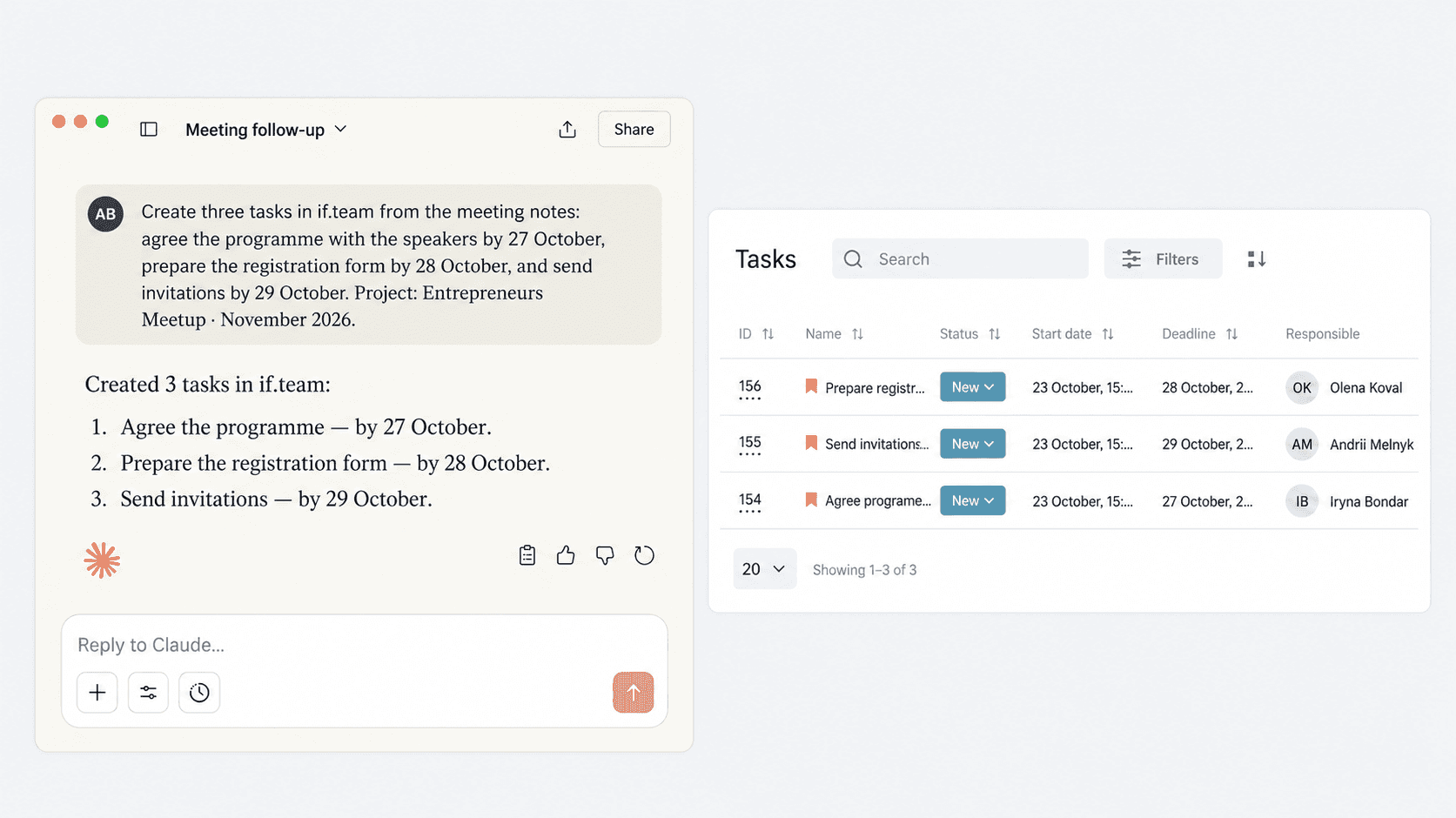
Google Meet is recorded with Fathom. After a call, Claude processes the recording, finds the agreements, and turns them into structured tasks. They then go to if.team, where the team works with assignees, deadlines, statuses, and comments.
Members don't need to take minutes during the meeting and move each item by hand afterwards. Instead, they review the ready result in the system they work in.
Below is an example of the integration at work, with sample data.
“I've already started using the Google Meet — Fathom — Claude — if.team setup, and it's exactly what I wanted. We've already got to the point of so many automations and scheduled tasks that I'm incredibly proud.”
— Annychka Skrobko, Ukrainian Business Brotherhood
What changed in the team's work
After a meeting, the team reviews ready tasks in its work management system, clarifies details, and tracks progress. Personal skills store instructions for other recurring tasks that used to require explaining to AI from scratch.
FAQ
Why does the team need separate AI skills?
Different roles have different inputs, steps, and expected results. A personal skill stores these rules, so Claude doesn't need full instructions every time.
How do tasks get into if.team after a meeting?
Google Meet is recorded with Fathom, and Claude processes the content and turns agreements into tasks. They go to if.team through the MCP integration.
Do you need to take minutes by hand after every meeting?
In this scenario, separate manual minutes aren't needed. The team reviews the generated tasks in if.team and refines them if needed.
Can this process be set up for different roles?
Yes. First, the team describes the work of each role, and then skills and available AI actions are set up for specific scenarios.
Connect an AI assistant to your company in if.team. If you need help choosing a scenario and setting it up, book a demo.
Author
Vladyslav ChesnokovPublished
Oct 25, 2026
More articles to read
How a Ukrainian charity foundation manages projects and finances in if.team ERP
In a Ukrainian charity foundation, finances are closely tied to individual projects. Funds come in for different initiatives, expenses have their own structure, and the team needs a clear view of both each project budget and the foundation’s overall cash flow.
How Ukrainian Business Brotherhood manages members, subscriptions, and business club operations in if.team
A business club revolves around its members. The team maintains the member database, tracks subscriptions, organizes events, coordinates internal tasks, and keeps information about how people take part in the life of the community.
How Urban Reform Manages Projects, Teams, and Finances with if.team ERP for Nonprofits
Ukrainian nonprofits often begin with a small team and one specific problem they want to solve. Some support internally displaced people and veterans, while others work in education, culture, or community development. As they grow, so does the volume of day-to-day operational work.
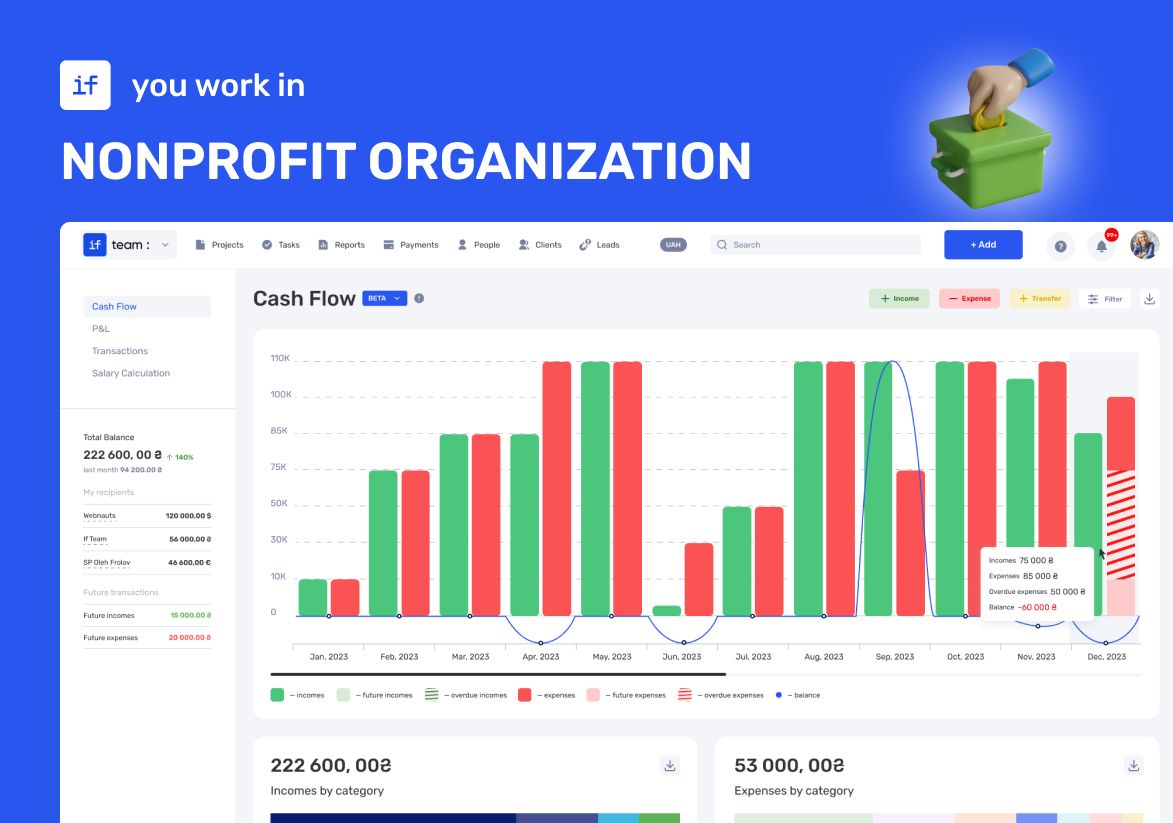
ERP Software for Nonprofit Organizations: Transparent Finances and Reporting for YEP! Accelerator
YEP! Accelerator — a startup accelerator that understands this better than anyone. They were among the first to implement if.team. Thanks to the platform, they were able not only to organize their finances but also take their operations to a new level.
How LEVIN group tracks finances in if.team by voice with ChatGPT
LEVIN group logs income and expenses in if.team with voice messages, receipt screenshots, and files sent to ChatGPT, and uses AI for tasks, projects, and CRM.

How Oasis Comfort manages HVAC and plumbing projects in if.team
Oasis Comfort handles inquiries in the CRM, schedules site stages and teams on a shared Gantt chart, and compares planned and actual financial performance of its HVAC and plumbing projects in if.team.
See if.team in action for your company
We’ll show how projects, team time and finances connect in one system, using your processes as an example.