VAT Accounting
VAT accounting is disabled by default and can be enabled at the company level in the Admin Panel.
Generate AI summary
Open this page in your favorite AI assistant
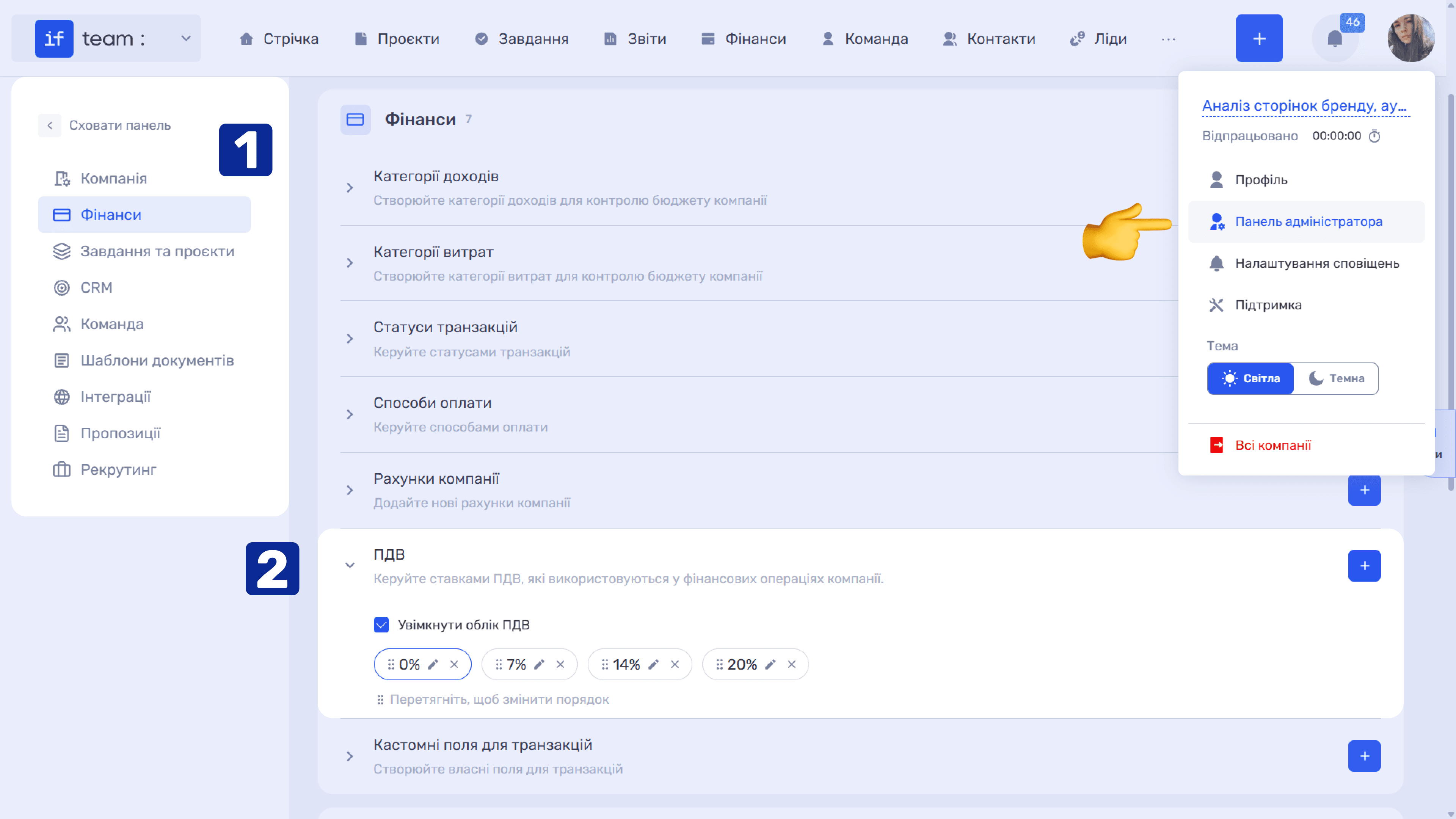
After enabling VAT accounting, you can:
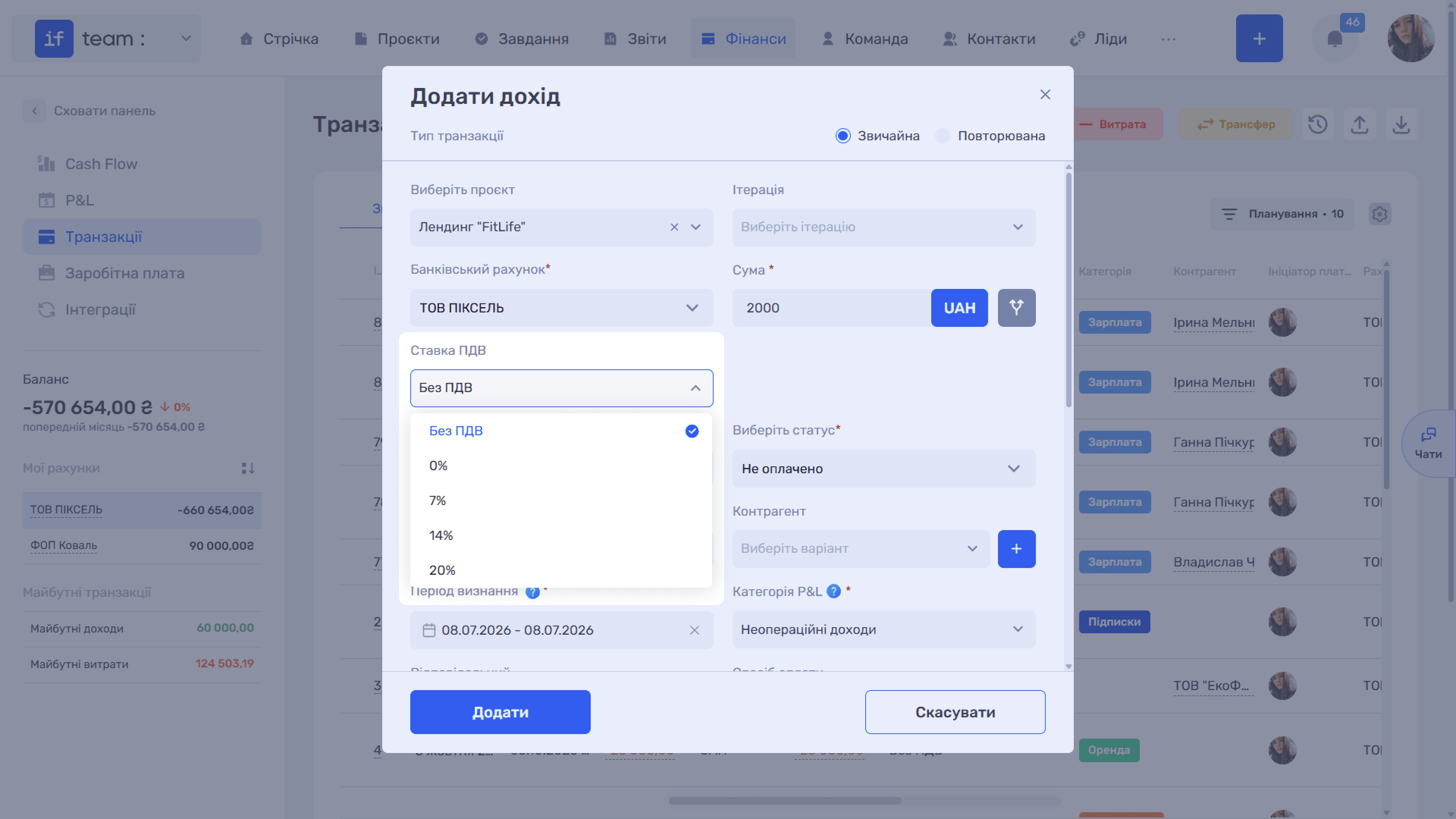
- Configure VAT rates, such as 0%, 7%, 14%, and 20%, select a default rate, and change their display order.
- Set a default rate for each bank account. It will be automatically applied to transactions on that account; see Accounts and Payment Integrations.
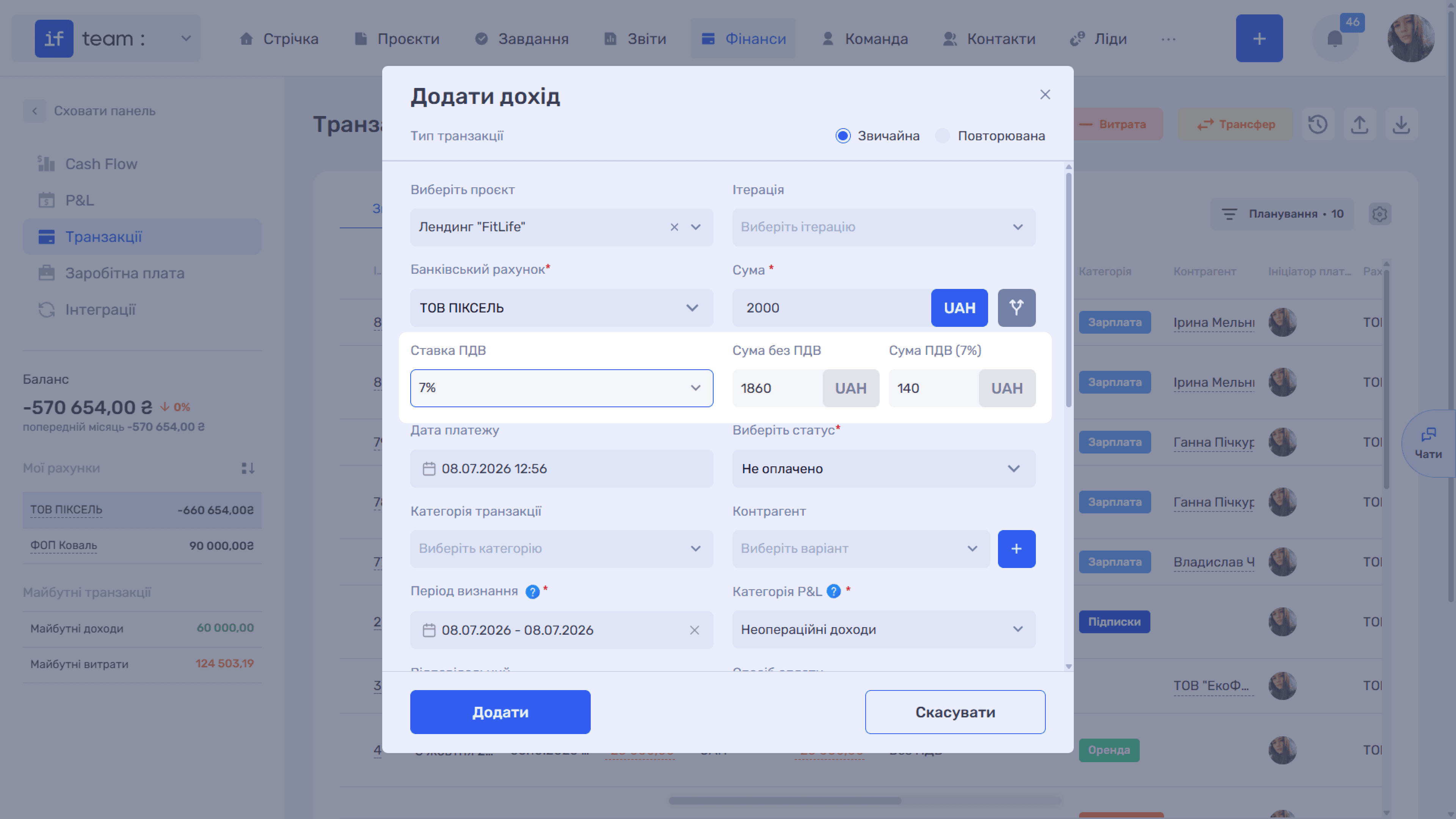
- Account for VAT in income and expenses. The system automatically calculates the net amount and the VAT amount in the company currency.
- View VAT rates and amounts in the transaction list.
- Automatically calculate output VAT, input VAT credit, VAT already paid, and VAT payable.
- Assign payments of VAT or VAT refunds to a separate category so that they are correctly included in the VAT payable calculation.
When VAT accounting is enabled, VAT rate and amount fields appear in the income and expense form. For details, see Adding and Editing Income and Expenses.
Please note
When VAT accounting is enabled, P&L uses amounts excluding VAT, while Cash Flow uses the actual payment amounts including VAT.
Still have questions?
Maybe we haven't added this information yet. But you can always reach out:
Request a demo
Submit a request and we'll show you how the service works and its capabilities.
Book a demo