Exporting Transactions to Excel
Click the download icon (⬇) in the upper-right corner to save the transaction list as an Excel file.
Generate AI summary
Open this page in your favorite AI assistant
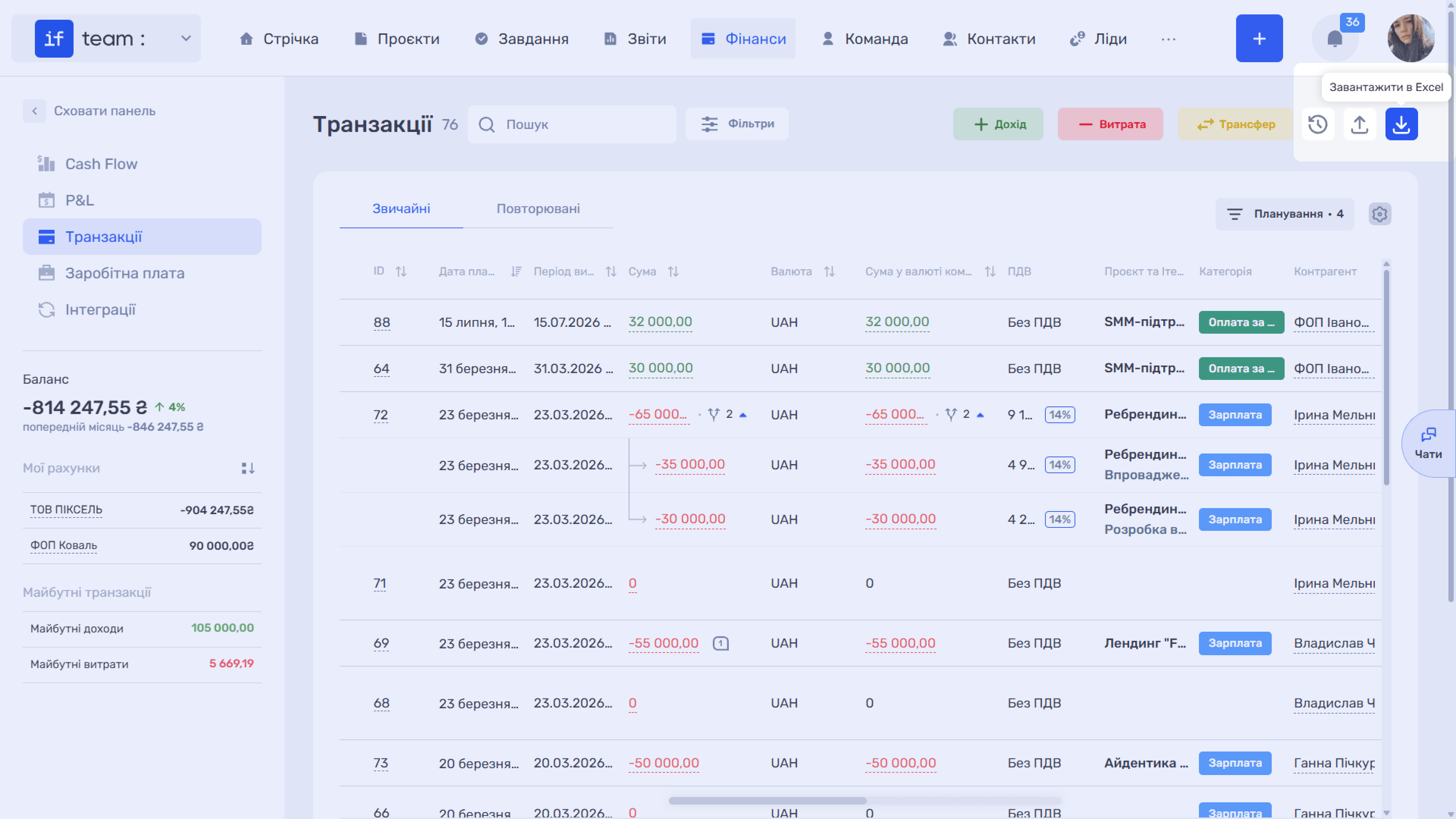
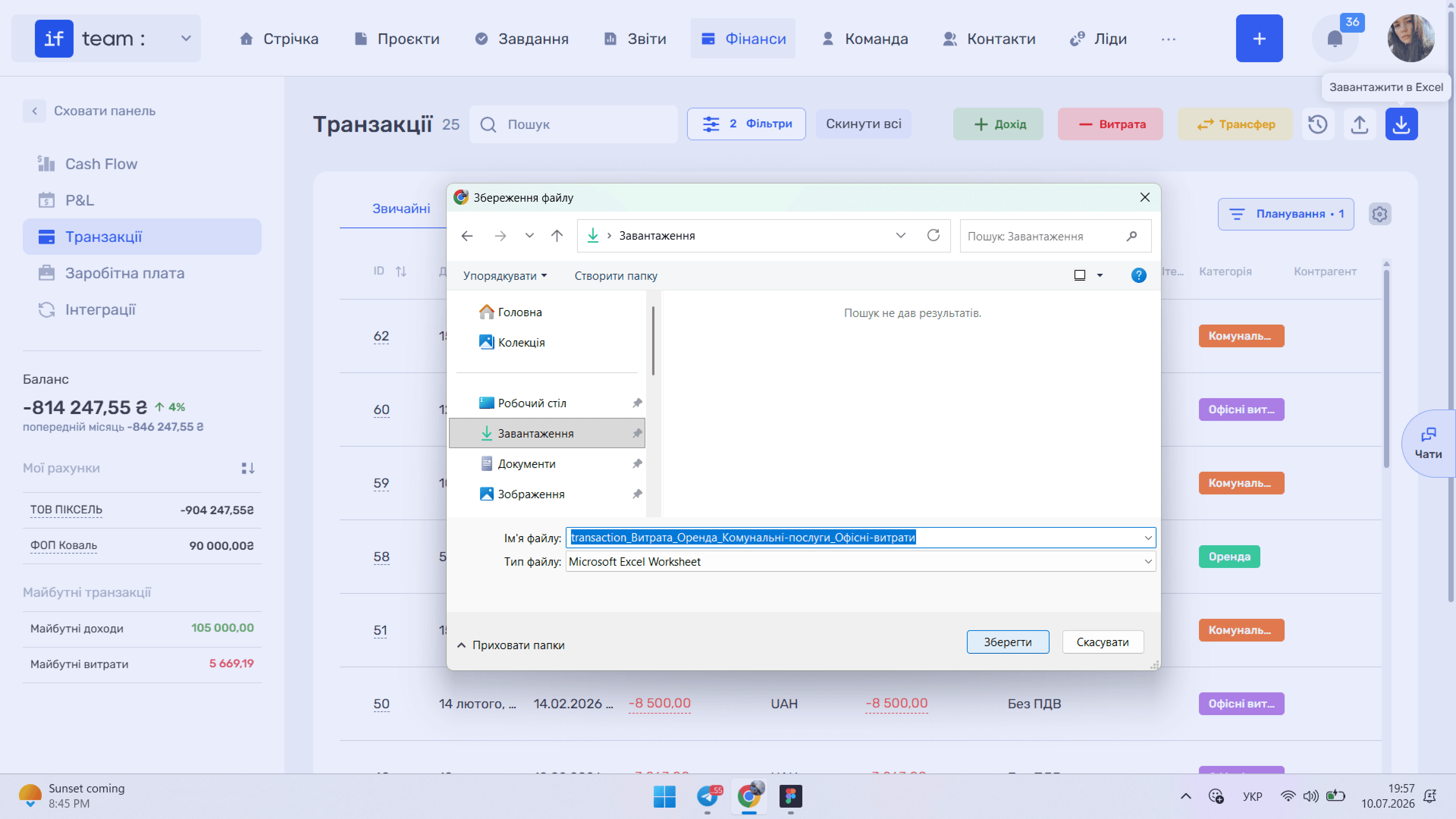
The current selection is exported: either the records matching the applied filters or all records if no filters are set. The file name automatically includes the filter parameters, making exported files easy to distinguish.
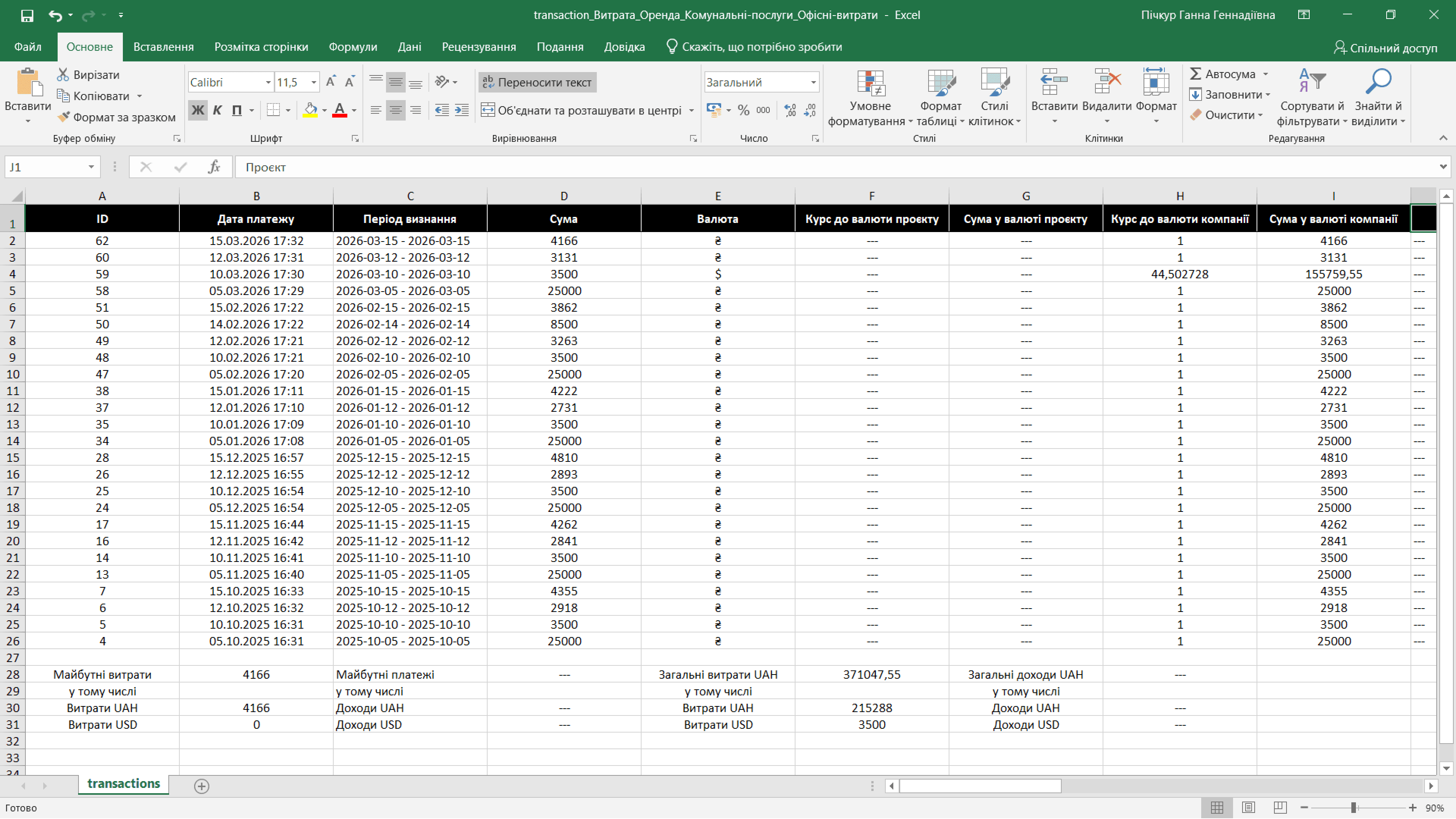
In addition to the table data, the file contains the exchange rate and equivalent amount of each transaction in the project and company currencies, as well as transaction totals in each currency.
Still have questions?
Maybe we haven't added this information yet. But you can always reach out:
Request a demo
Submit a request and we'll show you how the service works and its capabilities.
Book a demo