Adding Transfers
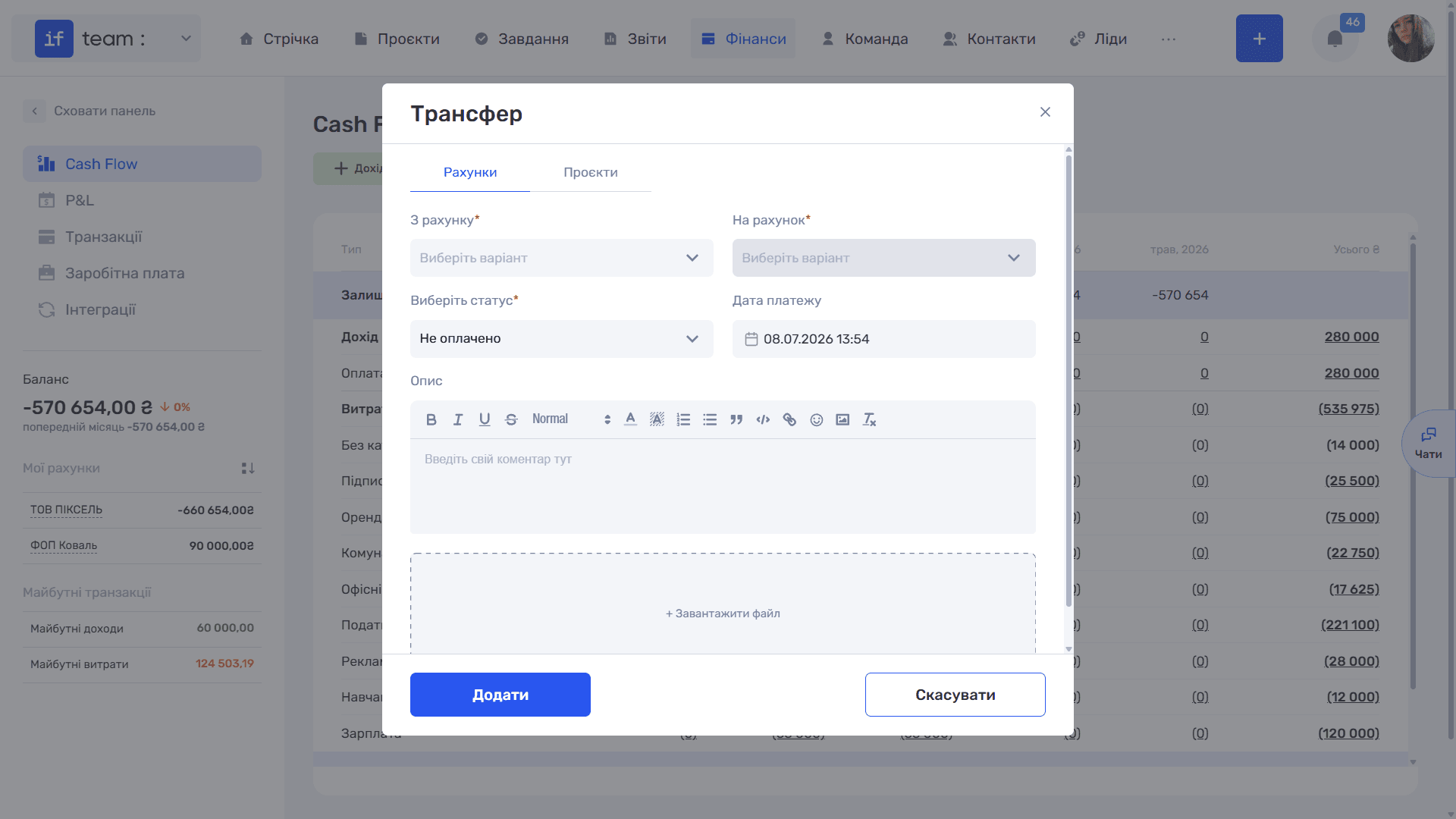
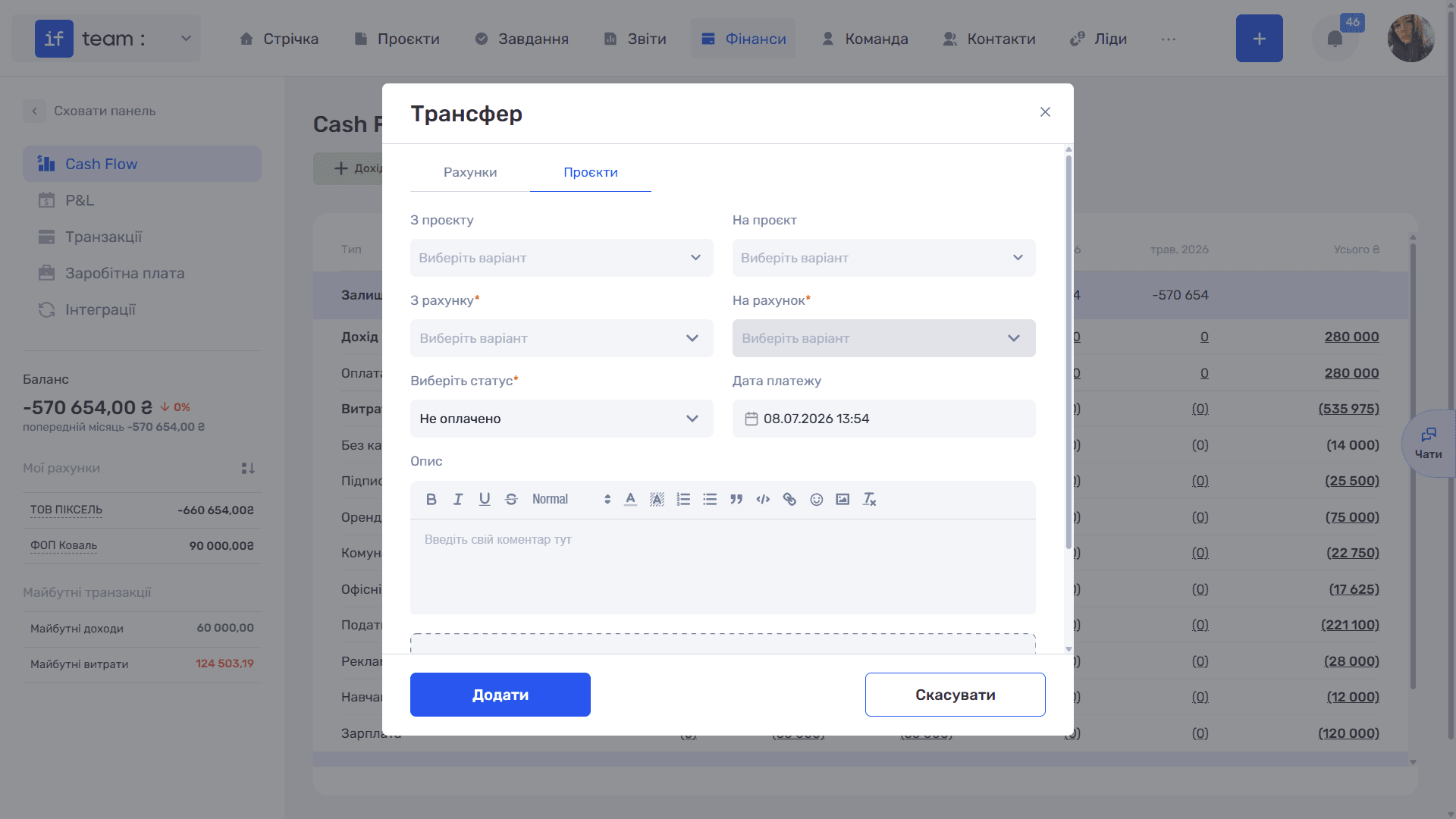
A transfer is a movement of funds between company accounts or a reallocation between projects. Unlike income or an expense, a transfer does not change the overall financial result. It only moves money within the company, so the form does not include a transaction category or recognition period.
In the left panel of Finance, open “Cash Flow,” “P&L,” or “Transactions,” then click the yellow “Transfer” button. The form has two tabs:
- Accounts is used to transfer funds between the company’s bank accounts. Select “From Account” and “To Account.” Both fields are required.
- Projects is used to reallocate funds between projects. In addition to the accounts, complete the “From Project” and “To Project” fields.
Complete the remaining fields shared by both tabs: Status (required), Payment Date, Description (a text editor with formatting), and “+ Upload File” for attachments. Click “Add,” and the transfer will appear in the general transaction register.
Still have questions?
Maybe we haven't added this information yet. But you can always reach out:
Request a demo
Submit a request and we'll show you how the service works and its capabilities.
Book a demo