
How Lvivbud tracks the financial performance of construction projects in if.team
Lvivbud, a general contractor from Lviv, manages each construction site as a separate project in if.team and tracks its budget, costs and financial result.

A construction company may be working on several sites with different budgets and schedules. Company-wide expenses alone make it difficult to assess each one: the team needs to know which work and payments belong to each job.
Lvivbud uses if.team to manage projects and their financial performance. The company tracks each site separately and monitors its financial figures. This can be extended with construction phase planning, tasks, and dependencies between activities. Here, we look at Lvivbud's experience and the system's capabilities for this workflow.
About Lvivbud Construction Corporation
Lvivbud is a construction corporation based in Lviv that acts as a general contractor. The company works on multi-storey residential buildings and industrial facilities. Its portfolio includes LvivTech.City, Avalon Zelena Street, and Edelweiss House.
The corporation owns its construction machinery and equipment. To track equipment movements between sites, the team developed a separate software product. This is one example of how the company manages resources across different construction projects.
Lvivbud's website also lists construction and installation work and engineering infrastructure among its services. These jobs require the company to account for the scope of work at each site and the cost of delivering it. Residential developments and industrial facilities differ in scope, schedule, and contract terms, so their budgets need to be tracked separately.
In if.team, Lvivbud manages projects and their financial performance. The following sections look at how that project-level tracking works and which system capabilities a construction company can add to it.
A separate project for each construction site in if.team
A construction site can be managed as a project with its own record. This contains the client, project manager, dates, status, and budget. The key information about the construction job is kept in one place that the team can return to throughout the work.
For Lvivbud, the project is also the basis for financial analysis. The company tracks the financial performance of individual jobs, so data for one site can be reviewed independently of the others.
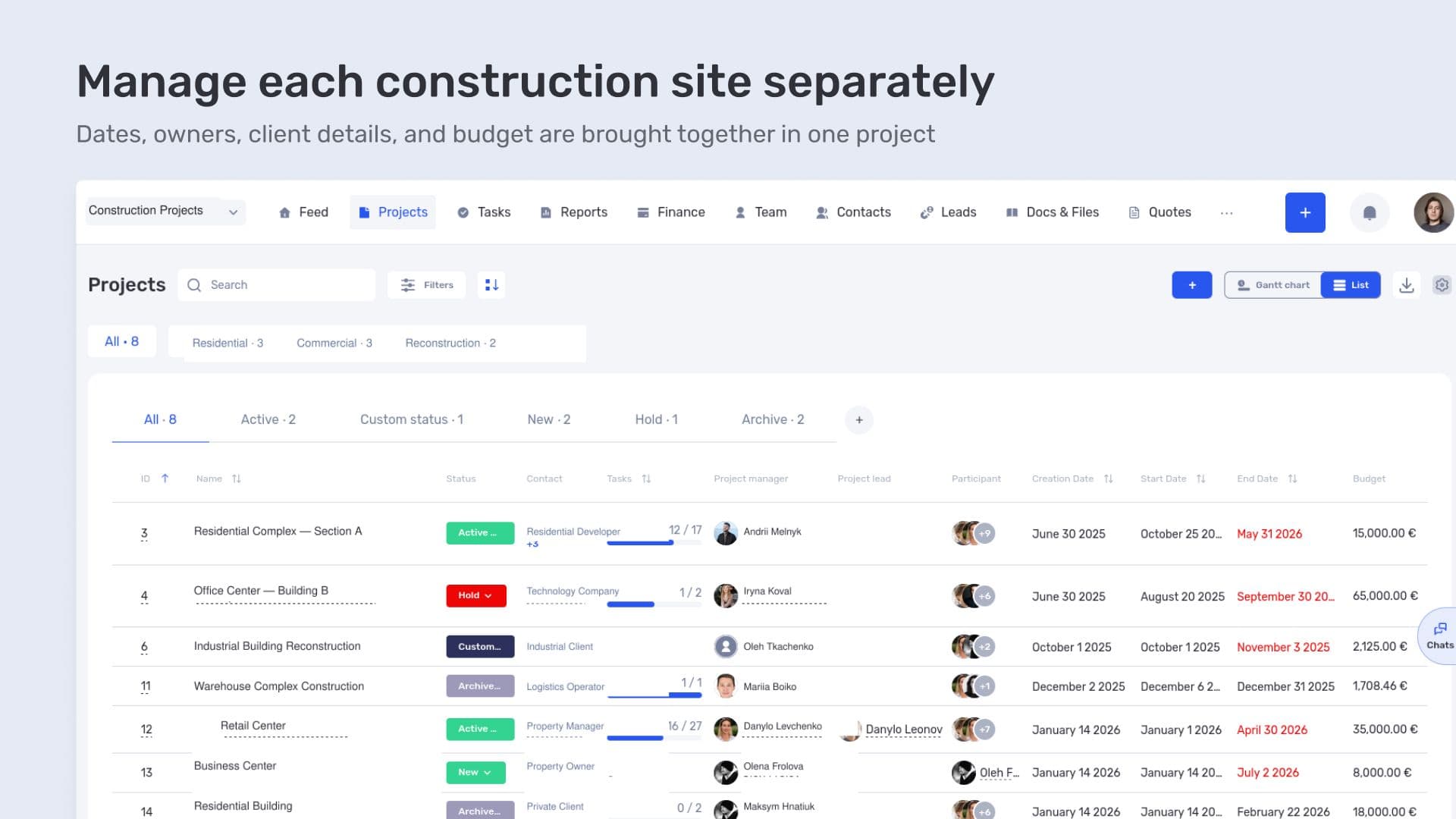
Manage each construction site separately
For example, if a contractor is carrying out two jobs for the same client, they can be managed as separate projects. Both records retain the same client, while each site has its own budget and financial figures.
To review a particular construction job, the team opens its project and examines the amounts linked to it. If similar work is carried out at several sites, allocating a cost to a project shows which job it belongs to.
This separation also matters when comparing projects. Identical budgets do not necessarily produce identical financial results: the scope and costs may differ from site to site. Each job's figures need to be checked before the results are compared.
Construction project budgets, costs, and profitability
Lvivbud's main use of if.team is to monitor project financial performance. At the site level, the company can track the budget, delivery costs, and financial result.
These figures change during construction. Costs are recorded as work is carried out, the scope is clarified, and the parties may agree on additional work. Project-level tracking makes it easier to review those changes within the relevant job.
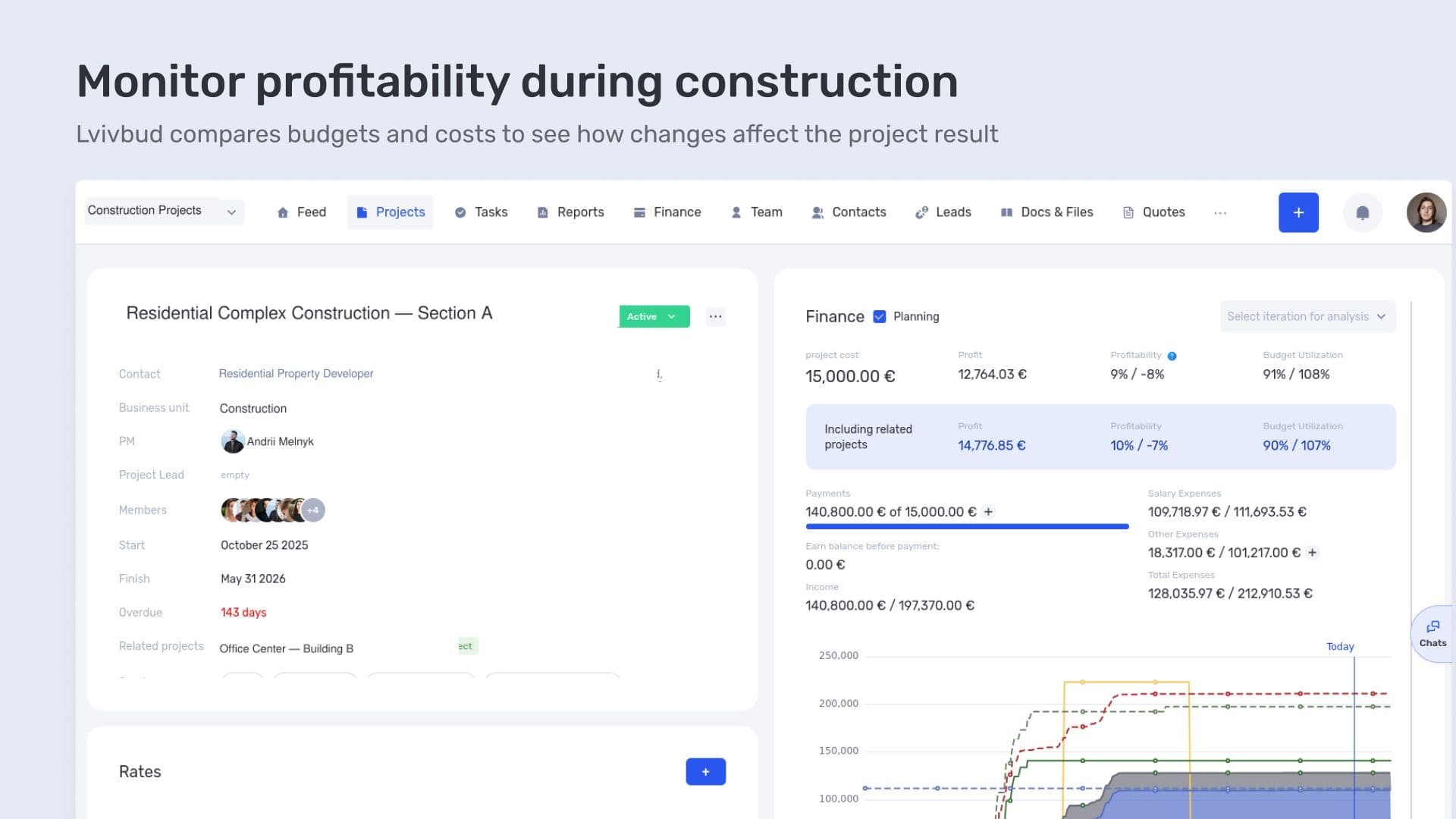
Monitor profitability during construction
Suppose the client approves an additional work package. The contract value increases, but completing the work will also incur costs. Both changes need to be considered when assessing the revised result. A larger budget alone is not enough to draw conclusions about profitability.
It is also important to compare costs already incurred with the work still ahead. If a substantial part of the budget has been spent while a major phase of construction is only just starting, the expected cost of completion needs to be reviewed. The remaining budget only becomes meaningful when compared with the outstanding scope.
In if.team, project financial planning supports this analysis, including expected payments and future costs. For example, a contractor's work may already be agreed, but payment is still due. Its cost can be included in the plan to assess expected expenses before the payment is made.
Completed payments and forecasts answer different questions. The former show what has already been paid. A forecast helps assess which costs still need to be covered and how they will affect the job. This gives a construction company a way to complement its current figures with an estimate of the final result.
Planning construction phases and dependent activities
Projects and their financial performance are the capabilities Lvivbud uses. For construction companies that also need a detailed delivery plan, if.team provides stages, nested work packages, and tasks.
A site can be divided into construction phases, with specific activities identified within each one. Names should reflect the team's processes: the system allows companies to change the terminology used for projects, iterations, and sub-iterations.
Dependencies connect the stages. For example, certain work may be unable to begin until the design documentation has been approved. The dependency shows that sequence in the schedule and helps the manager assess the consequences of a date change.
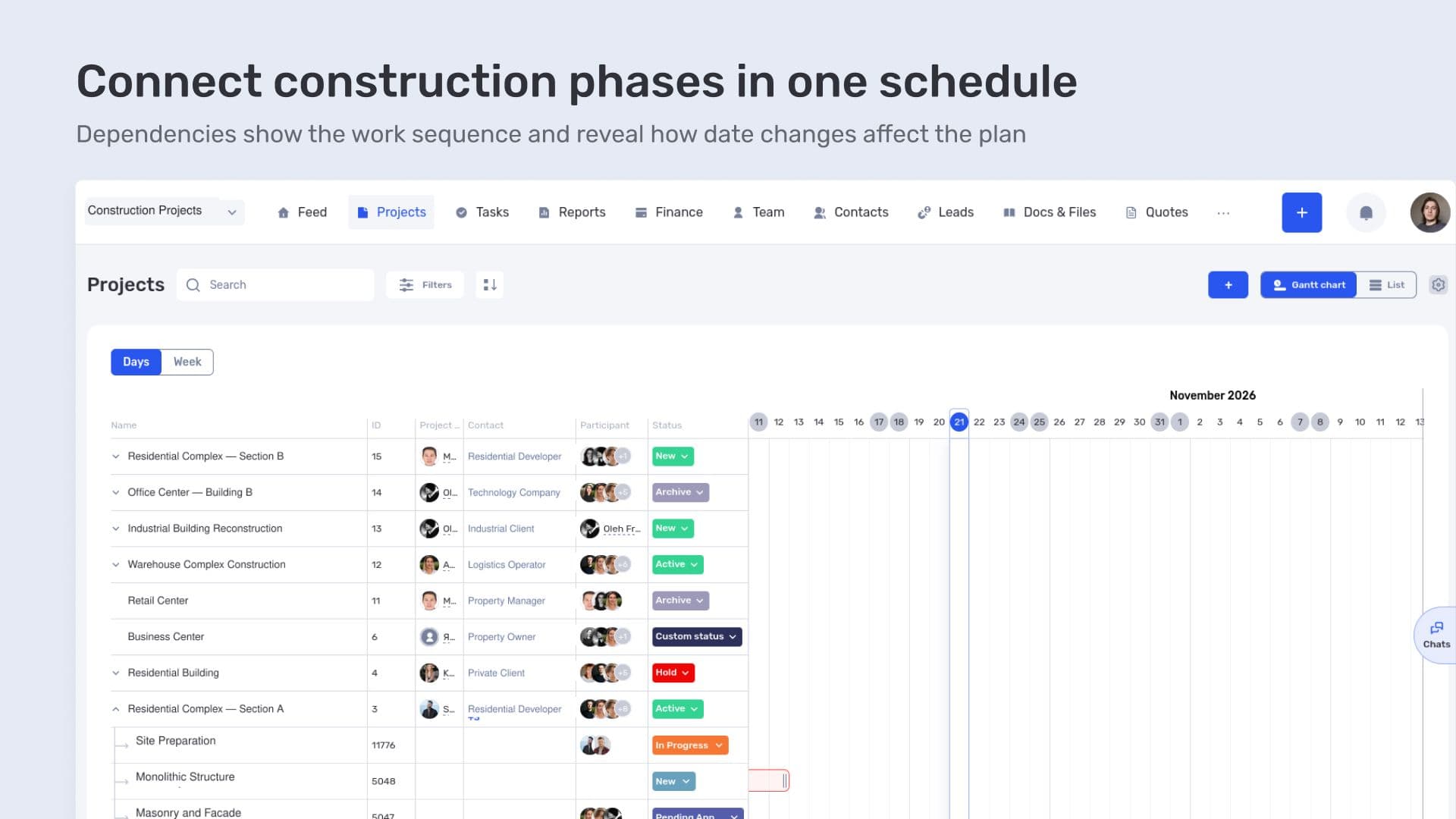
Connect construction phases in one schedule
if.team offers two types of dependencies. Hard dependencies automatically recalculate the dates of linked activities. Soft dependencies retain the link without automatically rescheduling them. The second option is useful when the manager needs to check the circumstances and agree on changes first.
The effect of a delay on project completion depends on the plan. If a stage has float, moving it may not change the finish date. Delays to work on the critical path affect the completion date of the entire project.
Each work package can be broken down into tasks with assignees and deadlines. Tasks also support discussions and attachments, including photos and design documents.
For example, a task to clarify a technical solution can include the relevant drawing and a description of the issue. The discussion stays linked to that specific piece of work. The manager sees the stage in the overall plan and can open it to review the tasks and details that affect its completion.
Project-level financial tracking for a construction company
Lvivbud uses if.team to manage projects and monitor their financial performance. This structure allows the budget and costs of each site to be examined separately.
Where needed, a construction company can add a phase schedule, dependencies, and tasks. The financial data and delivery plan then belong to the same project, making it possible to check what remains to be done on site and what costs that work involves.
Frequently asked questions
How can you maintain a separate budget for each construction site?
Each site is set up as a project with its own budget. Financial data is allocated to the relevant job so that its performance can be reviewed separately from the company's other work.
How should additional work be included when assessing a project?
Both the change in contract value and the cost of the additional scope need to be considered. Planned data in if.team can account for future payments, allowing the expected result to be assessed before the work is complete.
Can a project be divided into construction phases?
Yes. A project can contain stages and nested work packages, with tasks assigned to team members within them. The terminology can be adapted to the names the team uses.
How does changing one stage's dates affect other activities?
With a hard dependency, if.team automatically recalculates the linked dates. With a soft dependency, the link remains and the manager reviews the schedule. The effect on the finish date depends on the sequence of work and the float available in the plan.
Author
Vladyslav ChesnokovPublished
Oct 20, 2026
More articles to read

How Oasis Comfort manages HVAC and plumbing projects in if.team
Oasis Comfort handles inquiries in the CRM, schedules site stages and teams on a shared Gantt chart, and compares planned and actual financial performance of its HVAC and plumbing projects in if.team.

How engineering company ALMIS plans design work and manages project finances in if.team
ALMIS Engineering Center plans design work, assigns tasks to engineers and tracks the costs and payments of each site in if.team, with an API integration to 1C.

How architectural design studio Replus implemented if.team and built a project and financial management system in two years
This case shows how their current workflow is structured and how an ERP system connected operational processes with the economics of the business.
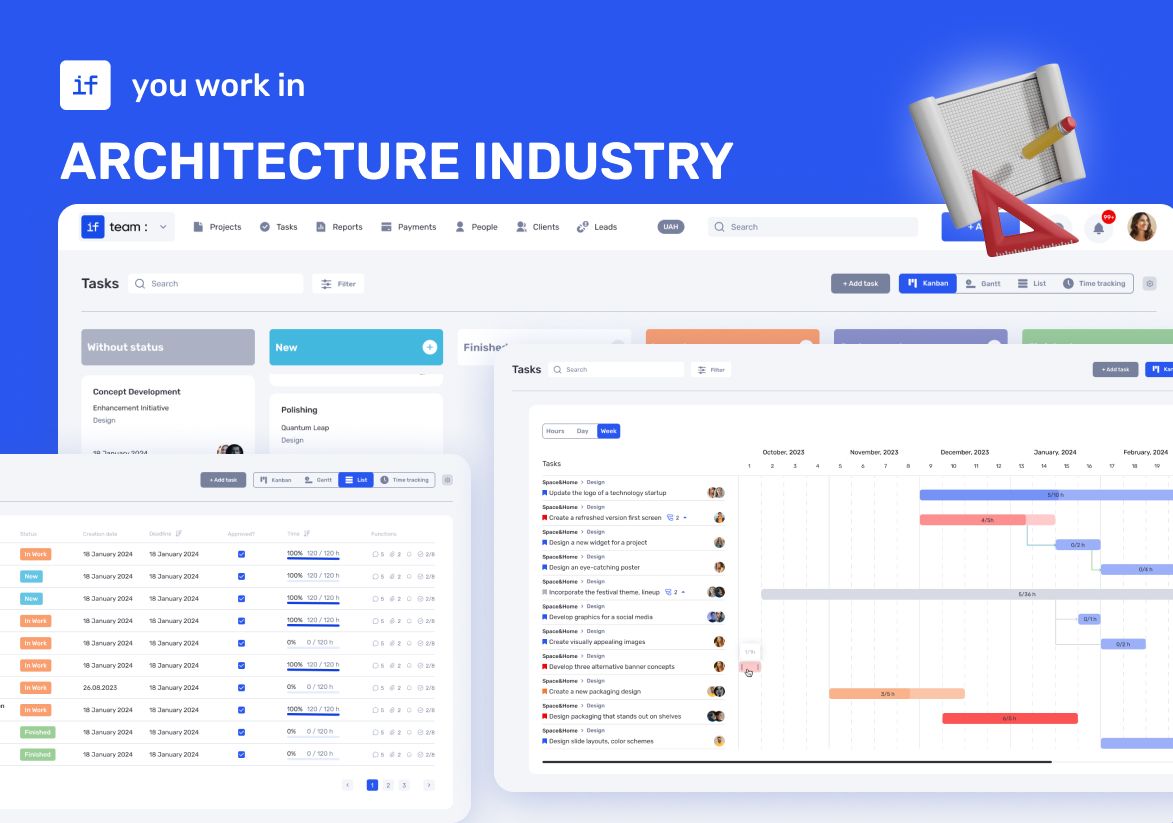
ERP for Managing Architectural Projects: YOD Group Experience
In this case, we talk about YOD Group — an architectural agency that uses ERP to manage complex projects in hospitality and commercial design.
How if.team ERP for Architects Became the Foundation for Designing the Future
How the architectural bureau Drozdov & Partners gained a unified platform for managing projects, teams, and processes. Learn how if.team ERP for architects helps organize workflows and manage large-scale projects more efficiently.

How Creatura manages event projects, budgets, and finances in if.team ERP for event companies
How if.team ERP for an event company helps Creatura manage event projects and budgets, receive transactions from PUMB, and automatically create folders in Google Drive.
See if.team in action for your company
We’ll show how projects, team time and finances connect in one system, using your processes as an example.