Task List
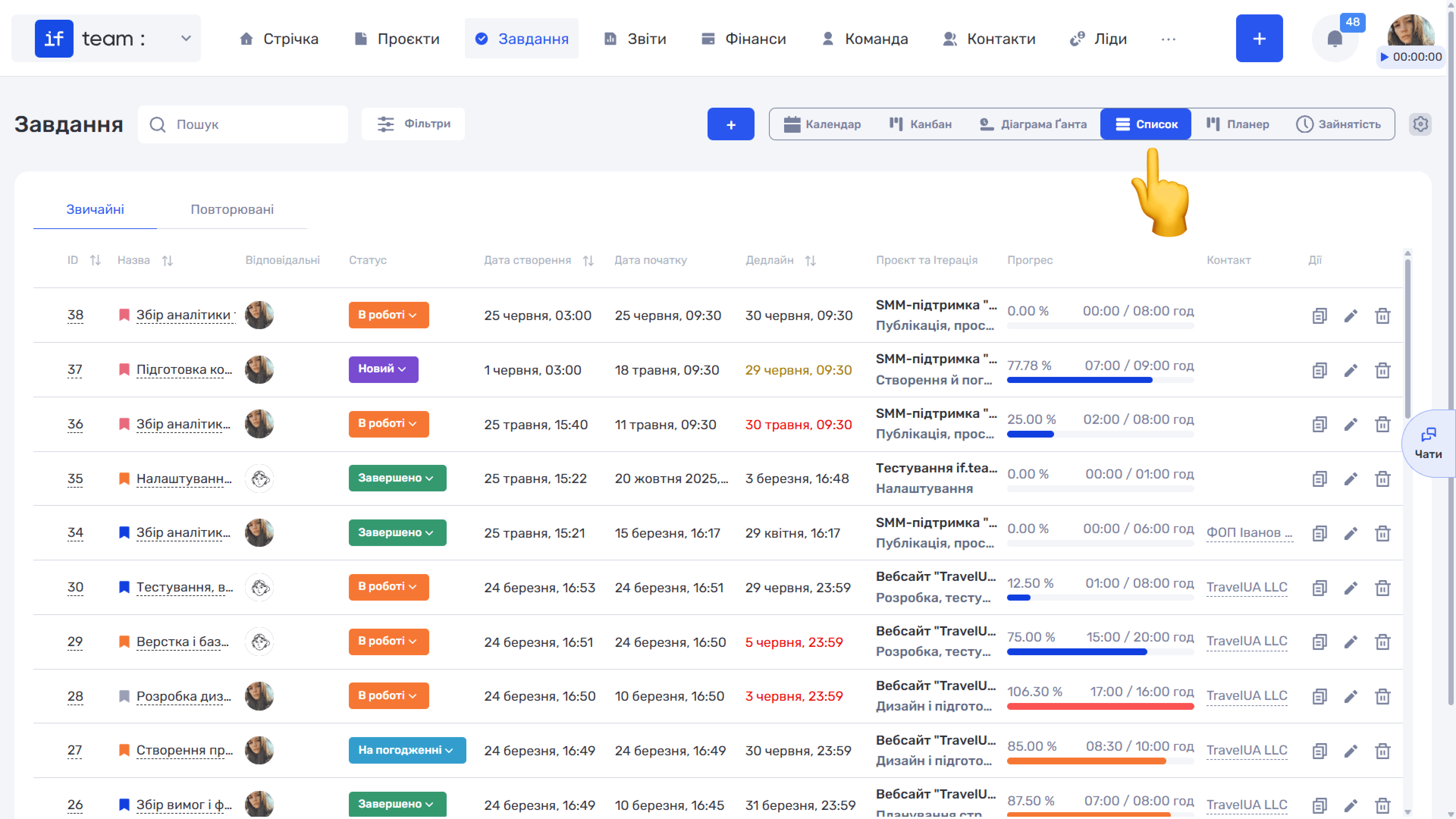
List is a table view with detailed information about each task. The table contains the following columns: ID, name, assignees, status, creation date, start date, deadline, project and iteration, progress, contact, and actions.
Tasks are divided into two tabs: “Regular” and “Recurring.” You can learn more about recurring tasks Recurring Tasks.
Approaching deadlines are highlighted in mustard, overdue deadlines in red, and the progress bar shows the ratio between the time actually spent and the planned time.
Bulk Editing Tasks
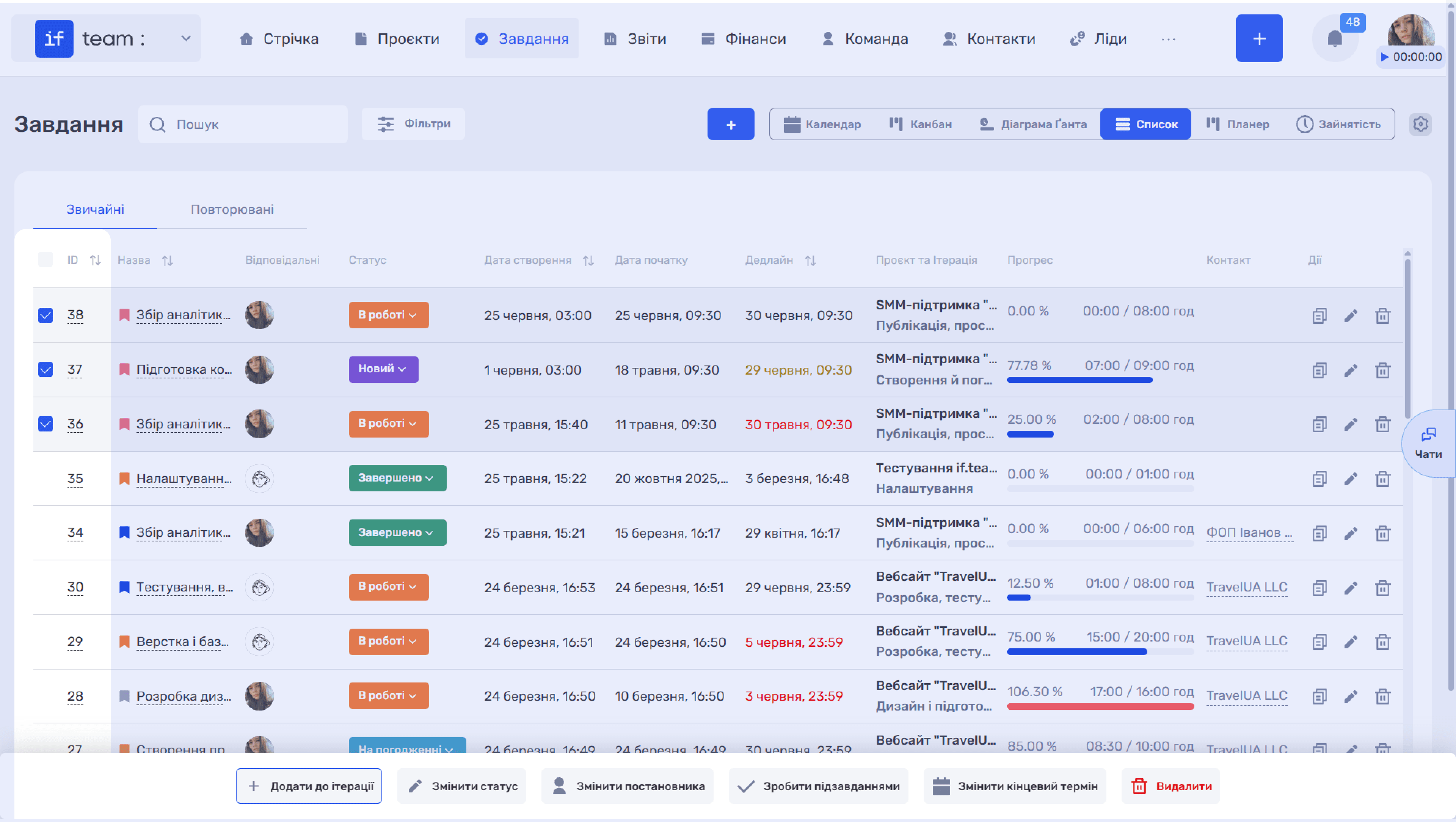
When you select one or more tasks using the checkboxes on the left, a bulk-actions panel appears at the bottom of the screen: “+ Add to Iteration,” “Change Status,” “Change Manager,” “Make Subtasks,” “Change Deadline,” and “Delete.” This lets you quickly update parameters for a group of tasks at once.
Filtering and Search
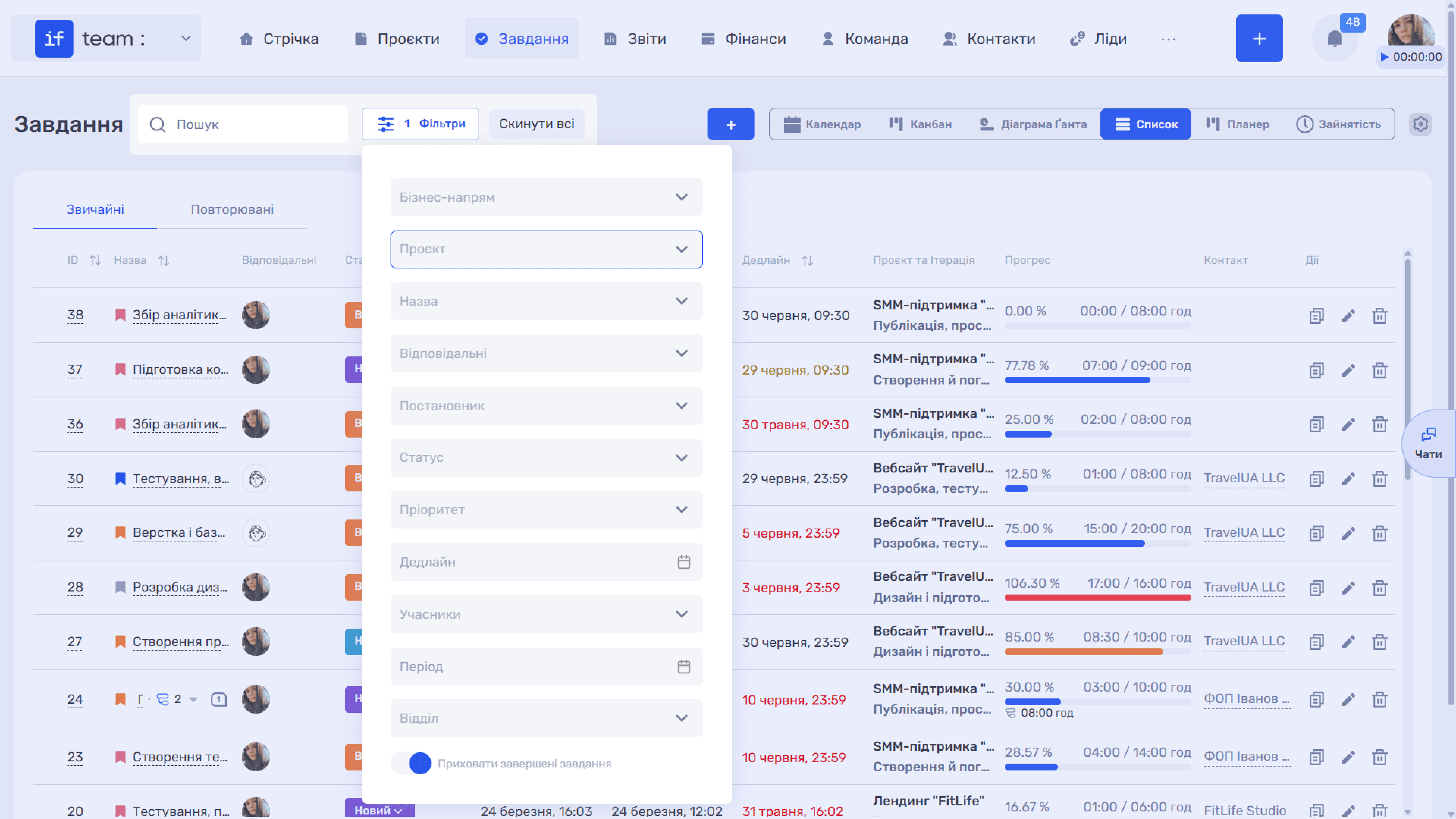
The complete set of filters is available in “List” view. Click “Filters” above the table to filter tasks by business line, project, assignees, status, deadline, and other parameters, or use the “Search” field. For details about all available filters and how they differ between views, see Task Filters.
Still have questions?
Maybe we haven't added this information yet. But you can always reach out:
Request a demo
Submit a request and we'll show you how the service works and its capabilities.
Book a demo