Recurring Tasks
Recurring tasks are tasks that the system creates automatically according to a set schedule. They are suitable for routine processes such as monthly reports, regular checks, and preparing content plans.
Generate AI summary
Open this page in your favorite AI assistant
Viewing Recurring Tasks
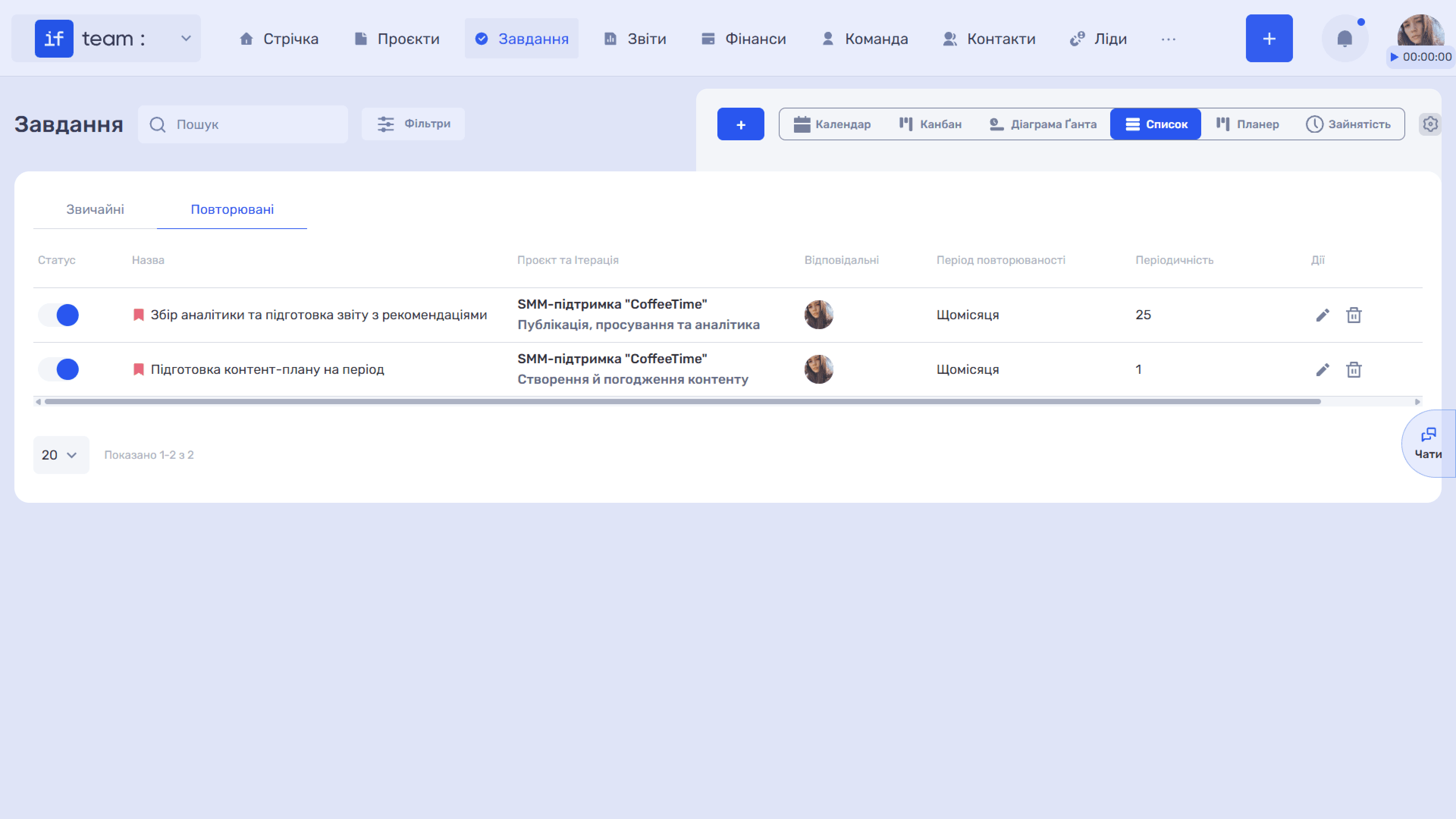
To view all recurring tasks, open “Tasks” in “List” view and select the “Recurring” tab.
The table contains the following columns: status, which indicates whether the recurring task is active; name; project and iteration; assignees; recurrence period and frequency; and action buttons for editing (✏) and deleting (🗑).
How to Create a Recurring Task
- Click “+” on the tasks page.
- In the “Add Task” modal window, select the “Recurring” type. The form heading changes to “Add Recurring Task.”
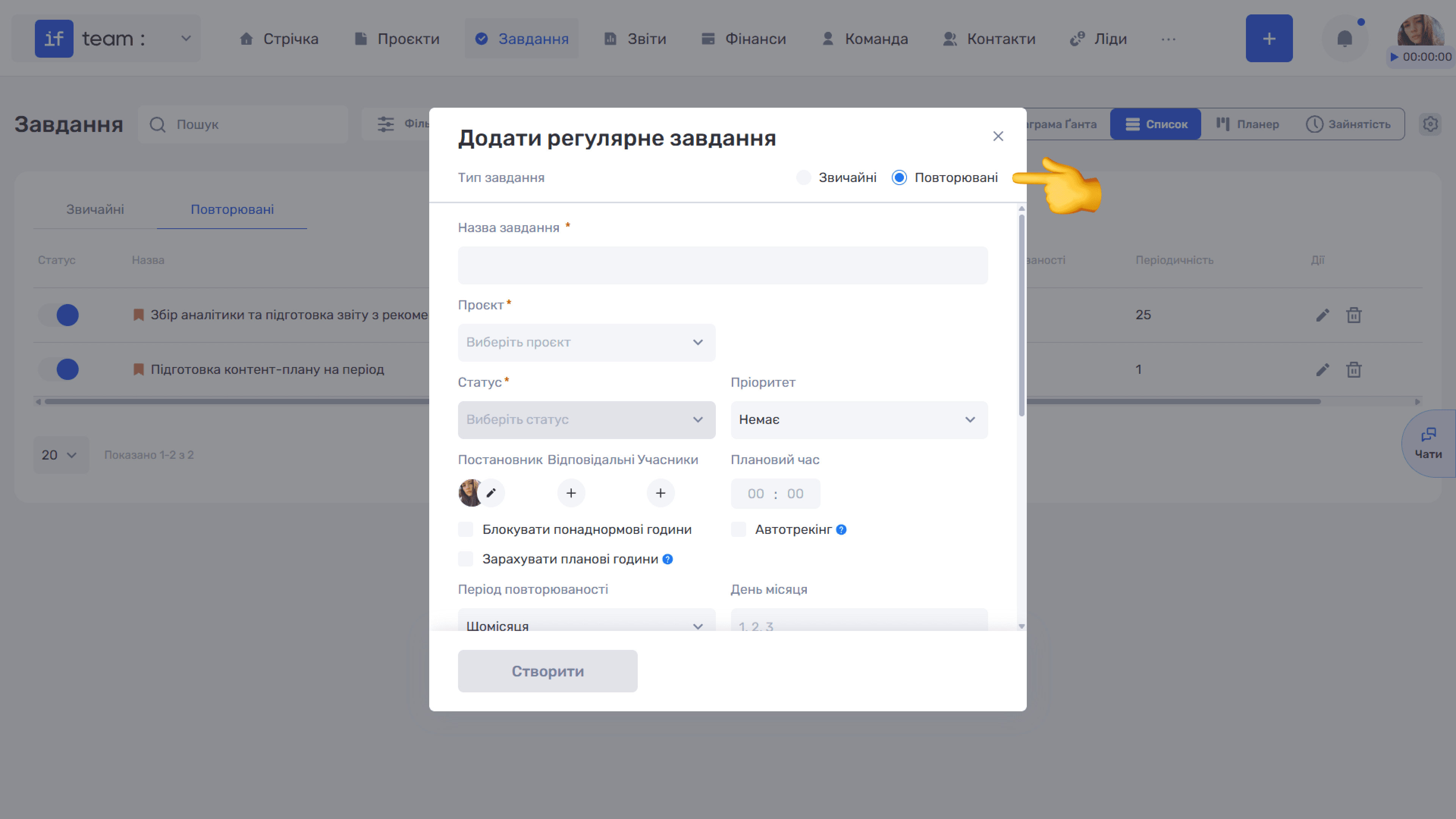
- Complete the main fields: task name, project, iteration, which appears after selecting a project, status, priority, assigner, assignees, members, and planned time. These fields are the same as in the regular-task form.
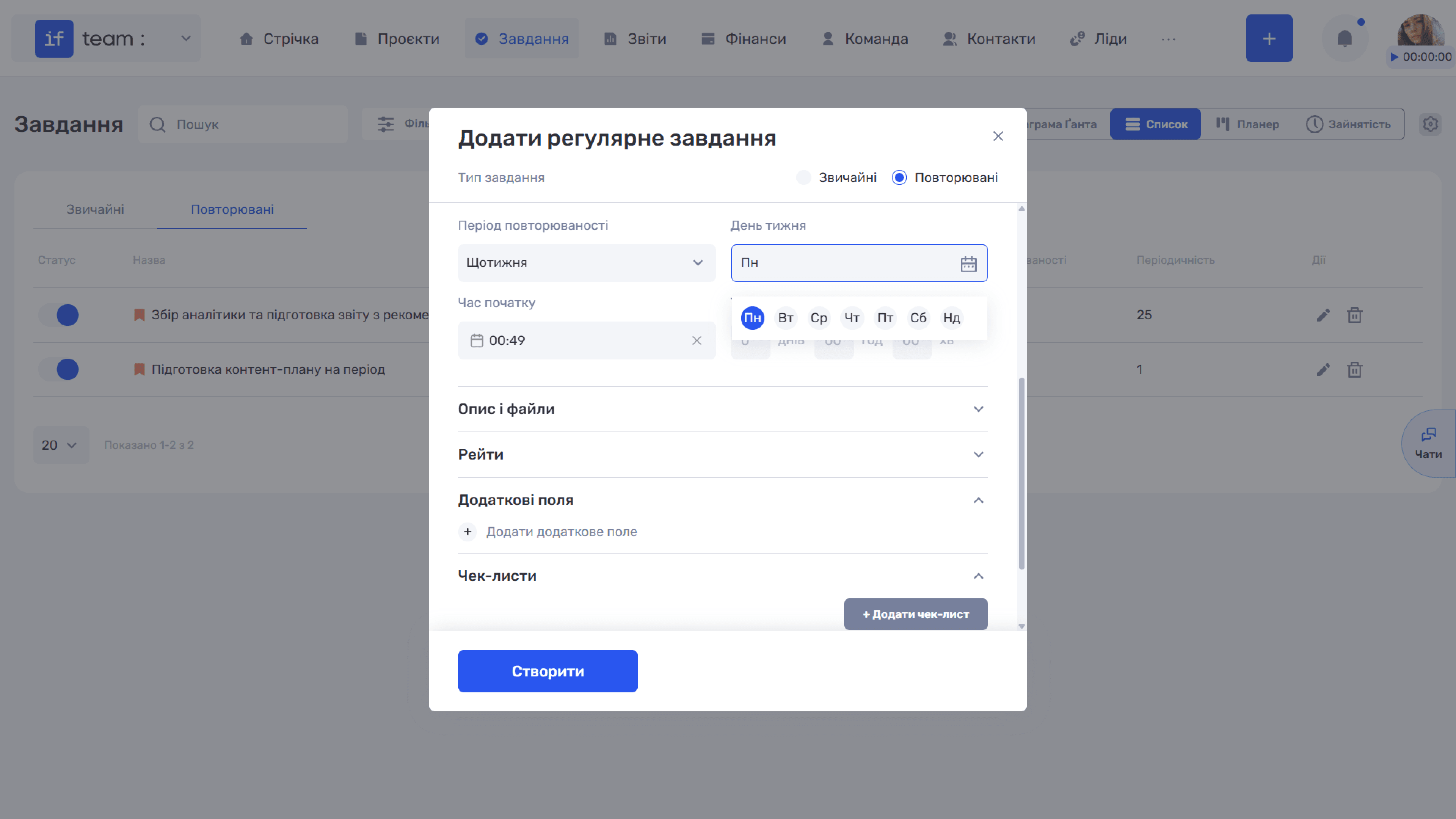
- Instead of “Start Date” and “Deadline,” recurring tasks require recurrence settings:
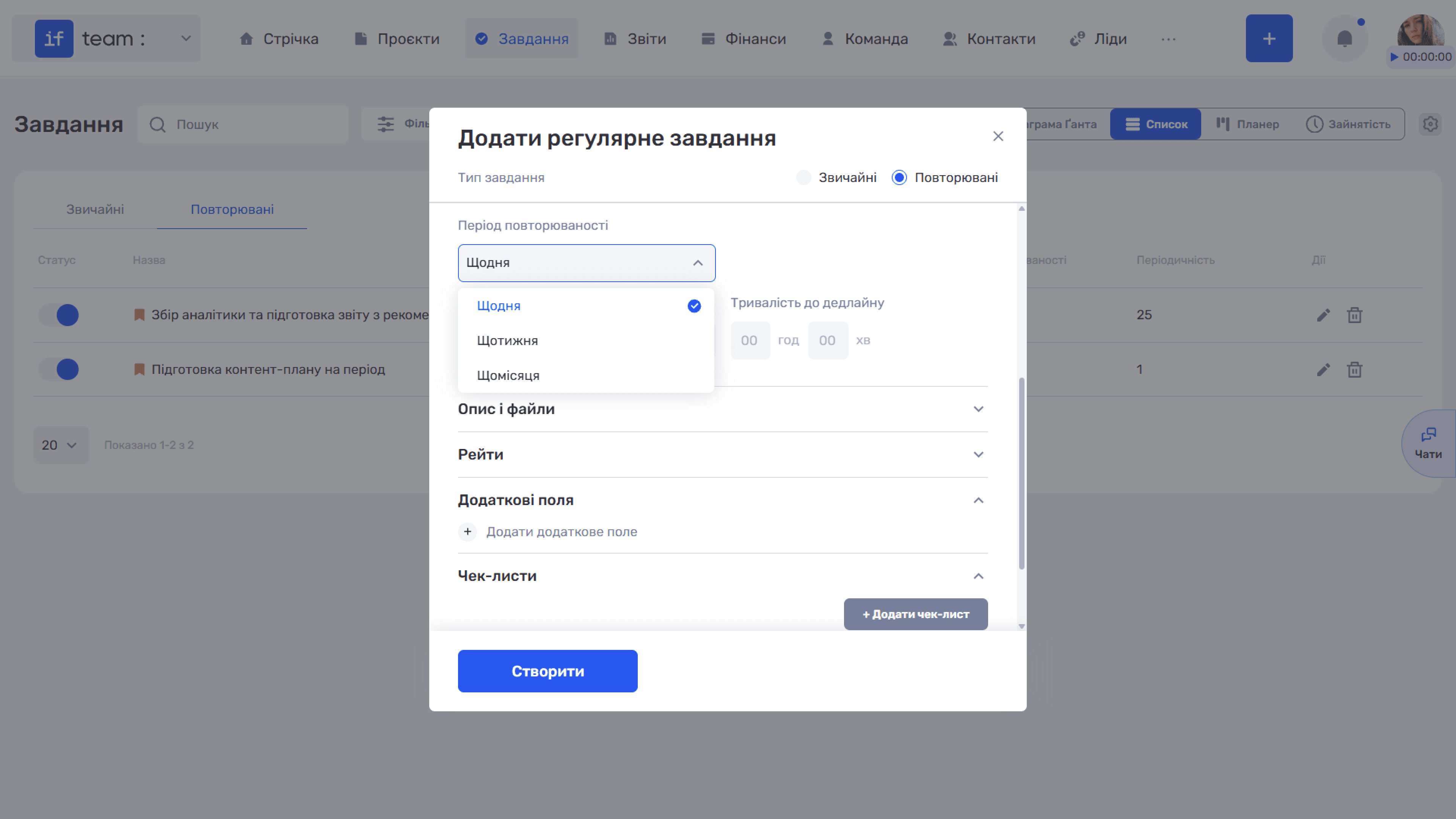
- Recurrence Period determines how often the task is created. Three options are available: “Daily,” “Weekly,” and “Monthly.”
- Day of Month appears after you select “Monthly.” Enter the days of the month on which the system should create a new task, for example, 1, 2, 3, separated by commas.
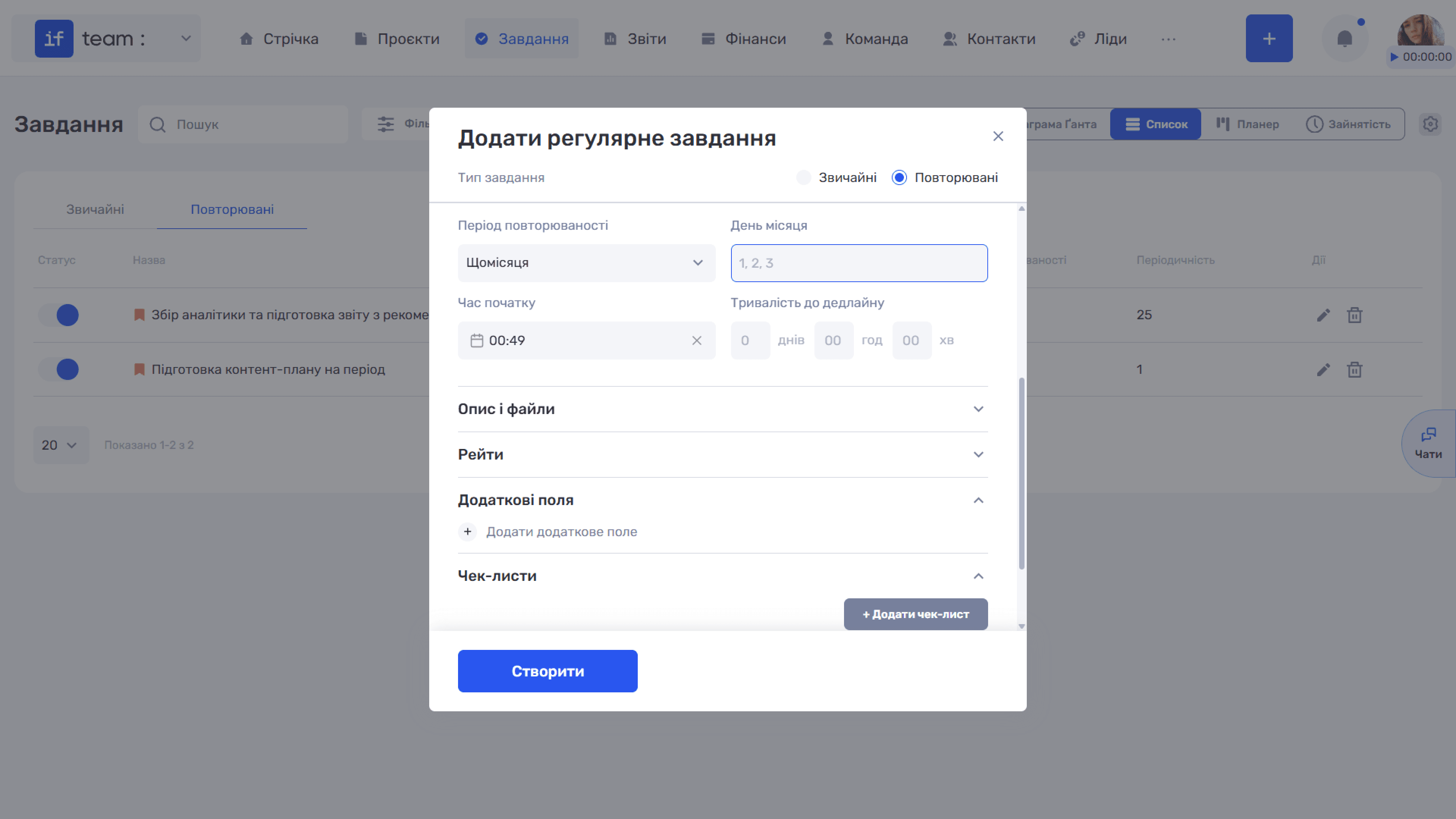
- Start Time determines the time at which the task appears in the system.
- Time Until Deadline determines how much time is allocated for completion from the moment the task is created, in days, hours, and minutes.
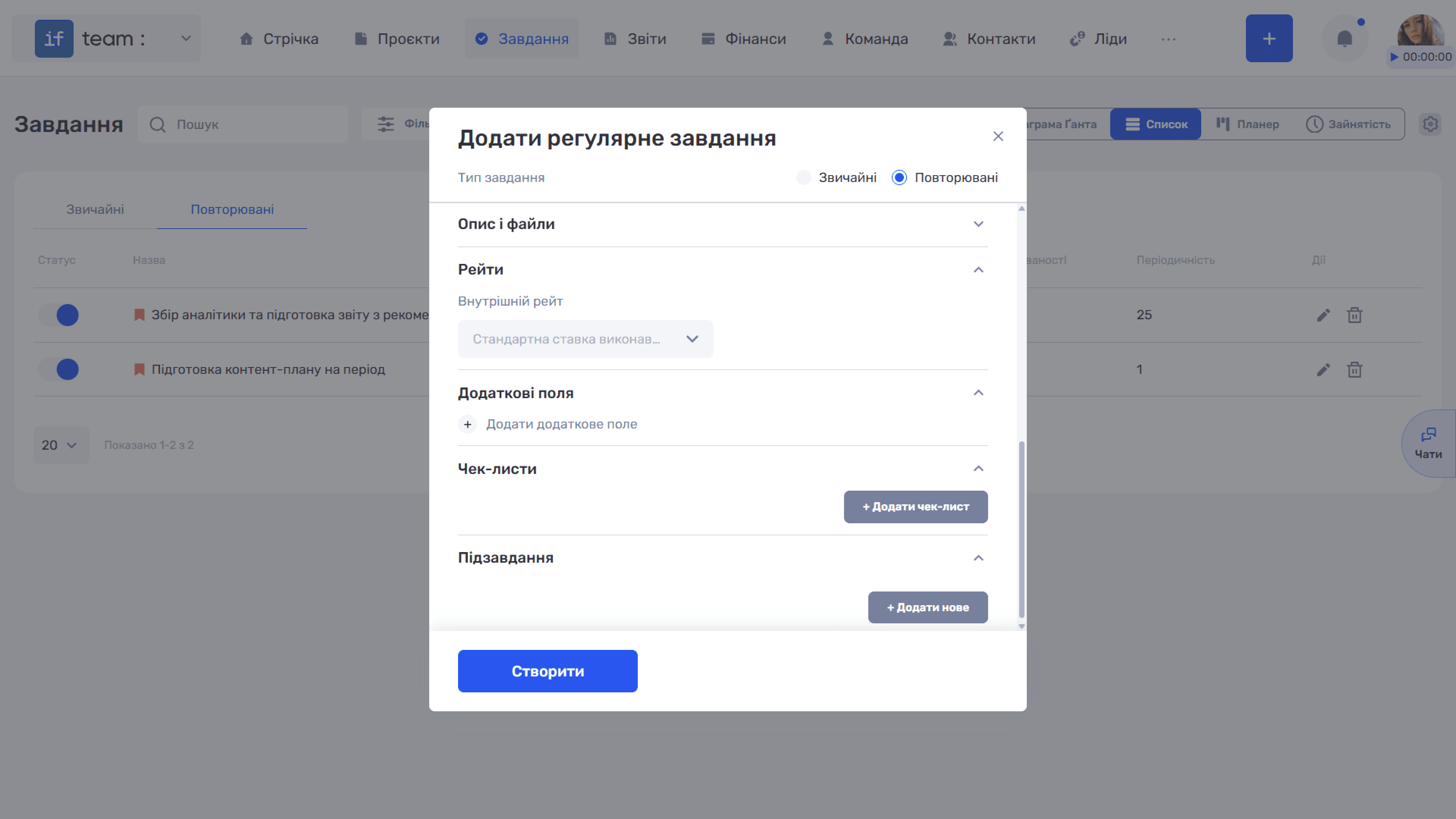
- If necessary, expand the additional sections: “Description and Files,” “Rates,” “Additional Fields,” “Checklists,” and “Subtasks.”
- Click “Create.”
Still have questions?
Maybe we haven't added this information yet. But you can always reach out:
Request a demo
Submit a request and we'll show you how the service works and its capabilities.
Book a demo