Planner
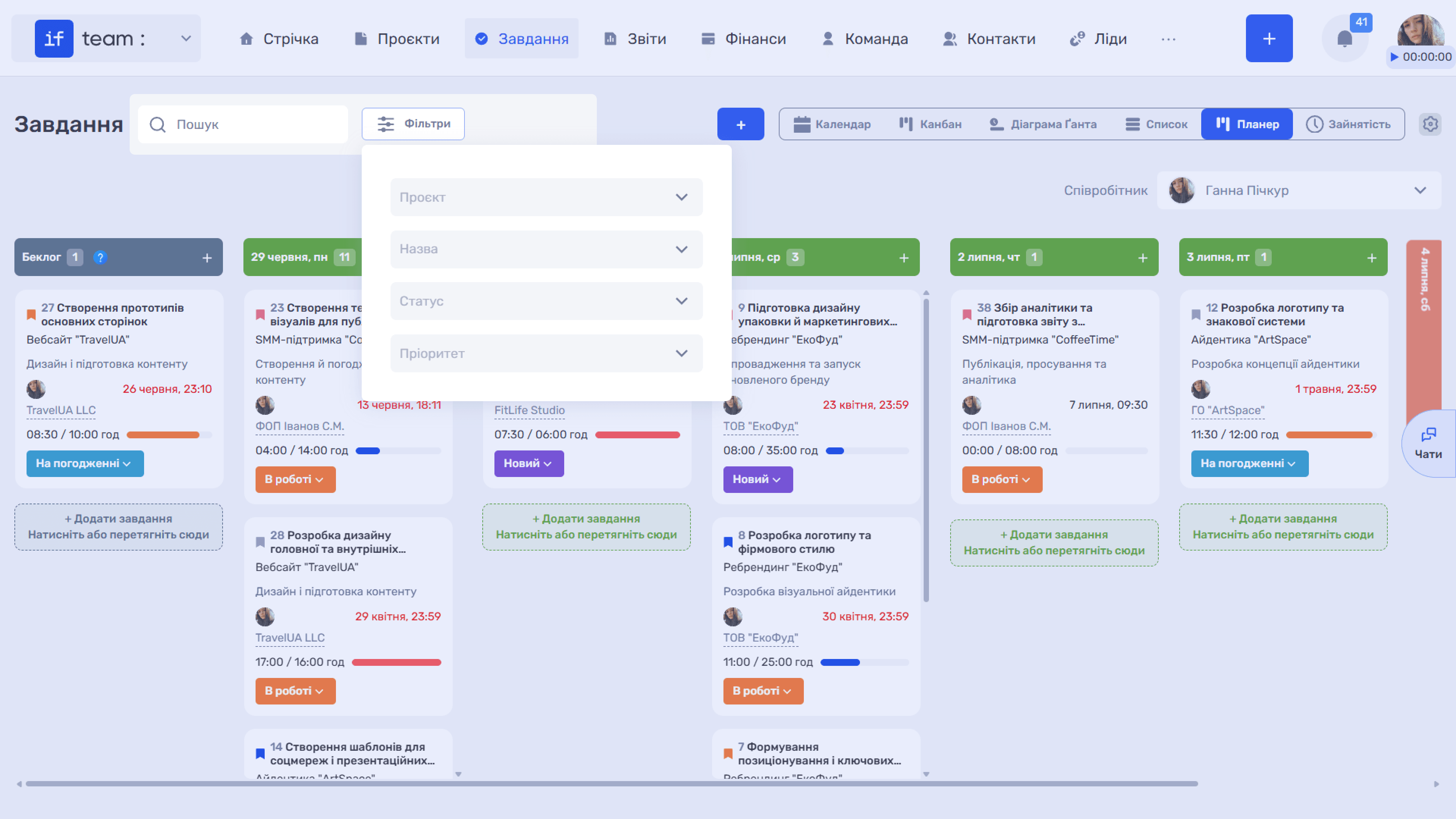
Planner is a personal task-planning view. Unlike shared lists and boards, it focuses on the work you plan to do today and over the next few days. Planner lets you organize your own workload separately from shared boards, lists, and the project structure.
To open this view, click “Planner” in the upper-right corner of the “Tasks” page.
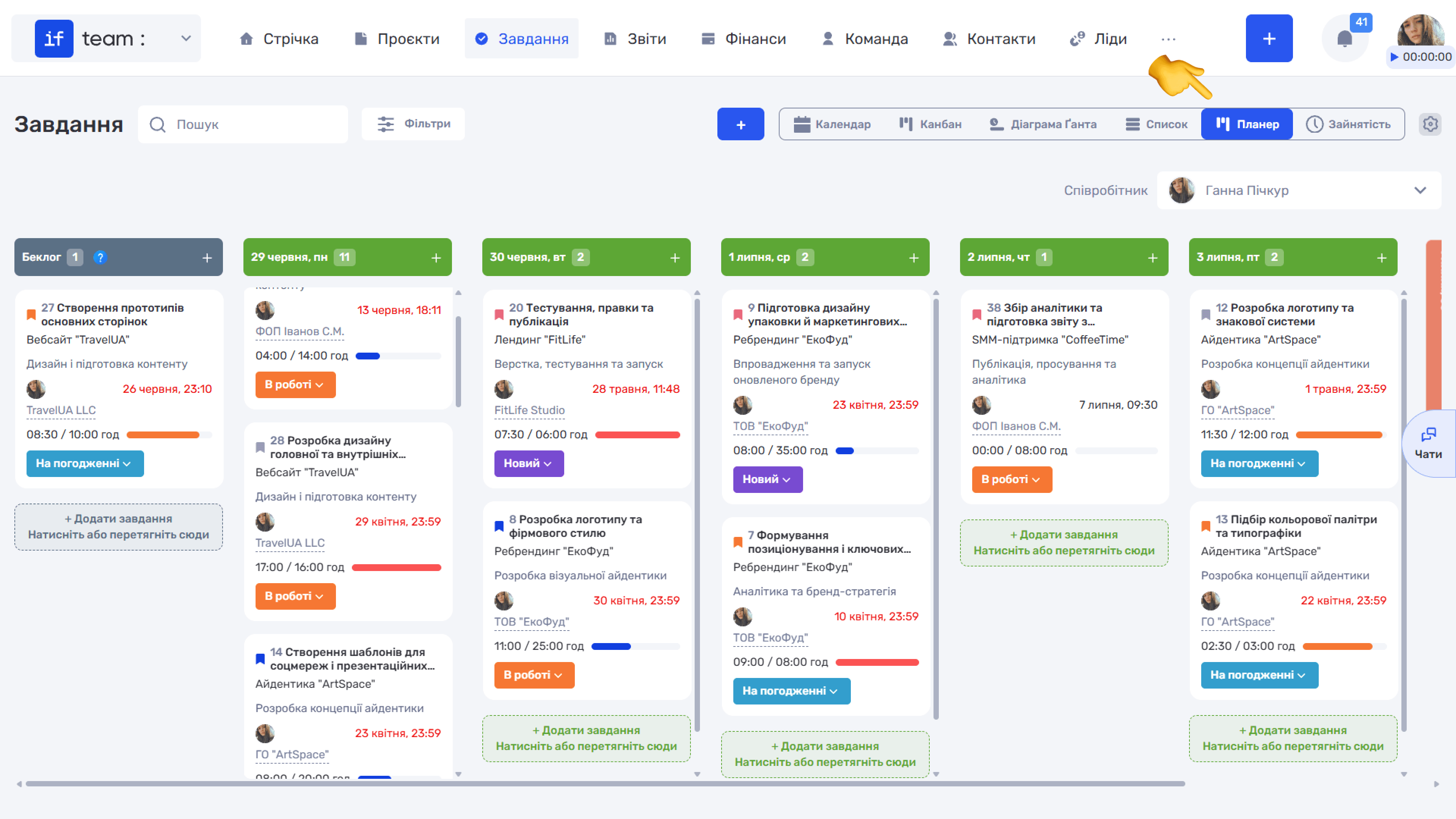
The workspace is divided into columns, each representing a particular day. Drag tasks between days to plan the sequence of your work.
There are also two separate system columns:
- Backlog contains tasks without a deadline or planned completion date. These tasks have not yet been assigned to a specific day.
- Later contains tasks that start later or that you deliberately moved to this tab to remove them from your current focus.
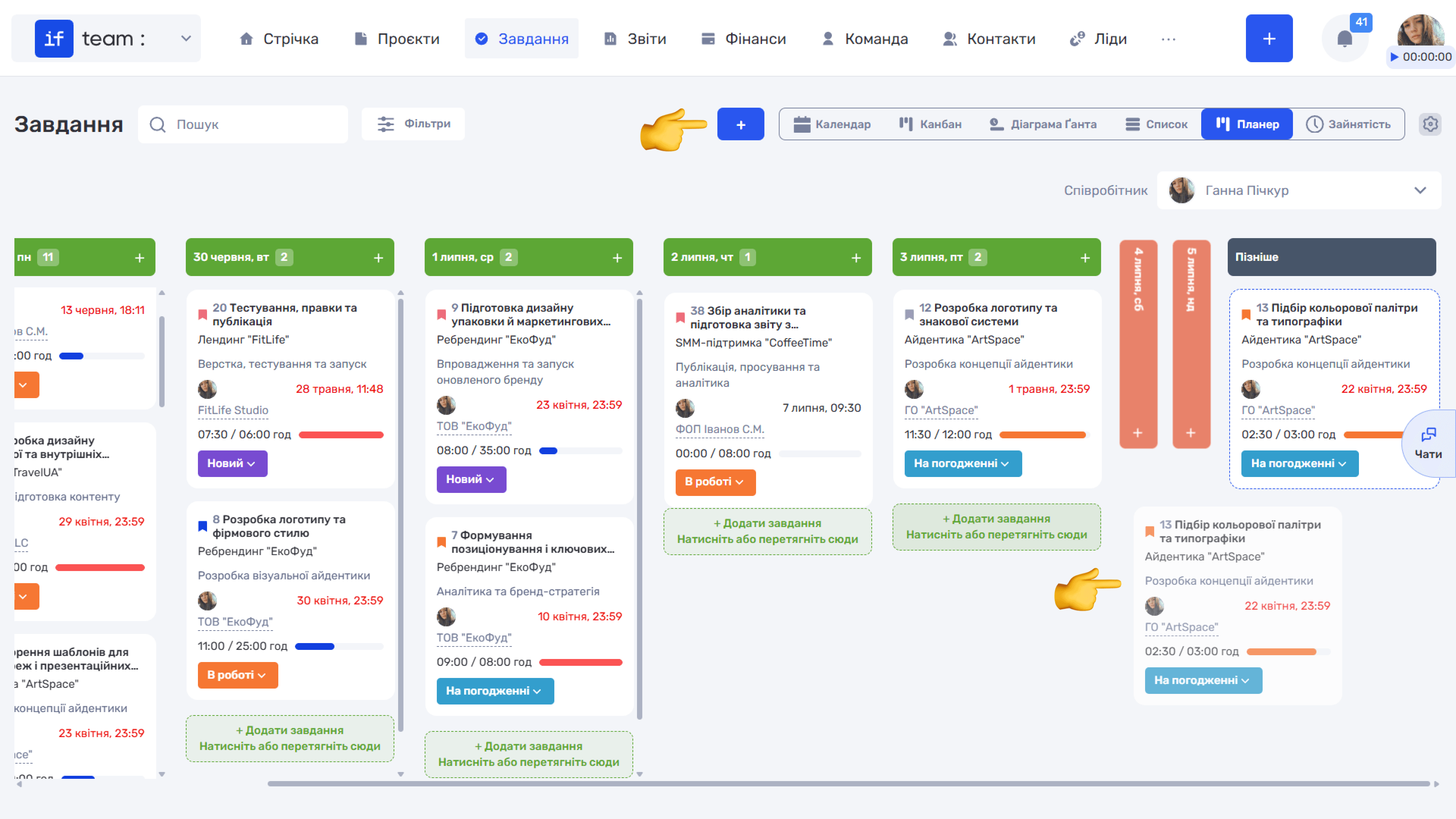
To schedule a task for a particular day, drag it into the corresponding column or click “+ Add Task” under the required day. You can reorder tasks within a day to change their sequence.
Please note
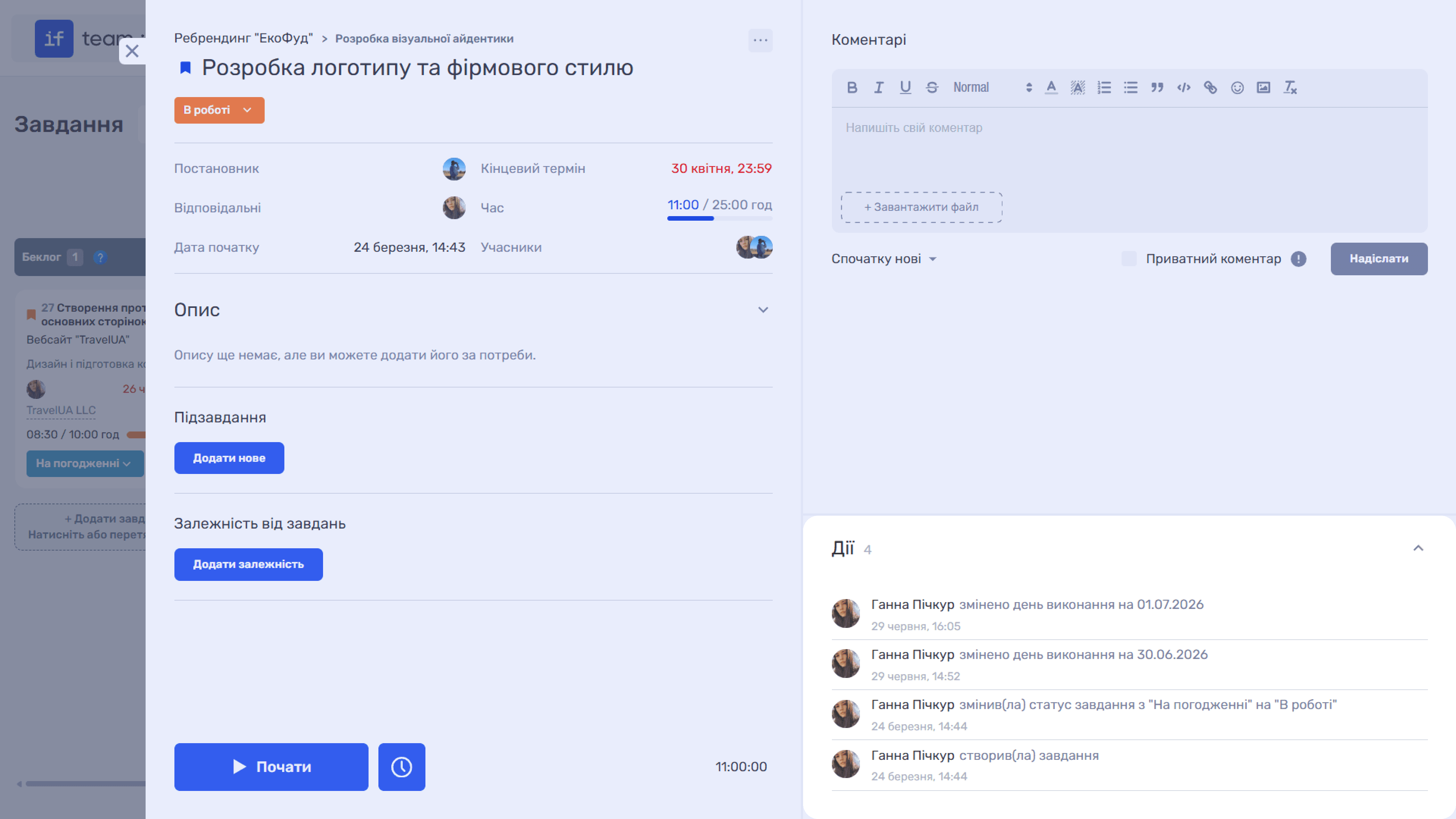
Moving tasks in Planner does not change their deadlines, statuses, or other parameters. However, the task history records the day on which the assignee planned to work on it.
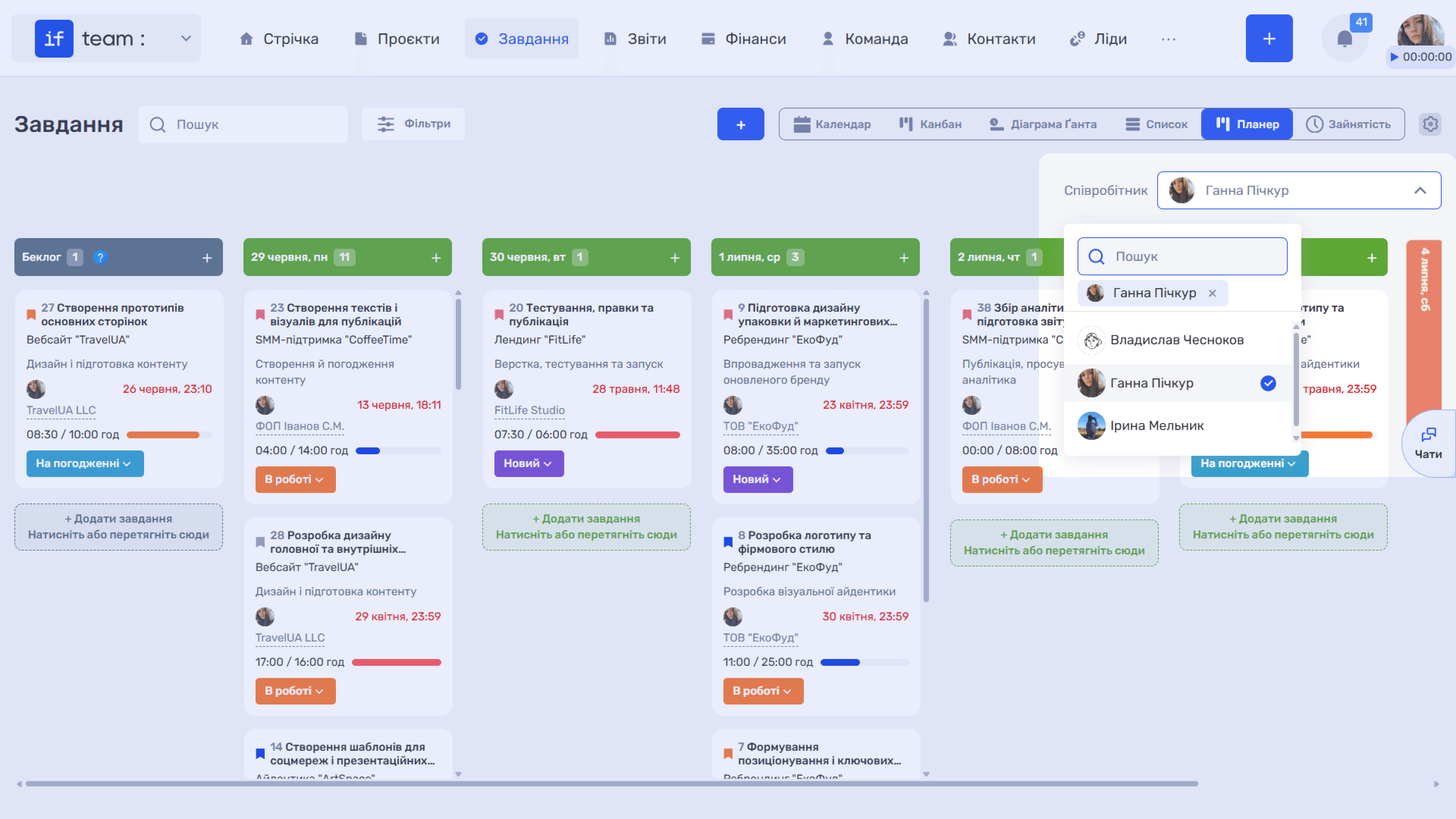
In the upper-right corner, you can select the employee whose Planner you are viewing. By default, Planner is a personal planning view, but with the appropriate permissions you can view the Planner of other employees or subordinates.
You can filter tasks in Planner for convenience. Click “Filters” to open a panel with filters for project, name, status, and priority.
Still have questions?
Maybe we haven't added this information yet. But you can always reach out:
Request a demo
Submit a request and we'll show you how the service works and its capabilities.
Book a demo