API Integrations
An API token gives an external system access to if.team data on behalf of a specific user: it can read and write projects, tasks, leads, and transactions within that user’s permissions.
This is where you create tokens for access to the if.team API — so that an external system can read and write data on behalf of a specific user.
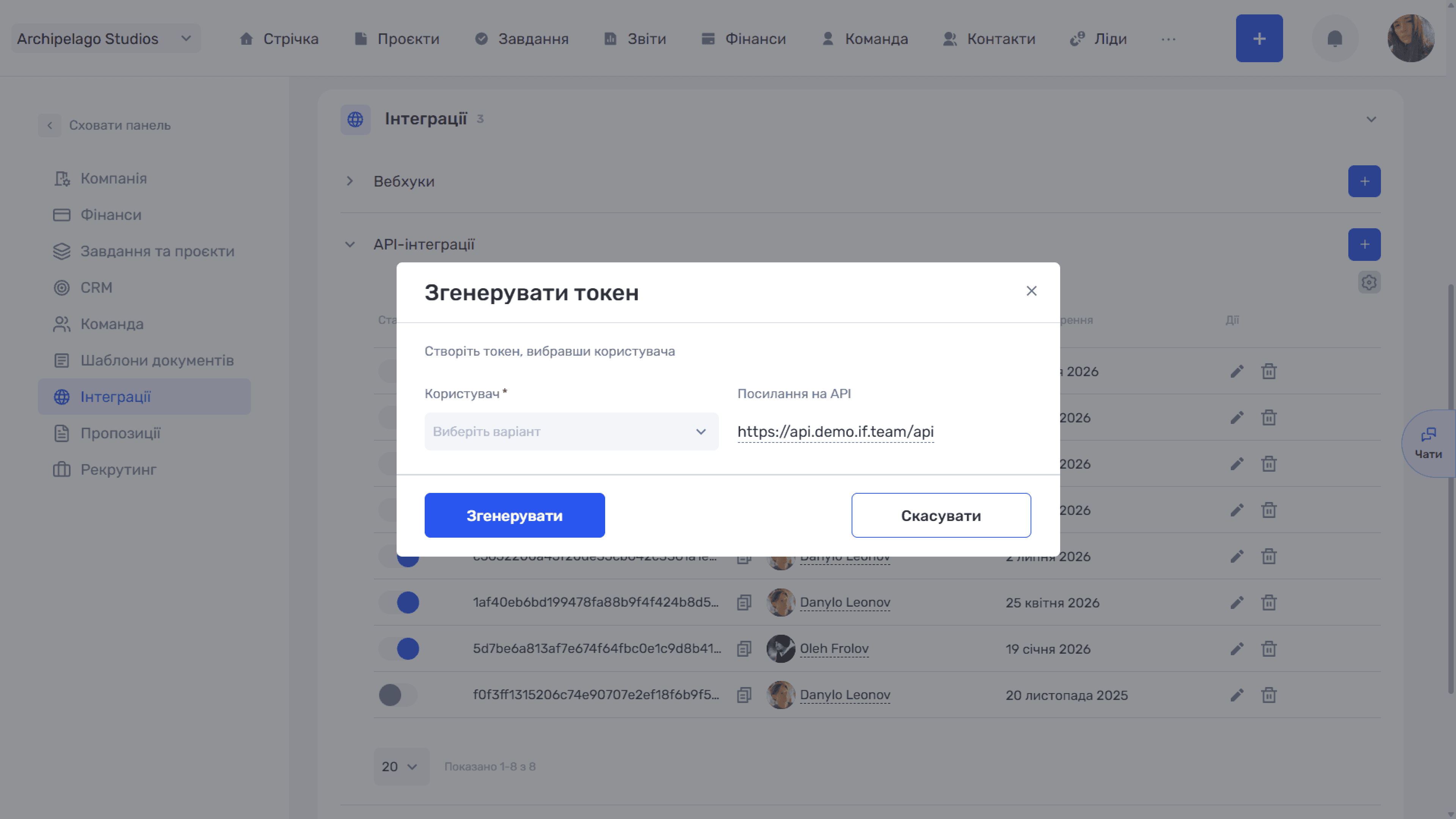
Click “+” next to “API integrations”. In the “Generate token” window, fill in the fields:
- User (required) — on whose behalf the integration will work. The token inherits this user's access rights.
- API link — the base address for requests (like
https://api.<your-domain>/api).
Please note
Choose the user carefully: the token gets exactly the same rights as the selected employee. For integrations, it is better to create a separate technical user with the minimum required role than to issue a token on behalf of the company owner.
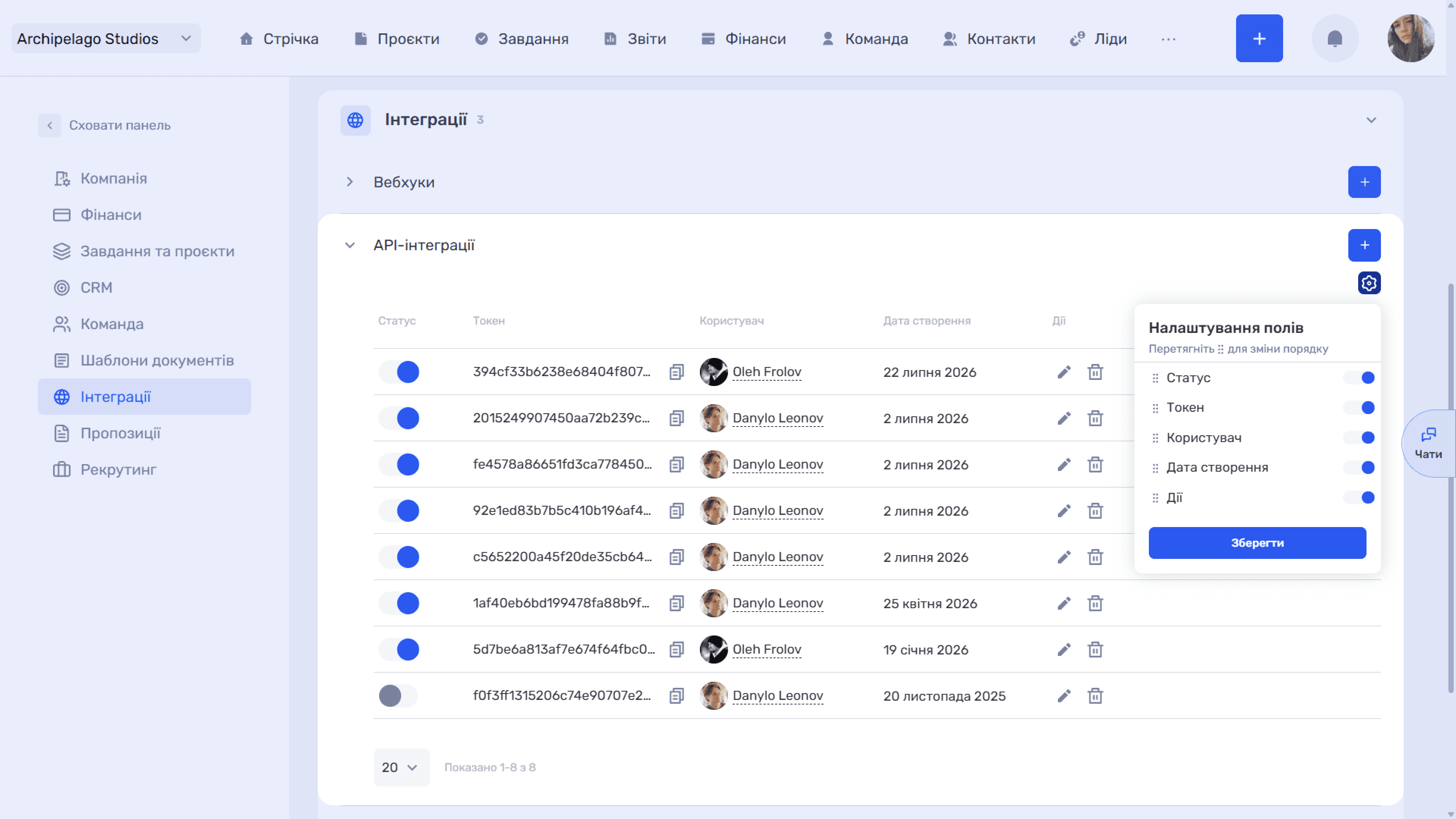
Created tokens are shown in a table with the columns Status, Token, User, Created, and Actions:
- Status — a toggle that temporarily turns the token on or off without deleting it.
- Token — the token value; the icon next to it copies it in full to the clipboard.
- Actions — “✏” edit and “🗑” delete.
The “⚙” icon above the table opens “Field settings”: toggles turn columns on and off, and dragging by “⠿” changes their order. Changes are applied with the “Save” button. Below the table there is a rows-per-page selector.
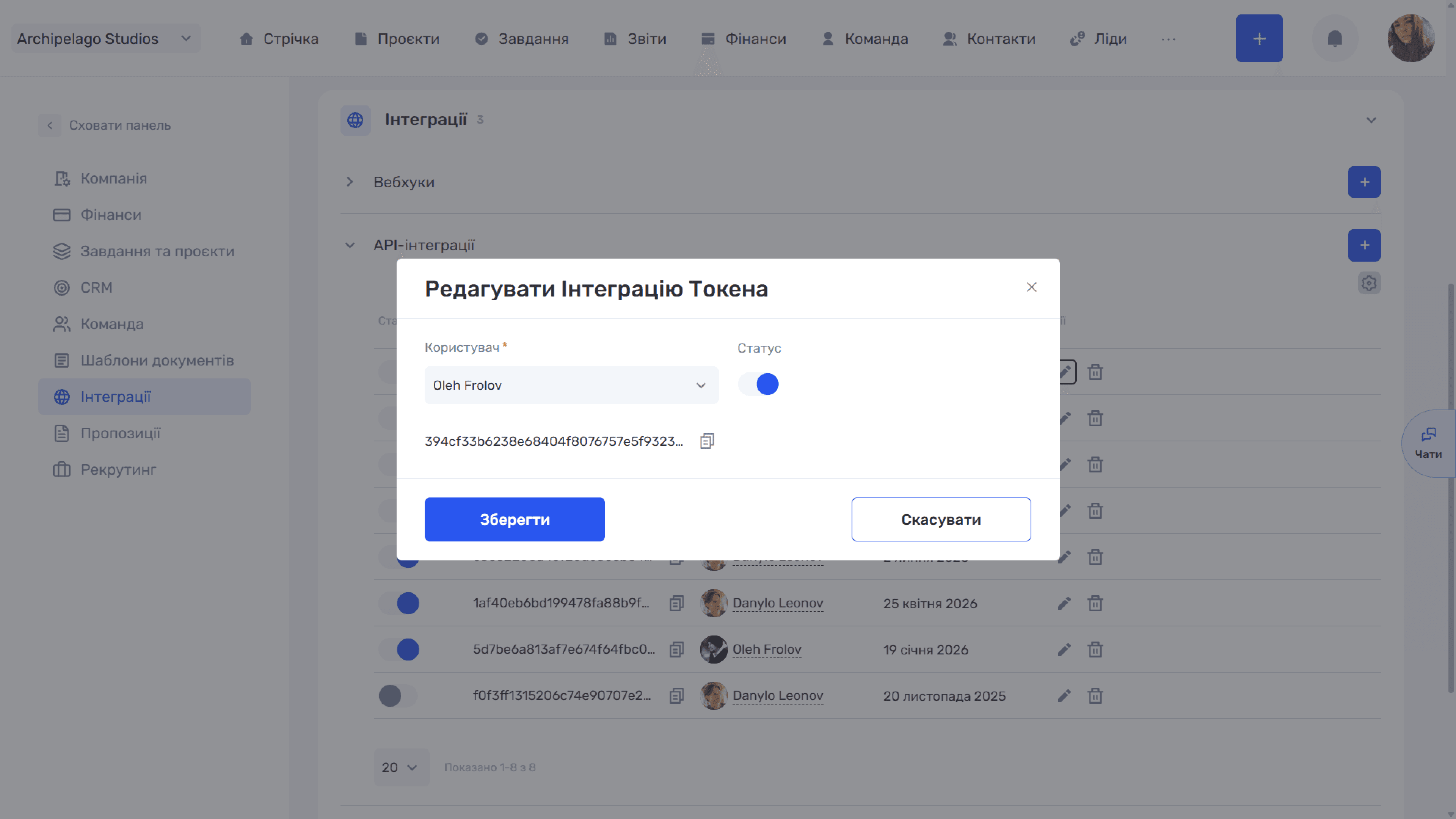
The “✏” icon in a row opens the “Edit token integration” window. Here you can change the user the integration works on behalf of and switch the status. The token value itself is shown below the fields — it cannot be changed but can be copied with the icon next to it. Changes are saved with the “Save” button.
Please note
The token value can be copied at any time — both from the list and from the edit window. But changing the user of an existing token means changing the rights an already connected integration works with, so do it deliberately.
Still have questions?
Maybe we haven't added this information yet. But you can always reach out:
Request a demo
Submit a request and we'll show you how the service works and its capabilities.
Book a demo