
How u.comms manages client projects, time, and finances with if.team ERP
See how communications agency u.comms uses if.team to organize client tasks, track time, calculate project profitability, connect bank accounts, and manage leave.

At communications agency u.comms, employees start a timer when they begin a task instead of reconstructing their hours at the end of the day. This lets the agency see how much time the team spends on each client.
As its PR agency software, u.comms uses if.team ERP for communications and PR agencies to connect tasks, time, project finances, bank transactions, and leave. It introduced these modules gradually: tasks and time tracking first, finance next, and then the work calendar for HR.
About u.comms
u.comms is a Ukrainian full-service communications agency founded in 2019 and led by Uliana Kolodii. The team has about 15 people, and the agency is on the Forbes Ukraine NEXT-250 list. Until February 2026, it operated as UK comms. The agency works with businesses, public institutions, and nonprofits across PR strategy, press office services, media relations, SMM, content, crisis communications, consulting, and training. It also runs the u.comms club community and the PR Compass course.
These services differ in scope and duration. Ongoing retainers create recurring work, while strategies and audits have a defined finish. A team member may write a release for one client, speak to journalists about another, and prepare a nonprofit's social post on the same day. The agency needs a reliable record of time and cost for each client.
Tasks organized by client project
Each client has a project in if.team, with tasks assigned an owner, deadline, and status. Task cards keep descriptions, files, and comments together so feedback does not disappear into chat.
The same work can be viewed as a Kanban board, list, or calendar. The board makes work in progress and items awaiting client approval visible; lists can be filtered by project, owner, or deadline; the calendar shows upcoming dates. Repeated work, such as media monitoring, a monthly report, or a content plan, can be set up as recurring tasks.
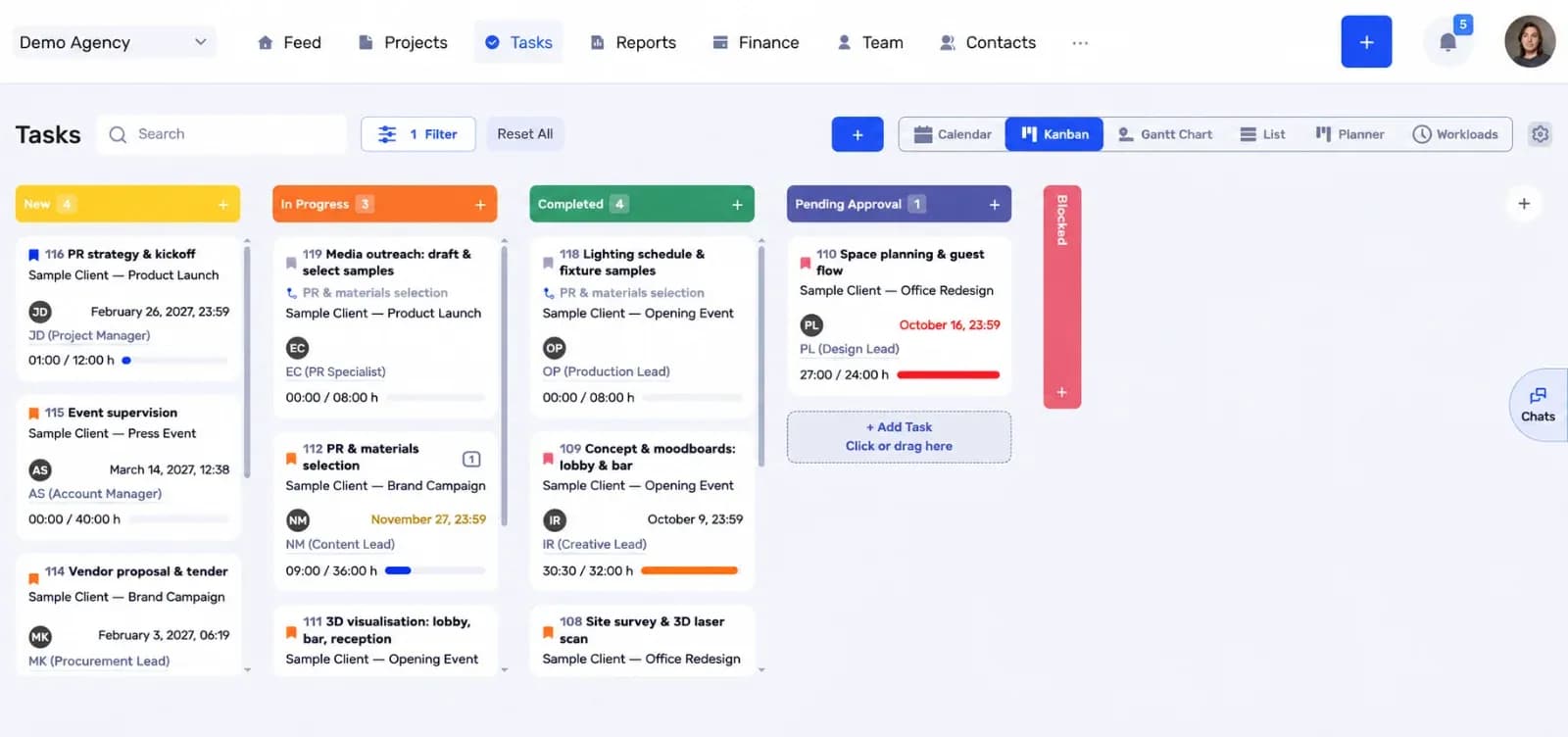
Client work arranged by status on a Kanban board. The data shown is fictional.
Tracking work with a timer
Everyone at u.comms uses time tracking. A timer starts inside a task, so the entry is tied to that task and its client project. In the mobile app, the timer appears on the lock screen on iOS and in a notification on Android, so employees can pause it without opening the app.
A timer captures short calls and quick revisions that are easy to forget when filling in a timesheet later. It also avoids rounding a day's work from memory.
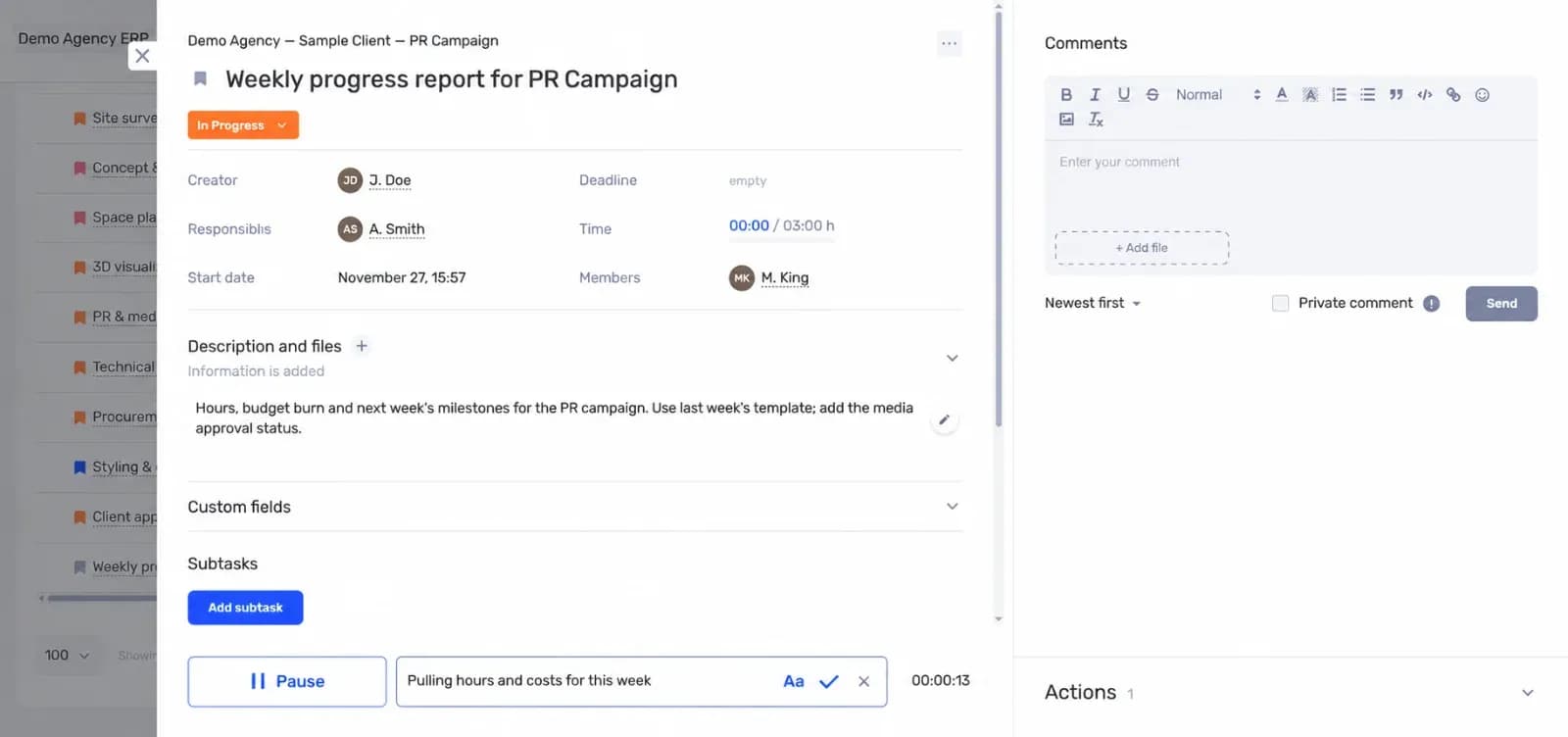
A running timer inside a client task. The data shown is fictional.
Time records show the task, project, date, duration, person, and comment. The agency can filter records by project, contact, owner, and period, then export the report to Excel when it needs to show a client the work completed on a retainer. The interface distinguishes timer entries from time entered manually.
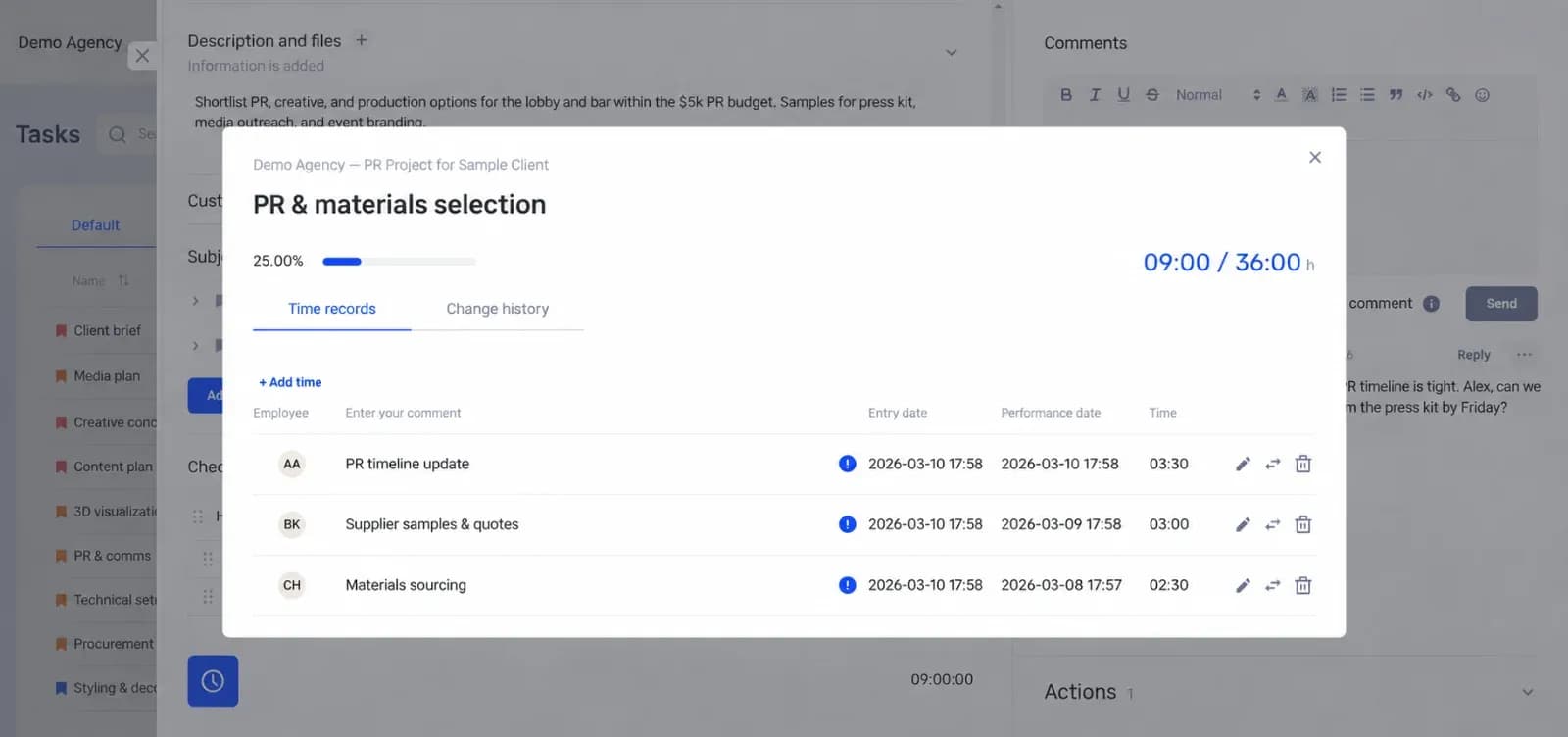
Time records linked to a task. The data shown is fictional.
The economics of client projects
u.comms added financial tracking after tasks and time tracking were established. Here is a hypothetical example: two clients may pay the same monthly retainer, yet one may require 40 team hours and the other 120. Without time records, those projects can appear equally profitable.
if.team distinguishes an internal hourly rate, the agency's cost of an employee's time, from a commercial rate billed to a client under a Time & Material agreement. A Fixed Price project starts with an agreed budget and tracks its costs separately. The project report combines hours, labor cost, billable value, completed tasks, and tasks returned for revision. For a PR agency, the last measure also reveals clients whose materials tend to require more rounds of edits.
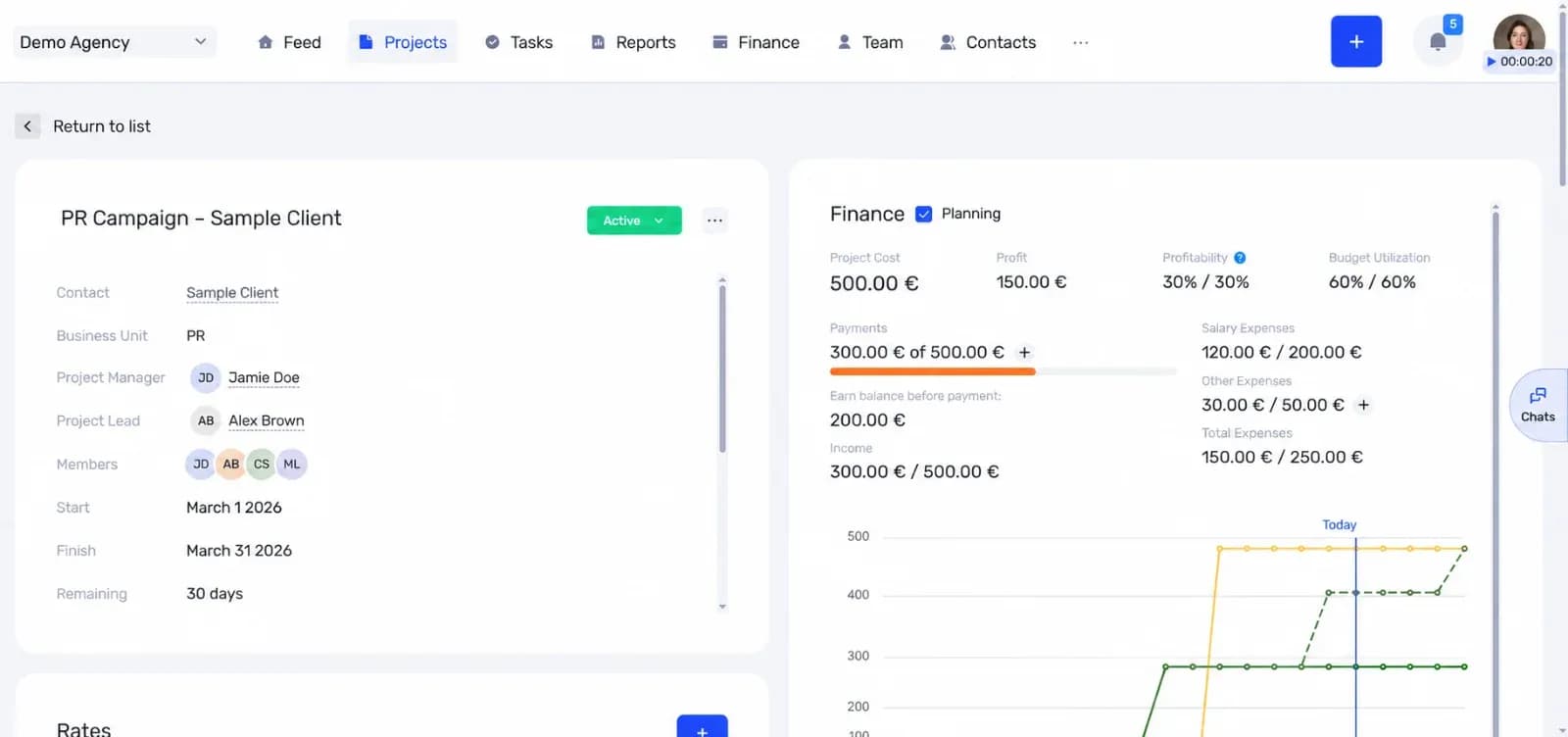
A project's planned and actual financial figures. The data shown is fictional.
Bank accounts, Cash Flow, and P&L
u.comms connected several bank accounts. if.team integrates with PrivatBank, monobank, PUMB, and Binance; transactions arrive automatically and previous payments can be imported. The team allocates payments to projects and categories so a client's fee contributes to that project's economics.
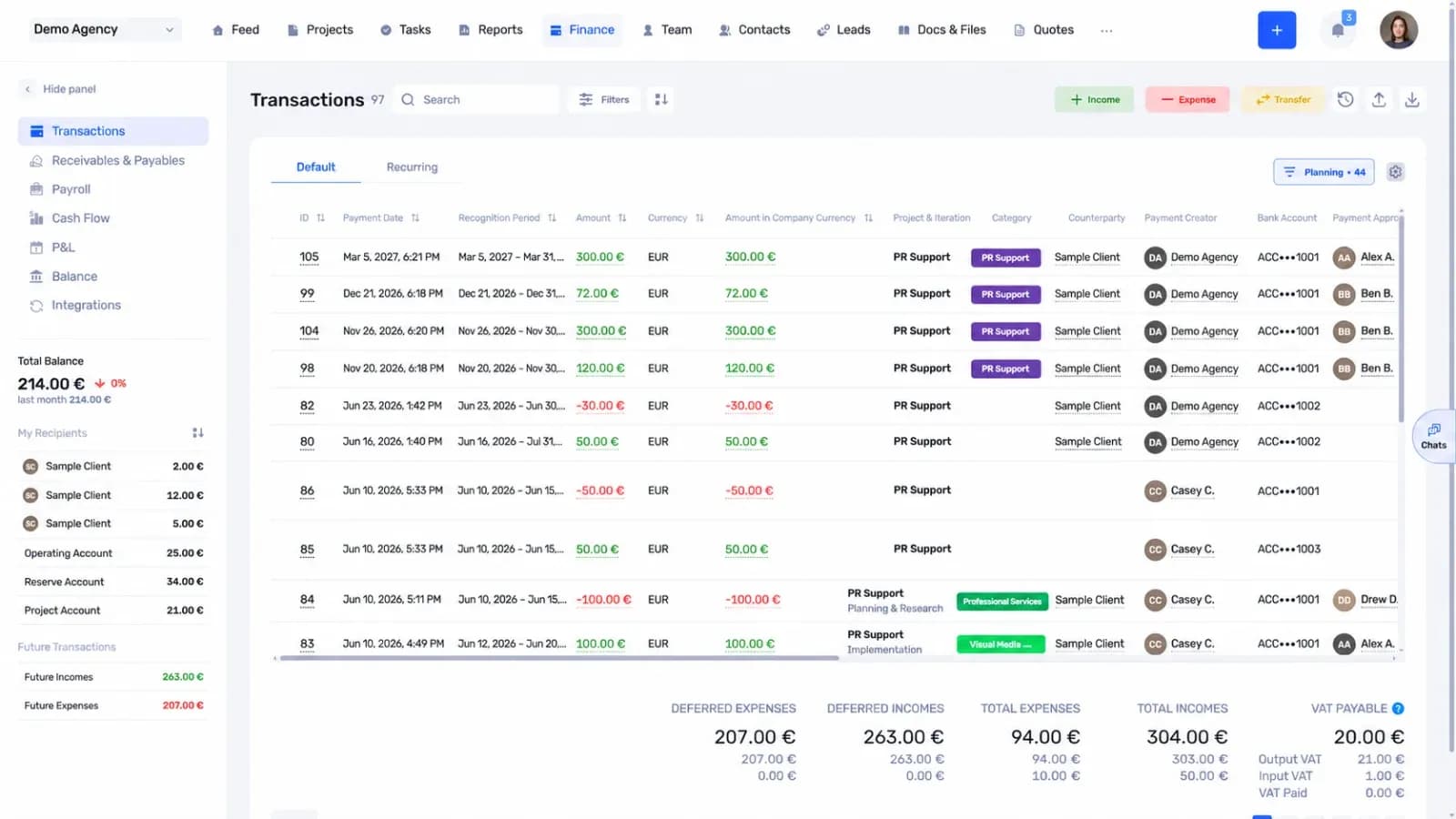
Transactions in the finance module. The data shown is fictional.
Cash Flow shows when money entered or left an account. P&L assigns income and expenses to the period in which the work belongs. If a client pays for October's retainer in November, the payment appears in November's Cash Flow while the income may be assigned to October in P&L.
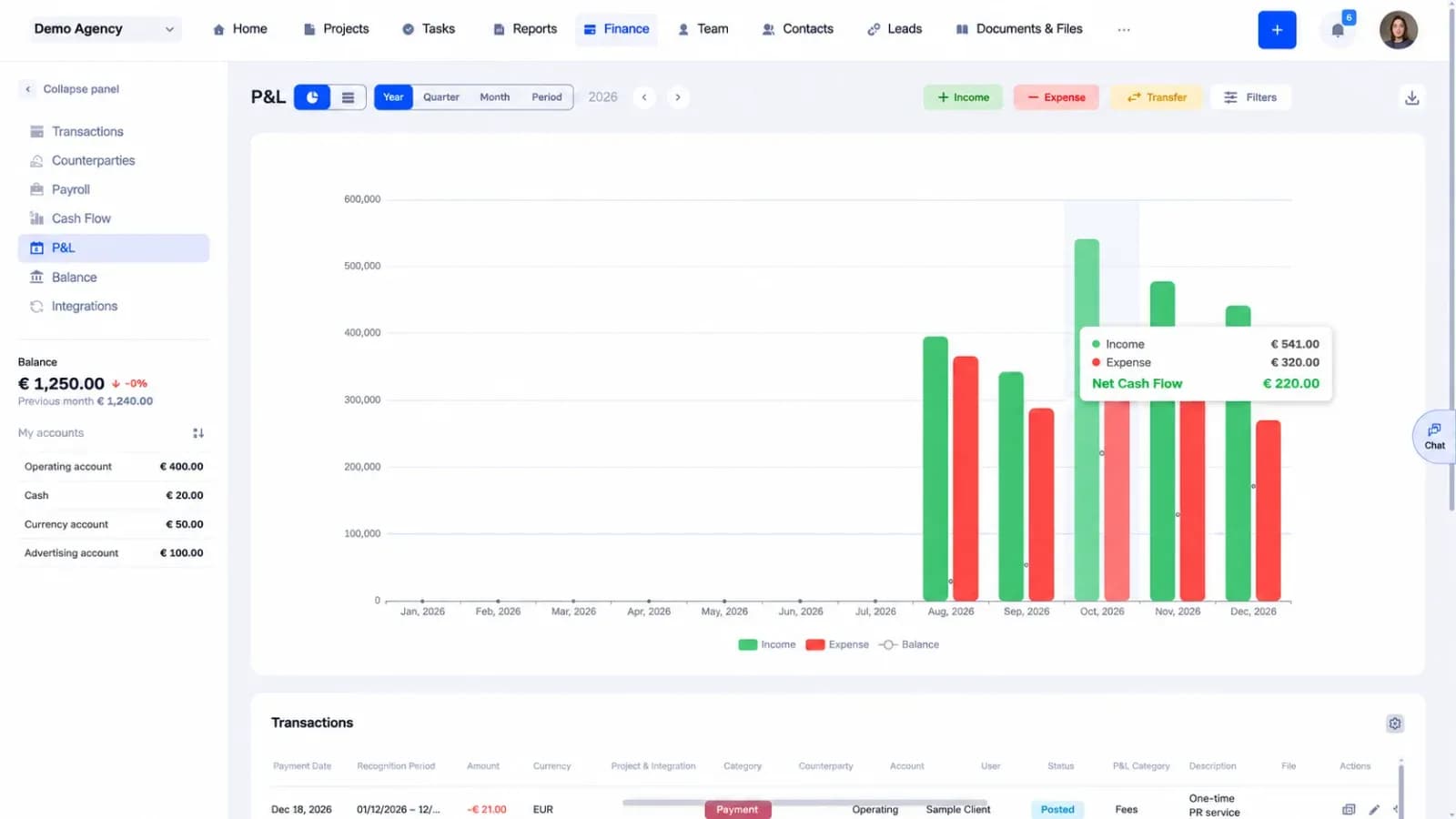
A P&L report for the selected period. The data shown is fictional.
Leave and absences in the work calendar
Later, u.comms brought its HR manager into if.team to manage absences. The work calendar has one row per employee and a column for each day. Colors identify office work, remote work, vacation, sick leave, and holidays. A leave request enters a queue for approval before its days appear on the calendar.
For an agency with ongoing clients, the manager can check availability before distributing work and decide who will cover a colleague's tasks during leave.
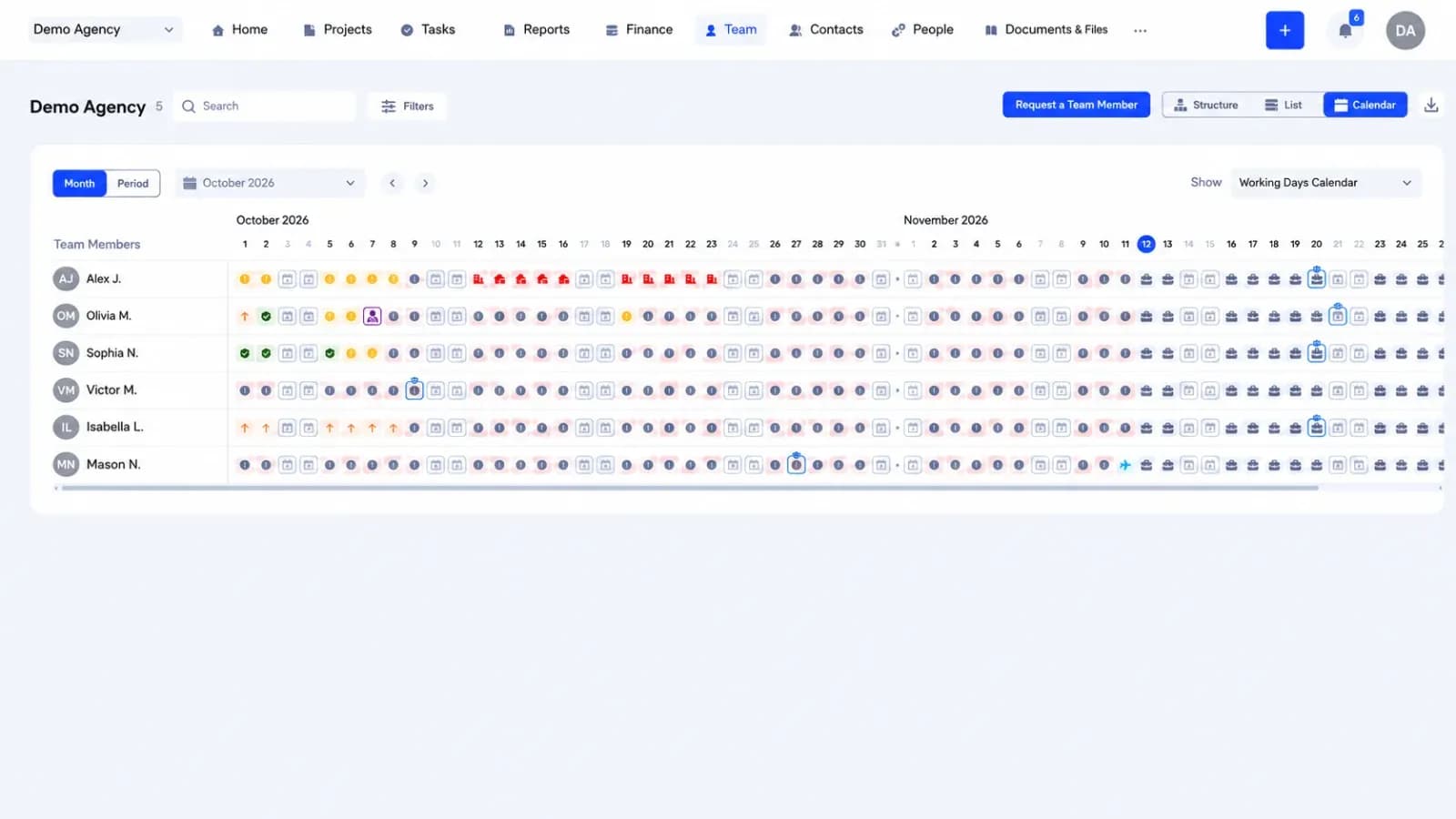
The team work calendar with absences. The data shown is fictional.
PR agency software as one connected workflow
u.comms uses the standard if.team modules without custom development. An employee tracks time on a client task; the hours feed the project's economics; bank transactions feed Cash Flow and P&L. The agency can see the cost and profitability of each client without reconciling separate services.
The rollout was gradual: tasks and time first, finance next, HR afterward. Other agencies can adopt the system in the same sequence without changing every process at once.
To see if.team in advertising production, read the Diez Agency case study. For an agency that moved from another system, see the Cre8 case study.
Frequently asked questions
How can a communications agency calculate project profitability?
Assign income and expenses to the client project. Multiply tracked team hours by employees' internal rates to calculate labor cost, then compare the total cost with the income from that client.
Why use a timer rather than enter hours manually?
The timer records actual work on a task, including short calls and revisions. End of day entries are more likely to omit small tasks or round durations.
Which banks can connect to if.team?
PrivatBank, monobank, and PUMB, as well as Binance. Transactions can be allocated to projects and categories in the finance module.
How do you manage employee leave?
Employees submit requests, managers approve them, and approved absences appear in the work calendar alongside other working day types.
Author
Vladyslav ChesnokovPublished
Nov 28, 2026
More articles to read
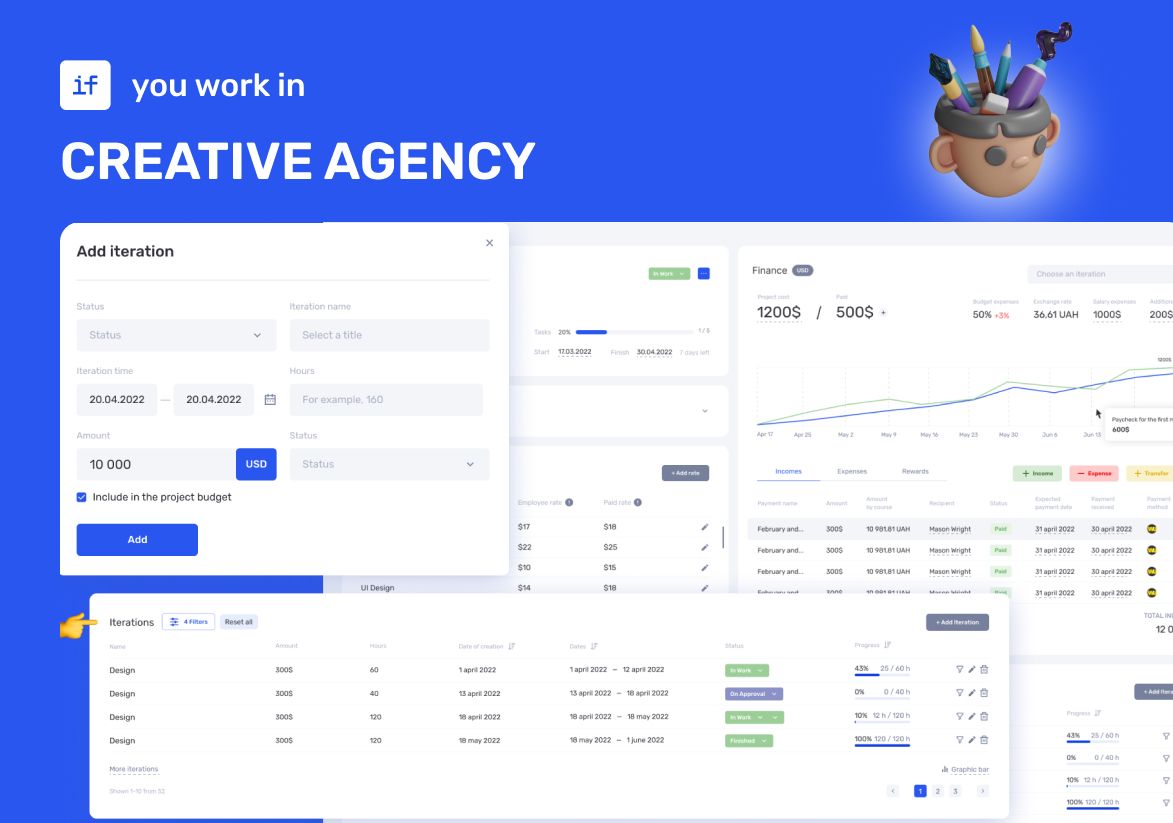
ERP software for Creative Agencies: How cre8 Migrated to if.team and Helped Us Become Better
This case about how the cre8 team spent nearly a year making decisions, providing feedback, and ultimately became active users of if.team. And how together we’re making the ERP for creative agencies if.team better.
ERP for Copywriting Agency: How We Implemented if.team for Content Bar
In this case study, we’ll show which tasks if.team helped solve for the content studio Content Bar and how the team set up their workflow so everything runs smoothly — from payments to communication.
Advertising production company Diez agency + ERP system if.team = the perfect match for creative business efficiency
Learn firsthand how if.team helps manage projects in the creative industry, why an advertising production agency chose a Ukrainian solution over the Belgian Odoo, and how its feedback influenced the development of the ERP system’s features over the past year.

How Ukrainian Business Brotherhood automated meetings and tasks with Claude and if.team
Ukrainian Business Brotherhood connected Claude to if.team: Google Meet calls are recorded with Fathom, agreements become tasks automatically, and each team member has personal AI skills.

How LEVIN group tracks finances in if.team by voice with ChatGPT
LEVIN group logs income and expenses in if.team with voice messages, receipt screenshots, and files sent to ChatGPT, and uses AI for tasks, projects, and CRM.

How Oasis Comfort manages HVAC and plumbing projects in if.team
Oasis Comfort handles inquiries in the CRM, schedules site stages and teams on a shared Gantt chart, and compares planned and actual financial performance of its HVAC and plumbing projects in if.team.
See if.team in action for your company
We’ll show how projects, team time and finances connect in one system, using your processes as an example.