Reports by Project
In the “Projects” breakdown, the report shows aggregated analytics for each project. A single project may occupy several rows, one for each employee who worked on it in the “Assignees” column, together with that employee’s hours and accrued salary.
Generate AI summary
Open this page in your favorite AI assistant
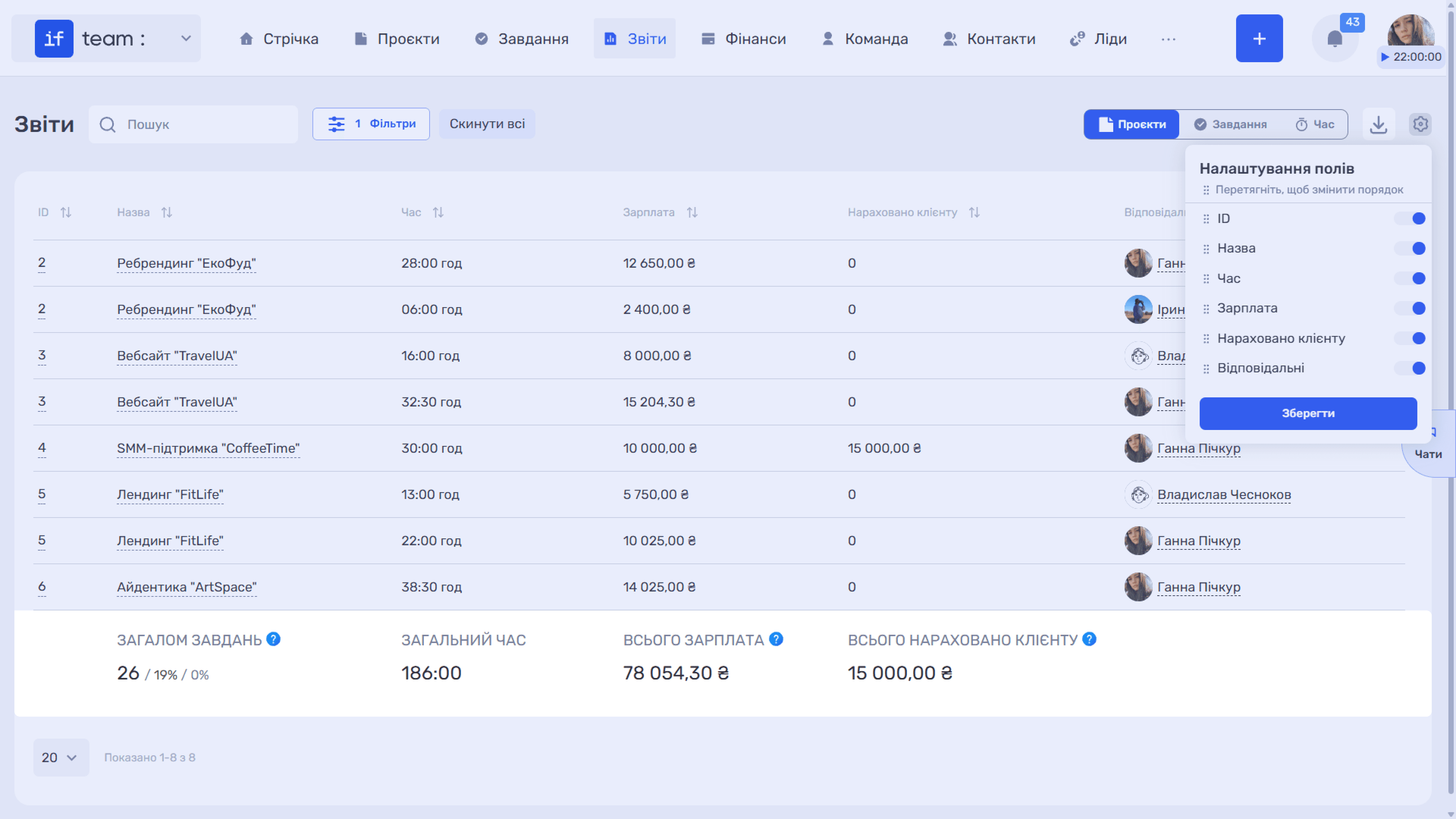
By default, the table contains the following columns: ID, Name, Time (hours worked), Salary, Billed to Client, and Assignees.
Available filters include business line, project, assignees, period, internal rate, commercial rate, and contact.
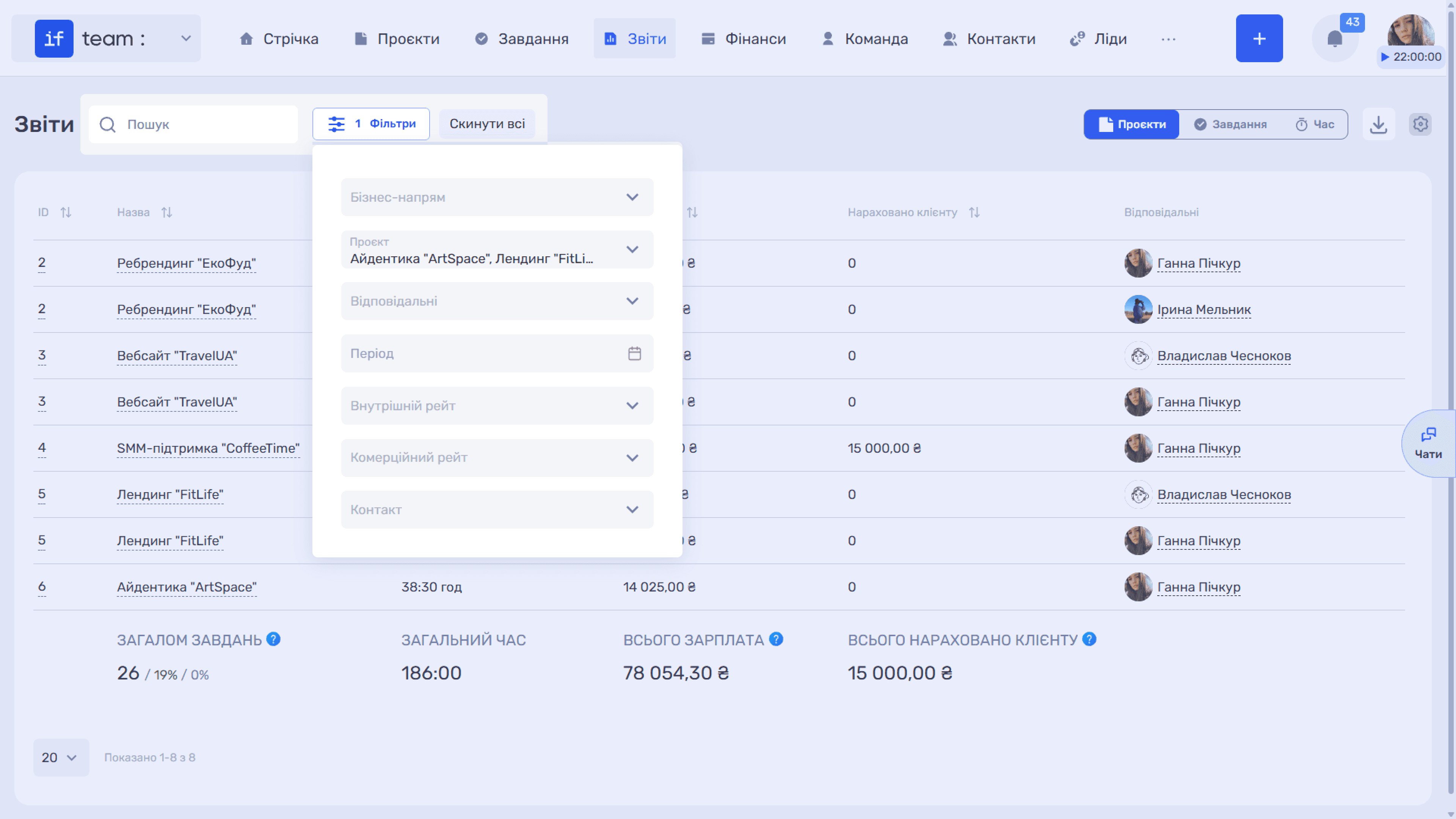
The totals row explains the key metrics:
- Total Tasks is the total number of tasks, the percentage completed, and the percentage returned for revision at least once, regardless of their current status.
- Total Time is the total time worked.
- Total Salary is the compensation accrued to employees for their working time.
- Total Billed to Client is the amount payable by the client in Time & Material projects at the commercial rate, regardless of whether it has been paid.
Still have questions?
Maybe we haven't added this information yet. But you can always reach out:
Request a demo
Submit a request and we'll show you how the service works and its capabilities.
Book a demo