Reports by Time
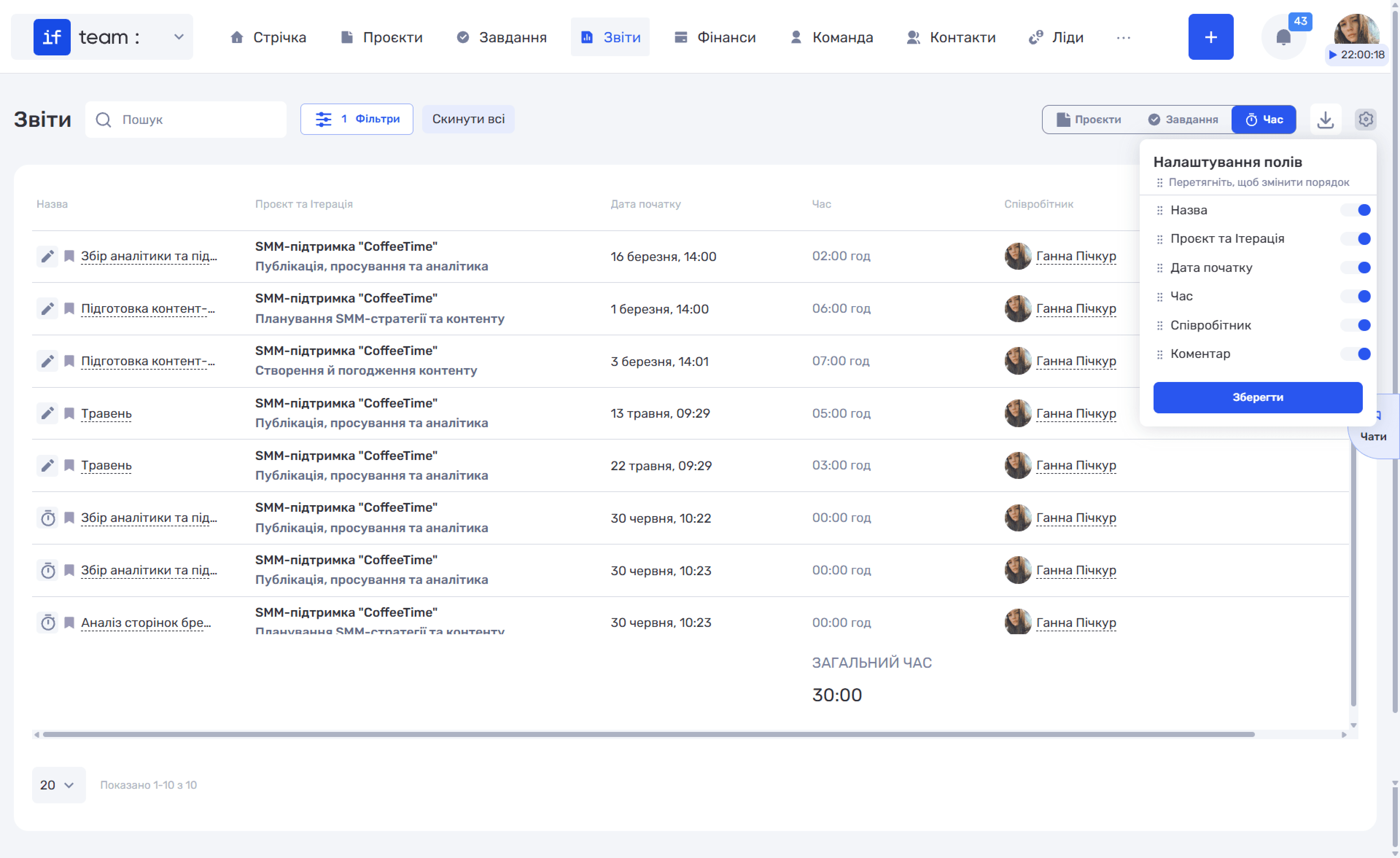
The “Time” breakdown displays a detailed time log: individual entries for hours worked rather than aggregated totals. Each row contains the task name, project and iteration, entry date, time, employee, and comment.
Generate AI summary
Open this page in your favorite AI assistant
The icon to the left of the name indicates how the time was recorded: the stopwatch (⏱) indicates time recorded with the tracker, while the pencil (✏) indicates time entered manually.
Available filters include business line, status, project, assignees, period, and contact.
The total time for all entries in the current selection is shown at the bottom.
Still have questions?
Maybe we haven't added this information yet. But you can always reach out:
Request a demo
Submit a request and we'll show you how the service works and its capabilities.
Book a demo