
Best Wrike Alternatives: 8 Tools Compared
The right Wrike alternative depends on why you are leaving. Asana gives a simpler structure, ClickUp more tools in one workspace, monday.com visual workflows and Jira software delivery. If tasks must connect to hours and client project finances, test if.team. Wrike itself is strong at detailed…
The right Wrike alternative depends on why you are leaving. Asana gives a simpler structure, ClickUp more tools in one workspace, monday.com visual workflows and Jira software delivery. If tasks must connect to hours and client project finances, test if.team. Wrike itself is strong at detailed planning: time tracking is available on Business, Pinnacle and Apex, while advanced capacity planning, budgeting and BI sit in Pinnacle, priced on request.
One team needs a simpler system, another needs a lower predictable price, another needs safer client access, and a service company may need project economics rather than another planning view. Below we compare eight Wrike alternatives and show how to test an alternative to Wrike on one project.
Pricing and plan features were checked on November 17, 2026. Vendors may change them after publication.
This comparison uses official pricing and documentation. Recommendations reflect the described workflows, not hands-on benchmarking of every product. Worked examples use fictional figures.
The short answer
| If you need | Consider | Why |
|---|---|---|
| A simpler project structure | Asana | Clear tasks, dependencies, portfolios, and workload |
| More tools in one workspace | ClickUp | Tasks, Docs, Chat, Gantt, time, and dashboards |
| Flexible visual workflows | monday.com | Boards, columns, forms, automations, and reporting |
| Product development and sprints | Jira | Specialized backlogs and technical workflows |
| Lightweight Kanban | Trello | A quick start with fewer administrative layers |
| Documentation and custom databases | Notion | Wiki pages, databases, and templates |
| Client projects and communication | Basecamp | A stable project space for messages, files, and to-dos |
| Time, capacity, clients, and project finance | if.team | PSA workflows for agencies and service companies |
When Wrike is still the right product
Wrike is valuable when the team uses its planning model consistently: project and folder structure is clear, dependencies are maintained, managers plan resources, and dashboards lead to decisions.
Do not migrate simply because the interface feels complex. Complexity may come from years of internal configuration. Old statuses, custom fields, reports, templates, and automation rules may remain after their owners and use cases disappeared.
Audit the workspace:
- active Spaces, folders, and projects;
- workflows people actually use;
- fields completed consistently;
- reports reviewed every week;
- automations with a named owner;
- roles and permissions still required;
- spreadsheets maintained beside Wrike.
Create one minimal project template after the audit. If the work becomes understandable, fix the current system before replacing it.
Free is $0 and includes essential task management. Team costs $10 per user per month with annual billing for teams of 2–15 and includes a shareable dashboard and interactive Gantt. Business costs $25 for teams up to 200 and adds more configurable workflows, templates, and standard integrations. Pinnacle and Apex require a quote. A plan change may be cheaper if the needed capability already exists at an acceptable level.
Why teams look for Wrike competitors
Advanced resources and budgets require custom pricing
If advanced capacity planning or budgeting is essential, request a Pinnacle quote for your team. For basic time tracking, compare against Business. Otherwise the replacement may appear cheaper simply because you selected an unnecessarily expensive baseline.
The system is more complex than the work
For a small team with one project type, Spaces, folders, projects, custom item types, workflows, and fields may be excessive. People create work in inconsistent locations, duplicate data, or return to chat.
Complexity is justified when it provides control. If managers do not use portfolios or capacity planning and contributors only need a task list, test a product with a simpler, predefined structure.
The plan is disconnected from actual time
A Gantt chart shows planned dates and dependencies. It may remain green while the team has already spent most of the available hours. Confirm the plan that contains the time data you need and whether planned and actual effort can be compared without an export.
Client access requires too many exceptions
A service team needs to show a client status and deliverables while hiding internal discussion, rates, and other accounts. Test viewer and guest roles, project permissions, and pricing. If every client requires manual permission exceptions, the risk of exposure grows.
Progress reporting does not equal financial control
Wrike can report progress and, in advanced plans, resources and budgets. A service company must still test its commercial model: fixed fee, time and materials, retainer, internal rates, bill rates, and external expenses. If managers recalculate the result elsewhere, include that process in the comparison.
How to compare Wrike alternatives
Scheduling
Use a real project with dependencies. Move one date and observe how the plan changes. Test milestones, baselines, critical paths, and alerts where available. A Gantt view is useful only when the team can maintain it without constant repair.
Portfolio visibility
A leader should see status, risk, dates, owner, and next milestone across projects. Check whether those values come from the projects or have to be copied into a summary table.
Resource planning
Workload should include all work assigned to a person, their availability, calendar, and estimates. Test planning by role, replacing an assignee, leave, and conflicts before tasks become overdue.
Actual time
Test timers, manual entries, corrections, approvals, billable status, and reporting. Planned and actual hours should be visible in the same report.
Budgets
Ask how the platform calculates budget use. Check labor hours, cost rates, bill rates, expenses, revenue, and forecast. A report produced after completion is less useful than an early warning.
Client collaboration
Invite a real test guest. Verify tasks, comments, files, approvals, and private fields. Confirm whether the role requires a paid seat and whether access can be templated safely.
Administration
Estimate the time for templates, custom item types, workflows, fields, permissions, integrations, and reports. A powerful platform needs an accountable owner.
Eight Wrike alternatives compared
| Tool | Best fit | Main strength | Main limitation |
|---|---|---|---|
| if.team | Agencies and project-based service companies | Time, capacity, CRM, budgets, and finance | Too broad for simple internal task lists |
| Asana | Cross-functional project delivery | Dependencies, portfolios, and workload | Resource and time features require Advanced |
| ClickUp | A broad all-in-one workspace | Many capabilities on one plan | Easy to overbuild the hierarchy |
| monday.com | Visual operational workflows | Boards, forms, automations, and dashboards | Seat packages and plan quotas |
| Jira | Product and software development | Backlogs, sprints, releases, and workflows | Heavy for non-technical delivery |
| Trello | Straightforward Kanban | Familiarity and fast adoption | Limited portfolio and resource depth |
| Basecamp | Client projects and communication | Project context in one place | Less scheduling and capacity depth |
| Notion | Documentation and lightweight systems | Wiki and flexible databases | Requires governance and an owner |
Prices and plan details below come from the official pages: if.team, Asana, ClickUp, monday.com, Jira, Trello, Basecamp, Notion.
1. if.team: a Wrike alternative for resources and financial control of client projects
if.team connects clients, projects, tasks, hours, workload, revenue, and expenses. That matters to companies that sell professional work and need to control both delivery and the commercial result.
Plans are priced per company. Start costs $30 per month for three participants, and Basic costs $70 for ten. Every plan starts with a seven-day trial. Compare the effective team price and the products that remain necessary after migration.
if.team is not a replacement for a technical product backlog and is excessive for a personal task list. Its main fit is agencies, studios, consultancies, and other project-based service businesses.
2. Asana: a Wrike alternative with clear planning and fewer layers
Asana provides lists, boards, Timeline, Gantt, dependencies, portfolios, and workload. Personal is free for one or two users. Starter costs $10.99 per user per month with annual billing. Advanced costs $24.99 and adds portfolios, goals, resource management, approvals, and native time tracking.
Asana is worth testing when Wrike feels too administrative but the team still needs dependencies and portfolio visibility. A client-service business should test expenses, rates, and profit forecasts separately.
3. ClickUp: a Wrike alternative with broad functionality
ClickUp combines tasks, Docs, Chat, Gantt, Calendar, time, goals, and dashboards. Core costs $12 per user per month with annual billing, and Business costs $25; the pricing page currently shows a discount to $9 and $17. Free Forever allows unlimited tasks and members with limits on storage and selected features.
ClickUp may provide more functionality on a single plan, but it does not guarantee simplicity. Spaces, Folders, Lists, task types, statuses, and fields need a clear structure. A team leaving a complicated Wrike setup can build an even more complicated ClickUp account.
During the pilot, require every level and field to support a repeated action or decision.
4. monday.com: visual workflows and automation
monday.com organizes work around boards and configurable columns. Free supports two seats and three boards. Basic starts at $9 per seat per month with annual billing, Standard at $12, and Pro at $19. Standard adds Timeline, Gantt, Calendar, guests, and integrations; Pro adds time tracking and much larger automation allowances.
It is a candidate when the team needs visual flexibility rather than deep resource management. Check the actual seat package, plan, and quotas before comparing cost.
5. Jira: specialized technical planning
Jira supports backlogs, sprints, epics, releases, issue types, workflows, and dependencies. Free supports up to ten users. Standard costs $8.48 per user per month, while Premium costs $15.56.
For product development, Jira may fit technical planning more precisely than a general Wrike account. For agency or operational work, its workflows can create unnecessary administration. Ask product managers, designers and stakeholders to try the workflow alongside developers.
6. Trello: when a board is enough
Trello provides boards, lists, and cards. Free limits a Workspace to ten collaborators and ten boards. Standard costs $5 per user per month with annual billing. Premium costs $10 and adds Timeline, Dashboard, Table, Calendar, and Map views.
Trello fits when the team barely uses Wrike’s portfolio, resource, and scheduling capabilities. The migration should simplify the process; otherwise a set of connected projects becomes a set of disconnected boards.
7. Basecamp: project communication without a builder
Basecamp keeps to-dos, messages, chat, files, and schedules around each project. Freelancer costs $29 per month for three active projects and up to five users; Pro costs $79 for eight projects and ten users; Pro Plus costs $99 for twelve projects and fifteen users. Pro Unlimited costs $199 per month with annual billing.
Basecamp fits teams that value client context and a stable product model over advanced resource planning. Test portfolio visibility, dependencies, and finance separately. For Basecamp's own replacements, see our Basecamp alternatives guide.
8. Notion: documentation and a lightweight custom system
Notion combines pages and databases. With annual billing, Plus costs $10 per member per month, while Business costs $20. A database can be displayed as a table, board, calendar, or timeline.
It fits teams where briefs, decisions, and knowledge matter more than advanced planning. Flexibility still needs ownership; otherwise each group creates different properties, statuses, and templates.
Free Wrike alternatives
A free tier is useful for a pilot but may not support the production scenario. The table compares ongoing free plans for a team of ten.
| Service | Ongoing free plan | What it means for a team of ten |
|---|---|---|
| Wrike Free | Board and table views; active-task limits apply | Gantt charts and time tracking start on paid plans |
| Asana Personal | Up to 2 users; unlimited tasks and projects | A team of ten needs a paid plan |
| ClickUp Free | Unlimited members and tasks; 5 Spaces, 60 MB storage | Time tracking and Gantt charts are trials only |
| monday.com Free | Up to 2 seats, 3 boards and 3 docs | Too small for a team of ten |
| Jira Free | Up to 10 users, 2 GB storage | Fits a technical team; permissions and advanced planning are limited |
| Trello Free | Up to 10 collaborators and 10 boards per Workspace; 10 MB per file | Fits one board-based process; Timeline and Calendar need Premium |
| Notion Free | Limited block allowance for 2+ members; 5 MB uploads | Enough to test a workspace, not to run a team on it |
| Basecamp Free | 1 project, 3 users, 1 GB storage | Fits one small project |
Checked on November 17, 2026, on the official pricing pages.
Compare the lowest plans that complete the required workflow, not Free against paid Wrike. A team that needs Gantt, workload, time tracking, and budgets will usually pay through a plan, an add-on, or manual labor.
Calculate the total cost
Licenses and quotes
Count members, administrators, contractors, guests, and viewers. Request a Pinnacle quote when the decision depends on advanced resources or budgets. Compare annual totals for the same access model.
Implementation
Include architecture, workflows, custom item types, fields, templates, permissions, reports, integrations, training, and documentation. Internal hours still have a cost.
Migration
Run a test export and import. Verify tasks, subtasks, dependencies, comments, files, users, statuses, fields, time entries, and reports. Not every object maps directly.
The remaining stack
Add time tracking, finance, CRM, documentation, and BI products that remain. A lower project-management license may leave a more expensive overall stack.
Worked example: a 15-person design studio
A fictional studio runs ten client projects. Managers build Gantt plans in Wrike, while actual hours and external expenses are reconciled elsewhere. Leadership sees a budget overrun at month-end.
The team defines the requirement: preserve dependencies and capacity visibility while forecasting the result earlier. It pilots two systems on one project, moving tasks, estimates, dependencies, and budget. Contributors record time inside the pilot.
After three weeks, the studio compares schedule accuracy, manager time, workload visibility, budget forecast, client experience, and total monthly cost. A lower license price is not a saving if financial reporting remains manual.
Run a useful pilot
- Choose a typical project lasting two to four weeks.
- Include the manager, contributors, and a test client.
- Reproduce dependencies and planned effort.
- Move active work only.
- Record planned and actual time.
- Produce the same report used in Wrike.
- Compare agreed measures and administration time.
The pilot should include a change: a delayed input, a reassigned specialist, or an additional client request. A perfect plan does not reveal how the system handles reality.
Migration plan
Create an inventory of Spaces, folders, projects, workflows, fields, reports, and integrations. Give every item an owner and a decision: migrate, archive, or delete.
Create a mapping table. Test custom item types, dependencies, recurring tasks, approvals, time entries, attachments, permissions, and user identities. Manually inspect different task types after the test import.
Set a cutover date. After that date, new work begins only in the new system. Keep Wrike read-only for a limited period and document how archived information can be found.
Reforecast a project when the plan changes
Return to the design studio from the example above. One of its projects has a $20,000 fee. It plans 200 hours at an internal cost of $60 per hour and $3,000 for contractors. The amount remaining after these direct costs is $5,000.
Halfway through, the team has logged 120 hours and estimates another 120 to finish. Expected effort is now 240 hours and labor cost is $14,400. With contractor costs unchanged, the remaining amount falls to $2,600. The deadline may not move, so the Gantt chart alone does not reveal this change.
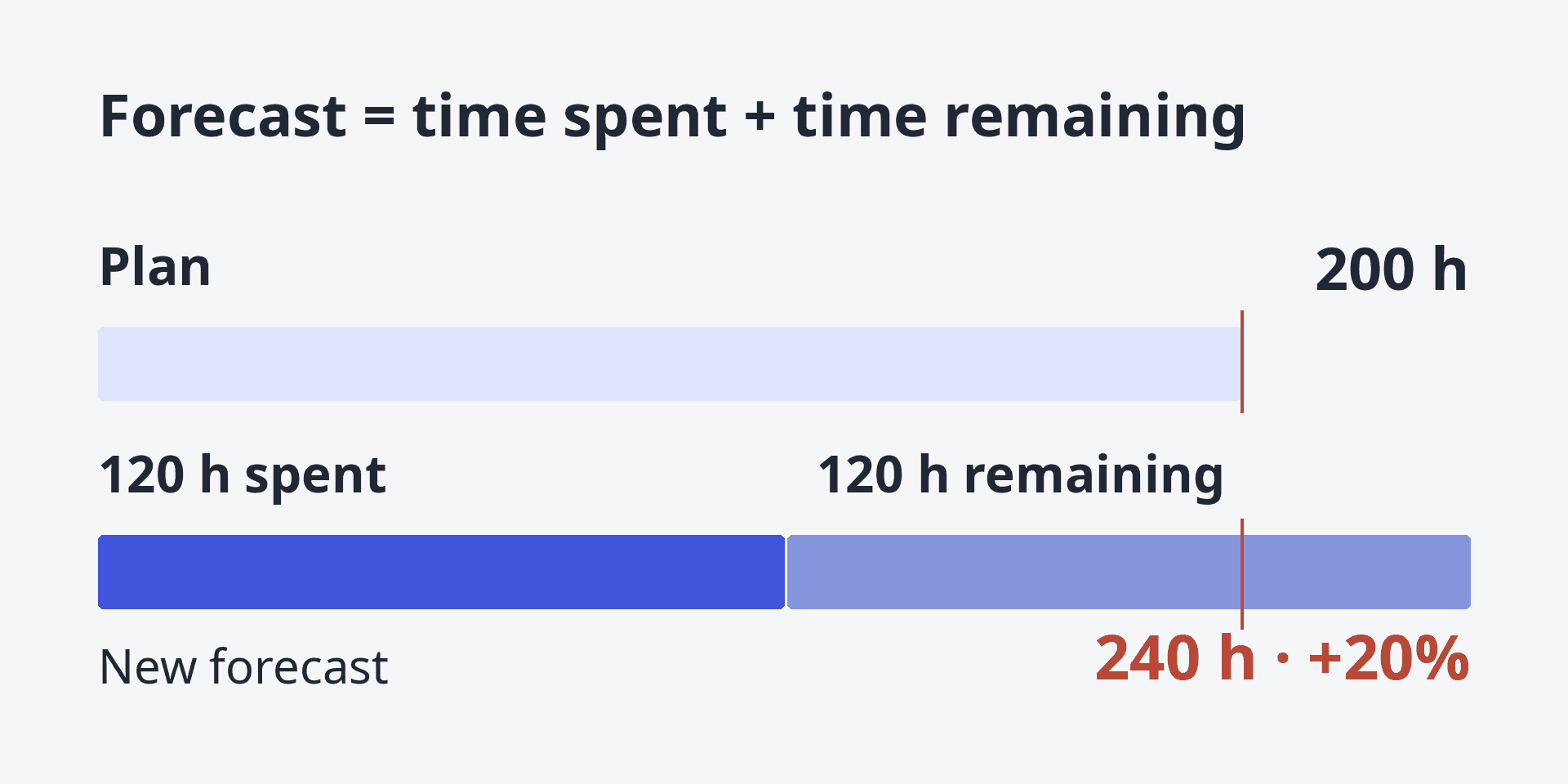
120 hours spent plus 120 remaining means 240 hours: 20% above the original 200-hour plan. Add remaining work to actual time, not the original estimate.
The manager can negotiate additional scope, change the delivery plan or accept the lower result. The software should expose the inputs and consequences; it cannot choose the commercial response.
These figures are an educational calculation and exclude taxes and overhead. The practice section below shows how to reconcile them with the forecast in if.team.
Also check team workload: an affordable plan may still exceed available capacity. Our Gantt chart guide covers scheduling dependencies.
For a development workflow replacement, use the Jira alternatives comparison. A client budget and a product backlog need different tests.
Practice in if.team: reconcile dates, availability and the forecast
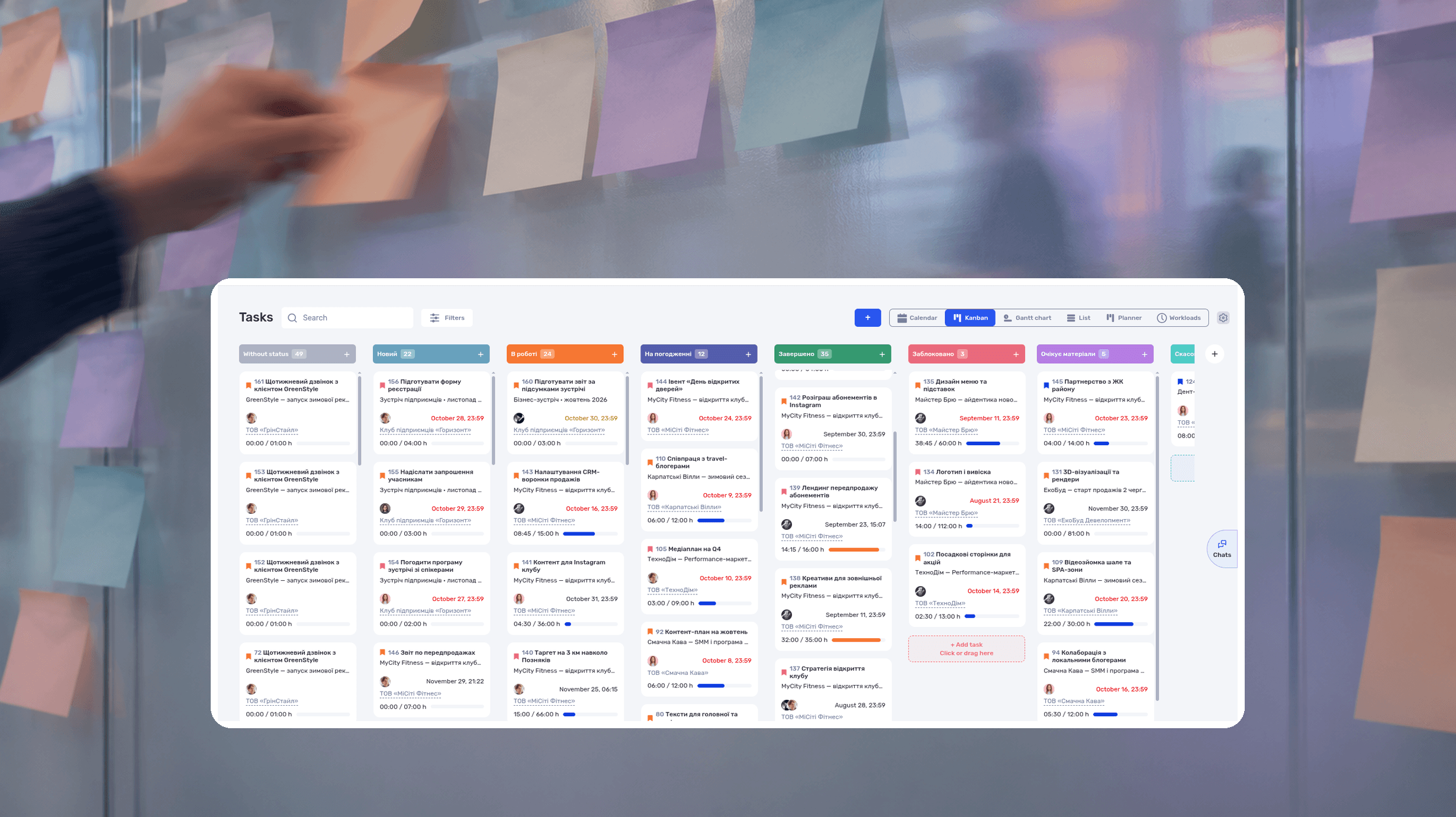
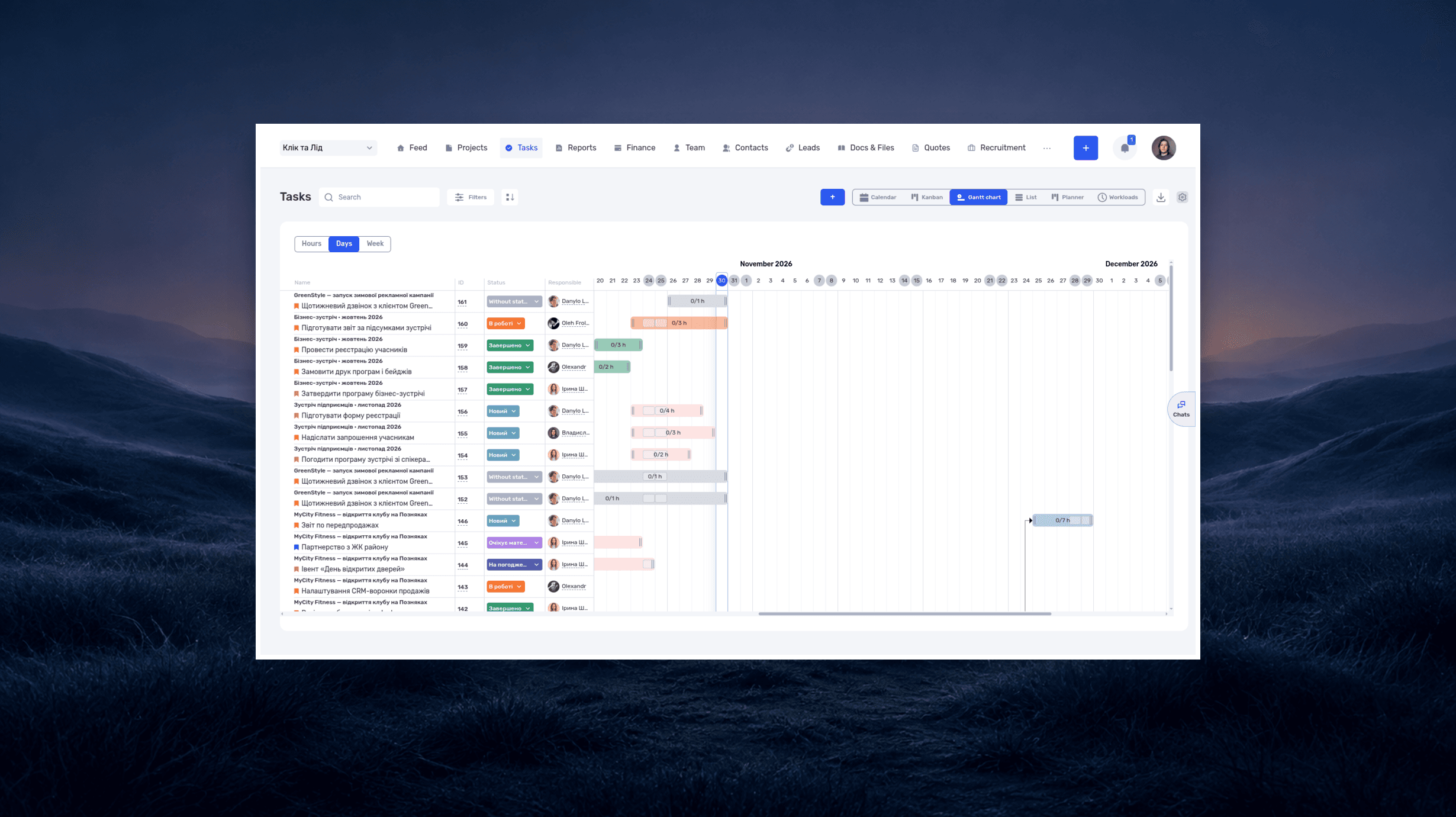
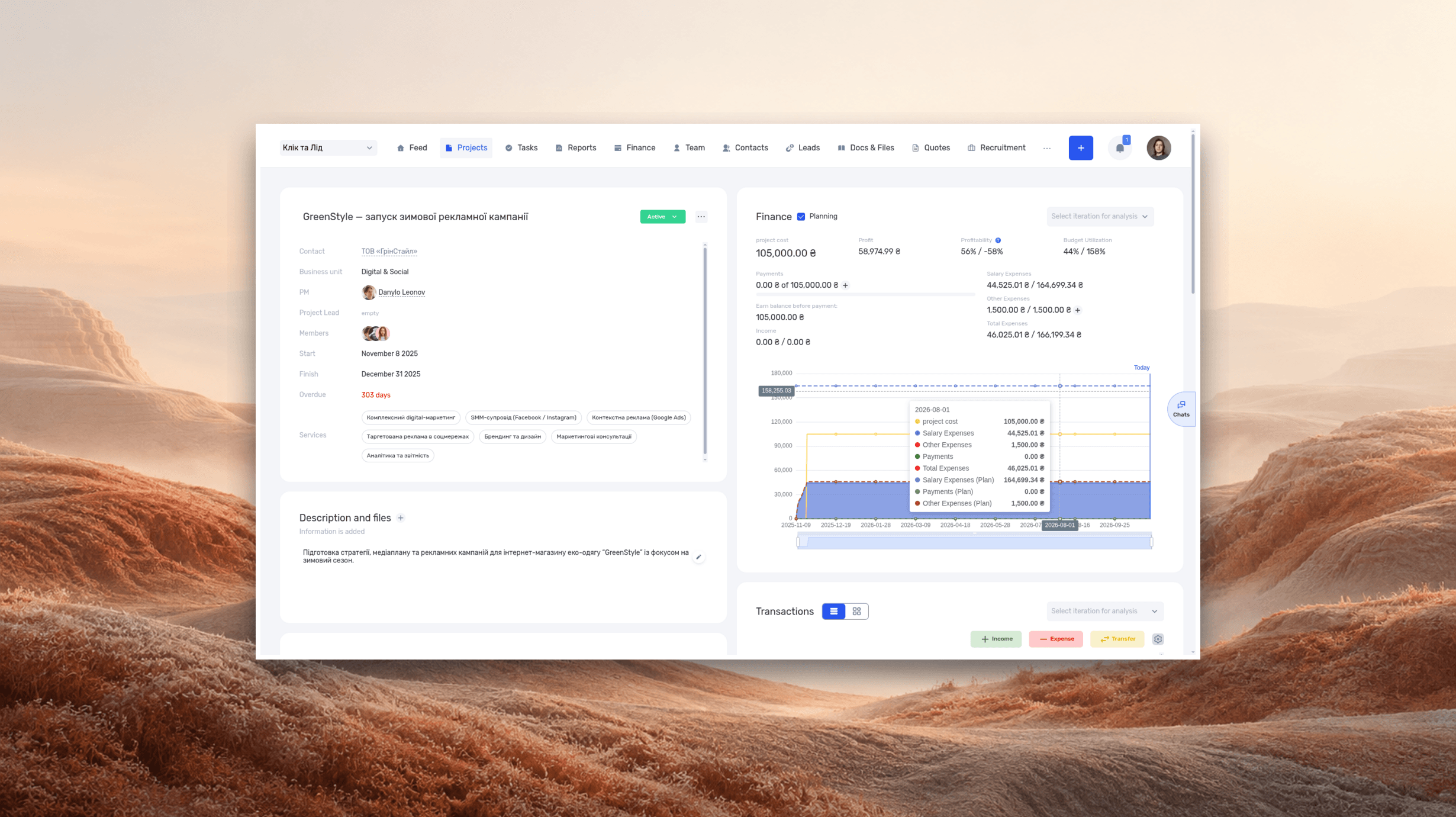
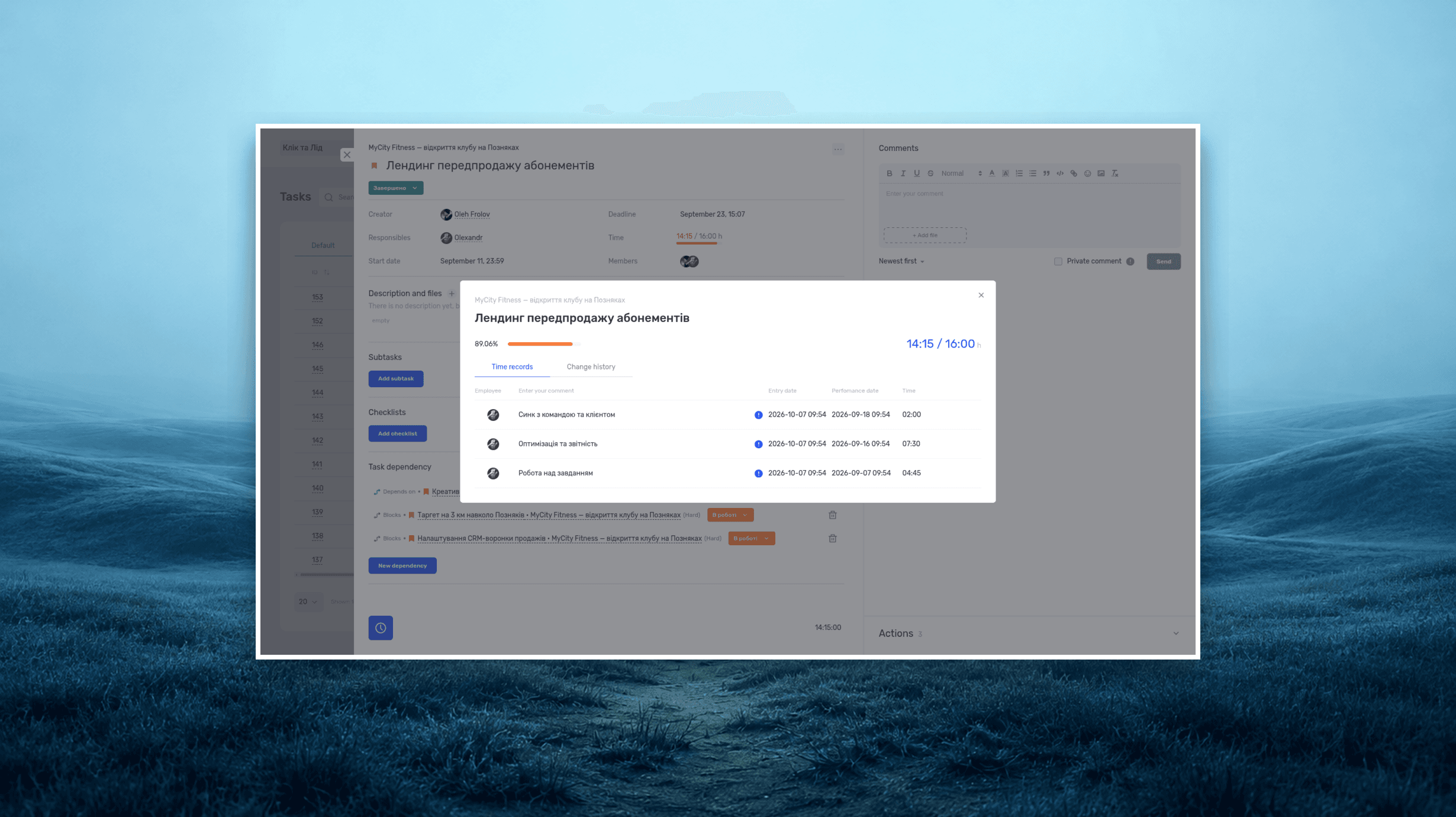
The screenshots come from other demo projects, so their figures differ from the example.
Moving a Gantt bar is only part of replanning a design project. The manager also needs to check the assignee’s availability and the cost of the revised work. Use one project from the studio example above and a competing task assigned to the same specialist.
1. Review the schedule. Open the project’s tasks in Gantt. Identify the work affected by a late approval, revise its dates and check the following stages. The Gantt documentation describes moving dates on the timeline. Do not assume dependencies will reschedule automatically without testing that behavior.
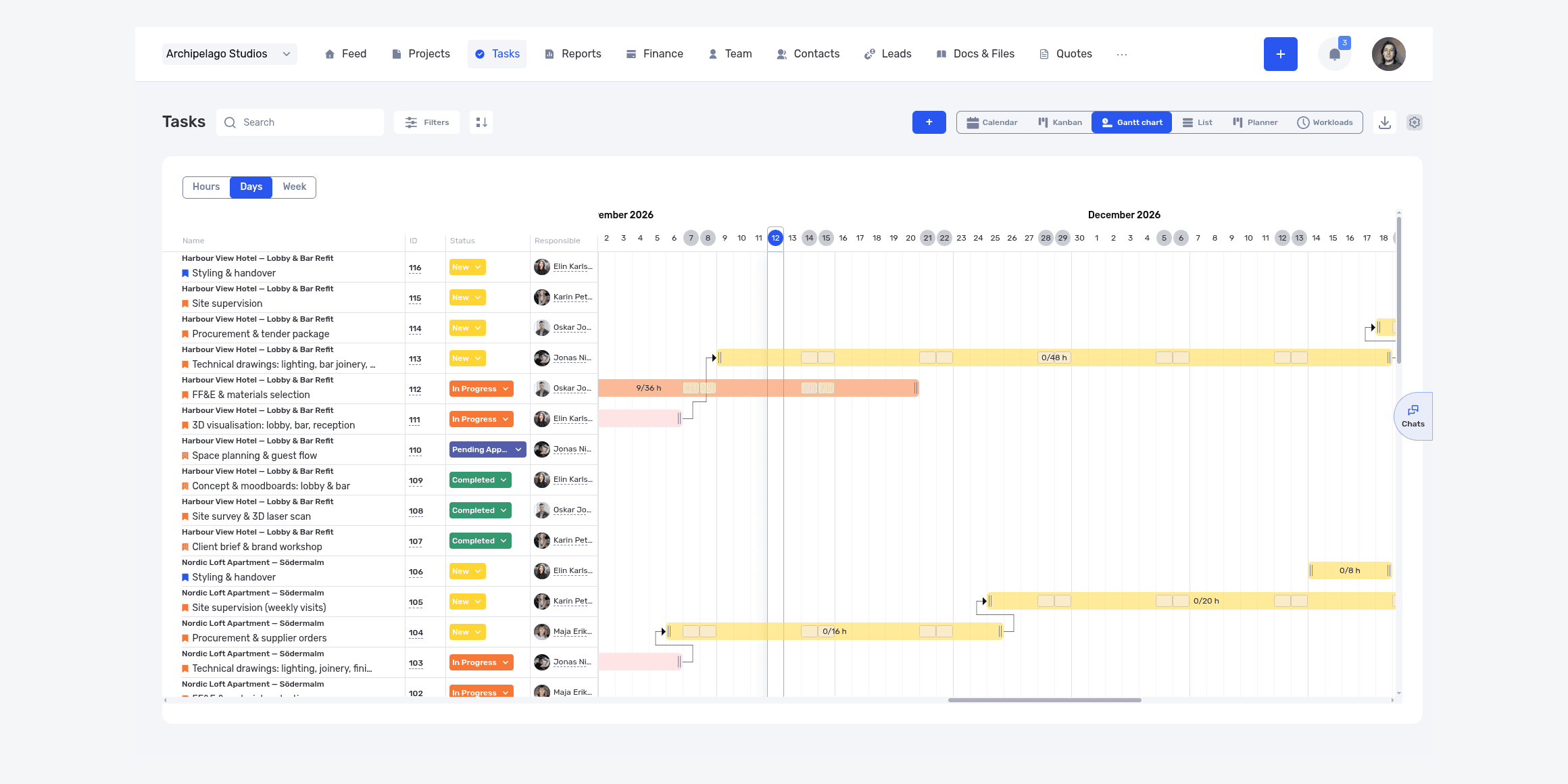
Tasks from different projects on one timeline. After changing dates, review adjacent stages and the same person’s other assignments.
2. Check availability. Review the person’s other assignments and absences in the work calendar. If 24 hours remain available for tasks but the work needs 32, agree what happens to the extra eight hours. Moving a date in one project does not release capacity in another.
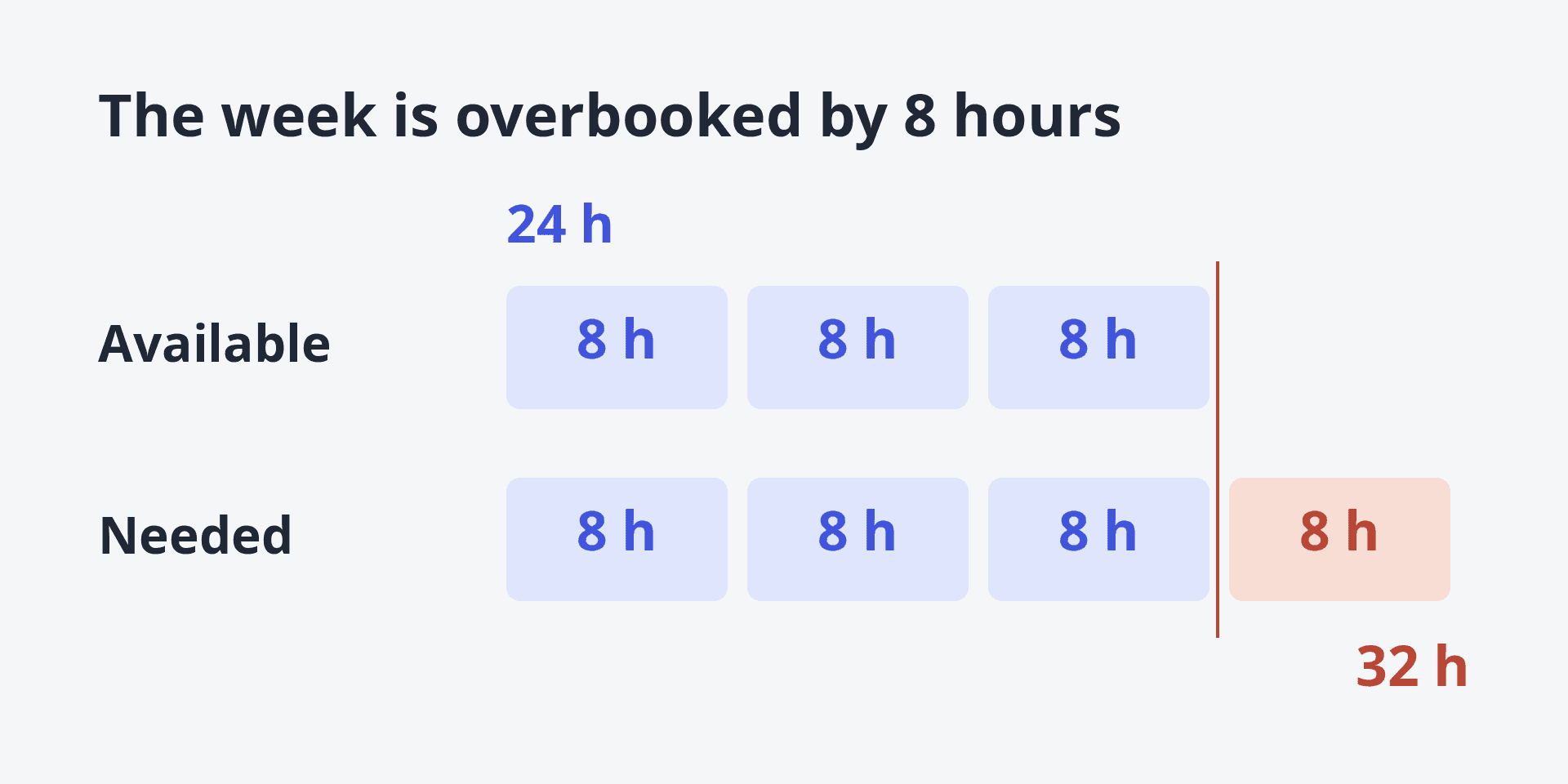
One person has 24 hours available, but the work needs 32. Eight hours must move to another week, another person or out of scope.
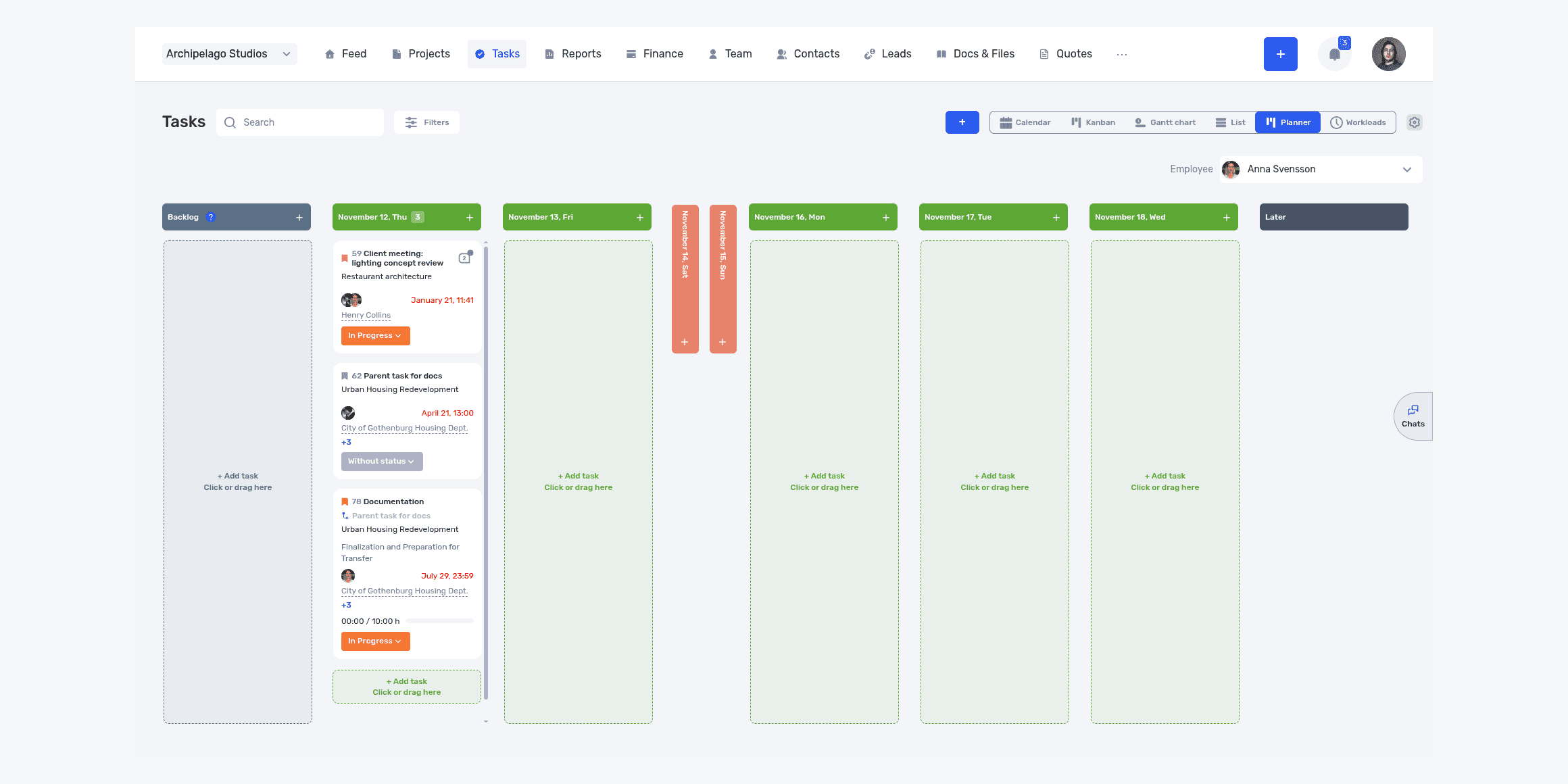
Planner shows the selected employee’s tasks by day. Review assignments across projects here, then check available hours separately.
3. Update remaining effort. In the studio example, 120 hours have been used and another 120 are expected. Revised total effort is 240 hours. Do not add 240 to the 120 already logged. Check that task estimates and remaining work reflect the same calculation.
4. Reconcile the financial forecast. Enable Planning in project finances and review rates and expenses. Under the assumptions above, the amount remaining after direct costs falls from $5,000 to $2,600. If the forecast differs, check hours, rates and scheduled transactions before changing the budget.
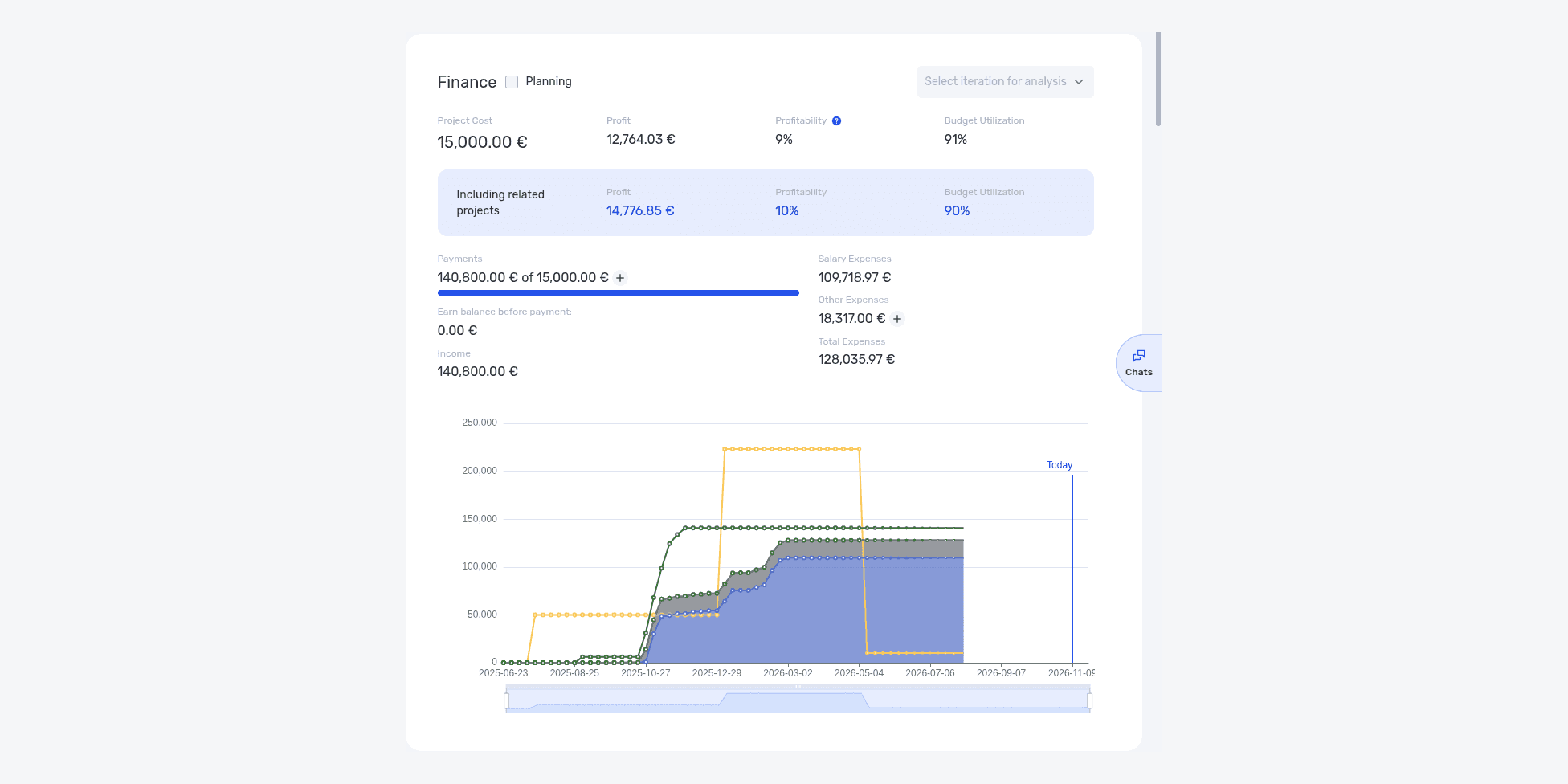
The project’s financial summary contains the Planning checkbox beside Finance. It is off in this screenshot; enable it to review the forecast.
The manager now has two decisions: where to fit the work and how to cover its additional cost. They may require different actions. Reassigning a task could protect the deadline while changing labor cost.
Frequently asked questions
What is a simpler alternative to Wrike?
Asana fits structured projects, Trello fits straightforward Kanban, and Basecamp fits client communication. The answer depends on which advanced capabilities the team can remove.
Is there a free Wrike alternative?
Yes. ClickUp, Trello, Asana, Jira, monday.com, and Notion have free plans. Advanced capacity, time tracking, and budgets are usually paid or require other tools.
Which Wrike alternative should an agency choose?
For planning, test Asana or ClickUp. To connect tasks with hours, workload, clients, expenses, and budgets, test a PSA platform such as if.team.
What works for software development?
Jira fits backlogs, sprints, releases, and technical workflows. ClickUp may fit a mixed team with lighter requirements.
Who are Wrike's main competitors?
In project management, alternatives worth considering include Asana, ClickUp, monday.com and Smartsheet. Jira competes for software teams, while Trello and Basecamp compete on simplicity. if.team is a different kind of alternative to Wrike: it connects clients, tasks, hours and finances for a service business. Wrike also offers time tracking and budgeting; compare the required plans and the workflow using your own data.
Wrike or Asana?
Wrike offers deeper planning and resource capabilities in advanced plans. Asana is often easier for cross-functional project delivery.
Wrike or monday.com?
Wrike is more oriented toward project and resource planning. monday.com is a flexible visual process builder with automation.
Can Wrike data be migrated?
Yes, through exports, APIs, or destination importers. Test dependencies, custom item types, time entries, comments, files, users, and permissions.
Should we stay because Wrike contains years of history?
History can remain available read-only. Active work and essential reference data may be enough for the new system.
How should a pilot be measured?
Compare planning and reporting time, manual transfers, early detection of resource conflicts, time accuracy, and budget visibility.
Does a cheaper plan mean a cheaper system?
No. Include administration, integrations, time tracking, finance, BI, migration, and training.
Do all teams need resource management?
No. A small stable team may plan effectively with a shared schedule and clear priorities. Buy advanced capacity tools when they change staffing or delivery decisions.
When should we request a Wrike quote instead of switching?
Request one when Pinnacle appears to solve the exact requirement. Compare that quote with the full replacement stack and migration cost before deciding.
Conclusion
Replace Wrike only when the team can explain which decision will become simpler, faster, or less expensive. For one team the answer is Asana, for another Jira, a lightweight Trello setup, or a PSA platform.
Test three candidates on the same project. Compare scheduling, capacity, actual time, budget, client access, administration, and total cost. The best Wrike alternative is not the system with the longest capability list. It is the one the team can keep accurate enough to reveal a problem before a deadline or budget fails.
Author
Vladyslav ChesnokovPublished
Jun 29, 2025
More articles to read
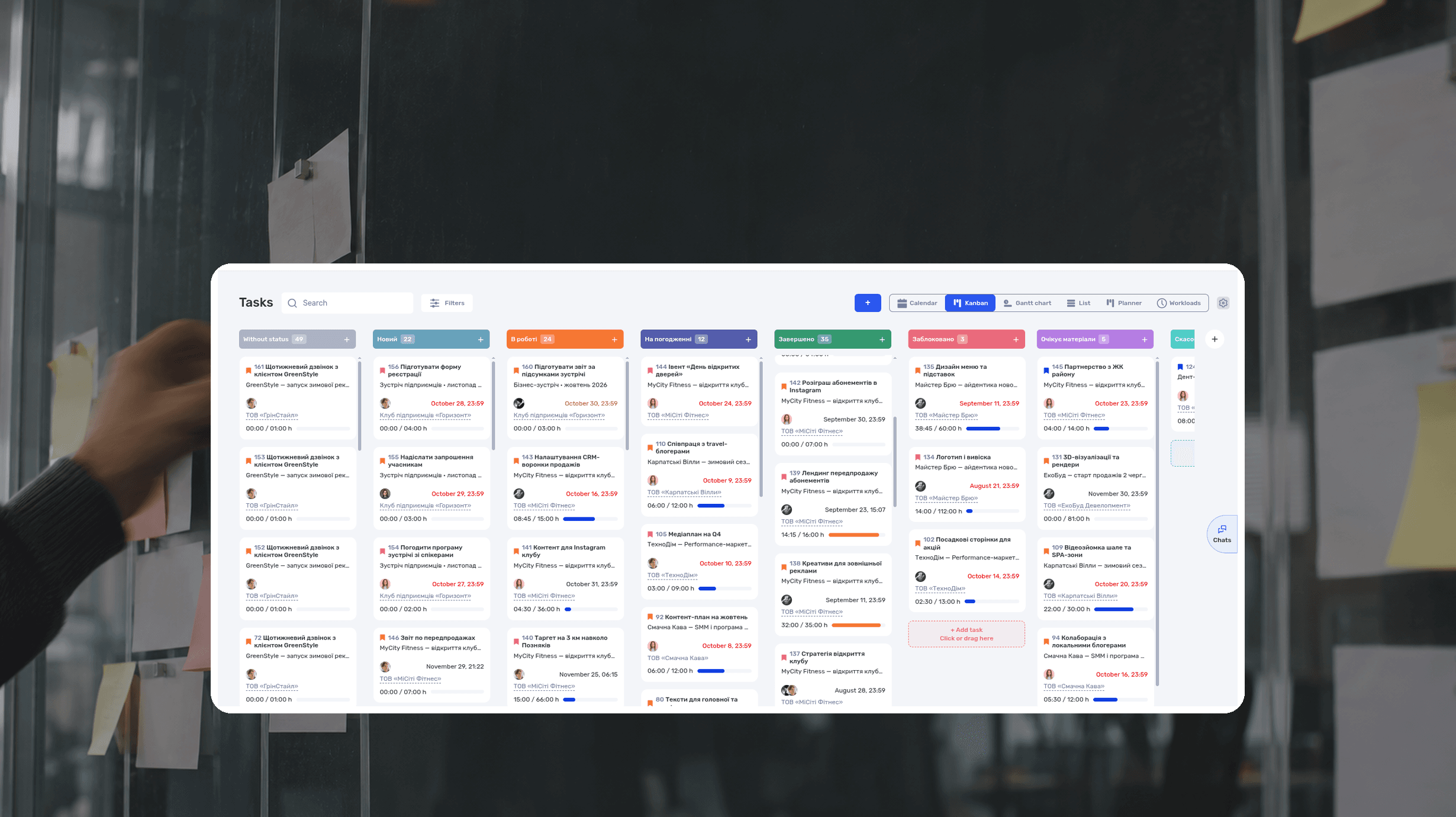
What Is a Kanban Board? Definition, Examples, Setup
A Kanban board is a visual workflow tool that represents work as cards moving through columns. The columns show each stage of the process, while work-in-progress limits control how many items a team handles at once. The board makes blocked work, queues, and delays visible.
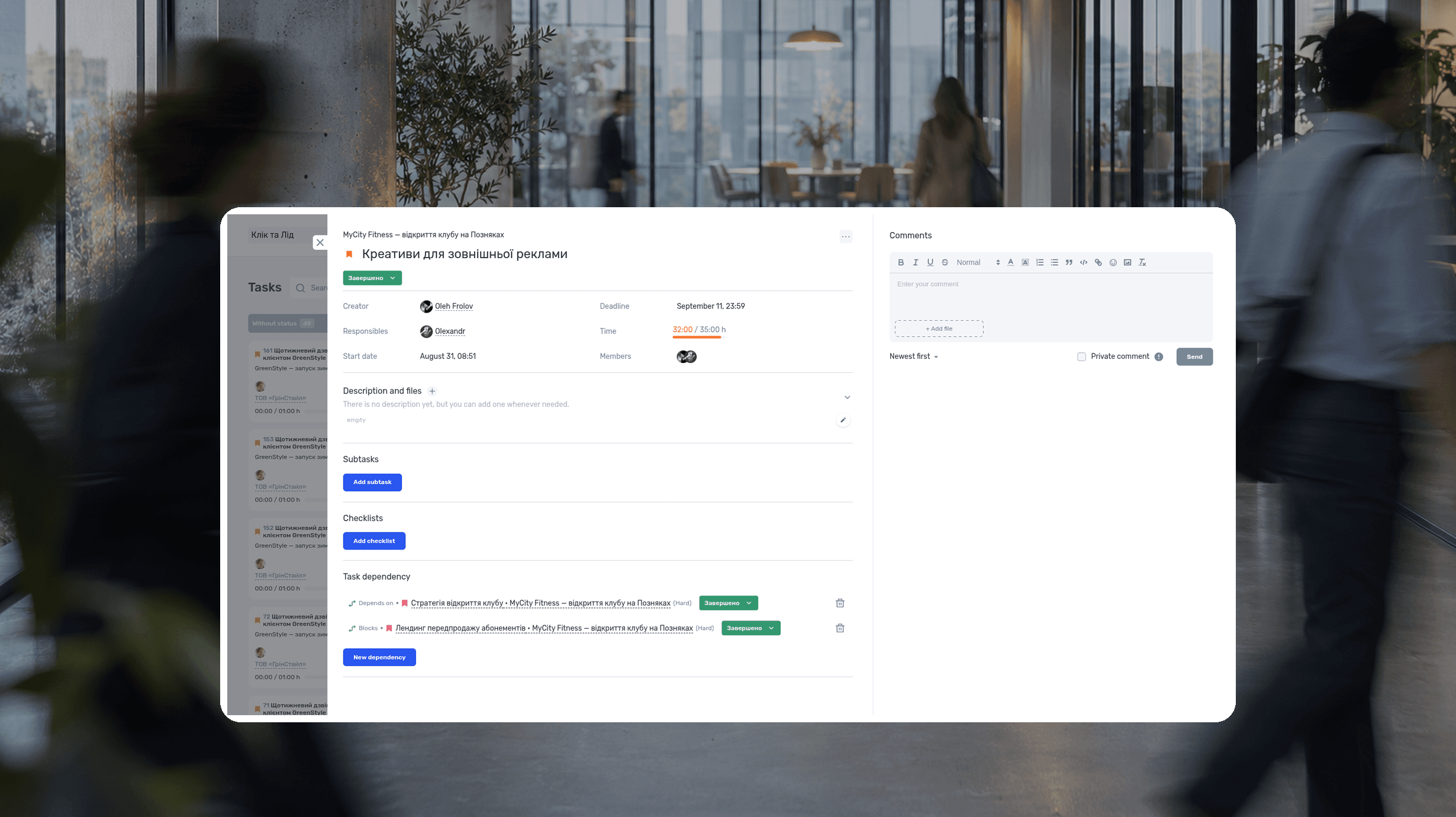
RACI Matrix: Definition, Free Template and Example
A RACI matrix is a table that shows who does the work on a project, who accepts the result, who gives input, and who gets updates. The name comes from the four roles: Responsible, Accountable, Consulted, Informed. Rows are deliverables or decisions, columns are people or roles.
Agile Methodology: What It Is, Principles, Example
Agile methodology is an approach to project management in which a team delivers results in short cycles, shows them to the client and adjusts the plan based on feedback. Instead of one big six-month plan, agile project management works in a series of small, tested steps.
What is a deadline? How to set and meet realistic deadlines
Why six hours of work can take several days—and how to build a schedule around availability, review, and revisions. With a practical if.team walkthrough.
ERP systems explained—what they do and when your business needs one
See how ERP connects sales, delivery, and finances, with a worked example and a practical walkthrough in if.team.
Project time tracking — how to track team hours and costs
A practical guide to recording project hours, understanding overruns, and calculating team costs, with a worked example and a walkthrough in if.team.
See if.team in action for your company
We’ll show how projects, team time and finances connect in one system, using your processes as an example.