Lead Statuses
Statuses describe the stages of your sales pipeline. The default statuses are “New,” “In Progress,” “Successful,” and “Unsuccessful,” but you can create an entirely custom set for your business.
Generate AI summary
Open this page in your favorite AI assistant
How to Add a Status
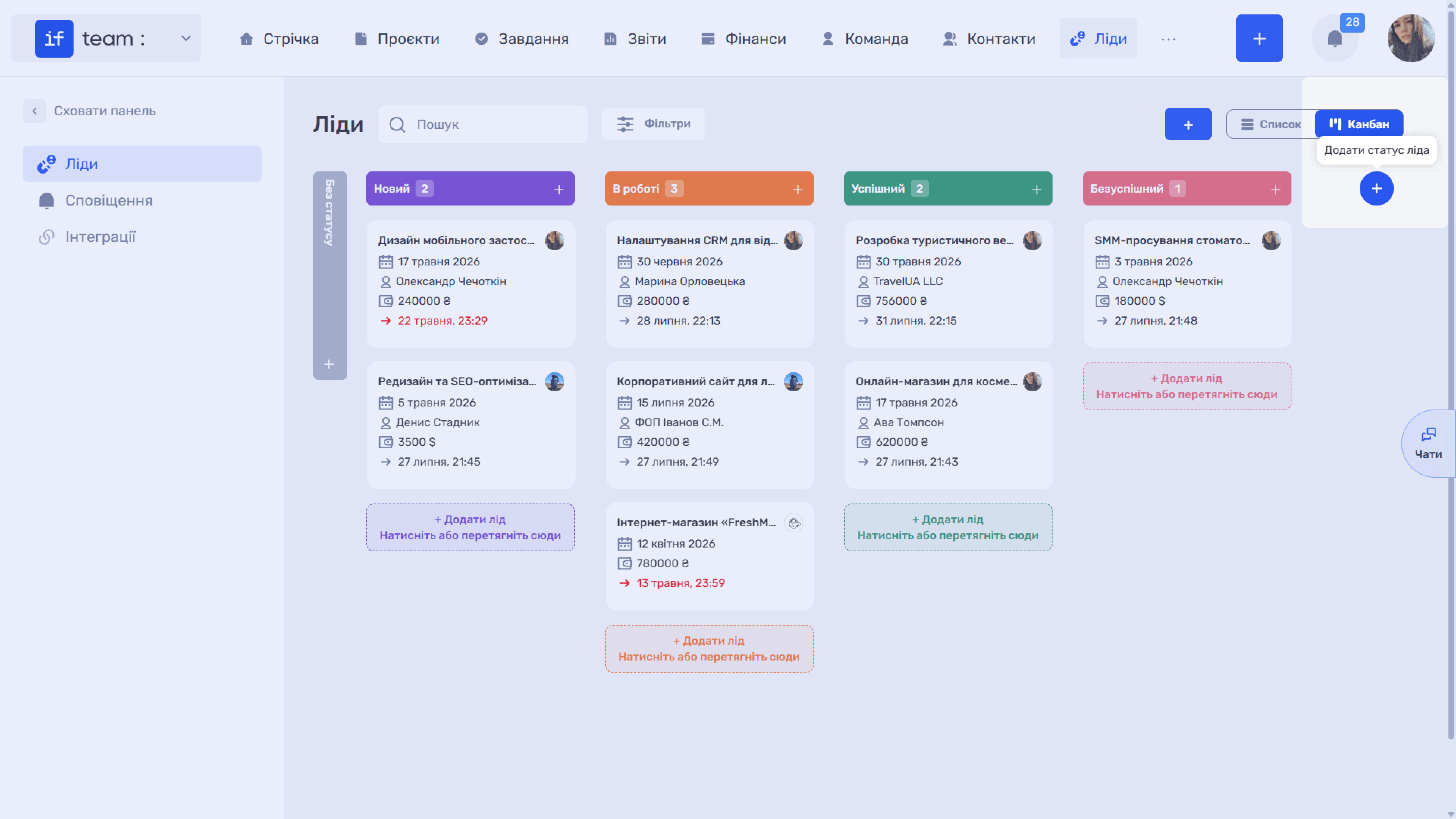
In Kanban, click “+” to the right of the last column. The tooltip reads “Add Lead Status.”
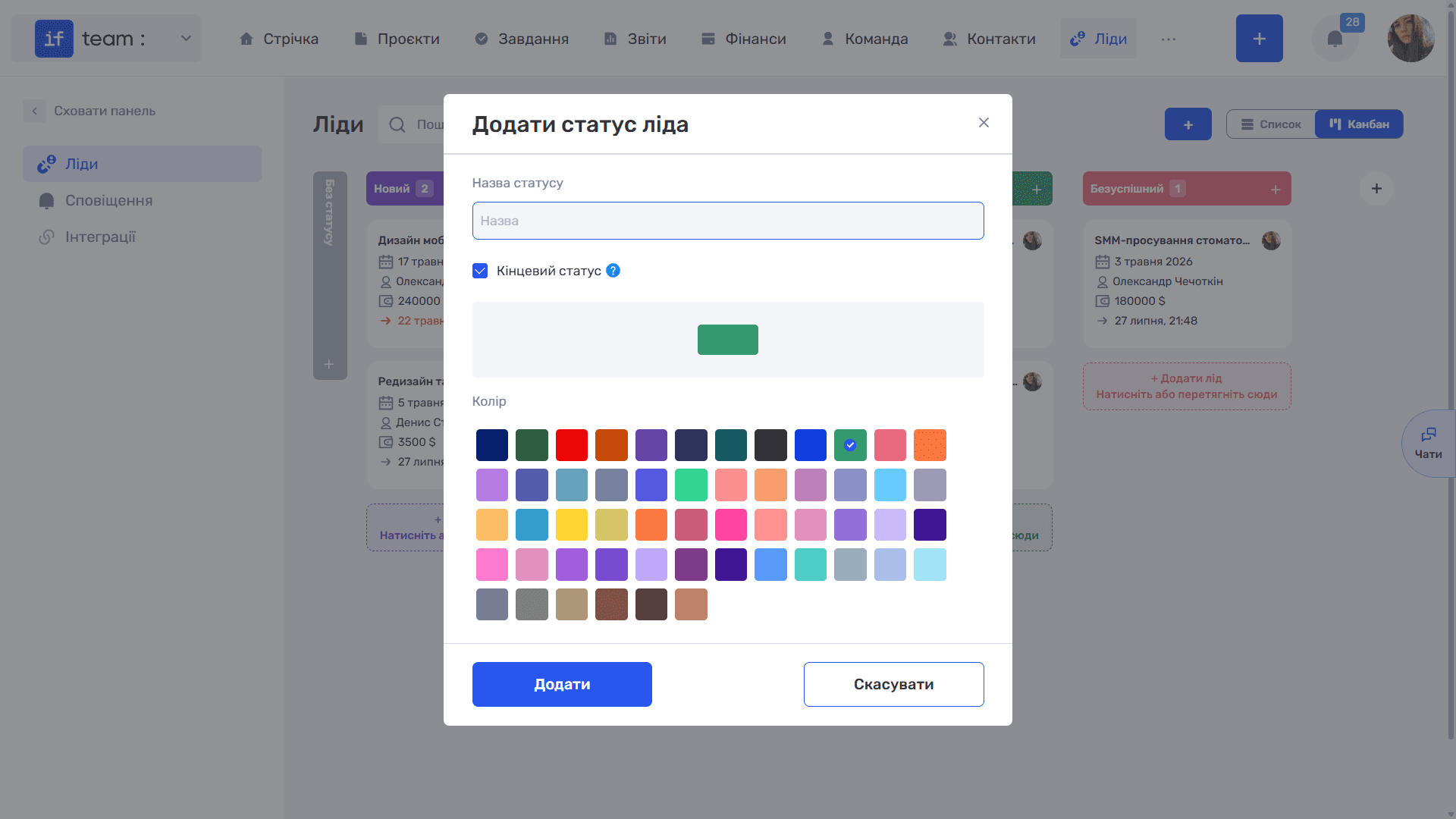
In the “Add Lead Status” window:
- Enter the status name.
- If necessary, select “Final Status.” Leads with this status are displayed at the end of the list. Use it for stages that complete work on a lead, such as “Successful” and “Unsuccessful,” so active deals remain at the top.
- Select a color from the palette. The column and status label will use this color throughout the system.
- Click “Add.”
Where Else Statuses Are Configured
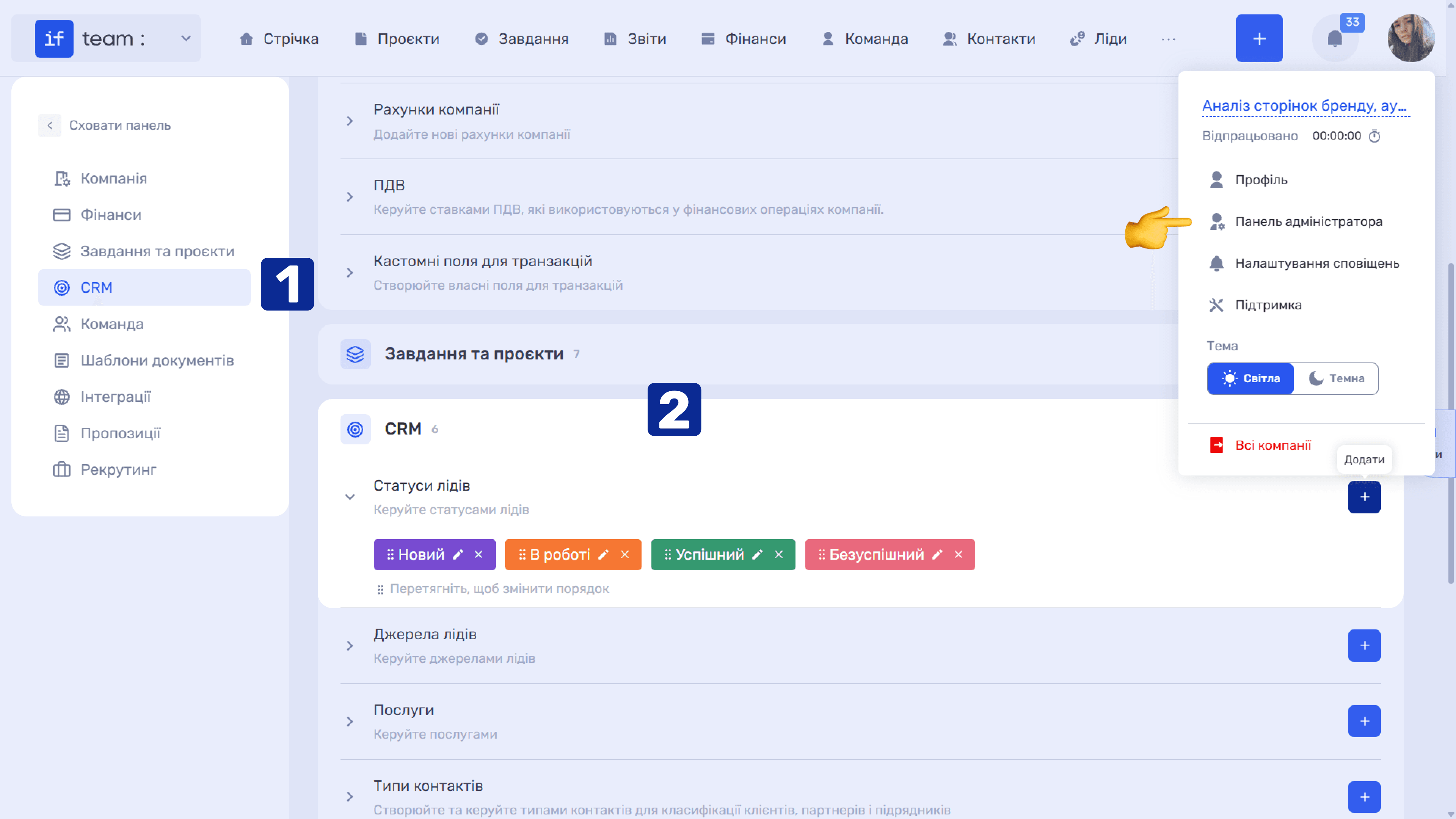
The complete list is available in the Admin Panel: “Settings” → “CRM” → “Lead Statuses.” Here you can rename (✏), delete (×), and drag statuses to change the order of columns in Kanban.
Still have questions?
Maybe we haven't added this information yet. But you can always reach out:
Request a demo
Submit a request and we'll show you how the service works and its capabilities.
Book a demo