Business Lines
A business line is a level in the if.team hierarchy that lets you combine projects into groups with a shared approach to work, finances, and settings. Each line defines the default project type and profit-calculation method, as well as its own set of project statuses. This lets you:
- structure company activities by dividing projects into portfolios or types, such as “Web Development,” “Design,” and “Branding”;
- generate reports separately for each line;
- analyze finances by business line, including generating Cash Flow and P&L reports for each business unit.
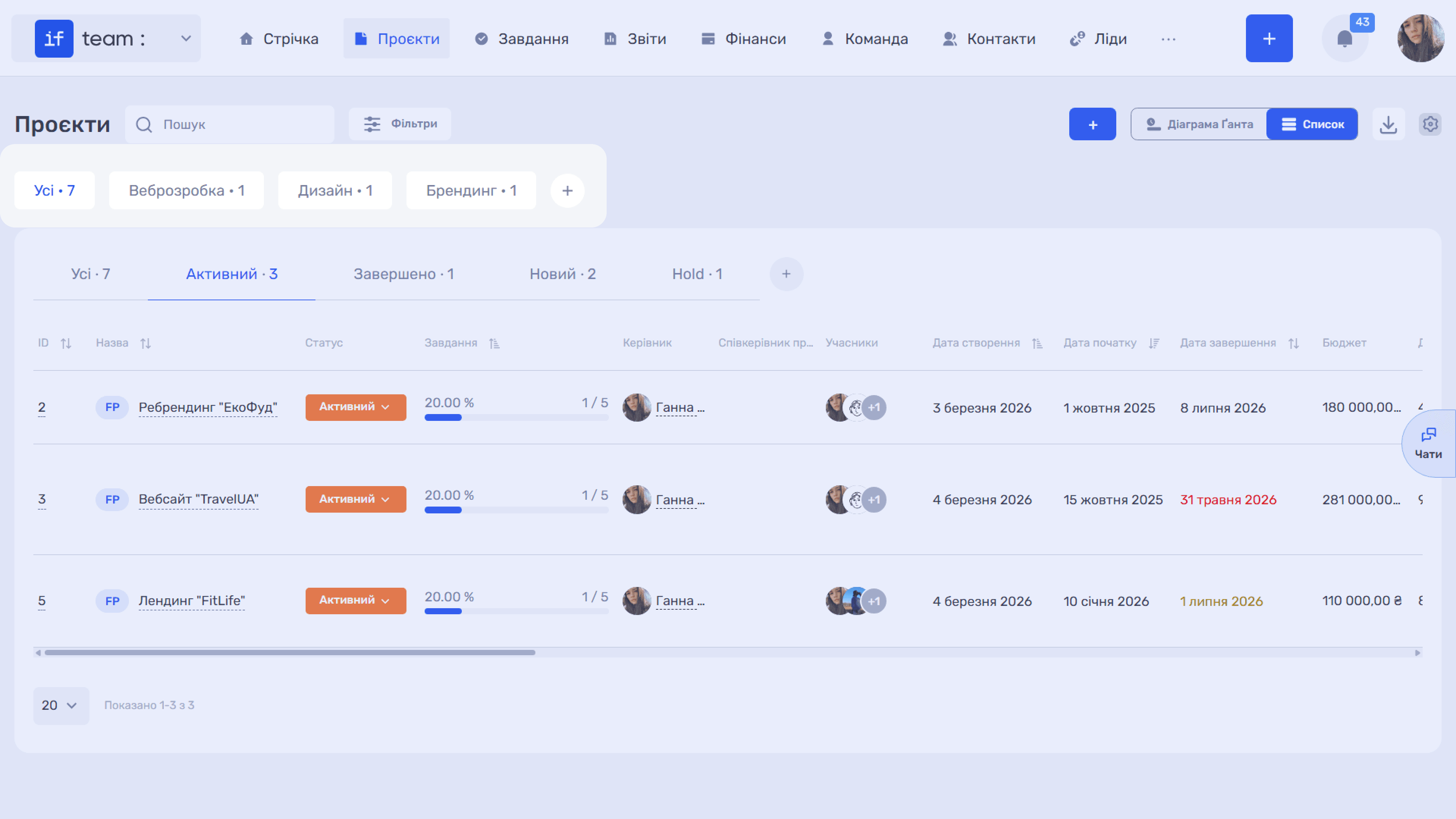
In “Projects,” business lines are displayed as tabs at the top of the page. The number on a tab shows how many projects belong to that line. Click a tab to filter projects by business line.
How to Create a Business Line
You can create a new business line in two ways:
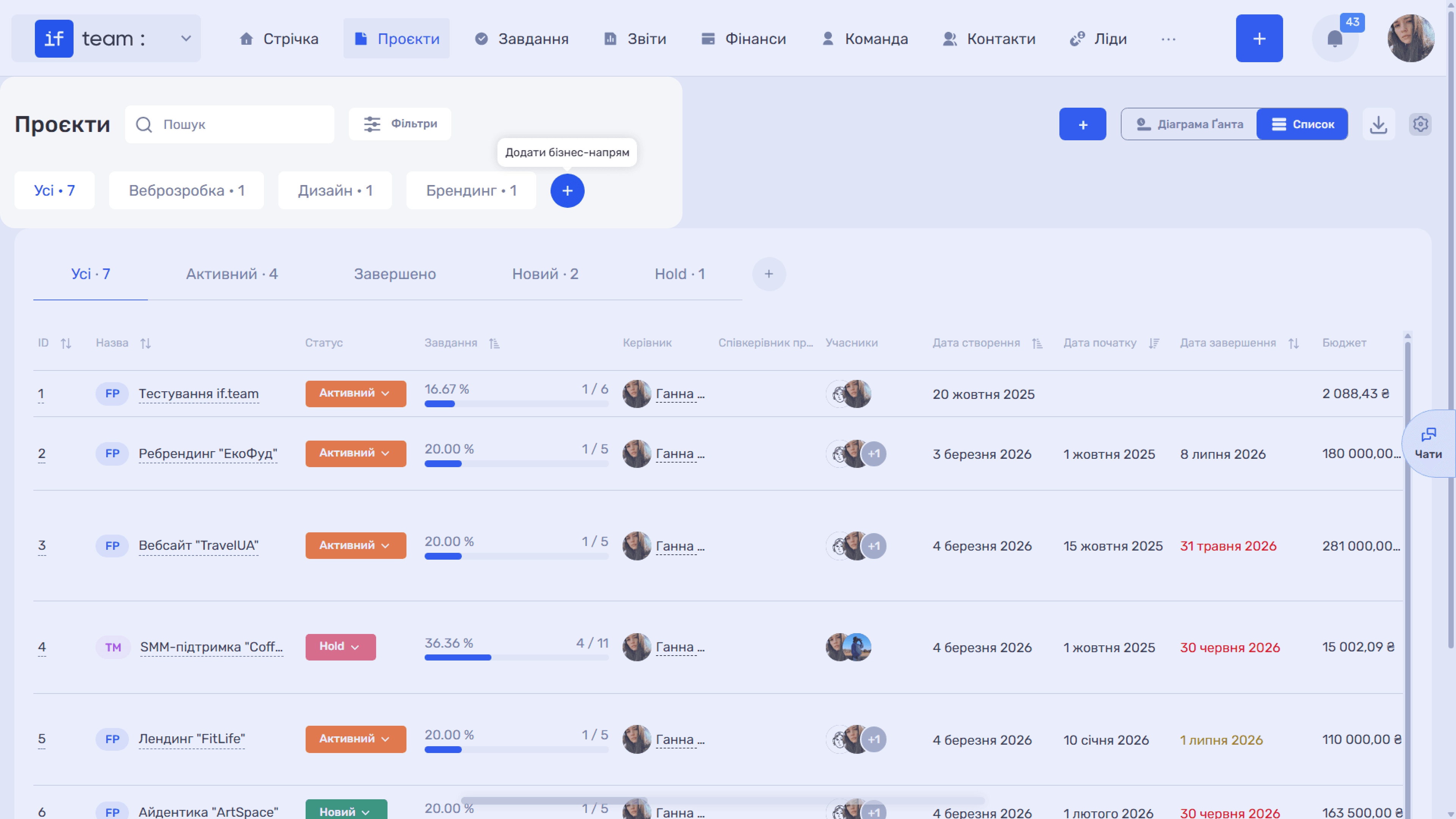
- From “Projects”: click the “+” button next to the business-line tabs.
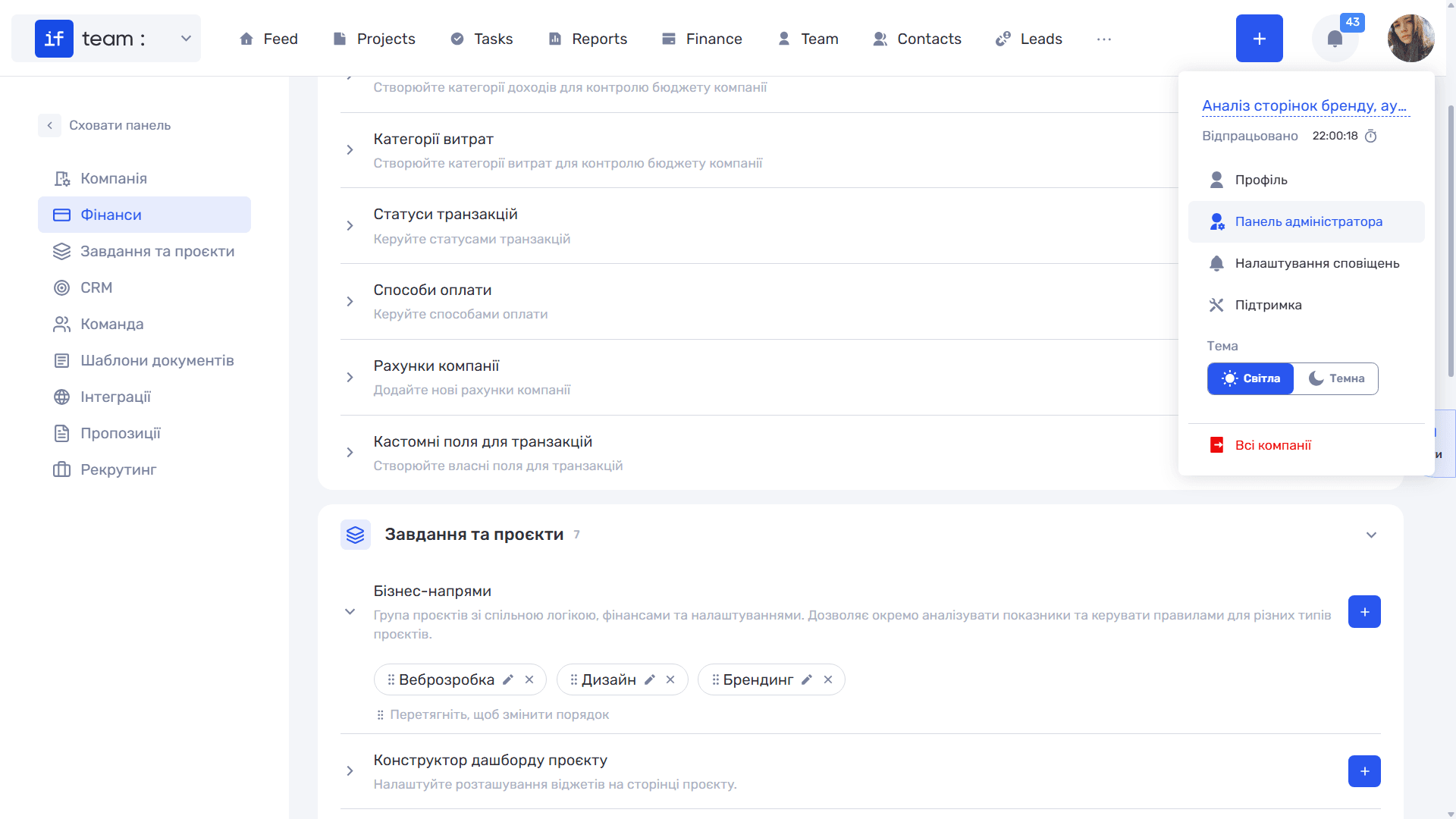
- From company settings: go to Settings → Tasks & Projects → Business Lines. All business lines are collected here. You can edit (✏), delete (✕), and drag them to change their order.
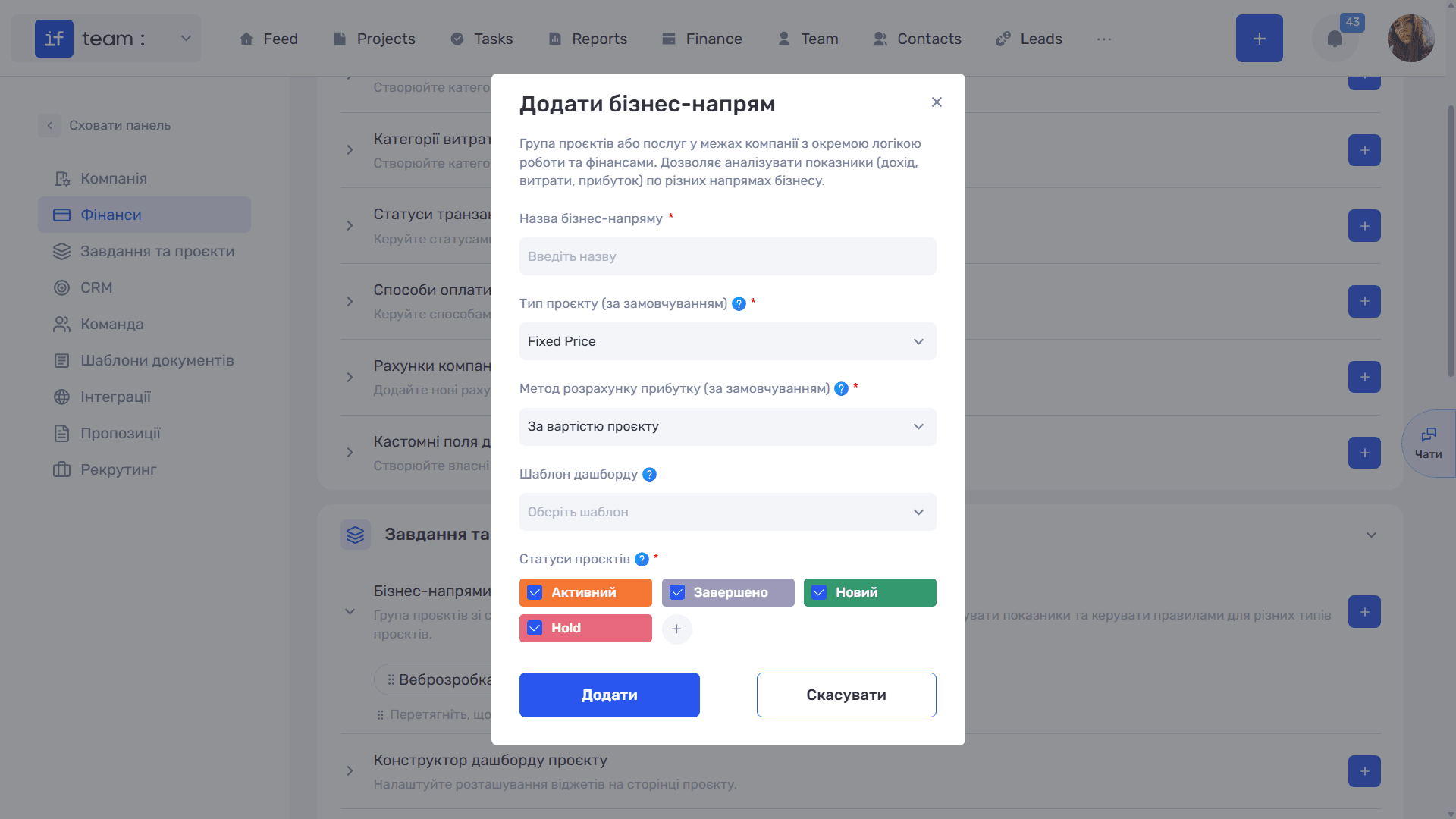
In the “Add Business Line” window, enter the line name, project type (Fixed Price or Time & Material), profit-calculation method, dashboard template to apply to projects in this line, and the set of project statuses. Click “Add.”
Still have questions?
Maybe we haven't added this information yet. But you can always reach out:
Request a demo
Submit a request and we'll show you how the service works and its capabilities.
Book a demo