Exporting Projects to Excel
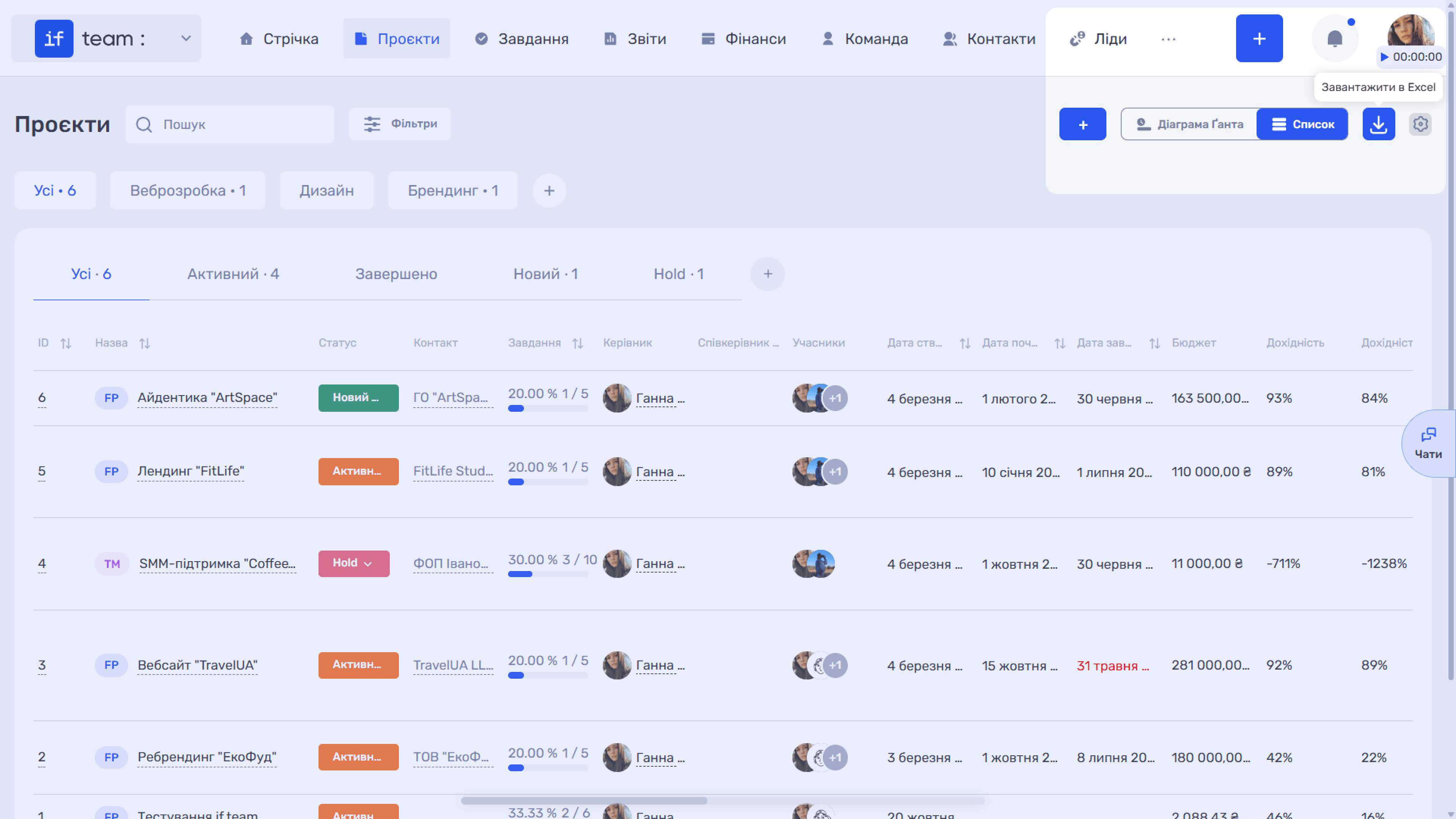
Project export is available in the “List” view. Click the download icon (⬇) in the upper-right corner of the page, and the “Download to Excel” tooltip will appear. The file will be saved in Microsoft Excel (.xlsx) format with all data from the table: name, counterparty, number of tasks, manager, mem
Generate AI summary
Open this page in your favorite AI assistant
Please note
Please note: the download icon is available only in the “List” view. This feature is not available in the “Gantt Chart” view.
Still have questions?
Maybe we haven't added this information yet. But you can always reach out:
Request a demo
Submit a request and we'll show you how the service works and its capabilities.
Book a demo