
Online task management: a step-by-step system for those who want to accomplish more
In a world where deadlines are constantly looming, and the to-do list grows faster than your coffee disappears, effective online task management is not a luxury, but a necessity. Online tools have long been the main assistant for anyone working with information, team projects, or running their own…
In a world where deadlines are constantly looming, and the to-do list grows faster than your coffee disappears, effective online task management is not a luxury, but a necessity. Online tools have long been the main assistant for anyone working with information, team projects, or running their own business. However, not everyone knows how to properly organize a system that doesn’t just store tasks but actually helps to accomplish more with less effort.
In this article, we aim to answer the following questions:
- What challenges do professionals face when managing tasks without an all-in-one platform and how can these be solved?
- What features of task management tools online should be considered to make work processes truly efficient?
- What advantages does the if.team platform have over its competitors?
We’ve prepared a step-by-step guide to using a task management software online platform. It will help you start building a clear and effective system for streamlined task management, whether the tasks are being handled by one person or a whole team of specialists.
Difficulties in the workflow without an all-in-one platform for online task management
Organizing an efficient business requires coordination within the team working on current tasks. It’s crucial not just to find performers or clients, but also to have a task management tool online for tracking and analyzing progress. If all tasks are scattered and a multifunctional platform is not being used, various problems can arise, making it nearly impossible to grow the business.
Work chaos
Without the use of an all-in-one platform, avoiding chaos becomes not impossible, but quite a challenging task. When you have just five processes, it’s easy to manage them. You use notes on your smartphone and make paper lists. You communicate with clients and performers in different messengers. At first, this is convenient — everything is at hand. But as soon as the number of tasks increases, the system starts to break down: something gets forgotten, something is lost, and some tasks simply don’t get enough attention.
High stress levels
In task management, it’s not advisable to rely entirely on your memory or flexibility as a specialist or manager. If the workflow is not properly systematized and organized, you’ll constantly need to think about tasks, their distribution, checks, and spend time looking for important details in various programs. This inevitably leads to high stress levels, which makes it impossible to improve efficiency.
Lack of focus
When the complete picture of tasks is not in view, it’s very difficult to concentrate on the main processes. Attention starts to scatter on small details, while important tasks remain out of reach. This approach affects overall efficiency and prevents business growth.
Slow work without "transparency"
An effective task management tool online helps clearly distribute roles, deadlines, streamline communication, and file sharing within the team. Without it, much more time is spent on simple tasks. Moreover, you constantly have to track the team’s work on your own, but even that doesn’t guarantee transparent collaboration.
Manage tasks efficiently
Start using if.team now and get twice as much done every day
What features are really important when choosing an online task management tool
There’s no one-size-fits-all answer to this question, as preferences for features in online task management software vary from business to business. However, let’s take a look at some basic options that are crucial for efficient task execution by any team.
Structure: projects, folders, subtasks
The system should allow logical organization of tasks. When everything is piled together, it’s hard to figure out where to start. A clear structure allows you to:
- Split work into separate projects (e.g., “Blog,” “Ad Campaign,” “New Client”);
- Organize tasks within a project into folders (e.g., “Content,” “Analytics,” “Reporting”);
- Break large tasks into subtasks — this helps to track progress step by step.
The if.team platform allows building a multi-level structure: from the overall project to the smallest subtasks.
Visualization: kanban board, calendar, deadlines
People process information better visually. That’s why it’s important to be able to:
- View tasks in the format of a Kanban board (convenient for tracking work stages);
- Use a calendar to assess workload for the week or month at a glance;
- Set deadlines that are clearly visible, not just buried in comments.
Online task management tools, including if.team, support all these formats. You can switch between them depending on your work style.
Delegation: roles, responsibilities, access
For the team to work efficiently, everyone must know:
- What they are responsible for;
- Their deadline;
- What access they have to information or files.
Flexible delegation helps avoid task duplication and ensures you’re not carrying everything alone. In if.team, you can set roles: manager, executor, guest, client — and assign responsible individuals for each task.
Connection with files, comments, statuses
Tasks don’t exist in isolation — they always come with supporting materials:
- Files (briefs, mockups, documents);
- Comments (explanations, feedback, questions);
- Statuses (“new,” “in progress,” “waiting for review,” “done”).
It’s crucial to have all of this gathered in one place, not scattered across messengers and email. if.team implements this in every task: all materials and communications are housed in one window.
Routine: reminders, recurrences, remplates
Routine tasks take up a lot of time — but they can be automated:
- Reminders help you not forget important tasks (e.g., “send the report on Friday”);
- Recurring tasks — convenient for weekly or monthly assignments;
- Templates — for standard processes (e.g., launching an advertising campaign, contract processing, SEO check).
In if.team, you can set up recurrences and create templates tailored to your work processes.
The ability to track progress and generate reports
It’s important not only to achieve results but also to measure them, especially when a team or client is involved:
- Who did what;
- How much time was spent;
- What stage the project is at;
- Which tasks are delayed.
if.team comes with built-in analytics: charts, statuses, timelines. You can generate automated reports or simply check where the process is slowing down.
Why choose the all-in-one platform if.team
In a world where every minute counts and tasks are increasing, companies and professionals need a tool that not only stores to-do lists but also unites people, processes, and results into one efficient system. The if.team platform for online task management is more than just a task manager. It’s a flexible all-in-one solution designed for real work: with deadlines, contractors, reports, and finances.
What makes if.team a convenient and productive tool for teams of any size?
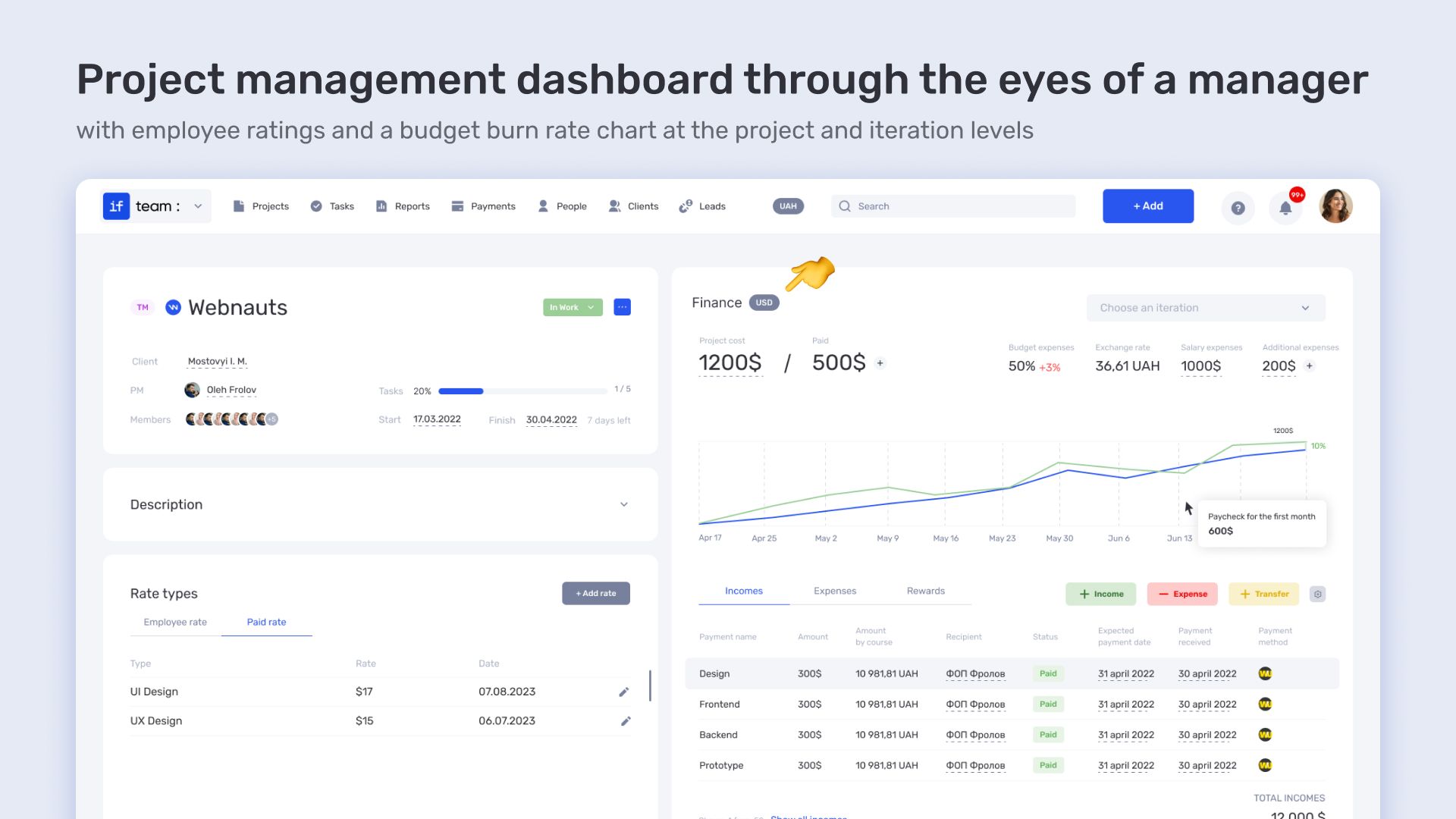
A single space for tasks, communication, and finances
No more jumping between Trello, Notion, Google Docs, and Excel. Everything related to your project is in one place:
- tasks with deadlines and statuses;
- comments and discussions within each task;
- attached files, briefs, technical requirements;
- invoices, budgeting, and expense tracking.
if.team combines work, document management, and finances into a unified workspace. Less confusion — more results.
Flexibility in building processes
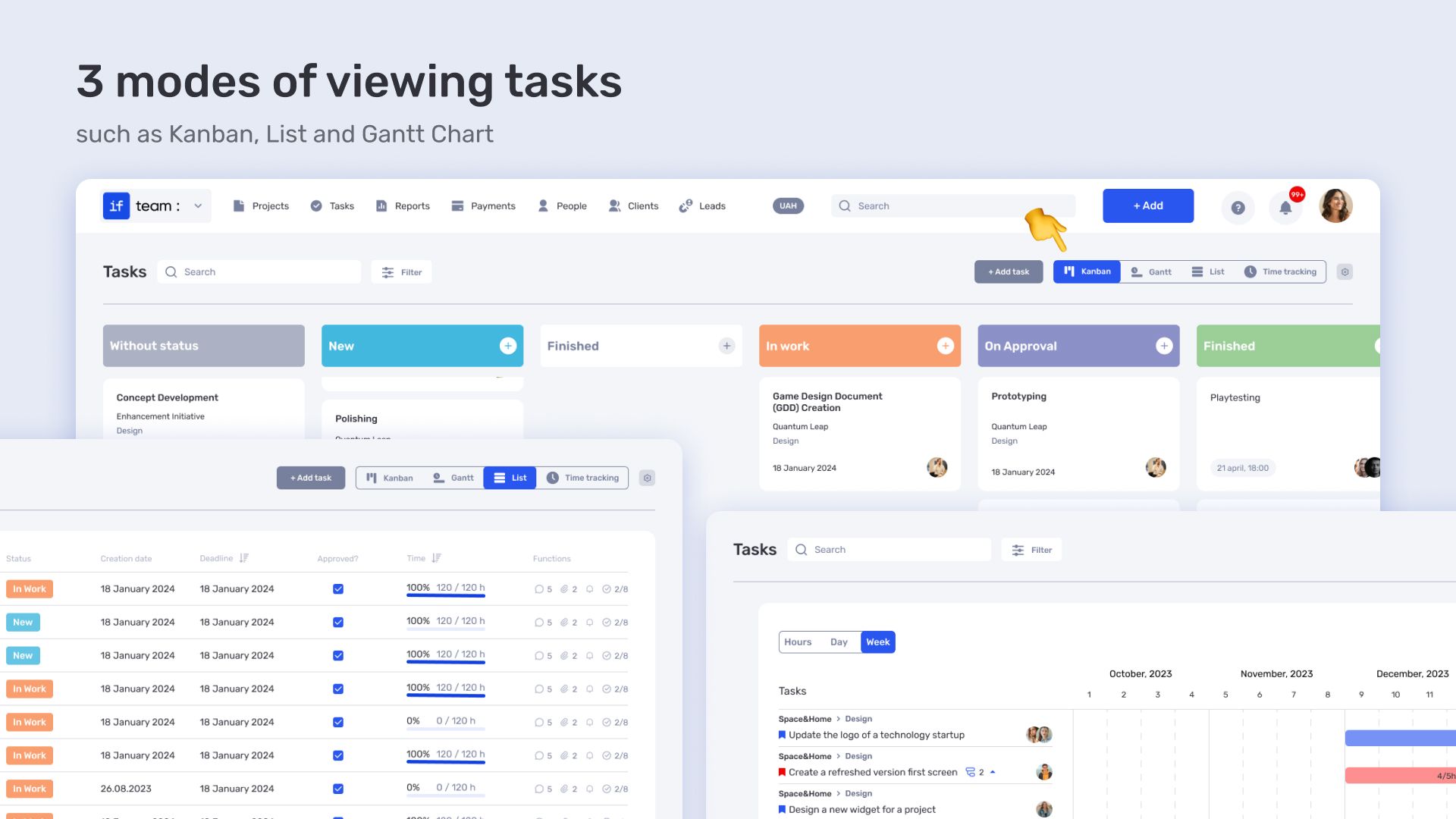
Everyone works in their own way. Some prefer Kanban boards, others prefer lists, and some think in sprints or follow Agile. if.team doesn’t impose any methodology but adapts to your team’s style:
- Kanban board, lists, or calendar — choose the format that works best for you;
- Templates for recurring tasks — save the structure and launch with just two clicks;
- Flexible filters and tags — for easy sorting;
- The ability to set up custom statuses, stages, and task relationships.
This allows you to organize work the way that suits you, not the system.
Roles and Access
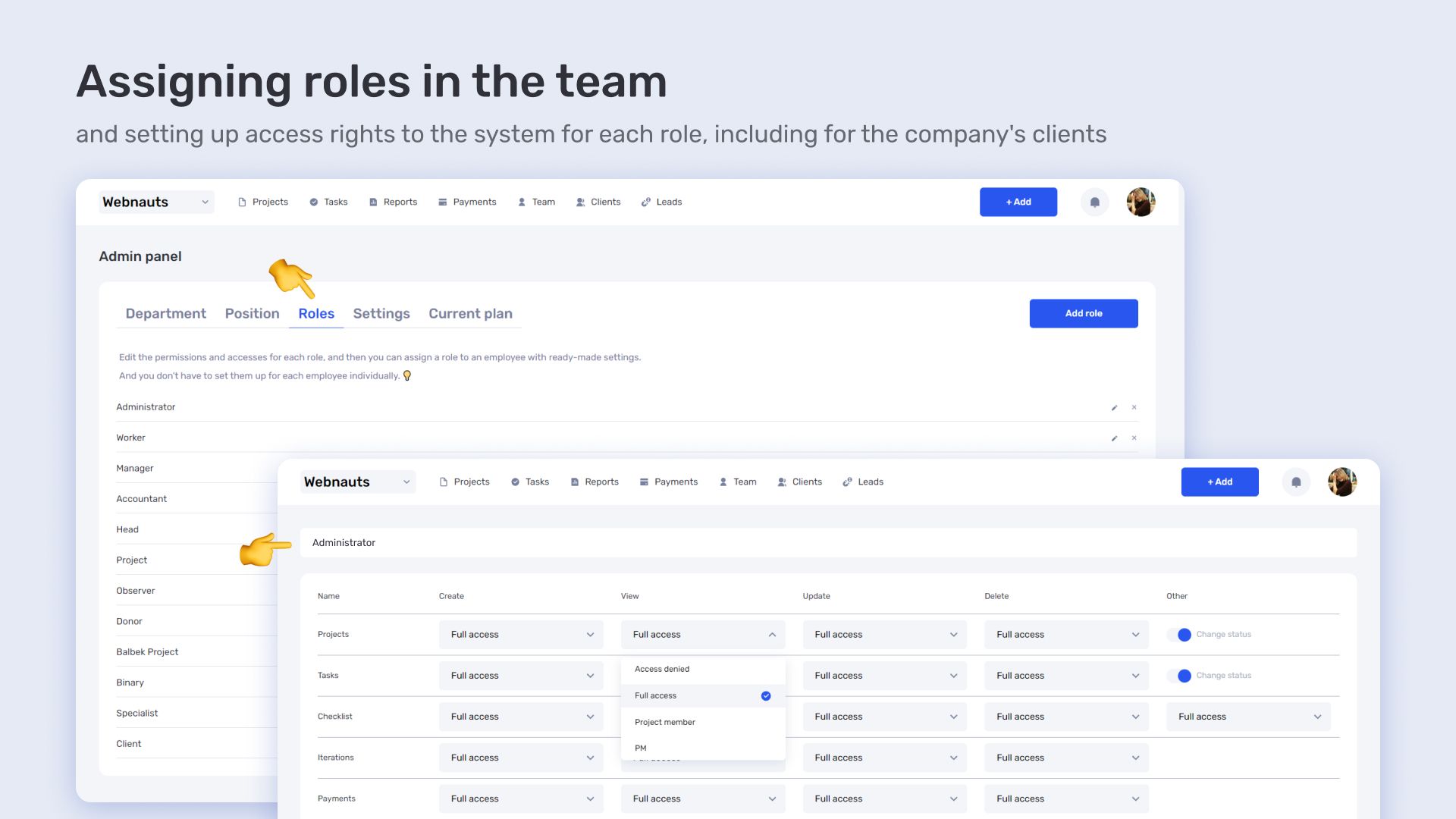
Security and clear responsibility distribution are the foundation of smooth collaboration. With if.team, you can:
- Assign roles (administrator, assignee, client, guest, or any other roles based on your project needs);
- Manage access levels — each person sees only their relevant tasks or documentation;
- Track who is making changes, commenting, or approving.
This is especially important when working with contractors, new team members, or external clients. Everything is flexible, transparent, and more secure than sending files by email.
Reporting and Time Tracking
Productivity is not just about doing more. It’s about being able to track results and make decisions based on data. With if.team:
- Automated reports on projects and tasks;
- Performance trends, change history, timelines;
- Time tracking — for each assignee or task;
- Integrated financial tracking: how much has been spent, ROI, what was planned.
These tools help respond promptly, identify bottlenecks in workflows, and improve processes based on actual data.
if.team is online task management software for those who want more than just a checkmark on a to-do list. It’s a tool for those who want to see a system, not chaos.
Get more done with smart planning
Switch to if.team and organize your team’s work with maximum productivity principles.
Step-by-step task management system with if.team
Implementing the platform into your workflows will take some time, but these actions will undoubtedly improve your overall work. Additionally, new if.team clients can receive free consultations, as well as assistance in setting up the system for their specific projects. Let’s go over the steps you need to take to work more efficiently and accomplish more.
Step 1. Create a project or team
The first step is basic setup: registration and creating the project or team. Add the essential information, invite participants, set the budget (if the project is already in an active phase), assign roles (such as project managers, executors), and determine which platform features will be most useful for you. For example, not all users immediately use all features — sometimes, basic sections are enough to get started.
After this, it’s time to move on to structuring tasks, statuses, and categories.
Step 2. Define areas of responsibility
Create projects in the system — by direction, clients, or tasks. This will help avoid getting lost in chaos. Inside each project, create categories like In Progress, Waiting for Feedback, Done.
Step 3. Break tasks into sub-tasks
One large task can be overwhelming. Instead, break it down into steps: research → draft → review → publish → report.
Step 4. Assign responsible persons and deadlines
Using templates increases overall efficiency, especially for recurring tasks. Simply create a good template once, then adjust it as needed or just click to create the task. Useful templates may include:
- Prepare a blog post
- Send an invoice
- Conduct onboarding for a new client
In if.team, you can create task templates with a fixed algorithm, responsible persons, files, and launch them with a couple of clicks.
Step 5. Use templates for typical actions
Without these two things, a task will hang. Every task must have:
- One responsible person
- A clear due date
- A status (new, in progress, under review, done)
if.team reminds you of deadlines, allows you to change the status with just two clicks, and shows the overall task calendar.
Step 6. Analyze results
To achieve more, it’s not just about doing tasks but also understanding where things are slowing down. Analytical tools allow you to assess both overall team performance and individual specialists. This way, you can identify weak points and improve them.
Important to see:
- Who is completing tasks on time, and who is constantly delaying
- Which tasks require the most clarifications
- Which stages take the most time
if.team has a reports section with graphs and detailed progress on projects and teams.
Who needs an online task management platform
Task management websites are not just a convenience but a daily necessity for anyone dealing with information, deadlines, and people. They help avoid confusion, time loss, and miscommunication within a team. But who benefits the most from a system like if.team?
- Freelancers who struggle to keep everything in their head. Working with multiple clients, managing dozens of tasks every week, along with negotiations, deadlines, and invoices? An online task management system helps structure the day, prioritize, and ensure nothing important is forgotten.
- Small teams that want to work cohesively. When 2-10 people are working on projects, it’s essential for everyone to see the big picture: who is doing what, by when, and the current status of tasks.
- Marketers, designers, project managers. These roles are always intersecting with contractors, clients, editors, and SEO specialists. There are many tasks, constant changes, and critical deadlines.
- Entrepreneurs who need to see the full picture. A business owner needs more than just knowing the work is being done. They need to understand how it’s being done, who’s doing what, where projects are stalling, what the expenses are, and when to expect results.
- Agencies managing multiple projects simultaneously. In a large digital agency, a marketing specialist, copywriter, designer, analyst, and SEO expert may be working on a single client. A platform allows for task assignment, commenting, file attachment, tracking deadlines, and client reporting — all in one place.
- IT companies with 100+ employees. Developers, testers, designers, analysts, and managers are all working on different modules of a product. if.team helps streamline the process: everyone knows who is responsible for what, what’s done, and what’s in the backlog.
if.team is a system that adapts to the working style of each team, regardless of size, format, or role. It allows you to keep less in your head, delegate more, see the process more clearly, and ultimately get more done without unnecessary stress.
if.team — achieve more with quality software
Online task management software is a technological solution that directly impacts not only how you handle tasks but also allows you to spend less time on routine processes and always keep track of tasks, making it easy to control them. Choosing the right tool opens up the following possibilities:
- The team can process significantly more tasks.
- Stress levels are reduced.
- Transparent collaboration with the team.
- Business scaling becomes possible without loss of efficiency.
if.team is the tool that doesn’t impose a system on you but supports your working style. Try it — and build workflows that work for you.
Author
Vladyslav ChesnokovPublished
Apr 25, 2025
More articles to read
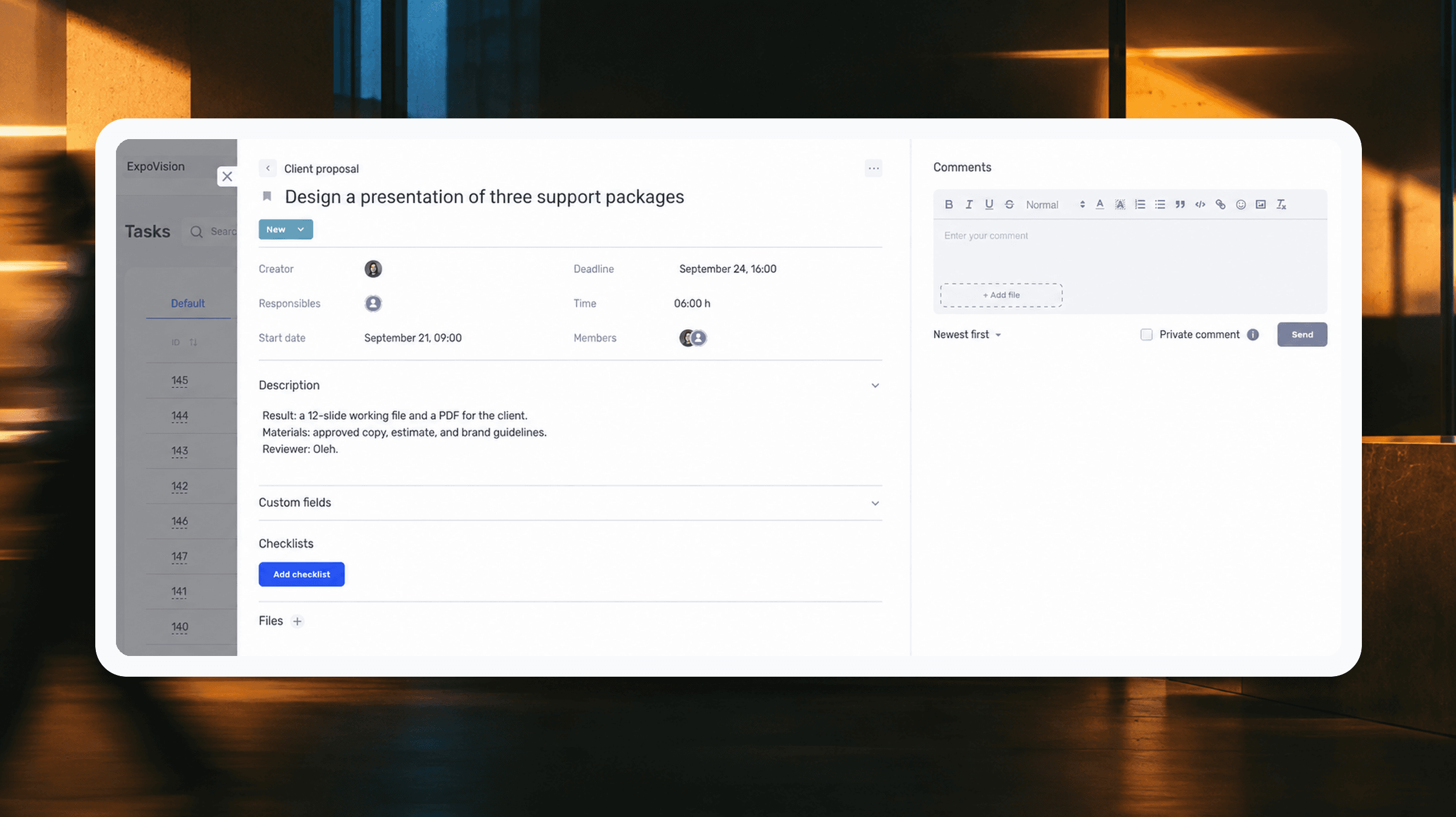
How to assign tasks to your team: from briefing to tracking completion
We break down how to assign tasks so they actually get done: what a brief must contain, how to word the result and the deadline, who takes ownership and how to check completion. With an example, an acceptance checklist and a template for running the task in if.team from start to finish.
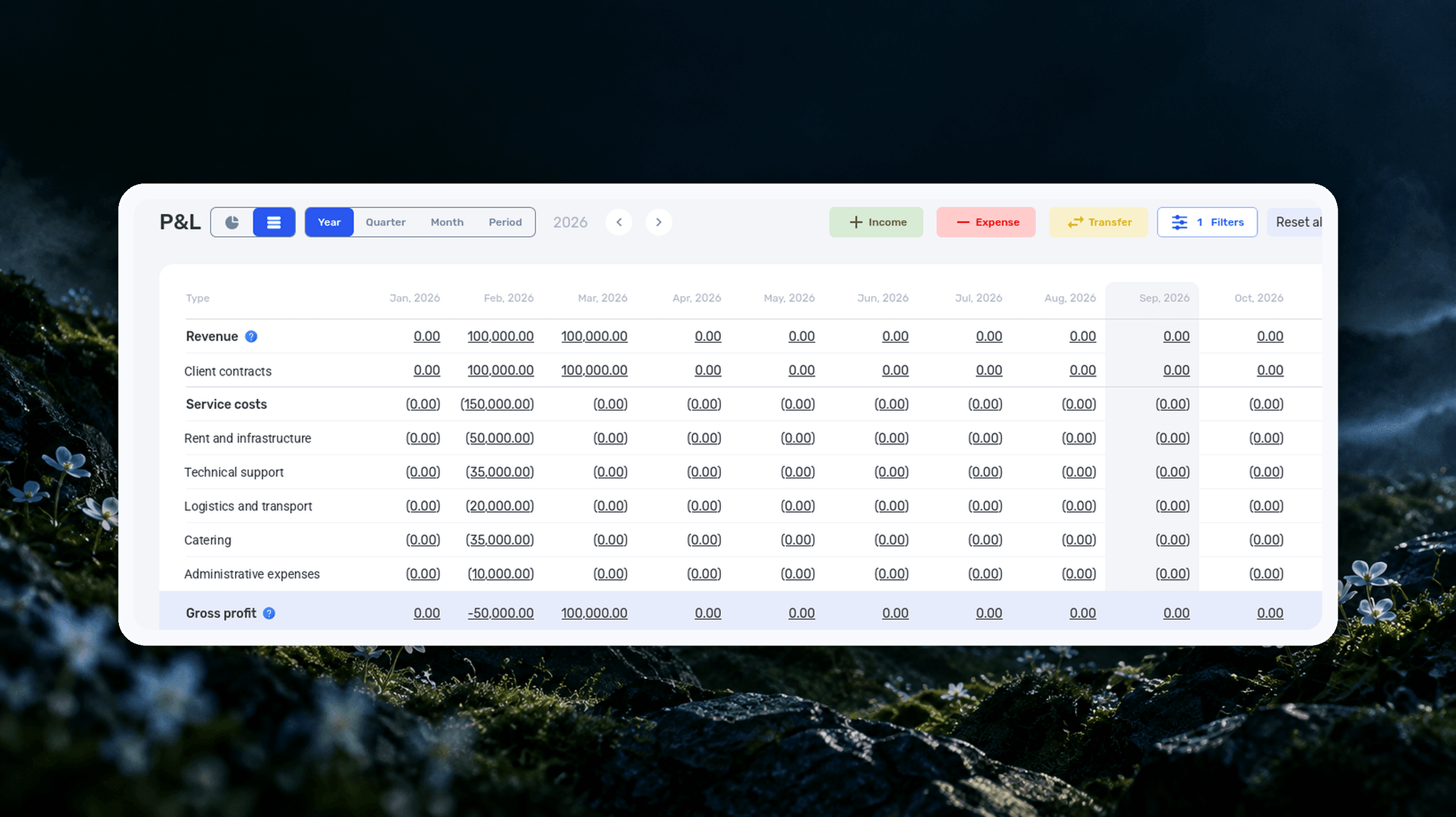
Profit and Loss Statement (P&L): What It Is, How to Prepare and Analyze It
We explain what a profit and loss statement is, how it differs from Cash Flow, and why profit is not the same as the cash left in your account. We break down the P&L structure from revenue to net profit, walk through a calculation for a service company and show how to build your first report.

What Is a KPI in Simple Terms, What It’s For, and How to Evaluate It
What is a KPI in simple terms? It’s one number or several numbers that show whether you’re actually moving toward a specific goal. Not how many actions you took, but whether a result appeared. A KPI isn’t for reporting. It’s for managing work. You look at the indicator and understand what exactly…

What a Bottleneck Is in Business and How to Identify It
A bottleneck in business is the point where a process actually slows down. Not formally, but in reality. This is where tasks pile up, waiting time increases, and the entire system starts working more slowly than it could. It can be a specific person who physically cannot handle the workload. It…

RACI Matrix: Simple Explanation, How It Works, and Use Cases
The RACI matrix helps teams quickly agree on who does what in a project: who performs the work, who is accountable for the final result, who provides expertise, and who needs to receive updates. When these roles are defined upfront, it becomes easier to align decisions and coordinate actions.…
Gantt chart: what it is, why you need it, and how to build a simple working format
In this guide, we’ll break down what this format is, the types of Gantt charts, how to work with them, and how to build a simple online version. No fancy terms or unnecessary decoration. Only what helps you plan.
Start your free 7-day trial
No credit card required. Get full access to all features and see how if.team can transform your team's workflow.