Reports by Task
The “Tasks” breakdown is the most detailed report. Each row represents an individual task with its time and financial metrics.
Columns include ID, Name, Project and Iteration, Status, Time (showing actual progress as a percentage and the ratio of worked to planned hours), Planned Time, Task Start Date, Task Deadline, Rate, Payment for Working Time, Related Income, Related Expenses, Billed to Client, and Employee. Scroll the table to the right to view additional columns: department, contact, counterparty, and task custom fields.
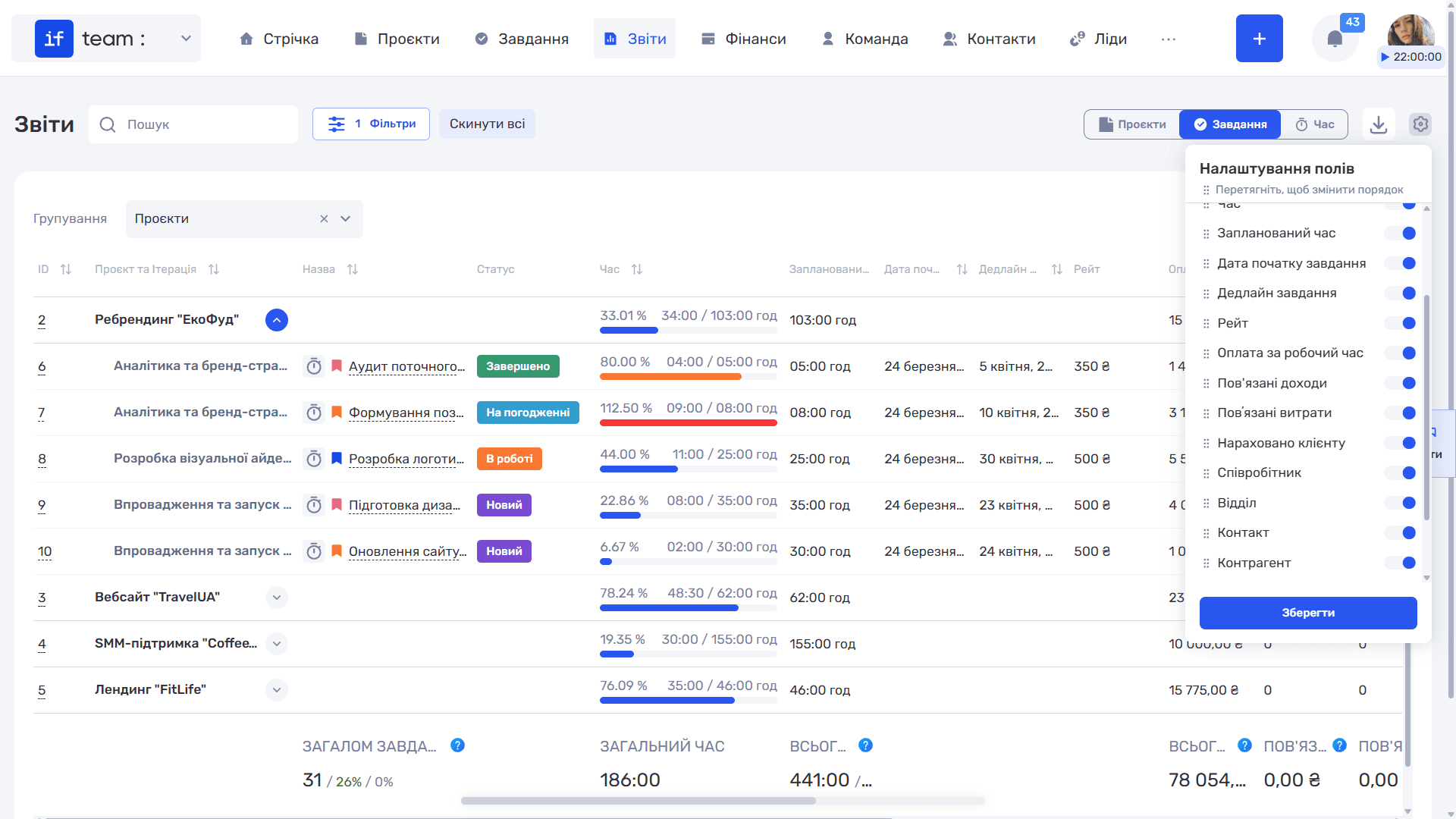
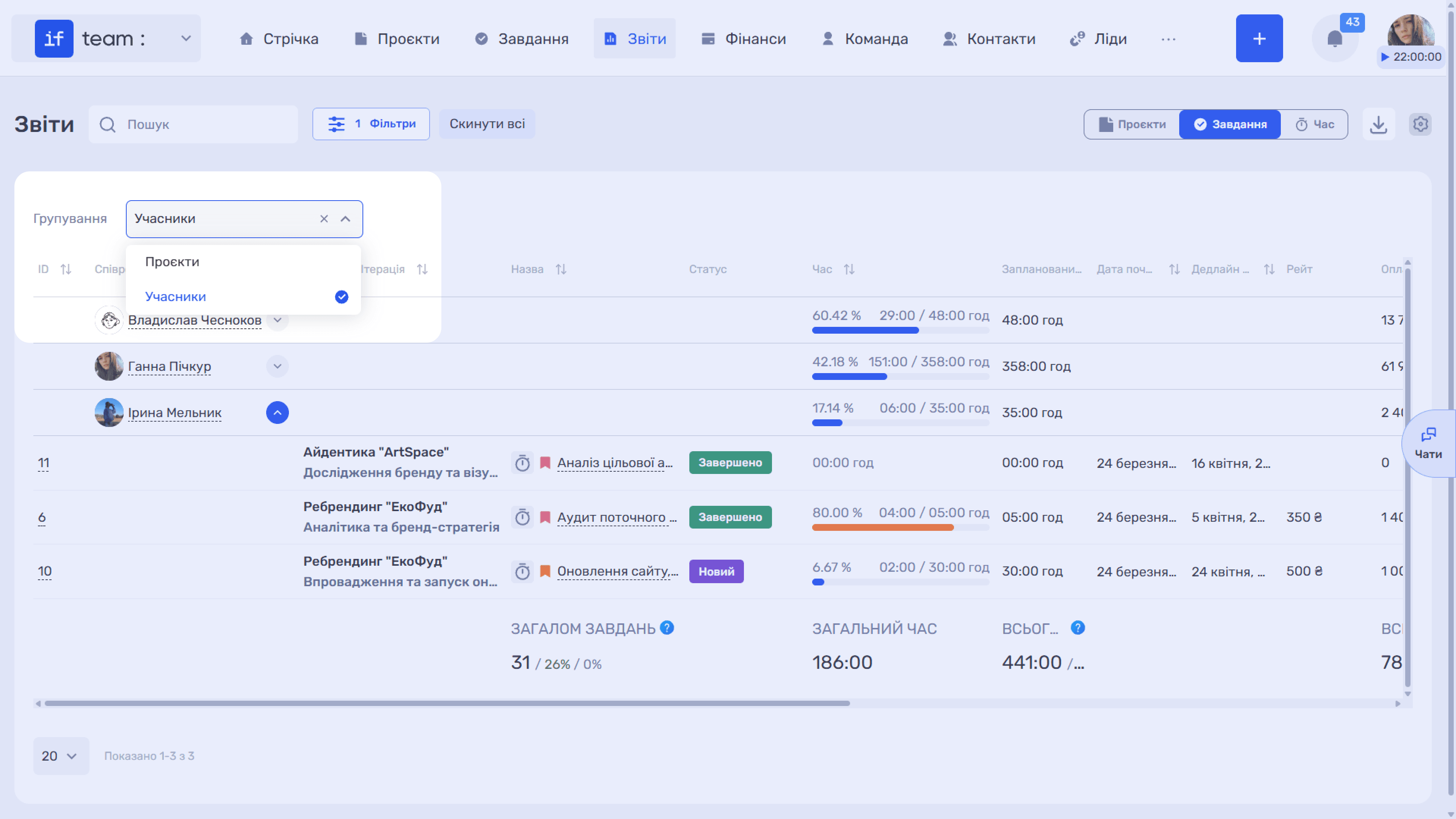
The “Grouping” drop-down appears above the table. Select a value to group rows by a specific parameter, either Projects or Members.
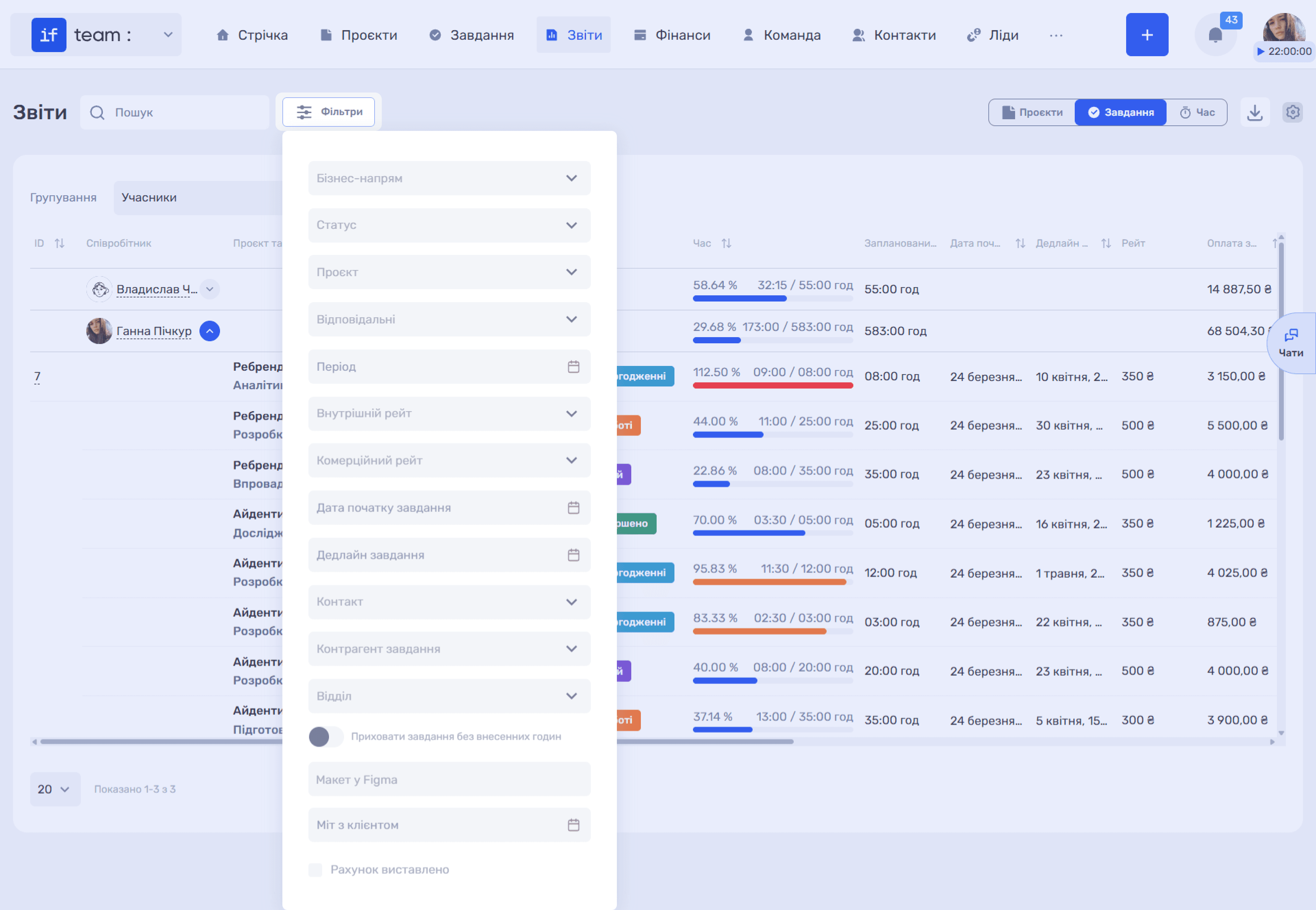
This breakdown provides the widest range of filters: business line, status, project, iteration, assignees, period, internal and commercial rates, task start date and deadline, contact, task counterparty, department, and the “Hide Tasks Without Logged Hours” switch. Custom fields for which filtering is enabled also appear here; see Custom Fields in Reports for details.
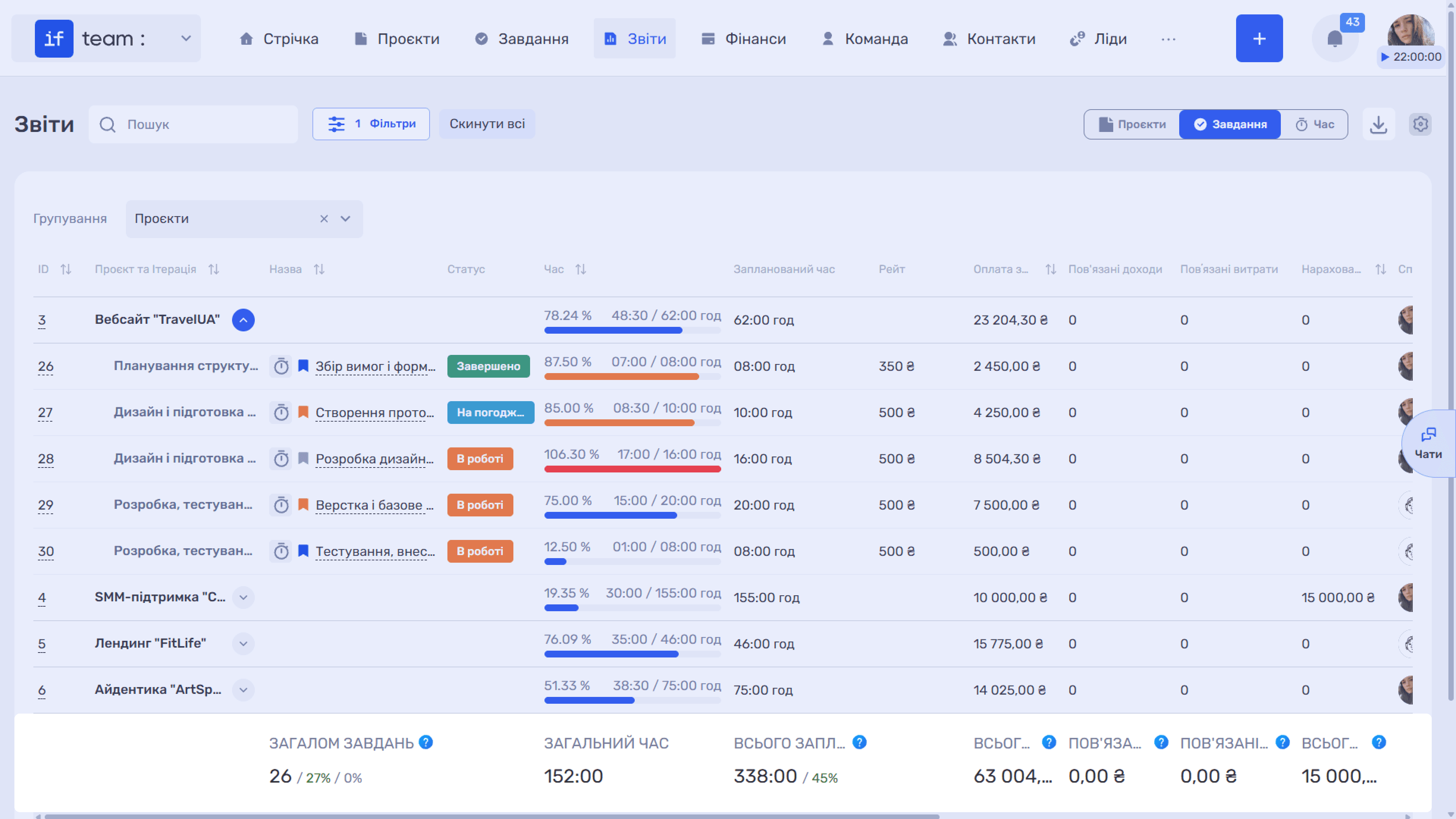
The totals row explains the financial metrics:
- Planned Time is the total number of planned hours and the percentage of planned hours used, calculated as actual hours divided by planned hours and excluding tasks for which planned hours were not specified.
- Payment for Working Time is the compensation accrued to the employee for time worked.
- Related Income is the amount received from clients for the tasks, provided that the transactions specify the tasks for which payment was intended.
- Related Expenses is the amount of fixed expenses for the tasks, provided that the transactions specify the tasks for which the expense was intended. It does not include the cost of the team’s working time.
- Billed to Client is the amount payable by the client in Time & Material projects at the commercial rate.
Still have questions?
Maybe we haven't added this information yet. But you can always reach out:
Request a demo
Submit a request and we'll show you how the service works and its capabilities.
Book a demo