Team Overview
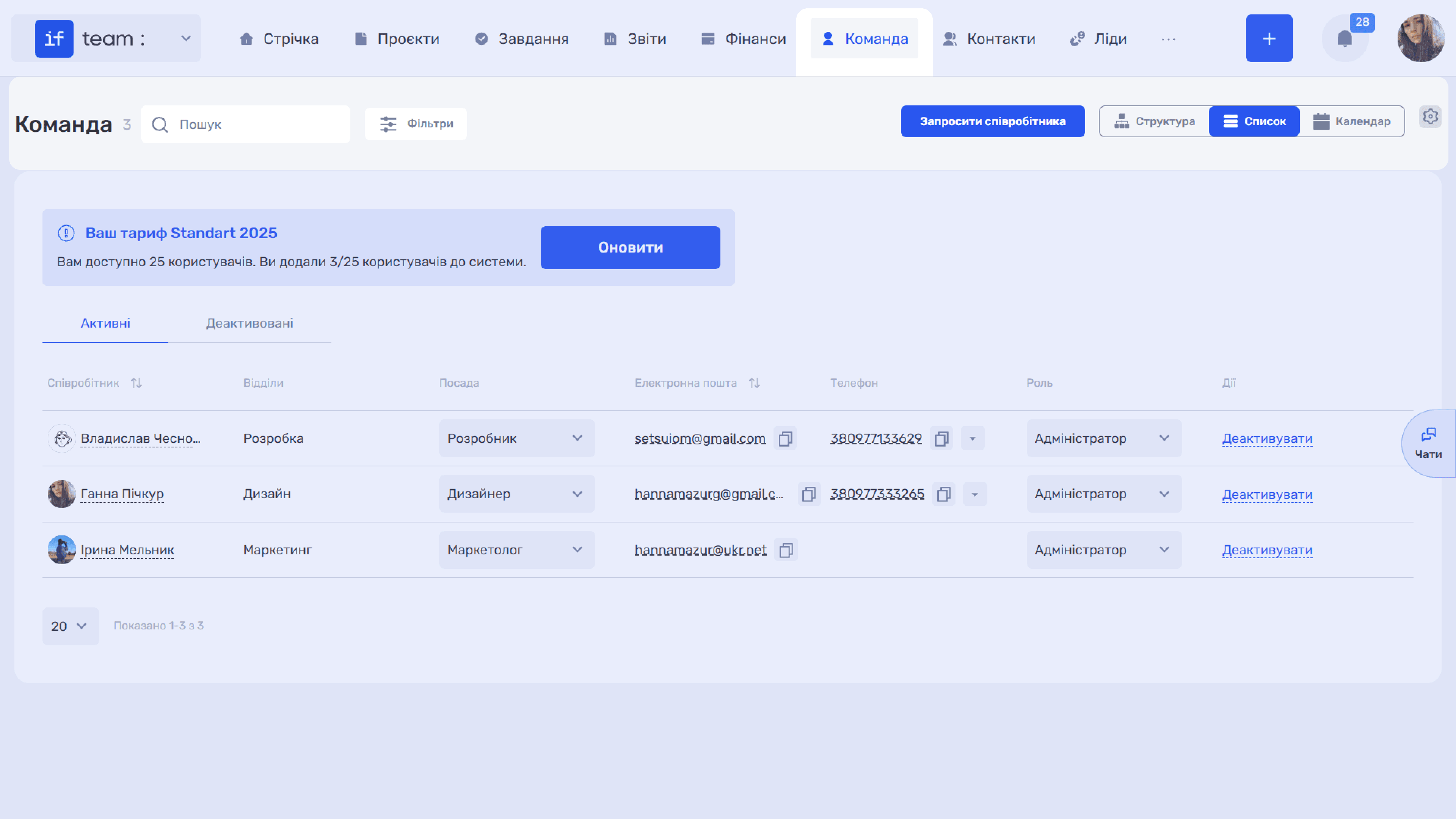
The “Team” section is where you manage company employees: who is on the team, their position, department, role and permissions, and how much time they work. The count next to the heading shows the number of employees in the system.
In the upper-right corner is a switcher for three views:
- “Structure” displays the company’s organizational structure as a department tree; see Tree Structure.
- “List” displays an employee table with contact details, positions, and roles; see Employee List.
- “Calendar” displays the team’s work calendar with tracked hours, vacation, and sick leave; see Work Calendar.
Next to it are the “Invite Employee” button for adding people, Search, and “Filters.”
Please note
Departments, positions, roles, employment types, custom fields, days off, and team notifications are configured centrally in the “Team” section of the Admin Panel. The following pages refer to the relevant items in these settings.
Still have questions?
Maybe we haven't added this information yet. But you can always reach out:
Request a demo
Submit a request and we'll show you how the service works and its capabilities.
Book a demo