Employee Profile
Click an employee’s name in “Structure,” “List,” or “Calendar” to open their profile, which contains all information about that person.
Generate AI summary
Open this page in your favorite AI assistant
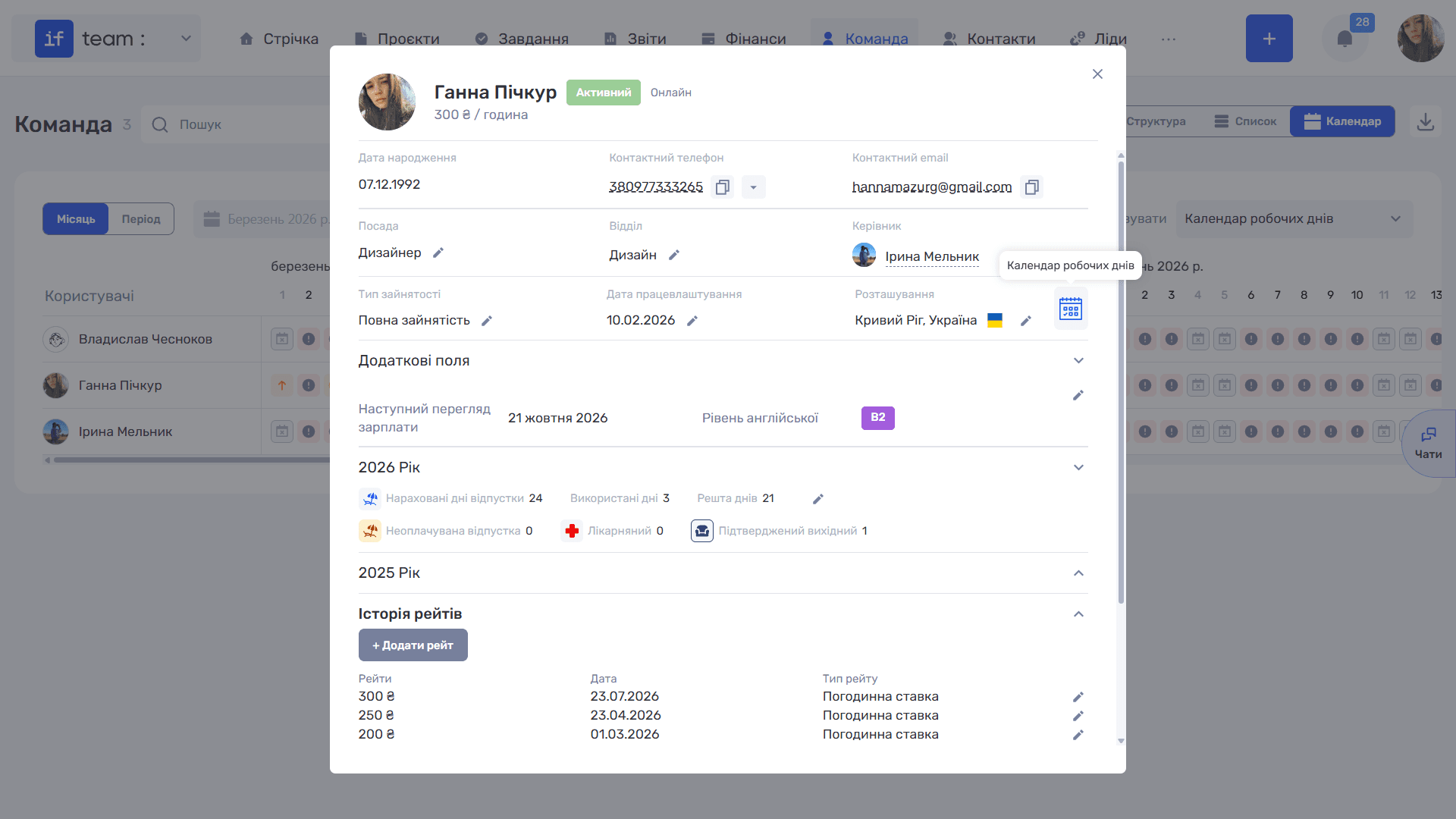
At the top are the employee’s photo, name, status (“Active”), time of latest activity, and current rate. Below are their contact details: Date of Birth, Contact Phone, and Contact Email, with copy icons for the phone and email.
The main fields follow. Most can be edited directly using the “✏” icon:
- Position, Department, and Manager;
- Employment Type, which defines the employee’s working arrangement, such as full-time or part-time;
- Employment Date;
- Location, consisting of Country and City.
The calendar icon in this section opens the workday calendar for this specific employee.
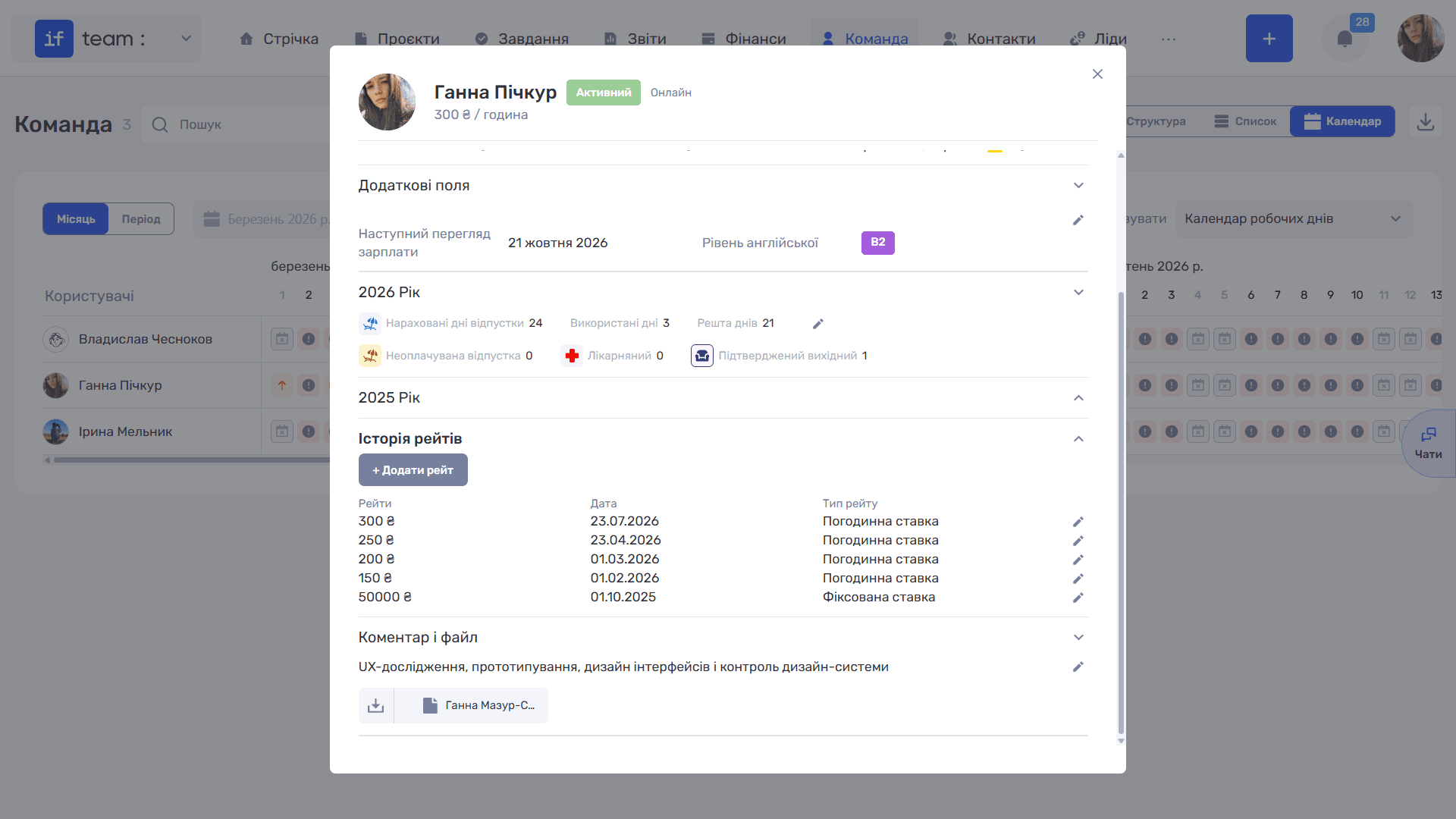
The expandable sections below include:
- “Additional Fields” contains the values of the member’s custom fields; see Custom Fields for Members.
- Years tracks vacation and sick leave for each year: Accrued Vacation Days, Days Used, Days Remaining (editable with ✏), Unpaid Leave, Sick Leave, and Approved Day Off.
- “Rate History” shows how the employee’s rates have changed over time. The “+ Add Rate” button lets you quickly create a new employee rate. These rates are used when calculating salaries.
- “Comment and File” contains notes and attachments.
Still have questions?
Maybe we haven't added this information yet. But you can always reach out:
Request a demo
Submit a request and we'll show you how the service works and its capabilities.
Book a demo