Private Chat with an Employee
Private chats are one-to-one conversations for internal communication. Use them to clarify a task detail, agree on something with a manager, or discuss a work matter without involving the entire team.
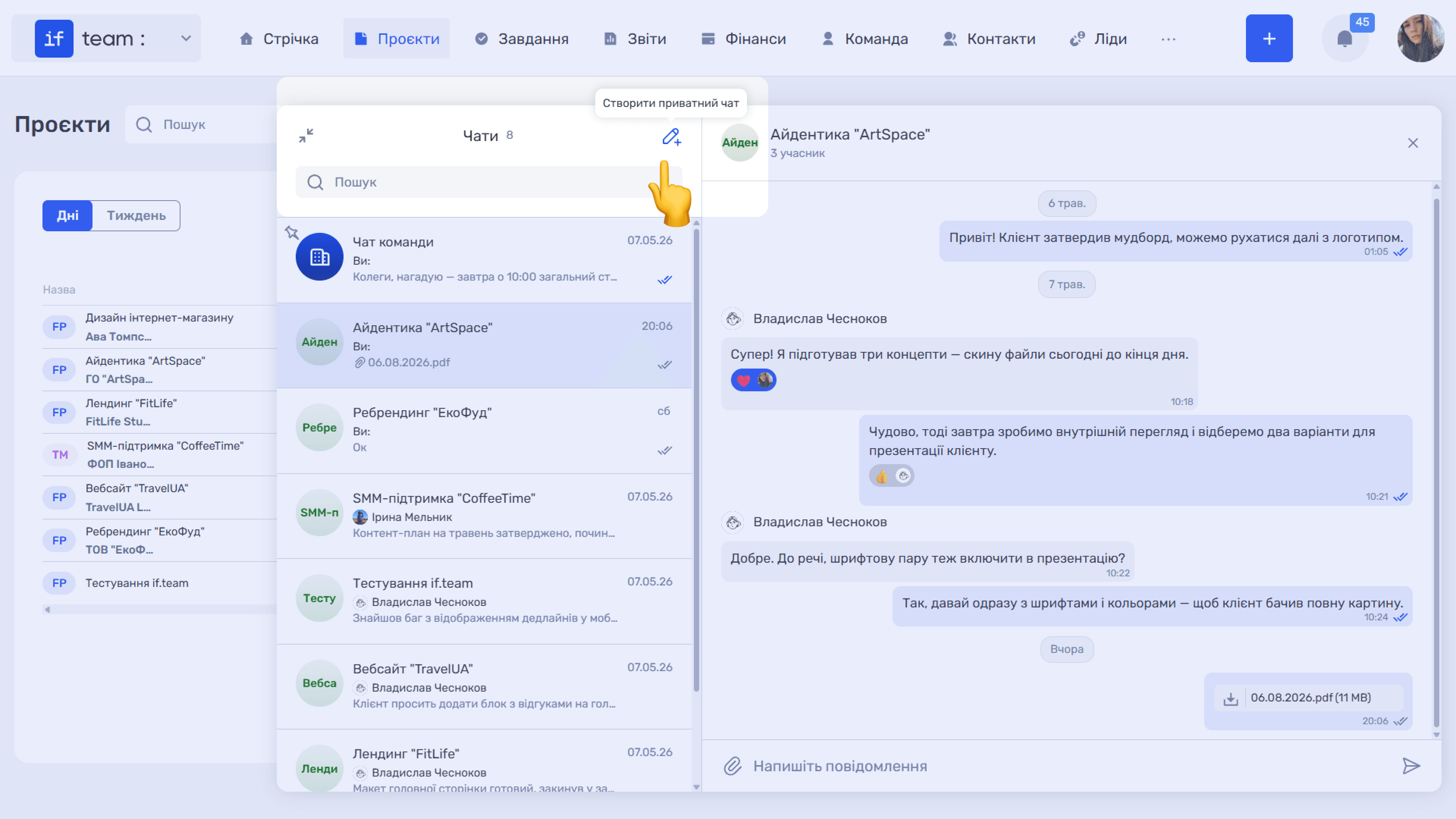
To create a private chat, expand the chat panel and click the pencil icon (✎+) in the upper-right corner of the list: “Create Private Chat.”
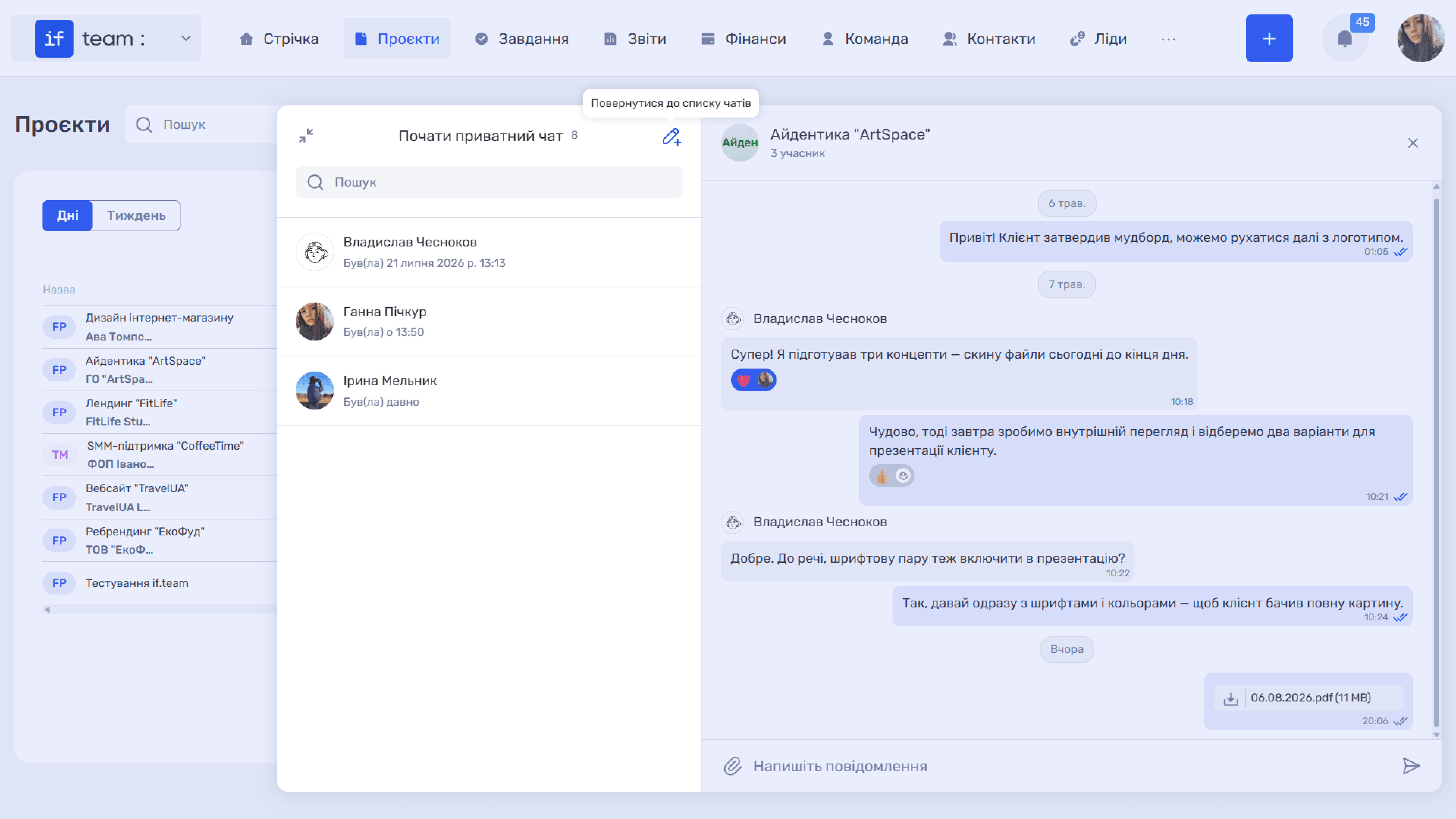
The “Start Private Chat” screen opens with a list of employees on your team. The time of each person’s latest activity appears below their name, so you can immediately see whether they are currently online. Use the “Search” field to find the colleague you need.
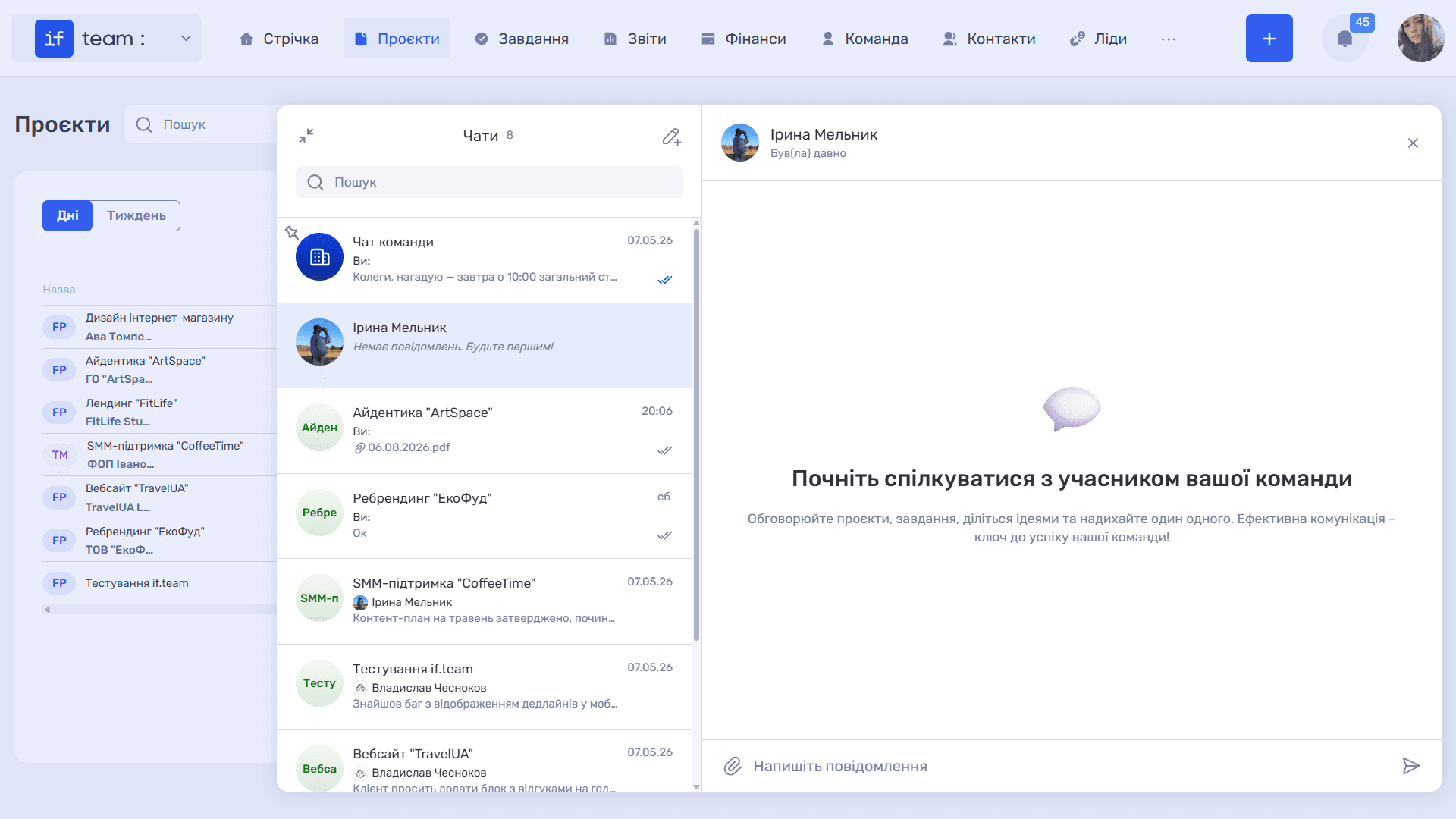
Click the required employee, and the private chat will immediately appear in your list. Until a message is posted, the list displays “No messages yet. Be the first!” and the chat itself displays an invitation to start the conversation.
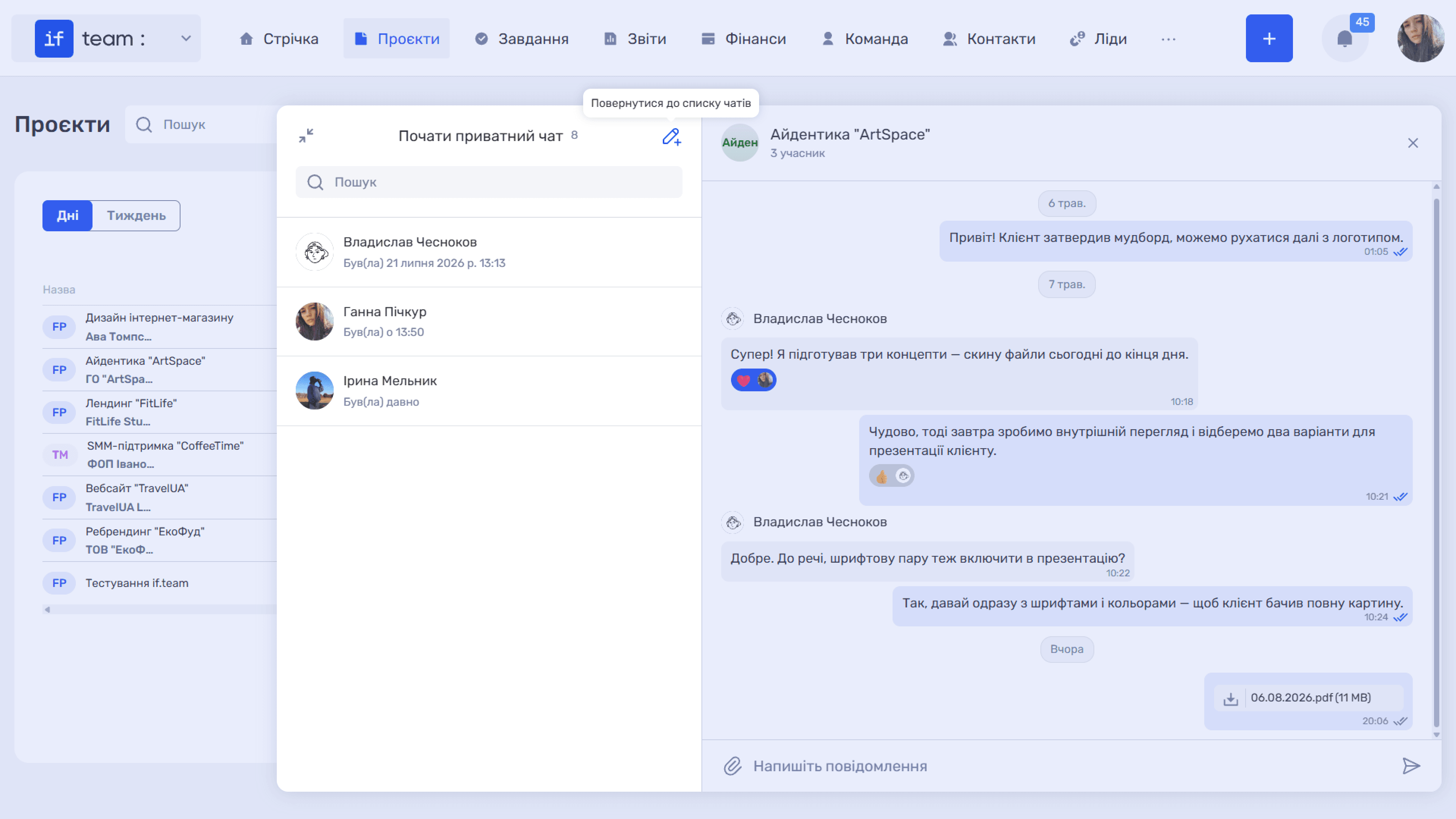
To return to your conversations without creating a chat, click the pencil icon (✎+) again: “Return to Chat List.”
Still have questions?
Maybe we haven't added this information yet. But you can always reach out:
Request a demo
Submit a request and we'll show you how the service works and its capabilities.
Book a demo