Chat List
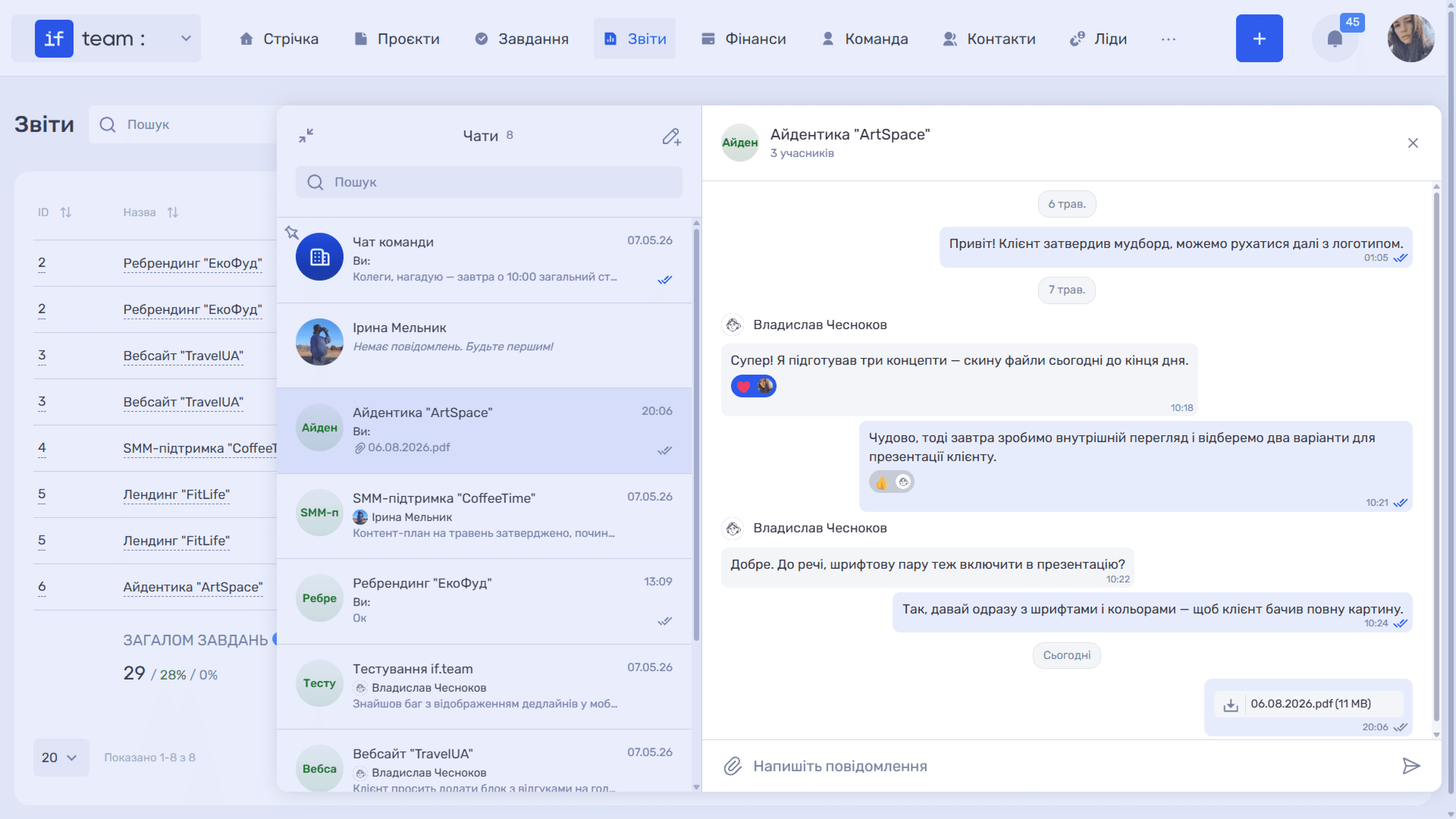
In expanded view, the “Chats” column on the left contains all conversations available to you. Each entry shows the avatar, name, author, a preview of the latest message, and the date or time when it was sent. If the latest message in a chat is a file, the preview displays a paperclip icon and the fi
The list is ordered automatically: the company chat is always pinned at the top, while the remaining chats move up based on the date of their latest message. This means active conversations are always easy to find. Chats in which no one has posted yet are marked “No messages yet. Be the first!”
The “Search” field above the list helps you quickly find a chat by name.
Still have questions?
Maybe we haven't added this information yet. But you can always reach out:
Request a demo
Submit a request and we'll show you how the service works and its capabilities.
Book a demo