Configuring Chat Access
Communication access in if.team is configured through user roles, so you do not need to restrict every employee or client manually each time.
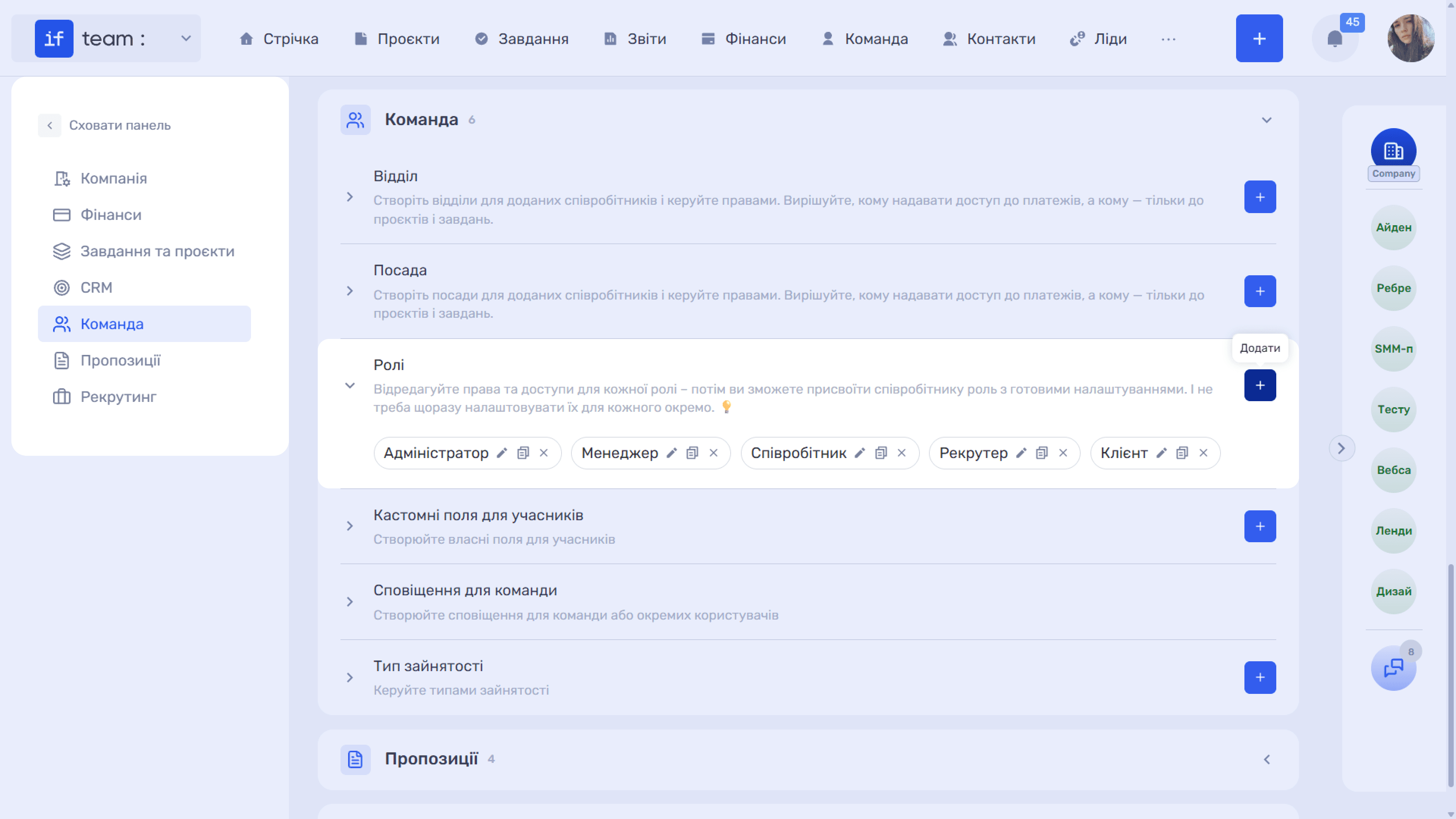
Go to Admin Panel → Team → Roles and select the required role, or create a new one and enter its name, such as “Client.”
Permissions are grouped by area: “Project Activities,” “CRM and Sales,” “Finance,” “Communication,” “Documents and Content,” “Team and Structure,” and others. Each group shows its current state: “Full Access,” “Partial Access,” or “No Access.”
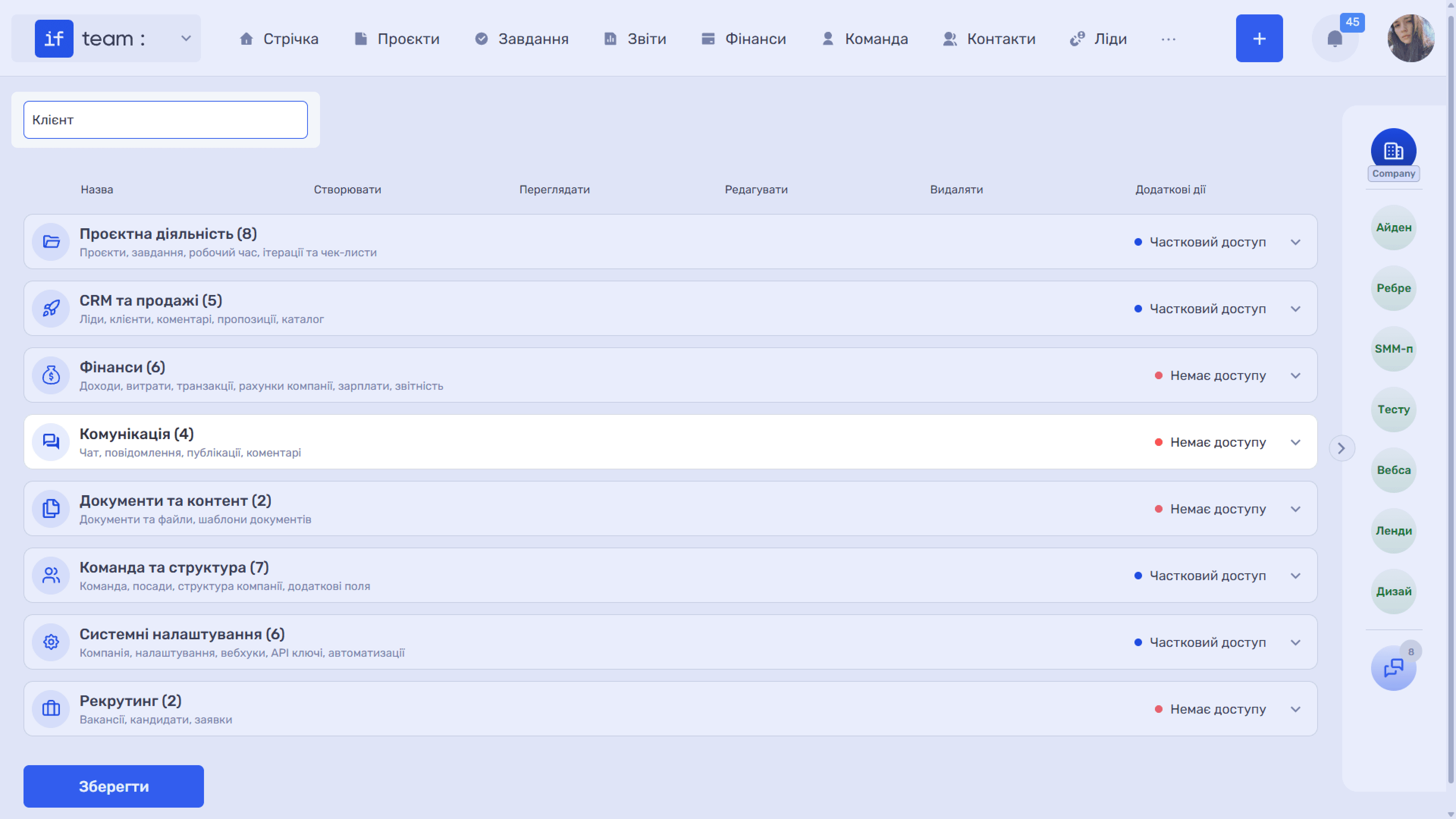
“Communication” Permission Group
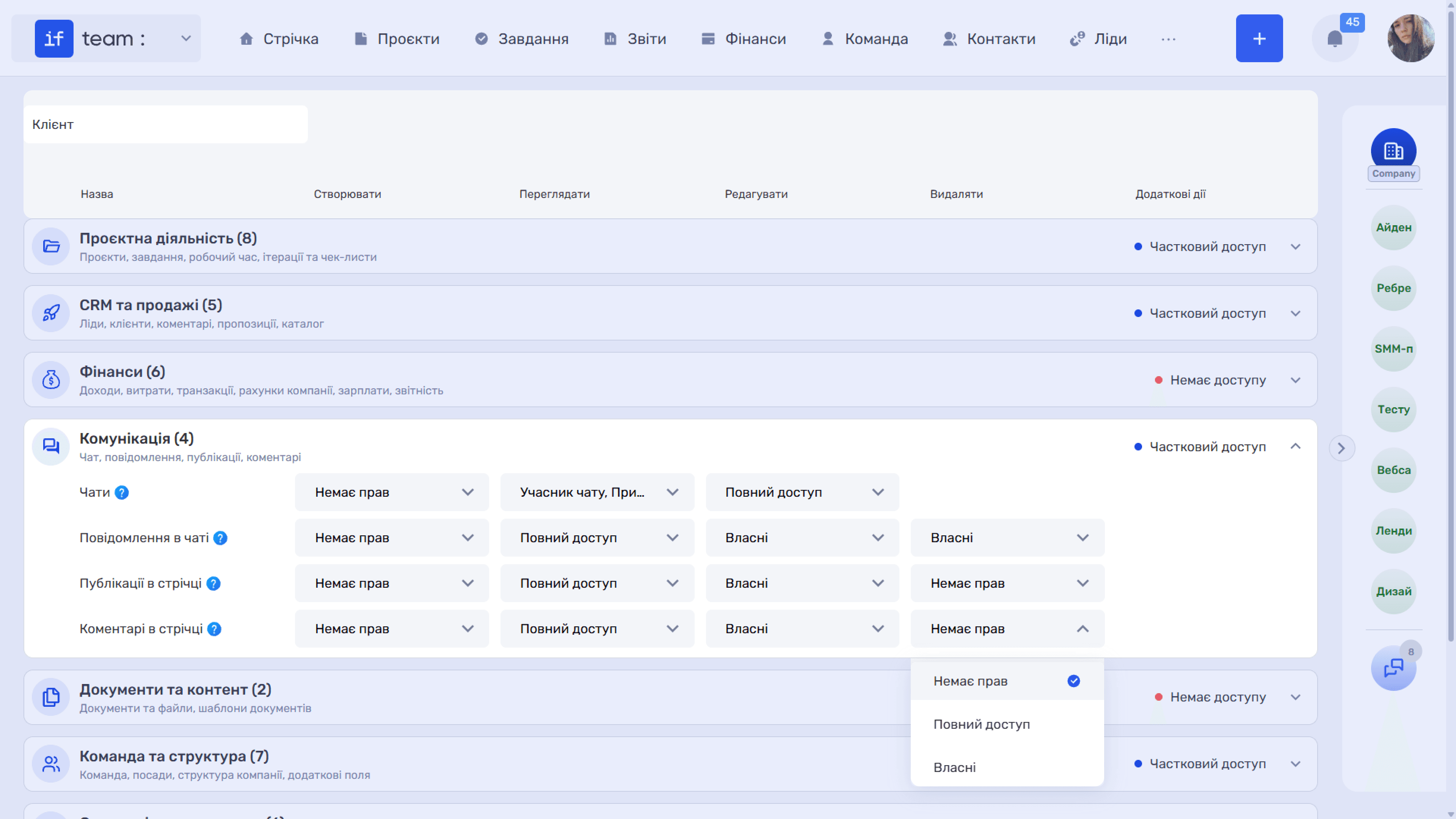
Expand “Communication (4).” It covers chats, messages, feed posts, and comments. Permissions are assigned separately for “Create,” “View,” “Edit,” and “Delete.” The “?” icon next to each row name opens a tooltip explaining exactly what that permission controls.
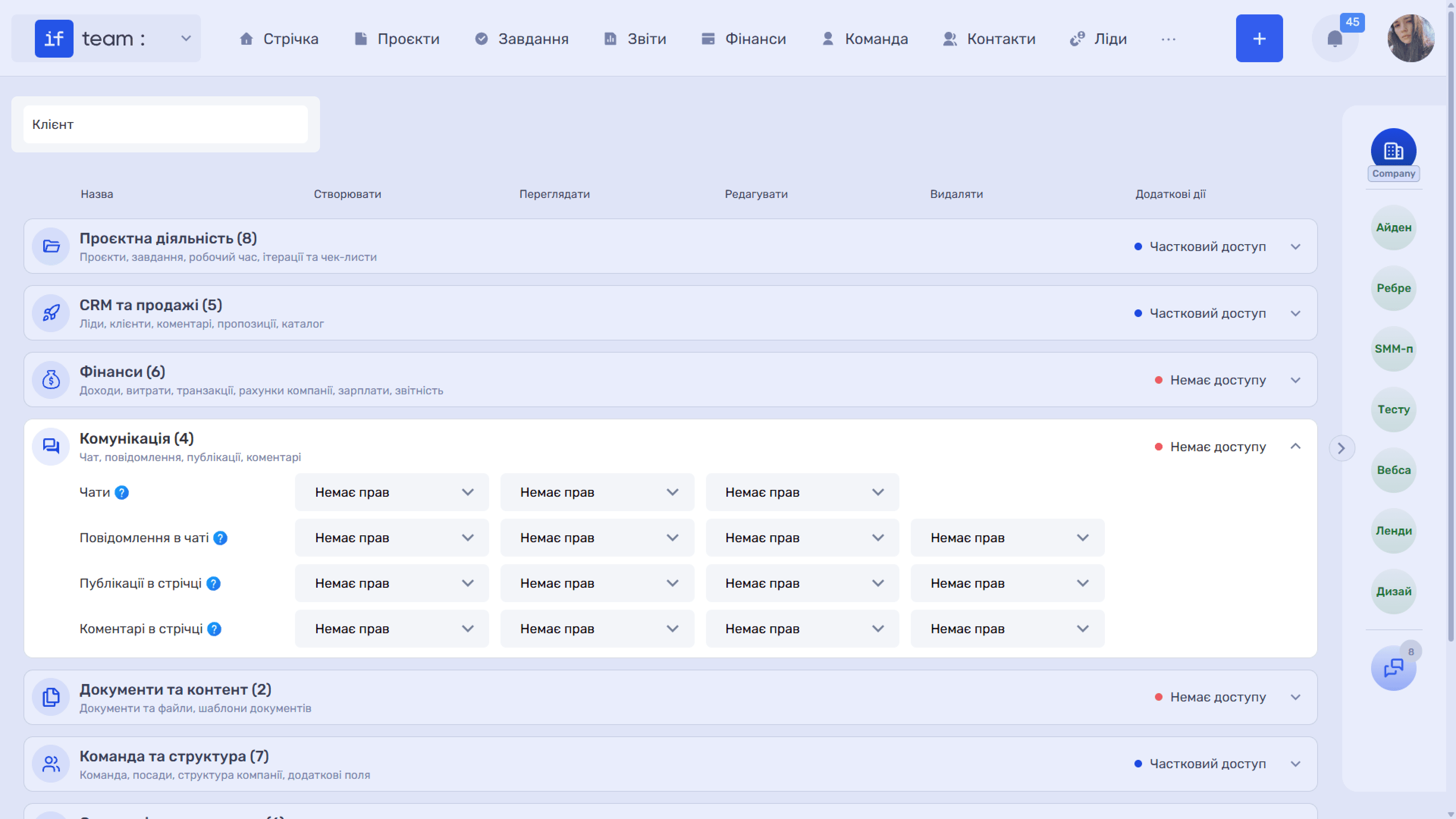
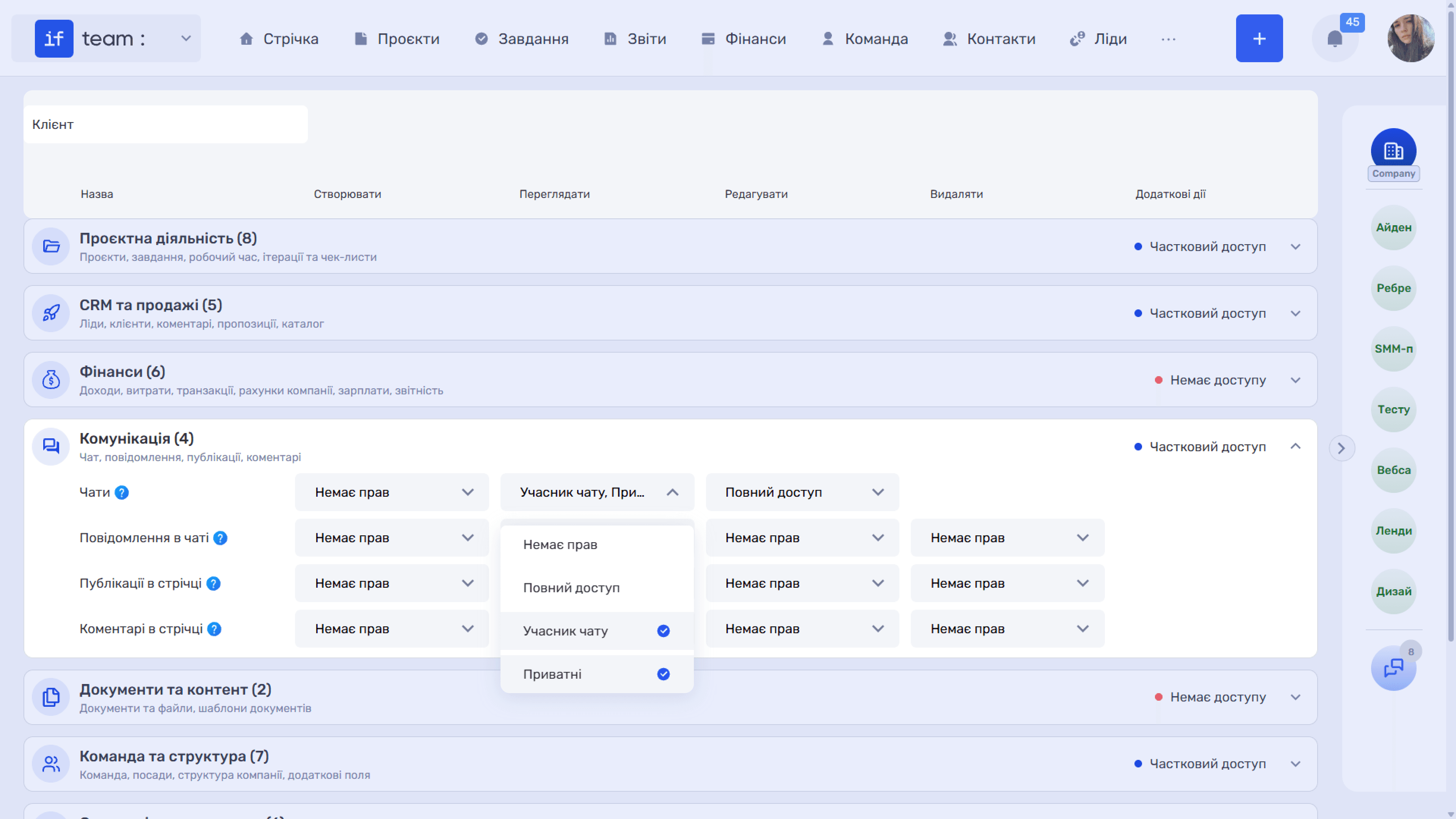
Chats controls access to the general team chat and private chats. In addition to “No Permissions” and “Full Access,” it has two more specific values:
- “Chat Member” allows actions only in chats in which the user is a member;
- “Private” allows actions only in private conversations.
Chat Messages controls viewing and sending messages in chats. This row determines who can post, edit, and delete messages. “Own” restricts the action to the user’s own messages, while “Full Access” applies to all messages in chats available to them. For example, employees can be allowed to correct their own messages but not other people’s messages.
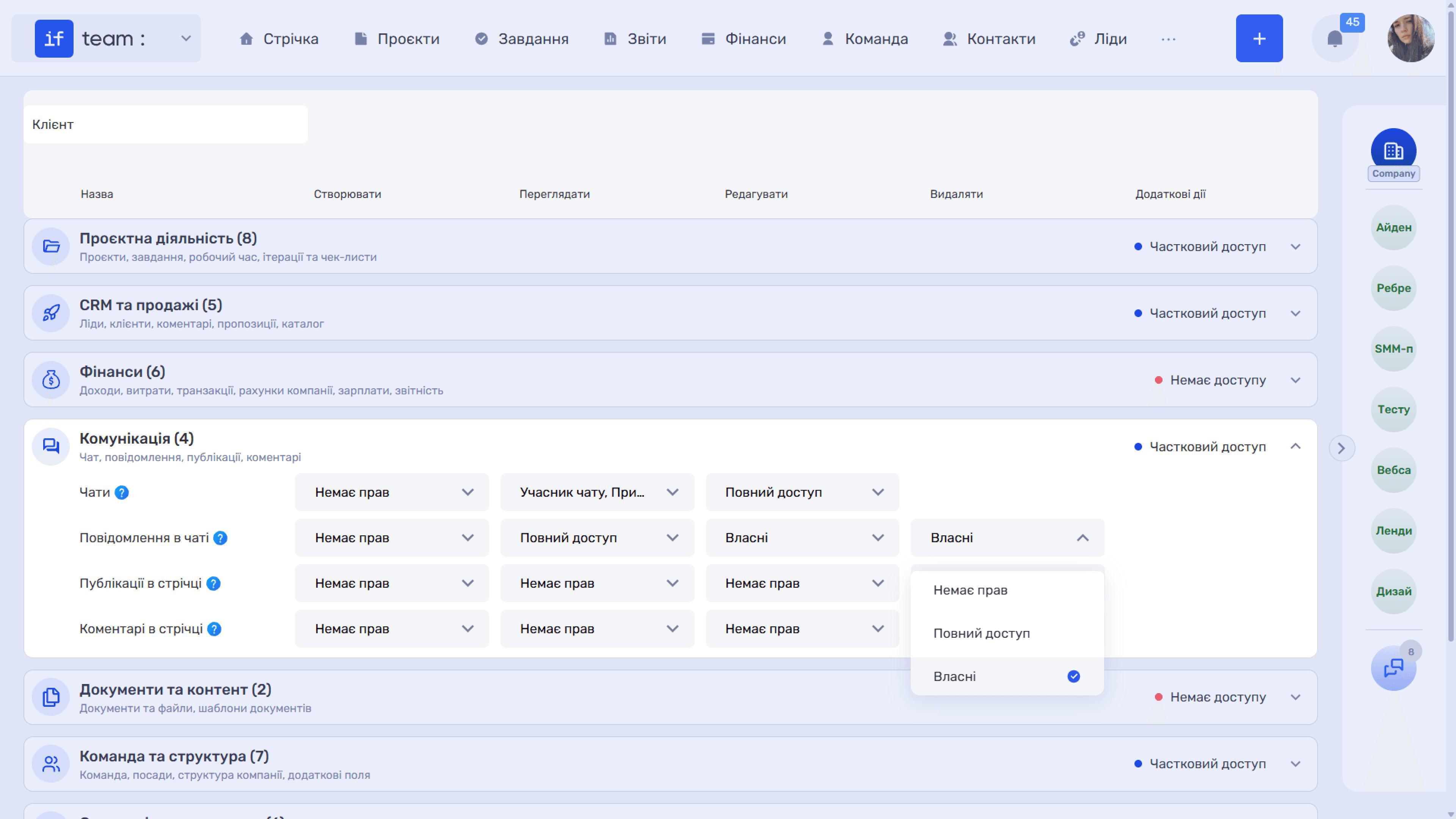
Feed Posts controls the creation and viewing of internal company posts. For editing and deletion, the available values are “No Permissions,” “Full Access,” and “Own.”
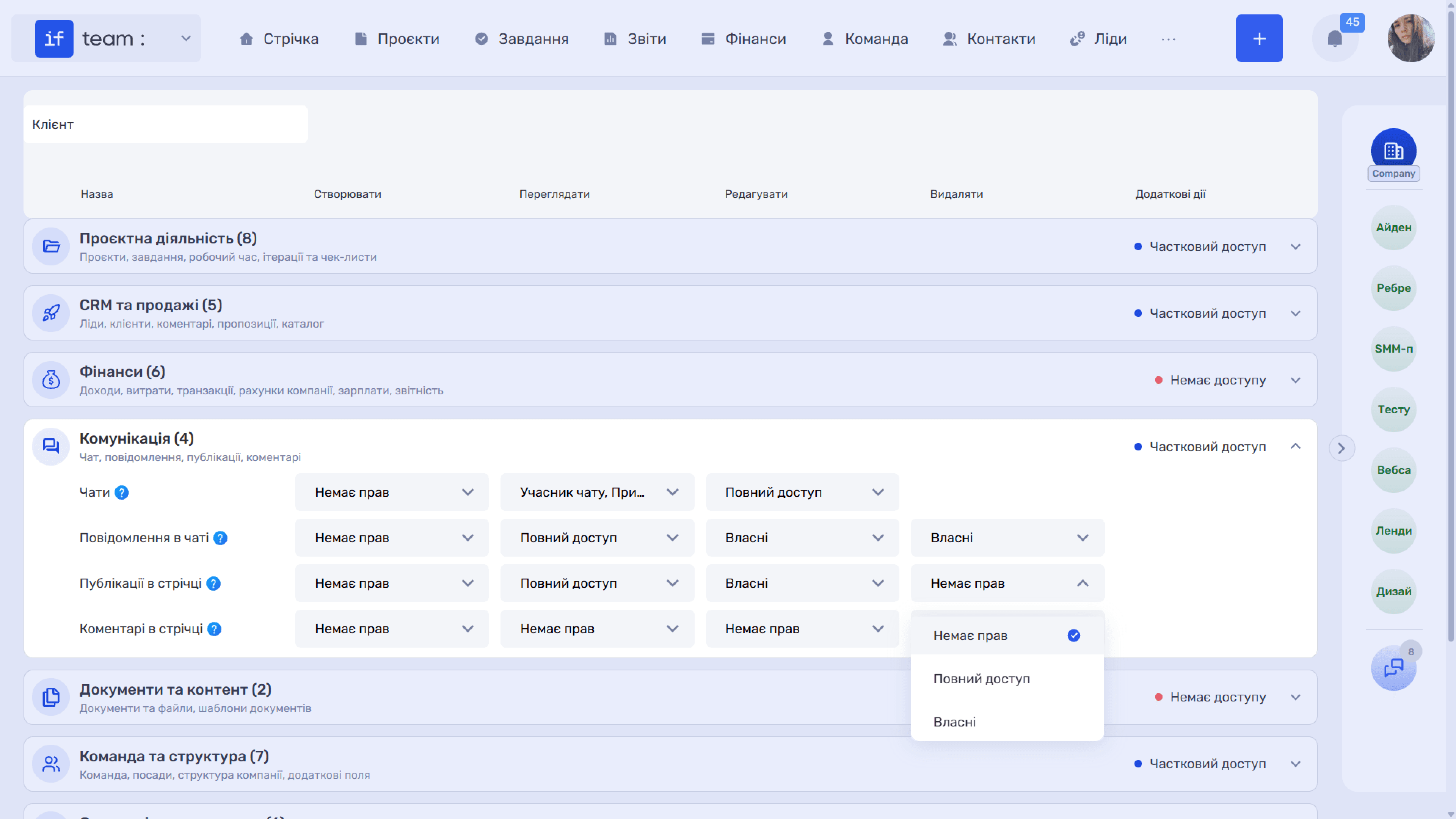
Feed Comments controls viewing and adding comments in the feed. Its values work in the same way as for posts.
Still have questions?
Maybe we haven't added this information yet. But you can always reach out:
Request a demo
Submit a request and we'll show you how the service works and its capabilities.
Book a demo