
SEO Project Management Tools: A Guide for Those Looking to Outsmart Competitors in 2025
SEO in 2025 is no longer just about rankings on Google, and using SEO project management tools is no longer a luxury. Its about analytics, deep content work, technical improvements, external campaigns, and syncing with marketing, UX, design, and managers. A successful SEO specialist or team is…

SEO in 2025 is no longer just about rankings on Google, and using SEO project management tools is no longer a luxury. It’s about analytics, deep content work, technical improvements, external campaigns, and syncing with marketing, UX, design, and managers. A successful SEO specialist or team is more of a project office than just link builders and optimizers. That’s why effective SEO project management is becoming critically important.
Tools like Ahrefs, Screaming Frog, or Google Search Console provide analytics. But organizing work so that these insights turn into actionable steps is a whole different ballgame. This is where platforms like if.team come into play.
Problems with using classic task managers for SEO
Platforms like Trello, ClickUp, and Asana are excellent auxiliary tools, but they don’t account for the specifics of SEO. The best option remains an all-in-one platform, as only with it can you cover all aspects of project management for effective results. Let’s take a look at the problems that arise when there’s no structured approach, which can be provided by SEO project management software.
Long-term projects that last for months
Without a centralized tool, tasks become spread out over time. The context is lost: what’s been done, what’s postponed, and what’s forgotten. The team has to constantly restore the workflow manually, which wastes time and creates confusion.
Hypothesis testing
In many teams, hypotheses remain only in people’s minds or are scattered in personal notes, chat drafts, and individual Google Docs. This makes it difficult to implement them into the actual workflow.
Involving a large number of specialists
When different specialists work on a project, the lack of a unified space leads to duplication, lost tasks, or conflicts. Everyone works on their part in a separate tool, and eventually, the whole team loses synchronization.
Complex reporting and budgeting
SEO requires financial precision—how much is spent on content, links, development. If the budget is managed in a separate Excel sheet and results are in Data Studio, obtaining a full picture takes a lot of time or is impossible. This impacts ROI and reduces transparency.
Need for flexible planning formats
Most task managers offer rigid management structures, making it difficult to adapt to the team’s needs. In the end, either everyone struggles with an uncomfortable format, or some tasks are moved to other services, and manageability is lost.
Simultaneous work on 5–10 projects with varying priorities
When there is no flexible dashboard or centralized analytics, the team spends a lot of time figuring out what’s urgent, what’s delayed, and what’s progressing according to plan. As a result, important projects get delayed, while lower-priority ones drain resources.
Automate SEO and outpace competitors
Save time, increase visibility, and manage all processes from a single dashboard
Tasks SEO teams face — and how if.team structures them
SEO projects always involve numerous details that are hard to keep track of: technical issues, content revisions, deadlines for links, client reports. To prevent this process from becoming an endless flow of tasks in messengers and spreadsheets, you need a tool that keeps everything under control. One such solution is if.team — a platform tailored to SEO teams that automates the most resource-heavy stages.
Audit and technical tasks
These typically include dozens of items: duplicates, redirects, speed, indexing, errors in the console. These tasks need to be delegated to developers or placed in separate sprints. To avoid getting lost in this flow, if.team allows you to:
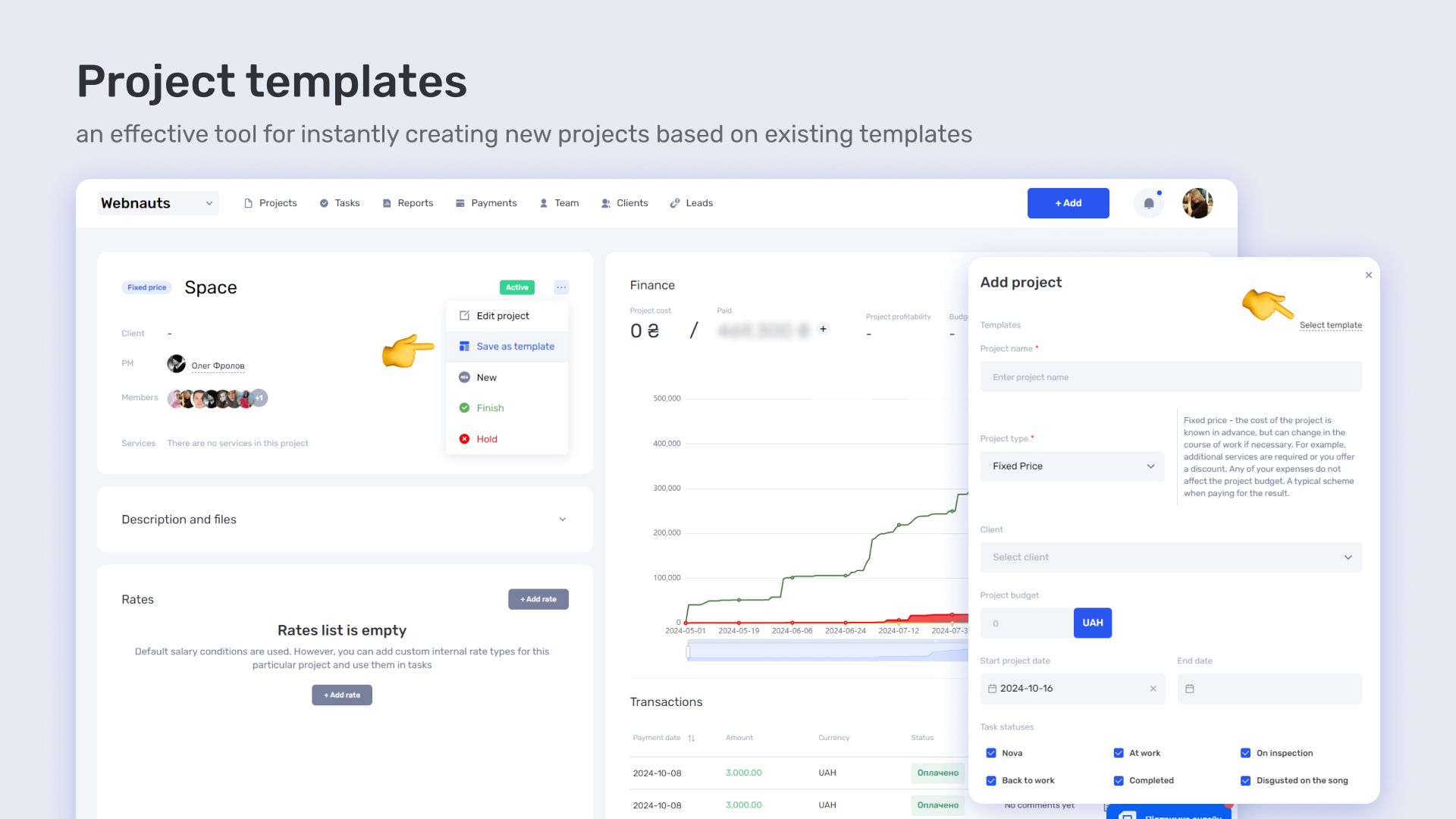
- Create a Technical Audit template that includes all standard tasks with checklists and priorities.
- Distribute tasks among frontend and backend specialists, specifying who is responsible for what.
- Track progress on the Kanban board — see clearly what’s done, what’s in progress, and what’s stalled.
- Assign responsible persons and deadlines to avoid lost tasks.
- Attach files, screenshots, technical logs, or reports to tasks to avoid searching for them across different chats.
Technical SEO tasks no longer consume all your focus — in if.team, they are structured, controlled, and transparent for both the team and the client.
Working with content
Content is the foundation of SEO promotion. But creating even a single article is not a one-step process; it’s a series of actions that often involve several people:
- Briefing the copywriter. Creating a task with clear requirements for the topic, tone, structure, keywords, and examples.
- Uniqueness check. Ensuring the quality of the text before publication — using specialized services or manually.
- Optimization for keywords. Adding relevant queries, metadata, internal links, and headers.
- Revisions. Finalizing details, adapting the style to the brand, working with feedback from the editor or client.
- Client approval. Getting final approval before publishing the article on the website or blog.
Thanks to task templates and automatic checklists in if.team, this entire structure becomes transparent: everyone can see at which stage the article is, who is delaying it, and when the deadline is. This minimizes the risk of stalled texts and saves weeks of time.
Link building
In SEO, external links are not just a part of the strategy, but a real cost. The bigger the team or the number of projects, the harder it is to track who has agreed with whom, which links have been approved, which have been published, and which have been lost in the correspondence.
The process of managing external links looks like this:
- Approval of donors. It is necessary to agree on the list of websites, placement costs, and conditions.
- Creation and publication. Gather data, send the text, agree on the date, monitor the execution.
- Indexation check. After some time, you need to make sure that the link has been indexed by search engines.
- Cost tracking. Each link is a separate budget. It’s important to see how much has been spent and what the return on investment (ROI) has been.
In seo project management tools, all of this is organized into a single workflow: a list of donors with full placement history is maintained, and automated statuses can be set for each link — “in progress,” “approved,” “published.” Users can add custom statuses for greater clarity and convenience.
All correspondence and discussions are stored directly in the task, so nothing gets lost. Costs and ROI for each link or project can be easily tracked through the built-in reporting system.
Reporting and analytics
SEO reporting is one of the most resource-intensive parts of the job. It often looks like this: the specialist prepares the data in Data Studio, the manager transfers everything into a presentation, the client asks for changes or something to be added — and the process repeats. This not only drains the team but also takes up valuable time that could be spent on real improvements.
In seo project management tools, reporting becomes part of the workflow:
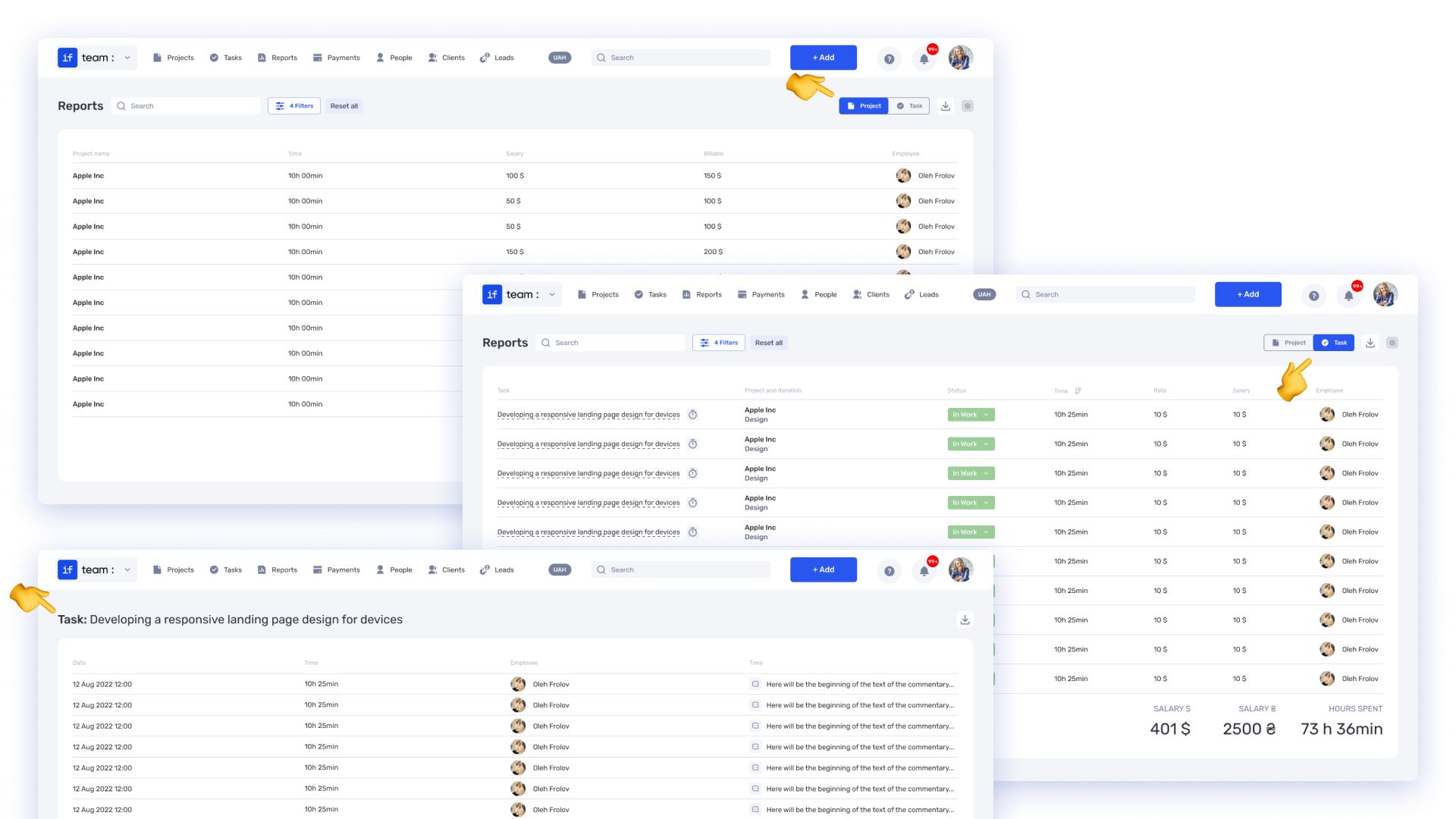
- KPI report templates allow for quick generation of the required information without manual data collection.
- Reports are attached directly to tasks, so they don’t get lost and are always available for viewing.
- The project timeline reflects the progress, allowing you to see what has been done and what is prioritized.
- All reports and documents are stored in one window, without the need to copy data to other services or search through conversations.
Instead of dozens of files and endless versions of presentations, you get structured reporting that is always at hand, with automation and context preserved directly within the tasks.
How automation works with SEO project management tools
In SEO, a huge portion of the workload revolves around regular, similar processes: optimizing a page, adding internal links, updating metadata, checking indexing. If every task is created from scratch each time, it eats up valuable time and leads to errors.
With SEO project management tools like if.team, you can automate these actions:
- Create a task template with all the necessary fields for the job.
- Add a checklist with items that can’t be missed: target keywords, H1-H3 headers, ALT text for images, internal links.
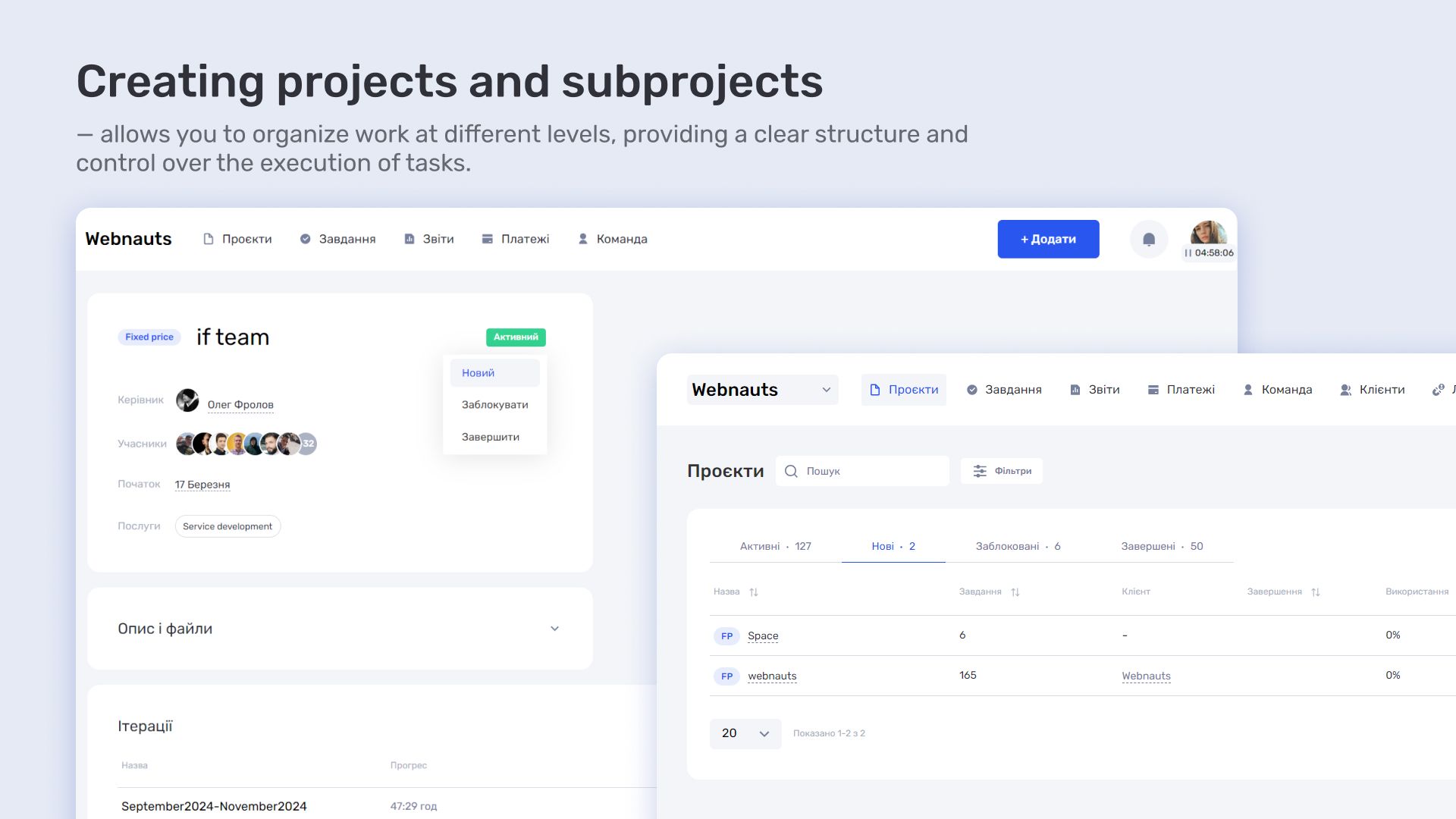
- Break down larger tasks, like “SEO for April,” into smaller sub-tasks—ranging from writing copy to publishing on the site—each with their own deadlines and responsible team members.
- Duplicate templates across any project in a second, without having to copy and paste manually.
This is the perfect solution for agencies working with multiple clients simultaneously, or for SEO departments managing dozens of pages.
Automated reminders: the system does the heavy lifting
SEO isn’t just about one-off tasks; it also involves recurring actions that need to be repeated: updating the semantic core, crawling, checking technical health, refreshing blogs, or tracking keyword rankings.
With if.team, you can set up automatic reminders:
- Quarterly—update the semantic core.
- Monthly—check indexing or speed.
- Weekly—generate KPI reports.
The system automatically creates tasks, sets deadlines, and sends notifications—so you don’t have to worry about keeping track.
SEO-management at a new level
SEO project management tools like if.team help you streamline workflows and optimize team collaboration
What else is important for an SEO team — and already available in if.team
SEO is not just about tasks, keywords, and content. It also involves finances, client interaction, team management, and performance analysis. All of these factors impact the results just as much as the quality of technical optimization. And this is where if.team proves itself as a comprehensive SEO project management tool.
Finances
SEO always involves costs: for backlinks, copywriters, tools, and technical support. In if.team, you can see exactly where the budget is being spent and what’s actually yielding results. Financial data is integrated with tasks, making it easy to track ROI not only overall but also by each area or project.
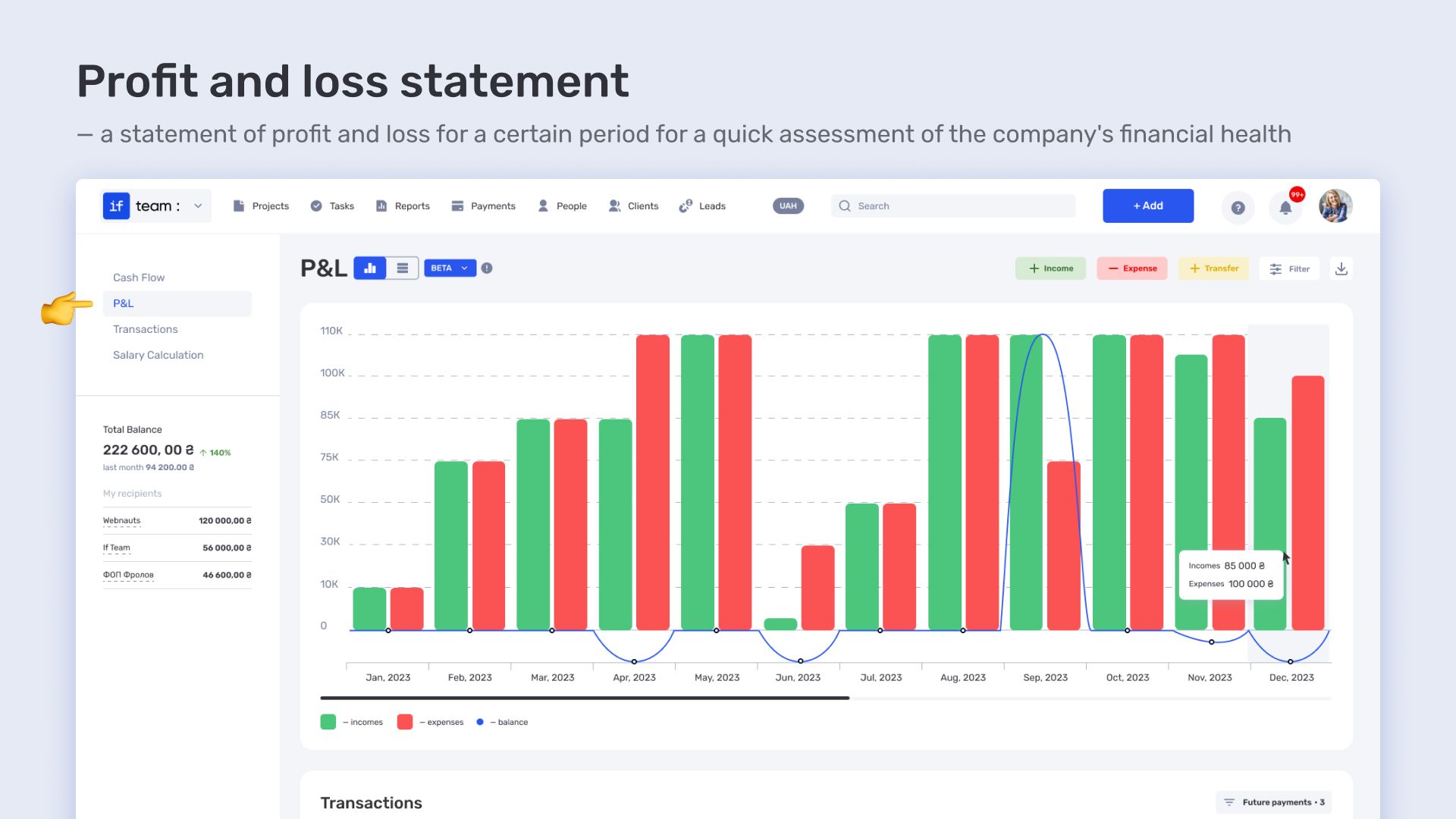
if.team offers a real-time burn rate chart. This is one of the platform’s killer features: it visually shows the pace at which funds are being spent, allows for comparing planned vs. actual costs, and helps you understand how much budget remains before hitting the planned limit. This level of control enables you to adjust the course of the project swiftly.
Client interaction
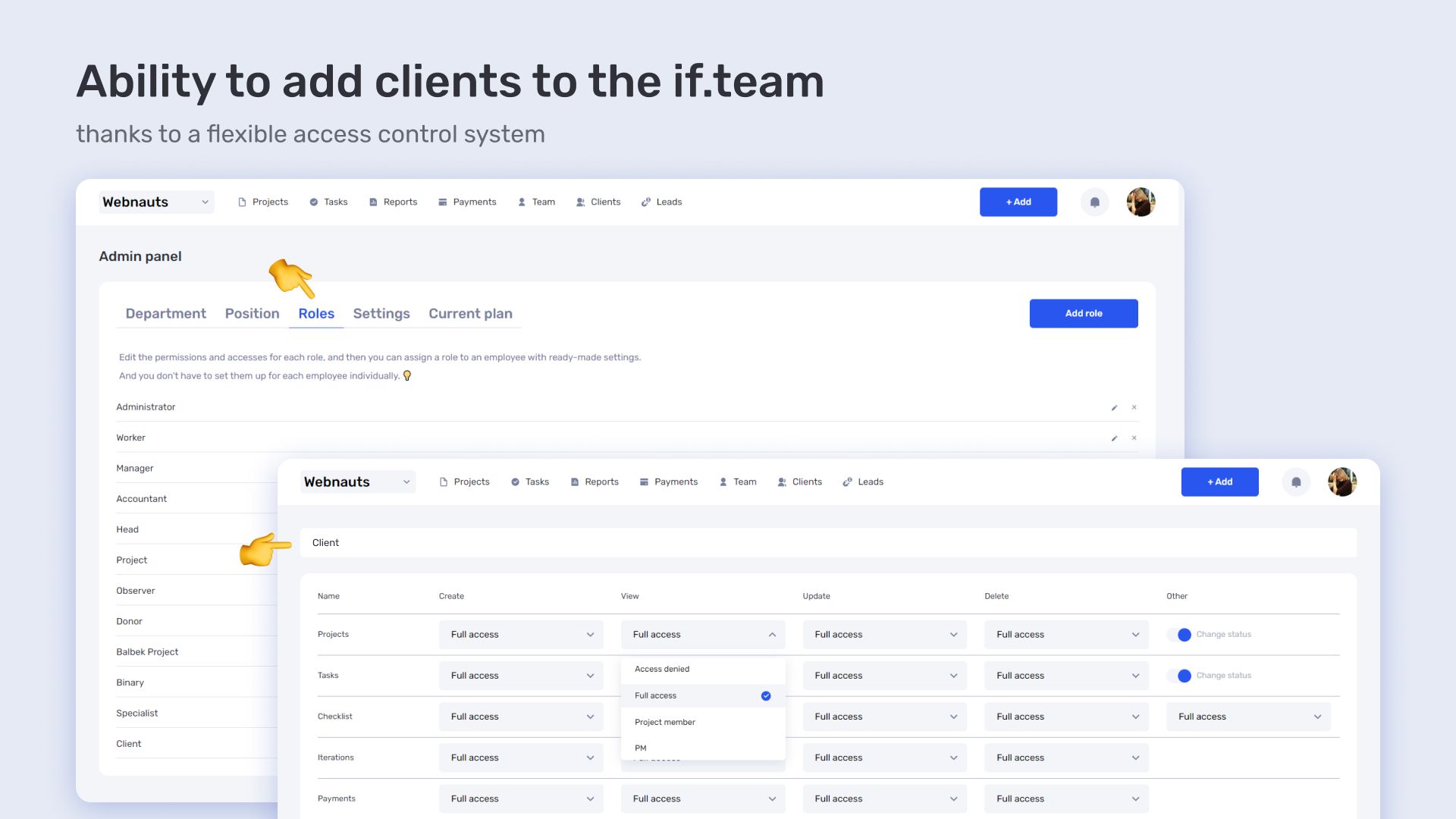
Clients often want to see progress without interfering with the team’s internal workings. In if.team, you can add them to the project with limited access: for instance, only to tasks, reports, or discussions. This is convenient— the client stays informed, while the team avoids spending extra time on explanations.
Team collaboration
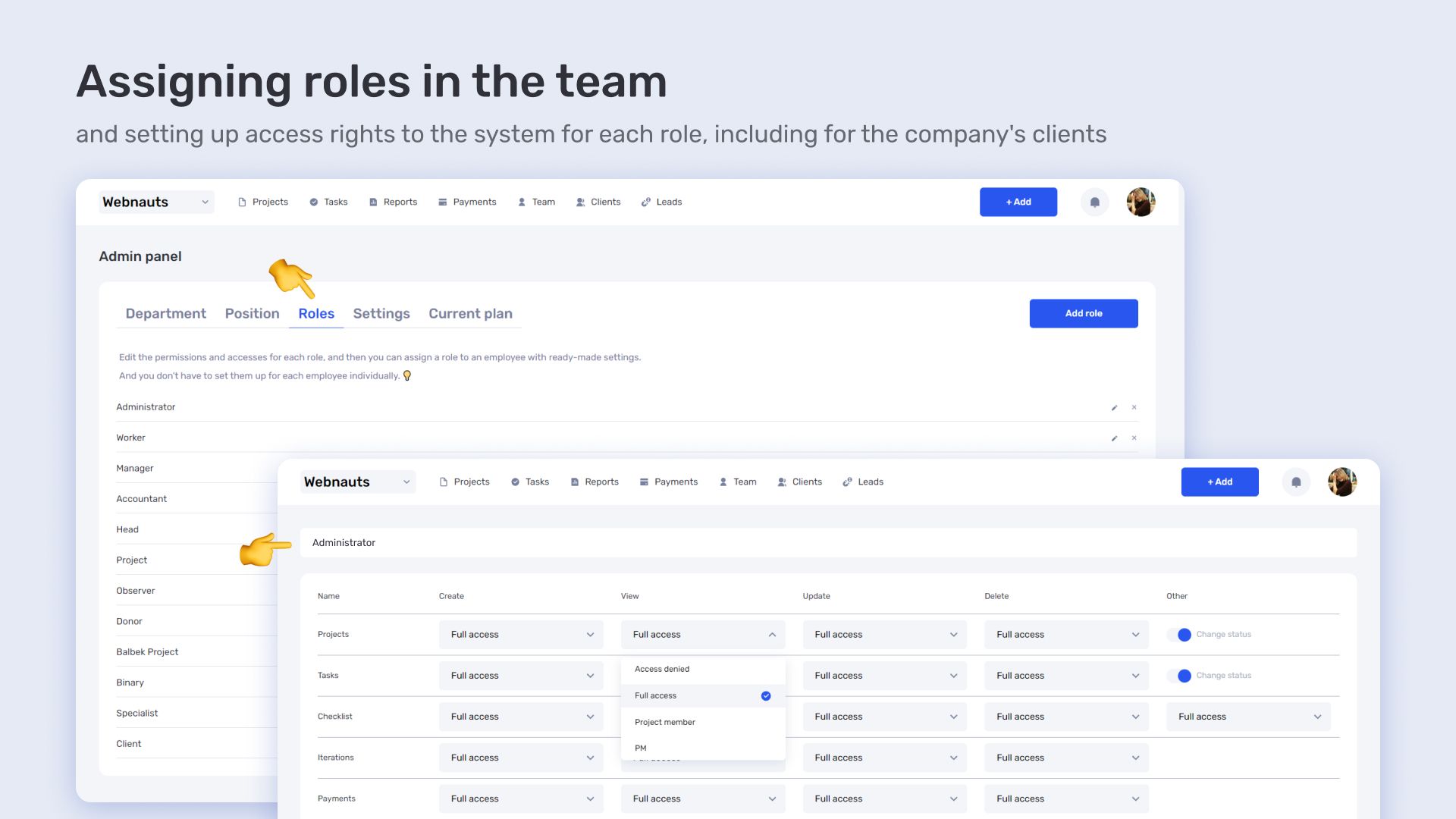
SEO involves many people — both permanent and temporary. In if.team, you can quickly scale the team: add new members, assign roles and access, and integrate them into the process without lengthy onboarding. Everything works seamlessly from day one.
Performance forecasting
To stay ahead, it’s important not only to see results but also trends. In if.team, analytics show the dynamics of changes: which tasks are slowing down, where budget consumption is rising, and what is progressing steadily. This allows you to adjust the strategy on time, rather than putting out fires after the fact.
In short, everything that an SEO team typically tracks in separate tools and spreadsheets is already integrated into a single system in if.team, saving time, boosting efficiency, and simplifying scaling.
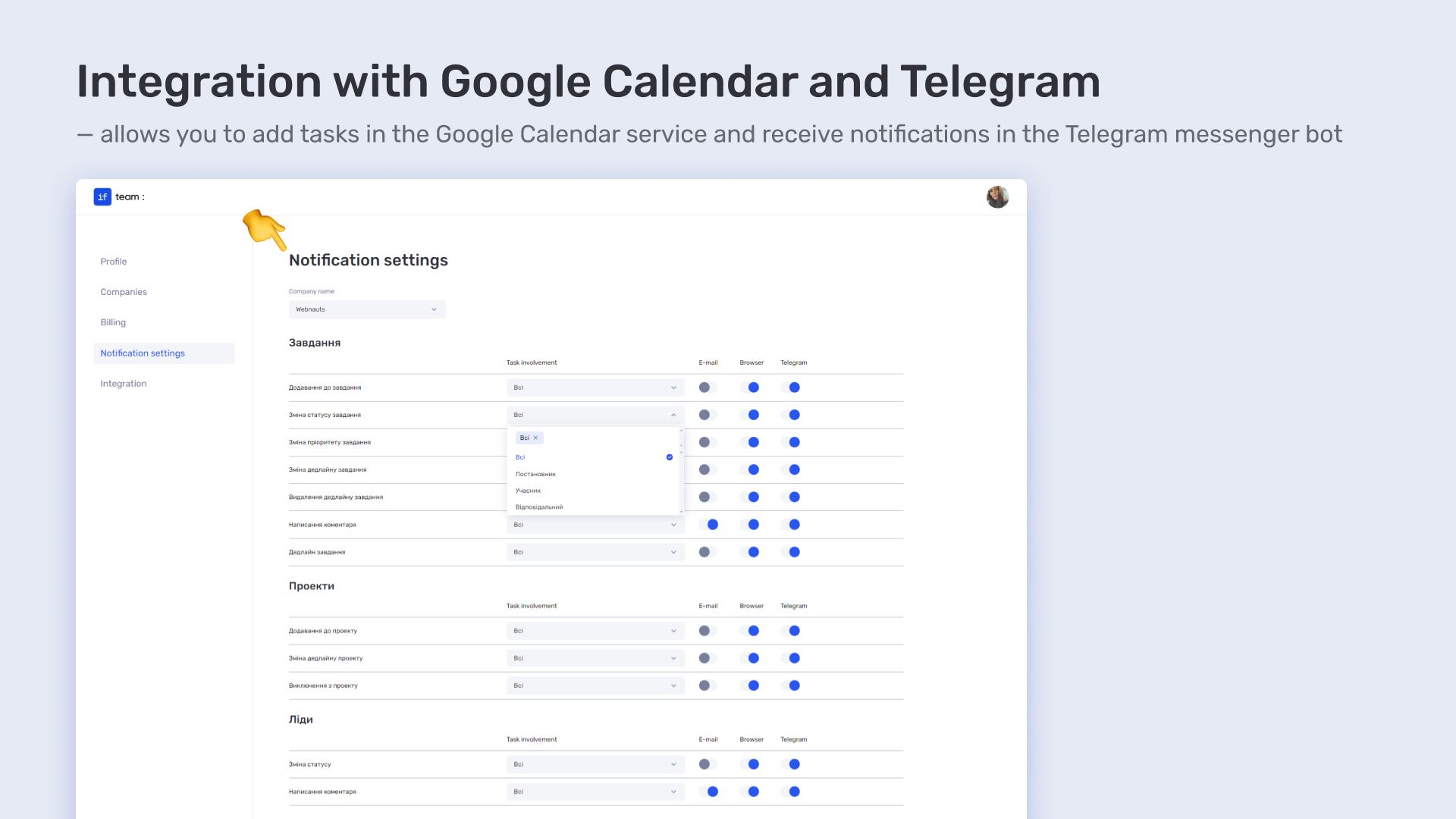
How we helped an SEO agency save time and reduce stress with SEO project management tools
Before switching to if.team, one of our clients was using multiple tools simultaneously — Trello for tasks, Notion for structure, Google Sheets for budget and reporting. This created constant chaos in communication, task duplication, and loss of context. As the number of clients grew, the situation only worsened.
After transitioning to if.team, the agency was able to centralize processes and immediately feel real changes:
- The onboarding time for a new specialist was reduced from 3 days to 4 hours. All tasks were structured, templates were prepared, and access was set up. The new employee immediately saw how everything worked and could start completing tasks without lengthy explanations.
- Reports were automated — no more manual compilation. Previously, managers gathered data from several sources manually. Now, they select a template, the system pulls the necessary information, generates the report, and attaches it to the task or project.
- Clients see tasks in real-time — and don’t ask unnecessary questions. Instead of emails and follow-ups like How’s the blog going?, the client can log into the project, see the status of each task, leave comments or reactions — all without unnecessary calls and explanations.
- Linkbuilding and content costs were optimized by 20%. Financial analytics in if.team helped identify unnecessary expenses, inefficient contractors, and task duplication. This allowed the budget to be redistributed and achieve more results for the same amount of money.
This case shows: even with an already established structure, transitioning to an all-in-one system can significantly increase efficiency, save time, and reduce costs.
Want to grow in SEO — manage, don’t just work
SEO is no longer just about writing texts or buying links. In 2025, it’s not the one with the biggest budget who wins, but the one who knows how to organize the process. SEO is a marathon: with numerous changes, tasks, and people involved. And without clear task management, even the best strategy will fall apart during implementation.
That’s why if.team is not just a task manager, but a full-fledged system that:
- Is flexible. Whether you’re working in Kanban, sprints, or by stages — choose what suits you best. No limitations.
- Is easy to understand. The interface is intuitive, onboarding takes hours, not weeks. Getting started is simple, even without a technical background.
- Is comprehensive. Everything you need is in one window: tasks, finances, templates, contractors, clients, reports — without switching between services.
Start for free today — launch your first project in if.team, test out templates and automation, add your team. See for yourself that being systematic is not about complexity, but results. And it’s exactly what allows you to outpace your competitors.
Author
Vladyslav ChesnokovPublished
Apr 25, 2025
More articles to read
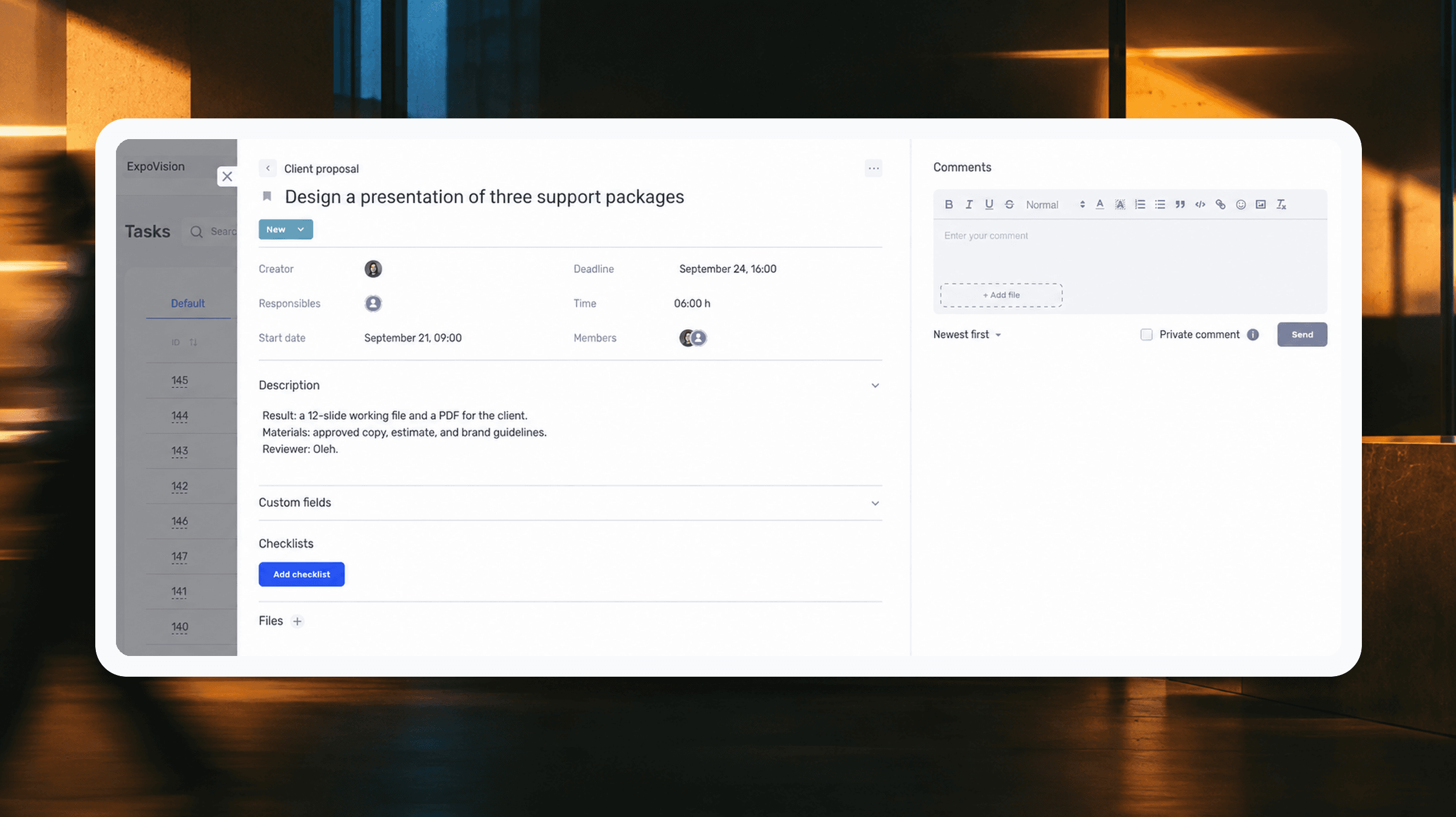
How to assign tasks to your team: from briefing to tracking completion
We break down how to assign tasks so they actually get done: what a brief must contain, how to word the result and the deadline, who takes ownership and how to check completion. With an example, an acceptance checklist and a template for running the task in if.team from start to finish.
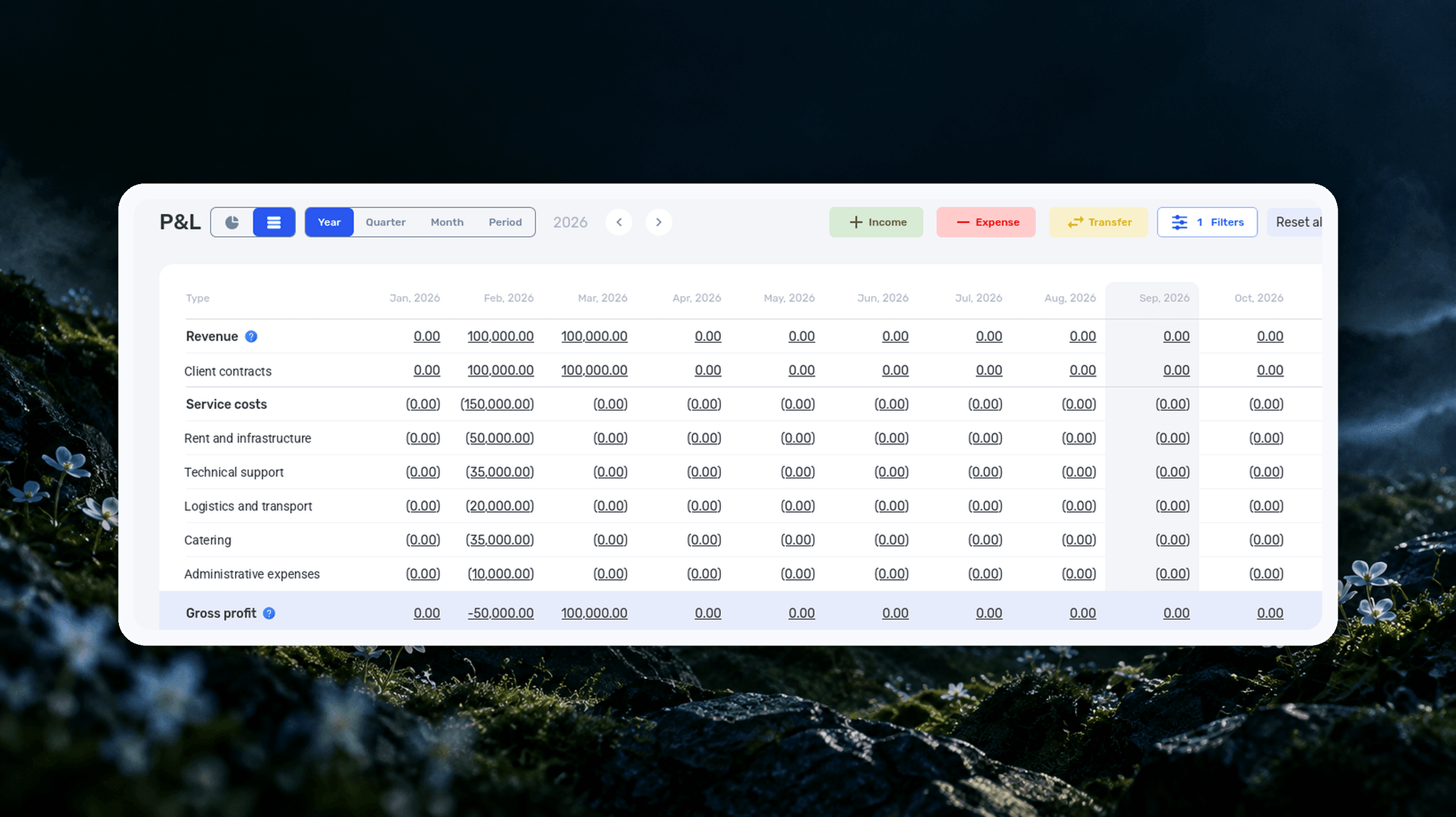
Profit and Loss Statement (P&L): What It Is, How to Prepare and Analyze It
We explain what a profit and loss statement is, how it differs from Cash Flow, and why profit is not the same as the cash left in your account. We break down the P&L structure from revenue to net profit, walk through a calculation for a service company and show how to build your first report.

What Is a KPI in Simple Terms, What It’s For, and How to Evaluate It
What is a KPI in simple terms? It’s one number or several numbers that show whether you’re actually moving toward a specific goal. Not how many actions you took, but whether a result appeared. A KPI isn’t for reporting. It’s for managing work. You look at the indicator and understand what exactly…

What a Bottleneck Is in Business and How to Identify It
A bottleneck in business is the point where a process actually slows down. Not formally, but in reality. This is where tasks pile up, waiting time increases, and the entire system starts working more slowly than it could. It can be a specific person who physically cannot handle the workload. It…

RACI Matrix: Simple Explanation, How It Works, and Use Cases
The RACI matrix helps teams quickly agree on who does what in a project: who performs the work, who is accountable for the final result, who provides expertise, and who needs to receive updates. When these roles are defined upfront, it becomes easier to align decisions and coordinate actions.…

Gantt chart: what it is, why you need it, and how to build a simple working format
In this guide, we’ll break down what this format is, the types of Gantt charts, how to work with them, and how to build a simple online version. No fancy terms or unnecessary decoration. Only what helps you plan.
Start your free 7-day trial
No credit card required. Get full access to all features and see how if.team can transform your team's workflow.