Module Overview
The module is for managing hiring: keeping track of vacancies, collecting applications from candidates, and maintaining a candidate database with progress through the selection stages. A candidate who has been hired can be invited into the system as an employee right away.
How to open the module
The ... menu in the top navigation → Recruiting. A panel with three sections appears on the left: Vacancies, Applications, and Candidates.
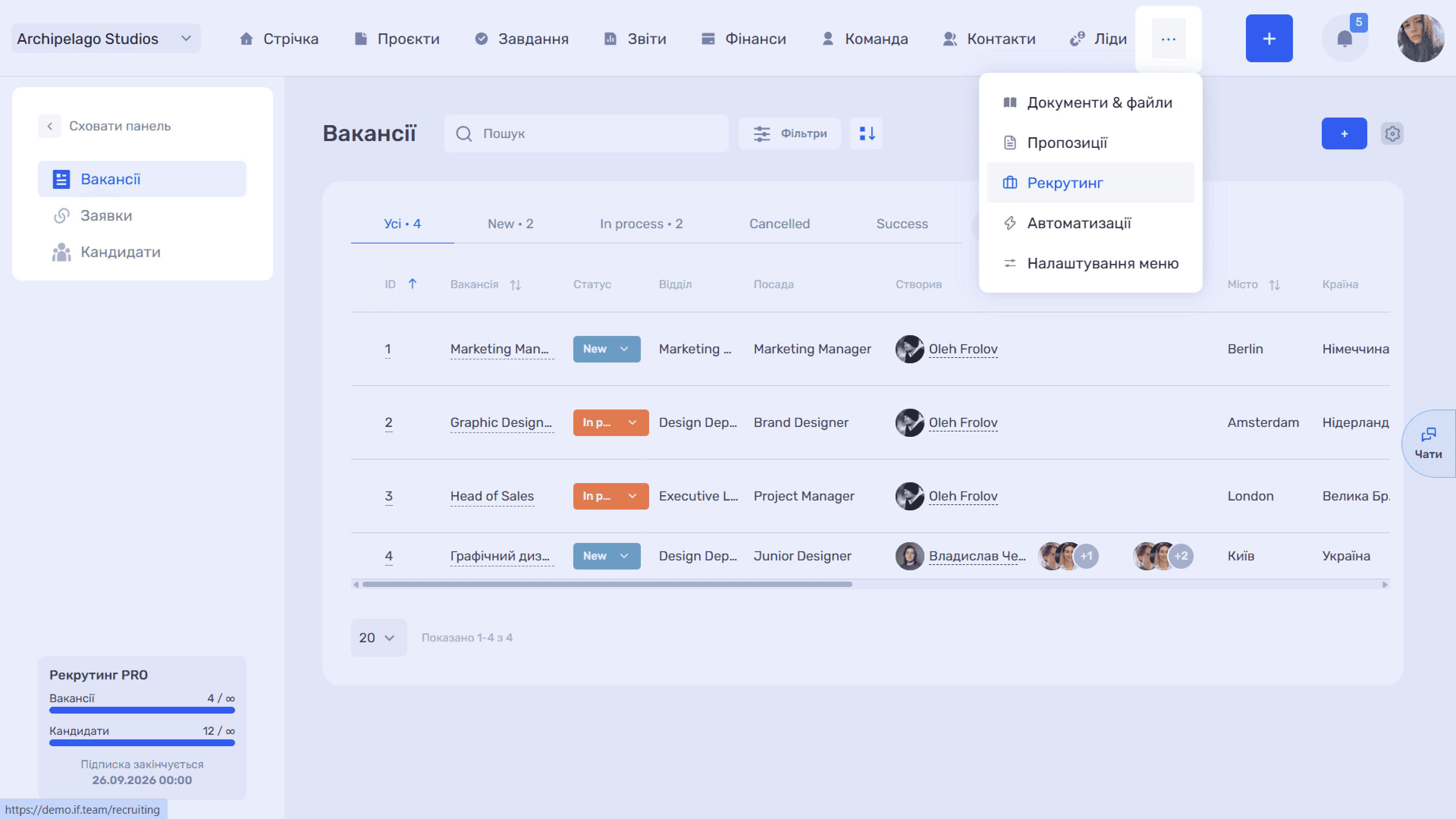
Please note
If you work with the module every day, move it to the main navigation via Menu settings in the same "..." menu.
The three entities of the module
- Vacancy — a position you are hiring for: conditions, requirements, number of openings, responsible recruiters, etc.
- Candidate — a person in the database: contacts, experience, expectations, source, resume. Exists independently of vacancies
- Application — the link between a candidate and a specific vacancy. One candidate can have several applications — one for each vacancy they are being considered for
This is why the module has two independent sets of statuses: the candidate status in the database (for example, Active / Inactive) and the application status — the selection stage for a specific vacancy (for example, New, In process, Interview, etc.). All module statuses are configured centrally: admin panel → Settings → Recruiting.
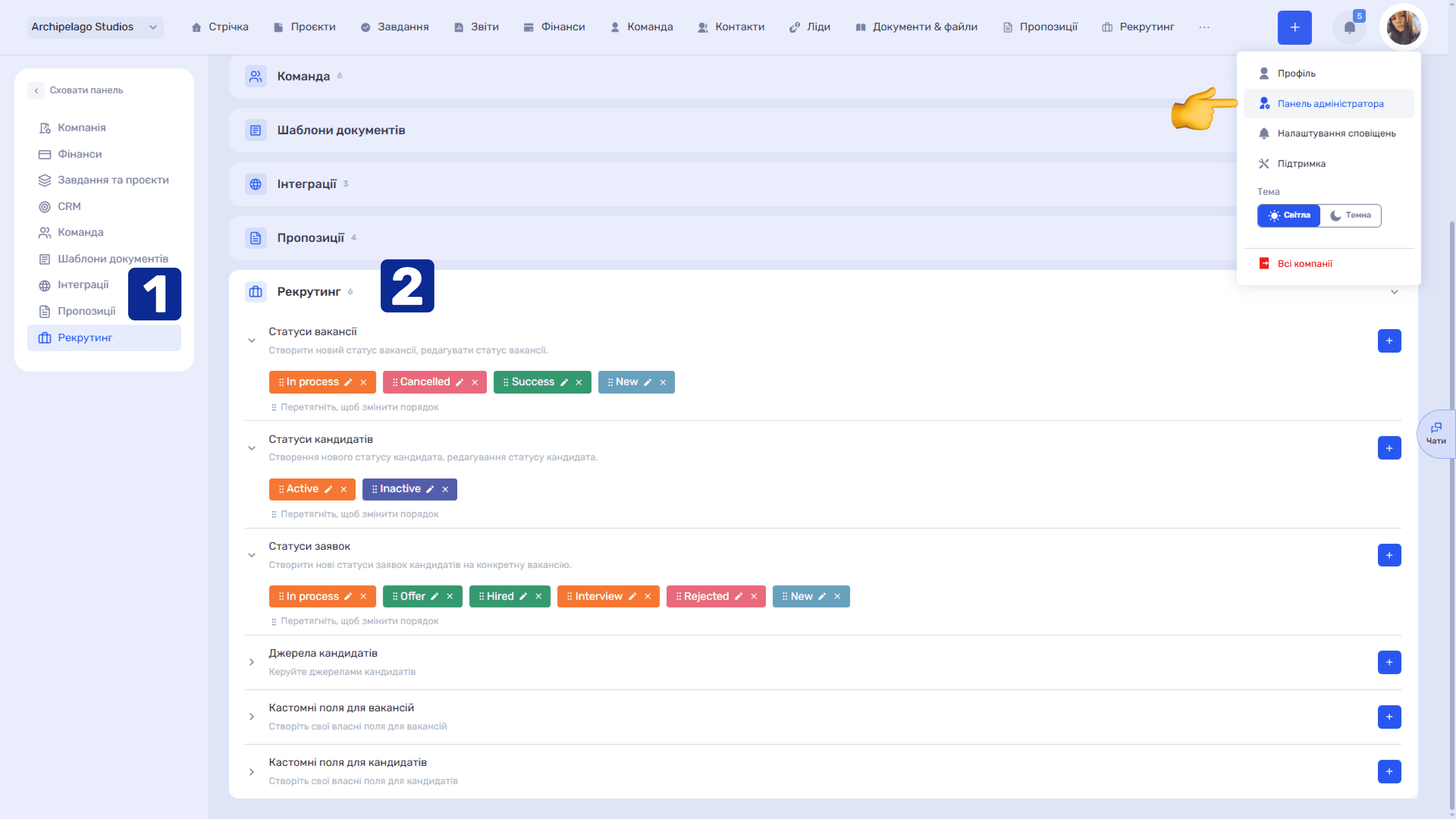
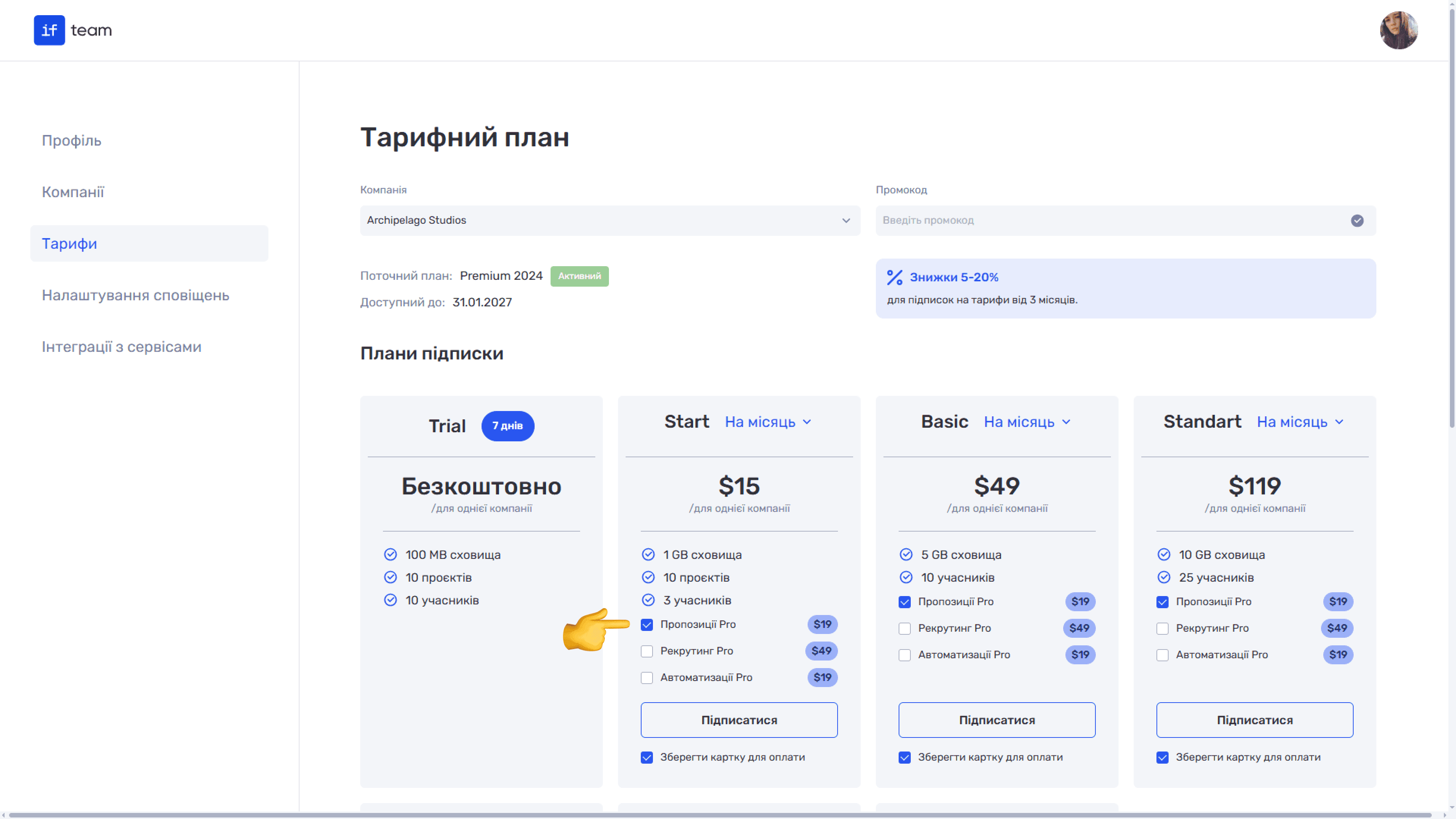
Limits and subscription
Recruiting PRO is a paid add-on that can be connected to any plan separately (Profile → Plans → Additional tools). It removes the limits on the number of vacancies and candidates: on the free plan their number is limited, on the paid one it is not.
The current state is shown in the widget in the lower-left corner of the module: the Vacancies and Candidates counters and the subscription end date.
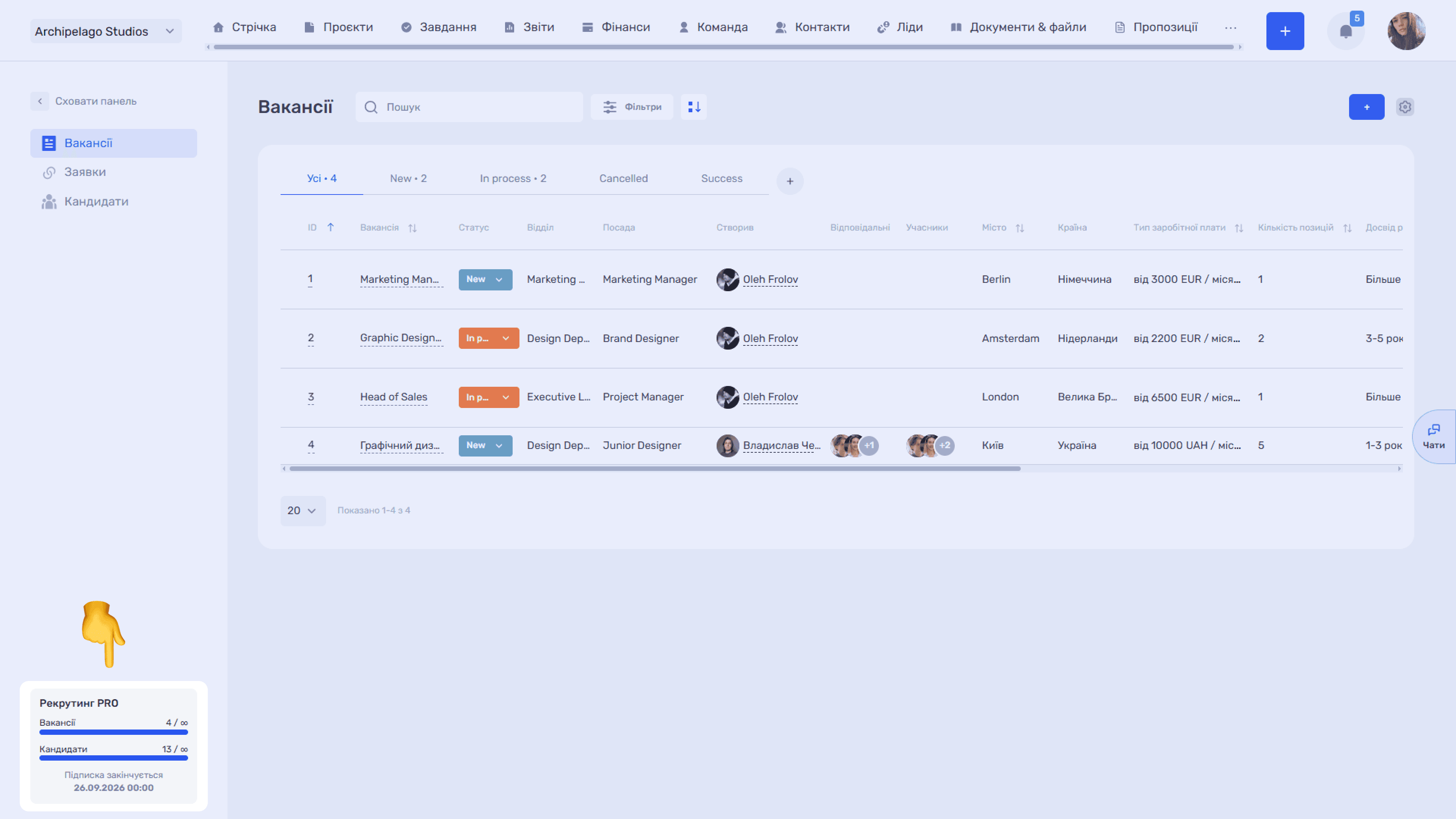
Start with vacancies: applications and candidates are linked to them.
Still have questions?
Maybe we haven't added this information yet. But you can always reach out:
Request a demo
Submit a request and we'll show you how the service works and its capabilities.
Book a demo