
Advances, loans, and deferred income and expenses in the balance sheet
The if.team balance sheet now tracks advances and loans separately, alongside deferred income and expenses. You can exclude a transaction from P&L while showing it in the appropriate balance sheet category. You can also click any total to see the transactions behind it.
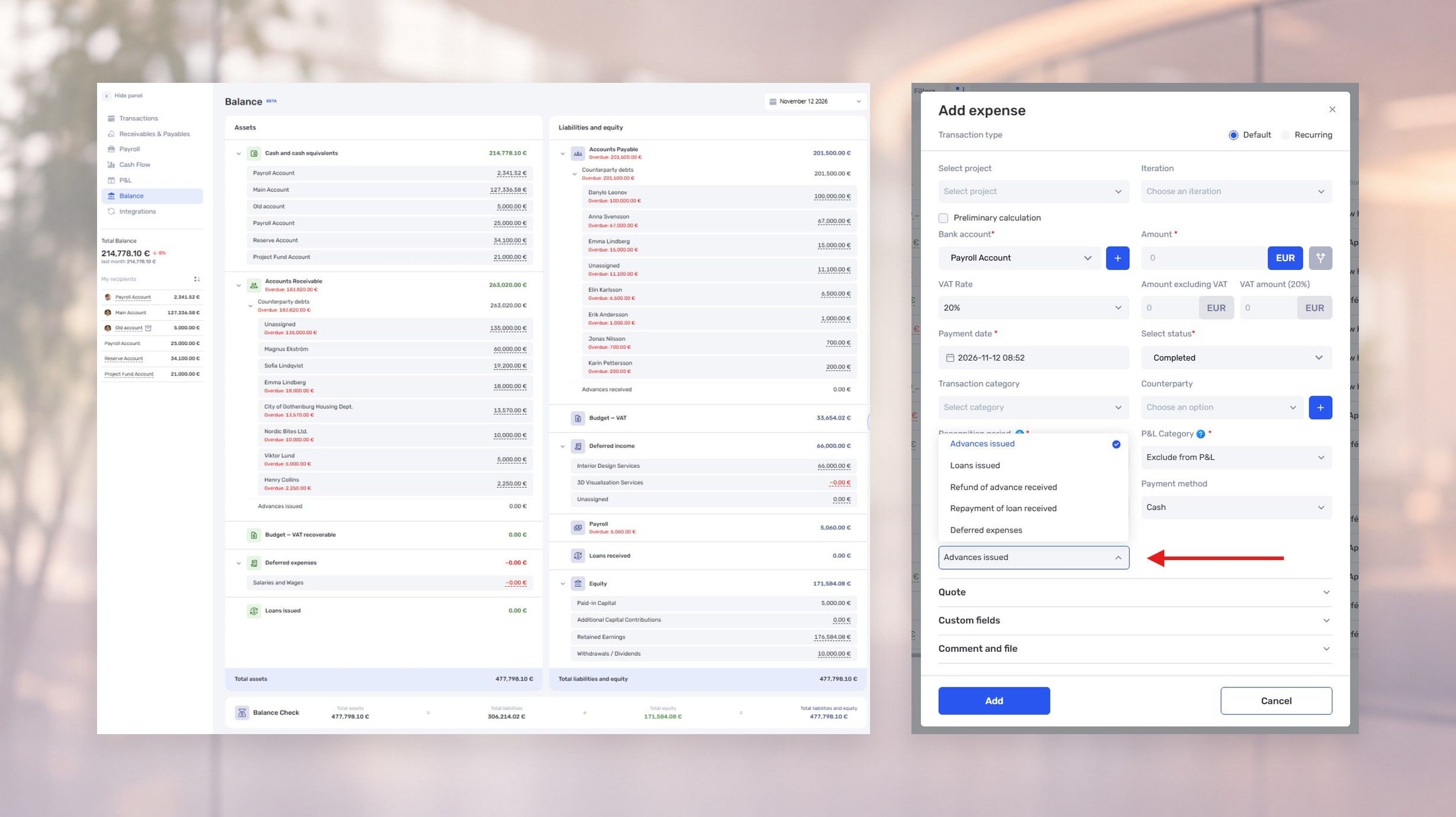
The if.team balance sheet now tracks advances and loans separately, alongside deferred income and expenses. You can exclude a transaction from P&L while showing it in the appropriate balance sheet category. You can also click any total to see the transactions behind it.
Choose how a transaction appears in the balance sheet
For a transaction excluded from P&L, you can specify its balance sheet treatment: an advance issued or received, a loan, repayment of an advance or loan, or another balance sheet operation.
For example, if your company issues a loan and excludes that transaction from P&L, you can record it as a loan issued in the balance sheet. When the money is returned, you can classify the payment as a repayment.
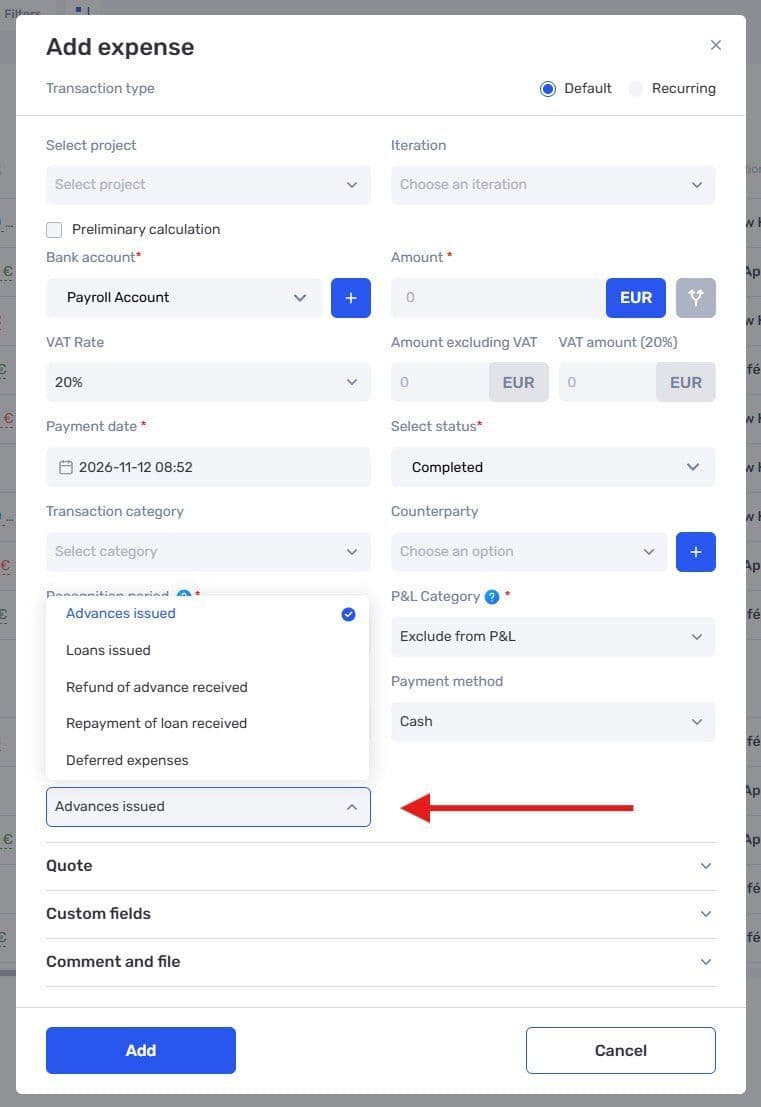
Choose the balance sheet treatment for a transaction excluded from P&L
This builds on the balance sheet and receivables and payables register introduced earlier.
Review deferred income and expenses
Income or expenses that have not yet been recognized in P&L as of the balance sheet date now appear separately as deferred income or expenses. They do not yet affect the profit or loss reported as of that date. Our guide to P&L explains how income and expenses contribute to profit.
Earlier, we also introduced recognition periods. Instead of a single recognition date, a transaction can have a start and end date. The system allocates the amount across months in proportion to the number of days.
For example, €5,000 in income for a service covering June 16 to July 31 is allocated between June and July. The new deferred items in the balance sheet complement this approach.
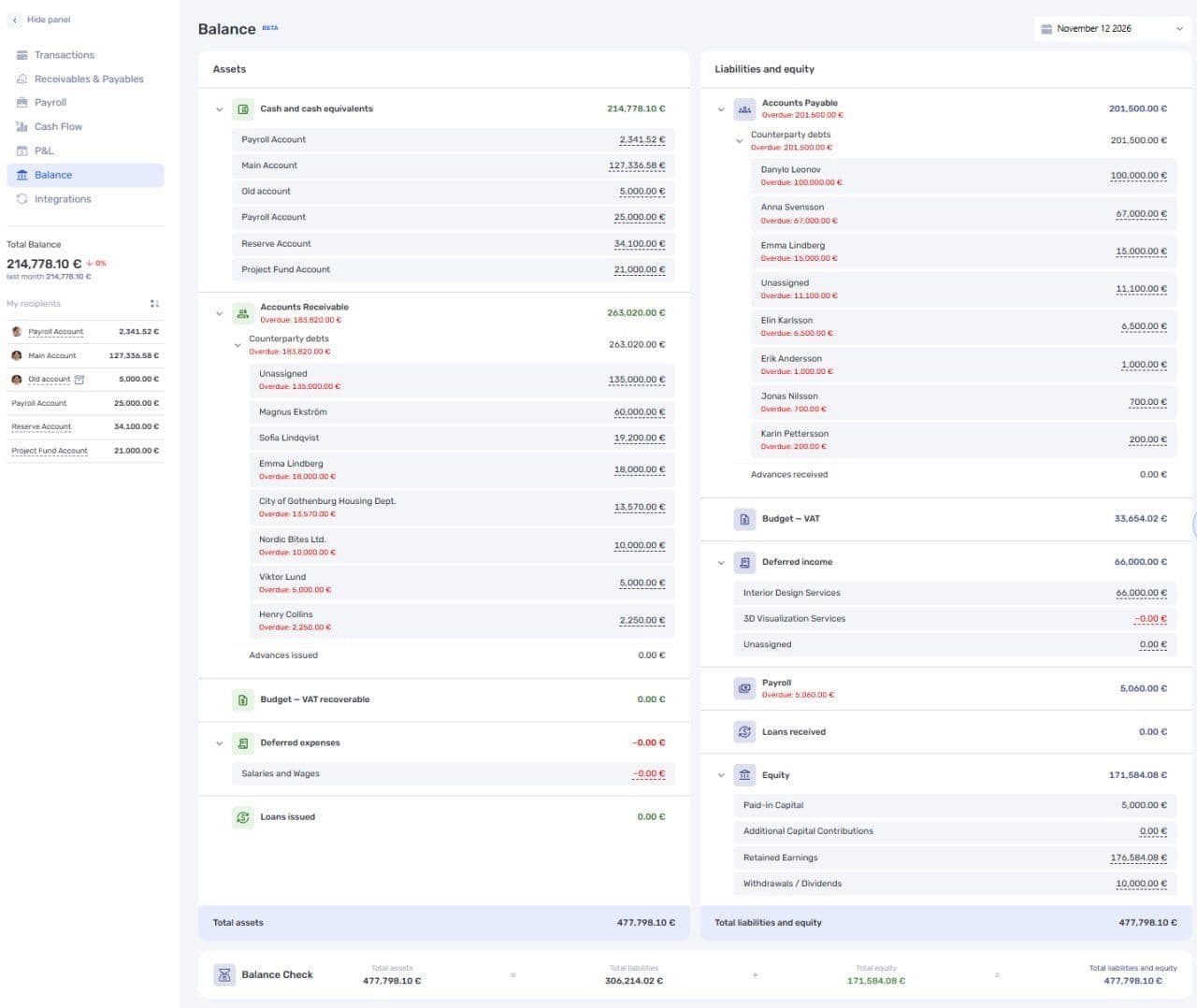
Advances, loans, and deferred items have separate rows in the balance sheet
Check the transactions behind a total
Click an amount in the balance sheet to see the transactions that make it up. This lets you move from a summary to the individual entries and check how they are recorded.
You can also collapse and expand sections and their details. This makes it easier to focus on a specific part of the report when your company has many accounts and counterparties.
For help with the profit and loss report, see the P&L documentation.
If you need help setting up P&L, Cash Flow, and the balance sheet, contact if.team support. The team can help with configuration or recommend a partner who specializes in management accounting.
Author
Vladyslav ChesnokovPublished
Nov 12, 2026
Was this update helpful?
Your feedback helps us prioritise what to ship next.
See if.team in action for your company
We’ll show how projects, team time and finances connect in one system, using your processes as an example.