
Management balance sheet, VAT, and new financial control features
The if.team Finance module has received several major updates. The system now includes a management balance sheet, a receivables and payables register, and VAT accounting. We have also expanded account settings, improved transaction performance, and updated rate management in Time & Material…
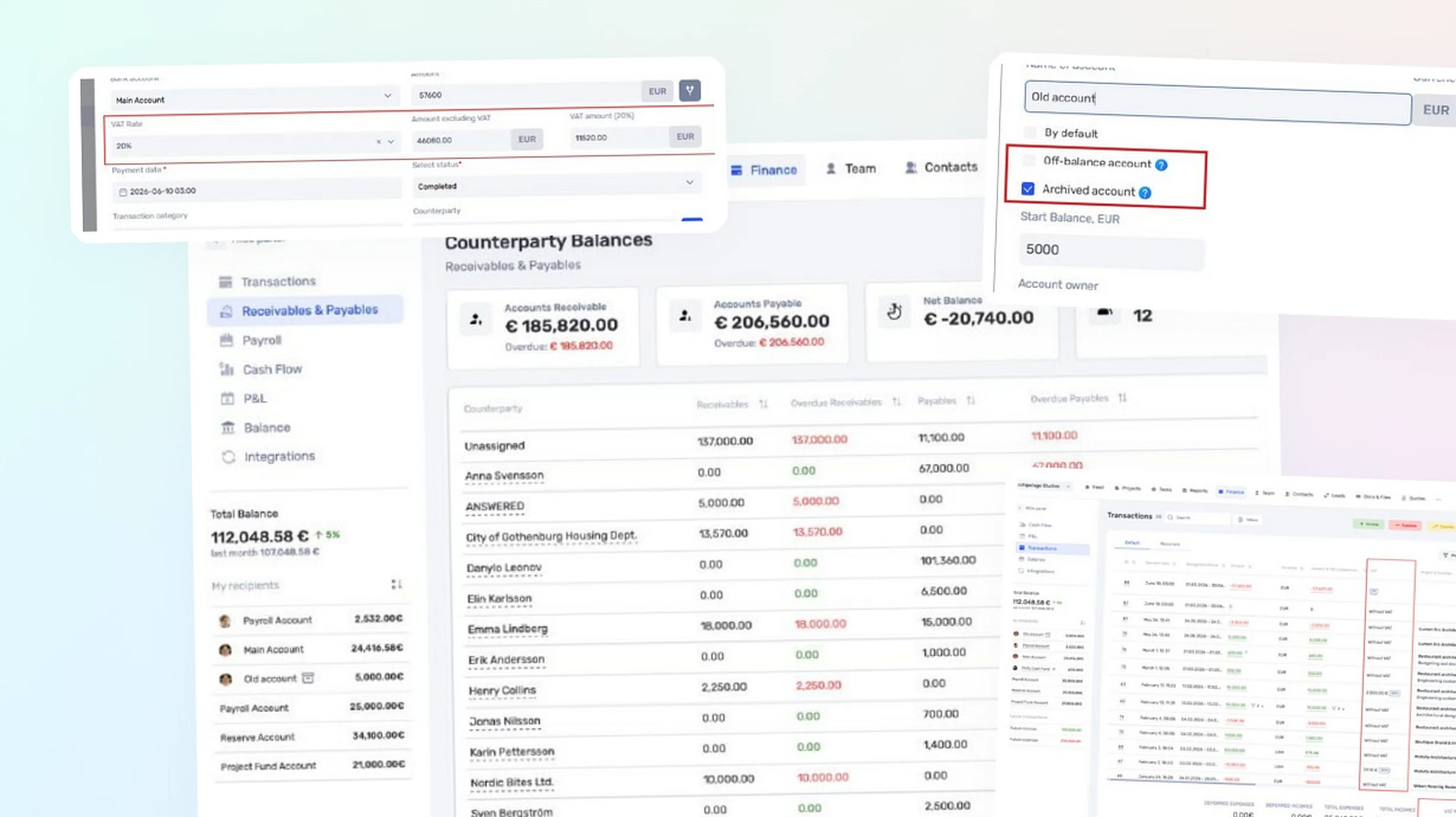
Management balance sheet
The new balance sheet is generated automatically from data already entered in if.team and displays the structure of the company’s assets, liabilities, and equity.
It currently includes:
- cash in company accounts;
- accounts receivable;
- accounts payable;
- payroll liabilities;
- equity.
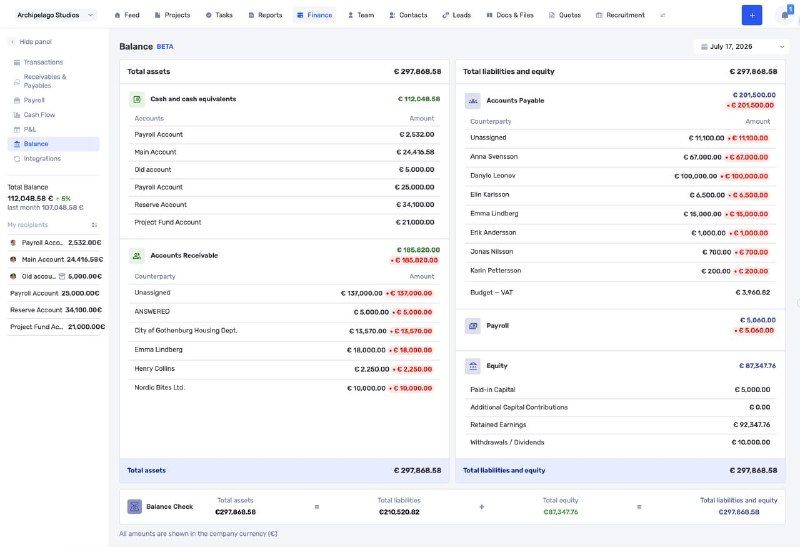
Company management balance sheet
The balance sheet is currently available in beta. We will gradually expand its capabilities and improve its calculations based on user feedback.
Receivables and payables register
A dedicated register displays the status of settlements with each counterparty. It allows users to review accounts receivable and accounts payable, identify overdue amounts, and monitor the overall balance.
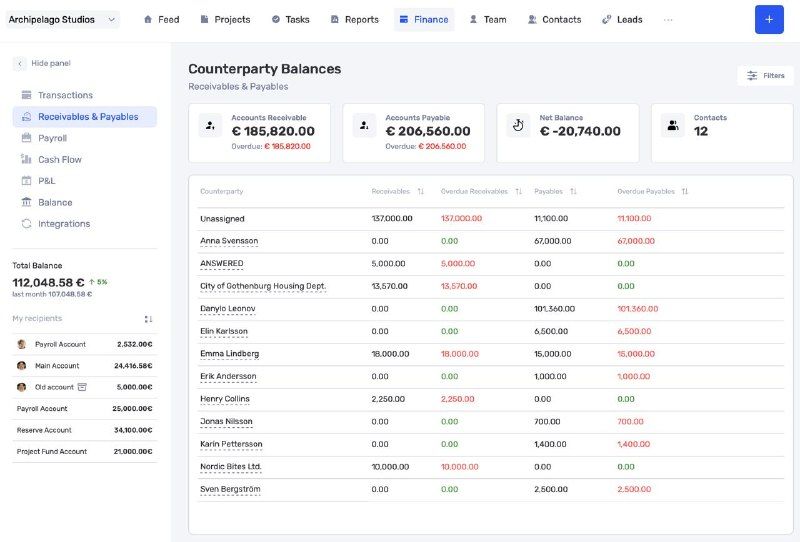
Receivables and payables by counterparty
The register helps determine who owes the company, which payments need to be made, and where overdue debt has occurred.
VAT accounting
VAT accounting can be enabled at the company level. It is disabled by default, so the new functionality does not affect existing accounting processes unless an administrator enables it.
A company can create the required rates, such as 0%, 7%, 14%, or 20%, set a default rate, and change the order in which rates are displayed. A separate default rate can also be set for each bank account.
For income and expense transactions, the system automatically calculates the net amount and VAT amount in the company currency.
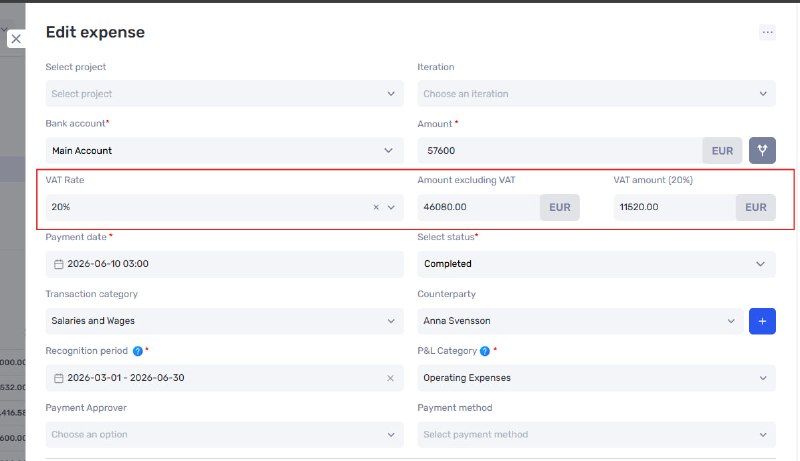
VAT rate and amount in a transaction
VAT rates and amounts can be displayed in the transaction list. Based on the entered data, if.team calculates:
- output VAT;
- input VAT;
- VAT already paid;
- total VAT payable.
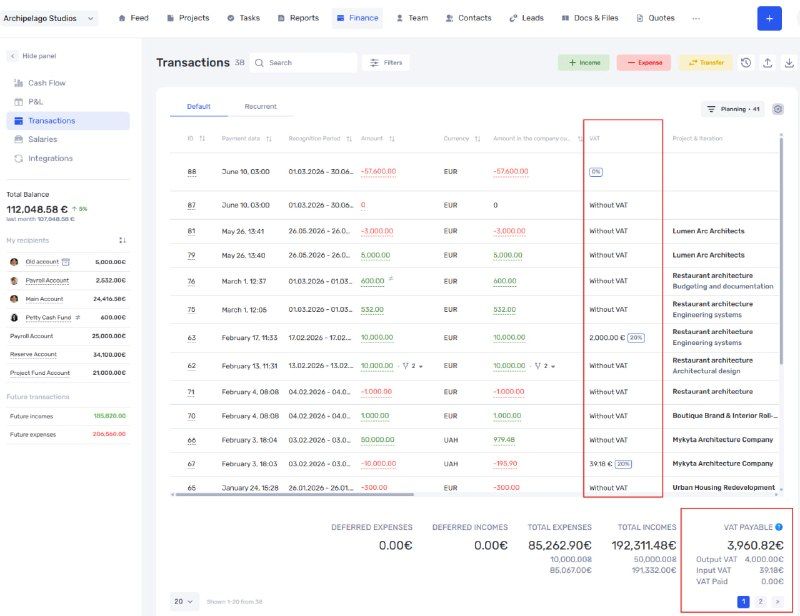
VAT metrics in the transaction list
VAT payments and refunds can be assigned a separate category so that they are included correctly in the final calculation.
When VAT accounting is enabled, P&L uses amounts excluding VAT, while Cash Flow reflects the actual payments including VAT.
Archived and off-balance accounts
Company accounts now support new attributes.
An archived account remains included in financial reports and historical operations but can no longer be selected in new transactions and documents. If the account balance is zero, it is automatically removed from the list.
This status is suitable for closed bank accounts, legacy cash accounts, and temporary accounts that are no longer used.
An off-balance account is excluded from the company’s total cash balance and does not affect management financial reports. It can be used for security deposits, transit funds, contingent liabilities, and other amounts that need to be tracked separately.
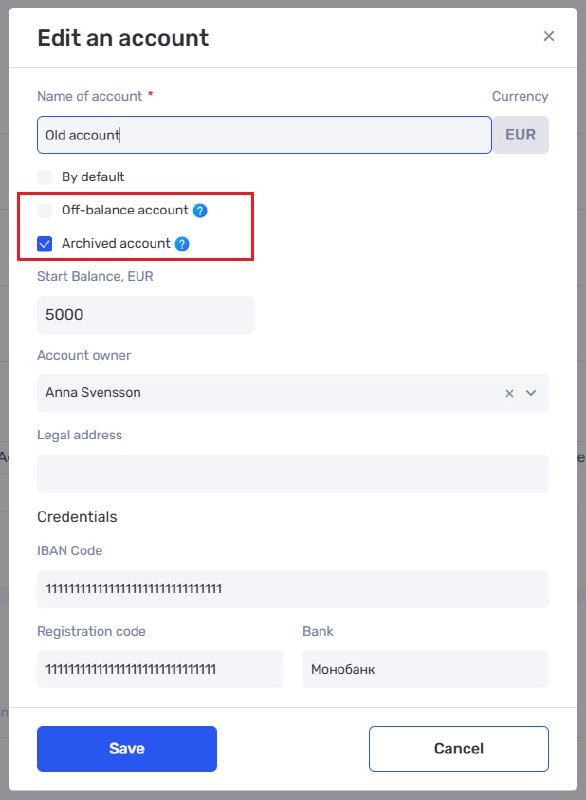
Archived and off-balance attributes in account settings
Faster transactions and reports
We have significantly improved transaction loading speed, especially in datasets containing a large number of payments.
Filters can now select all values or find transactions in which a particular field is empty. Summary totals now include a currency breakdown: the total in the company currency is supplemented by totals in the original transaction currencies.
The Cash Flow and P&L layouts have also been updated to make large amounts of data easier to analyze with less scrolling.
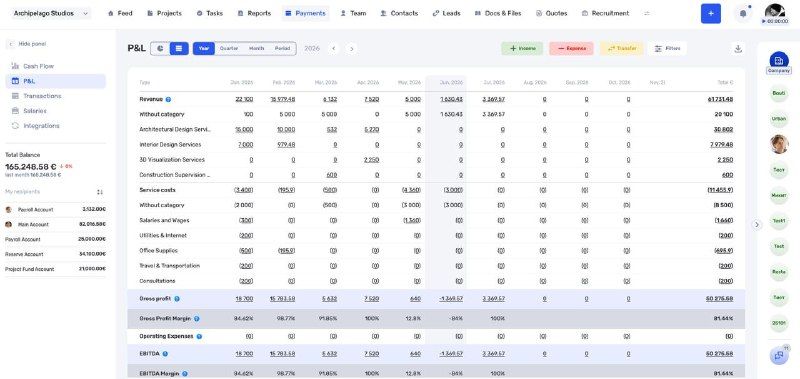
Updated financial report layout
Rates in Time & Material projects
An individual rate can now be assigned to each team member directly in a Time & Material project. It is applied automatically to all tasks assigned to that employee, so the rate no longer needs to be selected manually each time.
If a specific task requires a different rate, it can be set in the task profile. The task-level rate takes priority over the team member’s project rate.
We have also updated the rate management interface, rate history, and application logic.
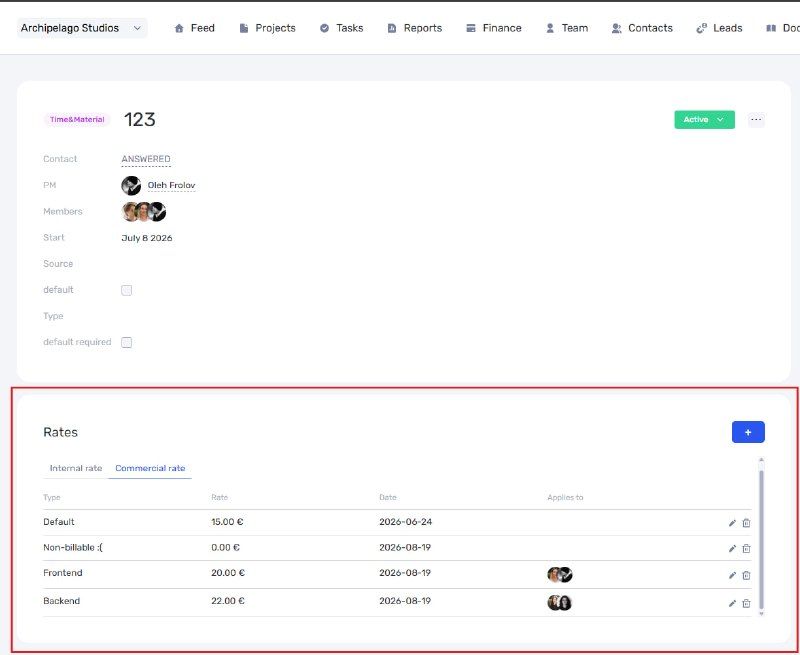
Project rate history
Income and expenses from the Tasks Report
Income or expense transactions can now be created directly from a selected row in the Tasks Report.
For example, a company can issue an invoice to a customer for completed work or create an expense to pay an employee for their work.
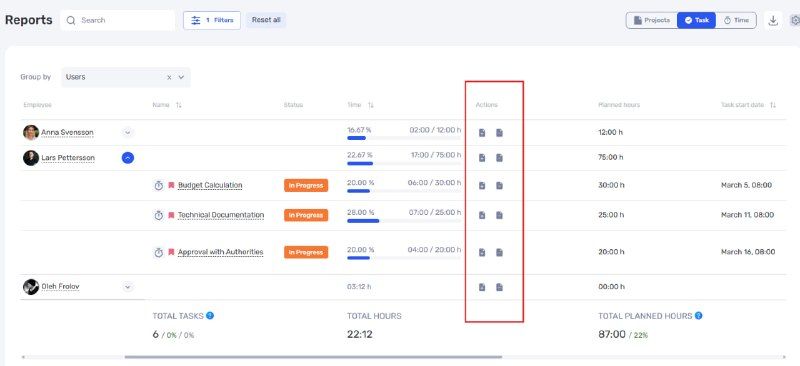
Creating a financial transaction from the Tasks Report
A more complete view of company finances
The new reports and settings complement Cash Flow and P&L, helping companies manage not only income and expenses but also assets, liabilities, settlements, taxes, and project rates in a single system.
Author
Vladyslav ChesnokovPublished
Aug 19, 2026
Was this update helpful?
Your feedback helps us prioritise what to ship next.
Start your free 7-day trial
No credit card required. Get full access to all features and see how if.team can transform your team's workflow.