
Remaining balance, currency, and inline editing on the project page
We updated two parts of the project page: economics and editing the main project data. The finance block now shows the remaining amount due and switches currency, while PM, participants, dates, and custom fields are edited right on the project page.
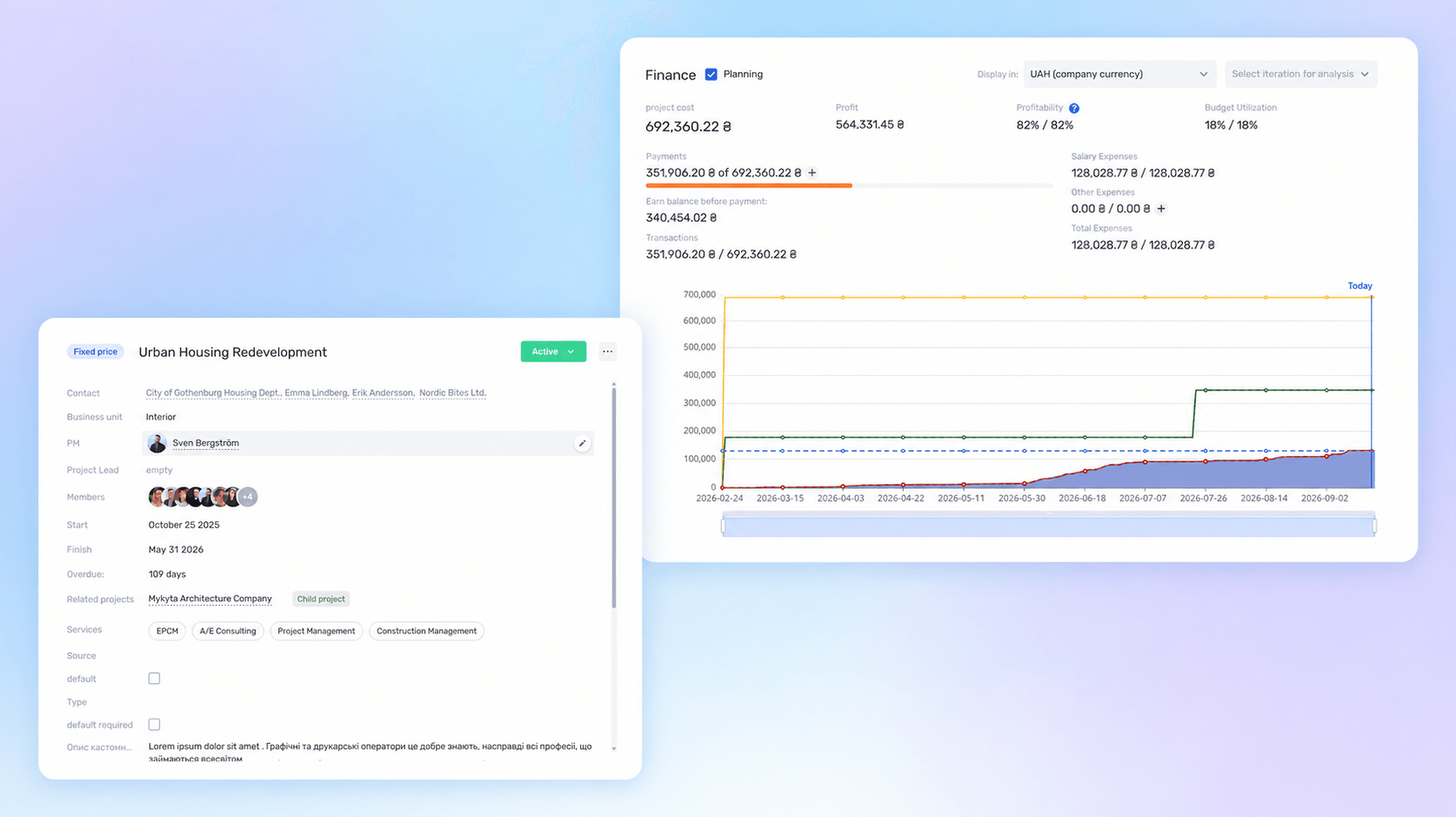
See the remaining amount due, not just payments
The economics block now has a separate remaining amount due indicator — the difference between the total project value and the payments already received.
For example, with a project value of UAH 692,360 and payments of UAH 351,906, if.team immediately shows UAH 340,454 left. The manager does not have to open transactions or do the math manually.
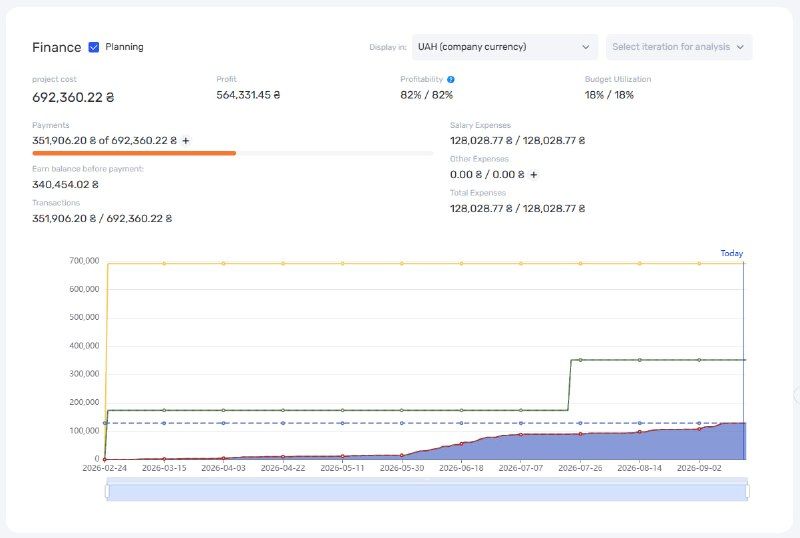
The finance block with payments, the remaining amount due, and the project economics chart
The financial picture stays in the context of the project
Next to the remaining balance you still see the project value, profit, profitability, budget utilization, salary expenses, and other expenses.
A single number does not show the whole picture. A large remaining balance is fine if the next payment is scheduled for another stage. And the opposite: an almost fully paid project can still have low profitability because of its expenses.
Switch the display currency
If the contract currency differs from the company’s base currency, the economics block switches between the project currency and the company currency.
A project manager needs the amounts agreed with the client. For management accounting, the same figures are easier to read in the company currency.
Edit the main fields right on the dashboard
PM, participants, dates, services, and custom fields are now changed in the main information block: an edit action appears next to the field, and the value is updated in place.
When the PM changes, there is no need to open a separate form, find the field, save, and go back to the project page.
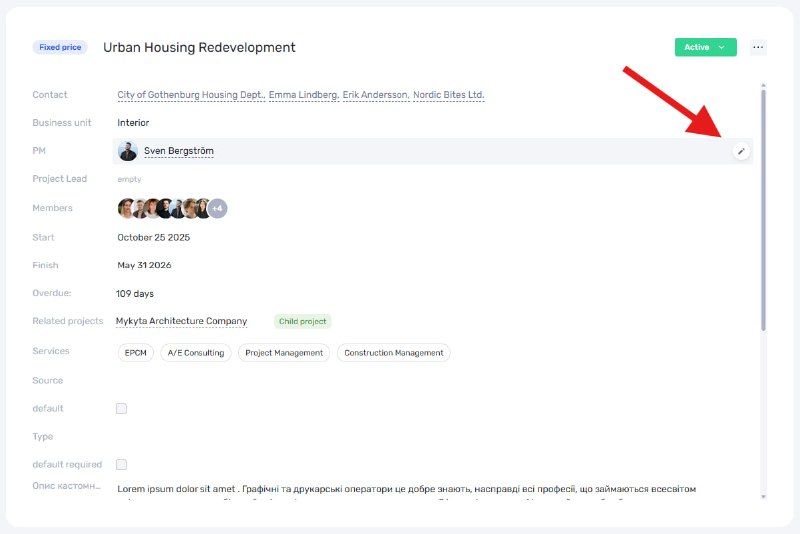
Editing the PM directly on the project page
Fewer switches, more up-to-date data
In an active project the data changes regularly: the person responsible, participants, deadlines, services. If every edit requires a separate mode, those extra actions add up quickly.
The easier it is to make a change, the fewer reasons to postpone it — and the more reliable the project page becomes as a source of information for the whole team.
Author
Vladyslav ChesnokovPublished
Sep 17, 2026
Was this update helpful?
Your feedback helps us prioritise what to ship next.
Start your free 7-day trial
No credit card required. Get full access to all features and see how if.team can transform your team's workflow.