
Related projects, updated checklists, and new task management tools
We have expanded project and task management capabilities in if.team. Projects can now be linked together, bulk operations are faster, and the Gantt chart, checklists, sorting, and iteration lists offer new configuration options.
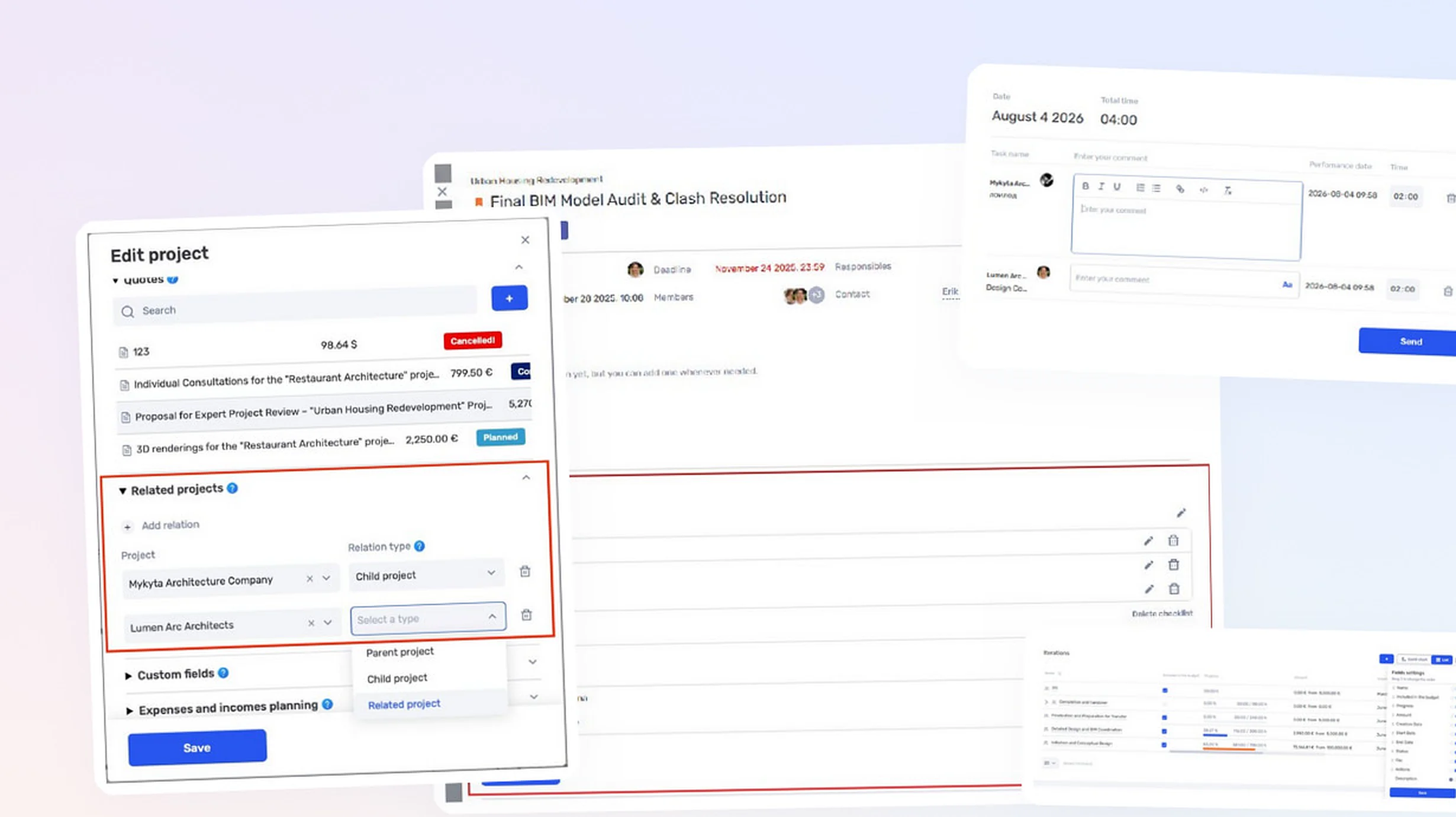
Linking projects
Each relationship can be assigned one of three types:
- Parent project — the current project’s financial metrics are included in the parent project;
- Child project — the child project’s metrics are included in the current project;
- Related project — an informational relationship with no impact on finances.
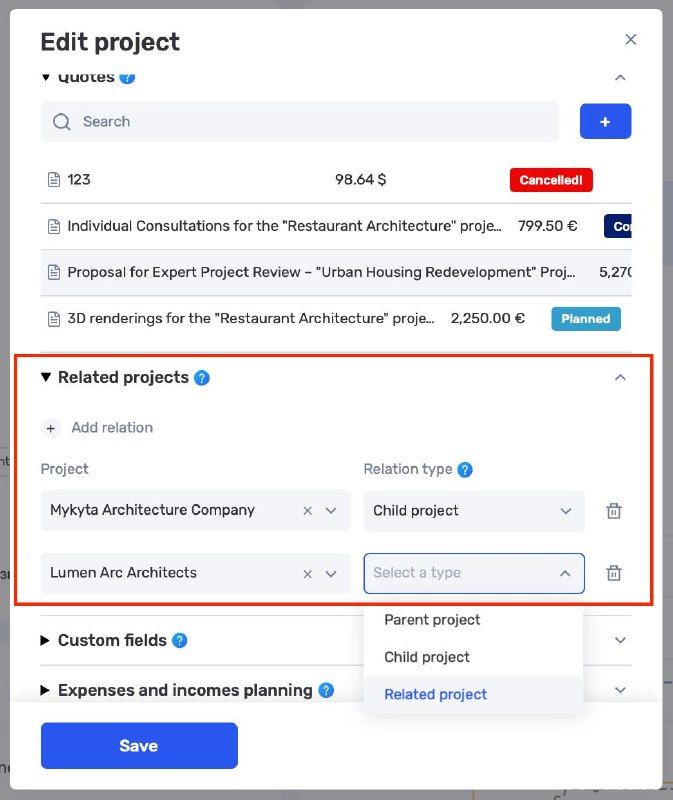
Configuring relationships between projects
Related projects are displayed directly in the project profile. This is useful when a large project is divided between several contracts, legal entities, or separate areas of work.
The team can maintain separate records for each part while preserving the overall context. For parent projects, the Finance section can include metrics from child projects.
Bulk project editing
Bulk actions are now available in the project list. Users can select several records and change the required parameters without opening every profile.
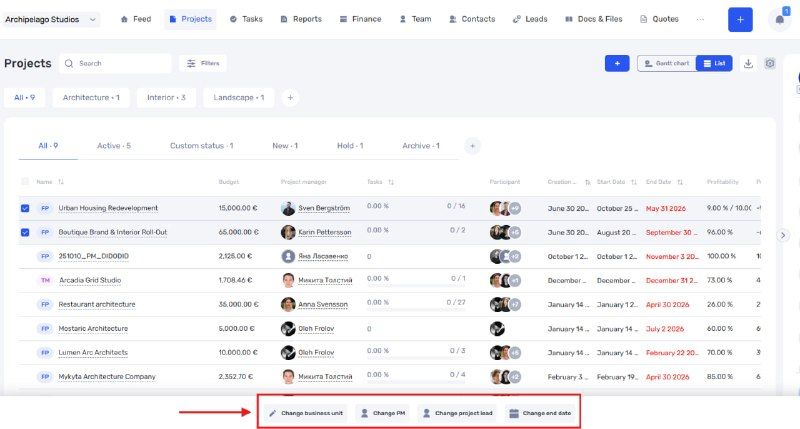
Bulk actions in the project list
Assignees can also be assigned or changed in bulk for tasks. An assignee can be replaced if no work time has been tracked for the task.
More Gantt chart settings
In the Gantt chart for projects and tasks, users can:
- reorder columns;
- adjust their width;
- show or hide individual columns.
This allows the table to be adapted to a specific workflow by keeping only dates, statuses, assignees, or other data important to the team.
Changing a project’s currency
The project currency can now be changed after the project has been created. This is available as long as the project does not yet contain calculations related to work time, payments, or other financial data.
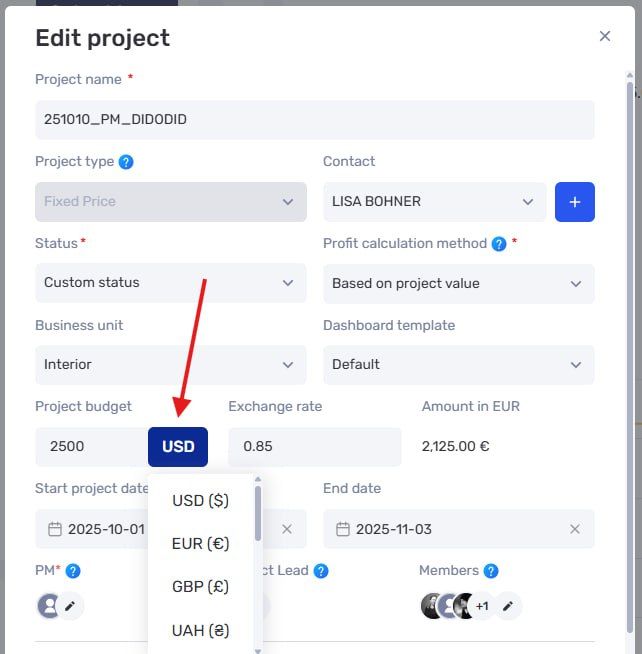
Changing the currency in project settings
This restriction protects existing financial metrics from incorrect recalculation.
Updated checklists
Checklists in tasks have been significantly redesigned in both the web version and the mobile app.
Checklist items and entire checklists can be reordered using drag and drop. Checklists can now be created, edited, and populated directly in the task profile without switching to a separate edit mode.
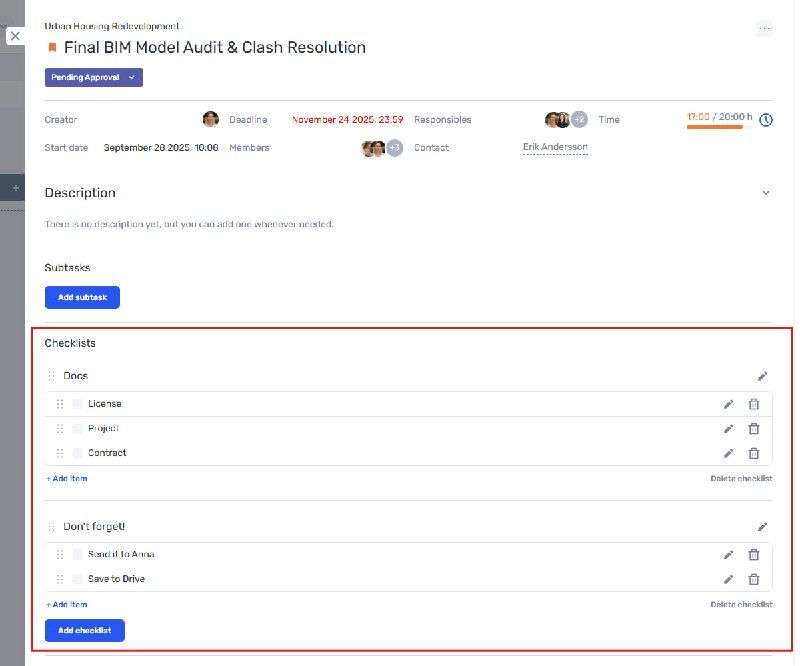
Updated checklist in the task profile
This is especially useful for recurring processes where the order of steps changes while the work is being completed.
System updates can be postponed
When a new version of if.team becomes available during work, the page refresh can be postponed. The user can finish the current action and start the update at a more convenient time.
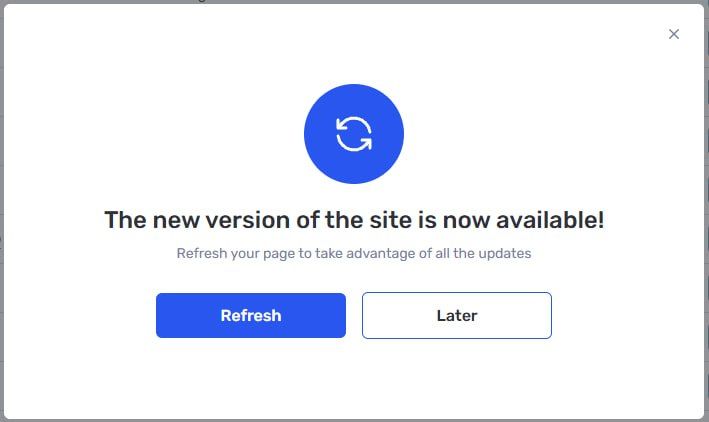
Option to update the system now or later
Markup editor for worklogs
A markup editor can now be enabled in descriptions of manually entered or tracked work time. It helps structure longer descriptions, highlight important information, and make entries easier to read.
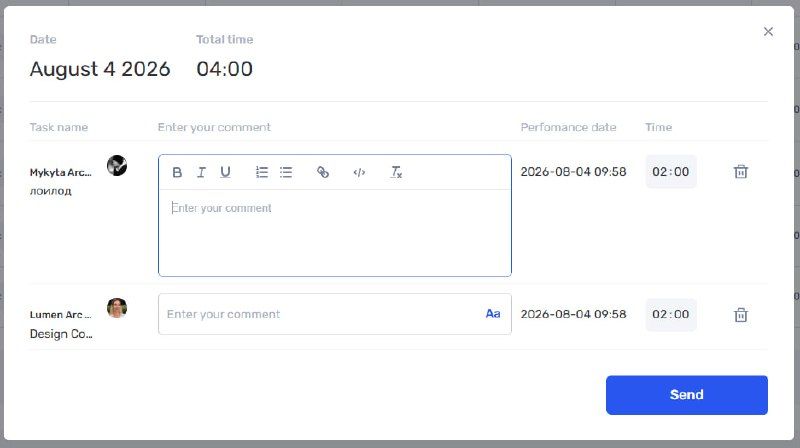
Markup editor in a work time description
Iteration list settings
The iteration list is now more flexible. Users can hide unnecessary columns, change their order, and keep only the information required for the current work on the screen.
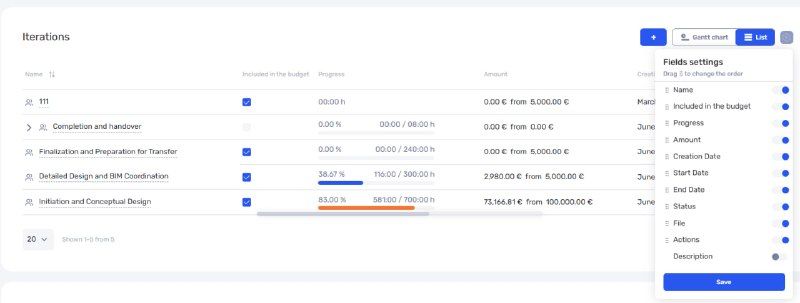
Configuring columns in the iteration list
New sorting across all modules
We have updated sorting for projects, tasks, transactions, leads, contacts, vacancies, candidates, and other items.
Sorting by custom fields is now available. All parameters have been moved to a dedicated panel where users can define the direction and priority of several sorting levels.
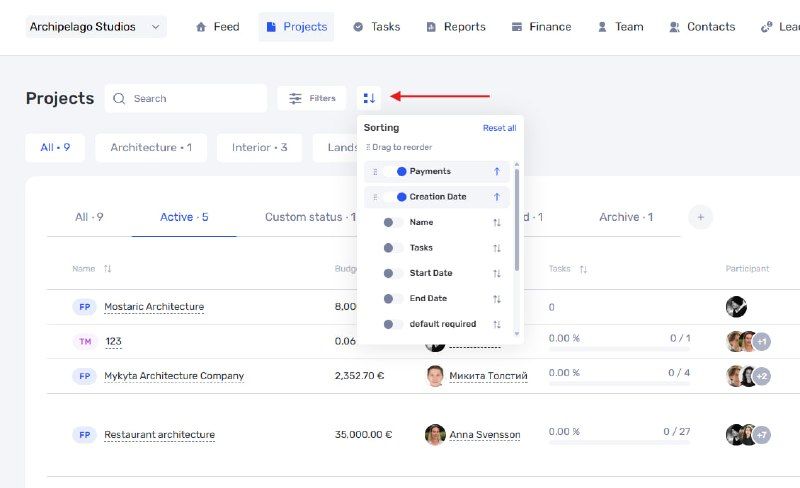
Sorting settings panel
Subtask sorting within a parent task has also been improved.
Fewer repetitive actions
The update makes it easier to work with large lists of projects and tasks. Bulk actions reduce the number of manual changes, related projects preserve the context of complex work, and flexible table settings allow every team to create a convenient workspace.
Author
Vladyslav ChesnokovPublished
Aug 18, 2026
Was this update helpful?
Your feedback helps us prioritise what to ship next.
Start your free 7-day trial
No credit card required. Get full access to all features and see how if.team can transform your team's workflow.