
if.team mobile app: projects, Deep Links, and new notifications
The if.team mobile app has received several major updates. It now supports full project management, Deep Links, lead conversion, custom fields, and expanded filters. We have also updated notifications in both the mobile app and the web version.
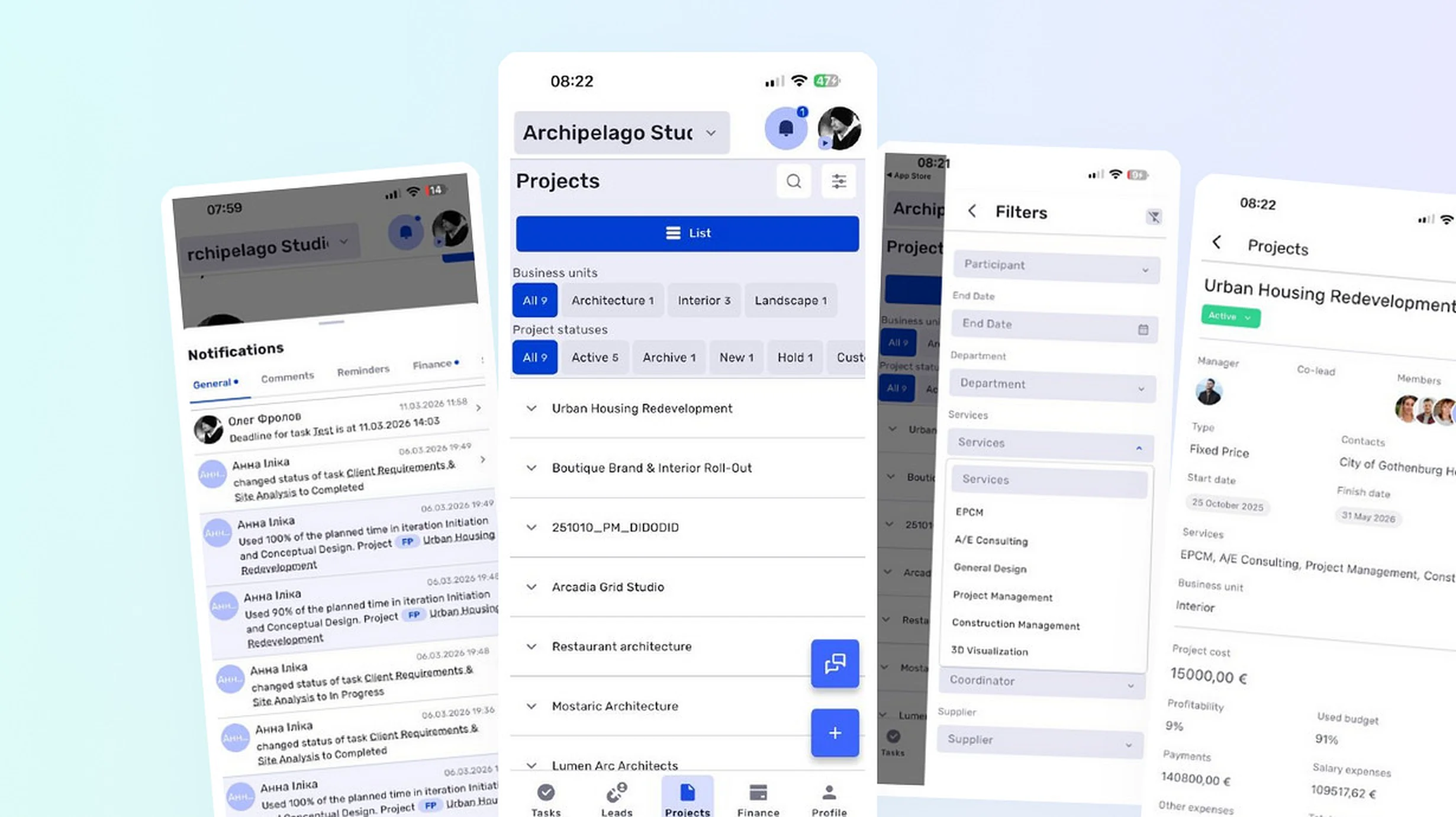
Push notifications and a dedicated notification center
The mobile app now sends push notifications about important events in tasks, leads, transactions, and comments. Notifications arrive even when the app is closed.
A dedicated screen for system notifications is also available. It allows users to review recent events and quickly open the related item.
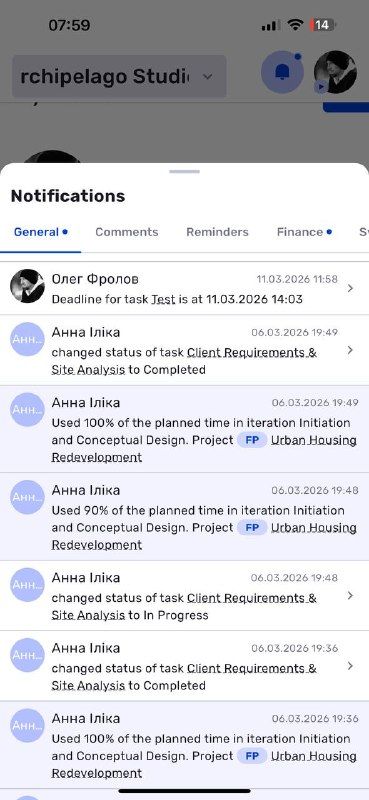
Notification center in the mobile app
Full project management
The app now includes a project list with filters and statuses. Users can find the required project, review its main information, or create a new one without opening the web version.
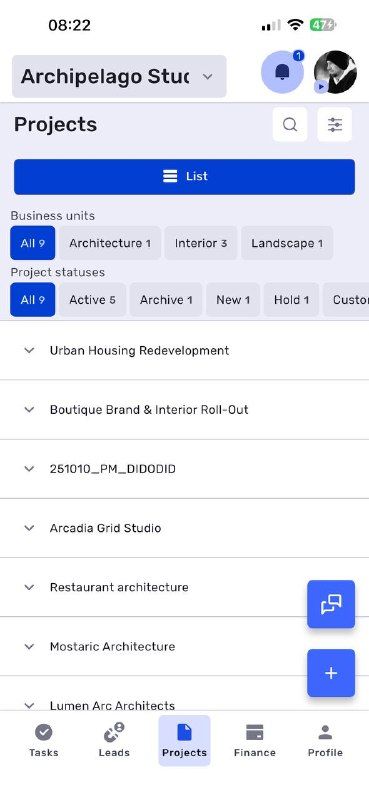
Project list in the mobile app
The project profile displays its members, status, key financial metrics, description, and comments. Projects can be created and edited directly from a phone.
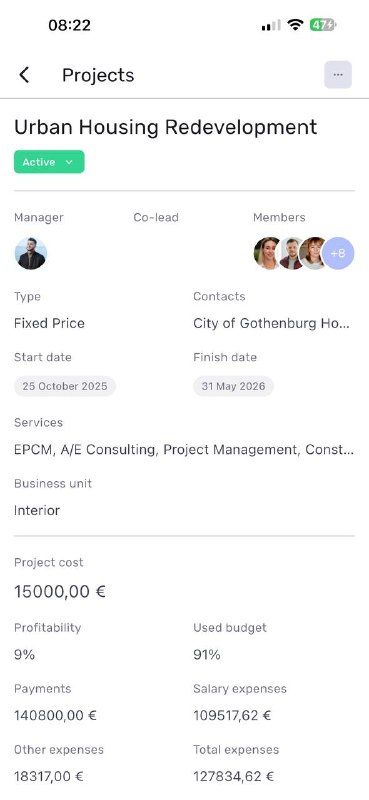
Project overview and finances
The project screen was later expanded with related transactions and tasks. This provides a complete overview of the work without switching between separate sections.
Deep Links
Links from if.team now open the relevant screen directly in the mobile app. This works for links from system notifications, emails, work chats, and other sources.
Deep Links support projects, tasks, leads, transactions, and other items. Instead of seeing the home screen, the user is taken directly to the linked profile.
Working with leads
A lead can be converted into a project directly in the mobile app. During conversion, the user reviews the data and proceeds with the work without opening the web version.
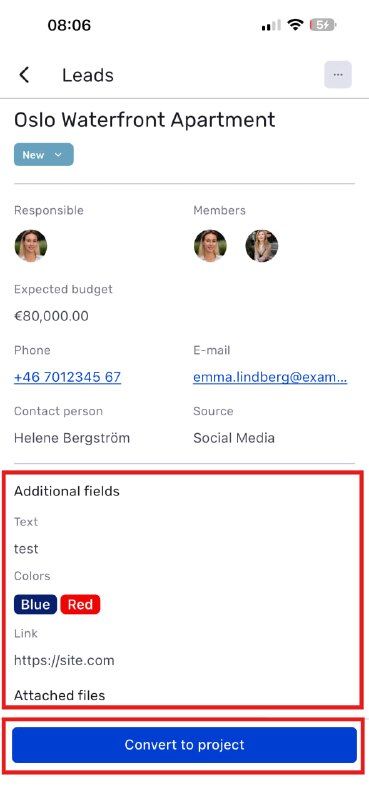
Converting a lead into a project from the mobile app
Custom fields, statuses, and filters
Custom fields are now displayed in the mobile profiles of tasks, transactions, leads, and projects.
A status can be changed directly from a list without opening each profile separately. We have also added more information to task, lead, and transaction lists and expanded the available filtering options.
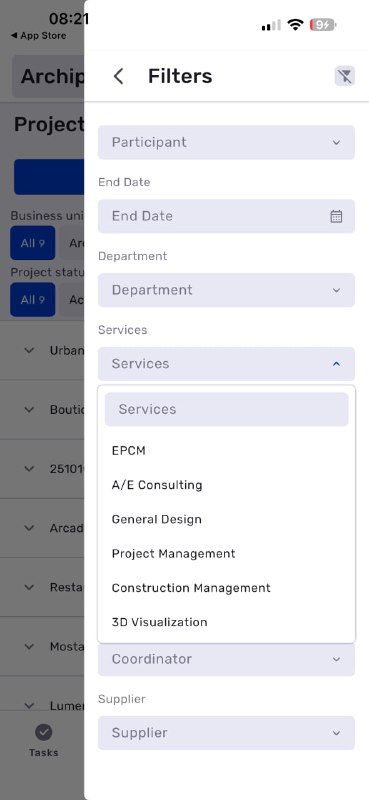
Expanded filters in the mobile app
Updated comments and chats
Images and videos are now displayed correctly in comment feeds. Code blocks and file uploads without additional text are also supported.
We have improved keyboard behavior, forms, and file handling, made chats and comments faster, and increased the app’s overall stability. The selected company is now remembered between sessions.
Faster notifications in the web version
Browser notification performance has more than doubled. Users can mark all notifications as read with a single click both in the popup and on the full notifications page.
Unread message and notification counters have also been added.
Sound notifications in the browser
The browser can play a sound when a new internal chat message or system event occurs. The specific events depend on the user’s personal notification settings.
Sound notifications work while the relevant company tab is open in the browser. Sound can be enabled or disabled separately in the user profile.
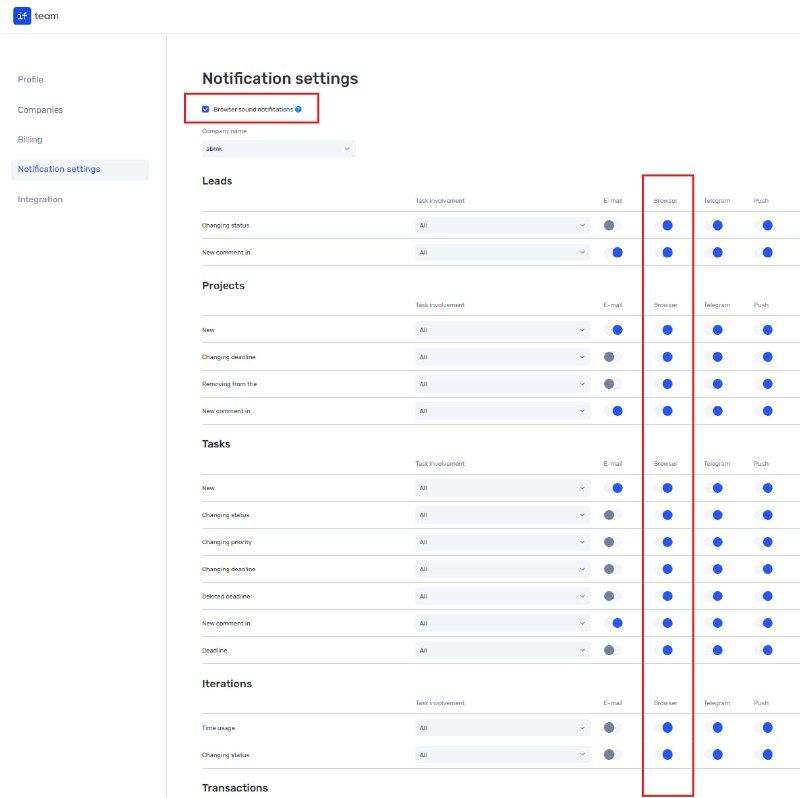
Sound notification settings
Working with if.team away from the workplace
The updated mobile app covers the primary workflows for projects, leads, tasks, and messages. Teams can respond to changes faster and continue working even when the web version is not available.
Author
Vladyslav ChesnokovPublished
Aug 17, 2026
Was this update helpful?
Your feedback helps us prioritise what to ship next.
Start your free 7-day trial
No credit card required. Get full access to all features and see how if.team can transform your team's workflow.