
How an Event Agency Organized an Event in 7 Days with a 1 Million UAH Budget Using if.team
Our client was organizing a conference for 150 participants at the Parkovy Conference Center. To coordinate all this quickly and without mistakes, the team chose if.team.
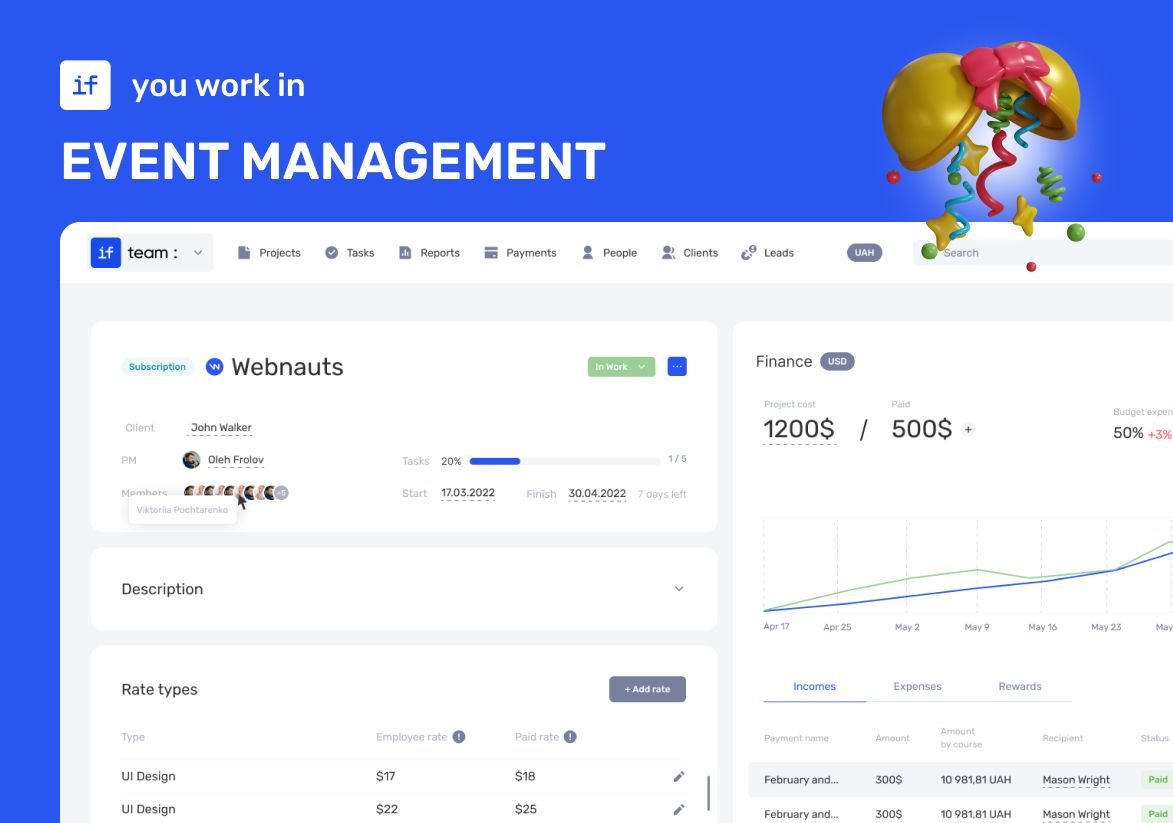
Our client was organizing a conference for 150 participants at the Parkovy Conference Center. After winning the tender, only 7 days remained for preparation. It was necessary to plan the space, engage contractors, organize catering, technical support, a photo zone, decor, furniture, online streaming, simultaneous translation, registration, badges, and much more.
To coordinate all this quickly and without mistakes, the team chose if.team. The service helped manage tasks and subtasks, control the budget, and monitor the project’s finances in real time.
if.team became the client’s main working tool for coordinating processes and managing finances. Below — details on how the team used the service.
The Task That Needed to Be Solved
The client, an event organizer, had only 7 days to prepare after winning the conference tender. The tasks included:
- coordinating all processes between managers and contractors;
- tracking and controlling 12 expense items;
- ensuring timely completion of tasks and adherence to deadlines;
- having transparent budget and project financial control in real time.
The team was looking for a service that would allow them to manage all projects in one place, assign tasks across departments, plan subtasks, track progress, and see the financial status of each stage. It was important that the tool be of Ukrainian origin with a user-friendly Ukrainian interface. That’s why our service, if.team, was a perfect fit.
How the Event Agency Managed Tasks in if.team
Preparing the conference required more than just following a checklist; it required precise control over what, when, and by whom tasks should be done. The client used if.team as a single working panel, where all tasks, deadlines, and responsible parties were in one service. This allowed tracking progress without unnecessary clarifications or information loss.
Task Calendar
The task calendar in if.team became the main reference for managers. On one screen, it was possible to see what was planned for each day of the week, which stages were starting or ending, and where there were risks of delays.
The team could immediately see:
- which tasks were scheduled for today and tomorrow;
- which deadlines were approaching;
- which tasks depended on others.
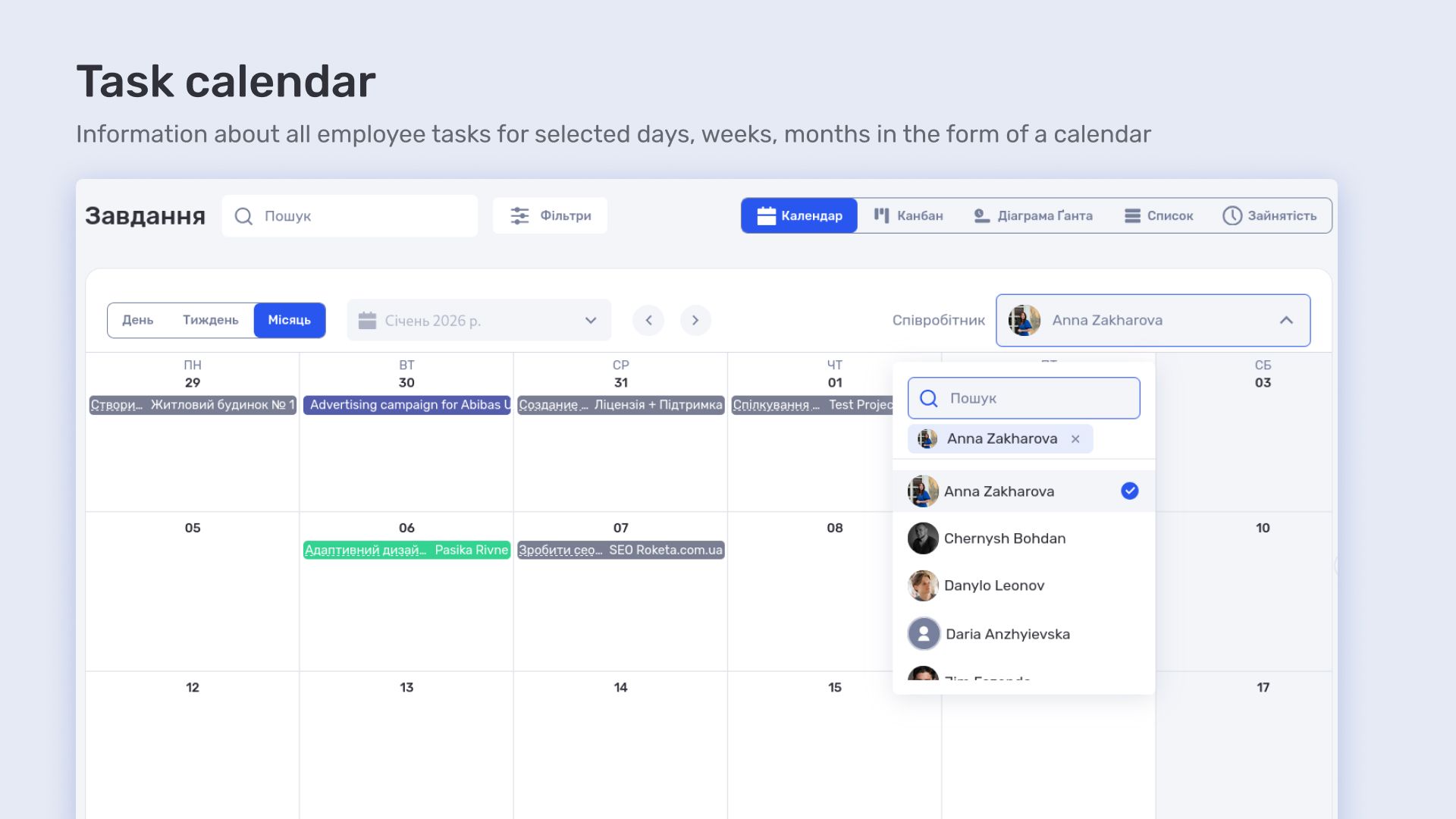
It worked as a roadmap for the entire project. Instead of dozens of separate documents and chats, the manager opened the calendar and immediately saw the overall picture for the week. This was especially helpful with tight deadlines — easy to see where the schedule was packed and where there was room for adjustments.
Gantt Chart
The Gantt chart provided a consolidated view of the whole process. When tasks were broken into stages, managers could see not just dates, but dependencies between them.
For example:
- LED screen installation could not start until technical equipment was approved;
- the photo zone appeared only after furniture installation;
- simultaneous translation required a ready guest seating arrangement.
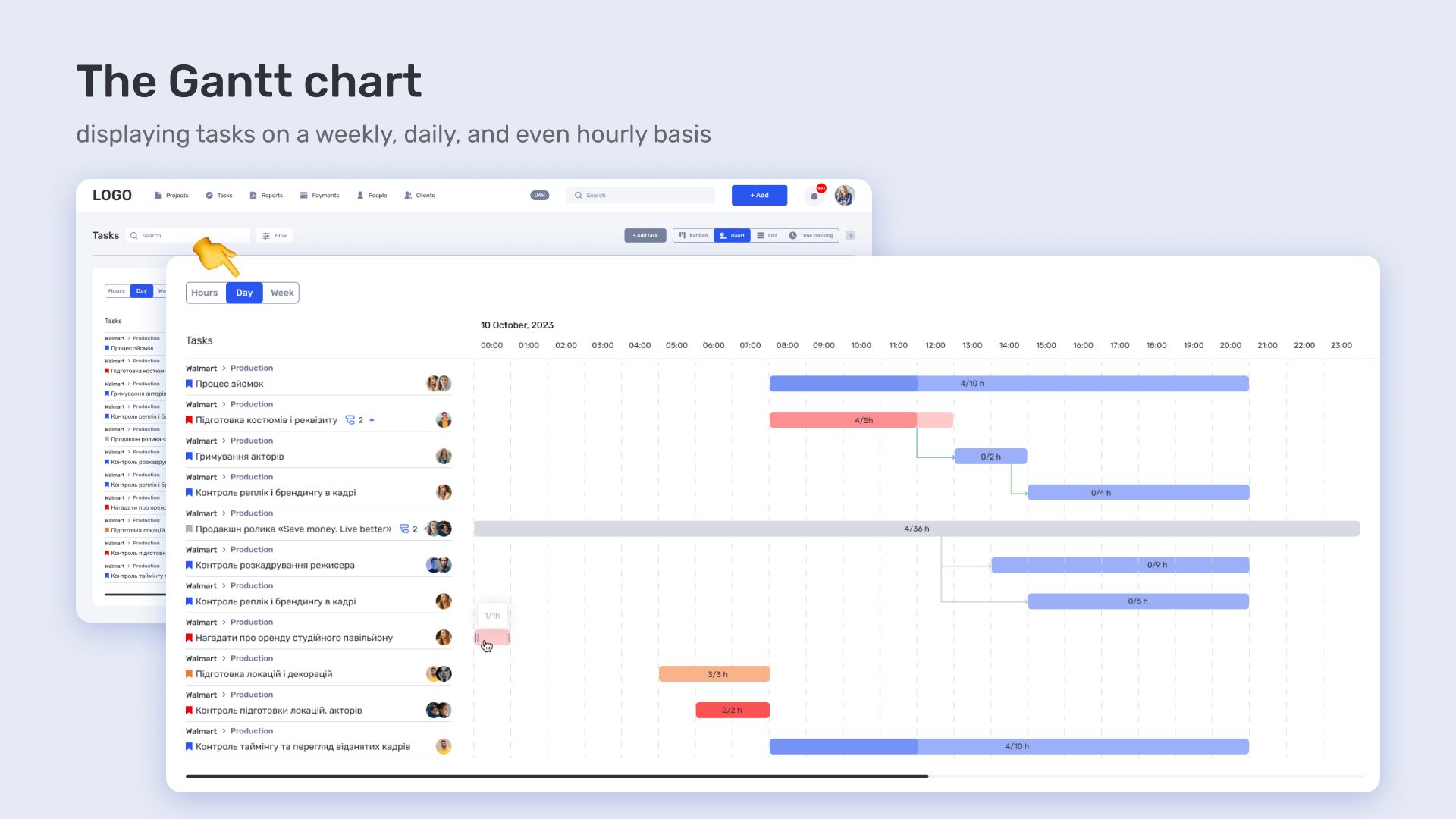
The Gantt scale showed what was happening in parallel and what was in sequence. In case of a delay in one task, it was immediately clear which other processes would be affected, allowing quick resource reallocation.
Subtasks
Subtasks were also crucial — they allowed large blocks of work to be broken down into clear steps with assigned responsibilities and deadlines.
For example, the task “Organize catering” included subtasks:
- agree on the menu with the supplier;
- finalize the number of servings and serving schedule;
- approve delivery logistics;
- prepare quality certificates and documents.
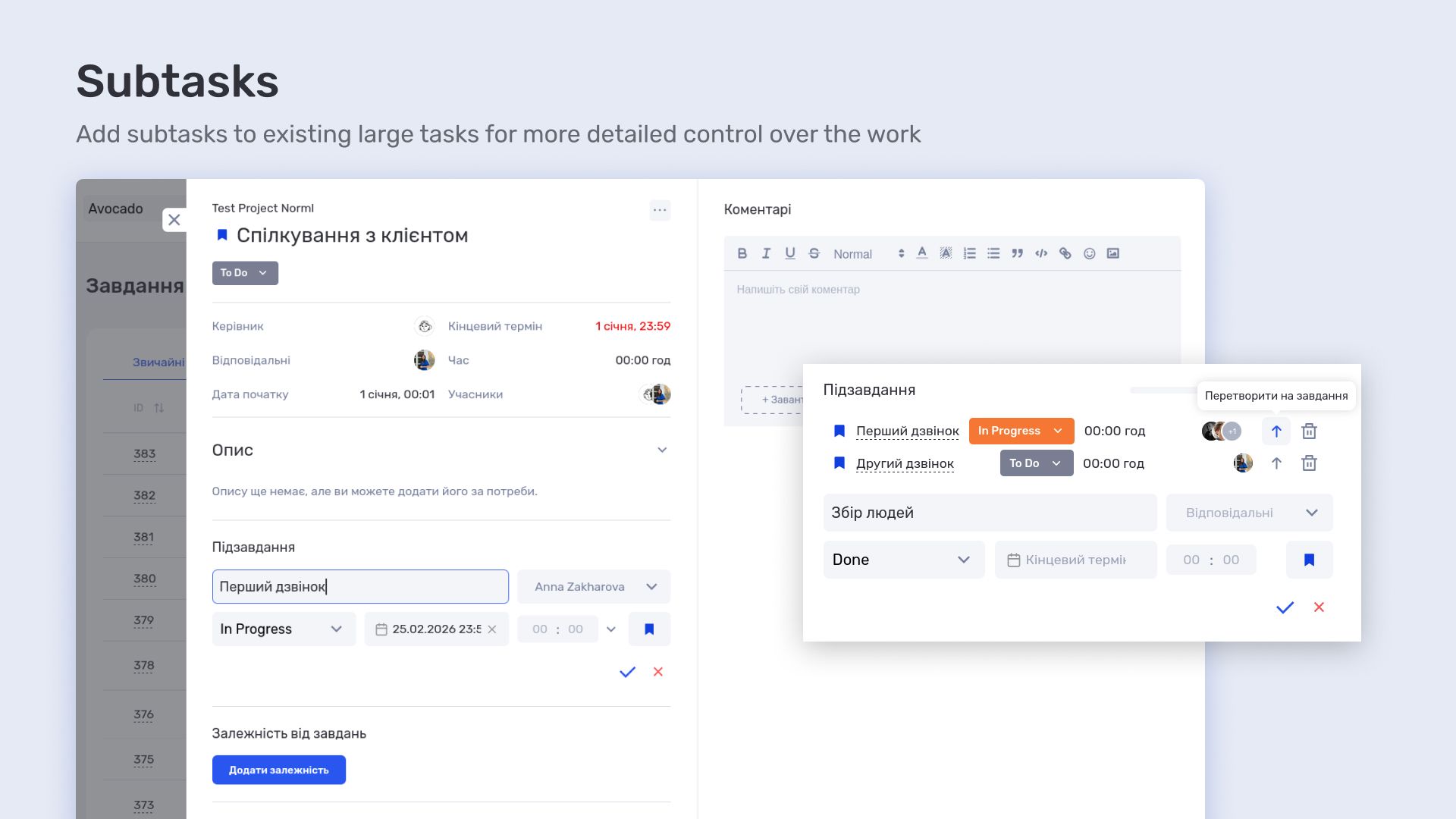
Similarly, under “Photo and Video Shooting,” the team created subtasks such as “location approval,” “operator schedule synchronization,” and “export photos/videos after the event.”
Each subtask had its own executor, due date, and was linked to the overall schedule. This ensured no detail was missed, even when many tasks overlapped.
How the Event Agency Managed Finances in if.team
Once tasks were laid out, the team began controlling the budget and cash flow through if.team’s functionality. The service allowed them to track income, expenses, and transfers simultaneously without manual calculations.
Cashflow
In the cashflow section, the team added all client income, expenses for catering, furniture, LED screen, decor, photo zone, online streaming, and translation, as well as transfers between accounts. For each transaction, they indicated:
- amount and currency;
- debit and credit accounts;
- bank card or bank;
- counterparty;
- expense or income category;
- payment due date.
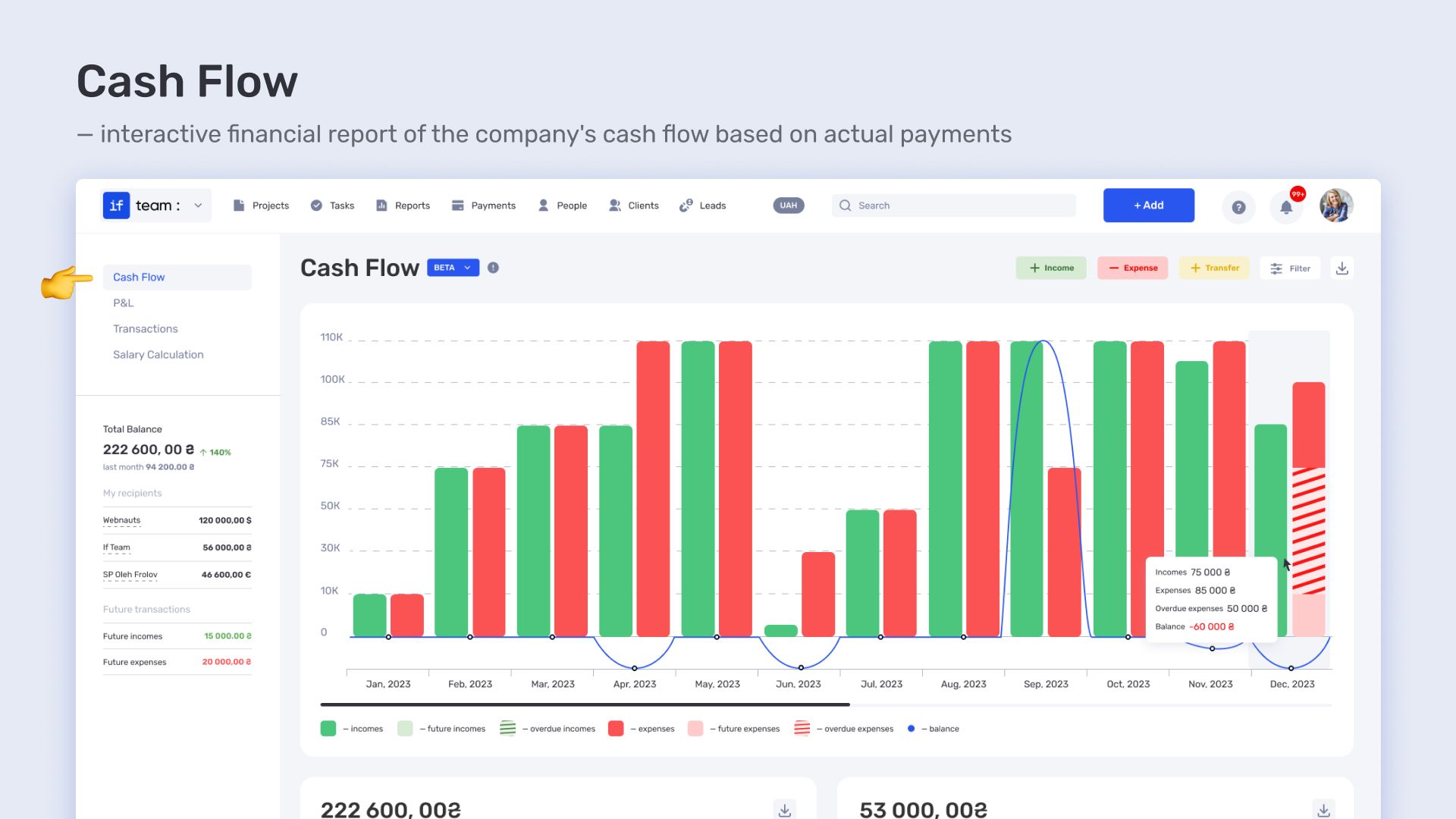
These data were immediately reflected in a chart showing not only current income and expenses, but also future payments, overdue expenses, total balance, and cash flow trends. A separate section showed expense categories, and the transaction table allowed quickly finding a specific payment and checking its status.
P&L
P&L allowed evaluating project profitability. The chart tracked:
- actual income and expenses;
- net cash flow;
- end-of-period balance;
- comparison of planned vs. actual figures.
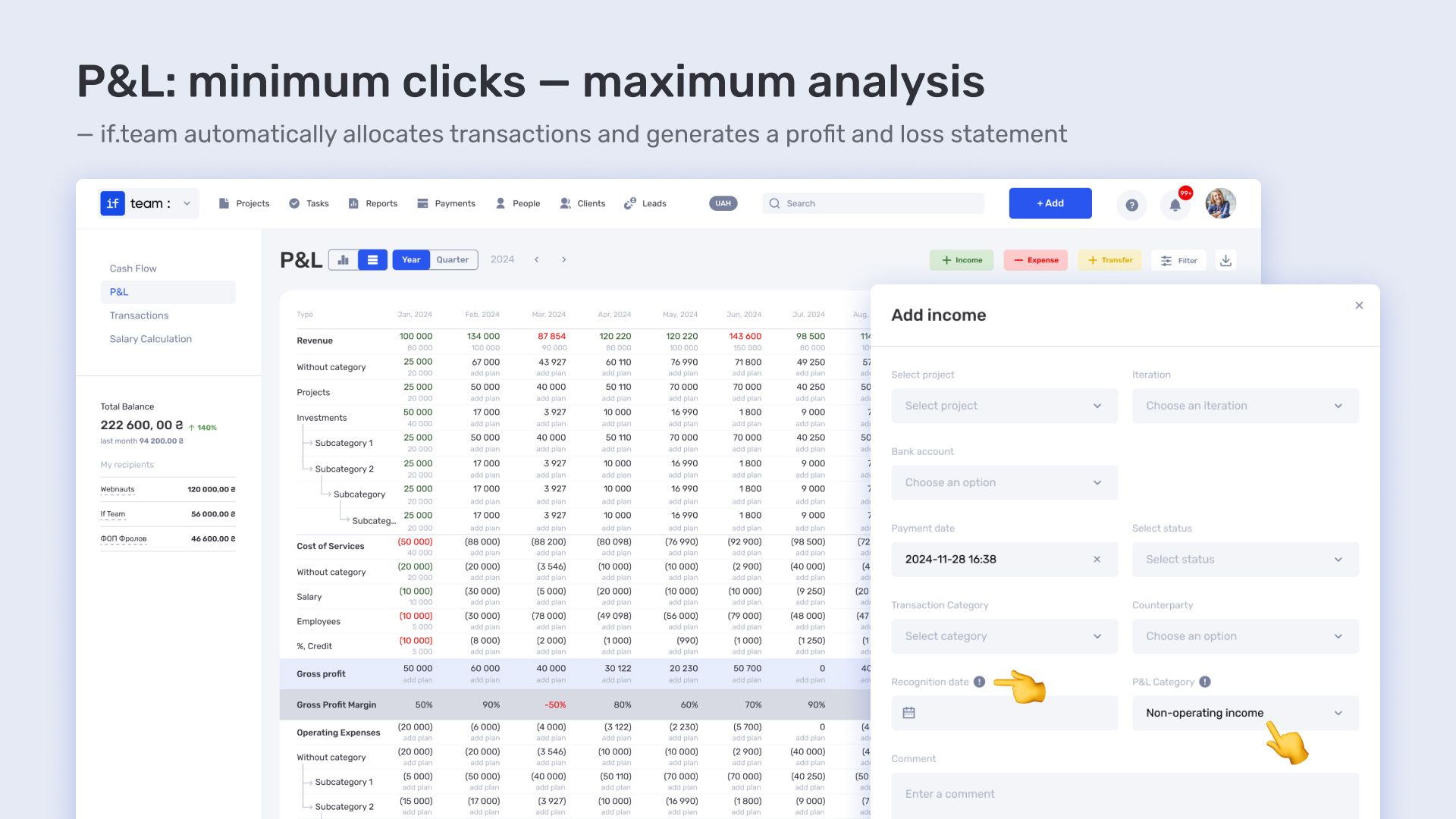
The transaction table showed which expense item exceeded the budget, enabling quick plan adjustments. For example, catering expenses were controlled and did not exceed the planned amount.
Transactions
The Transactions section served for quick entry of any payments and income, including internal transfers. The table displayed:
- total future expenses and payments;
- actual expenses and income;
- balance after each operation.
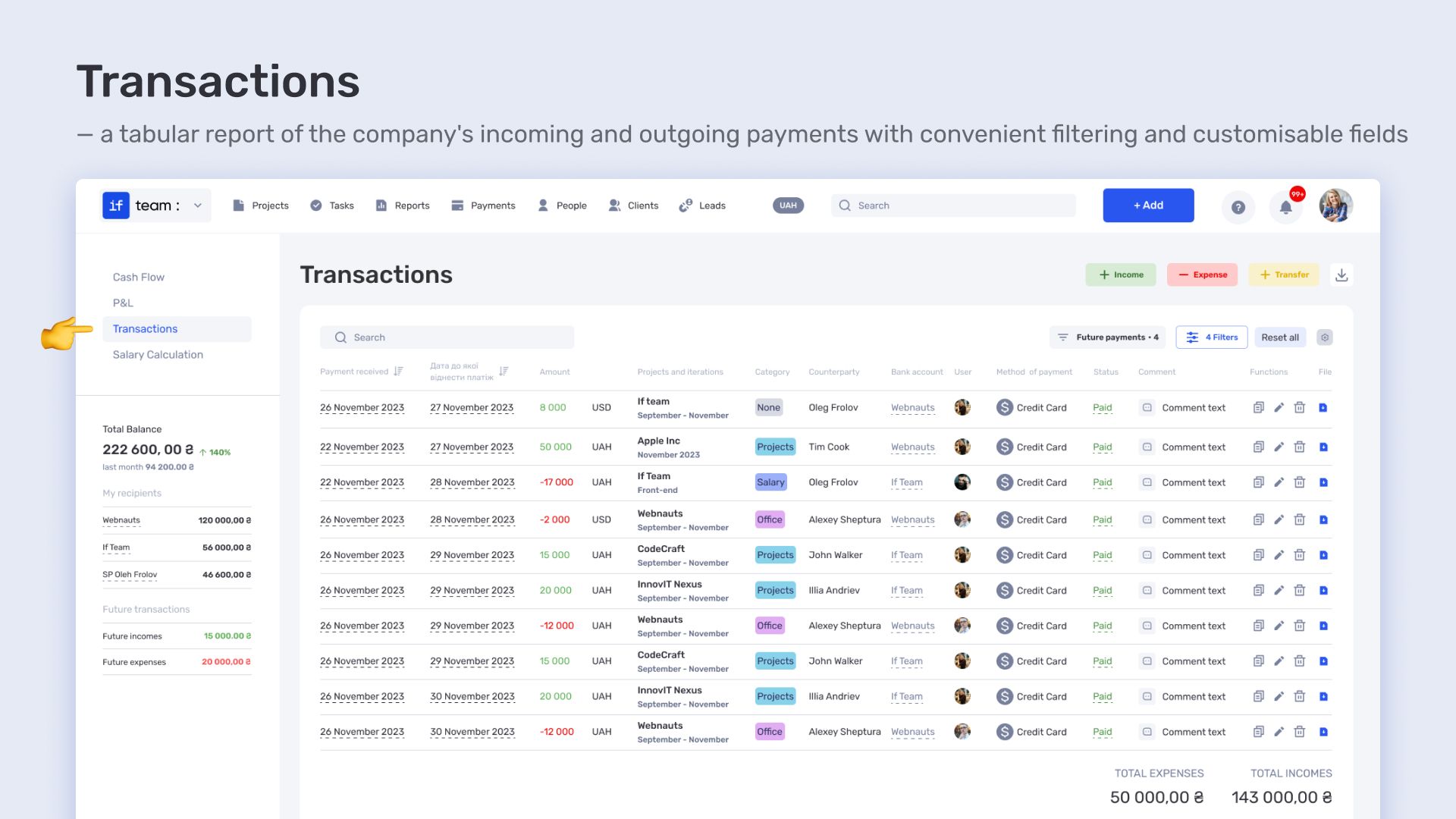
This gave the team full financial transparency in real time: from expense items to the overall project balance, without manual consolidation or external spreadsheets.
Results of Using if.team for the Event Agency
Our client used if.team to coordinate tasks and manage finances during conference preparation. The task calendar displayed all tasks for the week on one screen, allowing quick assessment of workload and progress. Each task was linked to a specific manager or contractor, preventing duplication and information loss.
The Gantt chart showed dependencies between tasks and subtasks, helped plan work sequences, and assess risk of delays. Subtasks detailed processes such as setting up online streaming or arranging the photo zone, all controlled in real time.
The financial module included cashflow, P&L, and transactions. The team added income, expenses, and transfers with full detail: accounts, counterparties, categories, currency. Charts showed income, expenses, upcoming and overdue payments, while transaction tables allowed quick financial analysis and an overview of the total balance.
Thanks to if.team, the event agency was able to organize the conference on time, control all processes, and manage finances transparently, even within a very short timeframe.
Author
Vladyslav ChesnokovPublished
Jan 23, 2026
More articles to read
How the legal company “Zakhyst Vlasnosti” uses if.team for project management and time tracking
In this case, we will look at which tasks were important for the company “Zakhyst Vlasnosti”, how they came to using if.team, and how they built their work in the system.

How 3D production studio Pixready manages projects, time, and economics in ERP system if.team
Pixready approached us with the goal of building a more transparent system for managing tasks, time, and project economics. To achieve this, we adapted the product to their real processes, relied on team feedback, and improved the service.

How Meta Team Academy Automated Poker Academy Operations with if.team
As the number of players and operational complexity grew, the company needed to bring all processes into a single system in order to manage operations centrally and get real-time financial visibility.
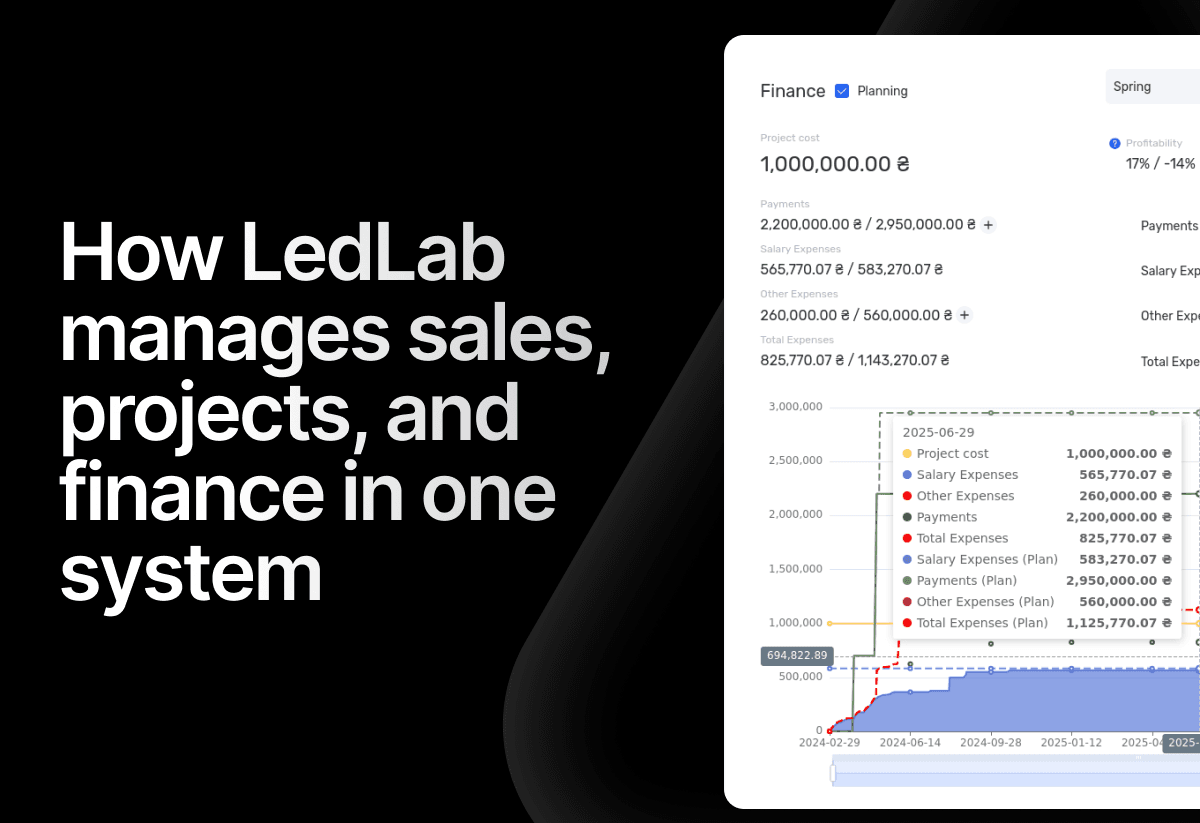
How the electrical engineering company LedLab built a full workflow from leads to company finances using if.team
To build this chain as a unified system, the company implemented if.team as its core management platform. Our team supported the setup and implementation of processes.
How architectural design studio Replus implemented if.team and built a project and financial management system in two years
This case shows how their current workflow is structured and how an ERP system connected operational processes with the economics of the business.

if.team is the New Task Manager for the Atlas Weekend Team
Atlas Weekend was looking for a task manager to organize the team’s internal workflow. They needed a tool where projects could be managed, tasks assigned across departments, work planned, and the real status of operations visible at any moment.
Start your free 7-day trial
No credit card required. Get full access to all features and see how if.team can transform your team's workflow.