
How 3D production studio Pixready manages projects, time, and economics in ERP system if.team
Pixready approached us with the goal of building a more transparent system for managing tasks, time, and project economics. To achieve this, we adapted the product to their real processes, relied on team feedback, and improved the service.

In project work, the connection between processes is critical — how tasks are created, how work is executed, and how this is reflected in project economics, either in real time or retrospectively.
This is especially visible in 3D production. There are many parallel projects, different types of tasks, constant team workload, and a high dependency of results on the actual time spent.
In such conditions, fragmented tools quickly stop providing a complete picture. A single system is needed where tasks, working time, and project economics are connected and provide a transparent understanding of what is happening. For 3D studio Pixready, that system became if.team.
About the client
Pixready is a 3D studio that creates visual content and 3D models for different types of projects. The main focus is commercial 3D visualization and production, where precision, deadlines, and the ability to manage a large number of tasks simultaneously are essential.
The team consists of around 50 people. It is a distributed structure with different roles: artists, modelers, animators, technical specialists, and management. The work is organized around a project-based model, where several active projects run simultaneously at different stages of completion
Each project goes through a chain of stages and requires constant control of team workload. A key role is played by tracking actual time spent, since it directly affects production costs, resource planning, and overall project economics
An additional challenge is the high density of tasks and the need to quickly redistribute resources between projects without losing transparency over deadlines and workload.
Pixready approached us with the goal of building a more transparent system for managing tasks, time, and project economics. To achieve this, we adapted the product to their real processes, relied on team feedback, and improved the service not only for their scenarios but also for other companies in the same sector and with a similar working model. More details follow in the case.
Implementation and improvements for Pixready
The implementation of if.team for Pixready included not only system setup but also an extension of reporting logic and data handling tailored to real 3D studio workflows. The main focus was to make analytics more flexible — allowing tasks, time, and economics to be viewed across different dimensions: clients, departments, roles, and projects.
Most improvements were implemented based on feedback from the Pixready team and were supported by configuration during real usage to ensure the system accurately reflected their actual workflows.
Task report extension
One of the key improvement areas was task reporting. It was expanded so that each time entry includes not only the task itself but also the business context in which it is executed.
Client linking was added to reports. This made it possible to analyze how much time the team spends on specific clients and how workload is distributed across different types of projects. Reports stopped being only an internal tool and became understandable in terms of client structure.
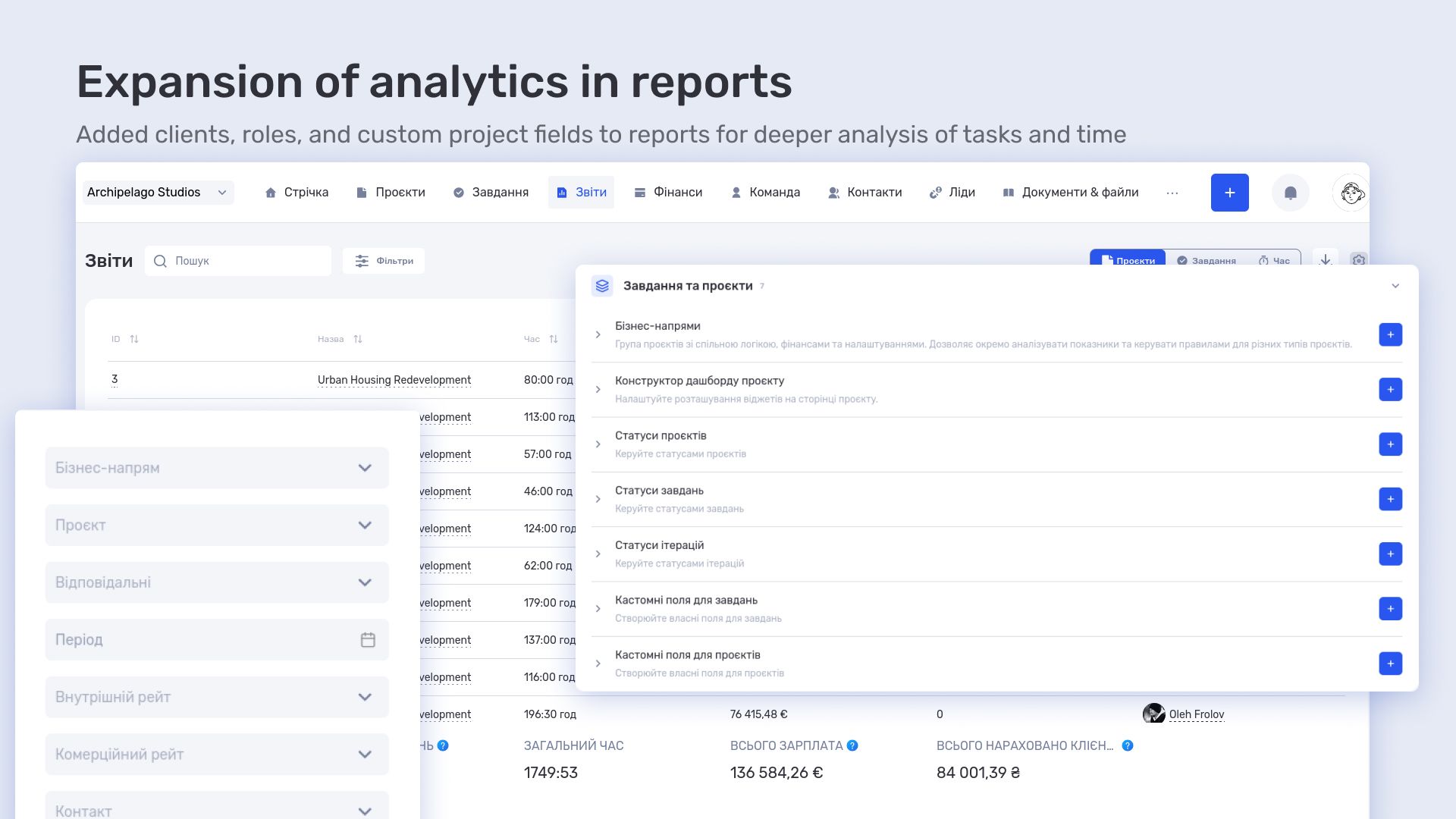
Information about the performer’s role or department was also added. This made it possible to analyze time not only by individual employees but also by functional teams — for example, 3D, animation, management.
Custom project fields were also added to reports. This allowed Pixready to adapt analytics to their internal project logic by adding parameters that are important for their production process.
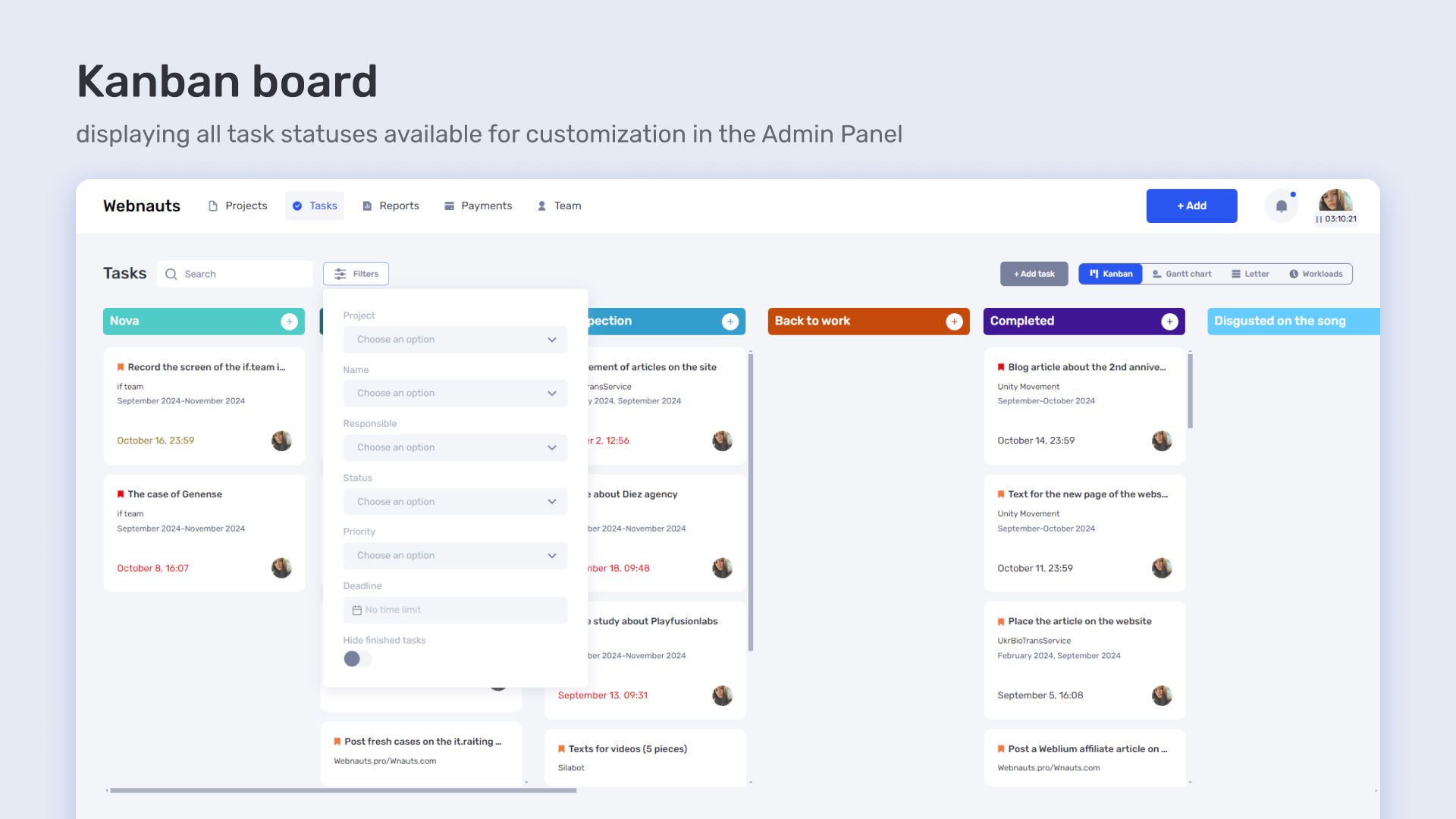
Kanban filtering by departments
A department filter was added in the task Kanban view. This changed how the task flow is handled — instead of a single general list, the team can now view work across separate directions independently.
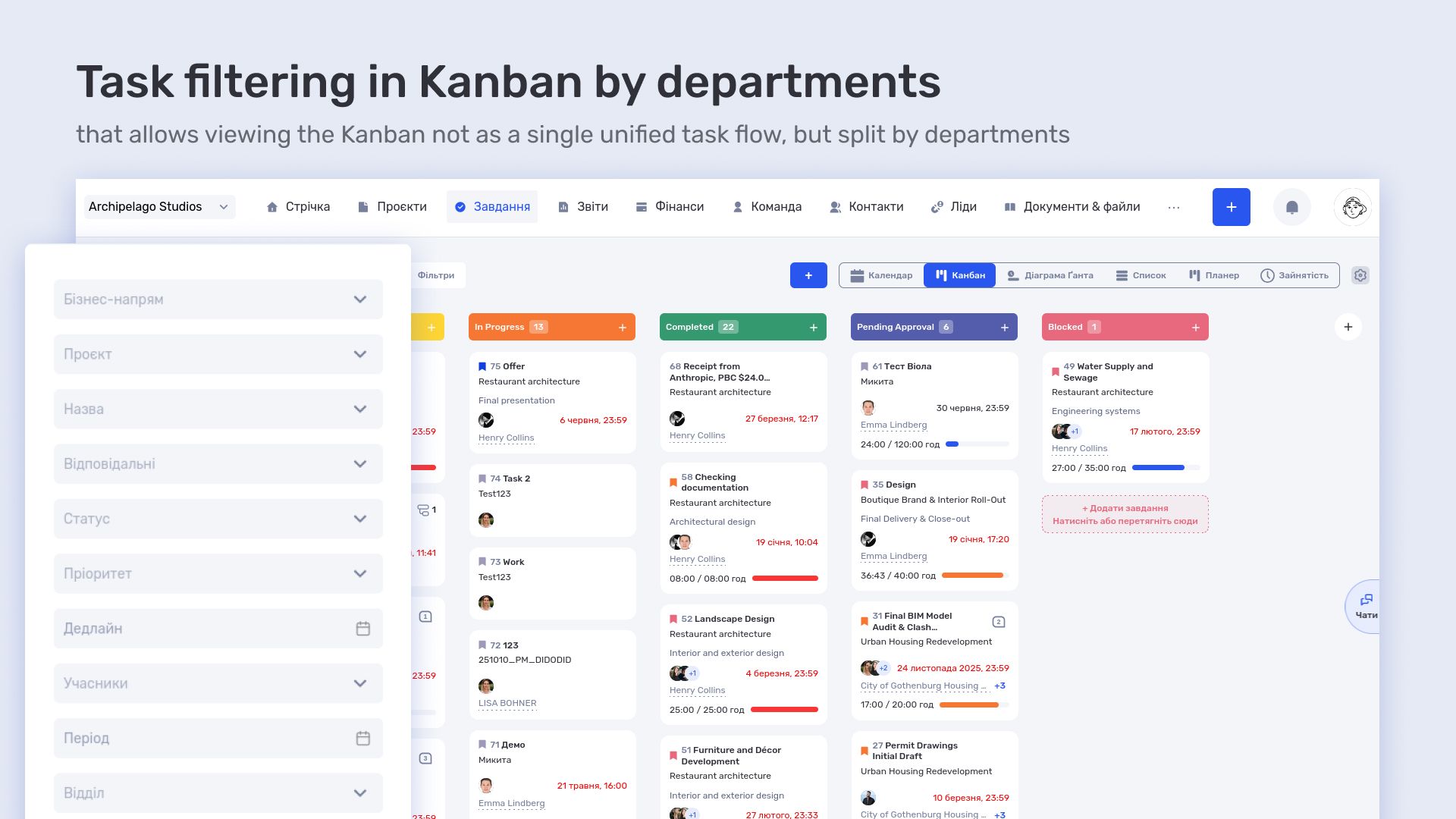
In practice, this is used to distribute workload across different parts of the studio. Managers can quickly assess how work is progressing within a specific department and where bottlenecks appear without switching between projects manually.
Planned vs actual project time
The project table was extended with planned and actual time tracking. The logic was designed to align with the iteration-based workflow already used by the team.
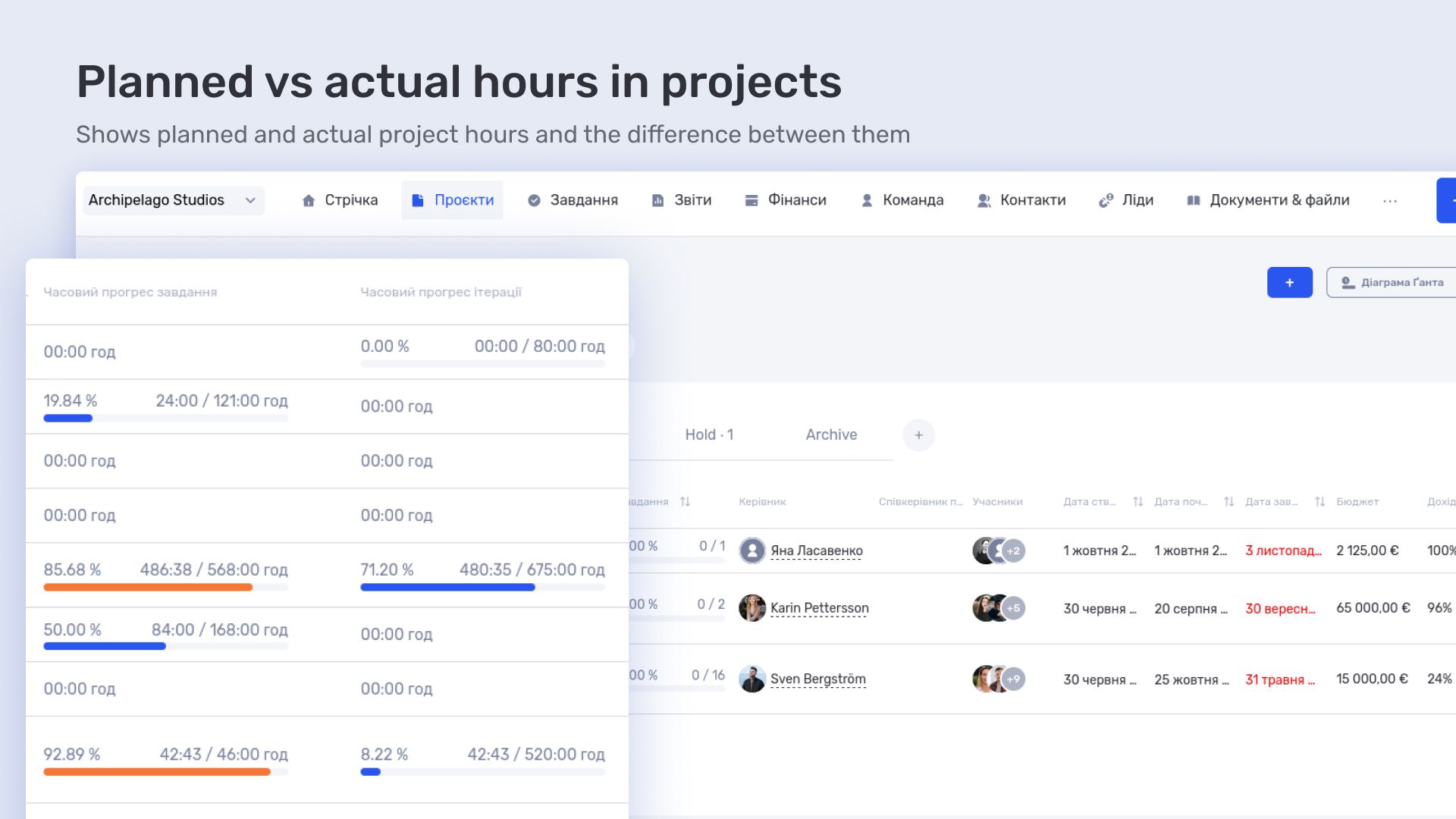
This made it possible to see deviations between planned hours and actual time spent during execution. As a result, a tool emerged for controlling not only task progress but also the real cost of projects in time.
Custom fields in analytics and reports
Custom fields were introduced into task and project reports. This made it possible to extend the standard data model without changing the core system structure.
Pixready uses this to add custom attributes to tasks and projects that are important for their production workflow. In reports, these fields become part of analytics and allow for more precise data slicing for specific management needs.
Report export configuration
A flexible report export system was configured so that different management levels can work with their own data sets. Operational teams use detailed task and time data, while management works with aggregated views across projects, departments, and clients.
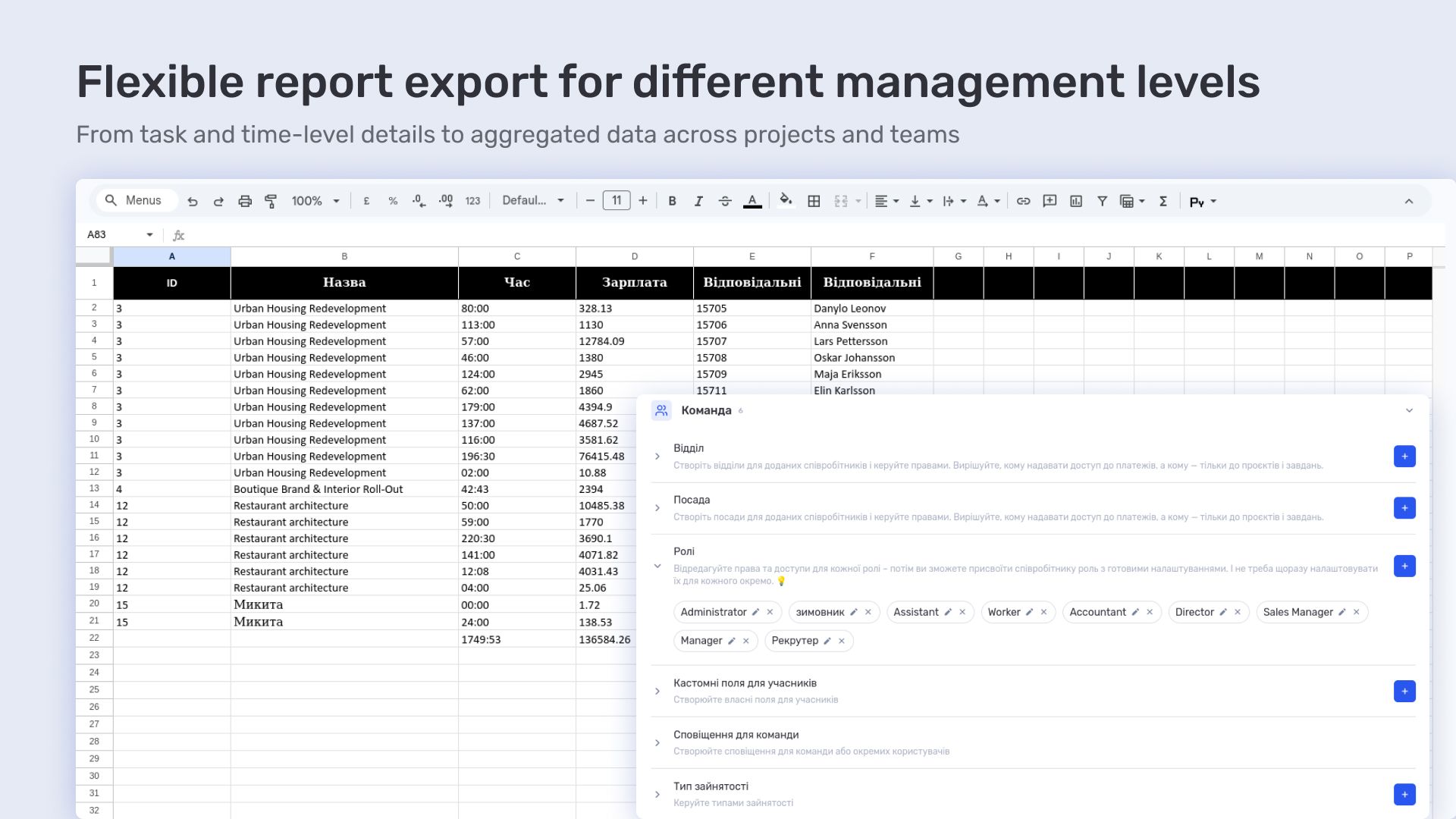
The export effectively became a tool that transforms a single data system into different analytical representations depending on user needs.
How 3D studio Pixready manages tasks and workload in if.team
Pixready’s workflow is built as a continuous project process with a large number of tasks running simultaneously at different production stages. In such a structure, it is important not only to record tasks but also to manage their flow, control team workload, and understand resource distribution across projects.
if.team is used as a unified environment where planning, execution, and workload control are combined. This allows the team to see a complete real-time picture of work — from task creation to execution and its impact on overall project load.
Tasks and planning
In if.team, tasks form the main layer of work management. They are grouped by projects and go through the full production cycle — from creation to completion and further analysis through reporting.
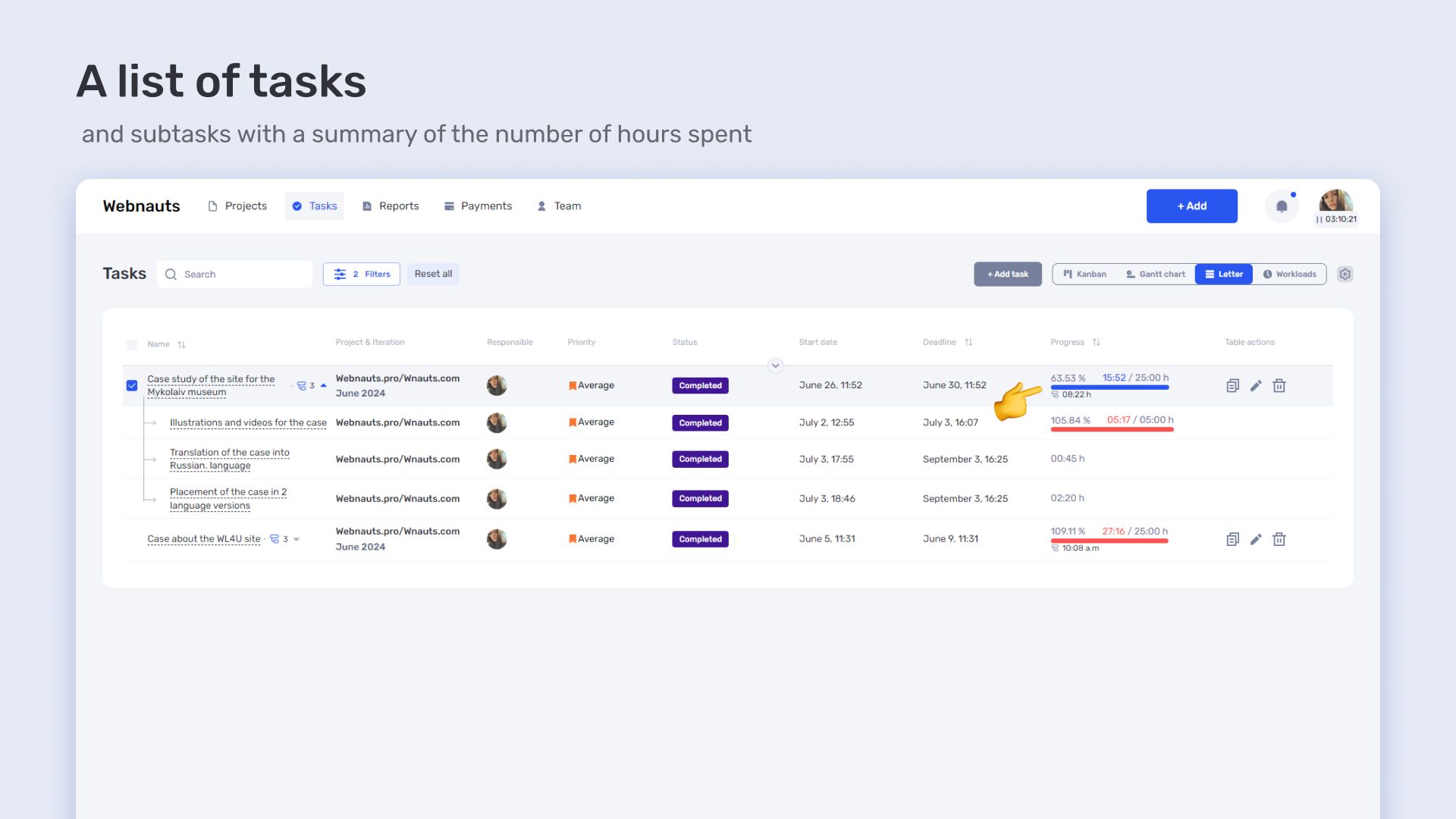
The task list is used as the main format for handling large volumes of information. It allows fast navigation, filtering, and grouping by projects, performers, or status. This mode is used for operational work where speed of access and processing of a large task flow is critical.
Kanban is used to manage task execution flow. It shows movement between stages and helps control the workflow within the team. It provides visibility into task distribution across stages, workload at each stage, and bottlenecks in the process.
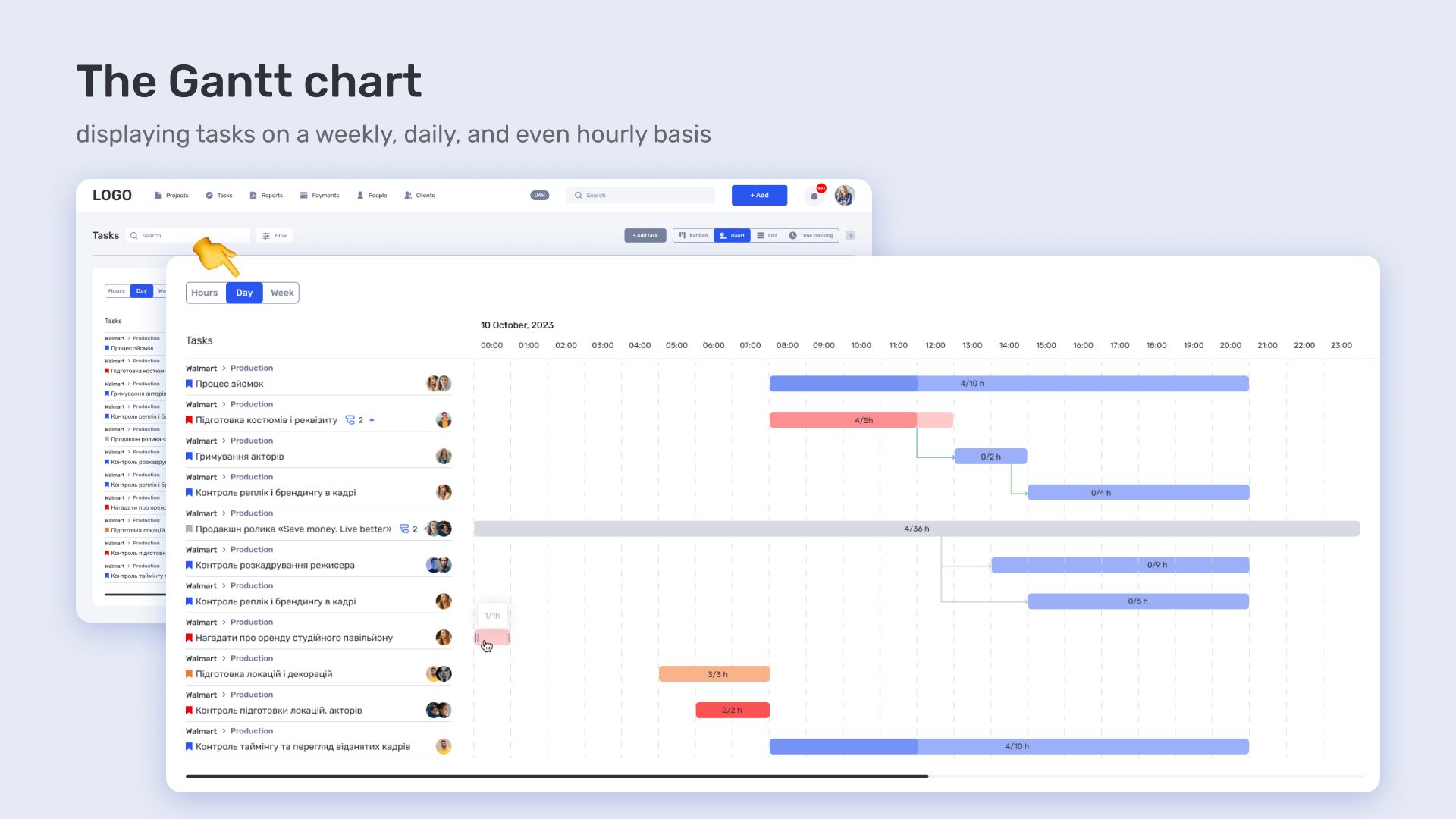
The Gantt chart is used for time-based planning and deadline management. It allows structuring projects on a timeline, tracking dependencies between tasks, and understanding the overall execution sequence.
Workload calendar and team load
The workload calendar is used to manage team workload and distribute resources across projects.
It shows actual and planned employee occupancy, allowing visibility into overloads, free capacity, and task overlaps across projects. The calendar also includes vacations, days off, and sick leave, providing a full picture of availability at any given time.
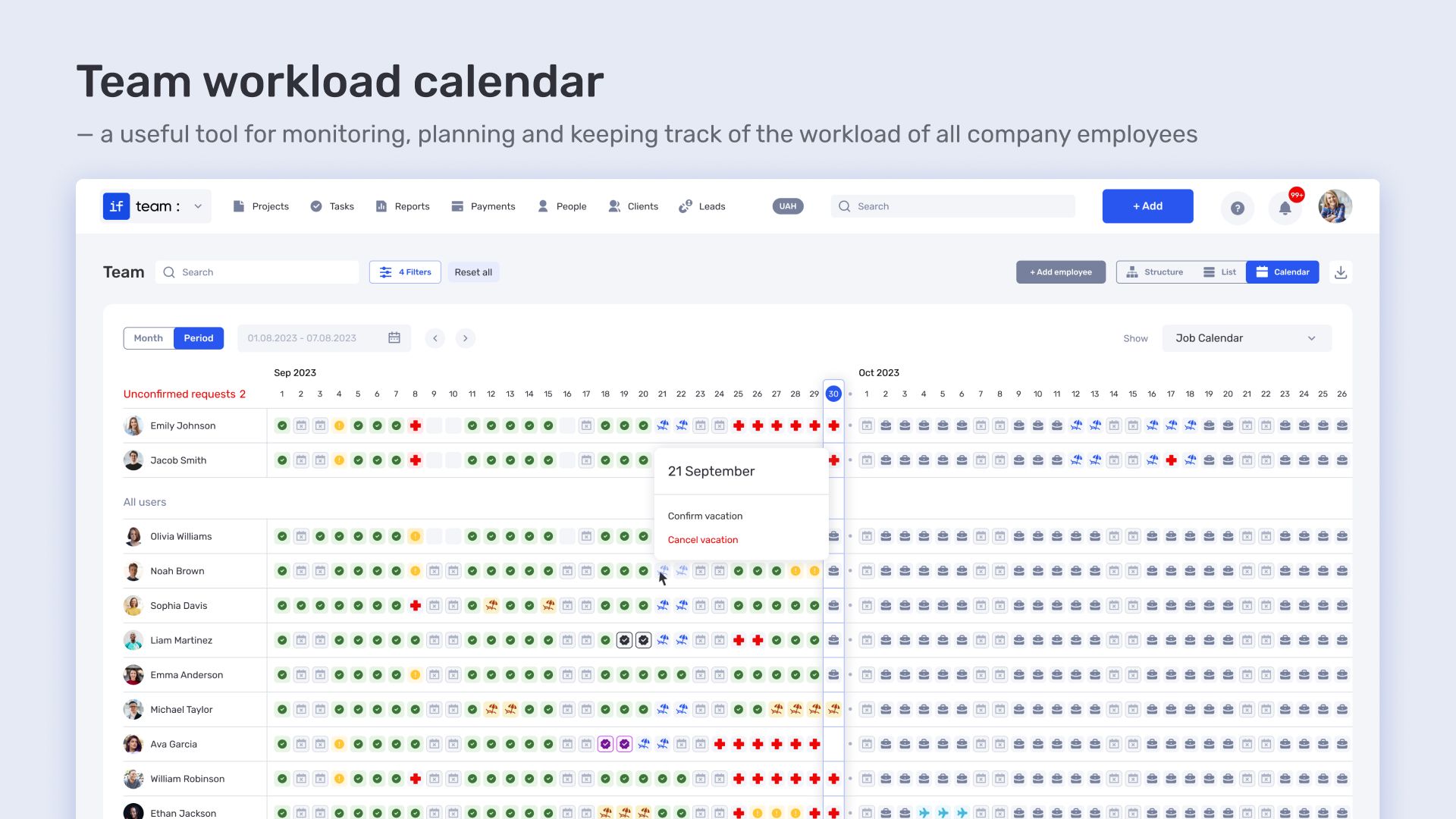
Actual working time is also tracked, showing when and how long a person was engaged in tasks or absent for non-project reasons.
This enables more precise resource allocation: moving tasks between performers, balancing workload, and accounting for real team constraints.
Team management and role structure (HR)
The role system in if.team allows building a flexible access structure tailored to the organization and its processes.
Custom roles can be created with configurable access levels. This includes control over which sections are available, what data can be viewed, and what actions are allowed — from full editing to restricted viewing.
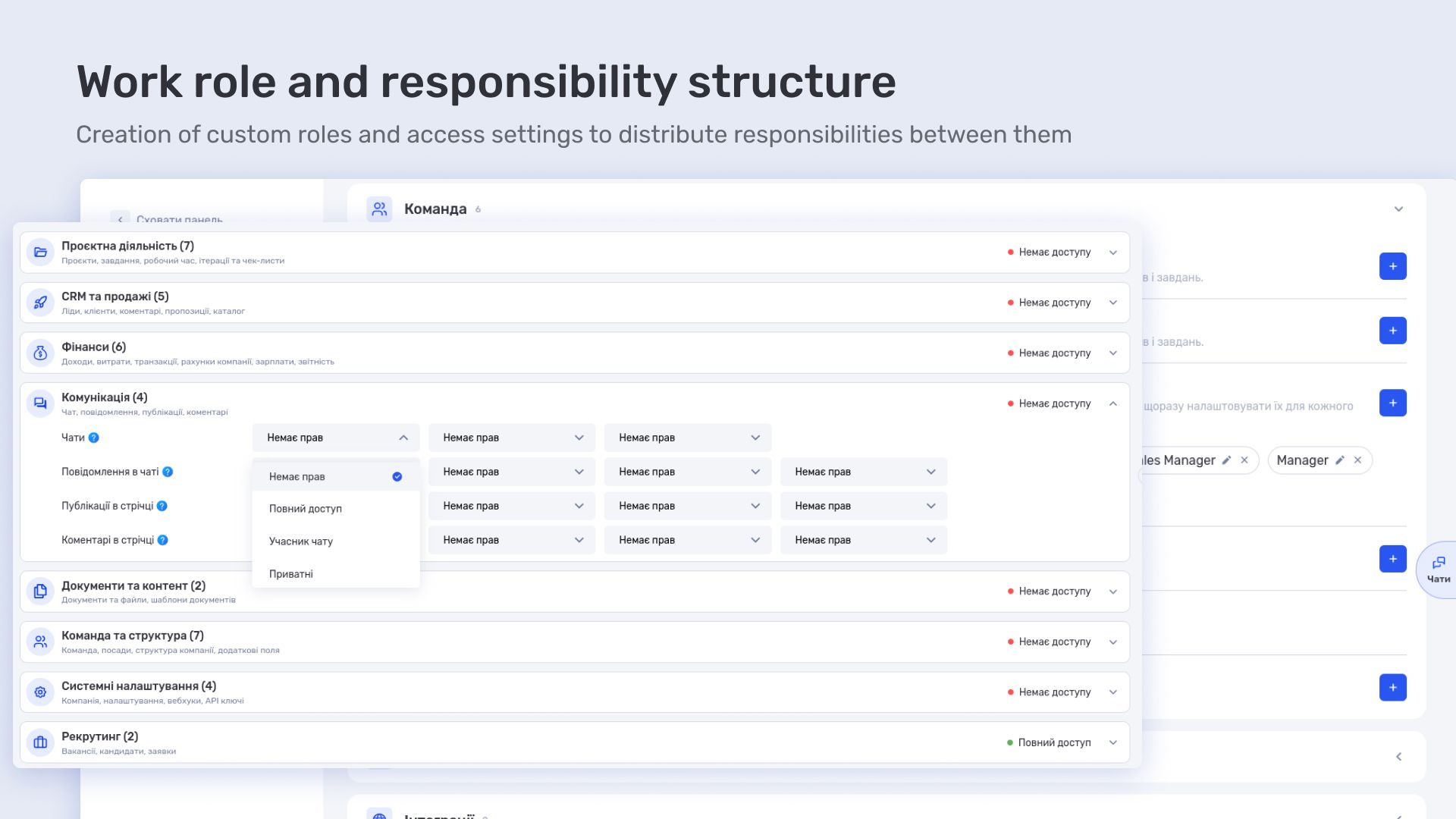
This model clearly separates responsibility zones within the team: executors work within their task scope, management handles processes and workload, and financial roles manage project economics and calculations. The system remains unified instead of being split into separate tools.
Як 3D-продакшн студія Pixready працює з робочим часом в if.team
In Pixready’s workflow, it is important not only to plan tasks but also to track actual time spent. This provides insight into real team workload, task impact on projects, and enables accurate economic modeling.
Time tracking
Time tracking in if.team is centered around tasks as the main unit of work. Each task can include subtasks, allowing detailed breakdown of work into stages. Deadlines, planned dates, and iterations are used to structure work over time.
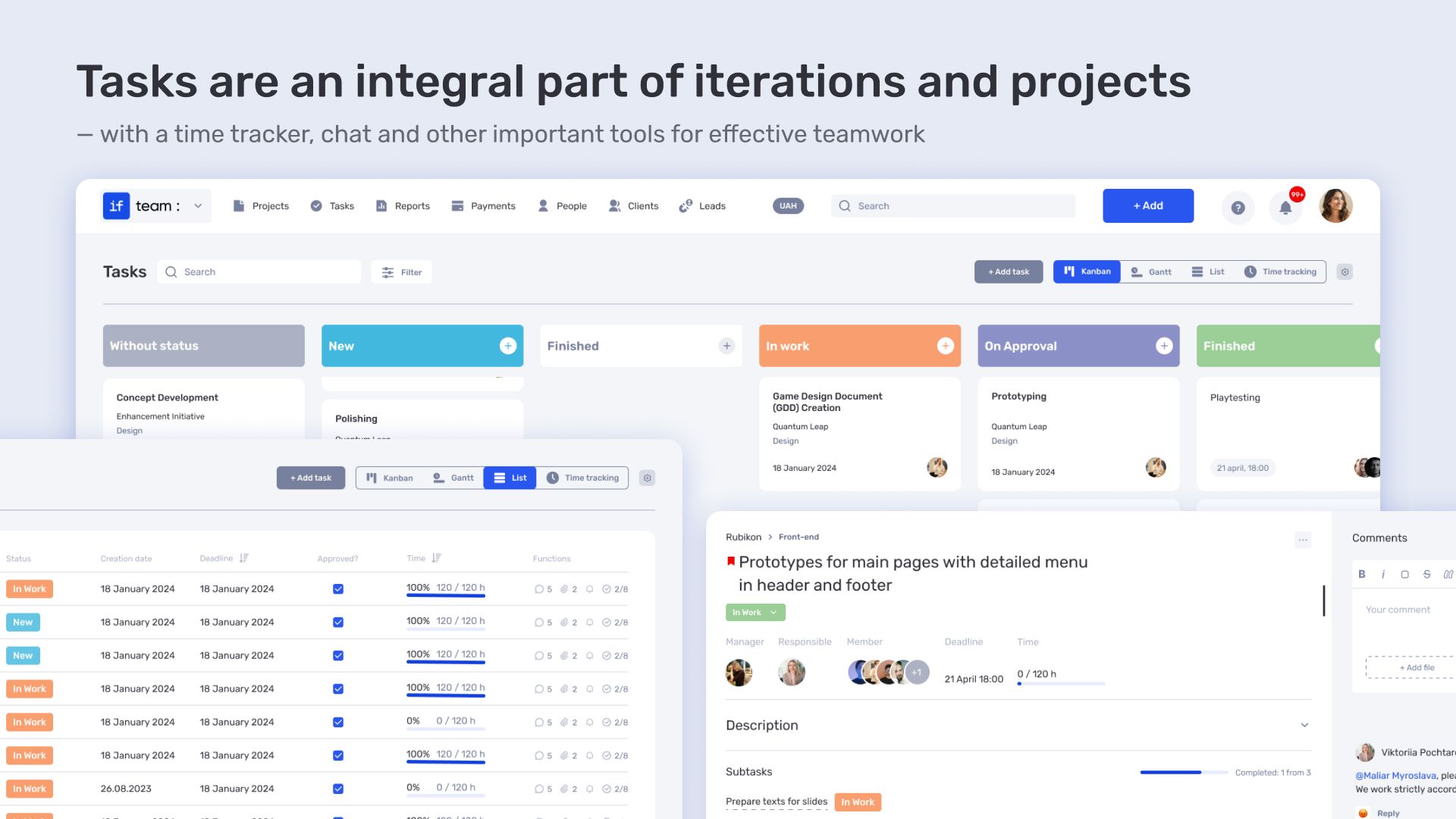
Tasks also support comments, file attachments, and recurring tasks for regular processes.
Time linking to tasks and projects
Time is logged directly in tasks and subtasks. Each entry is linked to a specific work item, ensuring precise tracking of where time is spent.
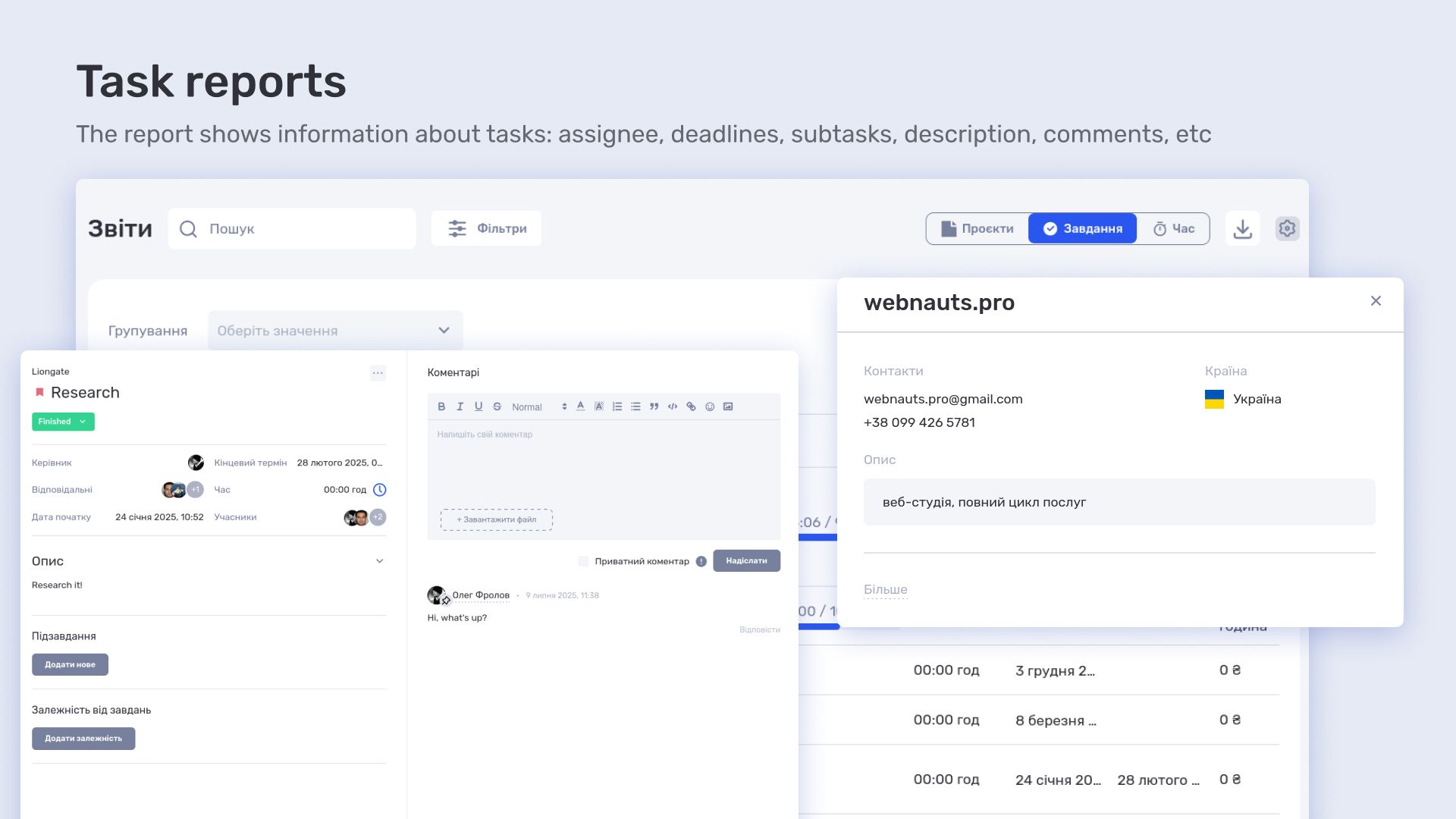
Based on this data, time reports are generated and can be filtered by projects, iterations, employees, departments, or companies. This allows workload analysis at both task and organization level.
How Pixready manages project economics and finance in if.team
Project economics in Pixready is built around the connection between tasks, time spent, and cost of work. Each working hour directly affects project cost, making it important to track real rather than estimated values.
Project economics
Project economics is calculated based on task data and actual time spent. This allows tracking project cost over time and understanding how resource usage evolves during execution.
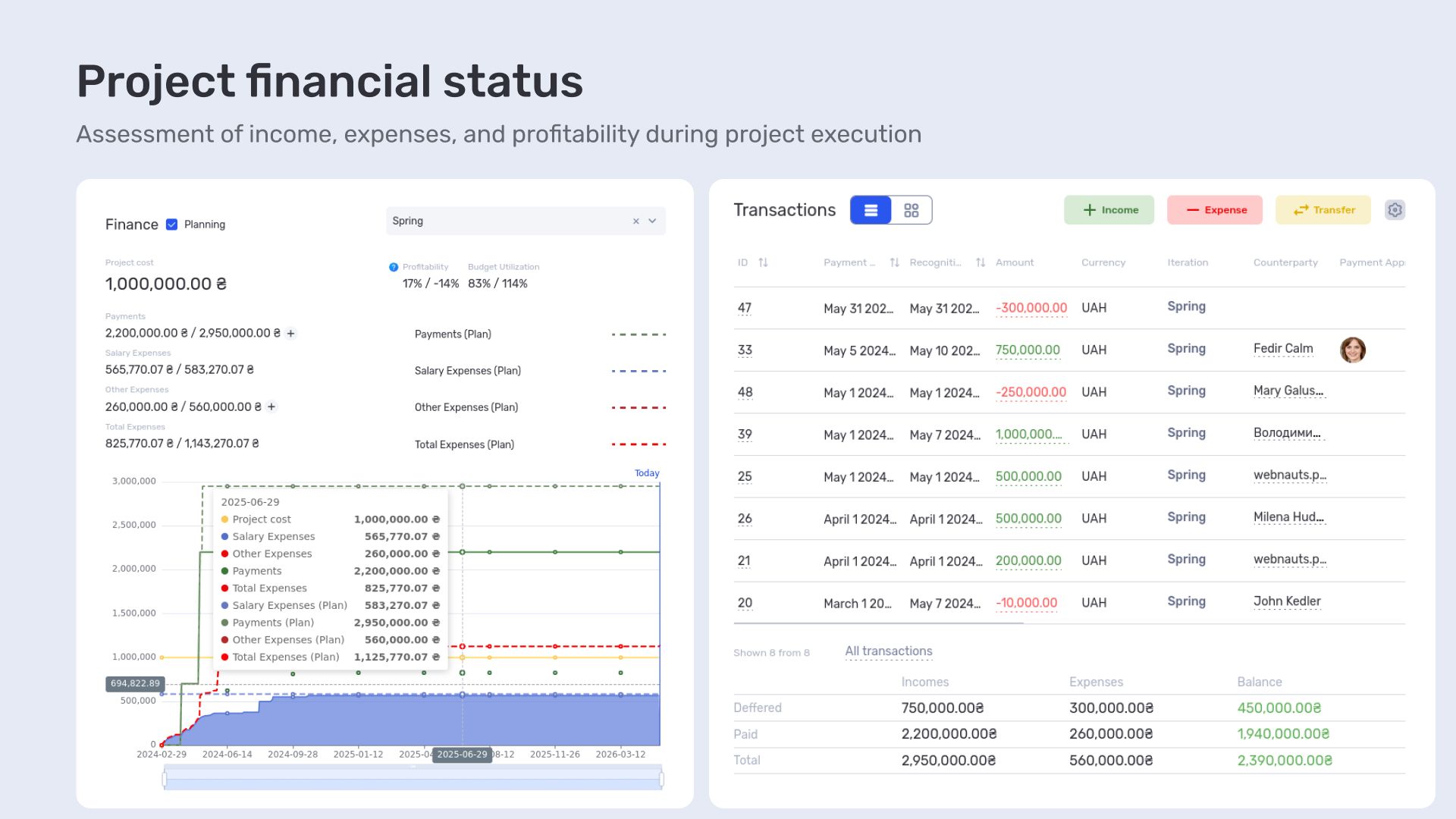
Projects can be analyzed by resource usage, stages, and team involvement.
Salary calculation
Salary calculation is based on actual time worked and configured rates. The system automates payouts and links them directly to employee participation in projects.
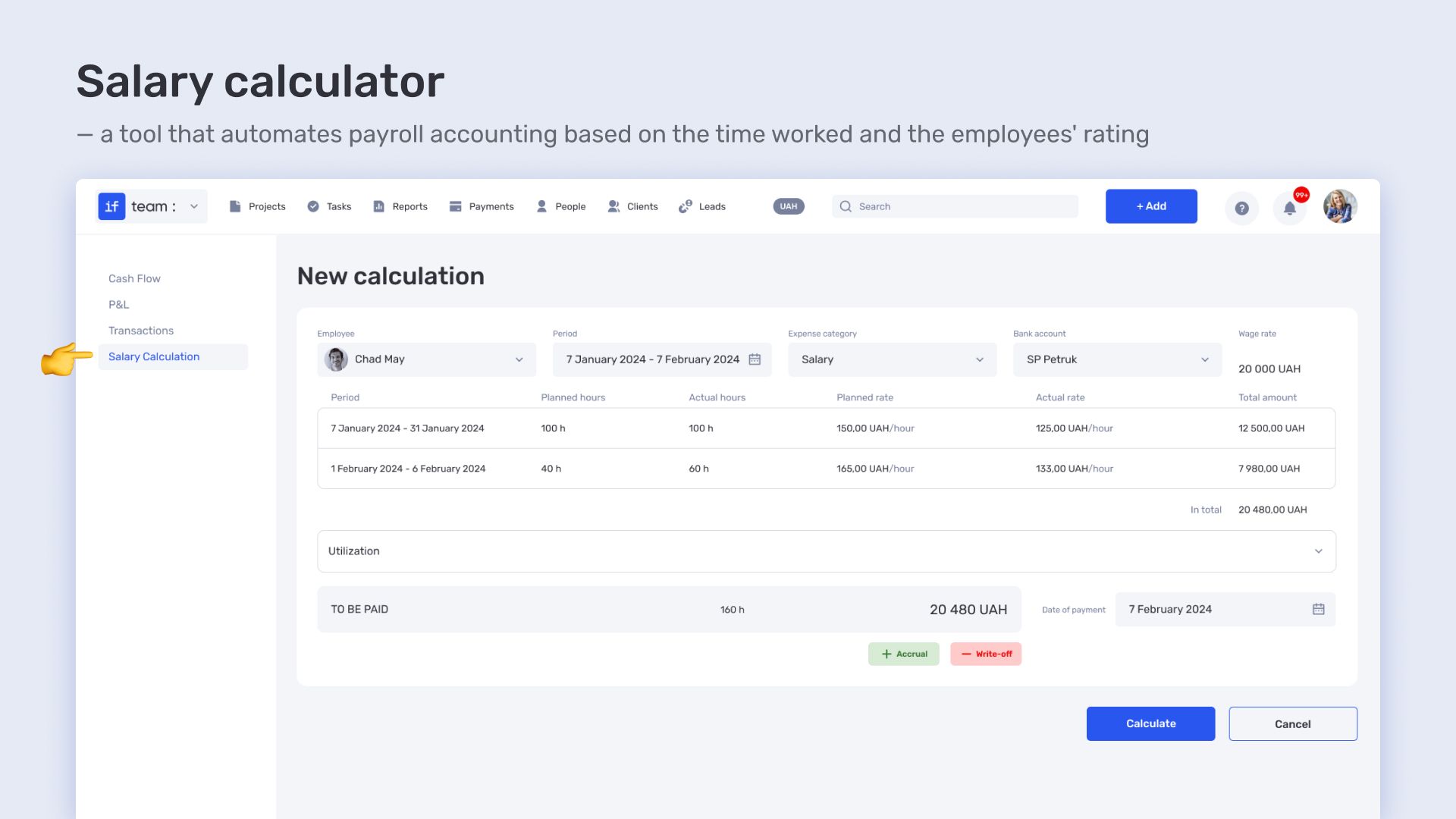
This reduces manual calculations and ensures a transparent compensation model based on real workload.
How 3D studio Pixready manages projects, time, and economics in if.team
Pixready is a 3D studio with a team of around 50 people working on multiple parallel 3D visualization and production projects. The main challenge is combining task management, constant workload, and accurate project economics where every hour affects cost and outcome.
They approached us with the goal of building a transparent system for managing tasks, time, team workload, and project economics. The goal was to unify these elements into one logic to avoid fragmentation between planning, execution, and finance.
During implementation, we adapted if.team to their workflow: configured tasks and planning structure, time tracking, workload calendar, and project economics with rates and salary calculations. Some logic was refined based on team feedback to match real production scenarios.
As a result, Pixready got a single system where operational processes, working time, and financial metrics are connected. This made it possible to see real team workload, control time costs, and build project economics based on actual data rather than fragmented tools.
Author
Vladyslav ChesnokovPublished
Jun 8, 2026
More articles to read
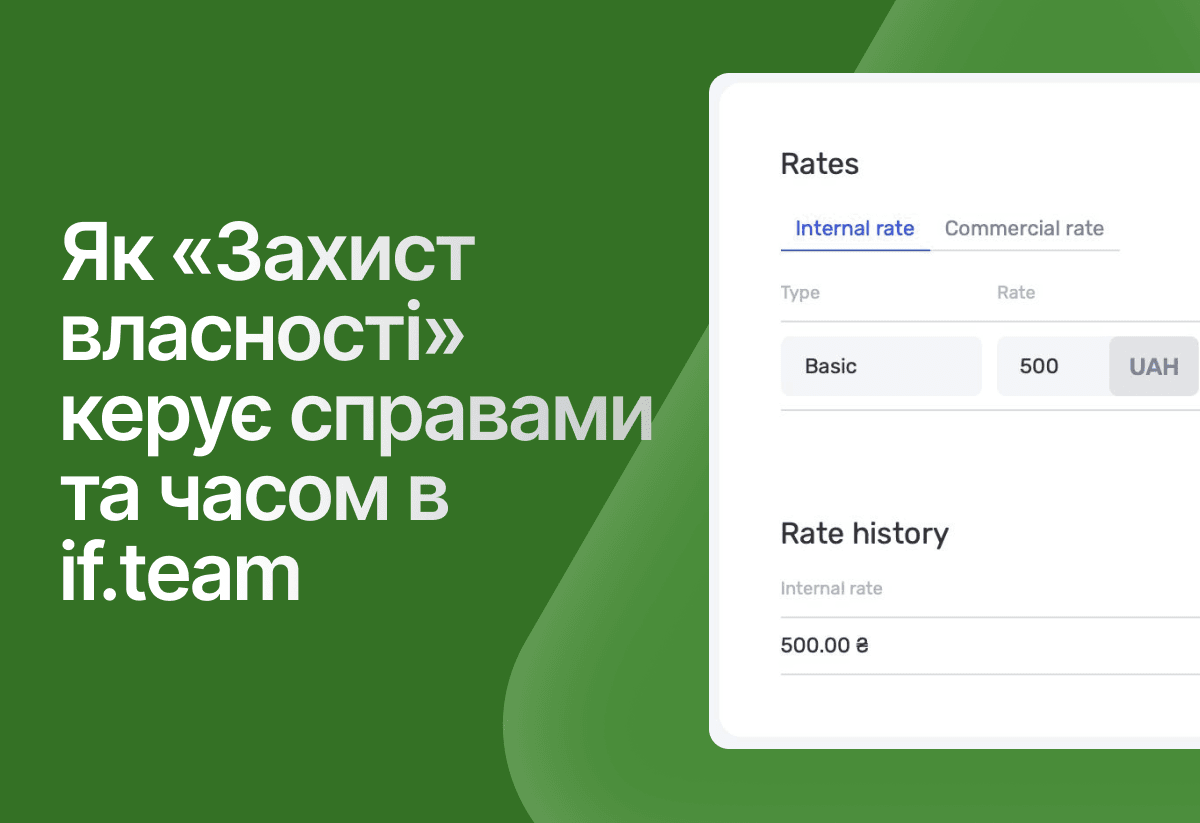
How the legal company “Zakhyst Vlasnosti” uses if.team for project management and time tracking
In this case, we will look at which tasks were important for the company “Zakhyst Vlasnosti”, how they came to using if.team, and how they built their work in the system.

How Meta Team Academy Automated Poker Academy Operations with if.team
As the number of players and operational complexity grew, the company needed to bring all processes into a single system in order to manage operations centrally and get real-time financial visibility.
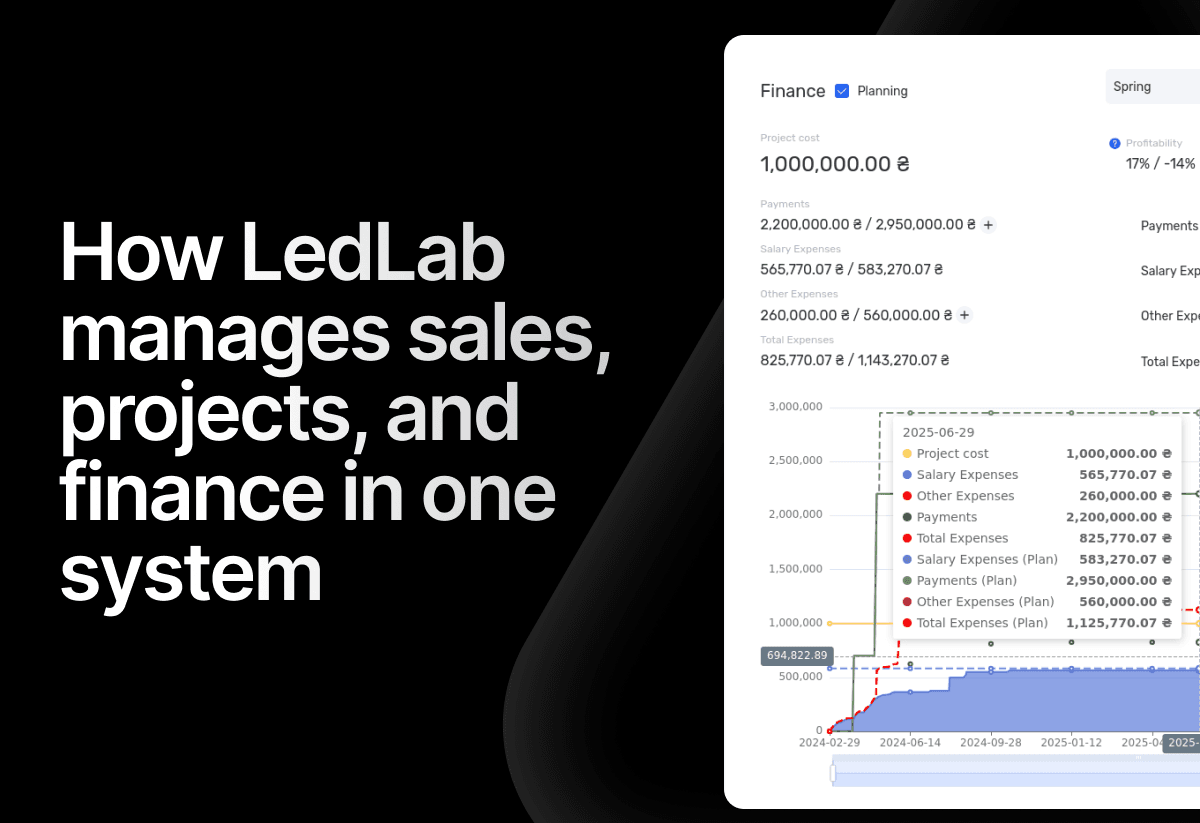
How the electrical engineering company LedLab built a full workflow from leads to company finances using if.team
To build this chain as a unified system, the company implemented if.team as its core management platform. Our team supported the setup and implementation of processes.
How architectural design studio Replus implemented if.team and built a project and financial management system in two years
This case shows how their current workflow is structured and how an ERP system connected operational processes with the economics of the business.
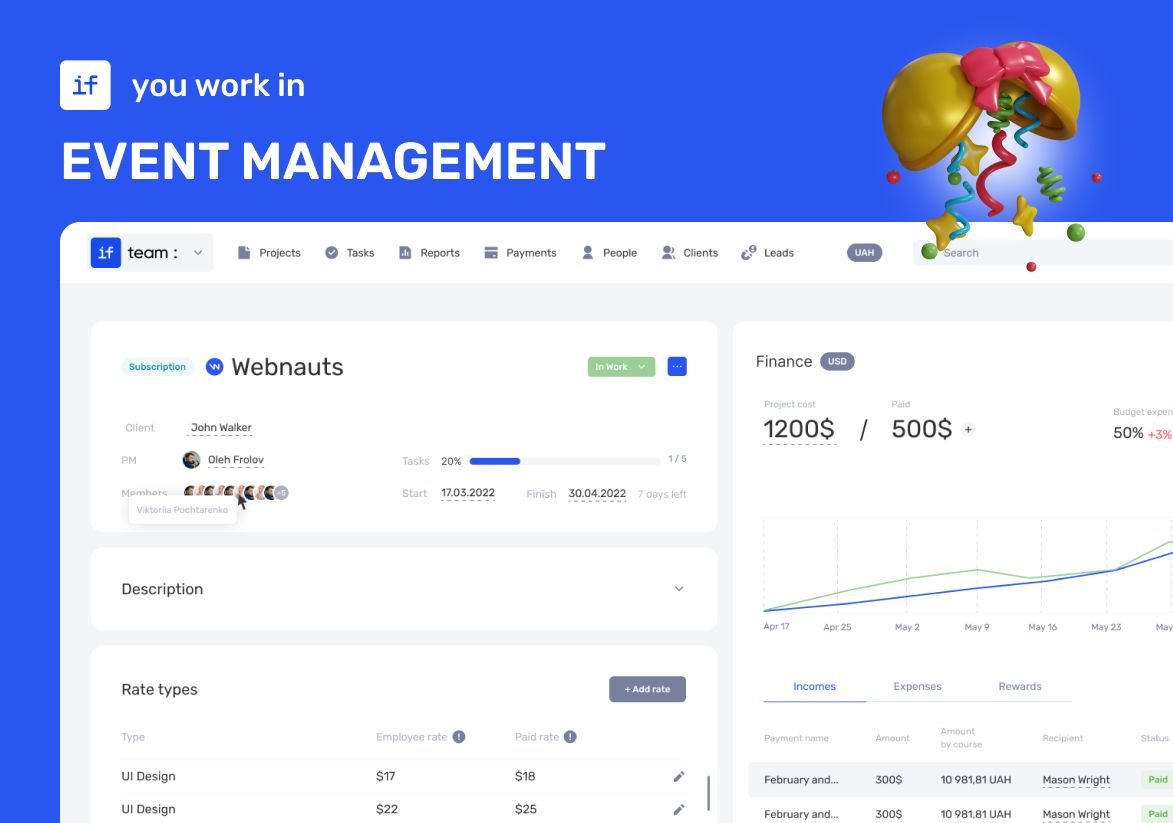
How an Event Agency Organized an Event in 7 Days with a 1 Million UAH Budget Using if.team
Our client was organizing a conference for 150 participants at the Parkovy Conference Center. To coordinate all this quickly and without mistakes, the team chose if.team.

if.team is the New Task Manager for the Atlas Weekend Team
Atlas Weekend was looking for a task manager to organize the team’s internal workflow. They needed a tool where projects could be managed, tasks assigned across departments, work planned, and the real status of operations visible at any moment.
Start your free 7-day trial
No credit card required. Get full access to all features and see how if.team can transform your team's workflow.