
How architectural design studio Replus implemented if.team and built a project and financial management system in two years
This case shows how their current workflow is structured and how an ERP system connected operational processes with the economics of the business.
In architectural and design studios, growth almost always makes processes more complex. Projects get longer, teams grow, and financial management requires separate control.
At a certain stage, operational work and financial management start to diverge. Projects are tracked in one tool, tasks in another, and finances are calculated separately or only after the fact. The business picture becomes fragmented.
Replus went through this path and gradually consolidated their workflow in if.team. At first, it was about projects and tasks. Later, time tracking and a financial model were added. The system became the foundation for daily operations and management decisions.
This case shows how their current workflow is structured and how an ERP system connected operational processes with the economics of the business.
About the client
Replus is an architectural and design studio. The team works with architecture, interiors, and reconstruction. A separate direction is product design, which over time became an independent part of the business.
Initially, the goal was simple: bring projects and tasks into one place and remove fragmented tools from daily operations.
Later, the focus expanded. Financial management and project economics were added to project management. The system began to cover not only the operational layer but also the management layer.
As the structure grew, Replus formed two operational directions. In if.team, they are managed as two separate companies. Each has its own projects, tasks, finances, and time tracking.
Replus has been working with if.team for about two years. They were one of the system’s first clients. The team actively provided feedback on project logic, the financial module, and P&L. Part of the system was refined based on their experience.
Next, the case will look at how Replus currently works in if.team: how projects and tasks are organized, how economics are calculated, and how management P&L works.
How Replus manages projects and finance with if.team
In if.team, the architectural studio Replus manages two companies separately. In each of them, work runs through a single system that brings together projects, tasks, time tracking, finance, and communication.
The project is the core unit of work. It carries the entire process — from planning to execution and financial outcome.
Project management
In if.team, a project defines the structure of work. It includes stages, participants, and the logic of execution.
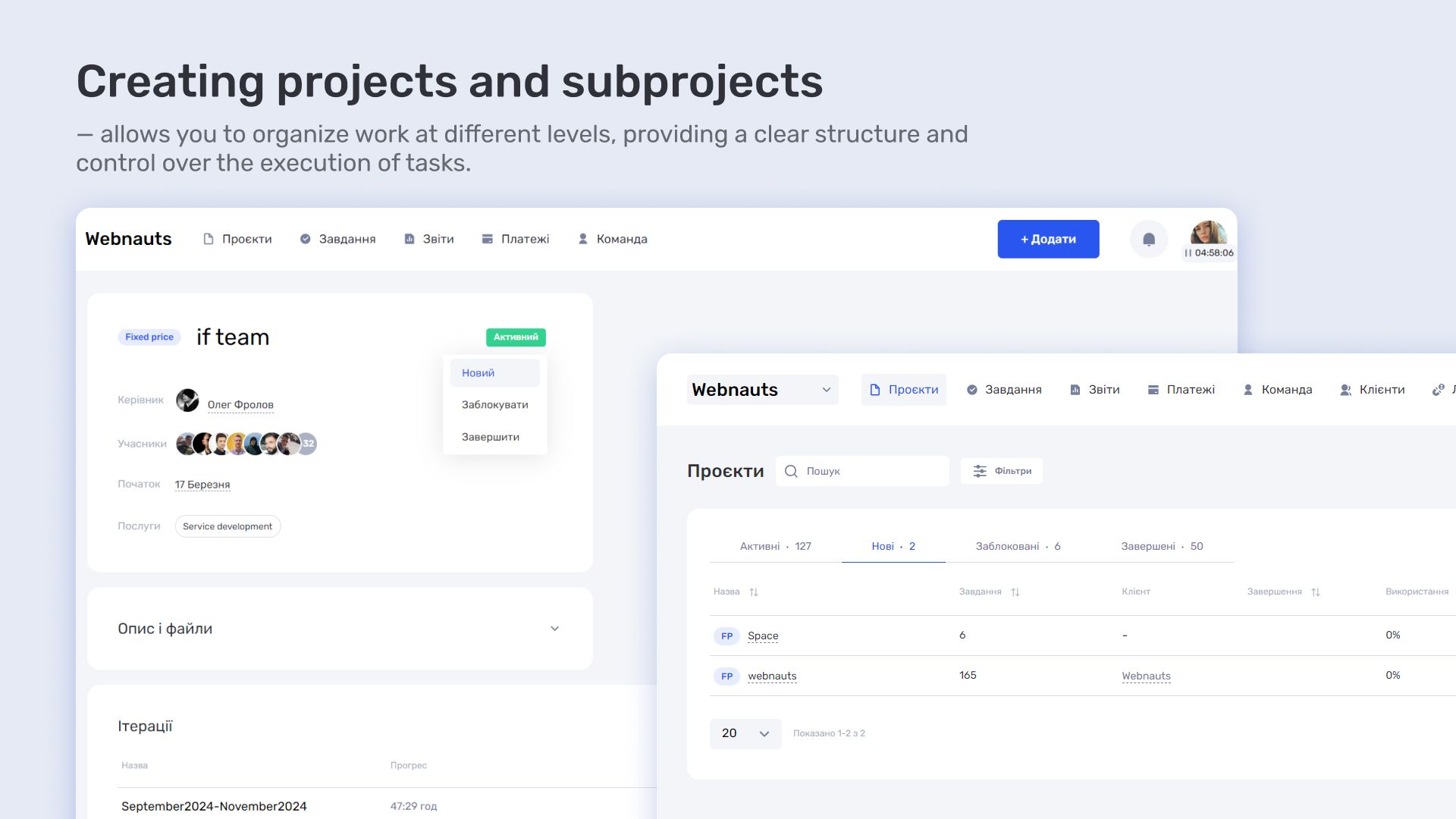
A new project is created as a dedicated workspace with a predefined structure. Stages are set up, and the team is assigned. From that point, the project becomes an active system that is continuously updated as tasks progress.
A project reflects the real state of work, not just a plan. It shows what stage the team is at and how the process is moving.
Kanban for process control
Kanban is used to manage task flow within a project.
Tasks move between stages depending on their status. This creates a clear visual overview of the work: what is done, what is in progress, and where delays appea
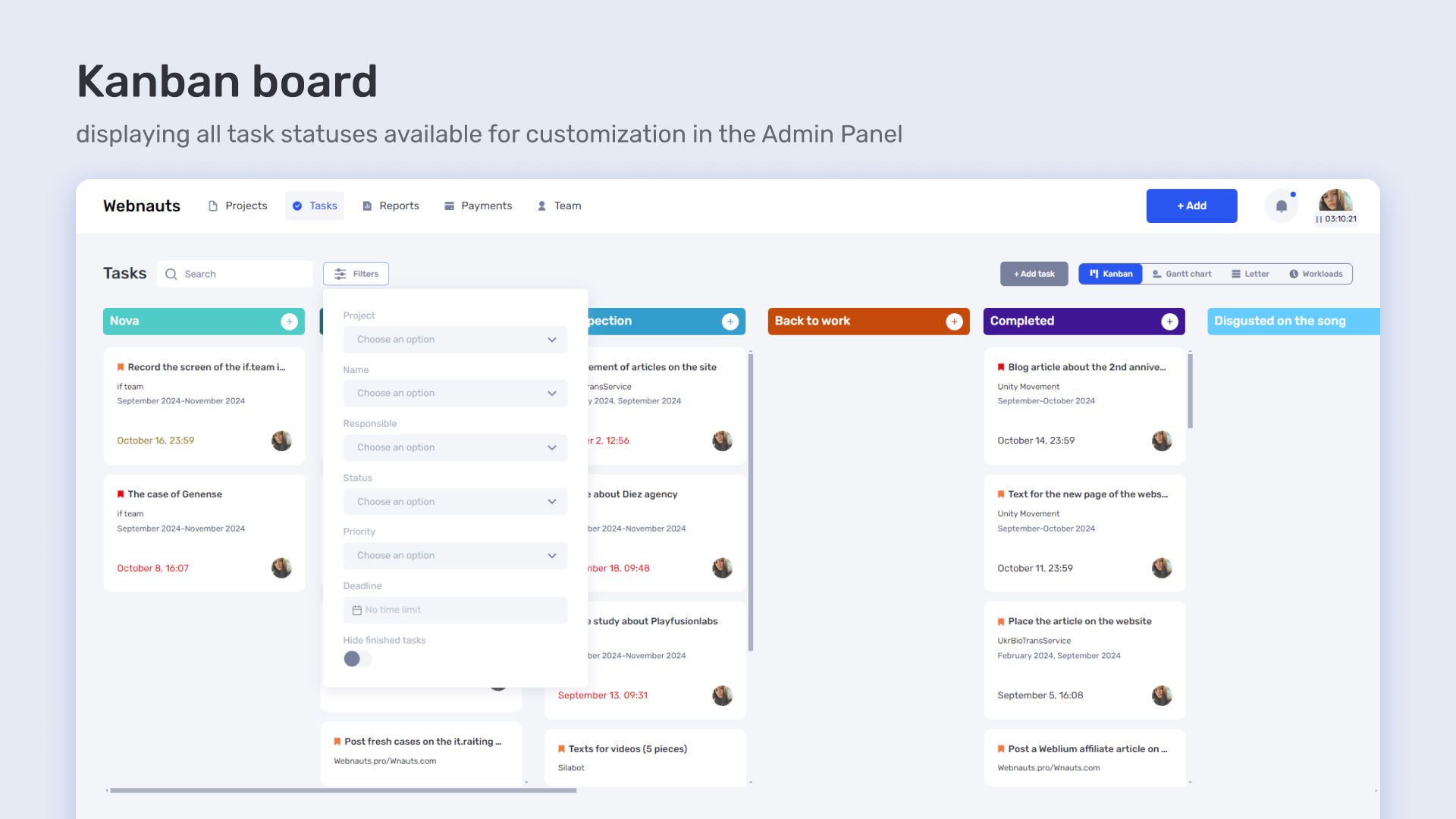
At Replus, Kanban is used during active project phases — development, approvals, and finalization. It shows how tasks move through stages and reflects the overall rhythm of the team’s work.
Gantt chart for complex projects
The Gantt chart is used for projects with many stages and dependencies.
It shows the project structure over time: which tasks run in parallel and which depend on others. This is especially important in architectural work, where sequencing directly affects outcomes.
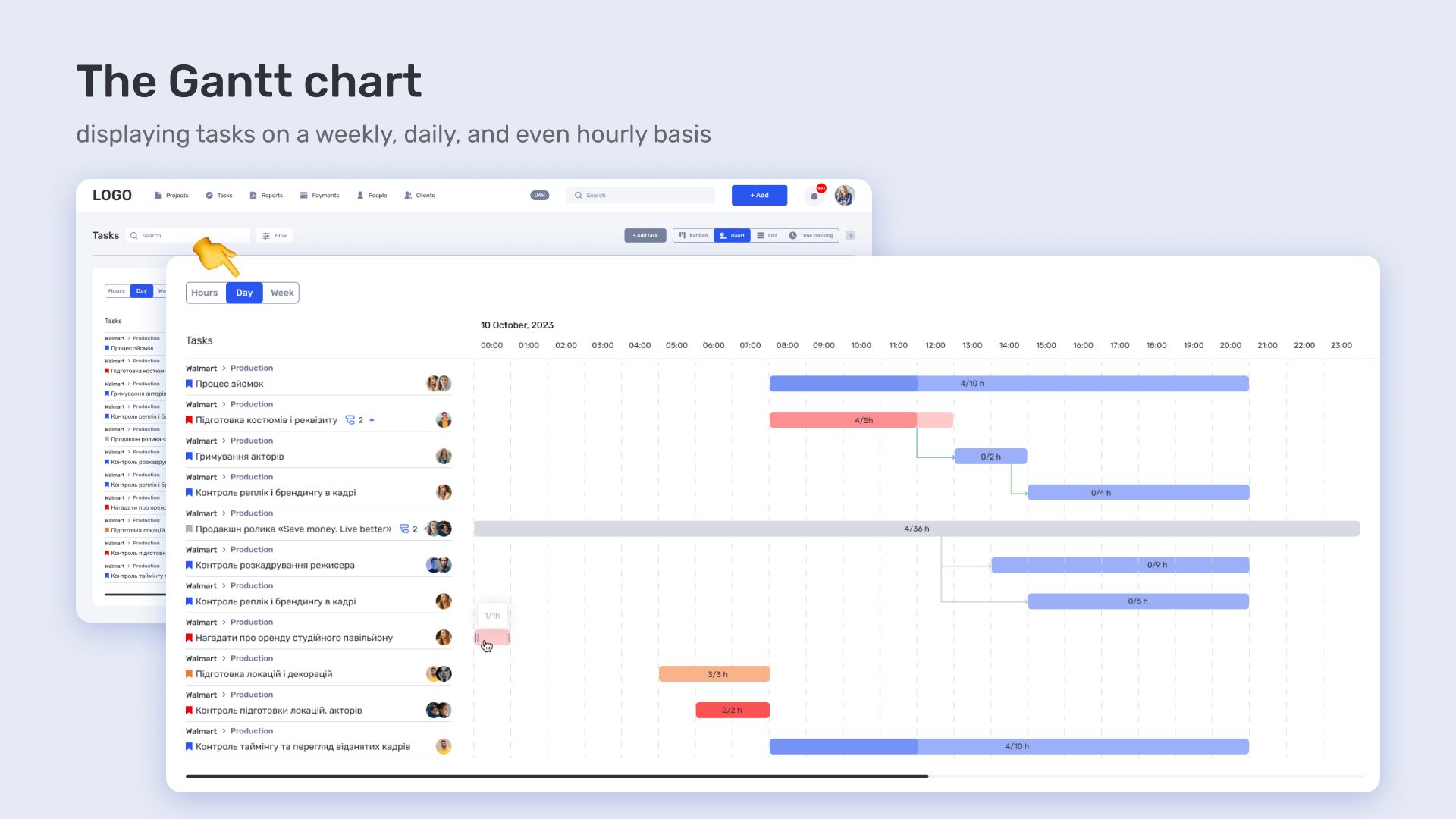
In reconstruction and complex design projects, the Gantt chart helps define the order of work in advance and avoid conflicts between stages.
Project list for overall control
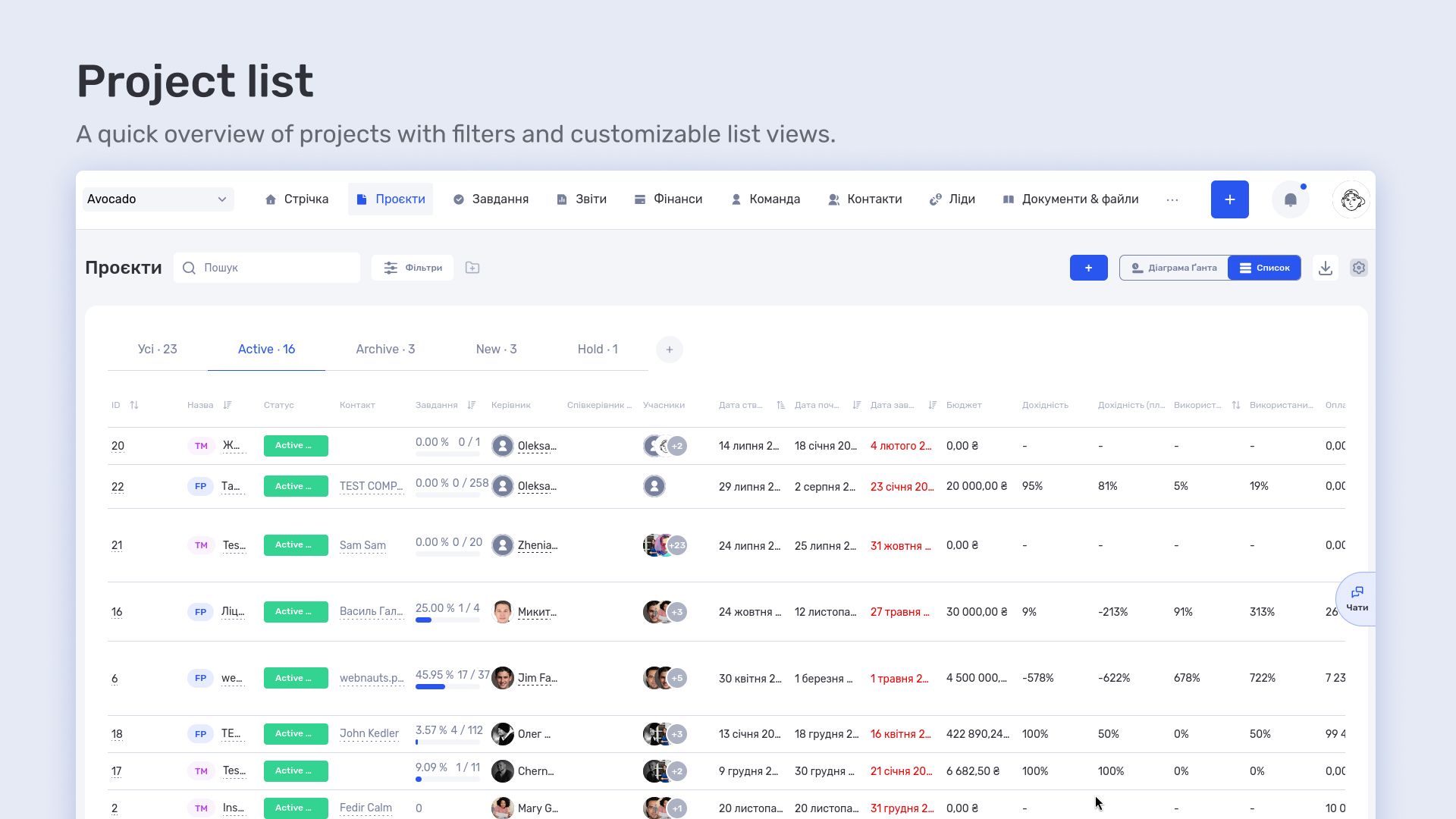
The project list is used for high-level control of company operations.
It shows all projects, their status, deadlines, and responsible team members. This gives a clear view of team workload and resource distribution across directions.
Tasks and planning
Tasks form the daily operational layer of project work. They cover everything from small adjustments to large stages that influence the final result.
Each task is linked to a specific project and includes an assignee, deadline, and status. This ensures clear responsibility and visibility of who is working on what part of the project.
Task list as a working environment
The task list is the main workspace for the team.
It shows the full workflow within a project: tasks already in progress, tasks waiting to start, and tasks approaching deadlines. This reduces the need for external spreadsheets or separate tracking tools.
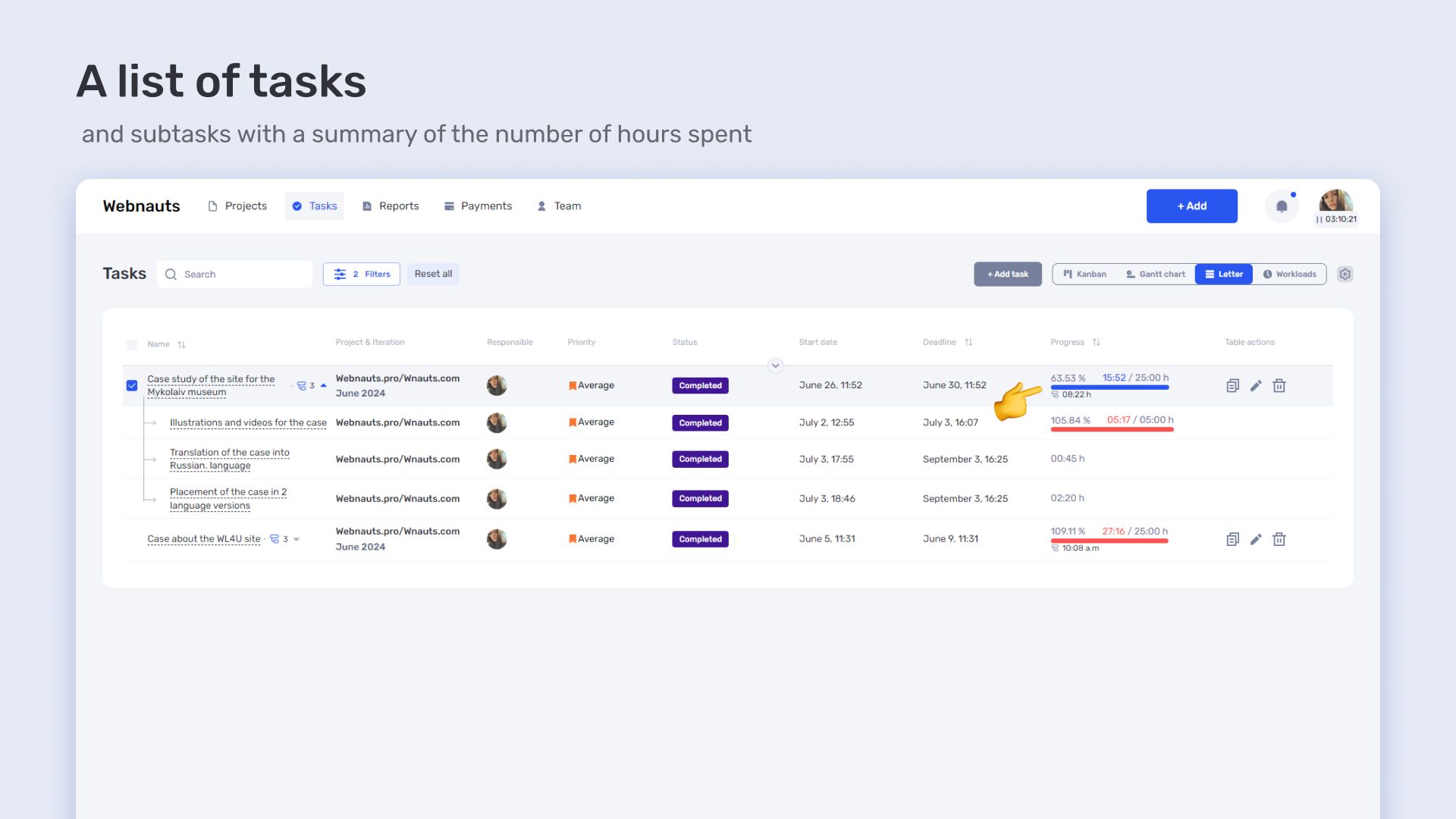
For the Replus team, this is effectively the entry point into a project. An architect or designer opens the list and immediately sees what is currently driving progress, what is blocked, and what requires attention.
Individual tasks can represent both large stages — such as concept development — and small adjustments like refining layouts, updating details, or revising visualizations.
Subtasks for detailed execution
Large tasks are almost always broken down into subtasks.
In architectural work, a single stage is rarely linear. For example, concept development may include space analysis, several layout options, intermediate approvals, and a final version. All of this is easier to manage as separate steps.
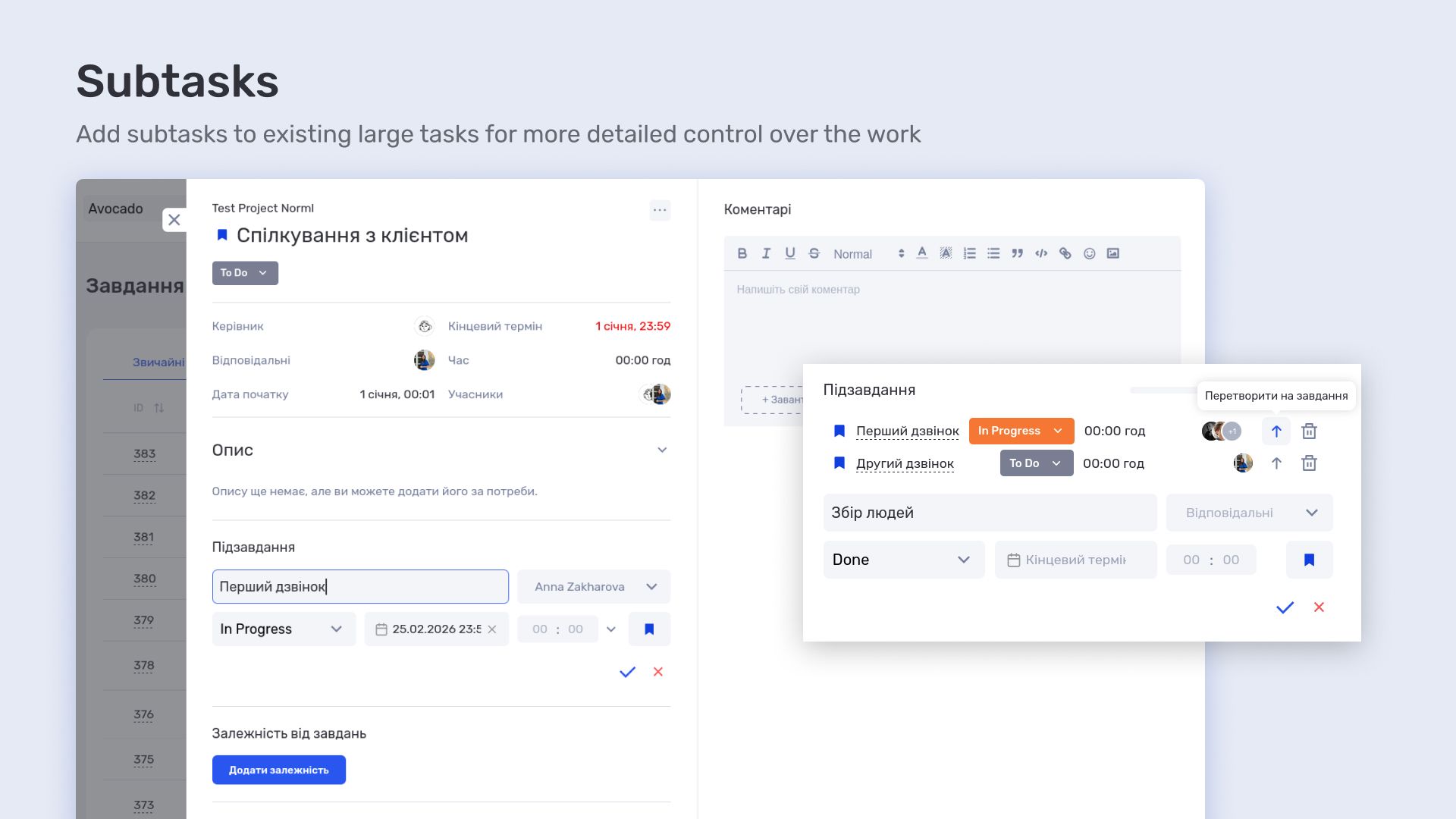
Subtasks allow each step to be tracked individually and executed in sequence without losing detail. As a result, a large stage is not a vague single item but a structured set of clear actions.
Time tracking
Time tracking is embedded directly into task execution and used as part of daily work.
Team members log time while working on tasks. This creates a real picture of how many resources are spent on each project stage.
The data is automatically linked to tasks and projects, building a complete work history without manual reporting or separate spreadsheets.
Time tracking inside tasks
Time is recorded without separate tools or extra steps outside the workflow.
A team member works on a task and logs time immediately. This removes manual reporting and reduces data loss between actual work and its accounting.
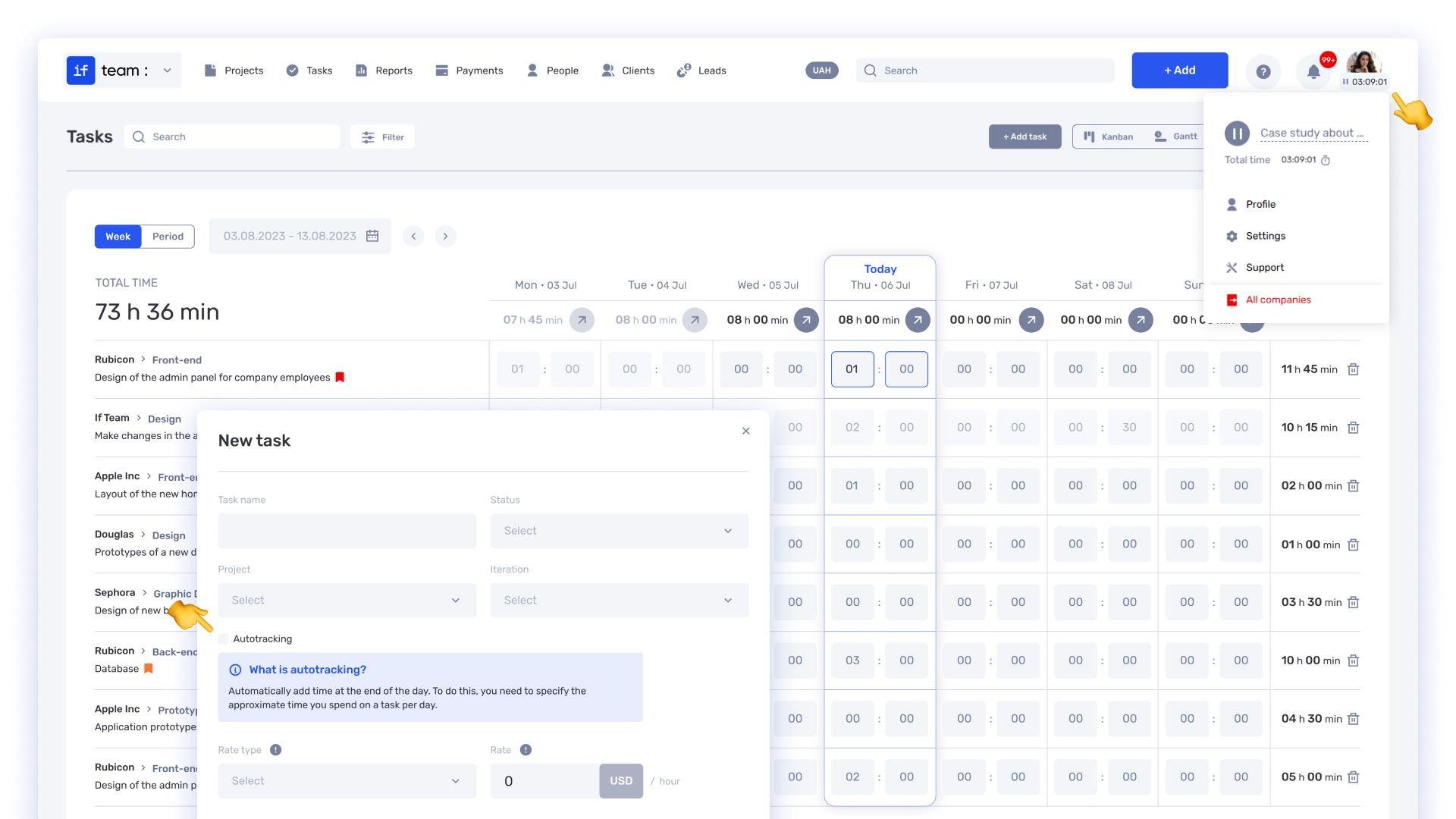
Over time, this builds a complete picture of team workload — which tasks take more time, how effort is distributed across stages, and where overload occurs.
These data are later used not only for control but also for project economics.
Finance and project economics
The financial model is built on task and time tracking data. This means every working hour directly affects the financial result of a project.
The system uses actual time and employee rates to calculate work costs. As a result, financial performance is not calculated after the fact but evolves alongside project execution.
Transactions as the foundation of financial accounting
Transactions in the if.team system record all financial operations of the company.
These include contractor payments, team payouts, client income, and internal fund movements. Each transaction is linked to a specific company or project.
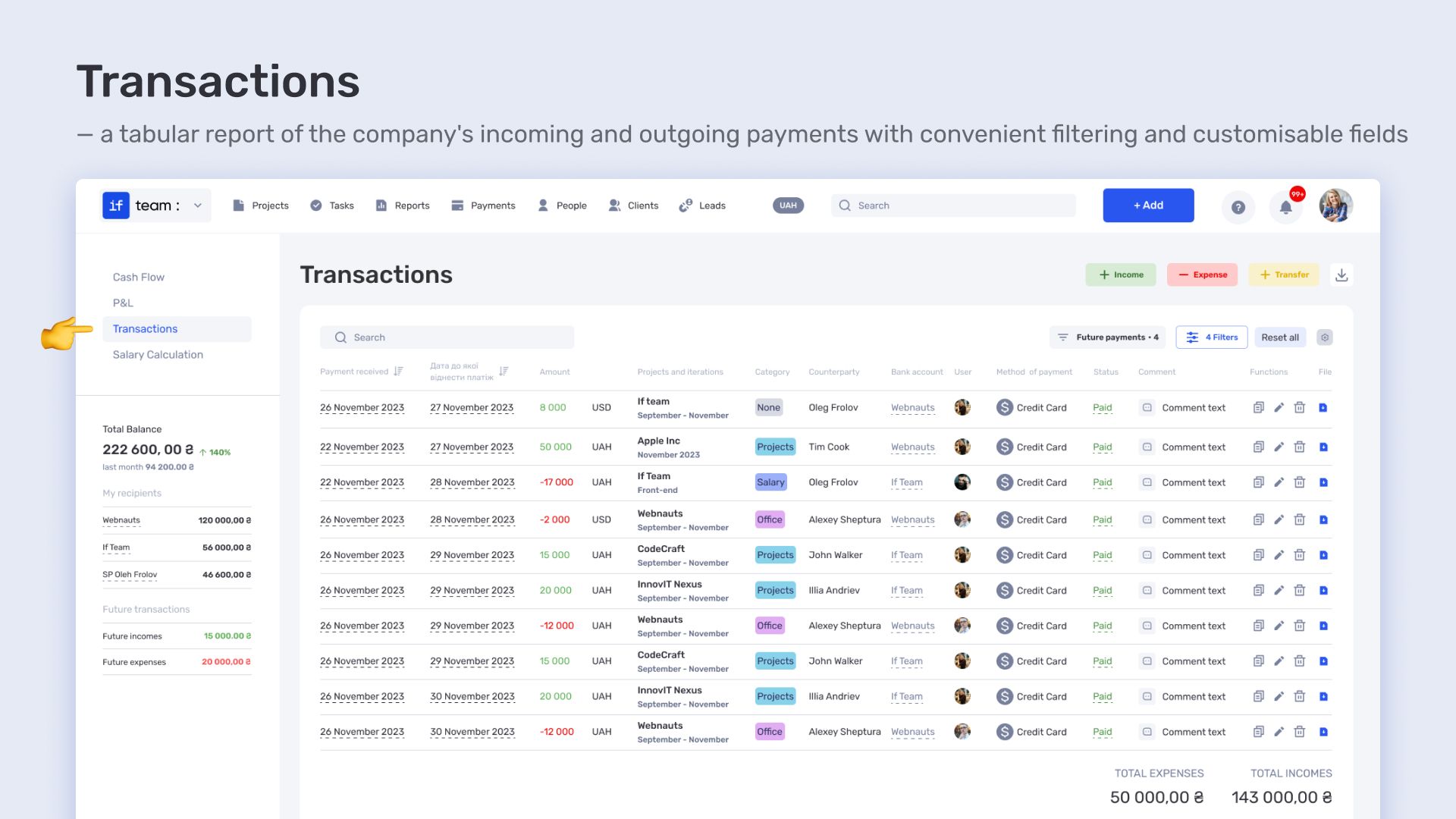
For Replus, this makes it possible to immediately see which projects generate costs and which generate revenue. Finance is no longer a separate layer — it becomes part of the project structure.
Cash flow as a view of money movement
Cash flow in if.team shows financial movement over time and across companies.
It is a visual model that includes all income, expenses, and planned payments. The data is based on real transactions and updates as the company operates.
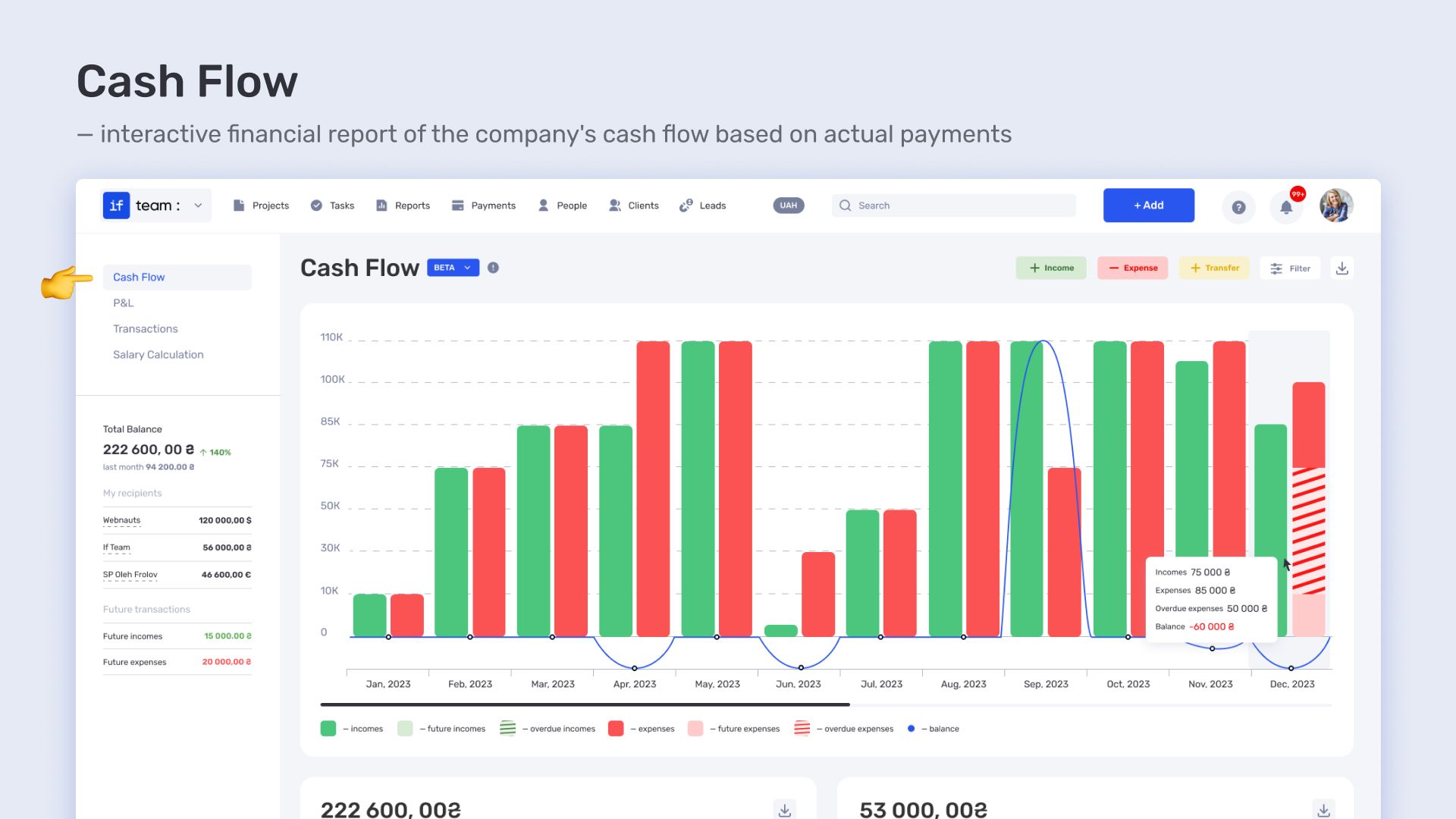
This format makes it possible to see not only the overall balance but also how financial conditions change over time — when expense peaks occur and how projects affect liquidity.
P&L as a management result
P&L in if.team is the final financial layer that consolidates income and expenses.
It is generated automatically based on transactions, project costs, and financial allocation rules. The data can be analyzed by company, project, or time period.
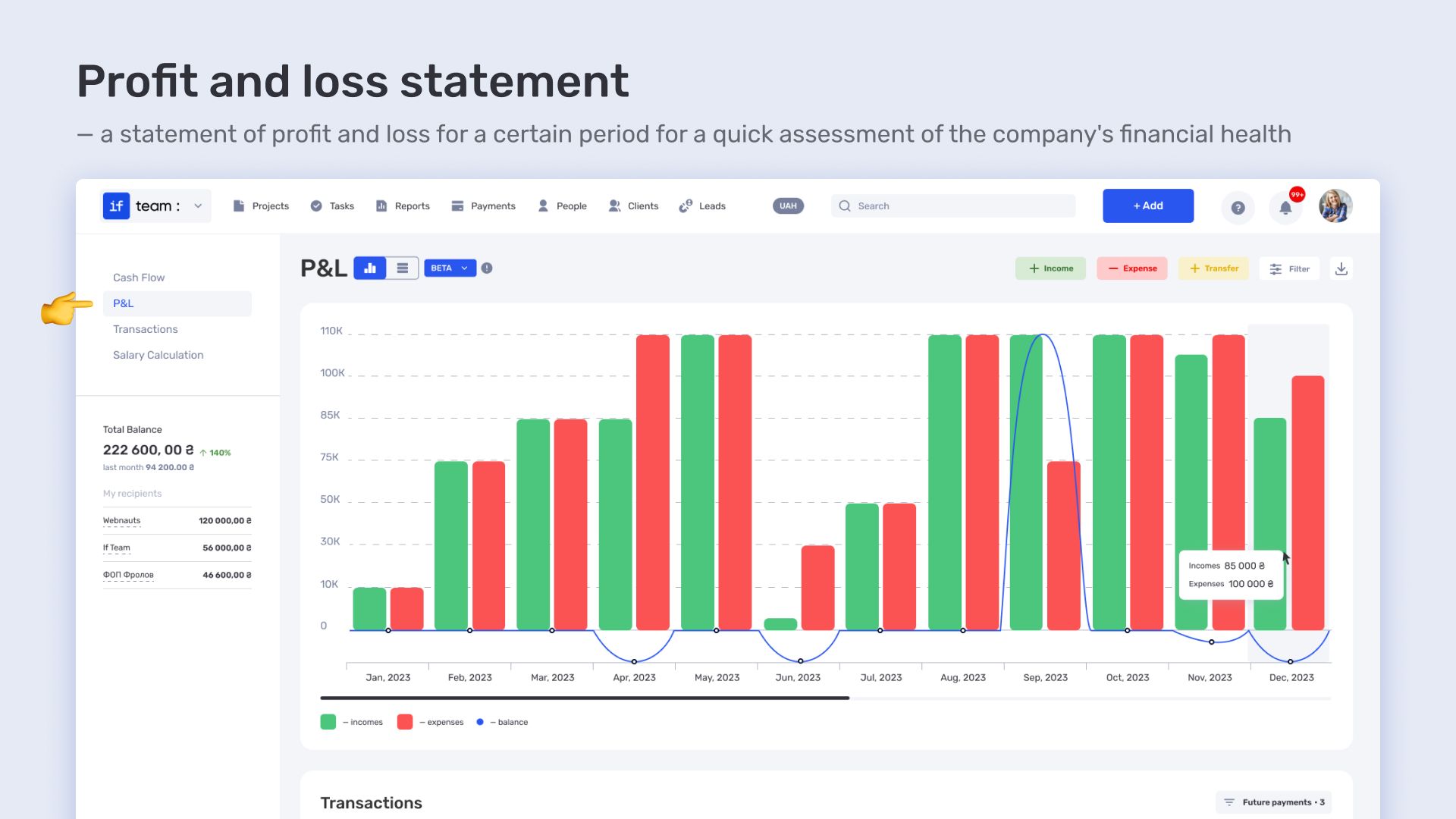
At Replus, P&L is used as a management tool. It shows project profitability, cost structure, and allows comparison of efficiency across different business directions.
How if.team changed the way Replus works
In the case of Replus, the ERP system if.team became not a set of separate tools, but a unified operating model for managing projects and finances.
All operational work directly affects financial results. Data is not consolidated manually or transferred between systems — it is generated as part of the workflow itself.
The financial layer is built from the same data and fed back into the management context. This allows the business to be viewed as a single system rather than a collection of separate processes.
For Replus, this means one simple thing: every project exists simultaneously as a production unit and as a financial outcome. It is possible to see not only what has been done, but also how much it cost and what margin it generated.
In the end, the if.team ERP system covers the full operational cycle for an architectural and design studio — from task planning to final management results, without a gap between operational and financial layers.
Author
Vladyslav ChesnokovPublished
May 25, 2026
More articles to read
How the legal company “Zakhyst Vlasnosti” uses if.team for project management and time tracking
In this case, we will look at which tasks were important for the company “Zakhyst Vlasnosti”, how they came to using if.team, and how they built their work in the system.

How 3D production studio Pixready manages projects, time, and economics in ERP system if.team
Pixready approached us with the goal of building a more transparent system for managing tasks, time, and project economics. To achieve this, we adapted the product to their real processes, relied on team feedback, and improved the service.

How Meta Team Academy Automated Poker Academy Operations with if.team
As the number of players and operational complexity grew, the company needed to bring all processes into a single system in order to manage operations centrally and get real-time financial visibility.
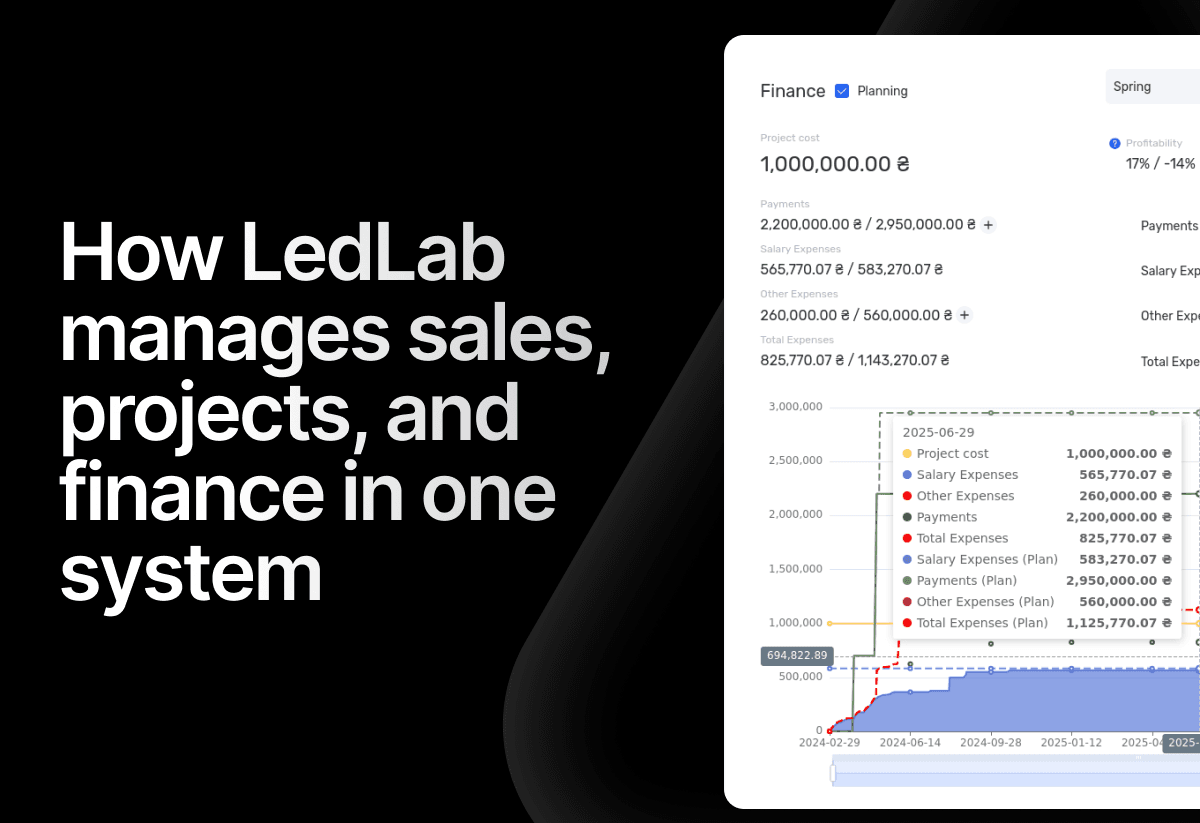
How the electrical engineering company LedLab built a full workflow from leads to company finances using if.team
To build this chain as a unified system, the company implemented if.team as its core management platform. Our team supported the setup and implementation of processes.
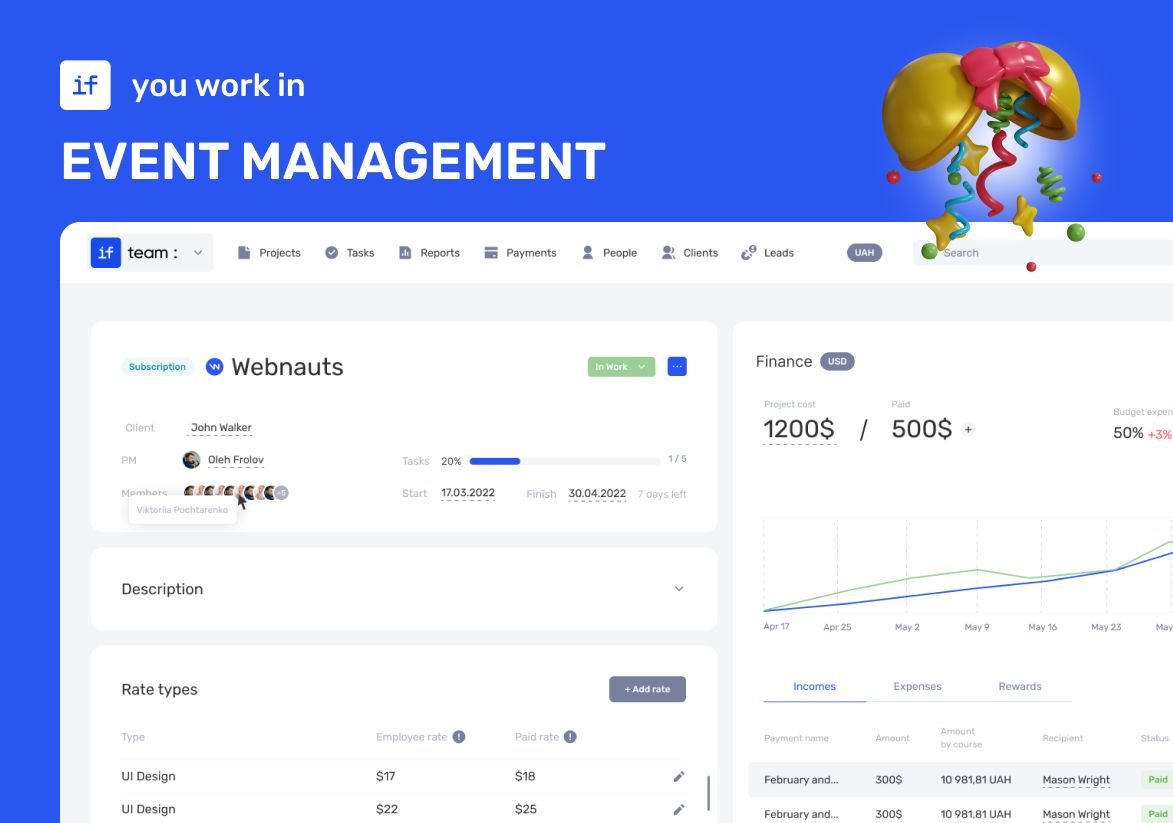
How an Event Agency Organized an Event in 7 Days with a 1 Million UAH Budget Using if.team
Our client was organizing a conference for 150 participants at the Parkovy Conference Center. To coordinate all this quickly and without mistakes, the team chose if.team.

if.team is the New Task Manager for the Atlas Weekend Team
Atlas Weekend was looking for a task manager to organize the team’s internal workflow. They needed a tool where projects could be managed, tasks assigned across departments, work planned, and the real status of operations visible at any moment.
Start your free 7-day trial
No credit card required. Get full access to all features and see how if.team can transform your team's workflow.