
Велике оновлення мобільних додатків для iOS та Android
You can now use the AI assistant to create tasks, which automatically breaks them down into subtasks and estimates the time for completion.
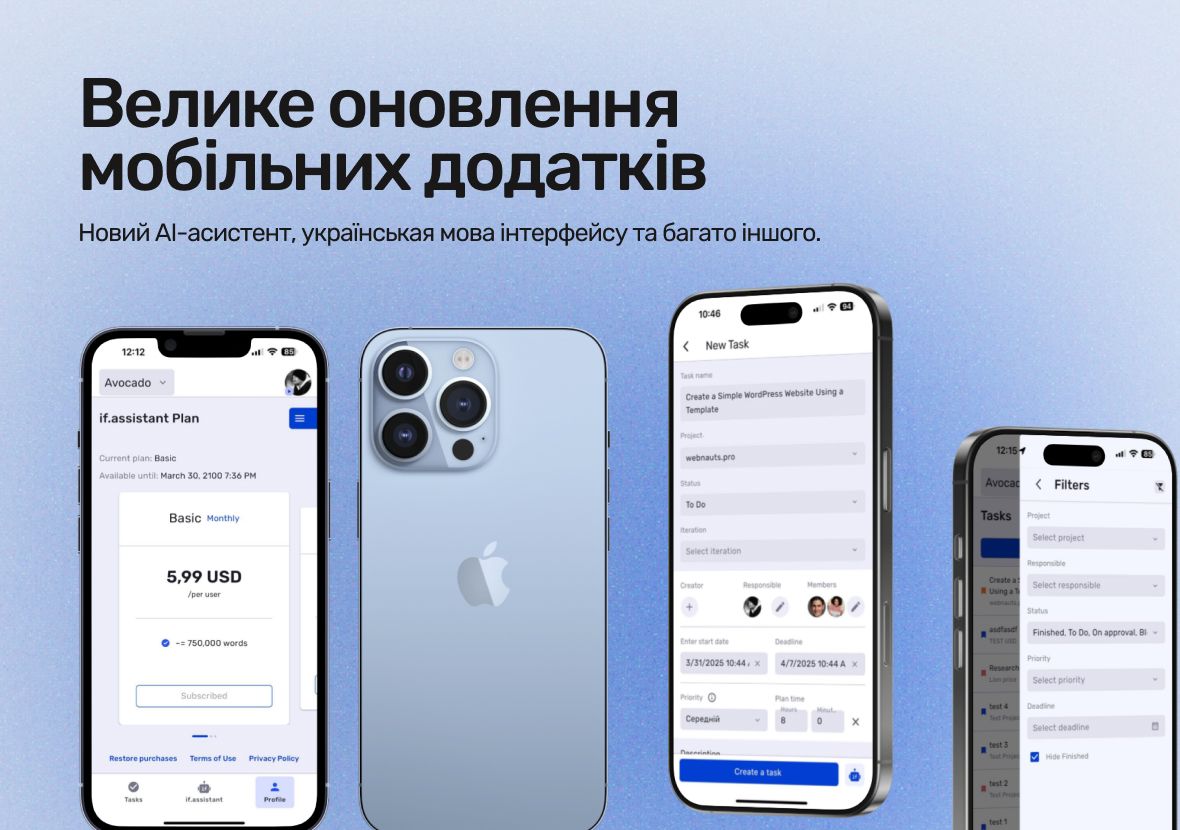
The mobile apps have received a major update that will make your work faster and more convenient. You can now use the AI assistant to create tasks, which automatically breaks them down into subtasks and estimates the time for completion. Additionally, the option to change the interface language to Ukrainian has been added, improving accessibility for local users.
The new version also includes new filters for tasks and important interface improvements. Working with checklists and tasks has become even easier. All these changes are now available for users on iOS and Android mobile apps.
What’s New in if.team
Here’s a quick overview of the latest updates in if.team. These new features are designed to make your work more efficient.
- AI Assistant Integration for Task Creation. Users can now quickly create tasks by simply describing their request in free form. The AI assistant automatically breaks it down into subtasks, estimates the time for each step, and assigns performers based on their specialization. This significantly simplifies the planning process and allows you to focus on more important aspects of the project.
- Ability to Change the Interface Language to Ukrainian. An option has been added to switch the interface language to Ukrainian. This makes it easier for Ukrainian-speaking users to interact with the app and enhances accessibility for local users, providing a more comfortable user experience.
- New AI Assistant Statistics and Pricing Plans. The mobile app now includes new statistical interfaces and pricing plans that limit the number of AI requests per month. However, each user gets 300,000 AI credits every month for free, allowing for efficient planning of AI assistant usage.
- Improved Filters and Task Interface. With the addition of new filters, finding tasks has become easier. Moreover, the task and checklist interface is now more intuitive, with options to work in both view and edit modes, as well as the ability to attach files to comments. These improvements make working with tasks more efficient and save time.
AI Assistant Integration for Task Creation
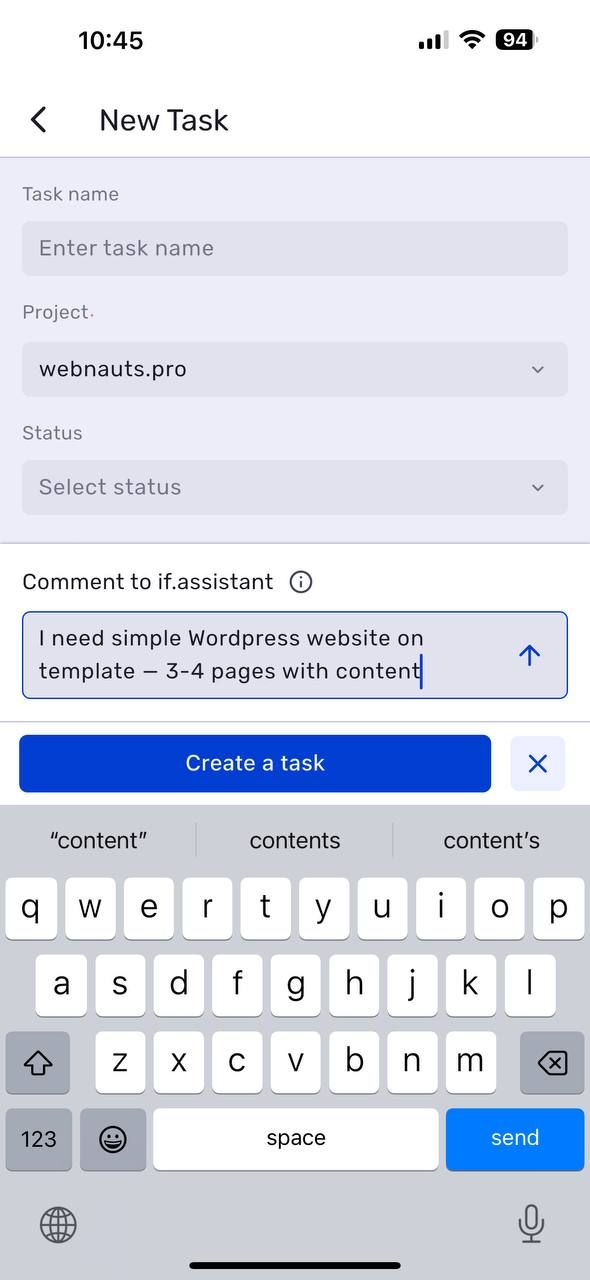
With the latest update, task creation has become even simpler and faster. Now, all you need to do is select a project and describe your request in free form, and the AI assistant will automatically break the task into parts. It will create checklists, define subtasks, and even estimate the time required for each stage. This saves time on planning and ensures resources are allocated more accurately.
Additionally, the assistant will help choose the right team members based on their specialties—such as assigning a designer to creative tasks or a PPC specialist to work on ads. With precise deadline planning and task prioritization, work will be organized more efficiently, boosting the overall effectiveness of the team.
Ukrainian Language Interface Added
Another significant improvement is the addition of Ukrainian language support in the interface. Now, users can switch the language directly from their profile settings, making the mobile app more user-friendly for Ukrainian-speaking users. This update enhances the product’s accessibility for a diverse audience and aligns with local requirements.
This update is also important for teams working with members who prefer the Ukrainian language. Now, everyone can work in their preferred language without any limitations, ensuring a more personalized and efficient experience.
New AI Assistant Statistics and Pricing Plans
The update also introduces new statistics interfaces for the AI assistant. New pricing plans have been added, which limit the number of AI requests available per month. However, each user is granted 300,000 AI credits every month completely for free, allowing for extensive use of all features without additional costs.
This update provides greater control over expenses when actively using the AI assistant. Now, you can view more detailed statistics and clearly plan your budget for using the technology.
Improved Filters and More Detailed Task Information
Another useful update is the addition of new filters, which make it easier to find tasks and other important information. Now, you can quickly and accurately filter data to find exactly what you need with minimal effort. This significantly simplifies working with large volumes of tasks and allows you to address key issues more efficiently.
Moreover, the new version provides more detailed information about each task, enabling a deeper evaluation of project statuses and informed decision-making. This update enhances work organization and overall user convenience.
Task and Checklist Interface Improvements
The updated task and checklist interface now allows you to work in both view and edit modes, making task management more flexible. Users can choose the format that suits them best, providing more control over the workflow.
Additionally, the task status update mechanism has been improved, allowing for quick and accurate status changes in real time. You can now attach files to task comments, making team communication even more convenient.
New Features Coming Soon
Additionally, starting from April 8, 2025, mobile apps will introduce a new lead management feature. This will greatly expand the capabilities for working with potential clients and improve the management of interactions directly through the mobile app.
This update will make project management even more efficient and user-friendly.
Author
Vladyslav ChesnokovPublished
Apr 7, 2025
Was this update helpful?
Your feedback helps us prioritise what to ship next.
Start your free 7-day trial
No credit card required. Get full access to all features and see how if.team can transform your team's workflow.